warning TOYOTA YARIS HATCHBACK 2021 Owners Manual
[x] Cancel search | Manufacturer: TOYOTA, Model Year: 2021, Model line: YARIS HATCHBACK, Model: TOYOTA YARIS HATCHBACK 2021Pages: 568, PDF Size: 110.34 MB
Page 407 of 568
407
7
YARIS(HB) Owner's Manual_Europe_MK0001_en
7-2. Steps to take in an emergency
When trouble arises
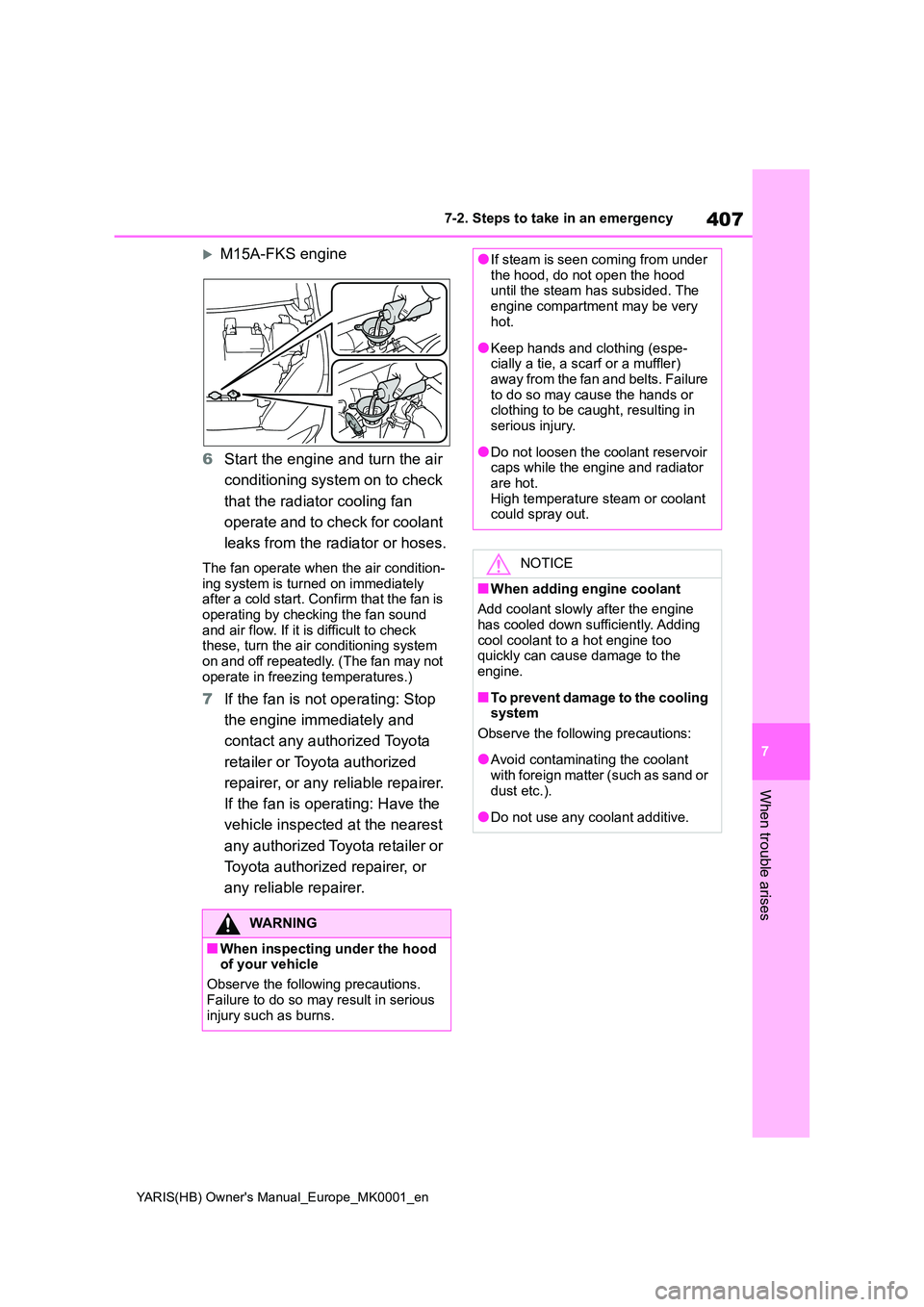
M15A-FKS engine
6 Start the engine and turn the air
conditioning system on to check
that the radiator cooling fan
operate and to check for coolant
leaks from the radiator or hoses.
The fan operate when the air condition- ing system is turned on immediately after a cold start. Confirm that the fan is
operating by checking the fan sound and air flow. If it is difficult to check these, turn the air conditioning system
on and off repeatedly. (The fan may not operate in freezing temperatures.)
7 If the fan is not operating: Stop
the engine immediately and
contact any authorized Toyota
retailer or Toyota authorized
repairer, or any reliable repairer.
If the fan is operating: Have the
vehicle inspected at the nearest
any authorized Toyota retailer or
Toyota authorized repairer, or
any reliable repairer.
WARNING
■When inspecting under the hood of your vehicle
Observe the following precautions.
Failure to do so may result in serious injury such as burns.
●If steam is seen coming from under the hood, do not open the hood until the steam has subsided. The
engine compartment may be very hot.
●Keep hands and clothing (espe-cially a tie, a scarf or a muffler) away from the fan and belts. Failure
to do so may cause the hands or clothing to be caught, resulting in serious injury.
●Do not loosen the coolant reservoir caps while the engine and radiator
are hot. High temperature steam or coolant could spray out.
NOTICE
■When adding engine coolant
Add coolant slowly after the engine has cooled down sufficiently. Adding
cool coolant to a hot engine too quickly can cause damage to the engine.
■To prevent damage to the cooling system
Observe the following precautions:
●Avoid contaminating the coolant
with foreign matter (such as sand or dust etc.).
●Do not use any coolant additive.
Page 408 of 568
408
YARIS(HB) Owner's Manual_Europe_MK0001_en
7-2. Steps to take in an emergency
1Stop the engine. Set the parking
brake and shift the shift lever to
P (Multidrive) or N (manual
transmission).
2 Remove the mud, snow or sand
from around the front wheels.
3 Place wood, stones or some
other material under the front
wheels to help provide traction.
4 Restart the engine.
5 Shift the shift lever to D or R
(Multidrive) or 1 or R (manual
transmission) and release the
parking brake. Then, while exer-
cising caution, depress the
accelerator pedal.
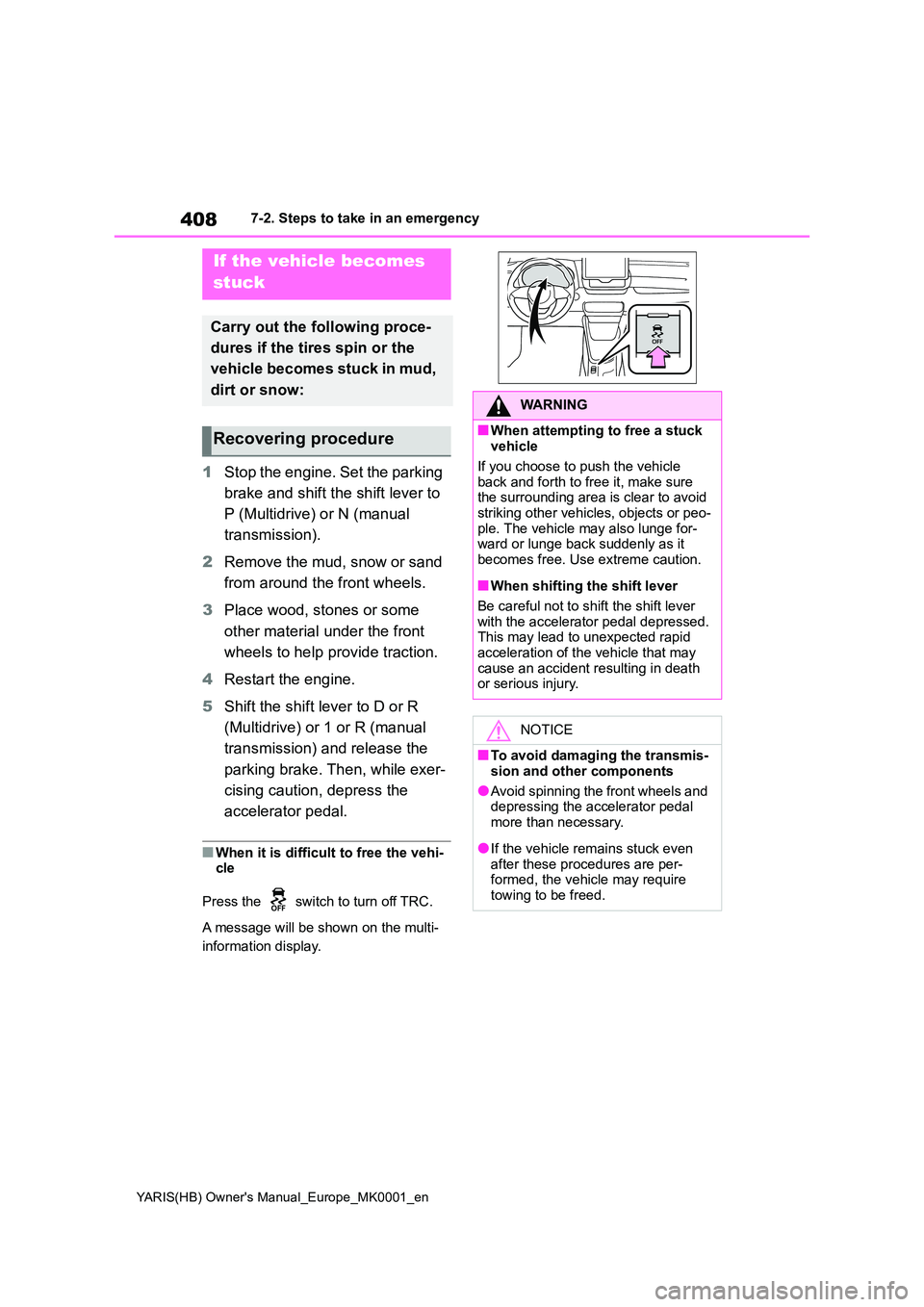
■When it is difficult to free the vehi- cle
Press the switch to turn off TRC.
A message will be shown on the multi-
information display.
If the vehicle becomes
stuck
Carry out the following proce-
dures if the tires spin or the
vehicle becomes stuck in mud,
dirt or snow:
Recovering procedure
WARNING
■When attempting to free a stuck vehicle
If you choose to push the vehicle back and forth to free it, make sure the surrounding area is clear to avoid
striking other vehicles, objects or peo- ple. The vehicle may also lunge for-ward or lunge back suddenly as it
becomes free. Use extreme caution.
■When shifting the shift lever
Be careful not to shift the shift lever with the accelerator pedal depressed.This may lead to unexpected rapid
acceleration of the vehicle that may cause an accident resulting in death or serious injury.
NOTICE
■To avoid damaging the transmis-
sion and other components
●Avoid spinning the front wheels and depressing the accelerator pedal
more than necessary.
●If the vehicle remains stuck even
after these procedures are per- formed, the vehicle may require towing to be freed.
Page 422 of 568
422
YARIS(HB) Owner's Manual_Europe_MK0001_en
8-2. Customization
8-2.Customiz ation
■Changing by using the naviga-
tion/multimedia system screen
(vehicles with navigation/mul-
timedia system)
1 Press the “MENU” button.
2 Select “Setup” on the “Menu”
screen.
3 Select “Vehicle” on the “Setup”
screen.
4 4 Select “Vehicle customiza-
tion”.
Various setting can be changed. Refer to the list of settings that can be
changed for details.
■Changing by using the meter
control switches
1 Press / (vertical display)
or / (horizontal display)
of the meter control switch to
select .
2 Press / (vertical display)
or / (horizontal display)
of the meter control switch to
select the desired item to be
customized.
3 Press or press and hold .
The available settings will differ
depending on if is pressed or
pressed and held. Follow the instruc-
tions on the display.
Customizable features
Your vehicle includes a variety
of electronic features that can
be personalized to suit your
preferences. The settings of
these features can be changed
using the multi-information
display, the navigation/multi-
media system screen or at any
authorized Toyota retailer or
Toyota authorized repairer, or
any reliable repairer.
Customizing vehicle fea-
turesWARNING
■During customization
As the engine needs to be running during customization, ensure that the
vehicle is parked in a place with ade- quate ventilation. In a closed area such as a garage, exhaust gases
including harmful carbon monoxide (CO) may collect and enter the vehi-cle. This may lead to death or a seri-
ous health hazard.
NOTICE
■During customization
To prevent battery discharge, ensure that the engine is running while cus-tomizing features.
Page 425 of 568
425
8
YARIS(HB) Owner's Manual_Europe_MK0001_en
8-2. Customization
Vehicle specifications
■Smart entry & start system* and wireless remote control (→P.116,
123)
*: If equipped
■Smart entry & start system* (→P.116, 121, 123)
*: If equipped
■Wireless remote control (→P.114, 116)
■Outside rear view mirrors (→P.136)
*: If equipped
FunctionDefault settingCustomized setting
Operation signal (Emer-
gency flashers)OnOffO—O
Time elapsed before auto-
matic door lock function is
activated if door is not
opened after being
unlocked
30 seconds
60 seconds
——O120 seconds
Open door warning buzzer*OnOff——O
FunctionDefault settingCustomized setting
Smart entry & start systemOnOffO—O
Number of consecutive
door lock operations2 timesAs many as desired——O
FunctionDefault settingCustomized setting
Wireless remote controlOnOff——O
FunctionDefault settingCustomized setting
Automatic mirror folding
and extending operation
*
Linked to the
locking/ unlock-
ing of the doorsOff
——OLinked to operation of
the engine switch
Page 427 of 568
427
8
YARIS(HB) Owner's Manual_Europe_MK0001_en
8-2. Customization
Vehicle specifications
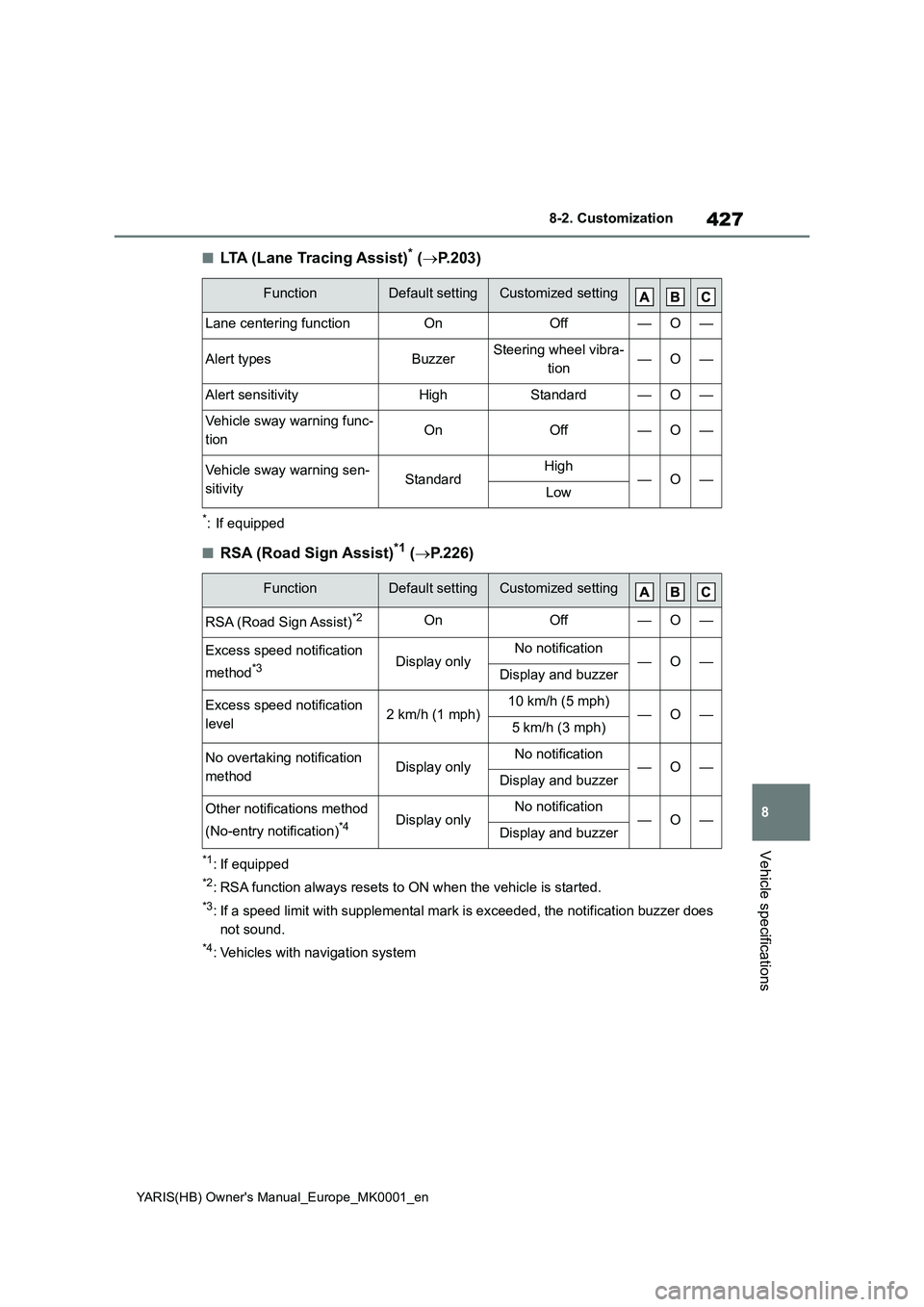
■LTA (Lane Tracing Assist)* (→P.203)
*: If equipped
■RSA (Road Sign Assist)*1 (→P.226)
*1: If equipped
*2: RSA function always resets to ON when the vehicle is started.
*3: If a speed limit with supplemental mark is exceeded, the notification buzzer does
not sound.
*4: Vehicles with navigation system
FunctionDefault settingCustomized setting
Lane centering functionOnOff—O—
Alert typesBuzzerSteering wheel vibra-
tion—O—
Alert sensitivityHighStandard—O—
Vehicle sway warning func-
tionOnOff—O—
Vehicle sway warning sen-
sitivityStandardHigh—O—Low
FunctionDefault settingCustomized setting
RSA (Road Sign Assist)*2OnOff—O—
Excess speed notification
method
*3Display onlyNo notification—O—Display and buzzer
Excess speed notification
level2 km/h (1 mph)10 km/h (5 mph)—O—5 km/h (3 mph)
No overtaking notification
methodDisplay onlyNo notification—O—Display and buzzer
Other notifications method
(No-entry notification)
*4Display onlyNo notification—O—Display and buzzer
Page 430 of 568
430
YARIS(HB) Owner's Manual_Europe_MK0001_en
8-2. Customization
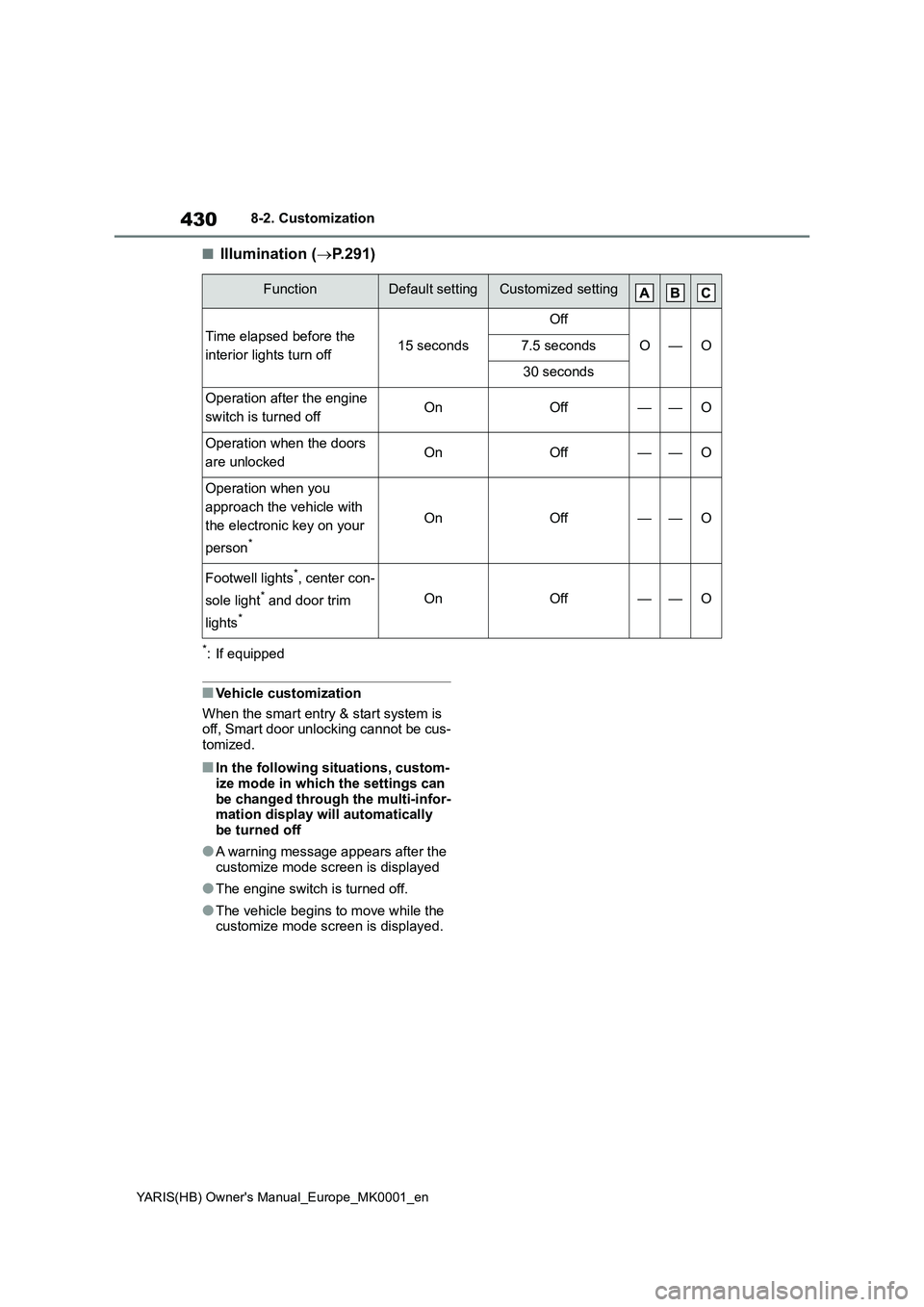
■Illumination (→P.291)
*: If equipped
■Vehicle customization
When the smart entry & start system is
off, Smart door unlocking cannot be cus-
tomized.
■In the following situations, custom-
ize mode in which the settings can
be changed through the multi-infor-
mation display will automatically
be turned off
●A warning message appears after the
customize mode screen is displayed
●The engine switch is turned off.
●The vehicle begins to move while the
customize mode screen is displayed.
FunctionDefault settingCustomized setting
Time elapsed before the
interior lights turn off15 seconds
Off
O—O7.5 seconds
30 seconds
Operation after the engine
switch is turned offOnOff——O
Operation when the doors
are unlockedOnOff——O
Operation when you
approach the vehicle with
the electronic key on your
person
*
OnOff——O
Footwell lights*, center con-
sole light
* and door trim
lights
*
OnOff——O
Page 431 of 568

431
8
YARIS(HB) Owner's Manual_Europe_MK0001_en
8-3. Initialization
Vehicle specifications
8- 3. In it ia li za ti on
*: If equipped
Items to initialize
The following items must be initialized for normal system operation
after such cases as the battery being reconnected, or maintenance
being performed on the vehicle:
List of items to initialize
ItemWhen to initializeReference
PKSB (Parking Sup-
port Brake)
*• After reconnecting or changing the
batteryP. 2 5 5
Engine oil mainte-
nance data• After maintenance is performedP. 3 2 3
Tire pressure warning
system
• When rotating front and rear tires
which have different tire inflation
pressures
• When changing the tire size
• When the tire inflation pressure is
changed such as when changing
traveling speed or load weight
• When changing between two regis-
tered wheel sets
P. 3 3 4
Page 541 of 568
541
8
YARIS(HB) Owner's Manual_Europe_MK0001_en
8-4. Certifications
Vehicle specifications
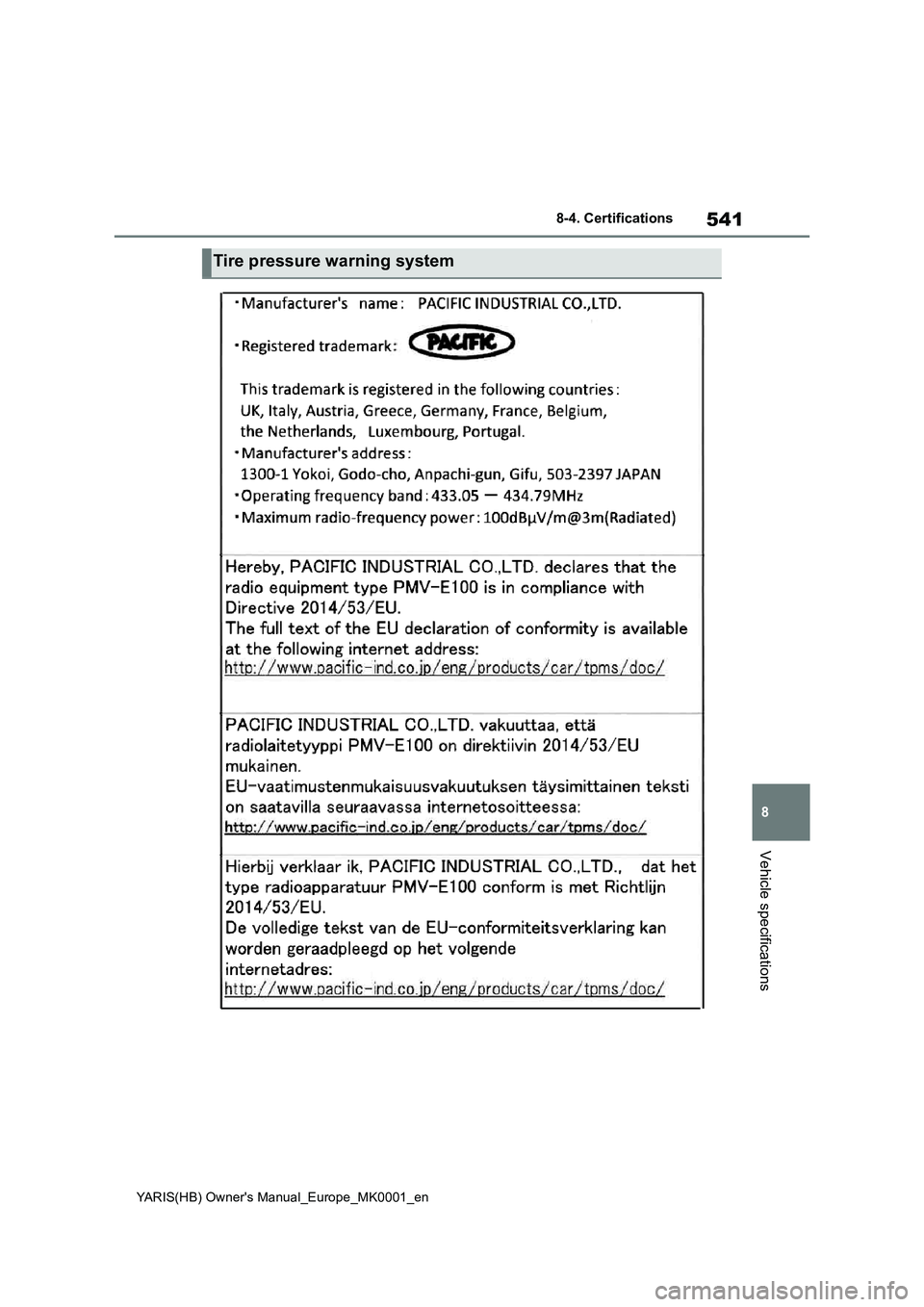
Tire pressure warning system
Page 553 of 568
553
YARIS(HB) Owner's Manual_Europe_MK0001_en
What to do if... (Troubleshooting)
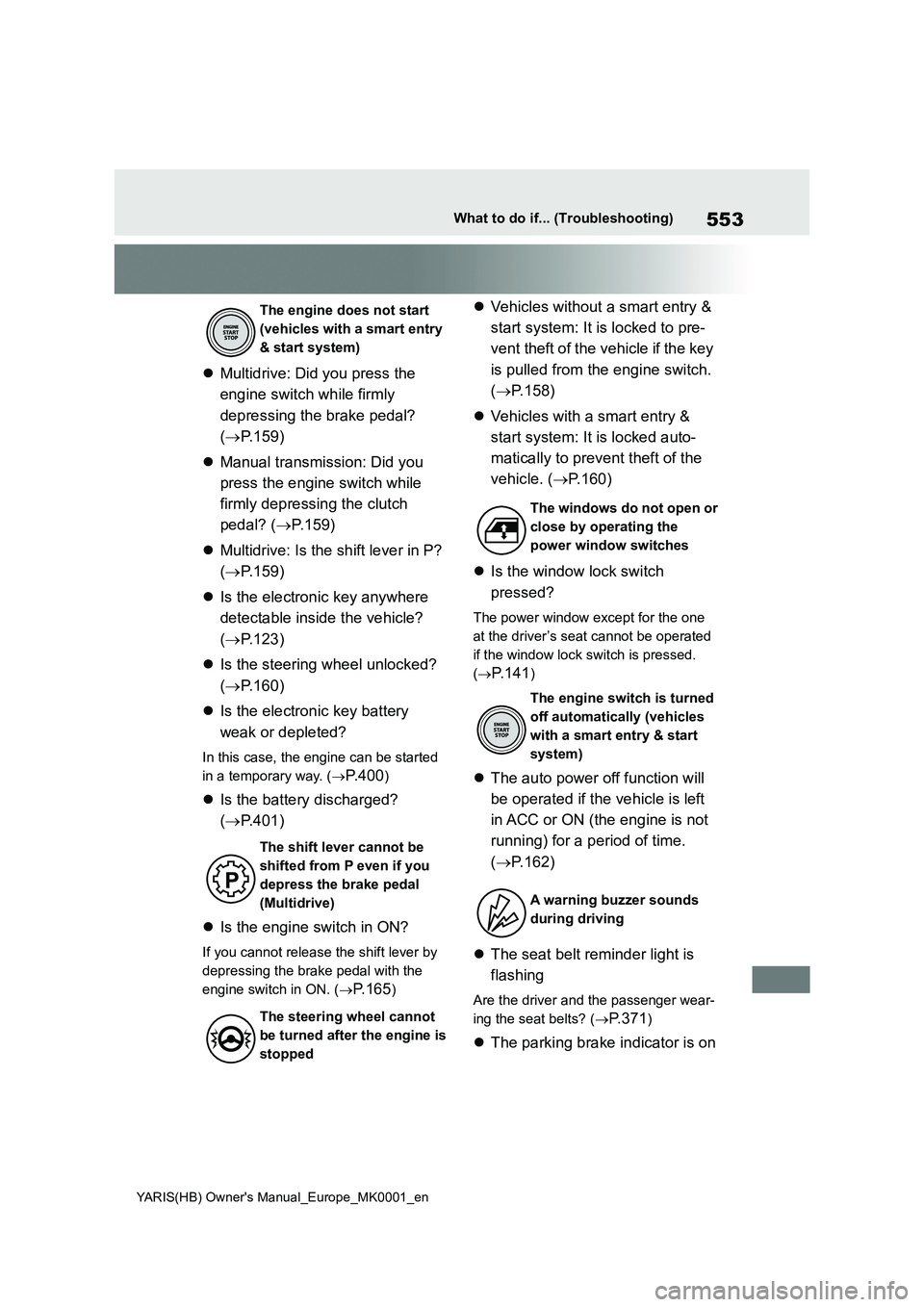
zMultidrive: Did you press the
engine switch while firmly
depressing the brake pedal?
(→P.159)
zManual transmission: Did you
press the engine switch while
firmly depressing the clutch
pedal? (→P.159)
zMultidrive: Is the shift lever in P?
(→P.159)
zIs the electronic key anywhere
detectable inside the vehicle?
(→P.123)
zIs the steering wheel unlocked?
(→P.160)
zIs the electronic key battery
weak or depleted?
In this case, the engine can be started
in a temporary way. (→
P.400)
zIs the battery discharged?
(→P.401)
zIs the engine switch in ON?
If you cannot release the shift lever by
depressing the brake pedal with the
engine switch in ON. (→
P.165)
zVehicles without a smart entry &
start system: It is locked to pre-
vent theft of the vehicle if the key
is pulled from the engine switch.
(→P.158)
zVehicles with a smart entry &
start system: It is locked auto-
matically to prevent theft of the
vehicle. (→P.160)
zIs the window lock switch
pressed?
The power window except for the one
at the driver’s seat cannot be operated
if the window lock switch is pressed.
(→
P.141)
zThe auto power off function will
be operated if the vehicle is left
in ACC or ON (the engine is not
running) for a period of time.
(→P.162)
zThe seat belt reminder light is
flashing
Are the driver and the passenger wear-
ing the seat belts? (→
P. 3 7 1)
zThe parking brake indicator is on
The engine does not start
(vehicles with a smart entry
& start system)
The shift lever cannot be
shifted from P even if you
depress the brake pedal
(Multidrive)
The steering wheel cannot
be turned after the engine is
stopped
The windows do not open or
close by operating the
power window switches
The engine switch is turned
off automatically (vehicles
with a smart entry & start
system)
A warning buzzer sounds
during driving
Page 554 of 568
554
YARIS(HB) Owner's Manual_Europe_MK0001_en
What to do if... (Troubleshooting)
Is the parking brake released?
(→
P. 1 7 1)
Depending on the situation, other
types of warning buzzer may also
sound. (→P.368, 377)
zDid anyone inside the vehicle
open a door during setting the
alarm?
The sensor detects it and the alarm
sounds. (→
P. 7 8)
Do one of the following to deacti-
vate or stop the alarms:
zUnlock the doors using the entry
function (if equipped) or wireless
remote control.
zStarting the engine. (The alarm
will be deactivated or stopped
after a few seconds.)
zIs the electronic key left inside
the vehicle?
Check the message on the multi-infor-
mation display. (→
P.377)
zWhen a warning light turns on or
a warning message is displayed,
refer to P.368, 377.zVehicles with an emergency tire
puncture repair kit: Stop the vehi-
cle in a safe place and repair the
flat tire temporarily with the
emergency tire puncture repair
kit. (→P.379)
zVehicles with spare tire: Stop the
vehicle in a safe place and
replace the flat tire with the spare
tire. (→P.389)
zTry the procedure for when the
vehicle becomes stuck in mud,
dirt, or snow. (→P.408)
An alarm is activated and the
horn sounds (vehicles with
an alarm)
A warning buzzer sounds
when leaving the vehicle
(vehicles with a smart entry
& start system)
A warning light turns on or a
warning message is dis-
played
When a problem has
occurred
If you have a flat tire
The vehicle becomes stuck