customization TOYOTA YARIS HYBRID 2015 Owners Manual
[x] Cancel search | Manufacturer: TOYOTA, Model Year: 2015, Model line: YARIS HYBRID, Model: TOYOTA YARIS HYBRID 2015Pages: 492, PDF Size: 21.93 MB
Page 5 of 492
5
1
7
8
6
5
4
3
2
9
YARIS_HV_EE_OM52F30E
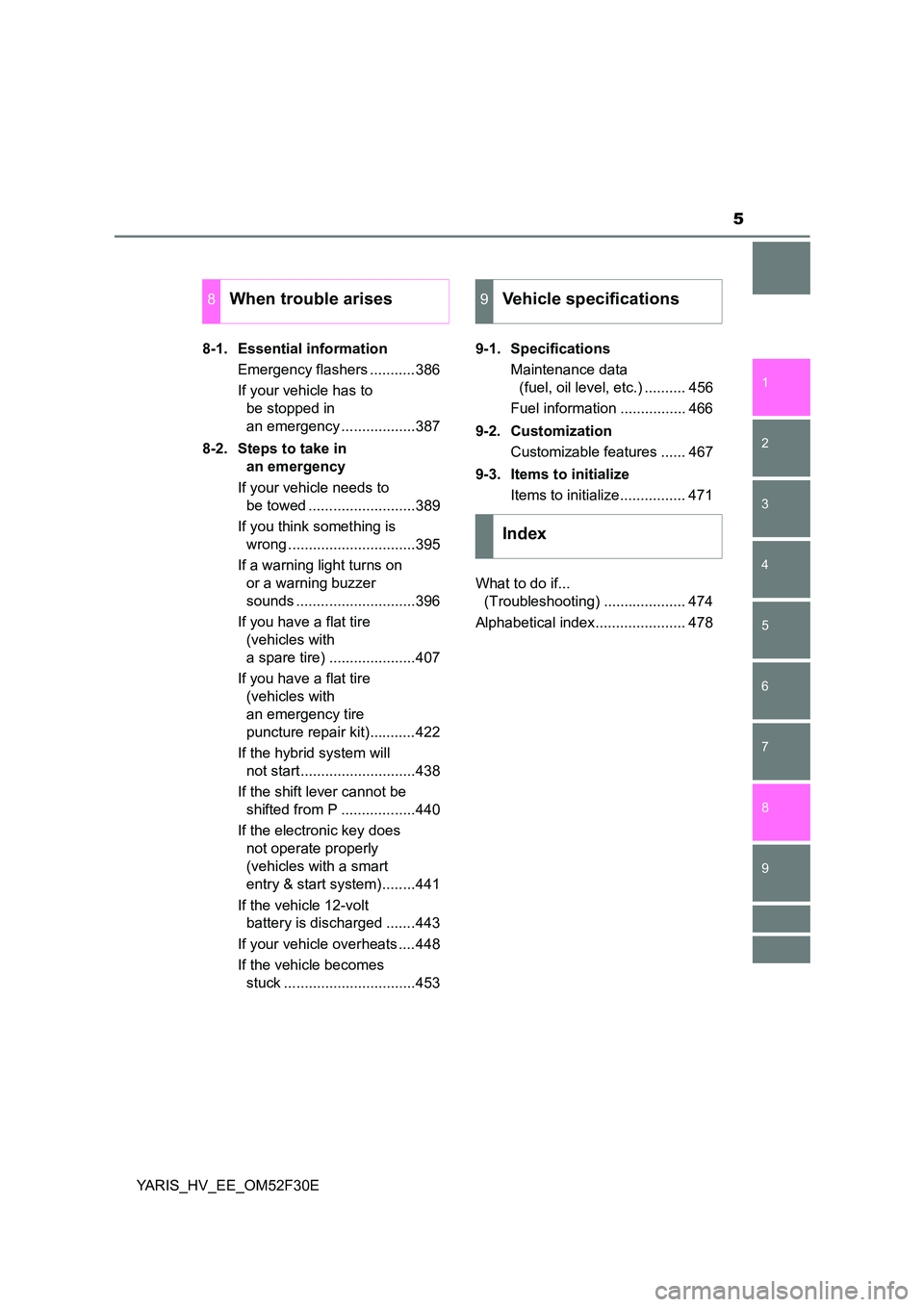
8-1. Essential information
Emergency flashers ...........386
If your vehicle has to
be stopped in
an emergency ..................387
8-2. Steps to take in
an emergency
If your vehicle needs to
be towed ..........................389
If you think something is
wrong ...............................395
If a warning light turns on
or a warning buzzer
sounds .............................396
If you have a flat tire
(vehicles with
a spare tire) .....................407
If you have a flat tire
(vehicles with
an emergency tire
puncture repair kit)...........422
If the hybrid system will
not start............................438
If the shift lever cannot be
shifted from P ..................440
If the electronic key does
not operate properly
(vehicles with a smart
entry & start system)........441
If the vehicle 12-volt
battery is discharged .......443
If your vehicle overheats ....448
If the vehicle becomes
stuck ................................453
9-1. Specifications
Maintenance data
(fuel, oil level, etc.) .......... 456
Fuel information ................ 466
9-2. Customization
Customizable features ...... 467
9-3. Items to initialize
Items to initialize................ 471
What to do if...
(Troubleshooting) .................... 474
Alphabetical index...................... 478
8When trouble arises9Vehicle specifications
Index
Page 78 of 492
781-2. Hybrid system
YARIS_HV_EE_OM52F30E
■ After the 12-volt battery has discharged or when the terminal has been
removed and installed during exchange, etc.
The gasoline engine may not stop even if the vehicle is being driven by the
hybrid battery (traction battery). If this continues for a few days, contact any
authorized Toyota dealer or repair er, or another duly qualified and equipped
professional.
■ Sounds and vibrations specific to a hybrid vehicle
There may be no engine sound or vibration even though the vehicle is able to
move with the “READY” indicator is illuminated. For safety, apply the parking
brake and make sure to shift the shift lever to P when parked.
The following sounds or vibrations may occur when the hybrid system is
operating and are not a malfunction:
● Motor sounds may be heard from the engine compartment.
● Sounds may be heard from the hybrid battery (traction battery) behind the
rear seats when the hybrid system starts or stops.
● Relay operating sounds such as a snap or soft clank will be emitted from the
hybrid battery (traction battery), behind the rear seats, when the hybrid sys-
tem is started or stopped.
● Sounds from the hybrid system may be heard when the back door is open.
● Sounds may be heard from the transmission when the gasoline engine
starts or stops, when driving at low speeds, or during idling.
● Engine sounds may be heard when accelerating sharply.
● Sounds may be heard due to regenerative braking when the brake pedal is
depressed or as the accelerator pedal is released.
● Vibration may be felt when the gasoline engine starts or stops.
● Cooling fan sounds may be heard from the air intake vent on the side of the
lower part of the rear left seats.
■ Maintenance, repair, recycling, and disposal
Contact any authorized Toyota dealer or repairer, or another duly qualified
and equipped professional regarding maintenance, repair, recycling and dis-
posal. Do not dispose of the vehicle yourself.
■ Customization
Settings (e.g. on/off operation of the EV indicator) can be changed.
(Customizable features →P. 467)
Page 102 of 492
1022. Instrument cluster
YARIS_HV_EE_OM52F30E
EV indicator can be activated or deactivated by pressing the display
change button when the EV indicator customization display is dis-
played.
To change the EV indicator customization display, display the odometer
and press and hold the display change button until the display changes.
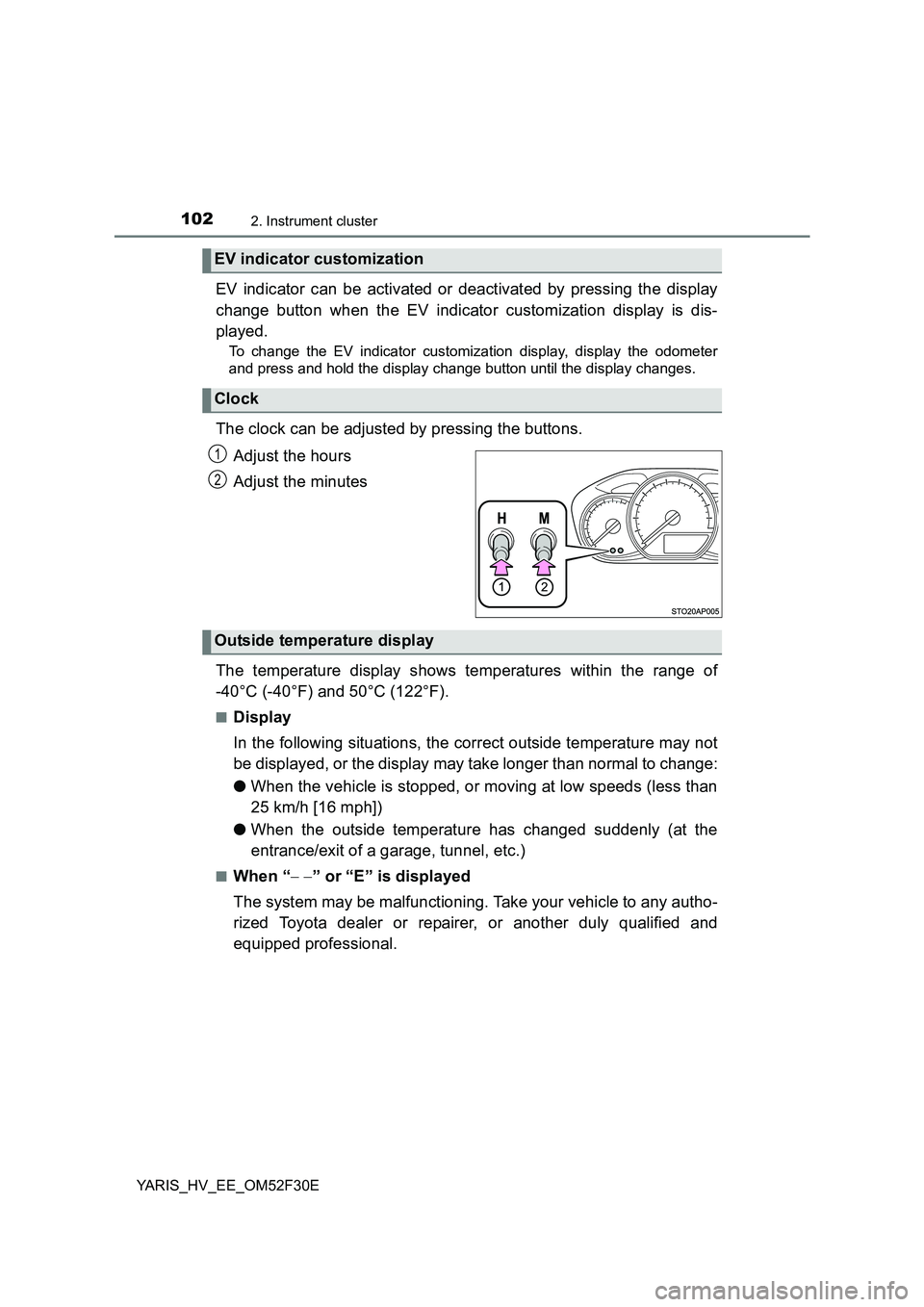
The clock can be adjusted by pressing the buttons.
Adjust the hours
Adjust the minutes
The temperature display shows temperatures within the range of
-40°C (-40°F) and 50°C (122°F).
■Display
In the following situations, the correct outside temperature may not
be displayed, or the display may take longer than normal to change:
● When the vehicle is stopped, or moving at low speeds (less than
25 km/h [16 mph])
● When the outside temperature has changed suddenly (at the
entrance/exit of a garage, tunnel, etc.)
■When “ − −” or “E” is displayed
The system may be malfunctioning. Take your vehicle to any autho-
rized Toyota dealer or repairer, or another duly qualified and
equipped professional.
EV indicator customization
Clock
1
2
Outside temperature display
Page 114 of 492
1143-1. Key information
YARIS_HV_EE_OM52F30E
■ Replacing the battery
→ P. 361
■ Confirmation of the registered key number (vehicles with a smart entry &
start system)
The number of keys already registered to the vehicle can be confirmed. Ask
any authorized Toyota dealer or re pairer, or another duly qualified and
equipped professional for details.
■ If a wrong key is used
On some models, the key cylinder rotates freely to isolate inside mechanism.
■ Customization
Settings (e.g. wireless remote control system) can be changed.
(Customizable features: →P. 467)
Page 140 of 492
1403-2. Opening, closing and locking the doors
YARIS_HV_EE_OM52F30E
■ To operate the system properly
Make sure to carry the electronic key when operating the system. Do not get
the electronic key too close to the vehicle when operating the system from the
outside of the vehicle.
Depending on the position and holding condition of the electronic key, the key
may not be detected correctly and the system may not operate properly. (The
alarm may go off accidentally, or the door lock prevention function may not
operate.)
■ If the smart entry & start system does not operate properly
● Locking and unlocking the doors: Use the mechanical key. (→P. 441)
● Starting the hybrid system: →P. 442
■ Customization
Settings (e. g. smart entry & start system) can be changed.
(Customizable features: →P. 467)
■ If the smart entry & start system has been deactivated in a customized
setting
● Locking and unlocking the doors:
Use the wireless remote control or mechanical key. ( →P. 112, 441)
● Starting the hybrid system and changing power switch modes: →P. 442
● Stopping the hybrid system: →P. 183
Page 199 of 492
1994-3. Operating the lights and wipers
4
Driving
YARIS_HV_EE_OM52F30E
■ Light reminder buzzer
XVehicles without a smart entry & start system
A buzzer sounds when the key is removed from the power switch and the
driver’s door is opened while the lights are turned on.
XVehicles with a smart entry & start system
A buzzer sounds when the power switch is turned off or turned to ACCES-
SORY mode and the driver’s door is opened while the lights are turned on.
■ Battery-saving function
In all conditions following below, the headlights and the other remaining lights
will go off automatically after 20 minutes in order to prevent the vehicle bat-
tery from being discharged:
● The headlights and/or tail lights are on.
● The light switch is in or .
● Vehicles without a smart entry & start system: The power switch is in the
“ACC” or the “LOCK” position.
● Vehicles with a smart entry & start system: The power switch is turned to
ACCESSORY mode or turned off.
This function will be canceled in any of the following situations:
● Vehicles without a smart entry & start system: When the power switch is
turned to the “ON” position.
● Vehicles with a smart entry & start system: When the power switch is turned
to ON mode.
● When the light switch is operated.
● When the door is opened or closed.
■ Customization
Settings (e.g. light sensor sensitivity) can be changed.
(Customizable features: →P. 467)
NOTICE
■ To prevent 12-volt battery discharge
Do not leave the lights on longer than necessary when the hybrid system is
off.
Page 290 of 492
2906-1. Using the air conditioning system and defogger
YARIS_HV_EE_OM52F30E
■Operation of the air conditioning system in Eco drive mode
In Eco drive mode, the air conditioning system is controlled as follows to pri-
oritize fuel efficiency:
● Heating/cooling capacity is restricted.
● Outside/recirculated air mode automatically switch depending on the tem-
perature setting or the inside temperature.
● Fan speed restricted when automatic mode is selected.
To improve air conditioning performance, perform the following operations:
● Adjust the fan speed or the setting temperature.
● Turn off Eco drive mode.
■ Customization
The air conditioning control of Eco drive mode can be changed to the same
setting as that used in normal drive mode.
(Customizable features →P. 467)
■ Using automatic mode
Fan speed is adjusted automatically according to the temperature setting and
the ambient conditions.
Therefore, the fan may stop for a while until warm or cool air is ready to flow
immediately after is pressed.
■ Fogging up of the windows
● The windows will easily fog up when the humidity in the vehicle is high.
Turning on will dehumidify the air from the outlets and defog the wind-
shield effectively.
● If you turn off, the windows may fog up more easily.
● The windows may fog up if the recirculated air mode is used.
Page 296 of 492
2966-2. Using the interior lights
YARIS_HV_EE_OM52F30E
On
Off
■ Illuminated entry system
XVehicles without a smart entry & start system
The lights automatically turn on/off according to the power switch position,
whether the doors are locked/unloc ked, and whether the doors are opened/
closed.
XVehicles with a smart entry & start system
The lights automatically turn on/off according to power switch mode, the pres-
ence of the electronic key, whether the doors are locked/unlocked, and
whether the doors are opened/closed.
■ To prevent 12-volt battery from being discharged
If the following lights remain on when the door is not fully closed, the lights will
go off automatically after 20 minutes:
● Interior light (when the switch is in the door position)
● Power switch light
● Footwell lights
■ Customization
Settings (e.g. the time elapsed before lights turn off) can be changed.
(Customizable features →P. 467)
Personal lights
1
2
Page 442 of 492
4428-2. Steps to take in an emergency
YARIS_HV_EE_OM52F30E
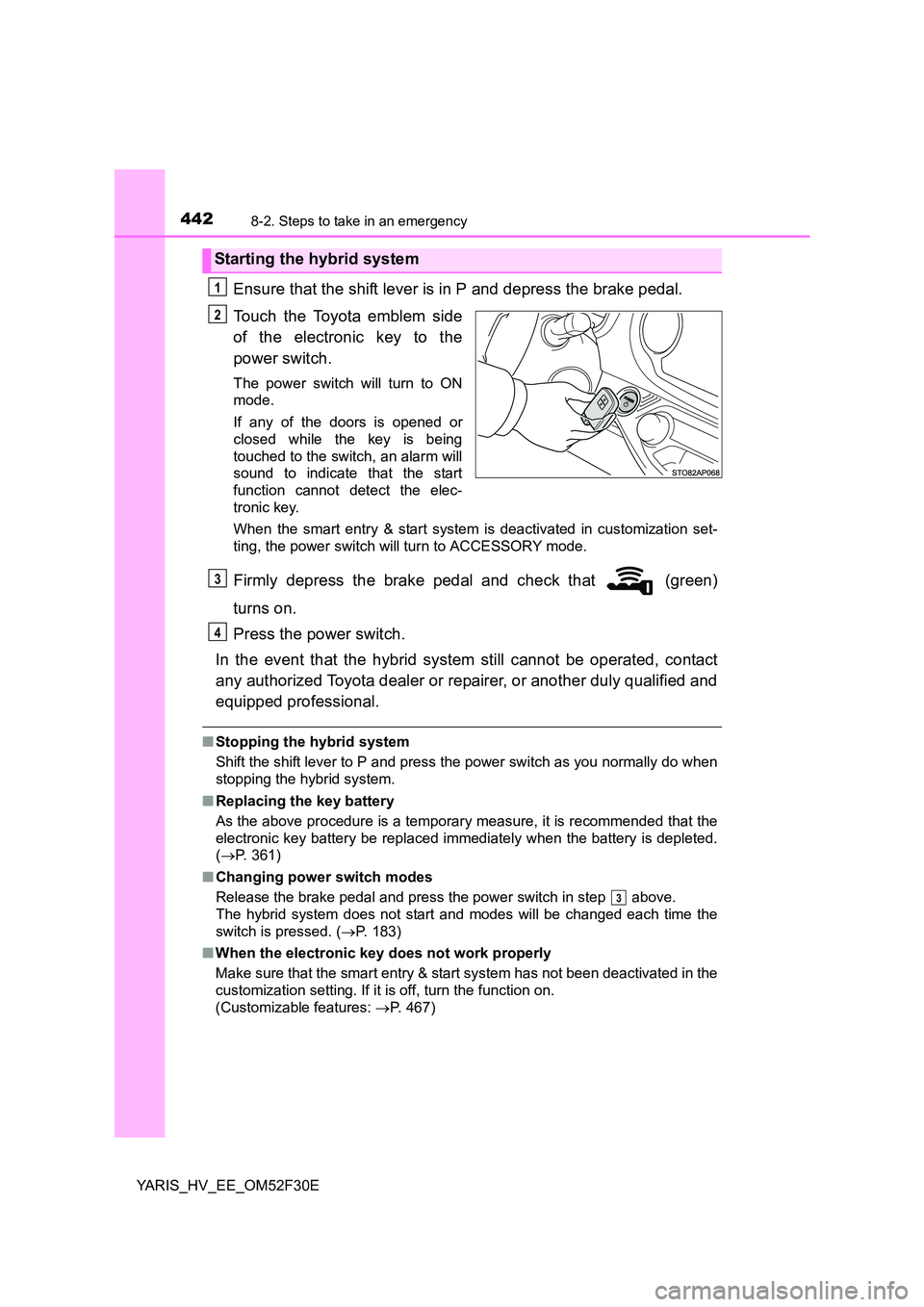
Ensure that the shift lever is in P and depress the brake pedal.
Touch the Toyota emblem side
of the electronic key to the
power switch.
The power switch will turn to ON
mode.
If any of the doors is opened or
closed while the key is being
touched to the switch, an alarm will
sound to indicate that the start
function cannot detect the elec-
tronic key.
When the smart entry & start system is deactivated in customization set-
ting, the power switch will turn to ACCESSORY mode.
Firmly depress the brake pedal and check that (green)
turns on.
Press the power switch.
In the event that the hybrid system still cannot be operated, contact
any authorized Toyota dealer or repairer, or another duly qualified and
equipped professional.
■ Stopping the hybrid system
Shift the shift lever to P and press the power switch as you normally do when
stopping the hybrid system.
■ Replacing the key battery
As the above procedure is a temporary measure, it is recommended that the
electronic key battery be replaced immediately when the battery is depleted.
( →P. 361)
■ Changing power switch modes
Release the brake pedal and press the power switch in step above.
The hybrid system does not start and modes will be changed each time the
switch is pressed. ( →P. 183)
■ When the electronic key does not work properly
Make sure that the smart entry & start system has not been deactivated in the
customization setting. If it is off, turn the function on.
(Customizable features: →P. 467)
Starting the hybrid system
1
2
3
4
3
Page 455 of 492
455
9Vehicle specifications
YARIS_HV_EE_OM52F30E
9-1. Specifications
Maintenance data
(fuel, oil level, etc.)........... 456
Fuel information ................. 466
9-2. Customization
Customizable features ....... 467
9-3. Items to initialize
Items to initialize ................ 471