audio TOYOTA YARIS HYBRID 2016 User Guide
[x] Cancel search | Manufacturer: TOYOTA, Model Year: 2016, Model line: YARIS HYBRID, Model: TOYOTA YARIS HYBRID 2016Pages: 492, PDF Size: 31.95 MB
Page 226 of 492
2264-5. Toyota Safety Sense
YARIS_HV_EE_OM52G10E
■Temporary cancelation of the LDA system functions
If any of the following occurs, the LDA system functions will be temporarily
canceled. The functions will resume after the necessary operating conditions
have returned.
● The turn signal lever is operated.
● The vehicle speed deviates from the operating range of the LDA system
functions.
● When the lane lines cannot be recognized while driving.
● When the lane departure warning sounds.
The lane departure warning function will not operate again for a several sec-
onds after it has been activated, even if the vehicle leaves the lane again.
■ The lane departure warning
Depending on the audio system sound level or air conditioning fan noise
while the audio system or air conditioning sy stem is in use, it may be difficult
to hear the warning sound.
■ After the vehicle has been parked in the sun
The LDA system may not be immediatel y available. When the temperature in
the cabin decreases and the temperature around the front sensor ( P. 212)
becomes suitable for its operation, the functions will begin to operate.
■ If there are lane markers on only one side of the vehicle
The lane departure warning will not operate for the side on which lane mark-
ers could not be recognized.
■ Conditions in which the function may not operate correctly
In the following situations, the front sensor may be unable to recognize lane
markers causing the lane departure warning function to operate incorrectly.
However, this does not indicate a malfunction.
● When driving through an area, such as a tollbooth, a crossing or before a
ticket checkpoint
● When driving on a sharp curve
● When lane markers are extremely narrow or extremely wide
● When the vehicle leans to one side an unusual amount due to a heavy load
or improper tire inflation pressure
● When the following distance between your vehicle and the vehicle ahead is
extremely short
● When the lane markers are yellow (These may be more difficult for the sys-
tem to recognize compared to white markers.)
● When the lane markers are broken, Botts’ dots (raised pavement markers)
or stones
Page 249 of 492
249
5Audio system
YARIS_HV_EE_OM52G10E
5-1. Basic Operations
Audio system types............ 250
Steering wheel audio
switches ........................... 252
USB port ............................ 253
5-2. Using the audio system
Optimal use of the audio
system ............................. 254
5-3. Using the radio
Radio operation ................. 256
5-4. Playing audio CDs and
MP3/WMA discs
CD player operation ........... 261
5-5. Using an external device
Listening to an iPod ........... 269
Listening to a USB
memory device ................ 276
Page 250 of 492
2505-1. Basic Operations
YARIS_HV_EE_OM52G10E
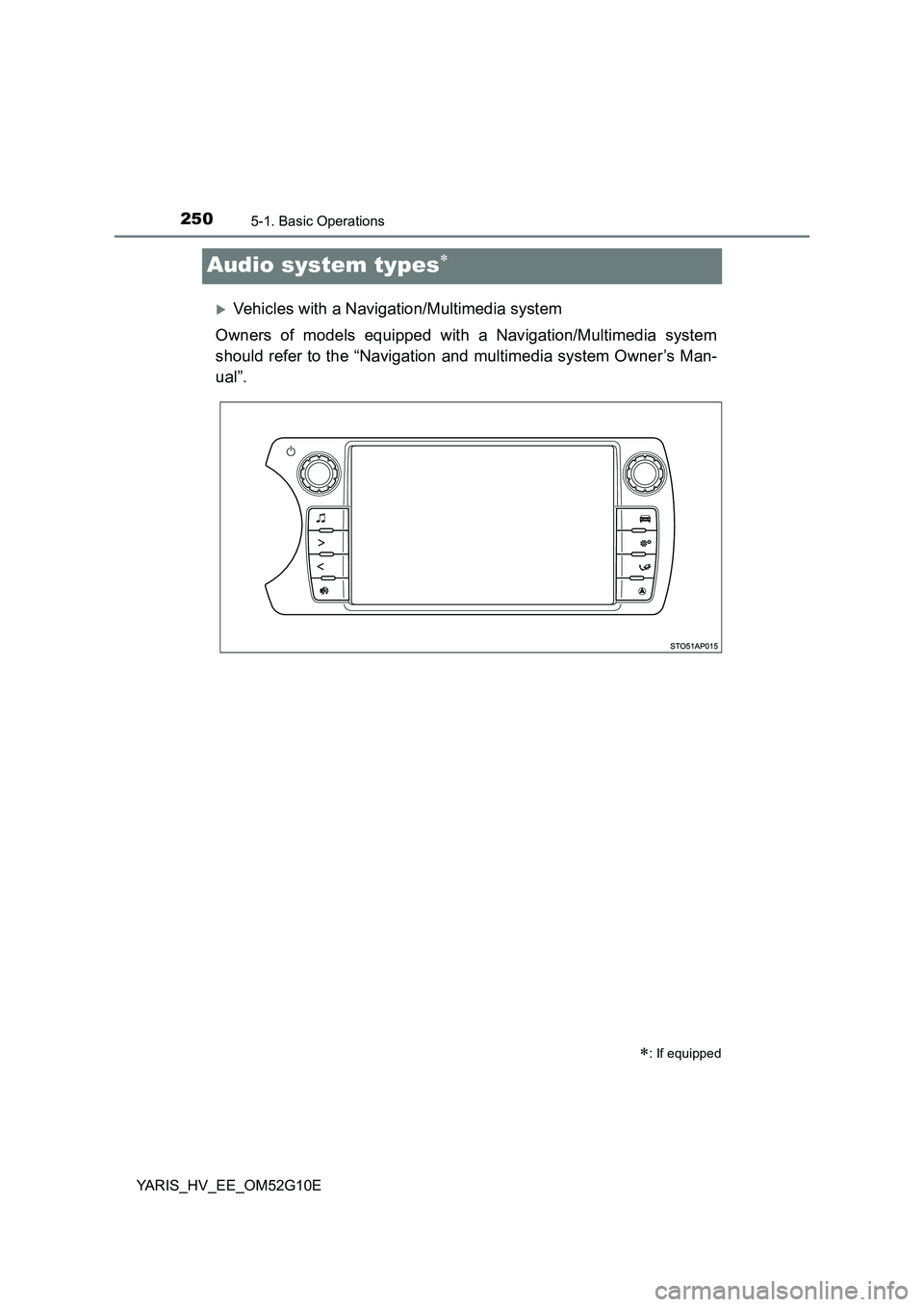
Audio system types
Vehicles with a Navigation/Multimedia system
Owners of models equipped with a Navigation/Multimedia system
should refer to the “Navigation and multimedia system Owner’s Man-
ual”.
: If equipped
Page 251 of 492
2515-1. Basic Operations
5
Audio system
YARIS_HV_EE_OM52G10E
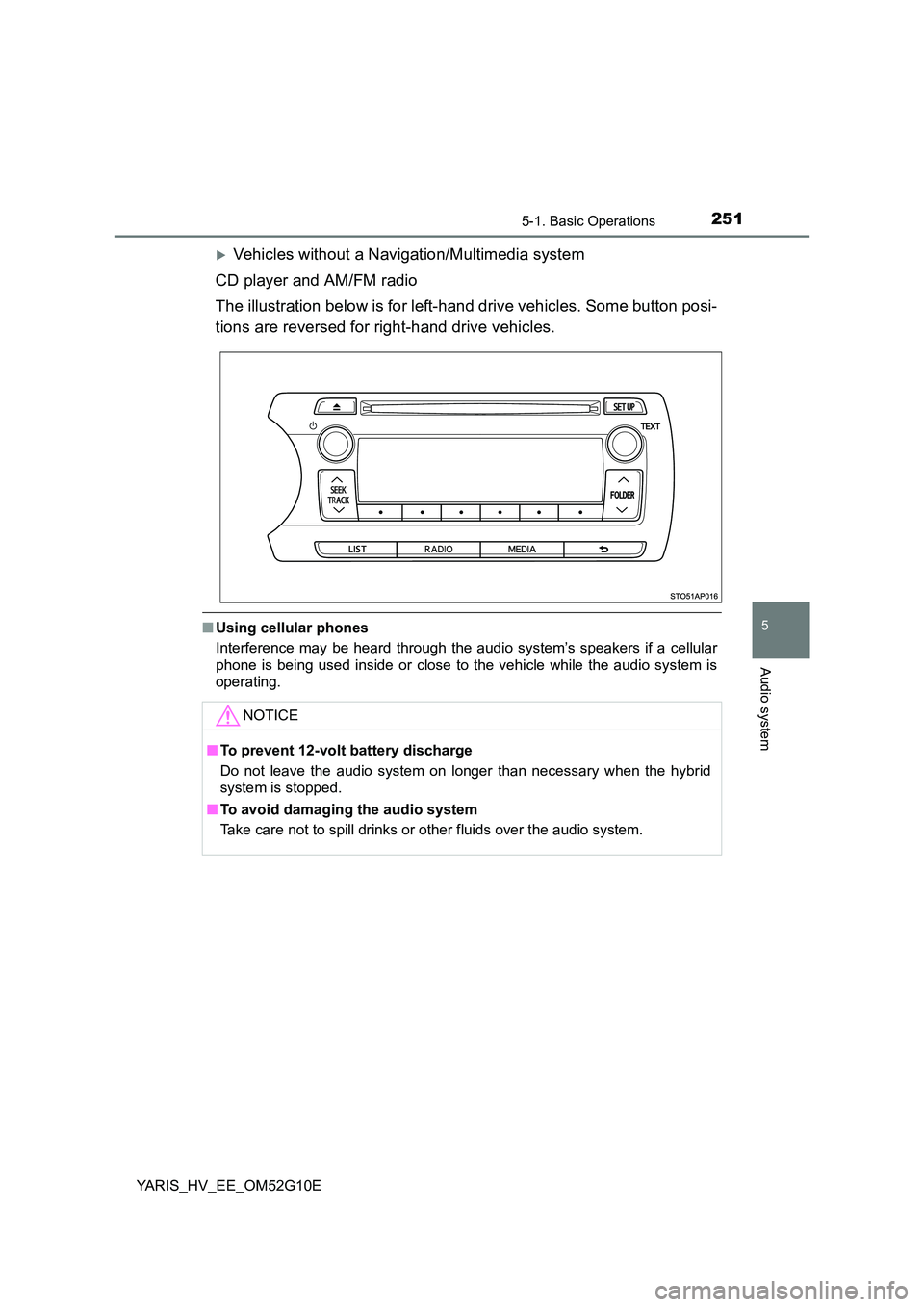
Vehicles without a Navigation/Multimedia system
CD player and AM/FM radio
The illustration below is for left-hand drive vehicles. Some button posi-
tions are reversed for right-hand drive vehicles.
■ Using cellular phones
Interference may be heard through the audio system’s speakers if a cellular
phone is being used inside or close to the vehicle while the audio system is
operating.
NOTICE
■ To prevent 12-volt battery discharge
Do not leave the audio system on longer than necessary when the hybrid
system is stopped.
■ To avoid damaging the audio system
Take care not to spill drinks or other fluids over the audio system.
Page 252 of 492
2525-1. Basic Operations
YARIS_HV_EE_OM52G10E
Steering wheel audio switches
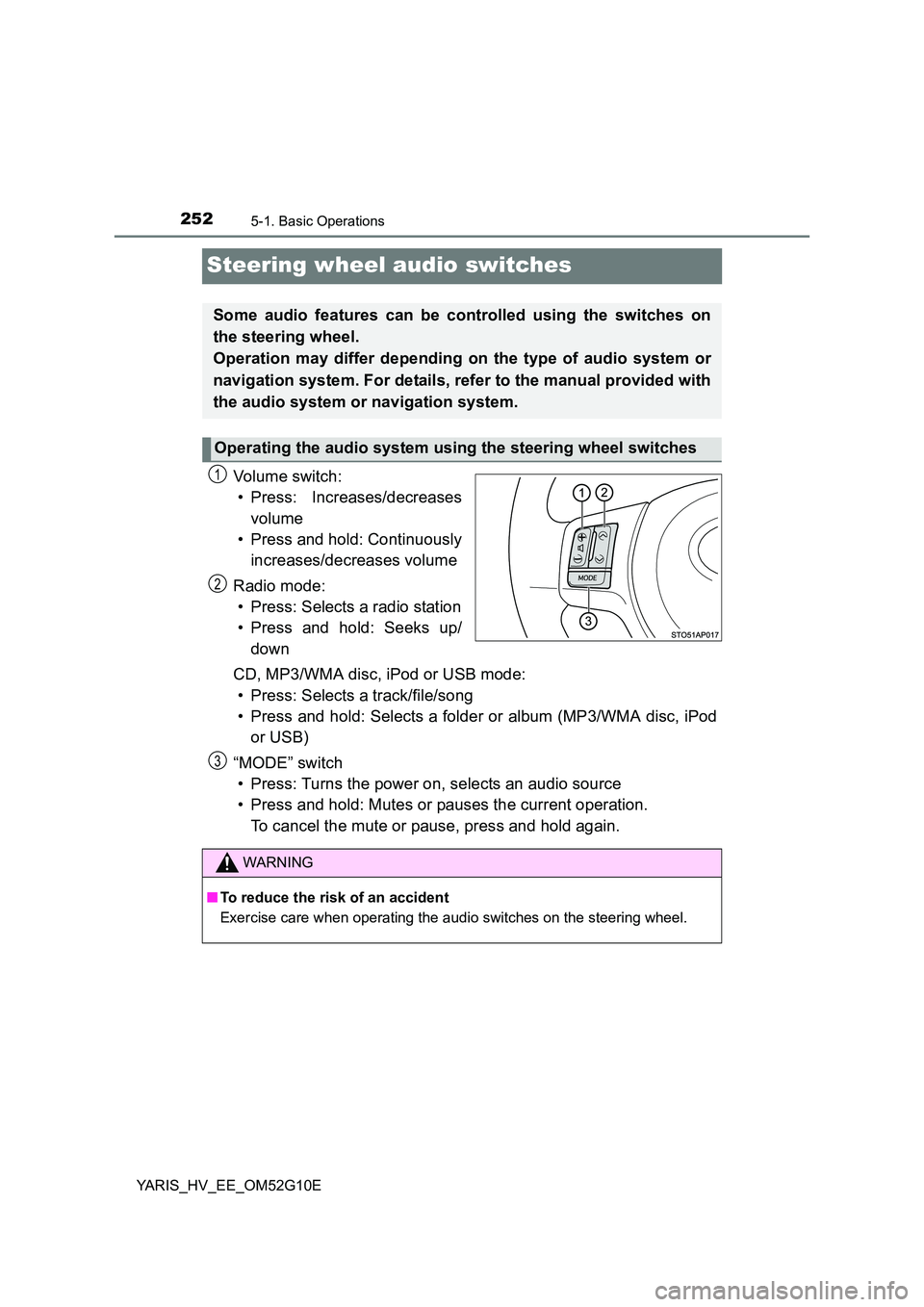
Vo lu m e swi tc h :
• Press: Increases/decreases
volume
• Press and hold: Continuously
increases/decreases volume
Radio mode:
• Press: Selects a radio station
• Press and hold: Seeks up/
down
CD, MP3/WMA disc, iPod or USB mode:
• Press: Selects a track/file/song
• Press and hold: Selects a folder or album (MP3/WMA disc, iPod
or USB)
“MODE” switch
• Press: Turns the power on, selects an audio source
• Press and hold: Mutes or pauses the current operation.
To cancel the mute or pause, press and hold again.
Some audio features can be controlled using the switches on
the steering wheel.
Operation may differ depending on the type of audio system or
navigation system. For details, refer to the manual provided with
the audio system or navigation system.
Operating the audio system using the steering wheel switches
1
2
WARNING
■ To reduce the risk of an accident
Exercise care when operating the audio switches on the steering wheel.
3
Page 253 of 492
253
5
5-1. Basic Operations
Audio system
YARIS_HV_EE_OM52G10E
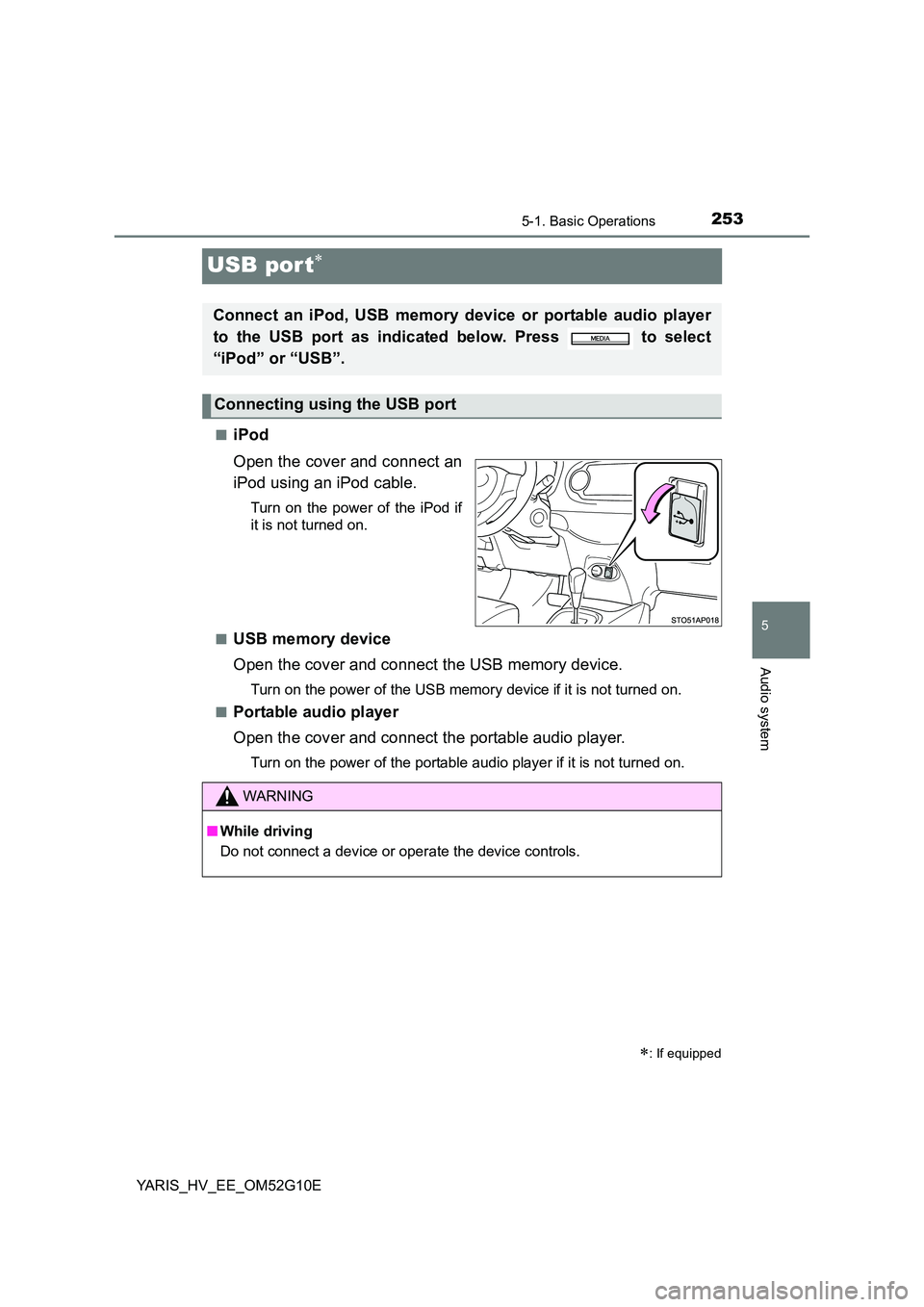
USB por t
■iPod
Open the cover and connect an
iPod using an iPod cable.
Turn on the power of the iPod if
it is not turned on.
■USB memory device
Open the cover and connect the USB memory device.
Turn on the power of the USB memory device if it is not turned on.
■Portable audio player
Open the cover and connect the portable audio player.
Turn on the power of the portable audio player if it is not turned on.
: If equipped
Connect an iPod, USB memory device or portable audio player
to the USB port as indicated below. Press to select
“iPod” or “USB”.
Connecting using the USB port
WARNING
■ While driving
Do not connect a device or operate the device controls.
Page 254 of 492
2545-2. Using the audio system
YARIS_HV_EE_OM52G10E
Optimal use of the audio system
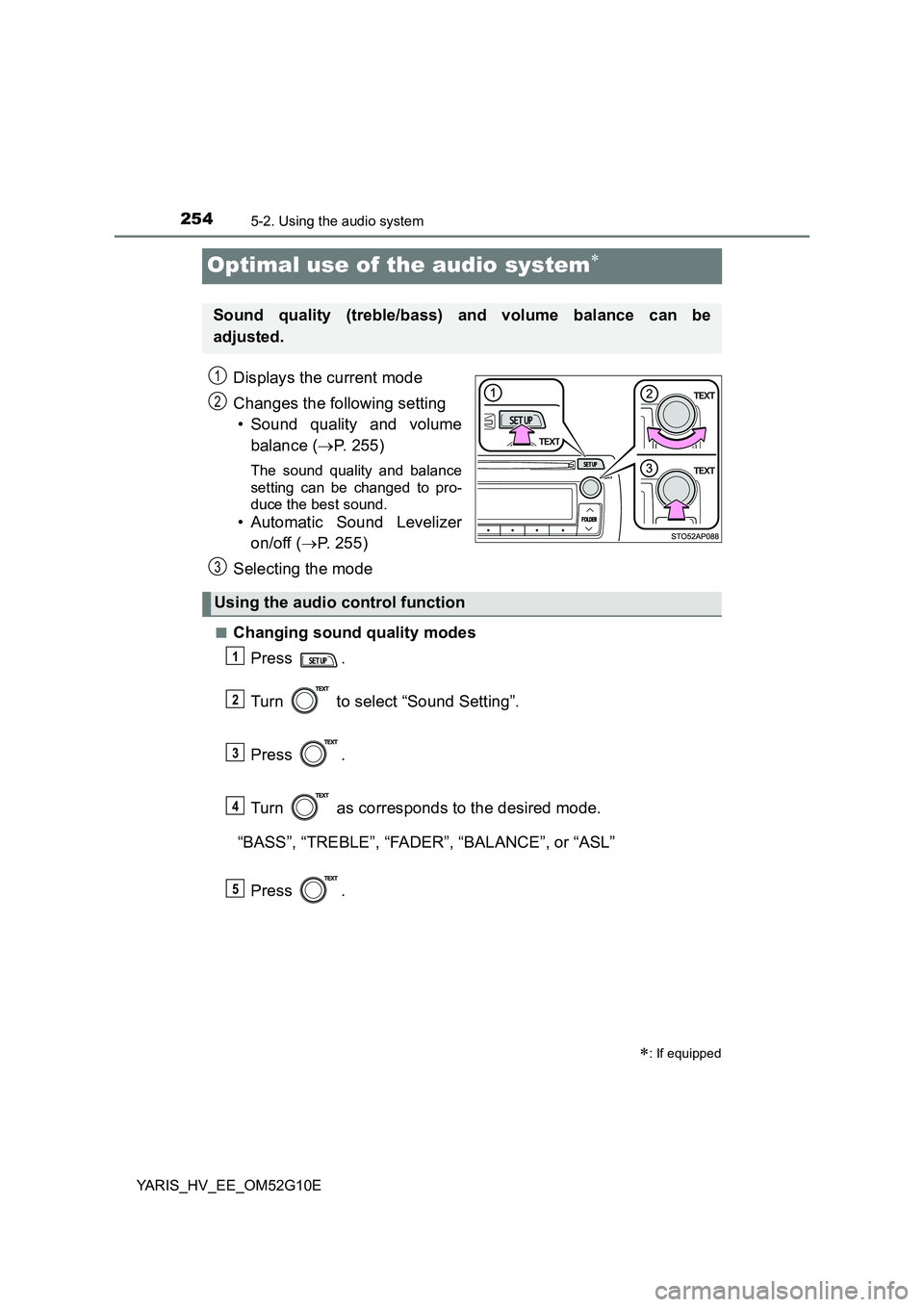
Displays the current mode
Changes the following setting
• Sound quality and volume
balance ( P. 255)
The sound quality and balance
setting can be changed to pro-
duce the best sound.
• Automatic Sound Levelizer
on/off ( P. 255)
Selecting the mode
■Changing sound quality modes
Press .
Turn to select “Sound Setting”.
Press .
Turn as corresponds to the desired mode.
“BASS”, “TREBLE”, “FADER”, “BALANCE”, or “ASL”
Press .
: If equipped
Sound quality (treble/bass) and volume balance can be
adjusted.
STO51AP005
1
2
3
Using the audio control function
1
2
3
4
5
Page 255 of 492
2555-2. Using the audio system
5
Audio system
YARIS_HV_EE_OM52G10E
■Adjusting sound quality
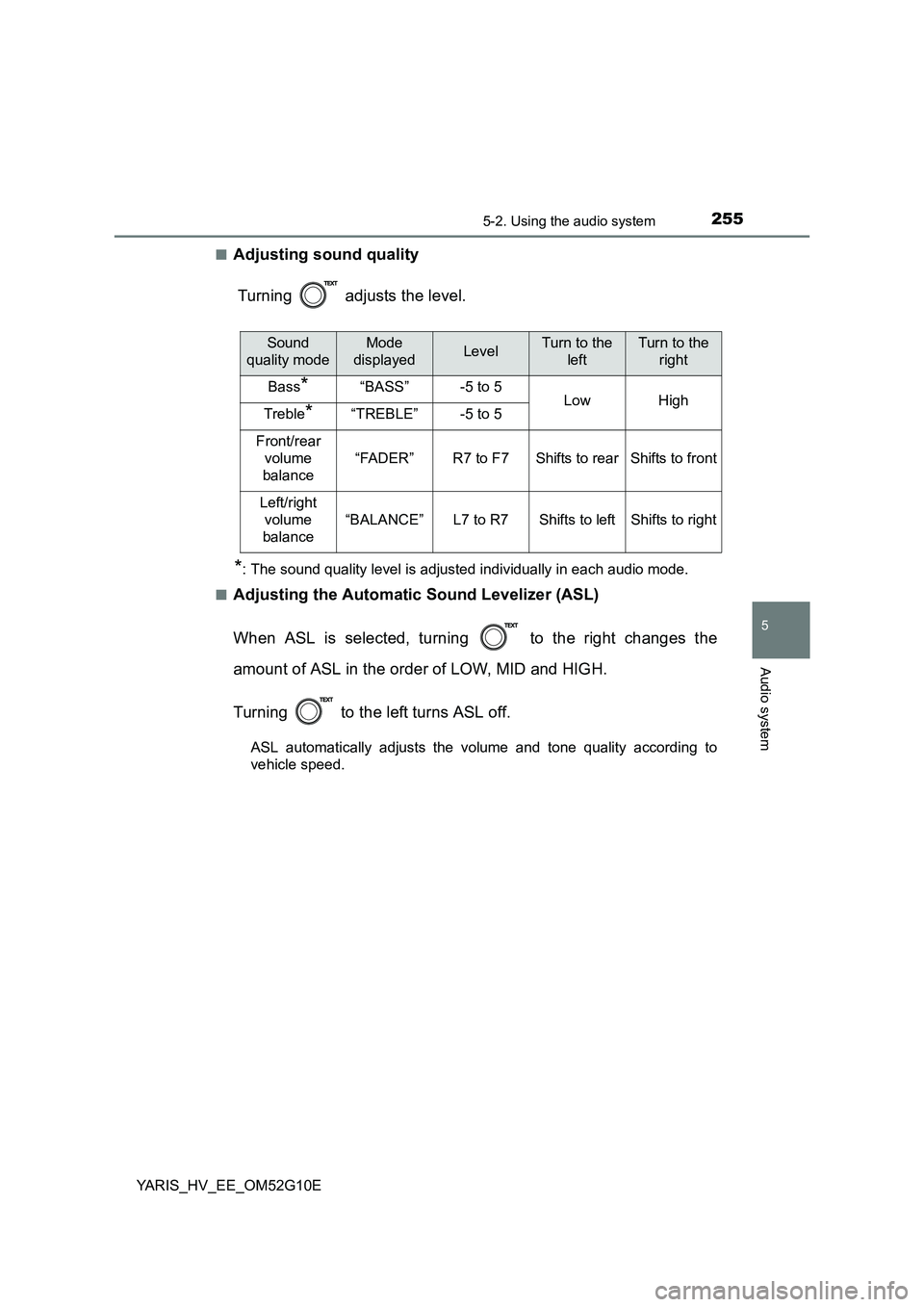
Turning adjusts the level.
*: The sound quality level is adjusted individually in each audio mode.
■Adjusting the Automatic Sound Levelizer (ASL)
When ASL is selected, turning to the right changes the
amount of ASL in the order of LOW, MID and HIGH.
Turning to the left turns ASL off.
ASL automatically adjusts the volume and tone quality according to
vehicle speed.
Sound
quality mode
Mode
displayedLevelTurn to the
left
Turn to the
right
Bass*“BASS”-5 to 5LowHighTreble*“TREBLE”-5 to 5
Front/rear
volume
balance
“FADER”R7 to F7Shifts to rearShifts to front
Left/right
volume
balance
“BALANCE”L7 to R7Shifts to leftShifts to right
Page 257 of 492
![TOYOTA YARIS HYBRID 2016 User Guide 2575-3. Using the radio
5
Audio system
YARIS_HV_EE_OM52G10E
Search for a desired station by turning or pressing “” or “”
on .
Press and hold the button (from [1] to [6]) the stat](/img/14/60955/w960_60955-256.png "TOYOTA YARIS HYBRID 2016 User Guide 2575-3. Using the radio
5
Audio system
YARIS_HV_EE_OM52G10E
Search for a desired station by turning or pressing “” or “”
on .
Press and hold the button (from [1] to [6]) the stat")
2575-3. Using the radio
5
Audio system
YARIS_HV_EE_OM52G10E
Search for a desired station by turning or pressing “” or “”
on .
Press and hold the button (from [1] to [6]) the station
is to be set to until you hear a beep.
■Updating the station list
Press .
The station list will be displayed.
Press (UPDATE) to update the list.
“Updating” is displayed while the searching is in process, and then avail-
able stations will be listed on the display.
To cancel the updating process, press .
■Selecting a station from the station list
Press .
The station list will be displayed.
Turn to select a station.
Press to tune in the station.
To return to the previous display, press .
Setting station presets
Using the station list
1
2
1
2
1
2
3
Page 259 of 492
2595-3. Using the radio
5
Audio system
YARIS_HV_EE_OM52G10E
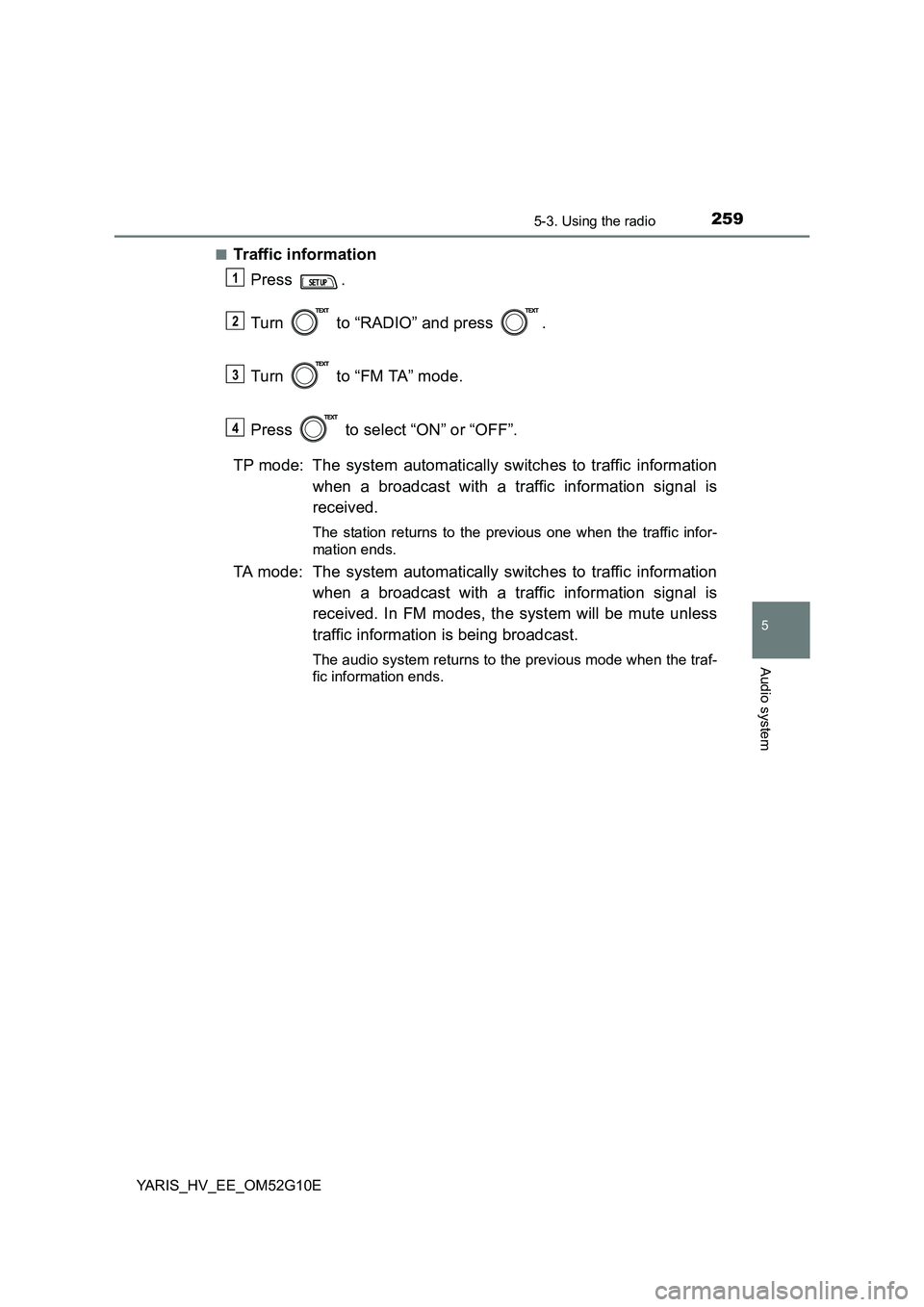
■Traffic information
Press .
Turn to “RADIO” and press .
Turn to “FM TA” mode.
Press to select “ON” or “OFF”.
TP mode: The system automatically switches to traffic information
when a broadcast with a traffic information signal is
received.
The station returns to the previous one when the traffic infor-
mation ends.
TA mode: The system automatically switches to traffic information
when a broadcast with a traffic information signal is
received. In FM modes, the system will be mute unless
traffic information is being broadcast.
The audio system returns to the previous mode when the traf-
fic information ends.
1
2
3
34