CD player TOYOTA YARIS HYBRID 2017 Owners Manual
[x] Cancel search | Manufacturer: TOYOTA, Model Year: 2017, Model line: YARIS HYBRID, Model: TOYOTA YARIS HYBRID 2017Pages: 504, PDF Size: 31.33 MB
Page 3 of 504
3
1
7
8
6
5
4
3
2
9
YARIS_HV_OM_Europe_OM52G76E
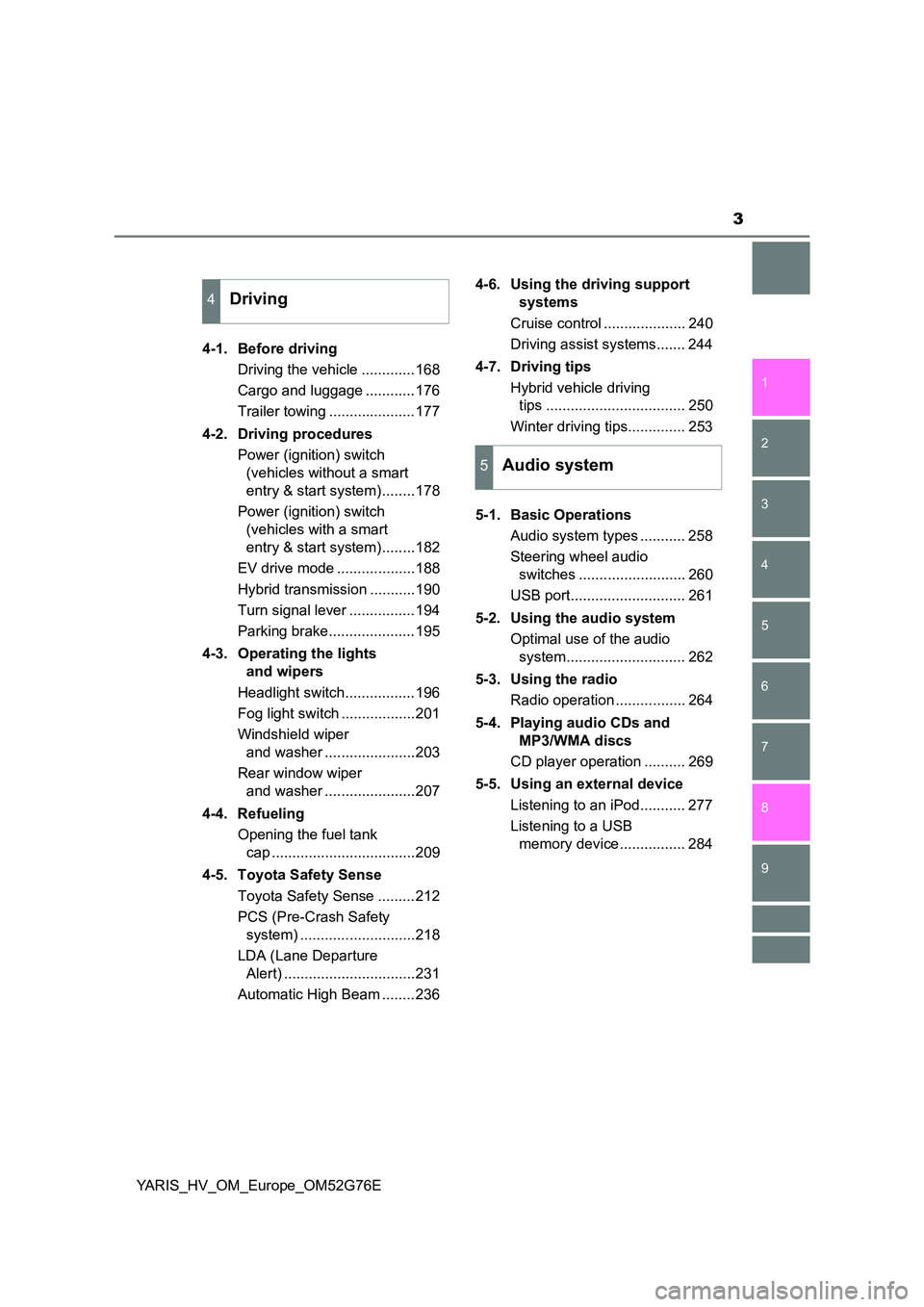
4-1. Before driving
Driving the vehicle .............168
Cargo and luggage ............176
Trailer towing .....................177
4-2. Driving procedures
Power (ignition) switch
(vehicles without a smart
entry & start system)........178
Power (ignition) switch
(vehicles with a smart
entry & start system)........182
EV drive mode ...................188
Hybrid transmission ...........190
Turn signal lever ................194
Parking brake.....................195
4-3. Operating the lights
and wipers
Headlight switch.................196
Fog light switch ..................201
Windshield wiper
and washer ......................203
Rear window wiper
and washer ......................207
4-4. Refueling
Opening the fuel tank
cap ...................................209
4-5. Toyota Safety Sense
Toyota Safety Sense .........212
PCS (Pre-Crash Safety
system) ............................218
LDA (Lane Departure
Alert) ................................231
Automatic High Beam ........236
4-6. Using the driving support
systems
Cruise control .................... 240
Driving assist systems....... 244
4-7. Driving tips
Hybrid vehicle driving
tips .................................. 250
Winter driving tips.............. 253
5-1. Basic Operations
Audio system types ........... 258
Steering wheel audio
switches .......................... 260
USB port............................ 261
5-2. Using the audio system
Optimal use of the audio
system............................. 262
5-3. Using the radio
Radio operation ................. 264
5-4. Playing audio CDs and
MP3/WMA discs
CD player operation .......... 269
5-5. Using an external device
Listening to an iPod........... 277
Listening to a USB
memory device ................ 284
4Driving
5Audio system
Page 47 of 504
471-1. For safe use
1
For safety and security
YARIS_HV_OM_Europe_OM52G76E
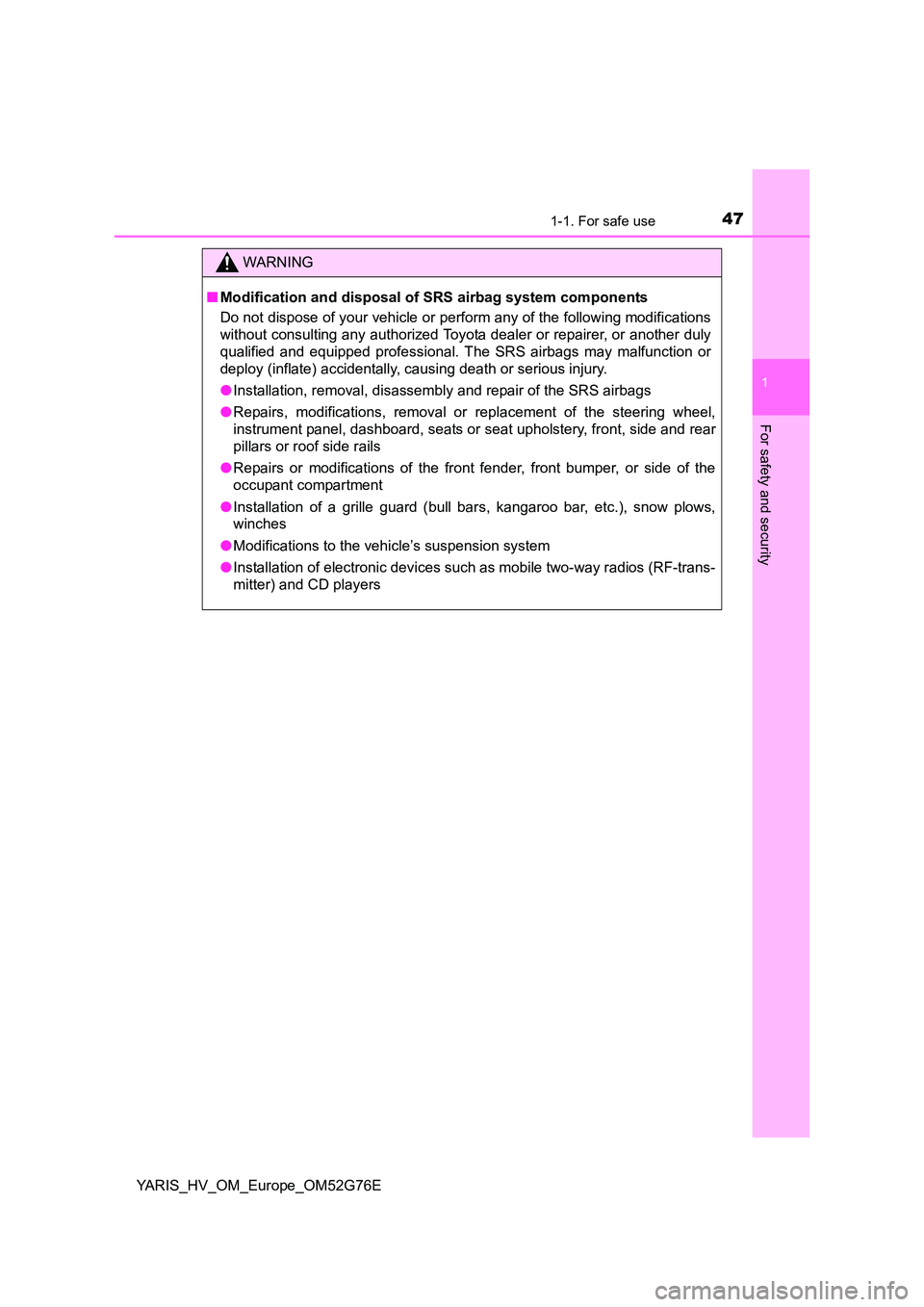
WARNING
■Modification and disposal of SRS airbag system components
Do not dispose of your vehicle or perform any of the following modifications
without consulting any authorized Toyota dealer or repairer, or another duly
qualified and equipped professional. The SRS airbags may malfunction or
deploy (inflate) accidentally, causing death or serious injury.
● Installation, removal, disassembly and repair of the SRS airbags
● Repairs, modifications, removal or replacement of the steering wheel,
instrument panel, dashboard, seats or seat upholstery, front, side and rear
pillars or roof side rails
● Repairs or modifications of the front fender, front bumper, or side of the
occupant compartment
● Installation of a grille guard (bull bars, kangaroo bar, etc.), snow plows,
winches
● Modifications to the vehicle’s suspension system
● Installation of electronic devices such as mobile two-way radios (RF-trans-
mitter) and CD players
Page 137 of 504
1373-2. Opening, closing and locking the doors
3
Operation of each component
YARIS_HV_OM_Europe_OM52G76E
■ Conditions affecting operation
The smart entry & start system uses weak radio waves. In the following situa-
tions, the communication between the electronic key and the vehicle may be
affected, preventing the smart entry & start system, wireless remote control
and immobilizer system from operating properly.
(Ways of coping: P. 448)
● When the electronic key battery is depleted
● Near a TV tower, electric power plant, gas station, radio station, large dis-
play, airport or other facility that generates strong radio waves or electrical
noise
● When the electronic key is in contact with, or is covered by the following
metallic objects
• Cards to which aluminum foil is attached
• Cigarette boxes that have aluminum foil inside
• Metallic wallets or bags
• Coins
• Hand warmers made of metal
• Media such as CDs and DVDs
● When other wireless keys (that emit radio waves) are being used nearby
● When carrying the electronic key together with the following devices that
emit radio waves
• Portable radio, cellular phone, cordless phone or other wireless commu-
nication device
• Another vehicle’s electronic key or a wireless key that emits radio waves
• Personal computers or personal digital assistants (PDAs)
• Digital audio players
• Portable game systems
● If window tint with a metallic content or metallic objects are attached to the
rear window
● When the electronic key is placed near a battery charger or electronic
devices
Page 257 of 504
257
5Audio system
YARIS_HV_OM_Europe_OM52G76E
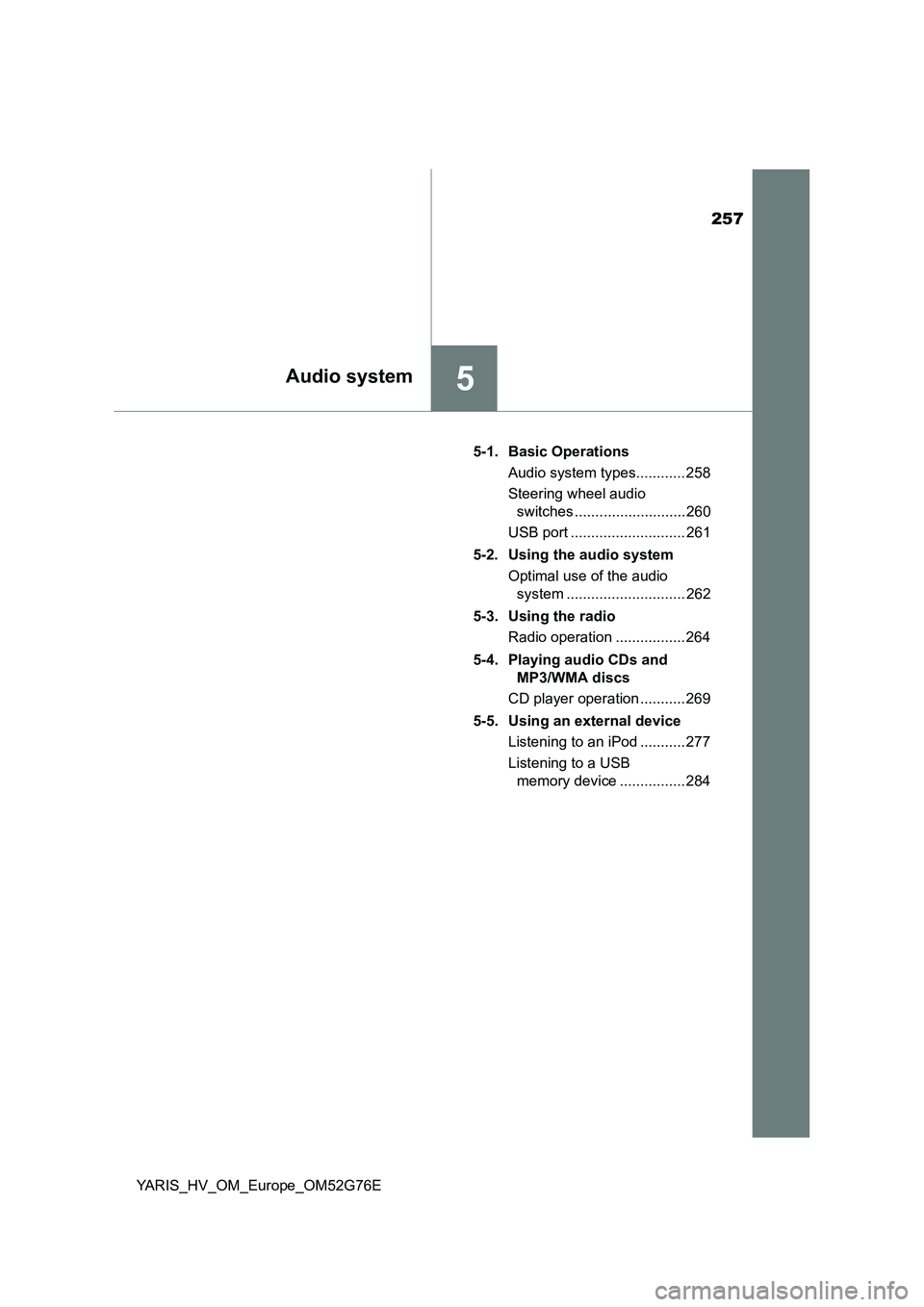
5-1. Basic Operations
Audio system types............ 258
Steering wheel audio
switches ........................... 260
USB port ............................ 261
5-2. Using the audio system
Optimal use of the audio
system ............................. 262
5-3. Using the radio
Radio operation ................. 264
5-4. Playing audio CDs and
MP3/WMA discs
CD player operation ........... 269
5-5. Using an external device
Listening to an iPod ........... 277
Listening to a USB
memory device ................ 284
Page 259 of 504
2595-1. Basic Operations
5
Audio system
YARIS_HV_OM_Europe_OM52G76E
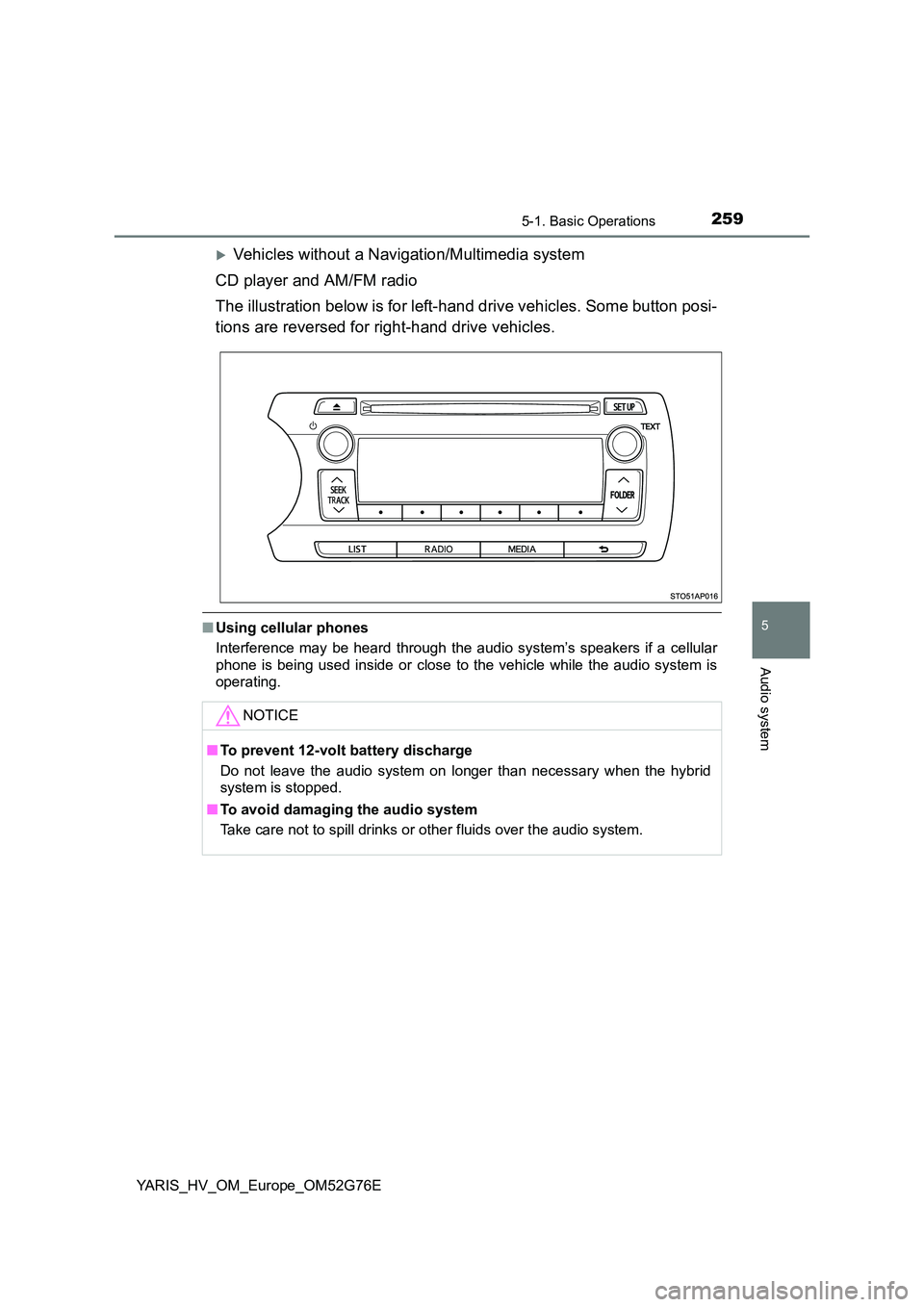
Vehicles without a Navigation/Multimedia system
CD player and AM/FM radio
The illustration below is for left-hand drive vehicles. Some button posi-
tions are reversed for right-hand drive vehicles.
■ Using cellular phones
Interference may be heard through the audio system’s speakers if a cellular
phone is being used inside or close to the vehicle while the audio system is
operating.
NOTICE
■ To prevent 12-volt battery discharge
Do not leave the audio system on longer than necessary when the hybrid
system is stopped.
■ To avoid damaging the audio system
Take care not to spill drinks or other fluids over the audio system.
Page 261 of 504
261
5
5-1. Basic Operations
Audio system
YARIS_HV_OM_Europe_OM52G76E
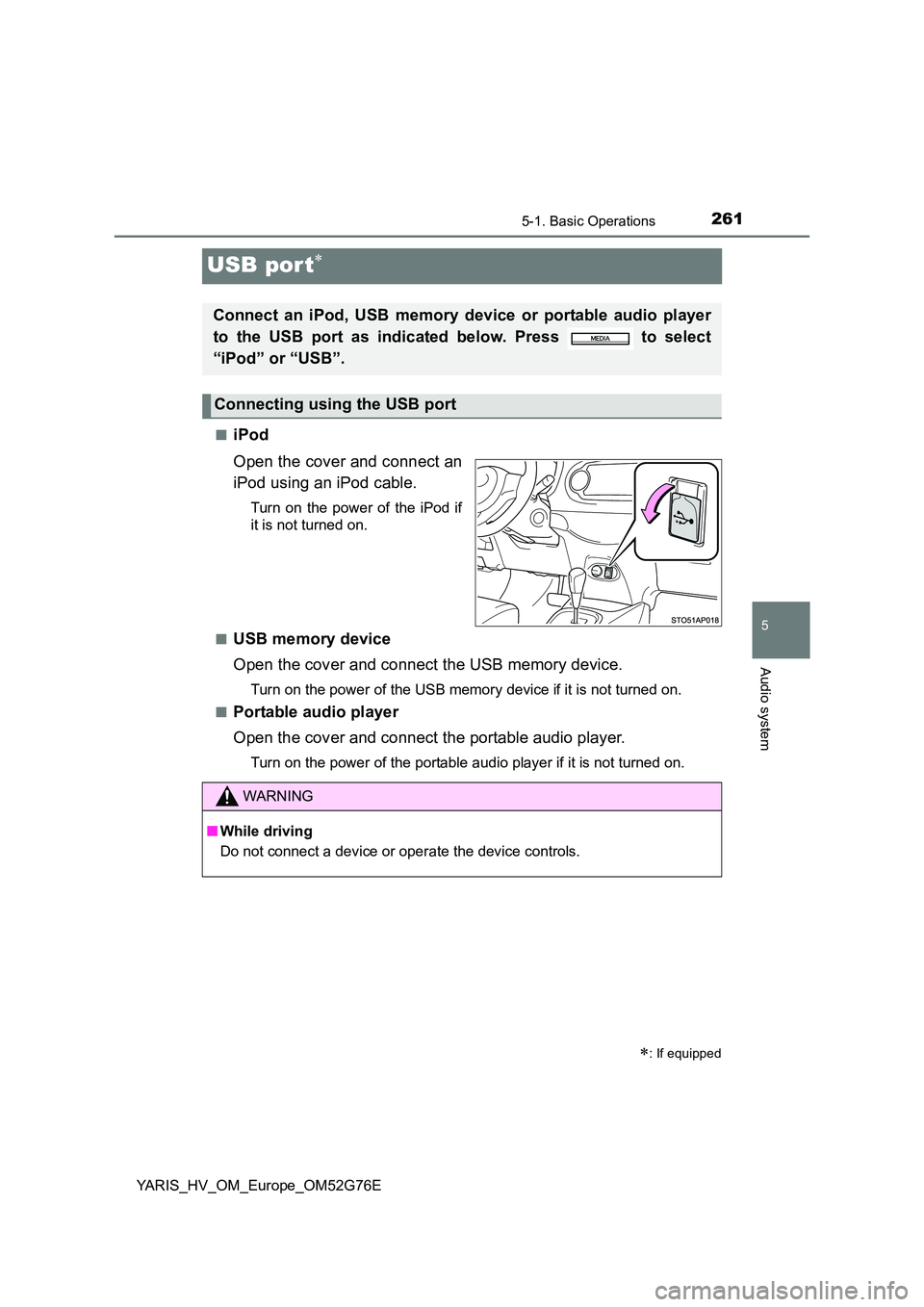
USB por t
■iPod
Open the cover and connect an
iPod using an iPod cable.
Turn on the power of the iPod if
it is not turned on.
■USB memory device
Open the cover and connect the USB memory device.
Turn on the power of the USB memory device if it is not turned on.
■Portable audio player
Open the cover and connect the portable audio player.
Turn on the power of the portable audio player if it is not turned on.
: If equipped
Connect an iPod, USB memory device or portable audio player
to the USB port as indicated below. Press to select
“iPod” or “USB”.
Connecting using the USB port
WARNING
■ While driving
Do not connect a device or operate the device controls.
Page 269 of 504
269
5
5-4. Playing audio CDs and MP3/WMA discs
Audio system
YARIS_HV_OM_Europe_OM52G76E
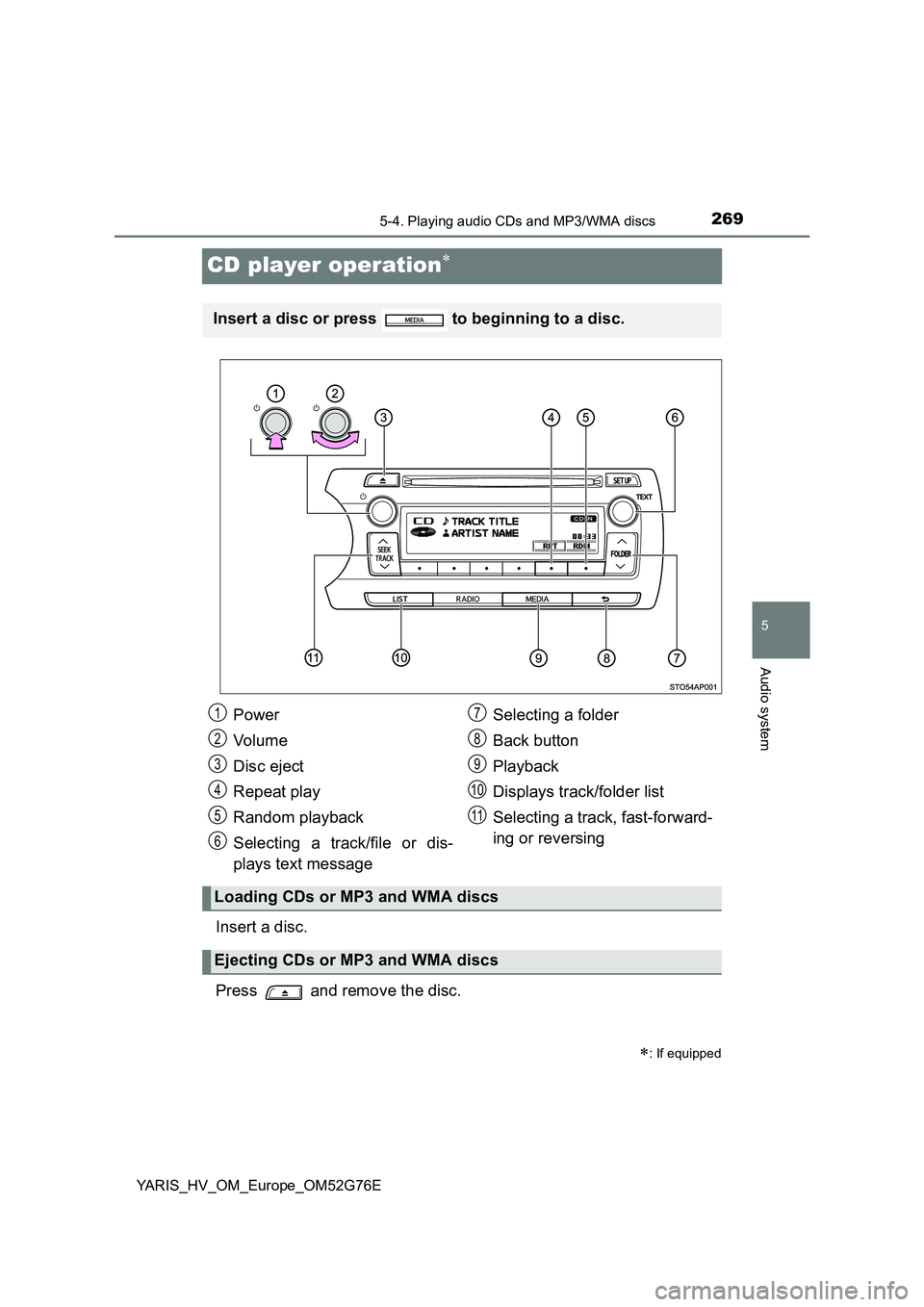
CD player operation
Insert a disc.
Press and remove the disc.
: If equipped
Insert a disc or press to beginning to a disc.
Power
Vo lu m e
Disc eject
Repeat play
Random playback
Selecting a track/file or dis-
plays text message
Selecting a folder
Back button
Playback
Displays track/folder list
Selecting a track, fast-forward-
ing or reversing
Loading CDs or MP3 and WMA discs
Ejecting CDs or MP3 and WMA discs
1
2
3
4
5
6
7
8
9
10
11
Page 270 of 504
2705-4. Playing audio CDs and MP3/WMA discs
YARIS_HV_OM_Europe_OM52G76E
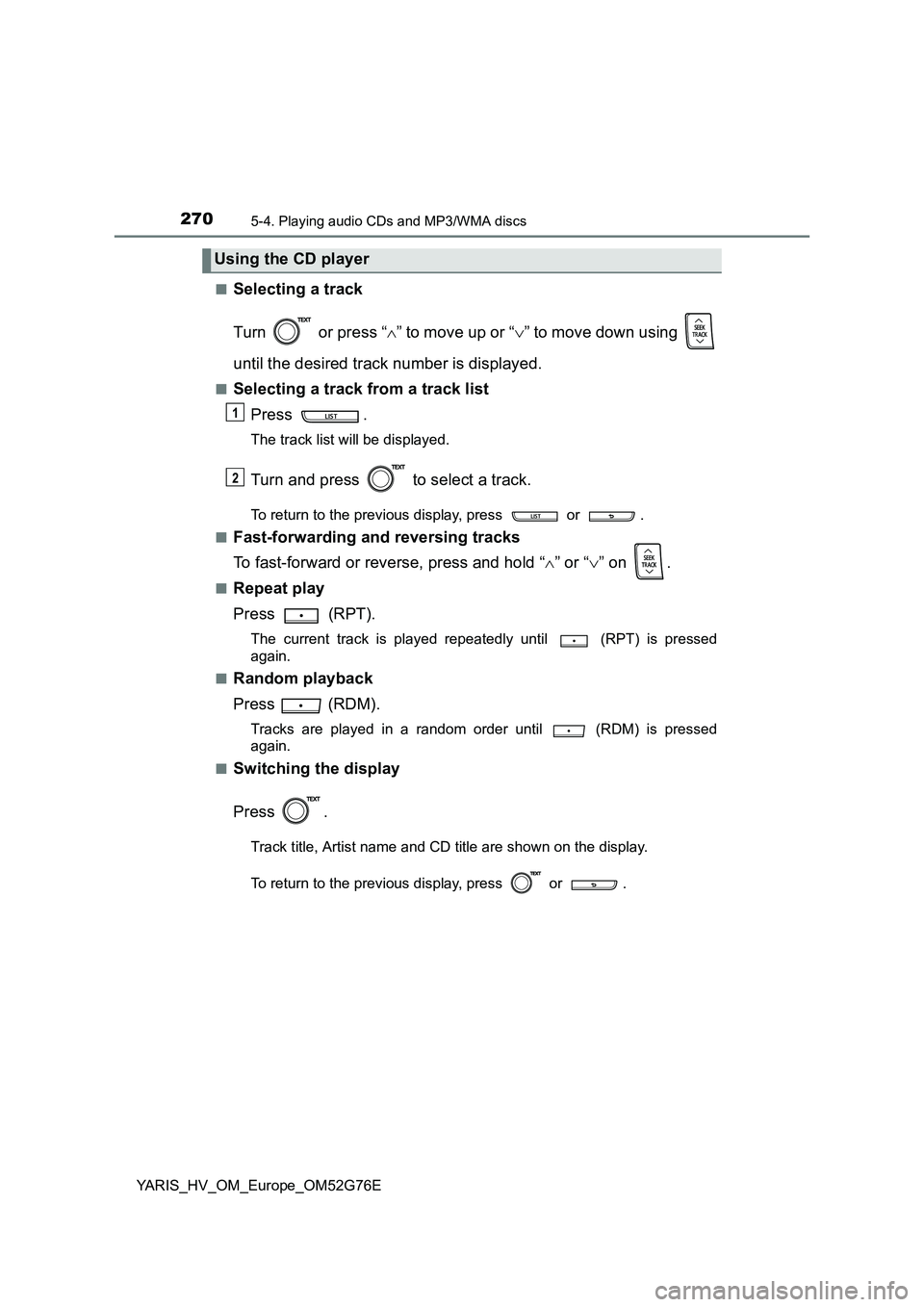
■Selecting a track
Turn or press “ ” to move up or “” to move down using
until the desired track number is displayed.
■Selecting a track from a track list
Press .
The track list will be displayed.
Turn and press to select a track.
To return to the previous display, press or .
■Fast-forwarding and reversing tracks
To fast-forward or reverse, press and hold “ ” or “” on .
■Repeat play
Press (RPT).
The current track is played repeatedly until (RPT) is pressed
again.
■Random playback
Press (RDM).
Tracks are played in a random order until (RDM) is pressed
again.
■Switching the display
Press .
Track title, Artist name and CD title are shown on the display.
To return to the previous display, press or .
Using the CD player
1
2
Page 272 of 504
2725-4. Playing audio CDs and MP3/WMA discs
YARIS_HV_OM_Europe_OM52G76E
■Switching the display
Press .
Track title, Artist name and Album ti tle (MP3 only) are shown on the dis-
play.
To return to the previous display, press or .
■ Display
Up to 24 characters can be displayed.
Depending on the contents recorded, the characters may not be displayed
properly or may not be displayed at all.
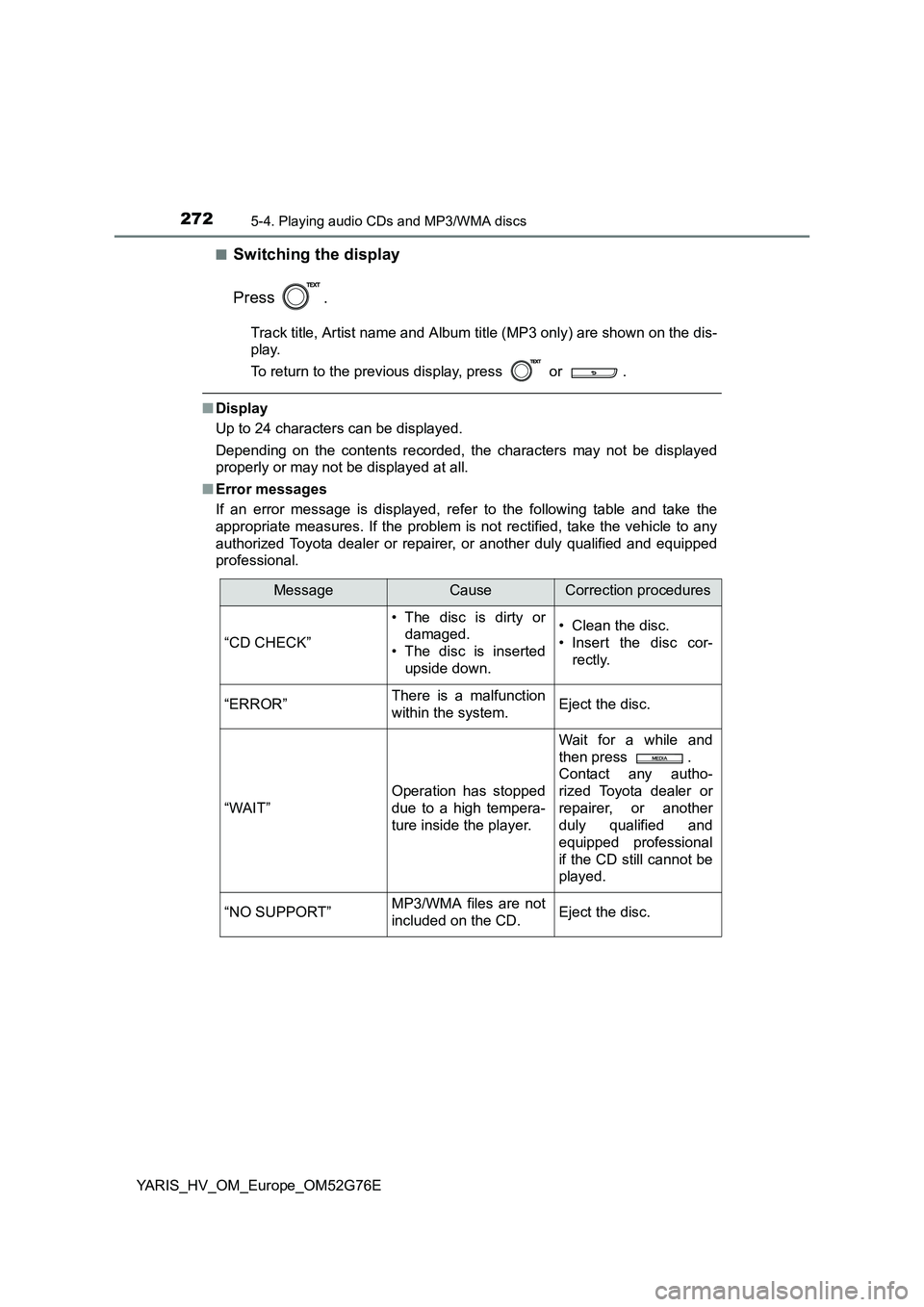
■ Error messages
If an error message is displayed, refer to the following table and take the
appropriate measures. If the problem is not rectified, take the vehicle to any
authorized Toyota dealer or repair er, or another duly qualified and equipped
professional.
MessageCauseCorrection procedures
“CD CHECK”
• The disc is dirty or
damaged.
• The disc is inserted
upside down.
• Clean the disc.
• Insert the disc cor-
rectly.
“ERROR”There is a malfunction
within the system.Eject the disc.
“WAIT”
Operation has stopped
due to a high tempera-
ture inside the player.
Wait for a while and
then press .
Contact any autho-
rized Toyota dealer or
repairer, or another
duly qualified and
equipped professional
if the CD still cannot be
played.
“NO SUPPORT”MP3/WMA files are not
included on the CD.Eject the disc.
Page 273 of 504
2735-4. Playing audio CDs and MP3/WMA discs
5
Audio system
YARIS_HV_OM_Europe_OM52G76E
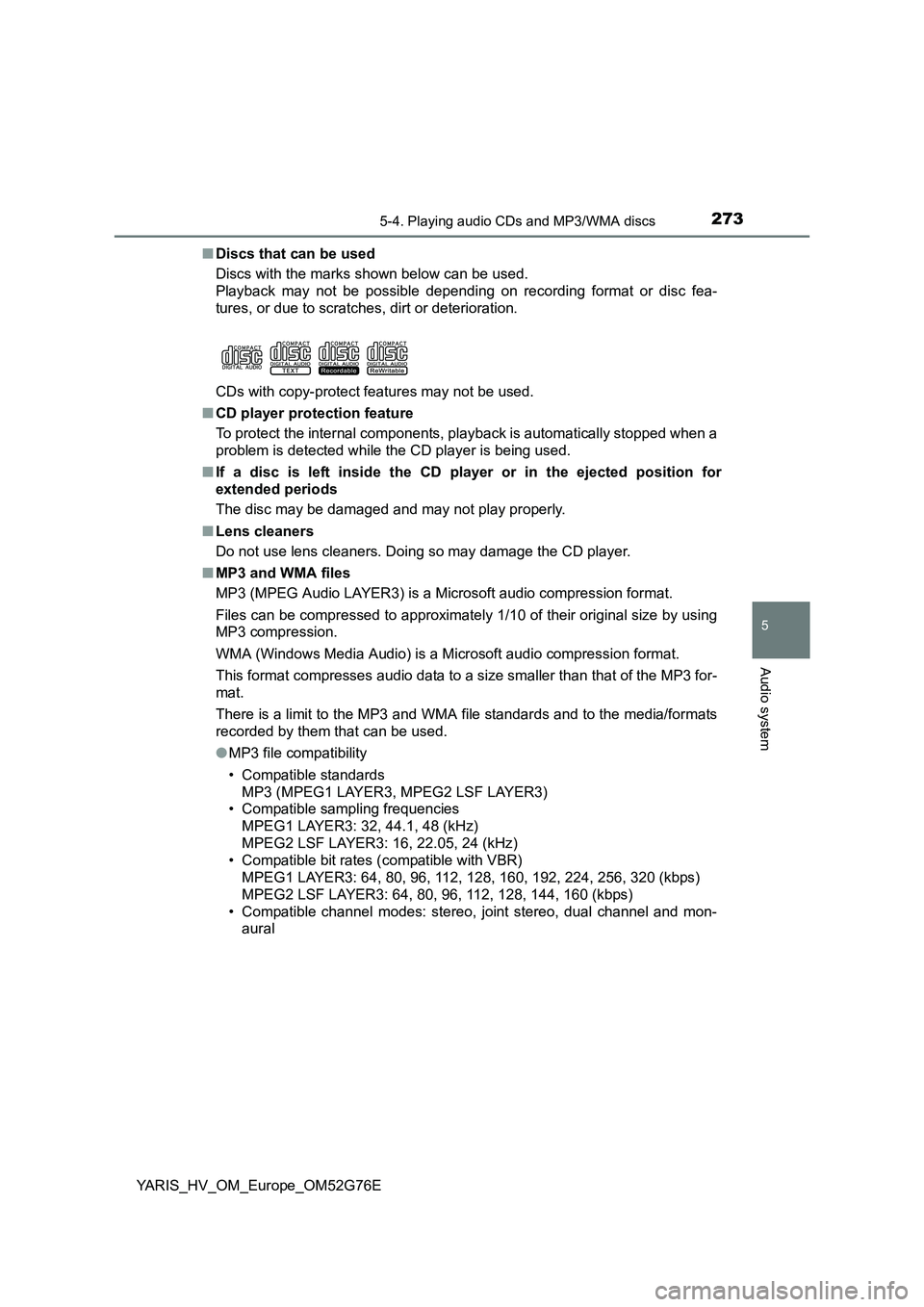
■ Discs that can be used
Discs with the marks shown below can be used.
Playback may not be possible depending on recording format or disc fea-
tures, or due to scratches, dirt or deterioration.
CDs with copy-protect features may not be used.
■ CD player protection feature
To protect the internal components, playback is automatically stopped when a
problem is detected while the CD player is being used.
■ If a disc is left inside the CD player or in the ejected position for
extended periods
The disc may be damaged and may not play properly.
■ Lens cleaners
Do not use lens cleaners. Doing so may damage the CD player.
■ MP3 and WMA files
MP3 (MPEG Audio LAYER3) is a Microsoft audio compression format.
Files can be compressed to approximately 1/10 of their original size by using
MP3 compression.
WMA (Windows Media Audio) is a Mi crosoft audio compression format.
This format compresses audio data to a size smaller than that of the MP3 for-
mat.
There is a limit to the MP3 and WMA file standards and to the media/formats
recorded by them that can be used.
● MP3 file compatibility
• Compatible standards
MP3 (MPEG1 LAYER3, MPEG2 LSF LAYER3)
• Compatible sampling frequencies
MPEG1 LAYER3: 32, 44.1, 48 (kHz)
MPEG2 LSF LAYER3: 16, 22.05, 24 (kHz)
• Compatible bit rates (compatible with VBR)
MPEG1 LAYER3: 64, 80, 96, 112, 128, 160, 192, 224, 256, 320 (kbps)
MPEG2 LSF LAYER3: 64, 80, 96, 112, 128, 144, 160 (kbps)
• Compatible channel modes: stereo, joint stereo, dual channel and mon-
aural