unlocking function TOYOTA YARIS HYBRID 2017 Owners Manual
[x] Cancel search | Manufacturer: TOYOTA, Model Year: 2017, Model line: YARIS HYBRID, Model: TOYOTA YARIS HYBRID 2017Pages: 504, PDF Size: 31.33 MB
Page 89 of 504
89
1
1-3. Theft deterrent system
For safety and security
YARIS_HV_OM_Europe_OM52G76E
Double locking system
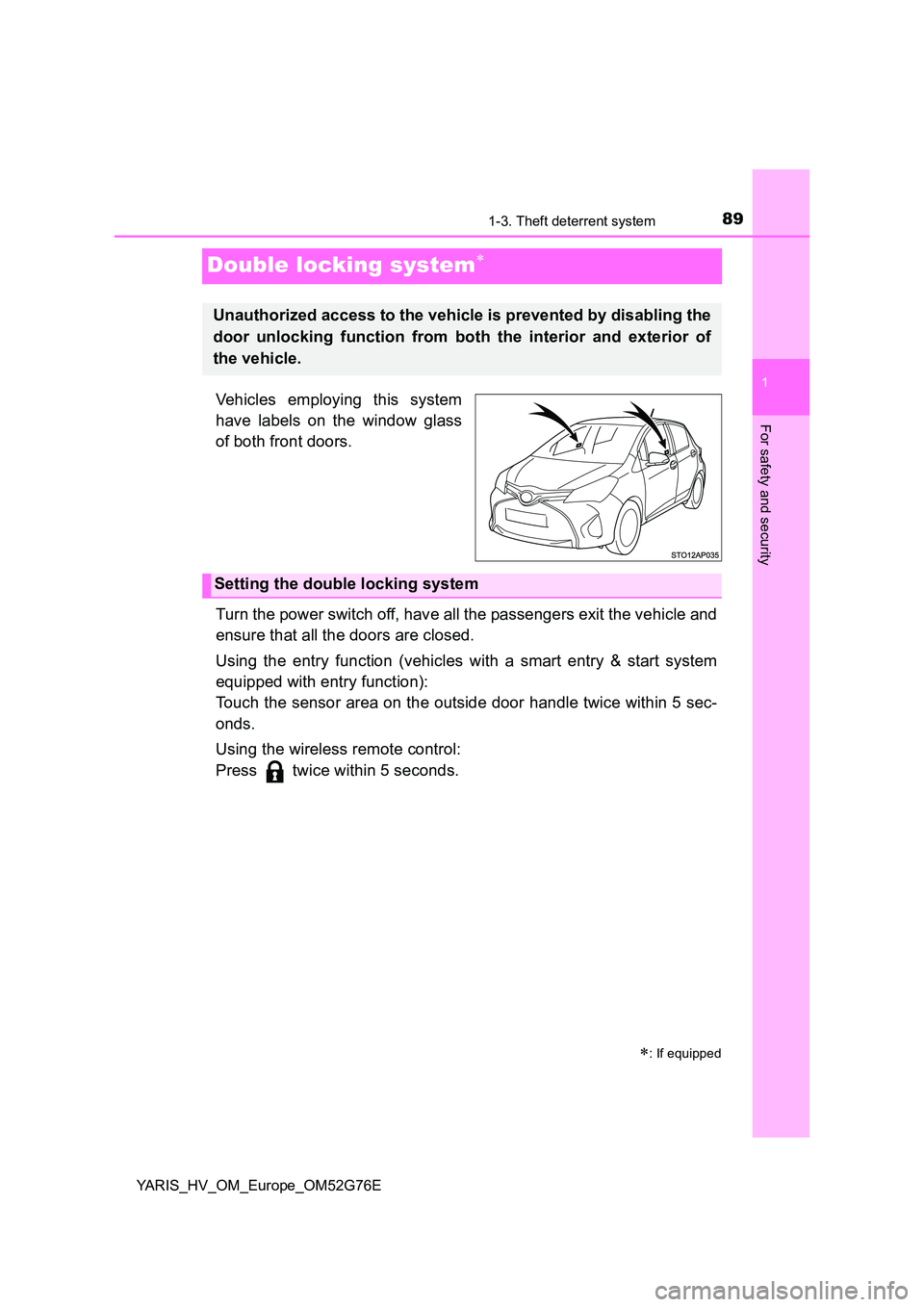
Vehicles employing this system
have labels on the window glass
of both front doors.
Turn the power switch off, have all the passengers exit the vehicle and
ensure that all the doors are closed.
Using the entry function (vehicles with a smart entry & start system
equipped with entry function):
Touch the sensor area on the outside door handle twice within 5 sec-
onds.
Using the wireless remote control:
Press twice within 5 seconds.
: If equipped
Unauthorized access to the vehicle is prevented by disabling the
door unlocking function from both the interior and exterior of
the vehicle.
Setting the double locking system
Page 122 of 504
1223-2. Opening, closing and locking the doors
YARIS_HV_OM_Europe_OM52G76E
Side doors
The vehicle can be locked and unlocked using the entry function,
wireless remote control, key or door lock switches.
◆Entry function (vehicles with a smart entry & start system
equipped with entry function)
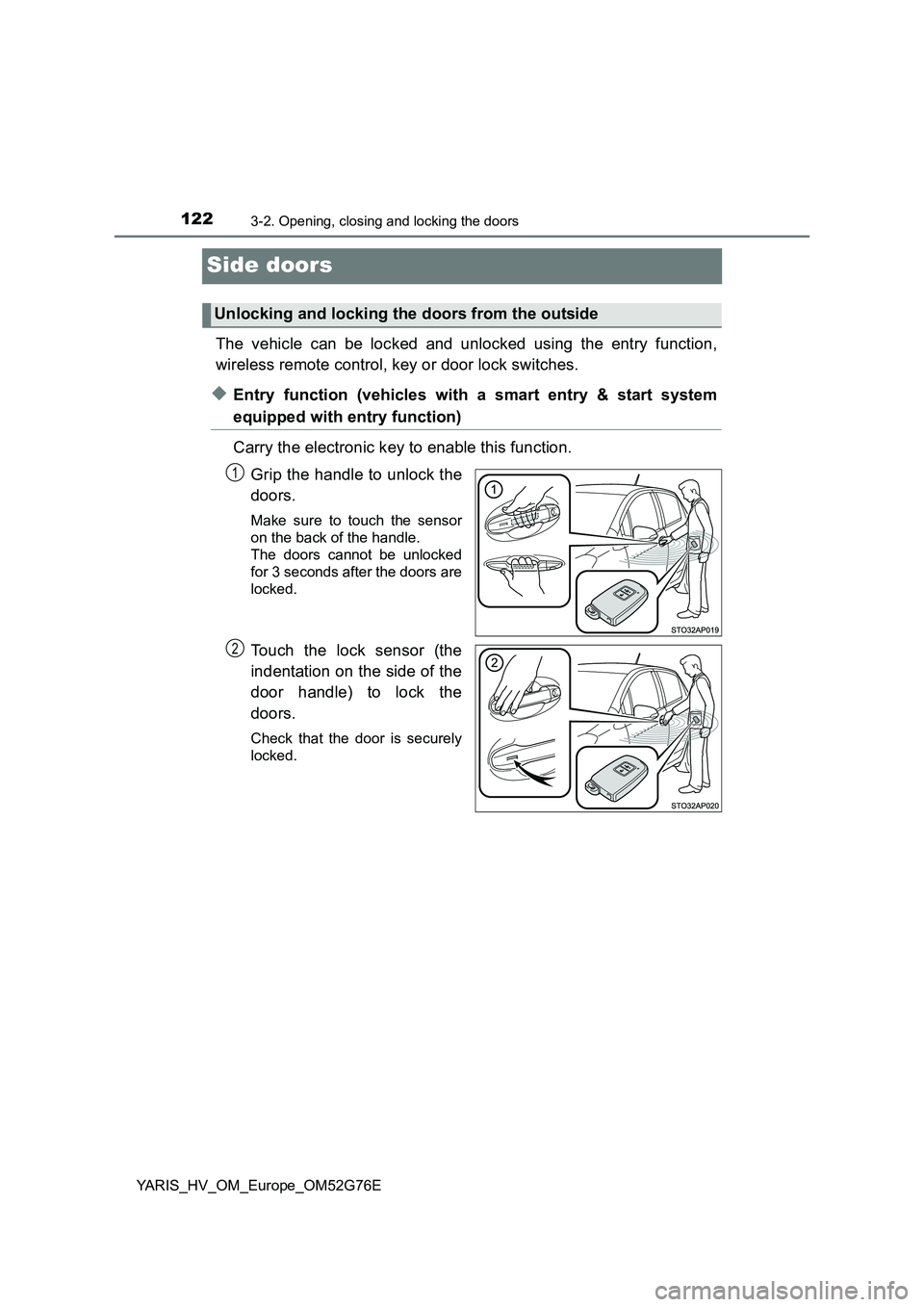
Carry the electronic key to enable this function.
Grip the handle to unlock the
doors.
Make sure to touch the sensor
on the back of the handle.
The doors cannot be unlocked
for 3 seconds after the doors are
locked.
Touch the lock sensor (the
indentation on the side of the
door handle) to lock the
doors.
Check that the door is securely
locked.
Unlocking and locking the doors from the outside
1
2
Page 125 of 504
1253-2. Opening, closing and locking the doors
3
Operation of each component
YARIS_HV_OM_Europe_OM52G76E
■ Door lock buzzer (vehicles with a smart entry & start system equipped
with entry function)
If an attempt to lock the doors is made when a door is not fully closed, a
buzzer sounds continuously. Fully close the door to stop the buzzer, and lock
the vehicle once more.
■ If the entry function (vehicles with a smart entry & start system equipped
with entry function) or the wireless remote control (if equipped) does not
operate properly
● Vehicles without a smart entry & start system: Use the key to lock and
unlock the doors. ( P. 123)
● Vehicles with a smart entry & start system: Use the mechanical key to lock
and unlock the doors. ( P. 448)
● Replace the key battery with a new one if it is depleted. (P. 369)
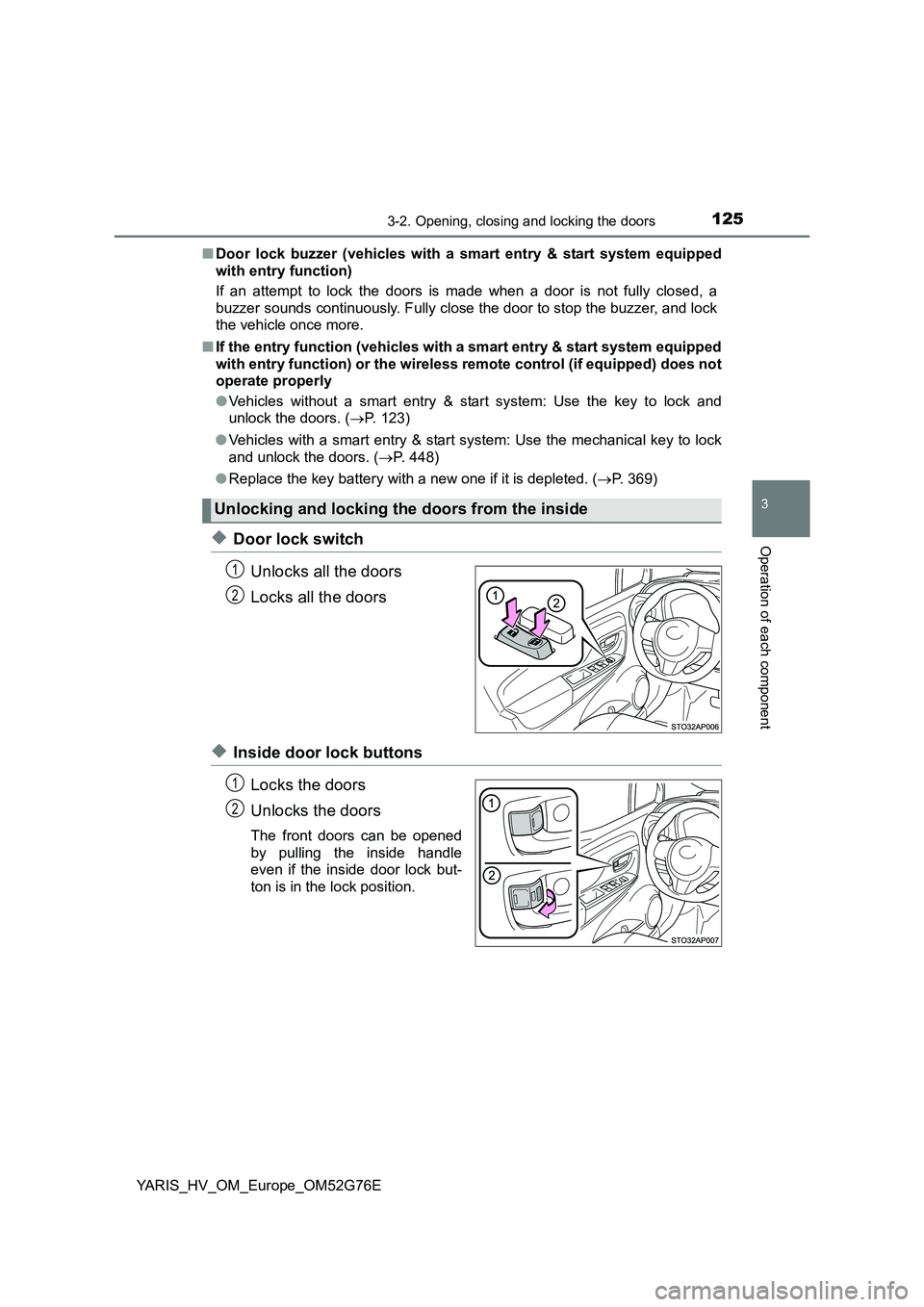
◆Door lock switch
Unlocks all the doors
Locks all the doors
◆Inside door lock buttons
Locks the doors
Unlocks the doors
The front doors can be opened
by pulling the inside handle
even if the inside door lock but-
ton is in the lock position.
Unlocking and locking the doors from the inside
1
2
1
2
Page 128 of 504
1283-2. Opening, closing and locking the doors
YARIS_HV_OM_Europe_OM52G76E
Back door
◆Door lock switch
P. 1 2 5
◆Entry function (vehicles with a smart entry & start system
equipped with entry function)
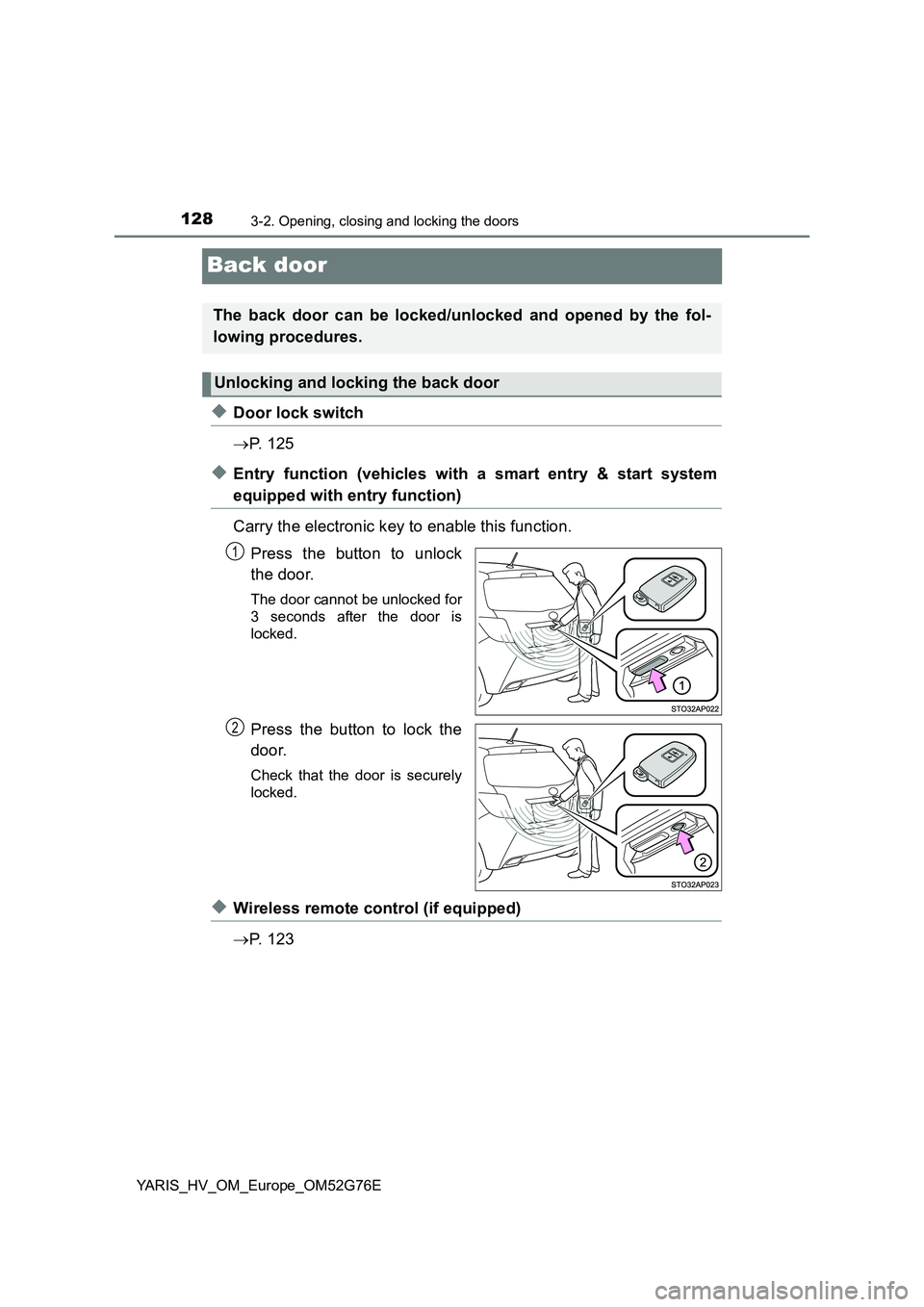
Carry the electronic key to enable this function.
Press the button to unlock
the door.
The door cannot be unlocked for
3 seconds after the door is
locked.
Press the button to lock the
door.
Check that the door is securely
locked.
◆Wireless remote control (if equipped)
P. 1 2 3
The back door can be locked/unlocked and opened by the fol-
lowing procedures.
Unlocking and locking the back door
1
2
Page 135 of 504
1353-2. Opening, closing and locking the doors
3
Operation of each component
YARIS_HV_OM_Europe_OM52G76E
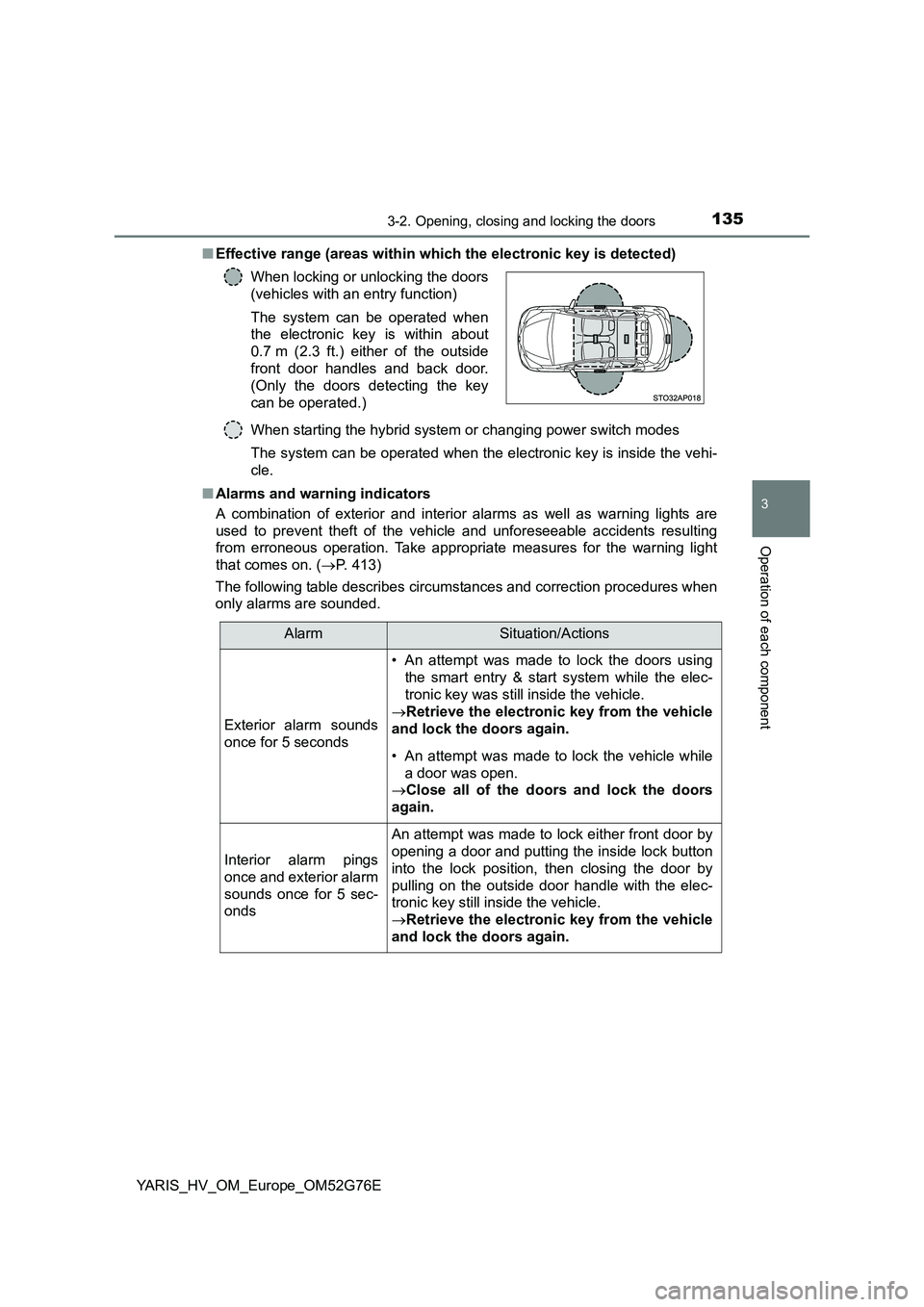
■ Effective range (areas within which the electronic key is detected)
When starting the hybrid system or changing power switch modes
The system can be operated when the electronic key is inside the vehi-
cle.
■ Alarms and warning indicators
A combination of exterior and interior alarms as well as warning lights are
used to prevent theft of the vehicle and unforeseeable accidents resulting
from erroneous operation. Take appropriate measures for the warning light
that comes on. ( P. 413)
The following table describes circumstances and correction procedures when
only alarms are sounded.
When locking or unlocking the doors
(vehicles with an entry function)
The system can be operated when
the electronic key is within about
0.7 m (2.3 ft.) either of the outside
front door handles and back door.
(Only the doors detecting the key
can be operated.)
AlarmSituation/Actions
Exterior alarm sounds
once for 5 seconds
• An attempt was made to lock the doors using
the smart entry & start system while the elec-
tronic key was still inside the vehicle.
Retrieve the electronic key from the vehicle
and lock the doors again.
• An attempt was made to lock the vehicle while
a door was open.
Close all of the doors and lock the doors
again.
Interior alarm pings
once and exterior alarm
sounds once for 5 sec-
onds
An attempt was made to lock either front door by
opening a door and putting the inside lock button
into the lock position, then closing the door by
pulling on the outside door handle with the elec-
tronic key still inside the vehicle.
Retrieve the electronic key from the vehicle
and lock the doors again.
Page 139 of 504
1393-2. Opening, closing and locking the doors
3
Operation of each component
YARIS_HV_OM_Europe_OM52G76E
■ Notes for locking the doors (vehicles with an entry function)
● Touching the door lock sensor while wearing gloves may delay or prevent
lock operation. Remove the gloves and touch the lock sensor again.
● When the lock operation is performed using the lock sensor, recognition sig-
nal will be shown up to two consecutive times. After this, no recognition sig-
nals will be given.
● If the door handle becomes wet while the electronic key is within the effec-
tive range, the door may lock and unlock repeatedly. Place the key in a posi-
tion 2 m (6 ft.) or more separate from the vehicle while the vehicle is being
washed. (Take care to ensure that the key is not stolen.)
● If the electronic key is inside the vehicle and a door handle becomes wet
during a car wash, a buzzer will sound outside the vehicle. To turn off the
alarm, lock all the doors.
● The lock sensor may not work properly if it comes into contact with ice,
snow, mud, etc. Clean the lock sensor and attempt to operate it again.
■ Notes for the unlocking function (vehicles with an entry function)
● A sudden approach to the effective range or door handle may prevent the
doors from being unlocked. In this case, return the door handle to the origi-
nal position and check that the doors unlock before pulling the door handle
again.
● Gripping the door handle when wearing a glove may not unlock the door.
Remove the gloves and touch the sensor on the back of the handle again.
● If the door handle becomes wet while the electronic key is within the effec-
tive range, the door may lock and unlock repeatedly. Place the key in a posi-
tion 2 m (6 ft.) or more separate from the vehicle while the vehicle is being
washed. (Take care to ensure that the key is not stolen.)
● If there is another electronic key in the detection area, it may take slightly
longer to unlock the doors after the door handle is gripped.
■ When the vehicle is not driven for extended periods
● To prevent theft of the vehicle, do not leave the electronic key within 2 m
(6 ft.) of the vehicle.
● The smart entry & start system can be deactivated in advance. (P. 475)
Page 140 of 504
1403-2. Opening, closing and locking the doors
YARIS_HV_OM_Europe_OM52G76E
■ To operate the system properly
Make sure to carry the electronic key when operating the system. Do not get
the electronic key too close to the vehicle when operating the system from the
outside of the vehicle.
Depending on the position and holding condition of the electronic key, the key
may not be detected correctly and the system may not operate properly. (The
alarm may go off accidentally, or the door lock prevention function may not
operate.)
■ If the smart entry & start system does not operate properly
● Locking and unlocking the doors: Use the mechanical key. (P. 448)
● Starting the hybrid system: P. 449
■ Customization
Settings (e. g. smart entry & start system) can be changed.
(Customizable features: P. 475)
■ If the smart entry & start system has been deactivated in a customized
setting
● Locking and unlocking the doors:
Use the wireless remote control or mechanical key. ( P. 112, 448)
● Starting the hybrid system and changing power switch modes: P. 449
● Stopping the hybrid system: P. 183
Page 345 of 504
3457-3. Do-it-yourself maintenance
7
Maintenance and care
YARIS_HV_OM_Europe_OM52G76E
■Before recharging
When recharging, the 12-volt battery produces hydrogen gas which is flam-
mable and explosive. Therefore, obser ve the following precautions before
recharging:
● If recharging with the 12-volt battery installed on the vehicle, be sure to dis-
connect the ground cable.
● Make sure the power switch on the charger is off when connecting and dis-
connecting the charger cables to the 12-volt battery.
■ When disconnecting the 12-volt battery terminals
Always disconnect the negative (-) terminal first.
■ After recharging/reconnecting the 12-volt battery
● Unlocking the doors using entry function of the smart entry & start system
may not be possible immediately after reconnecting the 12-volt battery. If
this happens, use the wireless remote control or the mechanical key to lock/
unlock the doors.
● Vehicles with a smart entry & start system: Start the hybrid system with the
power switch in ACCESSORY mode. The hybrid system may not start with
the power switch turned off. However, the hybrid system will operate nor-
mally from the second attempt.
● Vehicles with a smart entry & start system: The power switch mode is
recorded by the vehicle. If the 12-volt battery is reconnected, the vehicle will
return the power switch mode to the status it was in before the 12-volt bat-
tery was disconnected. Make sure to turn off the power before disconnect
the 12-volt battery. Take extra care when connecting the 12-volt battery if
the power switch mode prior to discharge is unknown.
If the system will not start even after multiple attempts, contact any authorized
Toyota dealer or repairer, or another duly qualified and equipped professional.
Page 502 of 504
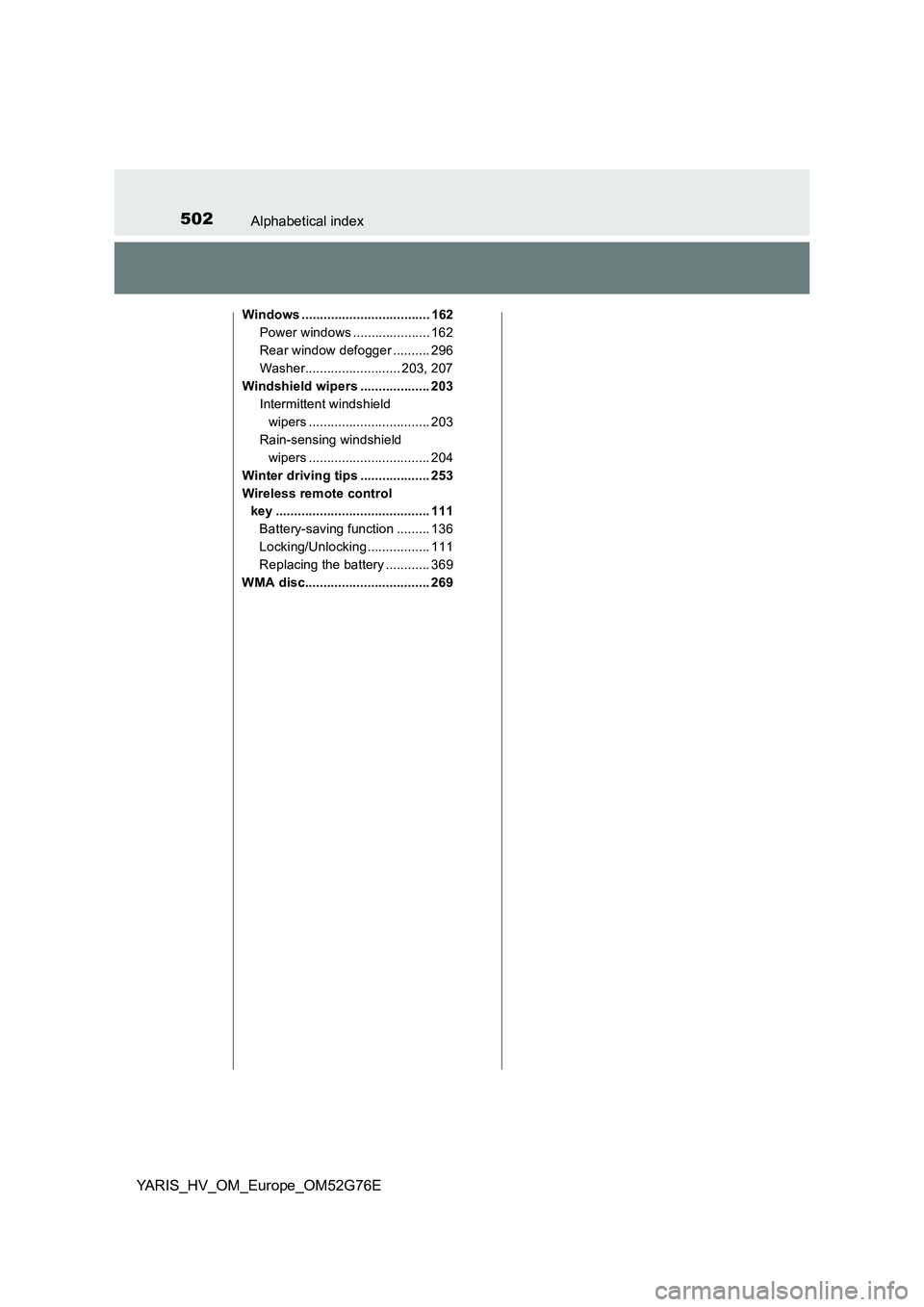
502Alphabetical index
YARIS_HV_OM_Europe_OM52G76E
Windows ................................... 162
Power windows ..................... 162
Rear window defogger .......... 296
Washer.......................... 203, 207
Windshield wipers ................... 203
Intermittent windshield
wipers ................................. 203
Rain-sensing windshield
wipers ................................. 204
Winter driving tips ................... 253
Wireless remote control
key .......................................... 111
Battery-saving function ......... 136
Locking/Unlocking ................. 111
Replacing the battery ............ 369
WMA disc.................................. 269