length TOYOTA YARIS iA 2018 Accessories, Audio & Navigation (in English)
[x] Cancel search | Manufacturer: TOYOTA, Model Year: 2018, Model line: YARIS iA, Model: TOYOTA YARIS iA 2018Pages: 91, PDF Size: 1.64 MB
Page 8 of 91
9
1
2
3
4
5
6
Yaris iA_Navi_OM99Q50z_(U)
• : Displays the screen where traffic information and
the GPS reception
co nditions can be set and verified.
• : Cancels waypoint/route
• : Finds Places nearby You can search for points of intere st (POI) near the vehicle position.
• : Displays the route parameters and the route in its full length on the map. Yo u
can also perform ro ute-related actions such as editing or canceling your route,
picking route alternatives, avoiding parts of the route, simulating navigation or
adding the destination to your Favorites.
• / / : Changes View mode The map view mode can be changed (2D north up/2D heading up/3D).
• : Switches to the Settings screen where you change navigation settings.
Some functions are not available depending on some countries and regions.
Page 45 of 91
46Yaris iA_Navi_OM99Q50z_(U)
3.1.2.3 Searching for a POI (poi
nt of interest) by category
You can search for Places of Interest by their categories and subcategories.
1. Select after selectin g on the MAP screen.
2. Select .
3. Select .
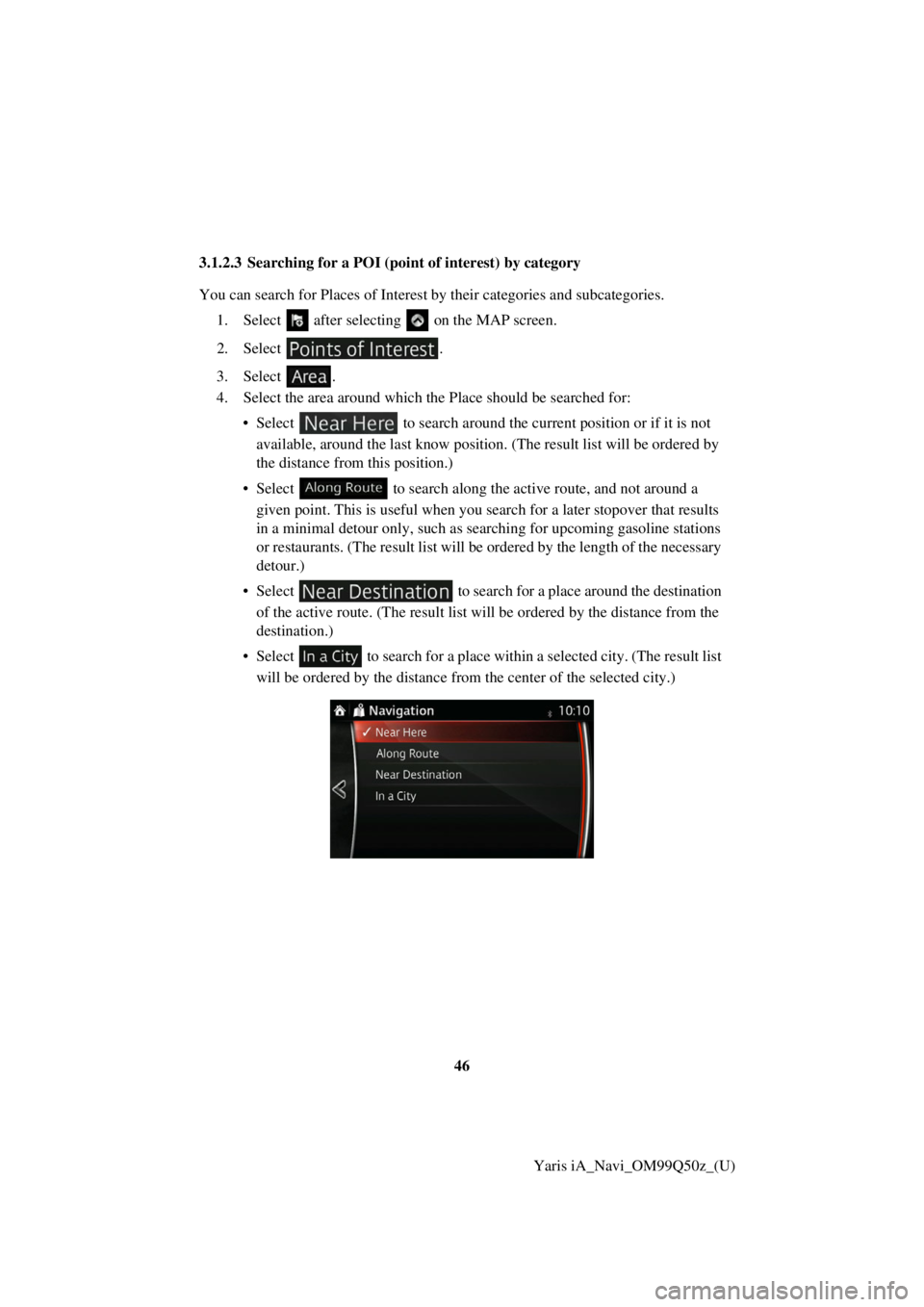
4. Select the area around which th e Place should be searched for:
• Select to search around the current position or if it is no
t
available, around the last know position. (The result list will be ordered by
the distance from this position.)
• Select to search along the active route, and not around a
g iven point. This is useful when you search for a later stopover that resu lts
i n a minimal detour only, such as searching for upcoming gasoline stati ons
o r restaurants. (The result list will be ordered by the length of the
necessary
d etour.)
• Select to search for a place around the destination
o f the active route. (The result list will be ordered by the distance from the
d estination.)
• S elect to search for a place within a selected city. (The result list
will be ordered by the distance from the center of the selected city.)
Page 49 of 91
50Yaris iA_Navi_OM99Q50z_(U)
3.1.2.4 Searching for a POI (p
oint of interest) by name
You can search for Places of Interest by th eir names. You can search around different
locations or along your route in the whole Place database or in one Place category or
subcategory only.
1. Select after selectin g on the MAP screen.
2. Select .
3. Select .
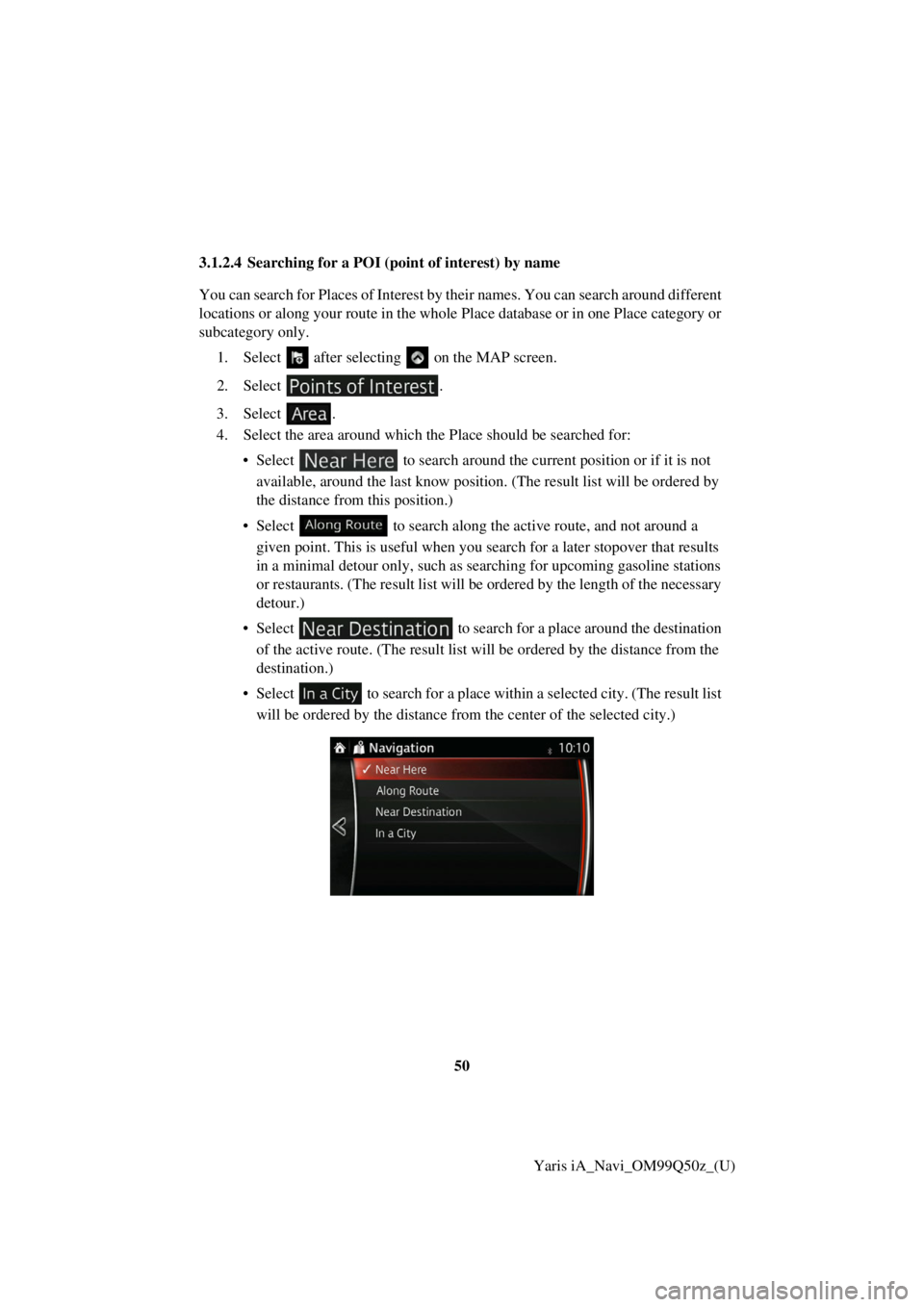
4. Select the area around which th e Place should be searched for:
• Select to search around the current position or if it is no t
avai lable, around the last know position. (The result list will be ordered by
the distance from this position.)
• Select to search along the active route, and not around a
g iven point. This is useful when you search for a later stopover that resu
lts
i n a minimal detour only, such as searching for upcoming gasoline stati ons
o r restaurants. (The result list will be ordered by the length of the necessary
d etour.)
• Select to search for a place around the destination
of the active route. (The result list will be ordered by the distance from the
d estination.)
• S elect
to search for a place within a selected city. (The result list
will be ordered by the distance from the center of the selected city.)
Page 63 of 91
64Yaris iA_Navi_OM99Q50z_(U)
3.2 Checking route parameters and ac cessing route related functions
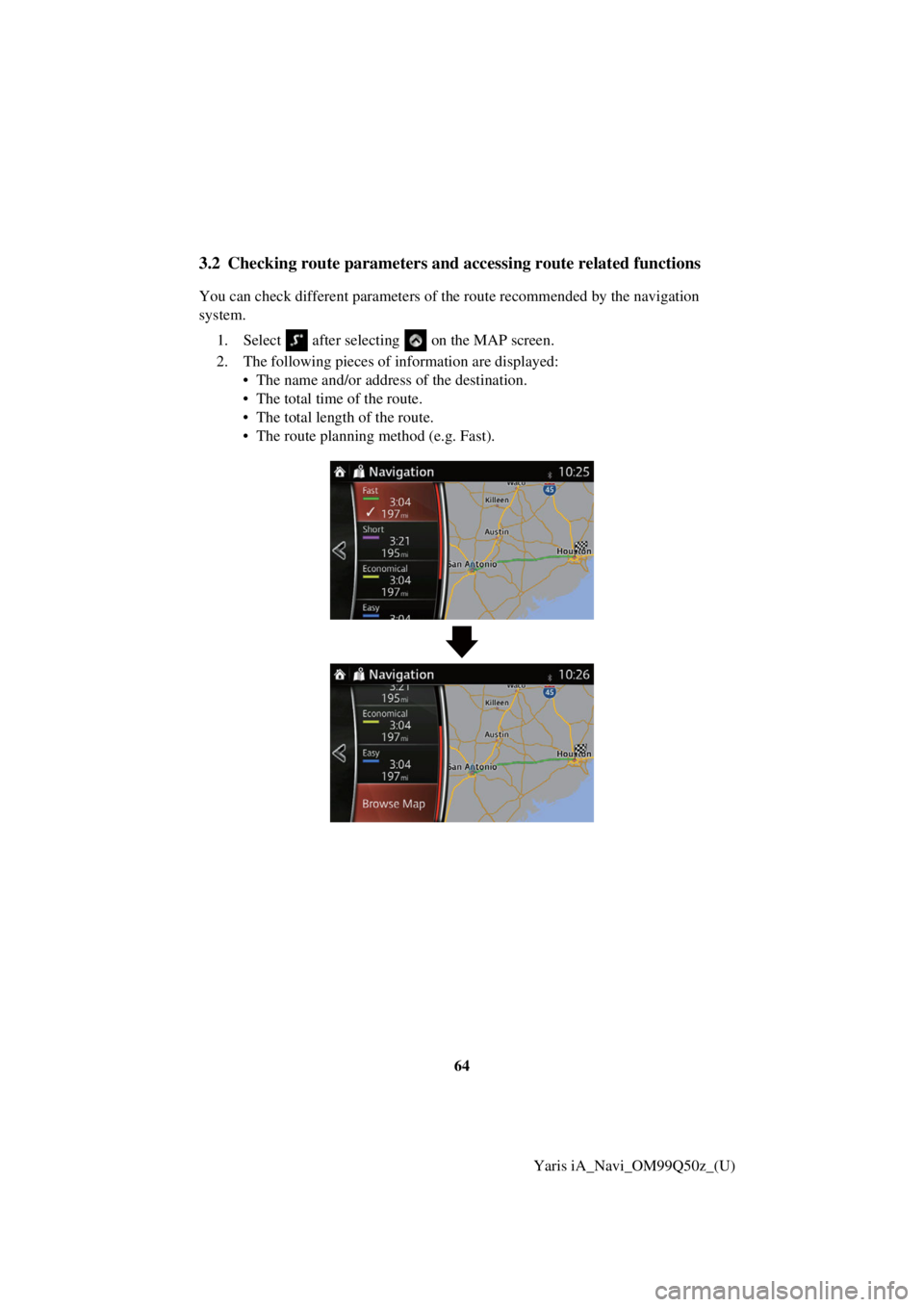
You can check different parameters of the route recommended by the navigation
system.
1. Select
after selecting on the MAP screen.
2. The following pieces of information are displayed:
• The name and/or address of the destination.
• The total time of the route.
• The total length of the route.
• The route planning method (e.g. Fast).