Rear seat VAUXHALL ADAM 2015 User Guide
[x] Cancel search | Manufacturer: VAUXHALL, Model Year: 2015, Model line: ADAM, Model: VAUXHALL ADAM 2015Pages: 225, PDF Size: 6.81 MB
Page 53 of 225

Seats, restraints51ISOFIX child restraint
systems Fasten vehicle-approved ISOFIX
child restraint systems to the ISOFIX
mounting brackets. Specific vehicle
ISOFIX child restraint system
positions are marked in the table by
IL.
ISOFIX mounting brackets are
indicated by the ISOFIX logo on the
backrest.
The vehicle is equipped with guides in the backrests to support the
installation of the child restraint
system. Open the flaps of the guides
to mount a child restraint system.
Remove rear head restraint before
mounting a child restraint system, if
required 3 47.
Top-tether fastening eyes The vehicle has two fastening eyes
on the backside of the rear seats.
Top-Tether fastening eyes are
marked with the symbol : for a child
seat.In addition to the ISOFIX mounting,
fasten the Top-Tether strap to the
Top-Tether fastening eyes.
ISOFIX child restraint systems of
universal category positions are
marked in the table by IUF.
Remove rear head restraint before
mounting a child restraint system, if
required 3 47.
Page 55 of 225

Storage53
Door pockets in both doors are
designed to carry bottles.
Additional cupholders or
bottleholders are located in the rear
side panels.
Flexible cupholder strap
A movable rubber strap is located in
the storage compartment in front of
the gear selector lever. Pull out the
strap to fix a cup or ashtray.
Front storage
Storage compartments are located
below the light switch, in the centre
console in front of the gear selector
lever, in the door pockets and in the
side panels near the rear seats.
Page 65 of 225
Storage63
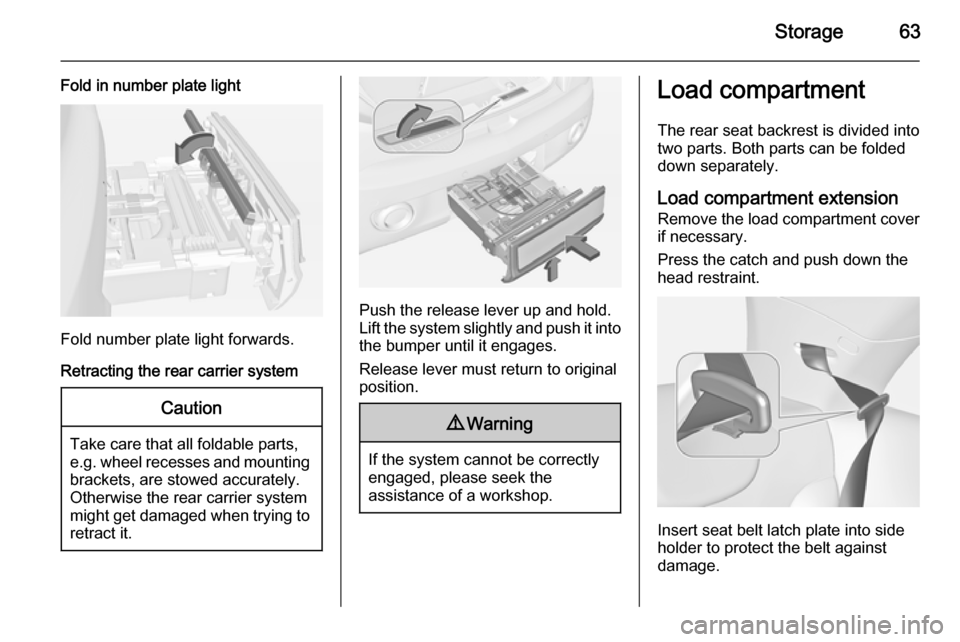
Fold in number plate light
Fold number plate light forwards.
Retracting the rear carrier system
Caution
Take care that all foldable parts,
e.g. wheel recesses and mounting brackets, are stowed accurately.
Otherwise the rear carrier system might get damaged when trying to retract it.
Push the release lever up and hold.
Lift the system slightly and push it into the bumper until it engages.
Release lever must return to original
position.
9 Warning
If the system cannot be correctly
engaged, please seek the
assistance of a workshop.
Load compartment
The rear seat backrest is divided into
two parts. Both parts can be folded
down separately.
Load compartment extension Remove the load compartment cover if necessary.
Press the catch and push down the
head restraint.
Insert seat belt latch plate into side
holder to protect the belt against
damage.
Page 66 of 225
64Storage
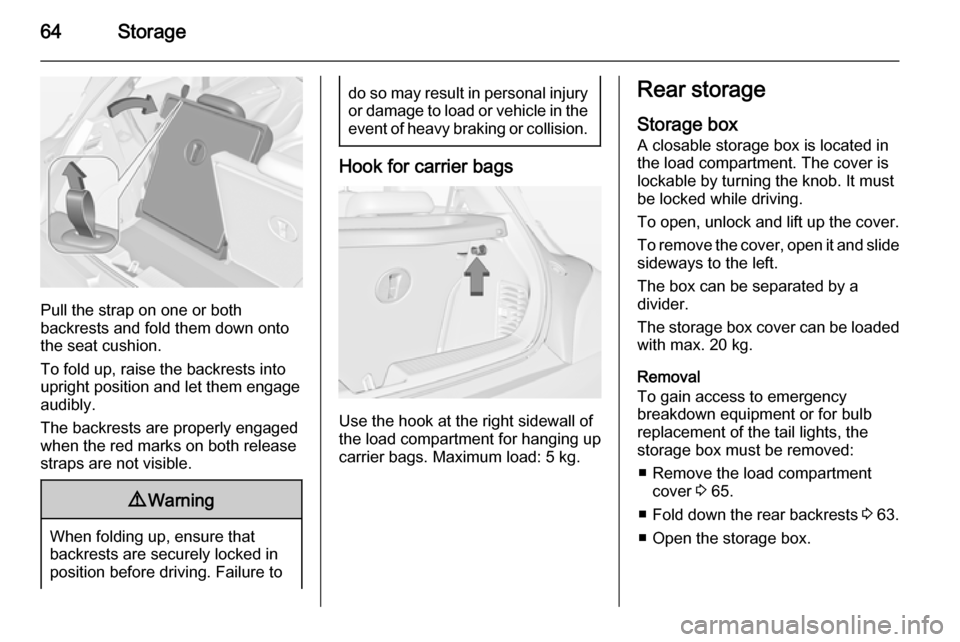
Pull the strap on one or both
backrests and fold them down onto the seat cushion.
To fold up, raise the backrests into
upright position and let them engage
audibly.
The backrests are properly engaged
when the red marks on both release
straps are not visible.
9 Warning
When folding up, ensure that
backrests are securely locked in
position before driving. Failure to
do so may result in personal injury or damage to load or vehicle in the event of heavy braking or collision.
Hook for carrier bags
Use the hook at the right sidewall of
the load compartment for hanging up carrier bags. Maximum load: 5 kg.
Rear storage
Storage box
A closable storage box is located in
the load compartment. The cover is lockable by turning the knob. It mustbe locked while driving.
To open, unlock and lift up the cover. To remove the cover, open it and slide
sideways to the left.
The box can be separated by a
divider.
The storage box cover can be loaded with max. 20 kg.
Removal
To gain access to emergency
breakdown equipment or for bulb
replacement of the tail lights, the
storage box must be removed:
■ Remove the load compartment cover 3 65.
■ Fold down the rear backrests 3 63.
■ Open the storage box.
Page 70 of 225
68StorageWarning triangle
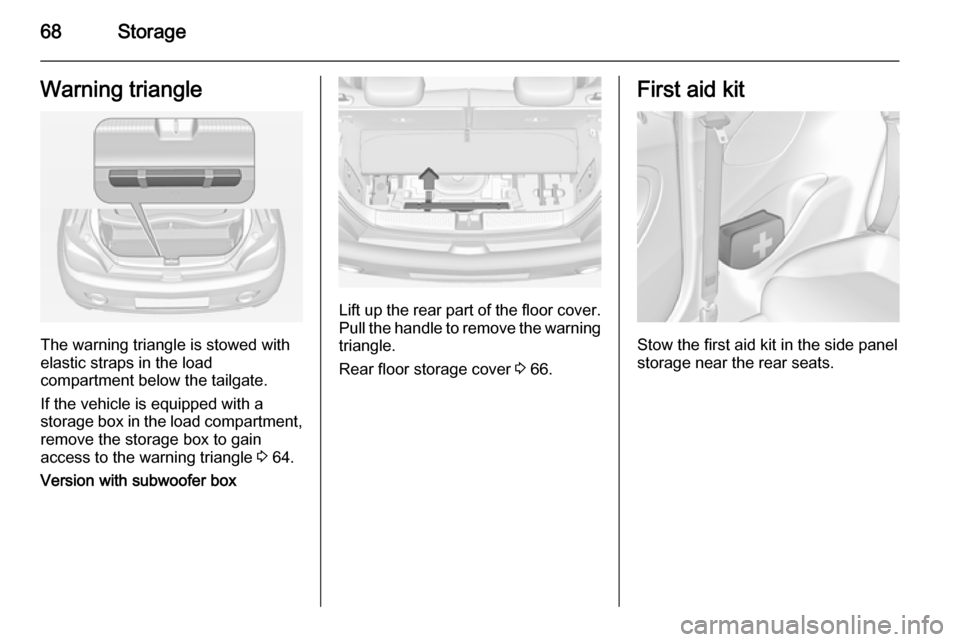
The warning triangle is stowed with
elastic straps in the load
compartment below the tailgate.
If the vehicle is equipped with a
storage box in the load compartment,
remove the storage box to gain
access to the warning triangle 3 64.
Version with subwoofer box
Lift up the rear part of the floor cover. Pull the handle to remove the warning
triangle.
Rear floor storage cover 3 66.
First aid kit
Stow the first aid kit in the side panel
storage near the rear seats.
Page 71 of 225
Storage69Roof rack system
Roof rack For safety reasons and to avoiddamage to the roof, the vehicle
approved roof rack system is
recommended. For further
information contact your workshop.
Follow the installation instructions and remove the roof rack when not in
use.
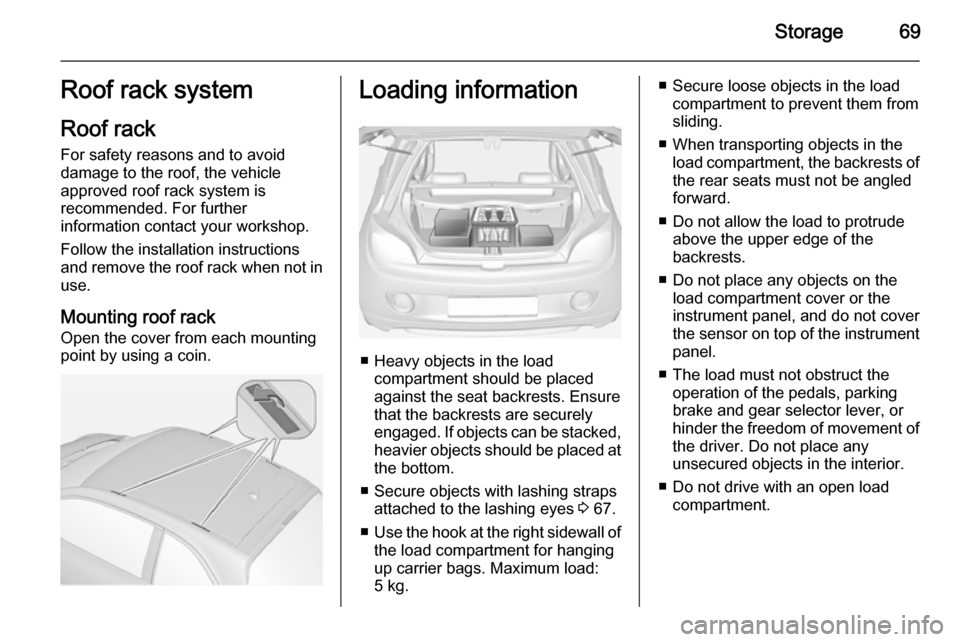
Mounting roof rack Open the cover from each mounting
point by using a coin.Loading information
■ Heavy objects in the load compartment should be placedagainst the seat backrests. Ensure
that the backrests are securely
engaged. If objects can be stacked, heavier objects should be placed at
the bottom.
■ Secure objects with lashing straps attached to the lashing eyes 3 67.
■ Use the hook at the right sidewall of
the load compartment for hanging
up carrier bags. Maximum load: 5 kg.
■ Secure loose objects in the load compartment to prevent them from
sliding.
■ When transporting objects in the load compartment, the backrests ofthe rear seats must not be angled
forward.
■ Do not allow the load to protrude above the upper edge of the
backrests.
■ Do not place any objects on the load compartment cover or theinstrument panel, and do not cover
the sensor on top of the instrument
panel.
■ The load must not obstruct the operation of the pedals, parking
brake and gear selector lever, or
hinder the freedom of movement of the driver. Do not place any
unsecured objects in the interior.
■ Do not drive with an open load compartment.
Page 86 of 225
84Instruments and controls
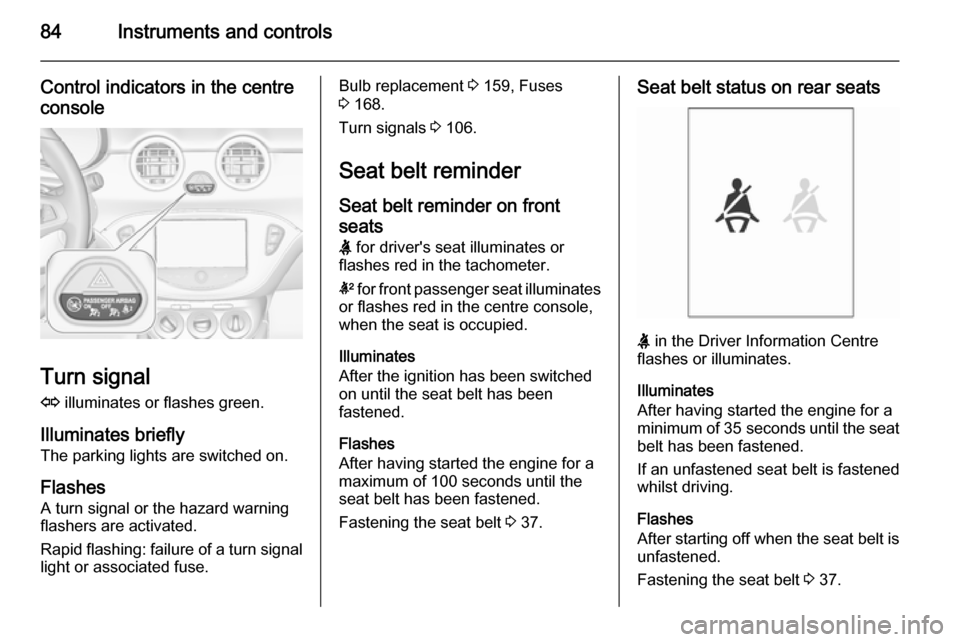
Control indicators in the centreconsole
Turn signal
O illuminates or flashes green.
Illuminates briefly The parking lights are switched on.
Flashes A turn signal or the hazard warning
flashers are activated.
Rapid flashing: failure of a turn signal
light or associated fuse.
Bulb replacement 3 159, Fuses
3 168.
Turn signals 3 106.
Seat belt reminder Seat belt reminder on front
seats X for driver's seat illuminates or
flashes red in the tachometer.
k for front passenger seat illuminates
or flashes red in the centre console,
when the seat is occupied.
Illuminates
After the ignition has been switched
on until the seat belt has been
fastened.
Flashes
After having started the engine for a maximum of 100 seconds until the
seat belt has been fastened.
Fastening the seat belt 3 37.Seat belt status on rear seats
X in the Driver Information Centre
flashes or illuminates.
Illuminates
After having started the engine for a
minimum of 35 seconds until the seat
belt has been fastened.
If an unfastened seat belt is fastened
whilst driving.
Flashes
After starting off when the seat belt is unfastened.
Fastening the seat belt 3 37.
Page 100 of 225

98Instruments and controls
■ lighting, bulb replacement
■ wiper/washer system
■ doors, windows
■ radio remote control
■ seat belts
■ airbag systems
■ engine and transmission
■ tyre pressure
■ vehicle battery
Vehicle messages on the
Colour-Info-Display Some important messages appear
additionally in the
Colour-Info-Display. Some
messages only pop-up for a few
seconds.
Warning chimes When starting the engine orwhilst driving
Only one warning chime will sound at a time.The warning chime regarding
unfastened seat belts has priority
over any other warning chime.
■ If seat belt is not fastened.
■ If a door or the tailgate is not fully closed when starting off.
■ If a certain speed is exceeded with parking brake applied.
■ If a programmed speed is exceeded.
■ If a warning message appears in the Driver Information Centre orInfo-Display.
■ If the parking assist detects an object.
■ If the reverse gear is engaged and the rear end carrier extended.
When the vehicle is parked and/ or the driver's door is opened ■ When the key is in the ignition switch.
■ With exterior lights on.
During an Autostop ■ If the driver's door is opened.Battery voltage
Uplevel-Display
When the vehicle battery voltage is running low, a warning message will
appear in the Driver Information
Centre.
Midlevel-Display
When the vehicle battery voltage is
running low, a warning code 174 will appear in the Driver Information
Centre.
1. Switch off immediately electrical consumers which are not requiredfor a safe ride, e.g. seat heating,
heated rear window or other main consumers.
2. Charge the vehicle battery by driving continuously for a while or
by using a charging device.
The warning message or warning
code will disappear after the engine
has been started twice consecutively
without a voltage drop.
If the vehicle battery cannot be
recharged, have the cause of the fault
remedied by a workshop.
Page 112 of 225
110Lighting
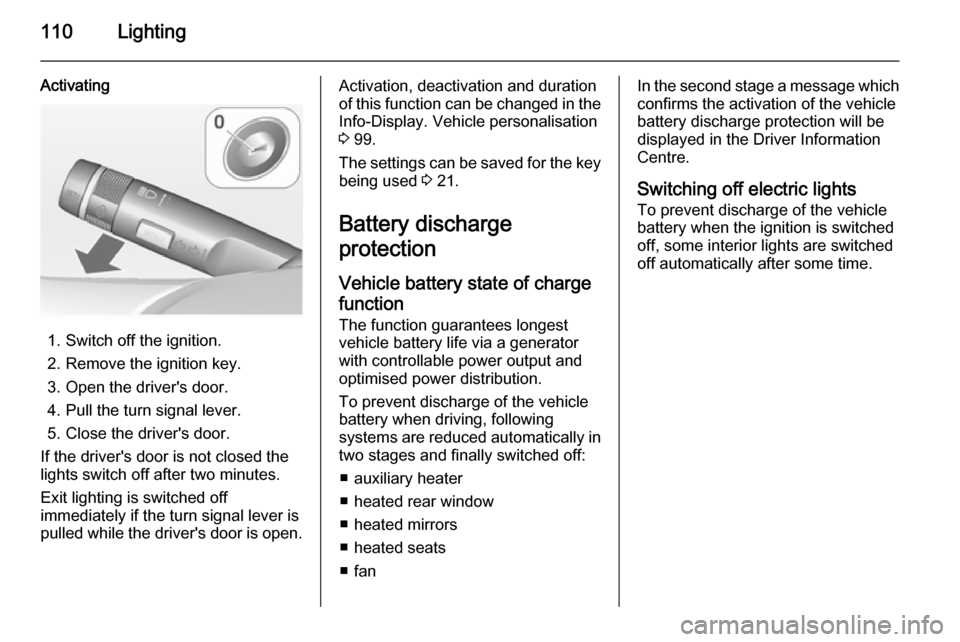
Activating
1. Switch off the ignition.
2. Remove the ignition key.
3. Open the driver's door.
4. Pull the turn signal lever.
5. Close the driver's door.
If the driver's door is not closed the
lights switch off after two minutes.
Exit lighting is switched off
immediately if the turn signal lever is
pulled while the driver's door is open.
Activation, deactivation and duration
of this function can be changed in the Info-Display. Vehicle personalisation
3 99.
The settings can be saved for the key being used 3 21.
Battery discharge
protection
Vehicle battery state of charge
function
The function guarantees longest
vehicle battery life via a generator with controllable power output and
optimised power distribution.
To prevent discharge of the vehicle
battery when driving, following
systems are reduced automatically in two stages and finally switched off:
■ auxiliary heater
■ heated rear window
■ heated mirrors
■ heated seats
■ fanIn the second stage a message which
confirms the activation of the vehicle
battery discharge protection will be
displayed in the Driver Information Centre.
Switching off electric lights To prevent discharge of the vehicle
battery when the ignition is switched
off, some interior lights are switched
off automatically after some time.
Page 113 of 225
Climate control111Climate controlClimate control systems ............. 111
Air vents ..................................... 119
Maintenance .............................. 119Climate control systems
Heating and ventilation
system
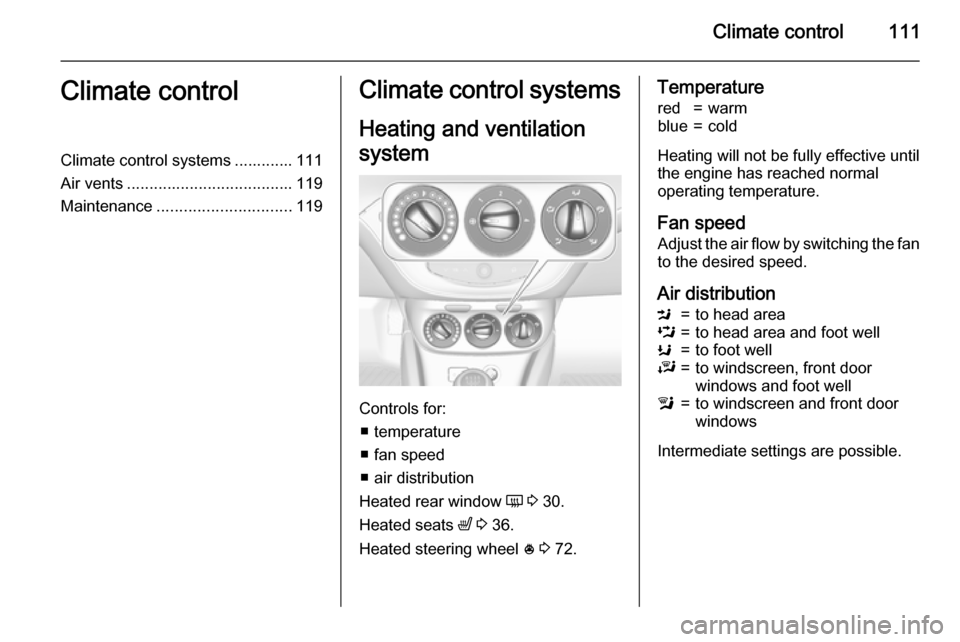
Controls for: ■ temperature
■ fan speed
■ air distribution
Heated rear window Ü 3 30.
Heated seats ß 3 36.
Heated steering wheel * 3 72.
Temperaturered=warmblue=cold
Heating will not be fully effective until
the engine has reached normal
operating temperature.
Fan speed Adjust the air flow by switching the fan
to the desired speed.
Air distribution
M=to head areaL=to head area and foot wellK=to foot wellJ=to windscreen, front door
windows and foot welll=to windscreen and front door
windows
Intermediate settings are possible.