air conditioning VAUXHALL ADAM 2015 Owner's Manual
[x] Cancel search | Manufacturer: VAUXHALL, Model Year: 2015, Model line: ADAM, Model: VAUXHALL ADAM 2015Pages: 225, PDF Size: 6.81 MB
Page 98 of 225
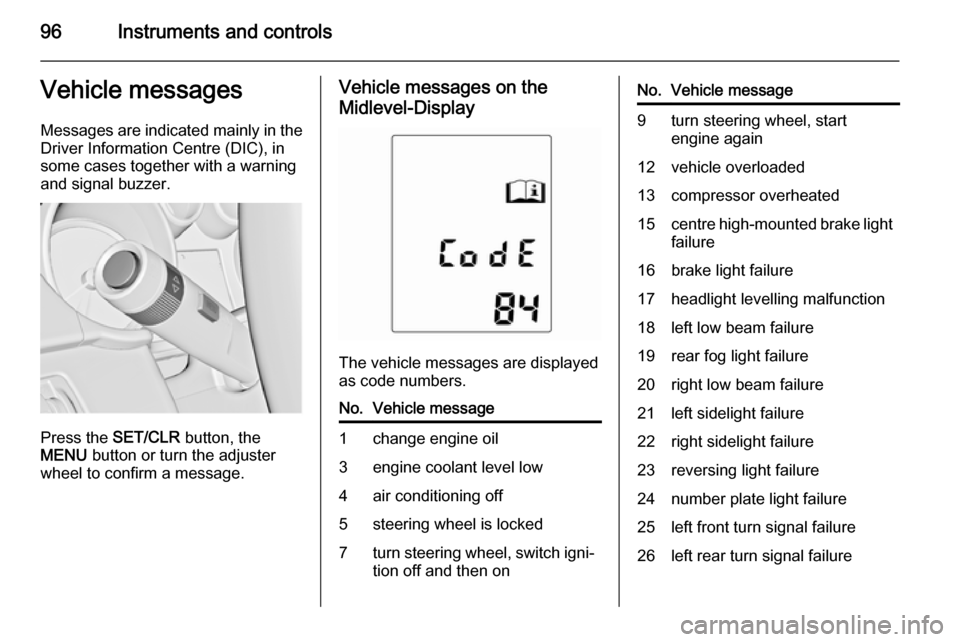
96Instruments and controlsVehicle messagesMessages are indicated mainly in the
Driver Information Centre (DIC), in
some cases together with a warning
and signal buzzer.
Press the SET/CLR button, the
MENU button or turn the adjuster
wheel to confirm a message.
Vehicle messages on the
Midlevel-Display
The vehicle messages are displayed
as code numbers.
No.Vehicle message1change engine oil3engine coolant level low4air conditioning off5steering wheel is locked7turn steering wheel, switch igni‐
tion off and then onNo.Vehicle message9turn steering wheel, start
engine again12vehicle overloaded13compressor overheated15centre high-mounted brake light
failure16brake light failure17headlight levelling malfunction18left low beam failure19rear fog light failure20right low beam failure21left sidelight failure22right sidelight failure23reversing light failure24number plate light failure25left front turn signal failure26left rear turn signal failure
Page 99 of 225

Instruments and controls97
No.Vehicle message27right front turn signal failure28right rear turn signal failure35replace battery in radio remote
control48clean side blind spot alert
system53tighten gas cap56tyre pressure imbalance on
front axle57tyre pressure imbalance on rear
axle58winter tyres detection59open and then close driver
window60open and then close front
passenger window66service theft alarm system67service steering wheel lock68service power steeringNo.Vehicle message75service air conditioning76service side blind spot alert
system79top up engine oil82change engine oil soon84engine power reduced89service vehicle soon95service airbag128bonnet open134park assist fault, clean bumper136service parking assist174low vehicle battery258park assist offVehicle messages on the
Uplevel-Display
The vehicle messages are displayed
as text. Follow the instructions given
in the messages.
The system displays messages
regarding the following topics:
■ fluid levels
■ anti-theft alarm system
■ brakes
■ ride control systems
■ cruise control, speed limiter
■ parking assist systems
Page 101 of 225
Instruments and controls99Vehicle personalisation
The vehicle's behaviour can be
personalised via changing the
settings in the Info-Display.
Some of the personal settings for
different drivers can be memorised
individually for each vehicle key.
Memorised settings 3 21.
Depending on vehicle equipment and country-specific regulations some ofthe functions described below might
not be available.
Some functions are only displayed or
active when the engine is running.
Personal settings
Graphic-Info-Display
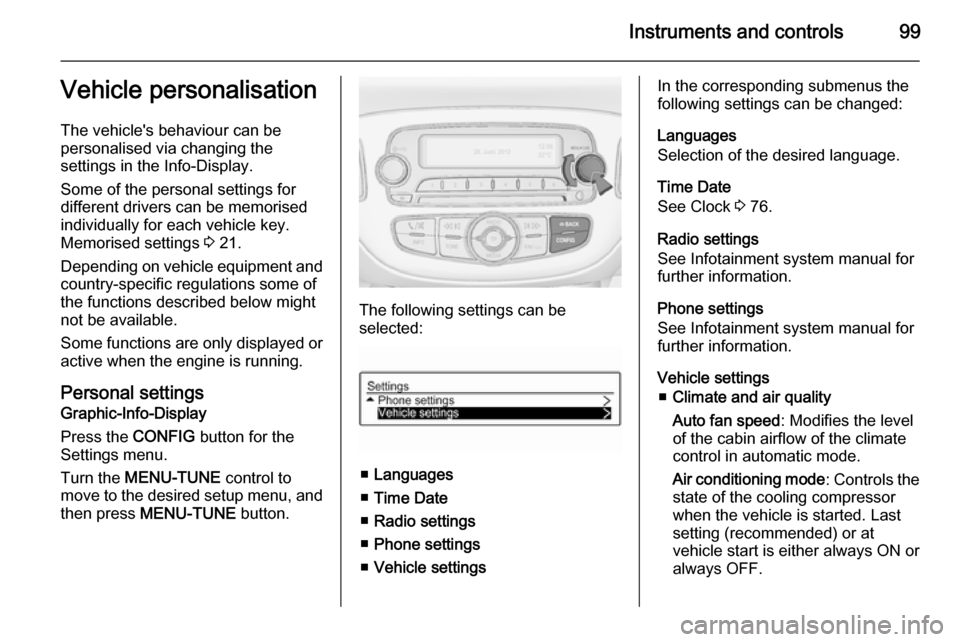
Press the CONFIG button for the
Settings menu.
Turn the MENU-TUNE control to
move to the desired setup menu, and
then press MENU-TUNE button.
The following settings can be
selected:
■ Languages
■ Time Date
■ Radio settings
■ Phone settings
■ Vehicle settings
In the corresponding submenus the
following settings can be changed:
Languages
Selection of the desired language.
Time Date
See Clock 3 76.
Radio settings
See Infotainment system manual for further information.
Phone settings
See Infotainment system manual for further information.
Vehicle settings ■ Climate and air quality
Auto fan speed : Modifies the level
of the cabin airflow of the climate
control in automatic mode.
Air conditioning mode : Controls the
state of the cooling compressor
when the vehicle is started. Last
setting (recommended) or at
vehicle start is either always ON or always OFF.
Page 103 of 225
Instruments and controls101
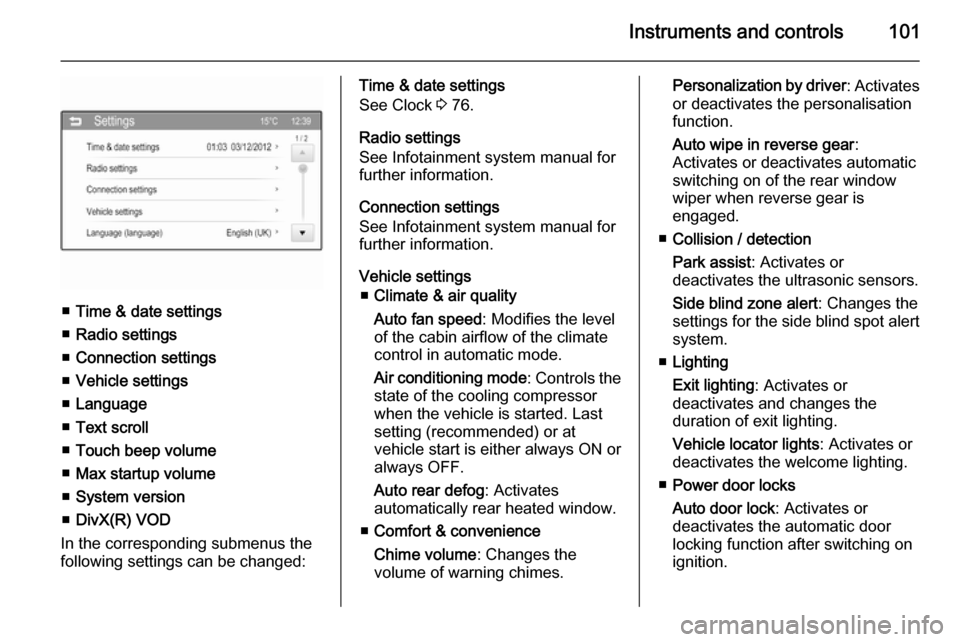
■Time & date settings
■ Radio settings
■ Connection settings
■ Vehicle settings
■ Language
■ Text scroll
■ Touch beep volume
■ Max startup volume
■ System version
■ DivX(R) VOD
In the corresponding submenus the
following settings can be changed:
Time & date settings
See Clock 3 76.
Radio settings
See Infotainment system manual for
further information.
Connection settings
See Infotainment system manual for
further information.
Vehicle settings ■ Climate & air quality
Auto fan speed : Modifies the level
of the cabin airflow of the climate
control in automatic mode.
Air conditioning mode : Controls the
state of the cooling compressor
when the vehicle is started. Last
setting (recommended) or at
vehicle start is either always ON or always OFF.
Auto rear defog : Activates
automatically rear heated window.
■ Comfort & convenience
Chime volume : Changes the
volume of warning chimes.Personalization by driver : Activates
or deactivates the personalisation
function.
Auto wipe in reverse gear :
Activates or deactivates automatic
switching on of the rear window
wiper when reverse gear is
engaged.
■ Collision / detection
Park assist : Activates or
deactivates the ultrasonic sensors.
Side blind zone alert : Changes the
settings for the side blind spot alert
system.
■ Lighting
Exit lighting : Activates or
deactivates and changes the
duration of exit lighting.
Vehicle locator lights : Activates or
deactivates the welcome lighting.
■ Power door locks
Auto door lock : Activates or
deactivates the automatic door
locking function after switching on
ignition.
Page 114 of 225
112Climate control
Demisting and defrosting the
windows
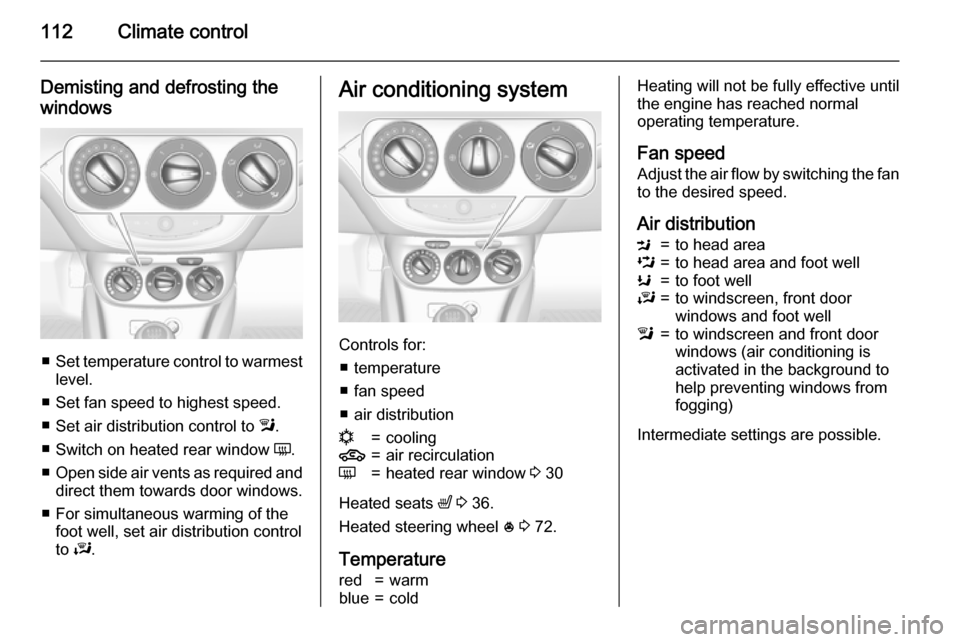
■ Set temperature control to warmest
level.
■ Set fan speed to highest speed.
■ Set air distribution control to l.
■ Switch on heated rear window Ü.
■ Open side air vents as required and
direct them towards door windows.
■ For simultaneous warming of the foot well, set air distribution control
to J.
Air conditioning system
Controls for:
■ temperature
■ fan speed
■ air distribution
n=cooling4=air recirculationÜ=heated rear window 3 30
Heated seats ß 3 36.
Heated steering wheel * 3 72.
Temperature
red=warmblue=coldHeating will not be fully effective until
the engine has reached normal
operating temperature.
Fan speed Adjust the air flow by switching the fan
to the desired speed.
Air distributionM=to head areaL=to head area and foot wellK=to foot wellJ=to windscreen, front door
windows and foot welll=to windscreen and front door
windows (air conditioning is
activated in the background to
help preventing windows from
fogging)
Intermediate settings are possible.
Page 115 of 225
Climate control113
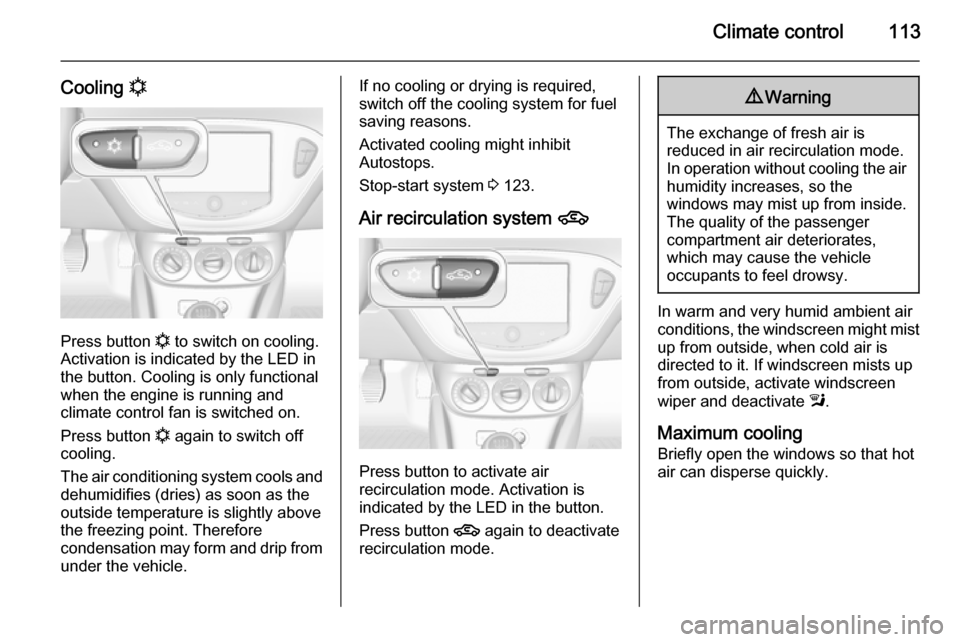
Cooling n
Press button
n to switch on cooling.
Activation is indicated by the LED in
the button. Cooling is only functional
when the engine is running and
climate control fan is switched on.
Press button n again to switch off
cooling.
The air conditioning system cools and
dehumidifies (dries) as soon as the
outside temperature is slightly above
the freezing point. Therefore
condensation may form and drip from under the vehicle.
If no cooling or drying is required,
switch off the cooling system for fuel
saving reasons.
Activated cooling might inhibit
Autostops.
Stop-start system 3 123.
Air recirculation system 4
Press button to activate air
recirculation mode. Activation is
indicated by the LED in the button.
Press button 4 again to deactivate
recirculation mode.
9 Warning
The exchange of fresh air is
reduced in air recirculation mode.
In operation without cooling the air humidity increases, so the
windows may mist up from inside.
The quality of the passenger
compartment air deteriorates,
which may cause the vehicle
occupants to feel drowsy.
In warm and very humid ambient air conditions, the windscreen might mist up from outside, when cold air is
directed to it. If windscreen mists up
from outside, activate windscreen
wiper and deactivate l.
Maximum cooling Briefly open the windows so that hot
air can disperse quickly.
Page 119 of 225

Climate control117
Fan speed Z
Turn left rotary knob to decrease or
increase fan speed. The fan speed is
indicated in the Info-Display.
Turning knob to $: fan and cooling
are switched off.
To return to automatic mode: Press AUTO button.
Air distribution
Turn right rotary knob for desired
adjustment. Setting is indicated in the Info-Display.
K=to foot well9=to windscreen, front door
windows and foot wells=to windscreen and front door
windows (air conditioning is
activated in the background to
help preventing windows from
fogging)M=to head area via adjustable air
ventsL=to head area and foot wellReturn to automatic air distribution:
press button AUTO.
Cooling n
Press button
n to switch on cooling.
Activation is indicated by the LED in
the button. Cooling is only functional
when the engine is running and
climate control fan is switched on.
Press button n again to switch off
cooling.
The air conditioning system cools and
dehumidifies (dries) as soon as the
outside temperature is slightly above
Page 122 of 225

120Climate controlAir conditioning regular
operation In order to ensure continuously
efficient performance, cooling must
be operated for a few minutes once a
month, irrespective of the weather
and time of year. Operation with
cooling is not possible when the
outside temperature is too low.
Service
For optimal cooling performance, it is recommended to annually check the
climate control system, starting
three years after initial vehicle
registration, including:
■ functionality and pressure test
■ heating functionality
■ leakage check
■ check of drive belts
■ cleaning of condenser and evaporator drainage
■ performance check
Page 127 of 225

Driving and operating125
Restart of the engine by the
stop-start system
The selector lever must be in neutral
to enable an automatic restart.
If one of the following conditions
occurs during an Autostop, the
engine will be restarted automatically by the stop-start system:
■ The stop-start system is manually deactivated.
■ The bonnet is opened.
■ The driver's seat belt is unfastened
and the driver's door is opened.
■ The engine temperature is too low.
■ The charging level of the vehicle battery is below a defined level.
■ The brake vacuum is not sufficient.
■ The vehicle is driven at least at walking speed.
■ The climate control system requests an engine start.
■ The air conditioning is manually switched on.
If the bonnet is not fully closed, a warning message is displayed in the
Driver Information Centre.If an electrical accessory, e.g. a
portable CD player, is connected to
the power outlet, a brief power drop
during restart might be noticeable.
Parking9 Warning
■ Do not park the vehicle on an
easily ignitable surface. The
high temperature of the exhaust
system could ignite the surface.
■ Always apply the parking brake.
Activate the parking brake
without pressing the release
button. Apply as firmly as
possible on a downhill slope or
uphill slope. Depress foot brake
at the same time to reduce
operating force.
■ Switch off the engine.
■ If the vehicle is on a level surface or uphill slope, engage
first gear before removing the ignition key. On an uphill slope,
turn the front wheels away from
the kerb.
If the vehicle is on a downhill
slope, engage reverse gear
before removing the ignition
key. Turn the front wheels
towards the kerb.
■ Close the windows.
■ Remove the ignition key. Turn the steering wheel until the
steering wheel lock is felt to
engage.
■ Lock the vehicle.
■ Activate the anti-theft alarm system.
■ The engine cooling fans may run after the engine has been switchedoff 3 153.
■ After running at high engine speeds
or with high engine loads, operate
the engine briefly at a low load or
run in neutral for
approx. 30 seconds before
switching off, in order to protect the turbocharger.
Page 174 of 225
172Vehicle care
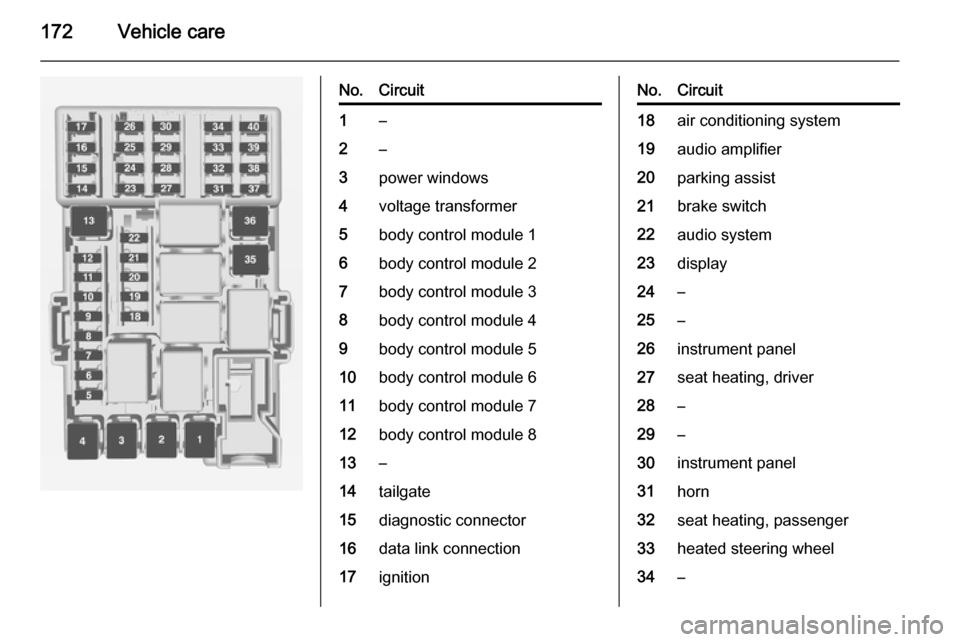
No.Circuit1–2–3power windows4voltage transformer5body control module 16body control module 27body control module 38body control module 49body control module 510body control module 611body control module 712body control module 813–14tailgate15diagnostic connector16data link connection17ignitionNo.Circuit18air conditioning system19audio amplifier20parking assist21brake switch22audio system23display24–25–26instrument panel27seat heating, driver28–29–30instrument panel31horn32seat heating, passenger33heated steering wheel34–