ignition VAUXHALL ASTRA J 2014.25 Workshop Manual
[x] Cancel search | Manufacturer: VAUXHALL, Model Year: 2014.25, Model line: ASTRA J, Model: VAUXHALL ASTRA J 2014.25Pages: 329, PDF Size: 9.99 MB
Page 184 of 329
182Driving and operating
maintained. Control indicator m in
instrument cluster illuminates green.
Accelerator pedal can be released.
Vehicle speed can be increased by depressing the accelerator pedal.
When the accelerator pedal is
released, the previously stored speed
is resumed.
Cruise control remains activated
while gearshifting.
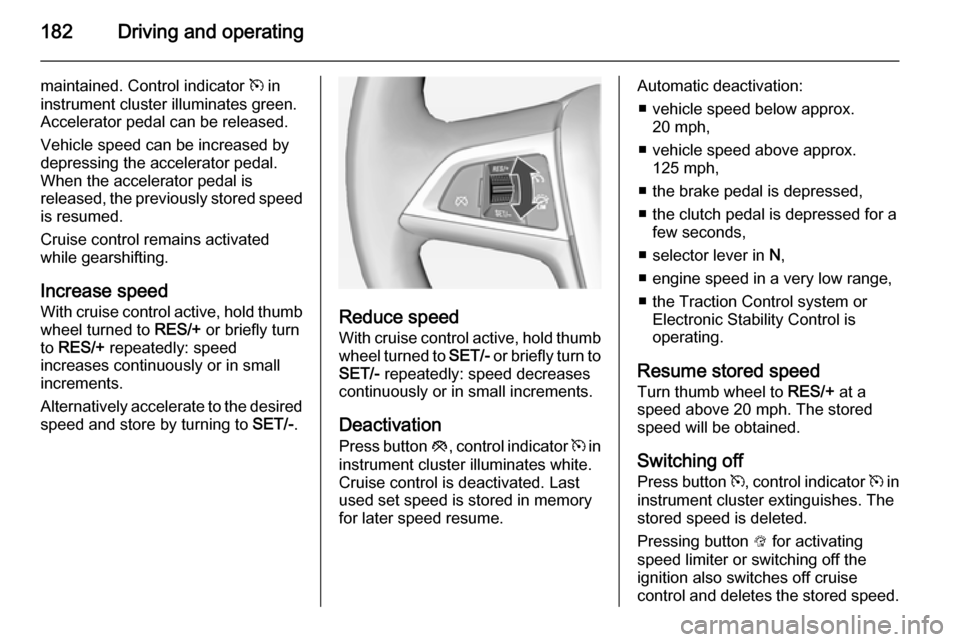
Increase speed With cruise control active, hold thumb
wheel turned to RES/+ or briefly turn
to RES/+ repeatedly: speed
increases continuously or in small
increments.
Alternatively accelerate to the desired speed and store by turning to SET/-.
Reduce speed
With cruise control active, hold thumb wheel turned to SET/- or briefly turn to
SET/- repeatedly: speed decreases
continuously or in small increments.
Deactivation
Press button y, control indicator m in
instrument cluster illuminates white.
Cruise control is deactivated. Last
used set speed is stored in memory
for later speed resume.
Automatic deactivation:
■ vehicle speed below approx. 20 mph,
■ vehicle speed above approx. 125 mph,
■ the brake pedal is depressed,
■ the clutch pedal is depressed for a few seconds,
■ selector lever in N,
■ engine speed in a very low range,
■ the Traction Control system or Electronic Stability Control is
operating.
Resume stored speed Turn thumb wheel to RES/+ at a
speed above 20 mph. The stored
speed will be obtained.
Switching off
Press button m, control indicator m in
instrument cluster extinguishes. The
stored speed is deleted.
Pressing button L for activating
speed limiter or switching off the
ignition also switches off cruise
control and deletes the stored speed.
Page 186 of 329

184Driving and operating
The limited speed will flash in the
Driver Information Centre and,
depending on the vehicle, additionally
a chime sounds during this period.
Release the accelerator pedal andthe speed limiter function is
reactivated once a speed lower than
the limit speed is obtained.
Deactivation
Press button y: speed limiter is
deactivated and the vehicle can be
driven without speed limit.
The limited speed is stored and a
corresponding message appears in
the Driver Information Centre.
Resume limit speedTurn thumb wheel to RES/+. The
stored speed limit will be obtained.
Switching off
Press button L, the speed limit
indication in the Driver Information Centre extinguishes. The stored
speed is deleted.By pressing button m to activate
cruise control or adaptive cruise
control or by switching off the ignition, speed limiter is also deactivated and
the stored speed is deleted.
Adaptive cruise control
Adaptive cruise control is an
enhancement to traditional cruise
control with the additional feature of
maintaining a certain distance behind the vehicle ahead.
Adaptive cruise control automatically
decelerates the vehicle when
approaching a slower moving vehicle.
It then adjusts the vehicle speed to
follow the vehicle ahead at the
selected following distance. The
vehicle speed increases or decreases to follow the vehicle in front, but will
not exceed the set speed. It may
apply limited braking with activated
brake lights.
The adaptive cruise control can store and maintain speeds over approx.
31 mph and brakes automatically to
follow a slower vehicle driving ahead
to a minimum speed of 18 mph.
Adaptive cruise control uses a radar
sensor to detect the vehicles ahead.
If no vehicle is detected in the driving path, the adaptive cruise control will
behave like a traditional cruise
control.
For safety reasons, the system
cannot be activated before the brake
pedal has been depressed once
since switching on ignition. Activation
in first gear is not possible.
Adaptive cruise control is mainly
advised to be used on long straight
roads, e.g. highways or country roads
with steady traffic. Do not use the system if it is not advisable to
maintain a constant speed.
Control indicator A 3 119, m 3 119.
Page 190 of 329
188Driving and operating
■ Electronic Stability Control isoperating,
■ there is no traffic and nothing detected on the road sides for
several minutes. In this case there are no radar echoes and the sensor may report that it is blocked,
■ collision imminent braking is applying the brakes,
■ radar sensor is blocked by an ice or
water film,
■ fault is detected in the radar, engine
or brake system.
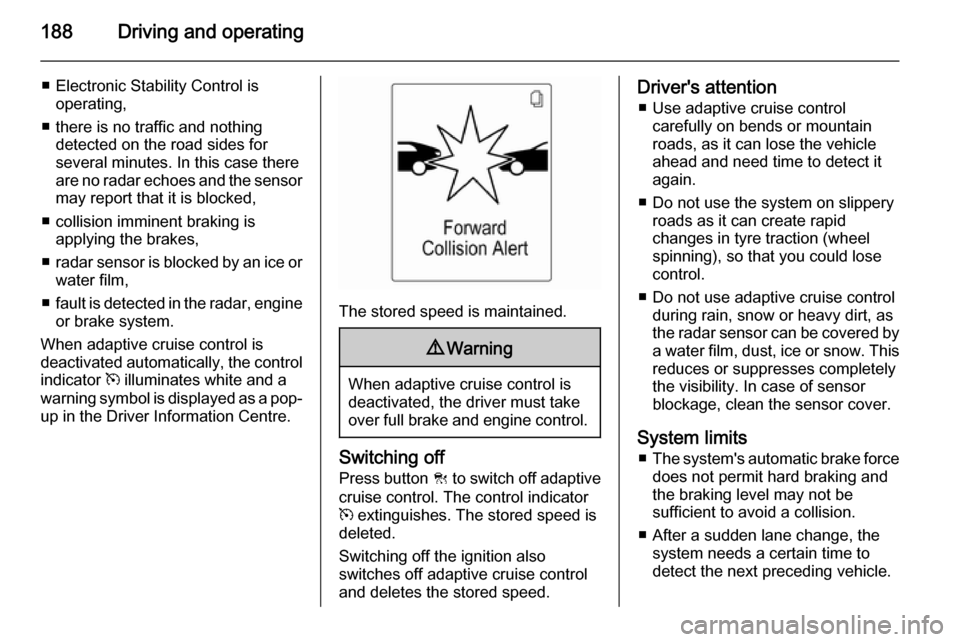
When adaptive cruise control is
deactivated automatically, the control
indicator m illuminates white and a
warning symbol is displayed as a pop- up in the Driver Information Centre.
The stored speed is maintained.
9 Warning
When adaptive cruise control is
deactivated, the driver must take
over full brake and engine control.
Switching off
Press button C to switch off adaptive
cruise control. The control indicator
m extinguishes. The stored speed is
deleted.
Switching off the ignition also
switches off adaptive cruise control
and deletes the stored speed.
Driver's attention
■ Use adaptive cruise control carefully on bends or mountain
roads, as it can lose the vehicle
ahead and need time to detect it
again.
■ Do not use the system on slippery roads as it can create rapid
changes in tyre traction (wheel
spinning), so that you could lose
control.
■ Do not use adaptive cruise control during rain, snow or heavy dirt, as
the radar sensor can be covered by a water film, dust, ice or snow. This
reduces or suppresses completely
the visibility. In case of sensor
blockage, clean the sensor cover.
System limits ■ The system's automatic brake force
does not permit hard braking and
the braking level may not be
sufficient to avoid a collision.
■ After a sudden lane change, the system needs a certain time todetect the next preceding vehicle.
Page 200 of 329

198Driving and operating
On version with Uplevel-Combi-
Display, the distance to a front and
rear obstacle is indicated by changing distance lines around the vehicle.
The distance indication in the display
can be inhibited by vehicle messages
with a higher priority. Once the
distance indication was overwritten by a vehicle message, distance is no
more indicated until parking assist is
activated again.
Deactivation
Deactivate the system by pressing
the parking assist button r or D
briefly.
The LED in the button extinguishes
and Park Assist Off will be displayed
in the Driver Information Centre.
The system is deactivated
automatically when exceeding a
certain speed.
If the r or D button is pressed
once within an ignition cycle, the front
parking assist is always reactivated
when the vehicle speed goes below a certain value.
Fault In the event of a fault in the system,
r illuminates or a message is
displayed in the Driver Information
Centre.
If the system does not work due to temporary conditions like snow
covered sensors, r illuminates or a
message is displayed in the Driver
Information Centre.
Vehicle messages 3 126.9 Warning
Under certain circumstances,
various reflective surfaces on
objects or clothing as well as
external noise sources may cause the system to fail to detect
obstacles.
Special attention has to be paid to
low obstacles which can damage
the lower part of the bumper.
Caution
Performance of the sensor can be reduced when sensors are
covered, e.g. by ice or snow.
Performance of the parking assist
system can be reduced due to
heavy loading.
Special conditions apply if there
are taller vehicles involved (e.g.
off-road vehicles, mini vans,
vans). Object identification in the
upper part of these vehicles
cannot be guaranteed.
Page 203 of 329

Driving and operating201
The instructions show:■ a hint when driving faster than 18 mph,
■ the demand to stop the vehicle, when a parking slot is detected,
■ the direction of driving during the parking manoeuvre,
■ the steering wheel position during parking,
■ for some of the instructions a progress bar is shown.
A successful parking manoeuvre is
indicated by the End position symbol.If the driver does not stop the vehicle
within 10 metres after a parking slot is
proposed, the system starts to search
for another suitable parking slot.
Changing the parking side
The system is configured to detect
parking slots on the passenger side. To detect parking slots on the driver
side, switch turn indicator to the driver side.
Display priorities
After activating the advanced parking
assist, a message appears on the
Driver Information Centre. Indication
of messages with higher priority like
vehicle messages 3 126 will be
displayed. After approving the
message by pressing the SET/CLR
button, parking assist messages
appear again and parking can be
continued.
Deactivation The system is deactivated by:
■ pushing button D for approx.
one second
■ parking manoeuvre successfully ended
■ driving faster than 18 mph
■ switching off the ignition
Deactivation by the driver or by the
system during manoeuvring will be indicated by Parking Deactivated in
the Driver Information Centre.
Page 211 of 329

Driving and operating209
Once setting page is displayed, selectOff to deactivate pop-up function.
Reactivated by selecting On. When
switching on the ignition, pop-up function is deactivated.
Pop-up indication is displayed for approx. 8 seconds in the Driver
Information Centre.
Fault The traffic sign assistant system may
not operate correctly when:
■ the area of the windscreen, where the front camera is located, is notclean
■ traffic signs are completely or partially covered or difficult to
discern
■ there are adverse environmental conditions, e.g. heavy rain, snow,direct sunlight or shadows. In this
case No Traffic Sign Detection due
to Weather is indicated on the
display■ traffic signs are incorrectly mounted
or damaged
■ traffic signs do not comply with the Vienna Convention on traffic signs
(Wiener Übereinkommen über
Straßenverkehrszeichen)Caution
The system is intended to help the driver within a defined speed
range to discern certain traffic
signs. Do not ignore traffic signs
which are not displayed by the
system.
The system does not discern any other than the conventional traffic
signs that might give or end a
speed limit.
Do not let this special feature
tempt you into taking risks when
driving.
Always adapt speed to the road
conditions.
The driver assistance systems do not relieve the driver from full
responsibility for vehicle
operation.
Lane departure warning
The lane departure warning systemobserves the lane markings between
which the vehicle is driving via a front camera. The system detects lane
changes and warns the driver in the
event of an unintended lane change
via visual and acoustic signals.
Criteria for the detection of an
unintended lane change are:
■ no operation of turn signals
■ no brake pedal operation
■ no active accelerator operation or speeding-up
■ no active steering
If the driver is active, no warning will
be issued.
Page 214 of 329

212Driving and operating
The boiling point depends on the
pressure and mixing ratio. At ambient pressure, it is between -42 °C (pure
propane) and -0.5 °C (pure butane).Caution
The system works at an ambient
temperature of approx. -8 °C to
100 °C.
Full function of the LPG system can
only be guaranteed with liquid gas
which complies with the minimum
requirements of DIN EN 589.
Fuel selector
Pressing the LPG button switches
between petrol and liquid gas
operation as soon as the required
parameters (coolant temperature,
gas temperature and minimum
engine speed) have been reached.
The requirements are usually fulfilled
after around 60 seconds (depending
on exterior temperature) and the first
firm press on the accelerator. The
LED status shows the current
operating mode.1 off=petrol operation1 illumi‐
nates=liquid gas operation1 flashes=no switching is
possible, one type
of fuel is empty
As soon as the liquid gas tanks are
empty, petrol operation is
automatically engaged until the
ignition is switched off.
Every six months, run the petrol tank
down until control indicator i
illuminates, then refuel. This helps
maintain fuel quality and system
function for petrol operation.
Fill the tank completely at regular
intervals to prevent corrosion in the
tank.
Faults and remedies
If gas mode is not possible, check the following:
■ Is there enough liquid gas present?
■ Is there enough petrol present for starting?
Due to extreme temperatures in
combination with the gas
composition, it may take slightly
longer before the system switches
from petrol to gas mode.
In extreme situations, the system may
also switch back to petrol mode if the
minimum requirements are not
fulfilled.
Seek the assistance of a workshop in the event of all other faults.
Page 215 of 329

Driving and operating213Caution
Repairs and adjustments may onlybe made by trained specialists in
order to maintain the safety and
warranty on the LPG system.
Liquid gas is given a particular odour
(odorised) so that any leaks can be
detected easily.
9 Warning
If you smell gas in the vehicle or in
the immediate vicinity, switch to petrol mode immediately. No
smoking. No naked flames or
ignition sources.
If possible, close the manual shut-off
valve on the multivalve. The
multivalve is located on the liquid gas
tank in the load compartment,
underneath the rear floor cover.
Turn the thumb wheel clockwise.
If no further gas odour is perceptible
when the manual shut-off valve is
closed, the vehicle can be used in
petrol mode. If the gas odour persists, do not start the engine. Have the
cause of the fault remedied by a
workshop.
When using underground car parks,
follow the instructions of the operator
and local laws.
Notice
In the event of an accident, switch off
the ignition and lights. Close the
manual shut-off valve on multivalve.
Refuelling9 Danger
Before refuelling, switch off engine
and any external heaters with
combustion chambers. Switch off
any mobile phones.
Follow the operating and safety
instructions of the filling station
when refuelling.
Page 216 of 329

214Driving and operating9Danger
Fuel is flammable and explosive.
No smoking. No naked flames or
sparks.
If you can smell fuel in your
vehicle, have the cause of this
remedied immediately by a
workshop.
Caution
In case of misfuelling, do not
switch on ignition.
Fuel filler flap is located at right rear
side of the vehicle.
The fuel filler flap can only be opened
if the vehicle is unlocked. Pull flap at
the recess and open..
To open, turn the cap slowly to the
left.The fuel filler cap can be retained in
the bracket on the fuel filler flap.
For refuelling, fully insert the pump
nozzle and switch it on.
After automatic cut-off, it can be
topped up with max. two doses of fuel.
Caution
Wipe off any overflowing fuel
immediately.
To close, turn the fuel filler cap to the right until it clicks.
Close the flap and let engage.
Page 225 of 329

Vehicle care223
■ Open the bonnet, close all doorsand lock the vehicle.
■ Disconnect the clamp from the negative terminal of the vehicle
battery. Beware that all systems are
not functional, e.g. anti-theft alarm
system.
Putting back into operation
When the vehicle is to be put back into
operation:
■ Connect the clamp to the negative terminal of the vehicle battery.
Activate the electronics of the
power windows.
■ Check tyre pressure.
■ Fill up the washer fluid reservoir.
■ Check the engine oil level.
■ Check the coolant level.
■ Fit the number plate if necessary.
End-of-life vehicle
recovery
Information on end-of-life vehicle
recovery centres and the recycling of
end-of-life vehicles is available on ourwebsite, where legally required. Only
entrust this work to an authorised
recycling centre.
Gas vehicles must be recycled by a
service centre authorised for gas
vehicles.Vehicle checks
Performing work9 Warning
Only perform engine compartment
checks when the ignition is off.
The cooling fan may start
operating even if the ignition is off.