warning VAUXHALL ASTRA J 2014.25 Repair Manual
[x] Cancel search | Manufacturer: VAUXHALL, Model Year: 2014.25, Model line: ASTRA J, Model: VAUXHALL ASTRA J 2014.25Pages: 329, PDF Size: 9.99 MB
Page 149 of 329

Lighting147
Fault in adaptive forward lightingsystem
When the system detects a failure in
the Adaptive forward lighting system,
the system moves to a preset position to avoid dazzling of oncoming traffic.
If this is not possible the affected
headlight will be automatically
switched off. In any case one
headlight will stay on. A warning is
displayed in the Driver Information
Centre.
Hazard warning flashers
Operated with the ¨ button.
In the event of an accident with airbag
deployment the hazard warning
flashers are activated automatically.
Turn and lane-change
signalslever up=right turn signallever down=left turn signal
If the lever is moved past the
resistance point, the turn signal is
switched on constantly. When the
steering wheel moves back, the turn
signal is automatically deactivated.
For three flashes, e.g. when changing lanes, press the lever until resistance
is felt and then release.
When a trailer is connected, turn
signal flashes six times when
pressing the lever until resistance is
felt and then releasing.
Move the lever to the resistance point
and hold for longer indication.
Switch the turn signal off manually by moving the lever to its original
position.
Front fog lights
Operated with the > button.
Page 157 of 329
Climate control155
If no cooling or drying is required,
switch the cooling system off to save
fuel. Activated cooling might inhibit
autostops.
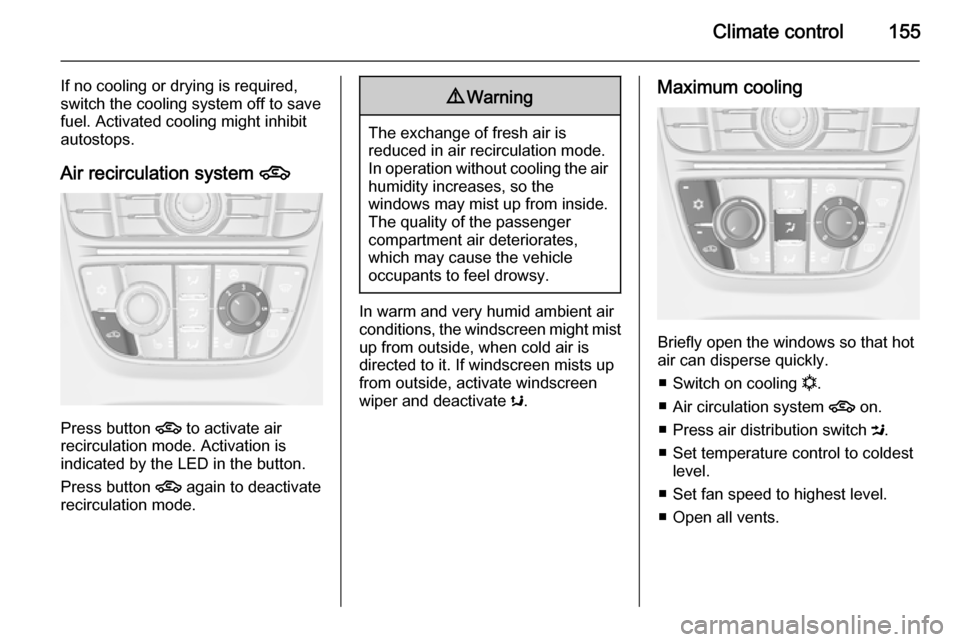
Air recirculation system 4
Press button
4 to activate air
recirculation mode. Activation is
indicated by the LED in the button.
Press button 4 again to deactivate
recirculation mode.
9 Warning
The exchange of fresh air is
reduced in air recirculation mode.
In operation without cooling the air humidity increases, so the
windows may mist up from inside.
The quality of the passenger
compartment air deteriorates,
which may cause the vehicle
occupants to feel drowsy.
In warm and very humid ambient air conditions, the windscreen might mist up from outside, when cold air is
directed to it. If windscreen mists up
from outside, activate windscreen
wiper and deactivate s.
Maximum cooling
Briefly open the windows so that hot
air can disperse quickly.
■ Switch on cooling n.
■ Air circulation system 4 on.
■ Press air distribution switch M.
■ Set temperature control to coldest level.
■ Set fan speed to highest level.
■ Open all vents.
Page 162 of 329
160Climate control
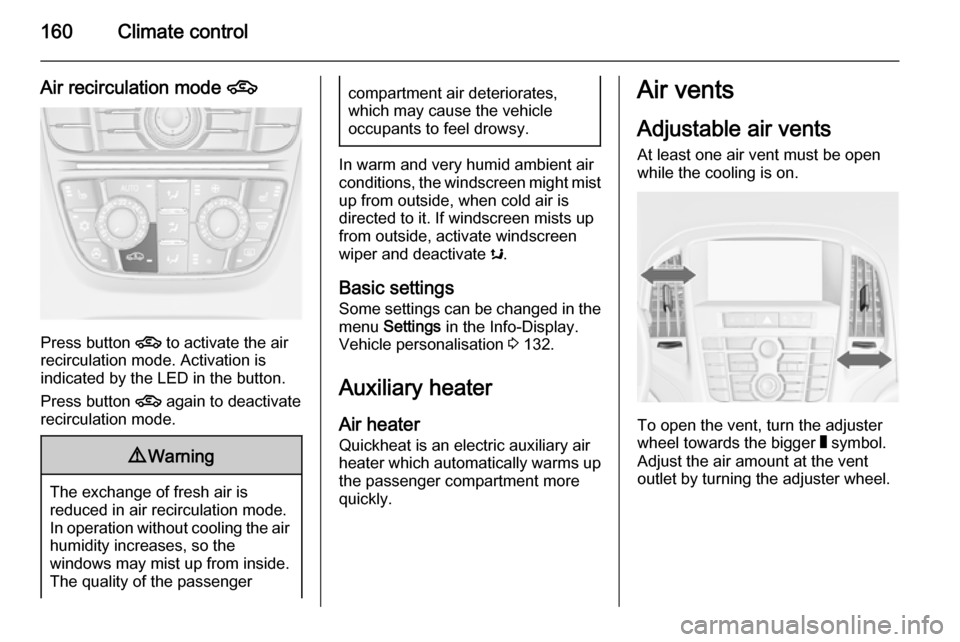
Air recirculation mode 4
Press button
4 to activate the air
recirculation mode. Activation is
indicated by the LED in the button.
Press button 4 again to deactivate
recirculation mode.
9 Warning
The exchange of fresh air is
reduced in air recirculation mode.
In operation without cooling the air humidity increases, so the
windows may mist up from inside.
The quality of the passenger
compartment air deteriorates,
which may cause the vehicle
occupants to feel drowsy.
In warm and very humid ambient air conditions, the windscreen might mist up from outside, when cold air is
directed to it. If windscreen mists up
from outside, activate windscreen
wiper and deactivate s.
Basic settings Some settings can be changed in the
menu Settings in the Info-Display.
Vehicle personalisation 3 132.
Auxiliary heater
Air heater Quickheat is an electric auxiliary air
heater which automatically warms up
the passenger compartment more
quickly.
Air vents
Adjustable air vents
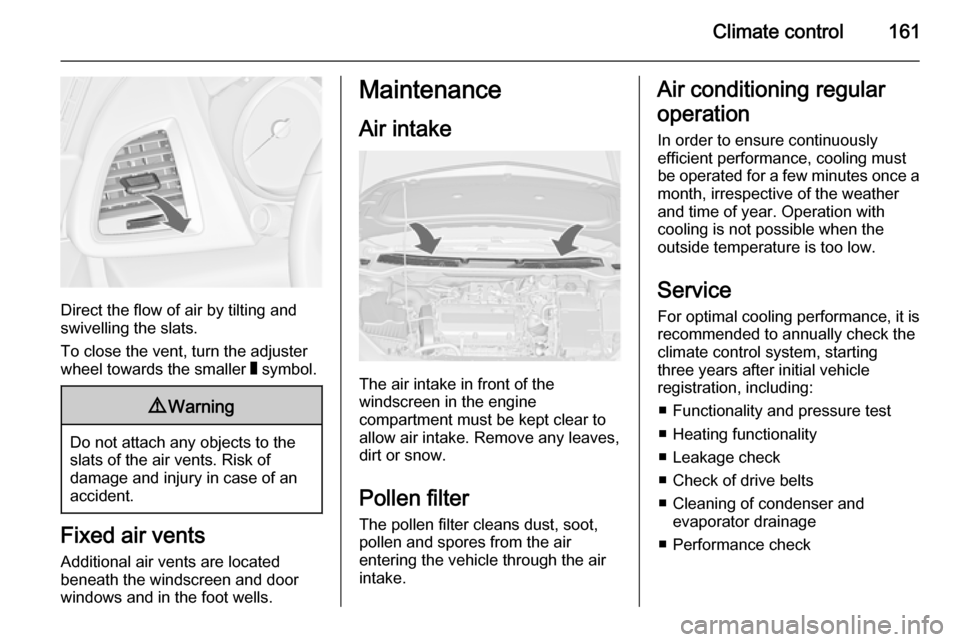
At least one air vent must be open
while the cooling is on.
To open the vent, turn the adjuster
wheel towards the bigger W symbol.
Adjust the air amount at the vent
outlet by turning the adjuster wheel.
Page 163 of 329
Climate control161
Direct the flow of air by tilting and
swivelling the slats.
To close the vent, turn the adjuster
wheel towards the smaller W symbol.
9 Warning
Do not attach any objects to the
slats of the air vents. Risk of
damage and injury in case of an
accident.
Fixed air vents
Additional air vents are located
beneath the windscreen and door windows and in the foot wells.
Maintenance
Air intake
The air intake in front of the
windscreen in the engine
compartment must be kept clear to
allow air intake. Remove any leaves,
dirt or snow.
Pollen filter
The pollen filter cleans dust, soot,
pollen and spores from the air
entering the vehicle through the air
intake.
Air conditioning regular
operation In order to ensure continuously
efficient performance, cooling must
be operated for a few minutes once a
month, irrespective of the weather
and time of year. Operation with
cooling is not possible when the
outside temperature is too low.
Service
For optimal cooling performance, it is recommended to annually check the
climate control system, starting
three years after initial vehicle
registration, including:
■ Functionality and pressure test■ Heating functionality
■ Leakage check
■ Check of drive belts
■ Cleaning of condenser and evaporator drainage
■ Performance check
Page 169 of 329

Driving and operating167
■ the driver's seat belt is unfastenedand the driver's door is opened
■ the engine temperature is too low
■ the charging level of the vehicle battery is below a defined level
■ the brake vacuum is not sufficient
■ the vehicle is driven at least at walking speed
■ the climate control system requests
an engine start
■ the air conditioning is manually switched on
If the bonnet is not fully closed, a warning message is displayed in the
Driver Information Centre.
If an electric accessory, e.g. a
portable CD player, is connected to
the power outlet, a brief power drop during restart might be noticeable.
Parking ■ Do not park the vehicle on an easily
ignitable surface. The high
temperature of the exhaust system
could ignite the surface.■ Always apply parking brake. Apply manual parking brake without
pressing release button. Apply as
firmly as possible on downhill or uphill slopes. Depress the foot
brake at the same time to reduce
operating force.
Apply electric parking brake by pulling switch m for approx.
one second.
■ Switch off the engine and ignition. Turn the steering wheel until the
steering wheel lock engages.
■ If the vehicle is on a level surface or
uphill slope, engage first gear or set the selector lever to P before
switching off the ignition. On an
uphill slope, turn the front wheels
away from the kerb.
If the vehicle is on a downhill slope, engage reverse gear or set theselector lever to P before switching
off the ignition. Turn the front
wheels towards the kerb.
■ Lock the vehicle and activate the anti-theft alarm system.Notice
In the event of an accident with
airbag deployment, the engine is
turned off automatically if the vehicle
comes to a standstill within a certain time.
Page 170 of 329
168Driving and operatingEngine exhaust9Danger
Engine exhaust gases contain
poisonous carbon monoxide,
which is colourless and odourless and could be fatal if inhaled.
If exhaust gases enter the interior
of the vehicle, open the windows.
Have the cause of the fault
rectified by a workshop.
Avoid driving with an open load
compartment, otherwise exhaust
gases could enter the vehicle.
Diesel particle filter
The diesel particle filter system filters
harmful soot particles out of the
exhaust gases. The system includes
a self-cleaning function that runs
automatically during driving without
any notification. The filter is cleaned
by periodically burning off the soot
particles at high temperature. This
process takes place automatically
under set driving conditions and may
take up to 25 minutes. Typically it
needs between 7 and 12 minutes. Autostop is not available and fuel
consumption may be higher during
this period. The emission of smells and smoke during this process is
normal.
Under certain driving conditions, e.g.
short distances, the system cannot
clean itself automatically.
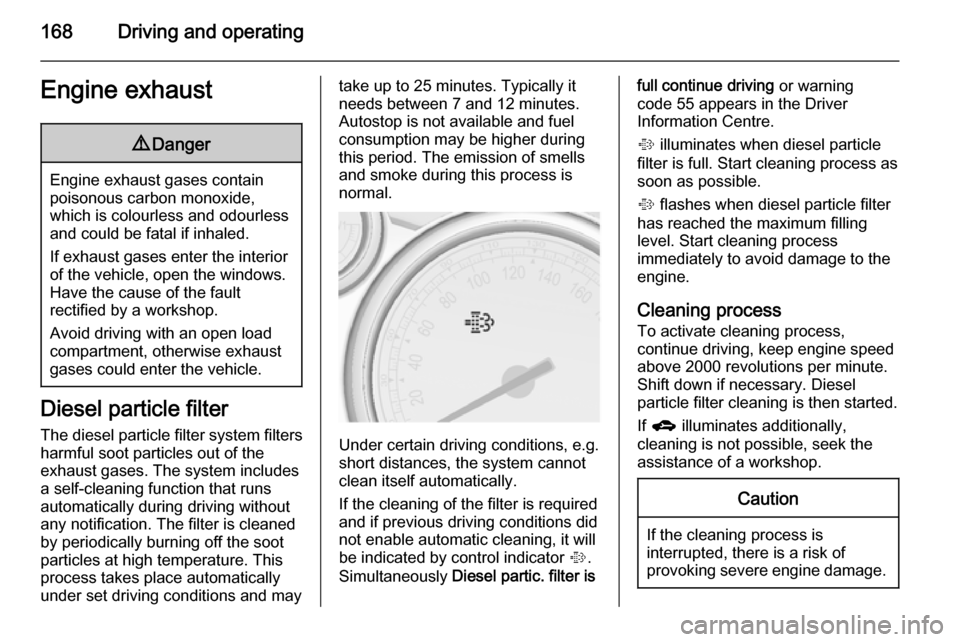
If the cleaning of the filter is required
and if previous driving conditions did
not enable automatic cleaning, it will
be indicated by control indicator %.
Simultaneously Diesel partic. filter is
full continue driving or warning
code 55 appears in the Driver
Information Centre.
% illuminates when diesel particle
filter is full. Start cleaning process as
soon as possible.
% flashes when diesel particle filter
has reached the maximum filling
level. Start cleaning process
immediately to avoid damage to the
engine.
Cleaning process
To activate cleaning process,
continue driving, keep engine speed
above 2000 revolutions per minute.
Shift down if necessary. Diesel
particle filter cleaning is then started.
If g illuminates additionally,
cleaning is not possible, seek the
assistance of a workshop.Caution
If the cleaning process is
interrupted, there is a risk of
provoking severe engine damage.
Page 176 of 329
174Driving and operating
ABS starts to regulate brake pressureas soon as a wheel shows a tendency to lock. The vehicle remains
steerable, even during hard braking.
ABS control is made apparent
through a pulse in the brake pedal
and the noise of the regulation
process.
For optimum braking, keep the brake
pedal fully depressed throughout the
braking process, despite the fact that
the pedal is pulsating. Do not reduce
the pressure on the pedal.
After starting off the system performs
a self-test which may be audible.
Control indicator u 3 115.
Adaptive brake light
During full braking, all three brake
lights flash for the duration of ABS
control.Fault9 Warning
If there is a fault in the ABS, the
wheels may be liable to lock due
to braking that is heavier than
normal. The advantages of ABS are no longer available. During
hard braking, the vehicle can no longer be steered and may
swerve.
Have the cause of the fault remedied
by a workshop.
Parking brake
Manual parking brake
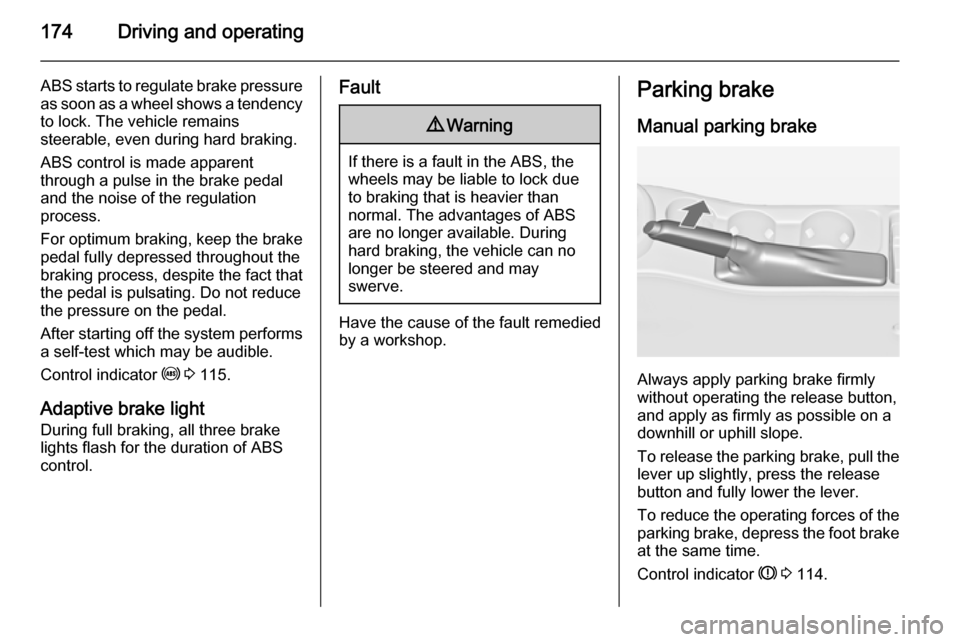
Always apply parking brake firmly
without operating the release button,
and apply as firmly as possible on a
downhill or uphill slope.
To release the parking brake, pull the lever up slightly, press the release
button and fully lower the lever.
To reduce the operating forces of the
parking brake, depress the foot brake
at the same time.
Control indicator R 3 114.
Page 179 of 329
Driving and operating1779Warning
Do not let this special safety
feature tempt you into taking risks
when driving.
Adapt speed to the road
conditions.
Control indicator b 3 116.
Deactivation
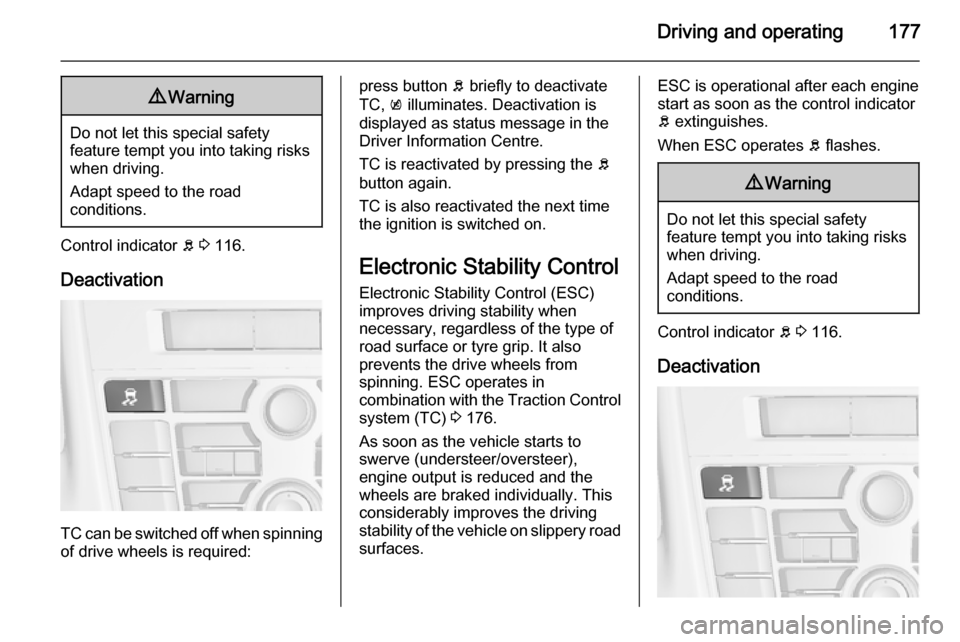
TC can be switched off when spinning of drive wheels is required:
press button b briefly to deactivate
TC, k illuminates. Deactivation is
displayed as status message in the
Driver Information Centre.
TC is reactivated by pressing the b
button again.
TC is also reactivated the next time
the ignition is switched on.
Electronic Stability Control Electronic Stability Control (ESC)
improves driving stability when
necessary, regardless of the type of
road surface or tyre grip. It also
prevents the drive wheels from
spinning. ESC operates in
combination with the Traction Control system (TC) 3 176.
As soon as the vehicle starts to
swerve (understeer/oversteer),
engine output is reduced and the wheels are braked individually. This
considerably improves the driving stability of the vehicle on slippery road
surfaces.ESC is operational after each engine
start as soon as the control indicator
b extinguishes.
When ESC operates b flashes.9 Warning
Do not let this special safety
feature tempt you into taking risks
when driving.
Adapt speed to the road
conditions.
Control indicator b 3 116.
Deactivation
Page 183 of 329
Driving and operating181
NORMAL mode
In NORMAL mode, when neither
SPORT nor VXR button is pressed,
all settings of the systems are
adapted to standard values.
SPORT mode
The settings of the systems are
adapted to a sportier driving style.
VXR mode
The drive dynamic characteristics are adapted to high performance
settings.
In this mode the illumination of main
instruments is switched to red.
Personalised settings in the VXR
mode
The driver can select the functions of
the VXR mode when VXR button is
pressed. These settings can be changed in the menu Settings in the
Info-Display. Vehicle personalisation 3 132.Driver assistance
systems9 Warning
Driver assistance systems are
developed to support the driver
and not to replace his attention.
The driver accepts full
responsibility when driving the
vehicle.
When using driver assistance
systems, always take care
regarding the current traffic
situation.
Cruise control
The Cruise control can store and
maintain speeds of approx. 20 to
120 mph. Deviations from the stored
speeds may occur when driving uphill or downhill.
For safety reasons the cruise control cannot be activated until the foot
brake has been operated once.
Activating in first gear is not possible.
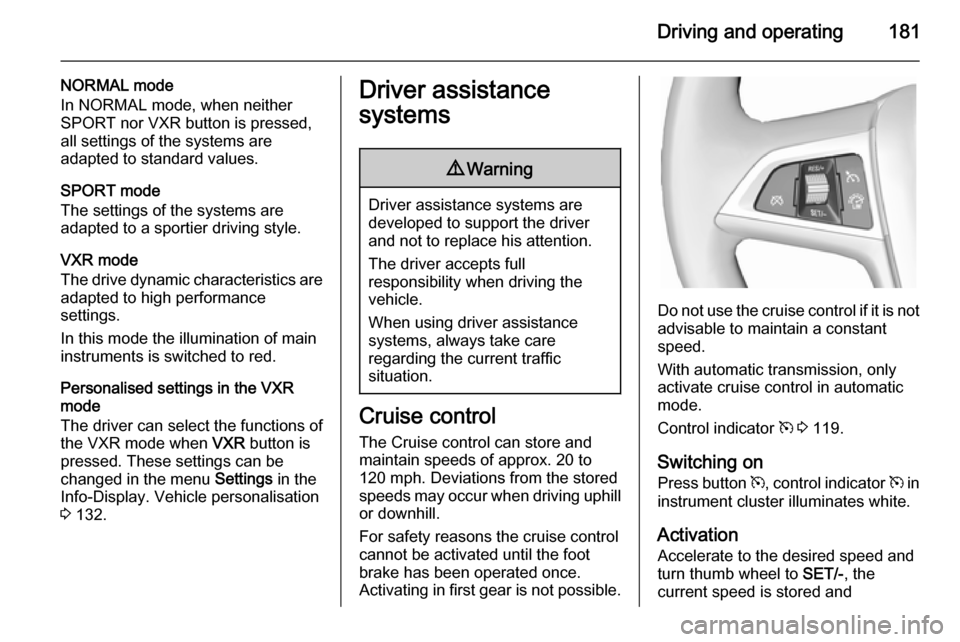
Do not use the cruise control if it is not advisable to maintain a constant
speed.
With automatic transmission, only
activate cruise control in automatic
mode.
Control indicator m 3 119.
Switching on Press button m, control indicator m in
instrument cluster illuminates white.
Activation
Accelerate to the desired speed and
turn thumb wheel to SET/-, the
current speed is stored and
Page 187 of 329
Driving and operating1859Warning
The complete driver attention is
always required while driving with adaptive cruise control. The driver stays fully in control of the vehicle
because the brake pedal, the
accelerator pedal and the cancel
switch have priority over any
adaptive cruise control operation.
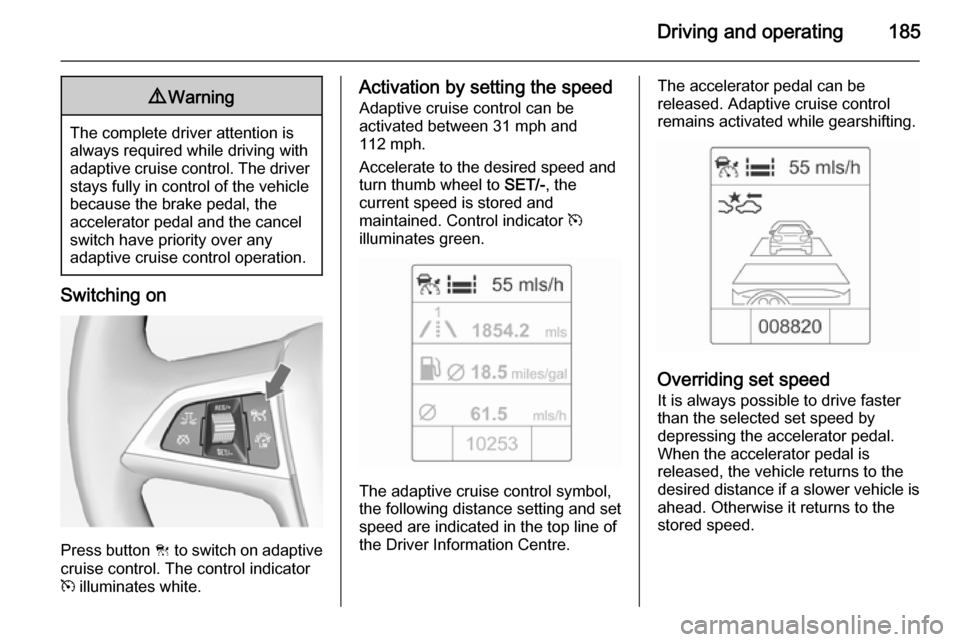
Switching on
Press button C to switch on adaptive
cruise control. The control indicator
m illuminates white.
Activation by setting the speed
Adaptive cruise control can be
activated between 31 mph and
112 mph.
Accelerate to the desired speed and
turn thumb wheel to SET/-, the
current speed is stored and
maintained. Control indicator m
illuminates green.
The adaptive cruise control symbol,
the following distance setting and set speed are indicated in the top line ofthe Driver Information Centre.
The accelerator pedal can be
released. Adaptive cruise control
remains activated while gearshifting.
Overriding set speed
It is always possible to drive faster than the selected set speed by
depressing the accelerator pedal.
When the accelerator pedal is
released, the vehicle returns to the
desired distance if a slower vehicle is ahead. Otherwise it returns to the
stored speed.