change time VAUXHALL ASTRA J 2014 Owner's Manual
[x] Cancel search | Manufacturer: VAUXHALL, Model Year: 2014, Model line: ASTRA J, Model: VAUXHALL ASTRA J 2014Pages: 329, PDF Size: 10.07 MB
Page 24 of 329
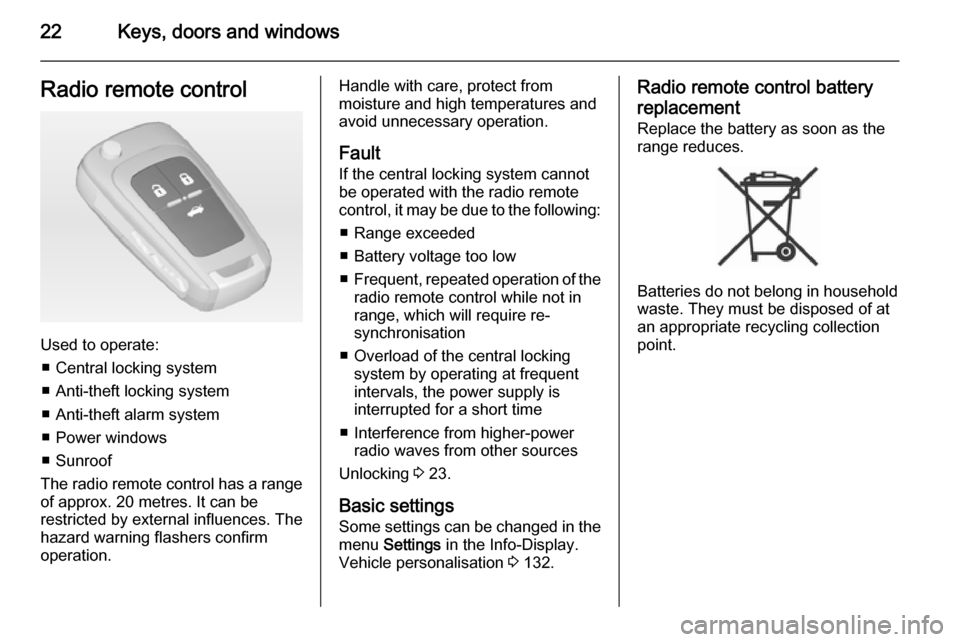
22Keys, doors and windowsRadio remote control
Used to operate:■ Central locking system
■ Anti-theft locking system
■ Anti-theft alarm system
■ Power windows
■ Sunroof
The radio remote control has a range of approx. 20 metres. It can be
restricted by external influences. The
hazard warning flashers confirm
operation.
Handle with care, protect from
moisture and high temperatures and
avoid unnecessary operation.
Fault
If the central locking system cannot
be operated with the radio remote
control, it may be due to the following:
■ Range exceeded
■ Battery voltage too low
■ Frequent, repeated operation of the
radio remote control while not in
range, which will require re-
synchronisation
■ Overload of the central locking system by operating at frequent
intervals, the power supply is
interrupted for a short time
■ Interference from higher-power radio waves from other sources
Unlocking 3 23.
Basic settings
Some settings can be changed in the menu Settings in the Info-Display.
Vehicle personalisation 3 132.Radio remote control battery
replacement
Replace the battery as soon as the
range reduces.
Batteries do not belong in household
waste. They must be disposed of at
an appropriate recycling collection
point.
Page 106 of 329

104Instruments and controlsRear window wiper/washer
Press the rocker switch to activate the
rear window wiper:
upper posi‐
tion=continuous
operationlower posi‐
tion=intermittent
operationmiddle posi‐
tion=off
Push lever. Washer fluid is sprayed
onto the rear window and the wiper
wipes a few times.
Do not use if the rear window is
frozen.
Switch off in car washes.
The rear window wiper comes on
automatically when the windscreen
wiper is switched on and reverse gear
is engaged.
Activation or deactivation of this
function can be changed in the menu Settings in the Info-Display.
Vehicle personalisation 3 132.
The rear window washer system is
deactivated when the fluid level is
low.
Outside temperature
A drop in temperature is indicated
immediately and a rise in temperature
after a time delay.
Page 107 of 329

Instruments and controls105
If outside temperature drops to 3 °C,
a warning message is displayed in the Driver Information Centre with
Uplevel-Display or Uplevel-Combi-
Display.
9 Warning
The road surface may already be
icy even though the display
indicates a few degrees above 0
°C.
Clock
Date and time are shown in the
Info-Display.
Time and date settings
CD 300/CD 400/CD400plus
Press the CONFIG button. The menu
Settings is displayed.
Select Time Date .
Selectable setting options:
■ Set time: : Changes the time shown
on the display.
■ Set date: : Changes the date shown
on the display.
■ Set time format : Changes
indication of hours between 12 h
and 24 h.
■Set date format : Changes
indication of date between MM/DD/
YYYY and DD.MM.YYYY .
■ Display clock : Switches on/off
indication of time on the display.
■ RDS clock synchronization : The
RDS signal of most VHF
transmitters automatically sets the
time. RDS time synchronisation
can take a few minutes. Some
transmitters do not send a correct
time signal. In such cases, it is
recommended to switch off
automatic time synchronisation.
Vehicle personalisation 3 132.
Time and date settings
CD 600/Navi 650/Navi 950
Press the Config button and then
select the Time and Date menu item
to display the respective submenu.
Page 112 of 329
110Instruments and controls
Displays the coolant temperature.left area=engine operating
temperature not yet
reachedcentral
area=normal operating
temperatureright area=temperature too highCaution
If engine coolant temperature is
too high, stop vehicle, switch off
engine. Danger to engine. Check
coolant level.
Service display
The engine oil life system lets you
know when to change the engine oil
and filter. Based on driving
conditions, the interval at which an
engine oil and filter change will be
indicated can vary considerably.
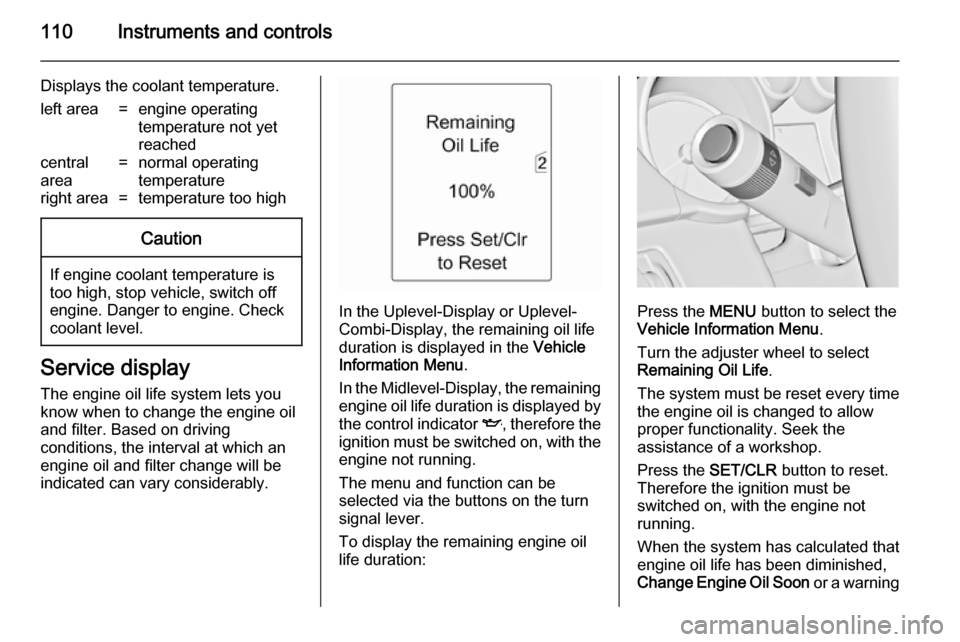
In the Uplevel-Display or Uplevel-
Combi-Display, the remaining oil life
duration is displayed in the Vehicle
Information Menu .
In the Midlevel-Display, the remaining
engine oil life duration is displayed by
the control indicator I, therefore the
ignition must be switched on, with the engine not running.
The menu and function can be
selected via the buttons on the turn
signal lever.
To display the remaining engine oil
life duration:Press the MENU button to select the
Vehicle Information Menu .
Turn the adjuster wheel to select Remaining Oil Life .
The system must be reset every time
the engine oil is changed to allow proper functionality. Seek the
assistance of a workshop.
Press the SET/CLR button to reset.
Therefore the ignition must be
switched on, with the engine not
running.
When the system has calculated that
engine oil life has been diminished,
Change Engine Oil Soon or a warning
Page 131 of 329

Instruments and controls129
Vehicle messages on the
Colour-Info-Display Some important messages appear
additionally in the
Colour-Info-Display. Press the
multifunction knob to confirm a
message. Some messages only pop
up for a few seconds.
Warning chimes
When starting the engine or
whilst driving
Only one warning chime will sound at a time.
The warning chime regarding
unfastened seat belts has priority
over any other warning chime.
■ If seat belt is not fastened.
■ If a door or the tailgate is not fully closed when starting off.
■ If a certain speed is exceeded with parking brake applied.
■ If a programmed speed is exceeded.■ If a warning message or a warningcode appears in the Driver
Information Centre.
■ If the parking assist detects an object.
■ If unintended lane change occurs.
■ If the reverse gear is engaged and the rear end carrier extended.
■ If the diesel particle filter has reached the maximum filling level.
When the vehicle is parked and/ or the driver's door is opened ■ When the key is in the ignition switch.
■ With exterior lights on.
During an Autostop ■ If the driver's door is opened.
Battery voltage
When the vehicle battery voltage is
running low, a warning message or
warning code 174 will appear in the
Driver Information Centre.1. Switch off immediately any electric consumers which are not
required for a safe ride, e.g. seat
heating, heated rear window or
other main consumers.
2. Charge the vehicle battery by driving continuously for a while or
by using a charging device.
The warning message or warning
code will disappear after the engine
has been started twice consecutively
without a voltage drop.
If the vehicle battery cannot be
recharged, have the cause of the fault
remedied by a workshop.
Page 135 of 329
Instruments and controls133
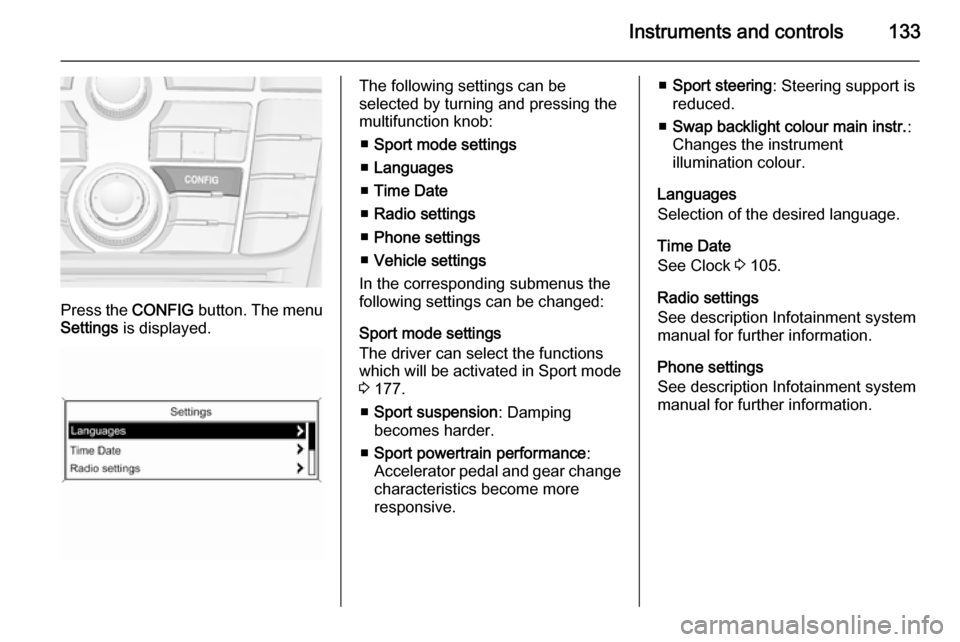
Press the CONFIG button. The menu
Settings is displayed.
The following settings can be
selected by turning and pressing the
multifunction knob:
■ Sport mode settings
■ Languages
■ Time Date
■ Radio settings
■ Phone settings
■ Vehicle settings
In the corresponding submenus the
following settings can be changed:
Sport mode settings
The driver can select the functions
which will be activated in Sport mode
3 177.
■ Sport suspension : Damping
becomes harder.
■ Sport powertrain performance :
Accelerator pedal and gear change
characteristics become more
responsive.■ Sport steering : Steering support is
reduced.
■ Swap backlight colour main instr. :
Changes the instrument
illumination colour.
Languages
Selection of the desired language.
Time Date
See Clock 3 105.
Radio settings
See description Infotainment system
manual for further information.
Phone settings
See description Infotainment system
manual for further information.
Page 137 of 329
Instruments and controls135
Stop door lock if door open:
Activates or deactivates the
automatic door locking function
while a door is open.
Delayed door lock : Activates or
deactivates the delayed door
locking function.
■ Remote locking, unlocking, starting
Remote unlock feedback : Activates
or deactivates the hazard warning
flasher feedback whilst unlocking.
Remote door unlock : Changes the
configuration to unlock only the driver's door or the whole vehicle
whilst unlocking.
Auto relock doors : Activates or
deactivates the automatic relock
function after unlocking without
opening the vehicle.
■ Restore factory settings
Restore factory settings : Resets all
settings to the default settings.
Settings in the Colour-Info-
Display
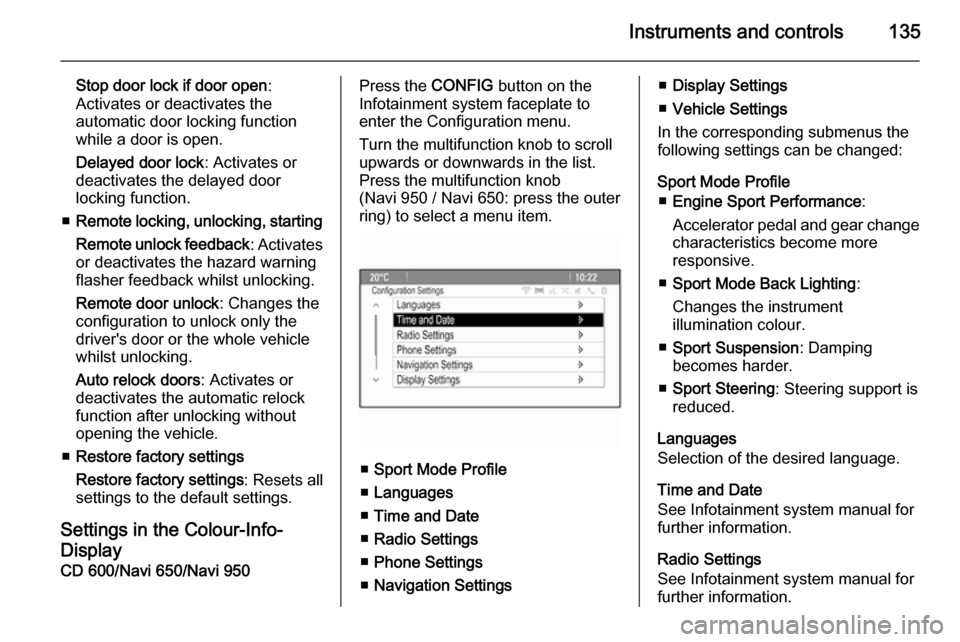
CD 600/Navi 650/Navi 950Press the CONFIG button on the
Infotainment system faceplate to enter the Configuration menu.
Turn the multifunction knob to scroll
upwards or downwards in the list.
Press the multifunction knob
(Navi 950 / Navi 650: press the outer
ring) to select a menu item.
■ Sport Mode Profile
■ Languages
■ Time and Date
■ Radio Settings
■ Phone Settings
■ Navigation Settings
■Display Settings
■ Vehicle Settings
In the corresponding submenus the
following settings can be changed:
Sport Mode Profile ■ Engine Sport Performance :
Accelerator pedal and gear change
characteristics become more
responsive.
■ Sport Mode Back Lighting :
Changes the instrument
illumination colour.
■ Sport Suspension : Damping
becomes harder.
■ Sport Steering : Steering support is
reduced.
Languages
Selection of the desired language.
Time and Date
See Infotainment system manual for
further information.
Radio Settings
See Infotainment system manual for
further information.
Page 147 of 329
Lighting145
Fault in adaptive forward lightingsystem
When the system detects a failure in
the Adaptive forward lighting system,
the system moves to a preset position to avoid dazzling of oncoming traffic.
If this is not possible the affected
headlight will be automatically
switched off. In any case one
headlight will stay on. A warning is
displayed in the Driver Information
Centre.
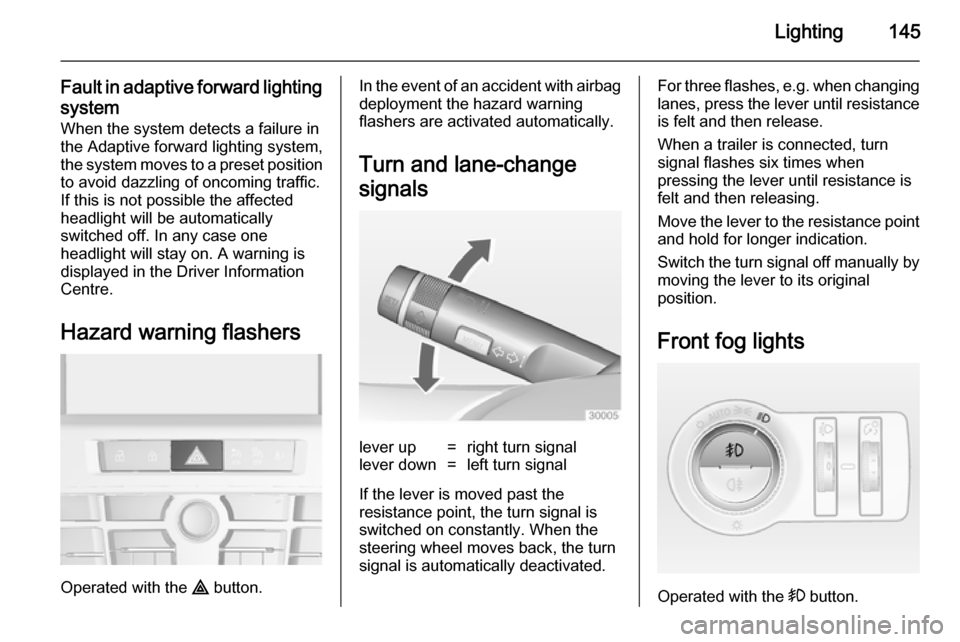
Hazard warning flashers
Operated with the ¨ button.
In the event of an accident with airbag
deployment the hazard warning
flashers are activated automatically.
Turn and lane-change
signalslever up=right turn signallever down=left turn signal
If the lever is moved past the
resistance point, the turn signal is
switched on constantly. When the
steering wheel moves back, the turn
signal is automatically deactivated.
For three flashes, e.g. when changing lanes, press the lever until resistance
is felt and then release.
When a trailer is connected, turn
signal flashes six times when
pressing the lever until resistance is
felt and then releasing.
Move the lever to the resistance point
and hold for longer indication.
Switch the turn signal off manually by moving the lever to its original
position.
Front fog lights
Operated with the > button.
Page 151 of 329
Lighting149
Activation or deactivation of this
function can be changed in the menu Settings in the Info-Display. Vehicle
personalisation 3 132.
The settings can be saved for the key being used 3 23.
The following lights will additionally
switch on when the driver's door is
opened:
■ all switches
■ Driver Information Centre
■ door pocket lights
■ console lights
Exit lighting
The following lights switch on if the
key is removed from the ignition
switch:
■ Interior lights
■ Instrument panel light (only when it
is dark)
■ Door and console lights
■ Puddle lightsThey will switch off automatically after
a delay and will be activated again if
the driver's door is opened.
Headlights, tail lights and number
plate lights illuminate the surrounding area for an adjustable time after
leaving the vehicle.
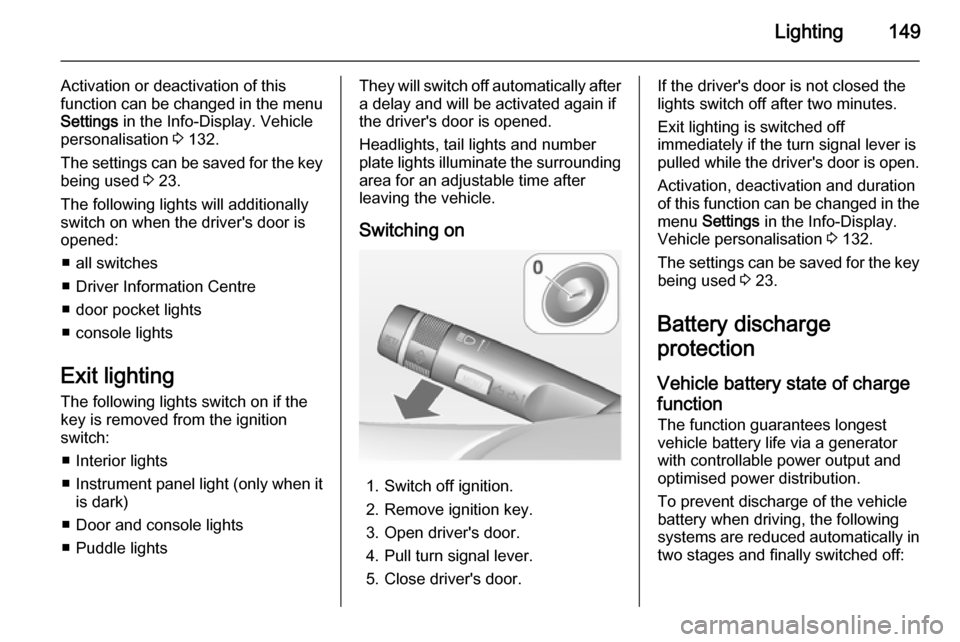
Switching on
1. Switch off ignition.
2. Remove ignition key.
3. Open driver's door.
4. Pull turn signal lever.
5. Close driver's door.
If the driver's door is not closed the
lights switch off after two minutes.
Exit lighting is switched off
immediately if the turn signal lever is pulled while the driver's door is open.
Activation, deactivation and duration
of this function can be changed in the menu Settings in the Info-Display.
Vehicle personalisation 3 132.
The settings can be saved for the key being used 3 23.
Battery discharge
protection
Vehicle battery state of charge
function
The function guarantees longest
vehicle battery life via a generator with controllable power output and
optimised power distribution.
To prevent discharge of the vehicle
battery when driving, the following
systems are reduced automatically in two stages and finally switched off:
Page 188 of 329

186Driving and operating
■ Electronic Stability Control isoperating,
■ there is no traffic and nothing detected on the road sides for
several minutes. In this case there are no radar echoes and the sensor may report that it is blocked,
■ collision imminent braking is applying the brakes,
■ radar sensor is blocked by an ice or
water film,
■ fault is detected in the radar, engine
or brake system.
When adaptive cruise control is
deactivated automatically, the control
indicator m illuminates white and a
warning symbol is displayed as a pop- up in the Driver Information Centre.
The stored speed is maintained.
9 Warning
When adaptive cruise control is
deactivated, the driver must take
over full brake and engine control.
Switching off
Press button C to switch off adaptive
cruise control. The control indicator
m extinguishes. The stored speed is
deleted.
Switching off the ignition also
switches off adaptive cruise control
and deletes the stored speed.
Driver's attention
■ Use adaptive cruise control carefully on bends or mountain
roads, as it can lose the vehicle
ahead and need time to detect it
again.
■ Do not use the system on slippery roads as it can create rapid
changes in tyre traction (wheel
spinning), so that you could lose
control.
■ Do not use adaptive cruise control during rain, snow or heavy dirt, as
the radar sensor can be covered by a water film, dust, ice or snow. This
reduces or suppresses completely
the visibility. In case of sensor
blockage, clean the sensor cover.
System limits ■ The system's automatic brake force
does not permit hard braking and
the braking level may not be
sufficient to avoid a collision.
■ After a sudden lane change, the system needs a certain time todetect the next preceding vehicle.