infotainment VAUXHALL ASTRA J 2015.5 Infotainment system
[x] Cancel search | Manufacturer: VAUXHALL, Model Year: 2015.5, Model line: ASTRA J, Model: VAUXHALL ASTRA J 2015.5Pages: 177, PDF Size: 2.77 MB
Page 134 of 177
134IntroductionIntroductionGeneral information...................134
Theft-deterrent feature ...............135
Control elements overview ........136
Usage ........................................ 139
Basic operation .......................... 140
Tone settings ............................. 142
Volume settings .........................143General information
The Infotainment system provides
you with state-of-the-art in-car
infotainment.
Using the FM, AM or DAB radio
functions, you may register up to
36 stations on six favourites pages.
The integrated audio player will
entertain you with audio CDs and
MP3/WMA CDs.
You can connect external data
storage devices, e.g. iPod, MP3
player, USB stick, or a portable CD
player to the Infotainment system as
further audio sources; either via cable or via Bluetooth.
In addition, the Infotainment system is equipped with a Phone portal that
allows for comfortable and safe use of
your mobile phone in the vehicle.
Optionally, the Infotainment system
can be operated using controls on the steering wheel.
The well-thought-out design of the
control elements and the clear
displays enable you to control the
system easily and intuitively.Notice
This manual describes all options
and features available for the
various Infotainment systems.
Certain descriptions, including those for display and menu functions, may
not apply to your vehicle due to
model variant, country
specifications, special equipment or
accessories.
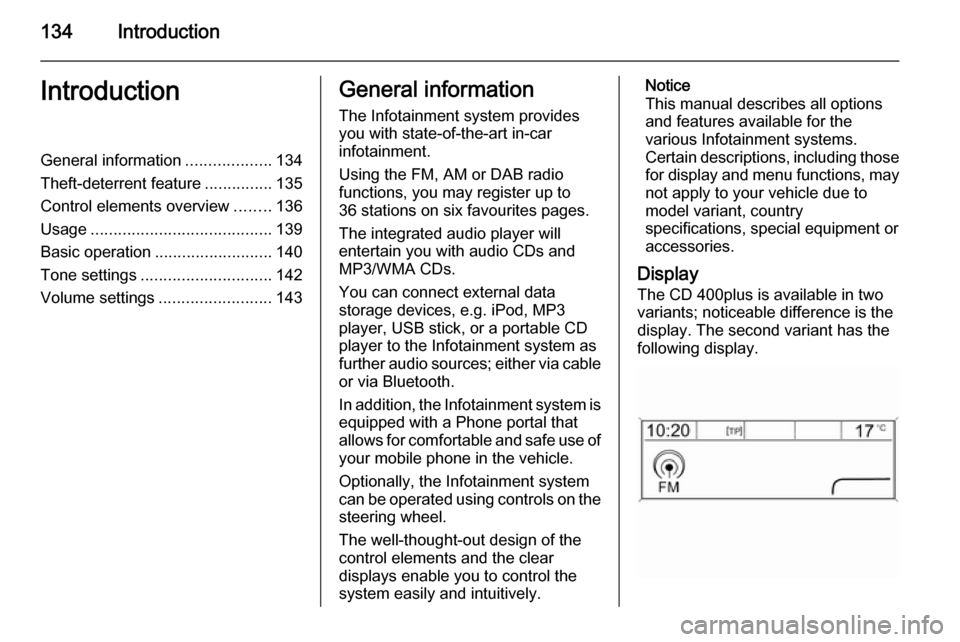
Display The CD 400plus is available in two
variants; noticeable difference is the
display. The second variant has the
following display.
Page 135 of 177

Introduction135
Important information onoperation and traffic safety9 Warning
The Infotainment system must be
used so that the vehicle can be
driven safely at all times. If in
doubt, stop the vehicle and
operate the Infotainment system
while the vehicle is stationary.
Radio reception
Radio reception may be disrupted bystatic, noise, distortion or loss of
reception due to:
■ changes in distance from the transmitter
■ multipath reception due to reflection
■ shadowing
Theft-deterrent feature
The Infotainment system is equipped
with an electronic security system for
the purpose of theft deterrence.
The Infotainment system therefore functions only in your vehicle and isworthless to a thief.
Page 137 of 177

Introduction137
1 RADIO................................. 144
Activate radio or change
waveband ........................... 144
2 CD ....................................... 156
Start CD/MP3/WMA
playback .............................. 156
3 Search backwards ..............144
Radio: search backwards ...144
CD/MP3/WMA: skip track
backwards ........................... 154
4 Radio station buttons 1...6 ..145
Long press: save station .....145
Short press: select station ..145
5 m......................................... 139
Press: switch on/off ............139
Infotainment system ...........139
Turn: adjust volume ............139
6 Search forwards ..................144
Radio: search forwards .......144
CD/MP3/WMA: skip track
forwards .............................. 1547 AS 1/2................................. 145
Automatic memory levels
(preset radio stations) .........145
Short press: select
autostore list ........................ 145
Long press: save stations
automatically ....................... 145
8 FAV 1/2/3 ............................ 145
Lists of favourites (preset radio stations) .....................145
9 TP ....................................... 149
Activate or deactivate
radio traffic service ..............149
If Infotainment system is
switched off: display time
and date .............................. 149
10 CD ejection ......................... 154
11 CONFIG .............................. 143
Open settings menu ............14312 INFO ................................... 136
Radio: information on the
currently played station .......144
CD/MP3/WMA:
information on the
currently inserted CD ..........154
13 Multifunction knob ...............140
Turn: mark menu options
or set numeric values .........140
Press: select/activate the
marked option; confirm set
value; switch function on/off 140
14 CD slot ................................ 154
15 BACK .................................. 140
Menu: one level back ..........140
Input: delete last character
or entire entry ...................... 140
16 TONE .................................. 142
Tone settings ...................... 142
17 PHONE ............................... 162
Open telephone main menu 165
Activate mute ...................... 139
Page 139 of 177

Introduction139UsageControl elements
The Infotainment system is operated
via function buttons, a multifunction
knob and menus that are shown on
the display.
Inputs are made optionally via: ■ the control panel on the Infotainment system 3 136
■ audio controls on the steering wheel 3 136
Switching the Infotainment
system on or off Press X briefly. After switching on,
the last selected Infotainment source
becomes active.
Press X again to turn the system off.
Automatic switch-off
If the Infotainment system is switched
on pressing X while the ignition is
turned off, it will switch off again automatically 10 minutes after the last
user input.Setting the volume
Turn m. The current setting is shown
on the display.
When the Infotainment system is
switched on, the last selected volume
is set, provided this setting is lower
than the maximum start-up volume
(see below).
The following inputs can be made
separately:
■ the maximum start-up volume 3 143
■ the volume of traffic announcements 3 143
Speed compensated volume
When speed compensated volume is
activated 3 143, the volume is
adapted automatically to make up for the road and wind noises as you
drive.
Mute function
Press PHONE (if Phone portal
available: press for a few seconds) to
mute the audio sources.To cancel the mute function: turn m or
press PHONE (if Phone portal
available: press for a few seconds).
Volume limitation at high
temperatures
At very high temperatures inside the
vehicle the Infotainment system limits
the maximum adjustable volume. If
necessary, the volume is decreased
automatically.
Modes of operation
Radio
Press RADIO to open the radio main
menu or to change between the
different wavebands.
Press the multifunction knob to open
the waveband menus with options for the station selection.
For a detailed description of the radio functions 3 144.
Audio players
Press CD or AUX once or several
times to open the USB, iPod or AUX
main menu (if available) or to switch
between these menus.
Page 140 of 177
140Introduction
Press the multifunction knob to open
the relevant menus with options for
the track selection.
For a detailed description of CD
player functions 3 153, AUX
functions 3 156, USB port functions
3 157 and Bluetooth music functions
3 160.
Phone
Press PHONE briefly to open the
telephone menu.
Press the multifunction knob to open
the phone menu with options for the
input and selection of numbers.
For a detailed description of the
Phone portal 3 162.
System settings Adjusting the language
The menu texts on the Infotainment
system's display can be displayed in
various languages.
Press CONFIG to open the Settings
menu.
Select Languages in the Settings
menu to display the respective menu.Choose the desired language for the
menu texts.
Notice
For a detailed description of menu
operation 3 140.
Time and date settings
For a detailed description, refer to your Owner's manual.
Basic operation Multifunction knobThe multifunction knob is the central
control element for the menus.
Turn the multifunction knob: ■ to mark a menu option
■ to set a numeric value
Press the multifunction knob: ■ to select or activate the marked option
■ to confirm a set value
■ to switch a system function on/offBACK button
Press BACK briefly:
■ to exit a menu
■ to return from a submenu to the next higher menu level
■ to delete the last character in a character sequence
Press and hold BACK for a few
seconds to delete the entire entry.
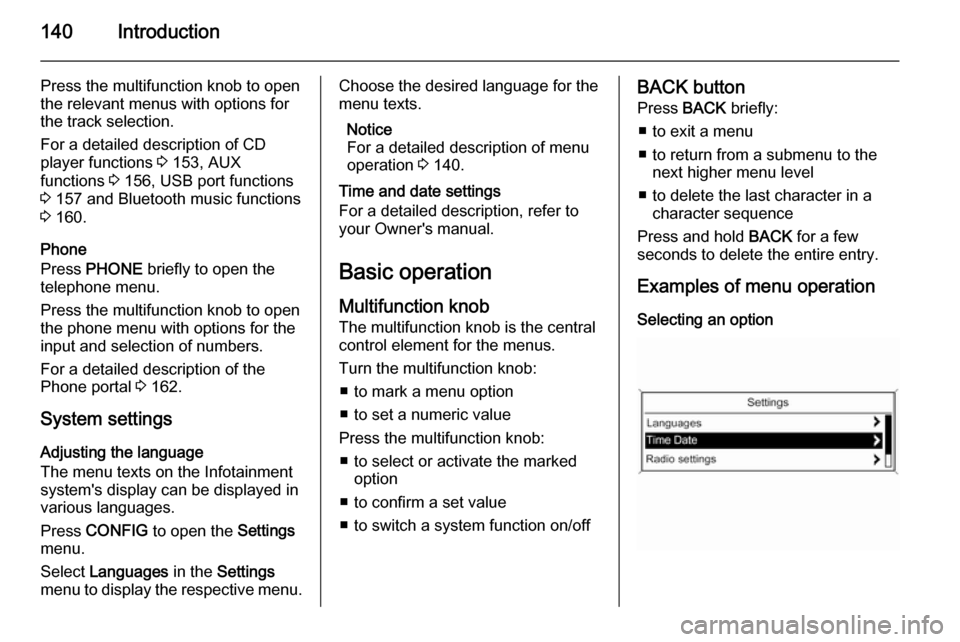
Examples of menu operation Selecting an option
Page 147 of 177
Radio147
Notice
If no station list has been created
beforehand, the Infotainment
system performs an automatic
station search.
Select the desired station. Notice
The currently received station is marked by i.
Updating the stations lists
When in a radio main menu, press the multifunction knob to open the
relevant waveband menu.
If the stations stored in the waveband-
specific station list can no longer be
received:
Select the menu item update stations
list in the respective waveband menu, e.g. Update FM stations list .
A station search is started. Once the
search is completed, the station last
received will be played.
To cancel the station search: press
the multifunction knob.
Notice
If the Infotainment system features a
dual tuner, the stations lists are
continuously updated in the
background. No manual update is
required.
Notice
If a waveband-specific station list is
updated, the corresponding
category list is also updated.
Favourites list
Being in a radio main menu, press the multifunction knob to open the
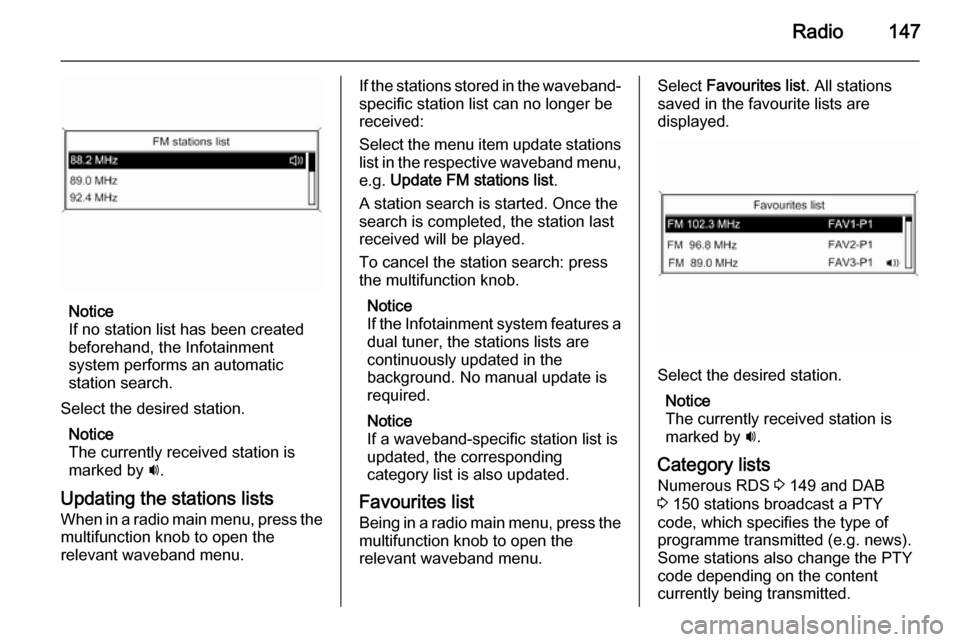
relevant waveband menu.Select Favourites list . All stations
saved in the favourite lists are
displayed.
Select the desired station.
Notice
The currently received station is
marked by i.
Category lists
Numerous RDS 3 149 and DAB
3 150 stations broadcast a PTY
code, which specifies the type of
programme transmitted (e.g. news).
Some stations also change the PTY
code depending on the content
currently being transmitted.
Page 148 of 177
148Radio
The Infotainment system stores these
stations, sorted by programme type,
in the corresponding category list.
To search for a programme type
determined by station: select the
waveband specific category list
option.
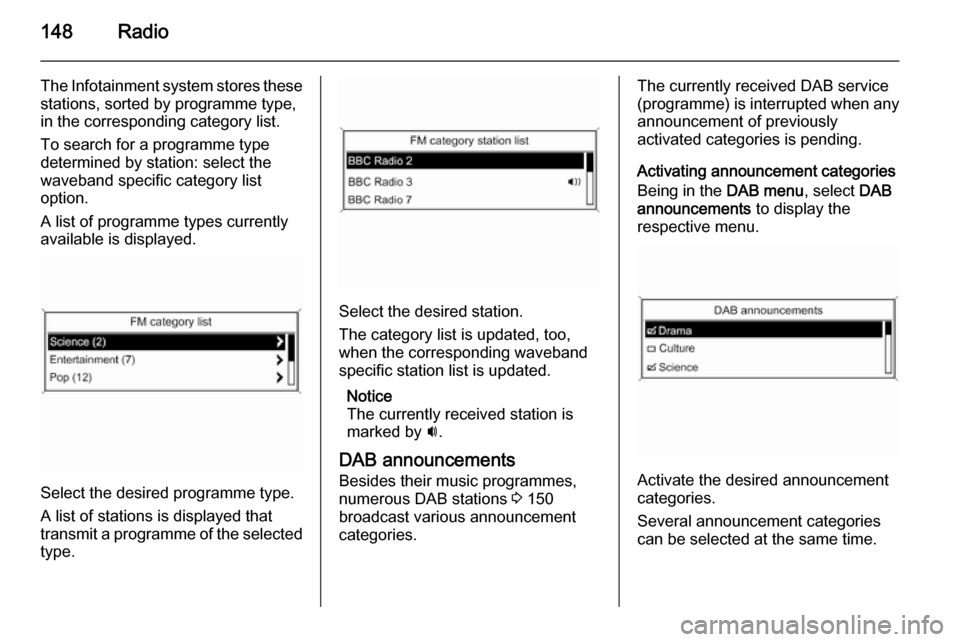
A list of programme types currently
available is displayed.
Select the desired programme type.
A list of stations is displayed that
transmit a programme of the selected
type.
Select the desired station.
The category list is updated, too,
when the corresponding waveband specific station list is updated.
Notice
The currently received station is marked by i.
DAB announcements
Besides their music programmes,
numerous DAB stations 3 150
broadcast various announcement
categories.
The currently received DAB service (programme) is interrupted when any
announcement of previously
activated categories is pending.
Activating announcement categories
Being in the DAB menu, select DAB
announcements to display the
respective menu.
Activate the desired announcement
categories.
Several announcement categories
can be selected at the same time.
Page 149 of 177
Radio149
Notice
The following options are only
available, if RDS is set to On.
Radio data system (RDS)
RDS is a service of FM stations that considerably facilitates the finding of
the desired station and its fault-free
reception.
Advantages of RDS ■ On the display, the programme name of the set station appears
instead of its frequency.
■ During a station search, the Infotainment system tunes in to
RDS stations only.
■ The Infotainment system always tunes into the best receivable
broadcasting frequency of the set
station by means of AF (Alternative
Frequency).
■ Depending on the station that is received, the Infotainment systemdisplays radio text that can contain,
e.g. information about the current
programme.Configuring RDS
Press CONFIG to open the Settings
menu.
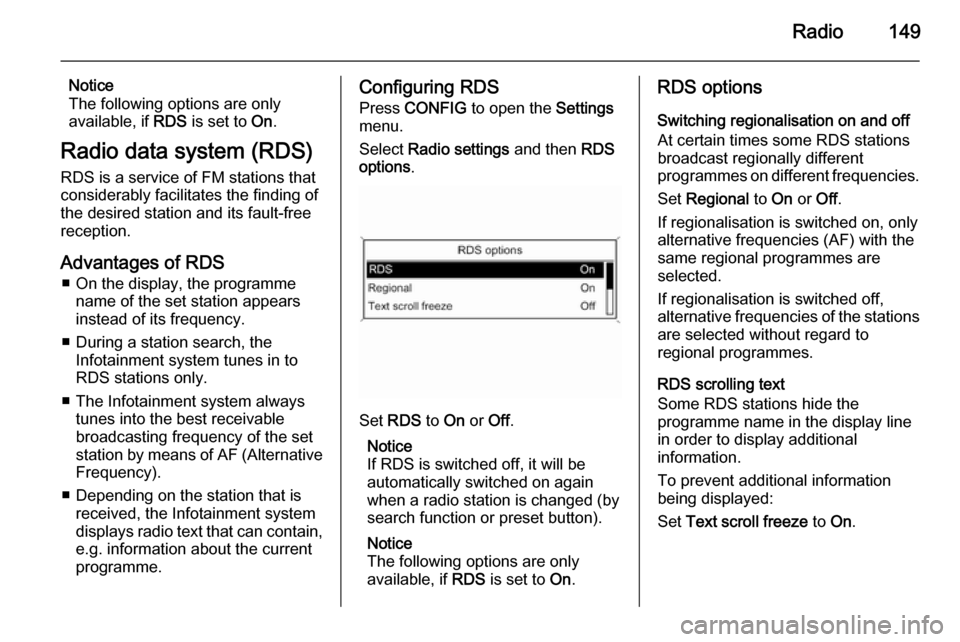
Select Radio settings and then RDS
options .
Set RDS to On or Off.
Notice
If RDS is switched off, it will be
automatically switched on again when a radio station is changed (bysearch function or preset button).
Notice
The following options are only
available, if RDS is set to On.
RDS options
Switching regionalisation on and off
At certain times some RDS stations
broadcast regionally different
programmes on different frequencies.
Set Regional to On or Off.
If regionalisation is switched on, only alternative frequencies (AF) with the
same regional programmes are
selected.
If regionalisation is switched off,
alternative frequencies of the stations
are selected without regard to
regional programmes.
RDS scrolling text
Some RDS stations hide the
programme name in the display line
in order to display additional
information.
To prevent additional information
being displayed:
Set Text scroll freeze to On.
Page 150 of 177

150Radio
Radio text
If the RDS function is activated and a
RDS station is currently received,
information about the current
programme and the music track
currently playing are displayed below
the programme name.
To show or hide the information, set
Radio text to On or Off.
TA volume
The volume of traffic announcements
(TA) can be preset. For a detailed
description 3 143.
Radio traffic service (TP = Traffic Programme)
Radio traffic service stations are RDS
stations that broadcast traffic news.
Switching the radio traffic service on
and off
To switch the traffic announcement standby facility of the Infotainment
system on and off:
Press TP.■ If the radio traffic service is
switched on, [ ] is displayed in the
radio main menu.
■ Only radio traffic service stations are received.
■ If the current station is not a radio traffic service station, a search is
started automatically for the next
radio traffic service station.
■ If a radio traffic service station has been found, [TP] is displayed in the
radio main menu.
■ Traffic announcements are played at the preset TA volume 3 143.
■ If the radio traffic service is switched on, CD/MP3 playback isinterrupted for the duration of the
traffic announcement.
Listening to traffic announcements only
Switch on the radio traffic service and completely turn down the volume of
the Infotainment system.
Blocking out traffic announcements
To block out a traffic announcement,
e.g. during CD/MP3 playback:Press TP or the multifunction knob to
confirm the cancelling message on
the display.
The traffic announcement is
cancelled, but the radio traffic service
remains switched on.
Digital audio broadcastingDigital audio broadcasting (DAB) is
an innovative and universal
broadcast system.
DAB stations are indicated by the
programme name instead of the
broadcasting frequency.
Page 151 of 177

Radio151
General information■ With DAB, several radio programmes (services) can be
broadcasted on a single frequency
(ensemble).
■ Besides high-quality digital audio services, DAB is also able to
transmit programme-associated
data and a multitude of other data
services including travel and traffic
information.
■ As long as a given DAB receiver can pick up the signal sent out by a
broadcasting station (even if the signal is very weak), sound
reproduction is ensured.
■ There is no fading (weakening of the sound that is typical of AM orFM reception). The DAB signal is
reproduced at a constant volume.
■ If the DAB signal is too weak to be picked up by the receiver, reception
is interrupted completely. This
incident can be avoided by
activating Auto ensemble linking
and/or Auto linking DAB-FM in the
DAB settings menu.■ Interference caused by stations that are on nearby frequencies (a
phenomenon that is typical of AM
and FM reception) does not occur
with DAB.
■ If the DAB signal is reflected by natural obstacles or buildings, the
reception quality of DAB is
improved, whereas AM or FM
reception is considerably impaired
in such cases.
■ When DAB reception is enabled, the FM tuner of the Infotainmentsystem remains active in the
background and continually
searches for the best receivable FM stations. If TP 3 149 is activated,
traffic announcements of the FM
station which is currently best
receivable are issued. Deactivate
TP, if DAB reception should not be
interrupted by FM traffic
announcements.
Configuring DAB
Press CONFIG .
Select Radio settings and then DAB
settings .The following options are available in
the configuration menu:
Auto ensemble linking
With this function activated, the
device switches over to the same
service (programme) on another DAB ensemble (frequency) when the DAB
signal is too weak to be picked up by
the receiver.
Set the function to On or Off.
Auto linking DAB-FM
With this function activated, the
device switches over to a
corresponding FM station of the
active DAB service when the DAB
signal is too weak to be picked up by
the receiver.
Set the function to On or Off.
Dynamic audio adaption
With this function activated, the
dynamic range of the DAB signal is
reduced. That means the level of the
loud sounds is reduced and the level
of the quiet sounds is increased.
Therefore, the volume of the
Infotainment system can be raised to