tailgate VAUXHALL ASTRA J 2015.75 User Guide
[x] Cancel search | Manufacturer: VAUXHALL, Model Year: 2015.75, Model line: ASTRA J, Model: VAUXHALL ASTRA J 2015.75Pages: 337, PDF Size: 10.17 MB
Page 71 of 337
Storage69
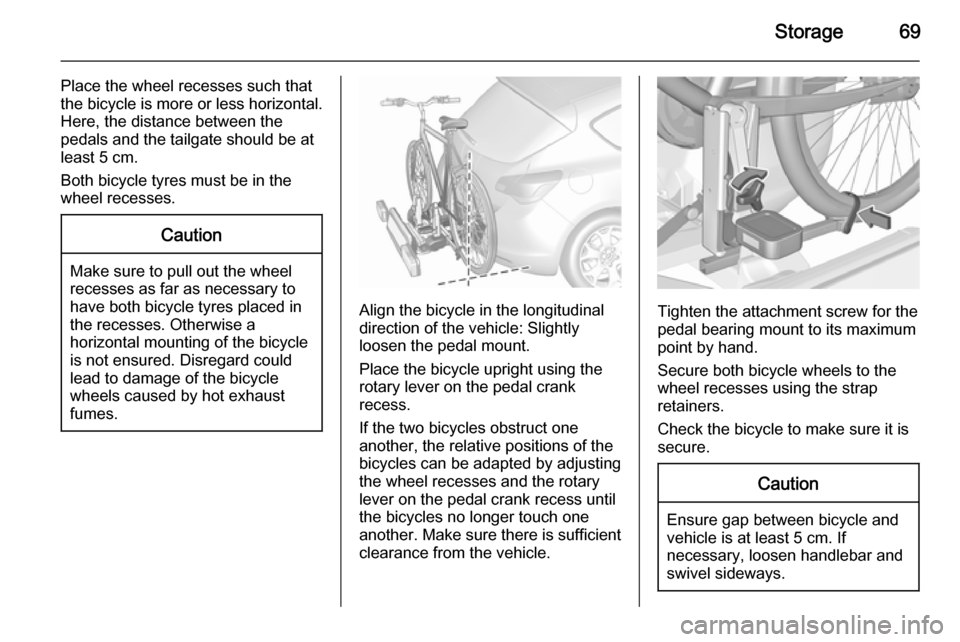
Place the wheel recesses such that
the bicycle is more or less horizontal. Here, the distance between the
pedals and the tailgate should be at
least 5 cm.
Both bicycle tyres must be in the
wheel recesses.Caution
Make sure to pull out the wheel
recesses as far as necessary to
have both bicycle tyres placed in
the recesses. Otherwise a
horizontal mounting of the bicycle
is not ensured. Disregard could
lead to damage of the bicycle
wheels caused by hot exhaust
fumes.
Align the bicycle in the longitudinal direction of the vehicle: Slightly
loosen the pedal mount.
Place the bicycle upright using the
rotary lever on the pedal crank
recess.
If the two bicycles obstruct one
another, the relative positions of the
bicycles can be adapted by adjusting
the wheel recesses and the rotary
lever on the pedal crank recess until
the bicycles no longer touch one
another. Make sure there is sufficient
clearance from the vehicle.Tighten the attachment screw for the
pedal bearing mount to its maximum
point by hand.
Secure both bicycle wheels to the
wheel recesses using the strap
retainers.
Check the bicycle to make sure it is
secure.
Caution
Ensure gap between bicycle and
vehicle is at least 5 cm. If
necessary, loosen handlebar and swivel sideways.
Page 74 of 337
72Storage
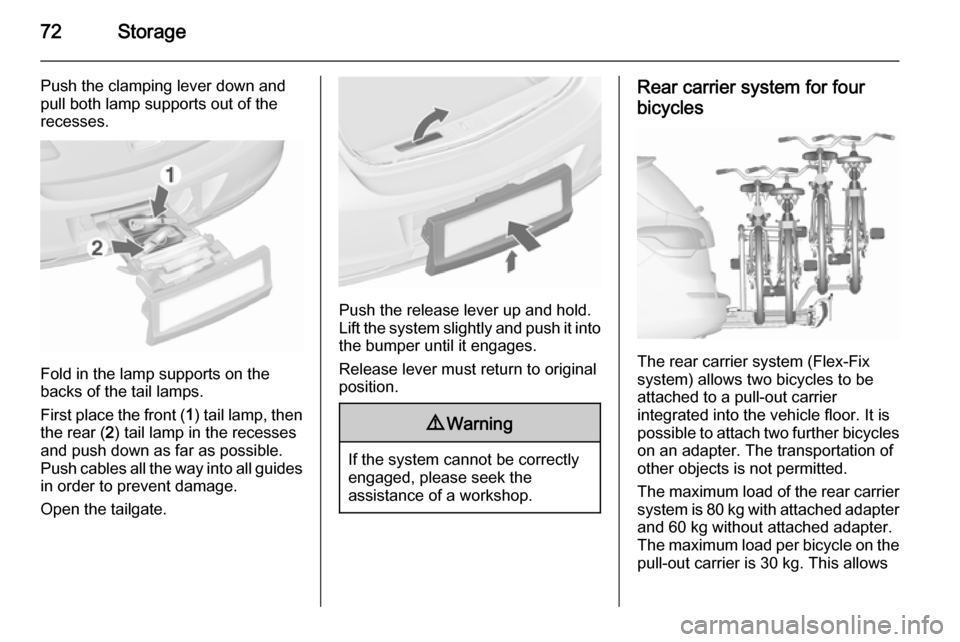
Push the clamping lever down and
pull both lamp supports out of the
recesses.
Fold in the lamp supports on the
backs of the tail lamps.
First place the front ( 1) tail lamp, then
the rear ( 2) tail lamp in the recesses
and push down as far as possible.
Push cables all the way into all guides
in order to prevent damage.
Open the tailgate.
Push the release lever up and hold.
Lift the system slightly and push it into the bumper until it engages.
Release lever must return to original
position.
9 Warning
If the system cannot be correctly
engaged, please seek the
assistance of a workshop.
Rear carrier system for four
bicycles
The rear carrier system (Flex-Fix
system) allows two bicycles to be
attached to a pull-out carrier
integrated into the vehicle floor. It is
possible to attach two further bicycles
on an adapter. The transportation of
other objects is not permitted.
The maximum load of the rear carrier
system is 80 kg with attached adapter and 60 kg without attached adapter.
The maximum load per bicycle on the
pull-out carrier is 30 kg. This allows
Page 75 of 337
Storage73
the attachment of electrically-
powered bicycles to the pull-out
carrier. The maximum load per
bicycle on the adapter is 20 kg.
The wheelbase of a bicycle must not
exceed 1.15 metres. Otherwise the
secure fastening of a bicycle is not
possible.
If not in use, the carrier system must
be slid back into the vehicle floor.
There must not be any objects on the bicycles that could become loose
during transportation.Caution
If the rear carrier system is
extended and the vehicle is fully
loaded, the chassis clearance will
be reduced.
Drive carefully whenever the road has a strong inclination or when
driving over a ramp, bump, etc.
Caution
Consult your bicycle dealer before
attaching bicycles with carbon
frames. The bicycles might get
damaged.
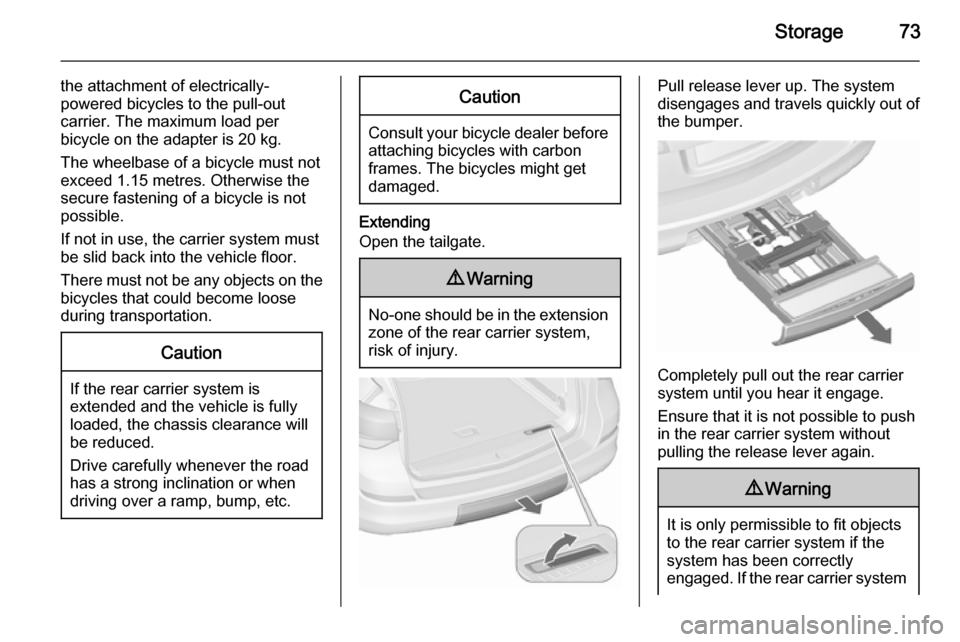
Extending
Open the tailgate.
9 Warning
No-one should be in the extension
zone of the rear carrier system,
risk of injury.
Pull release lever up. The system
disengages and travels quickly out of
the bumper.
Completely pull out the rear carrier
system until you hear it engage.
Ensure that it is not possible to push in the rear carrier system without
pulling the release lever again.
9 Warning
It is only permissible to fit objects
to the rear carrier system if the
system has been correctly
engaged. If the rear carrier system
Page 88 of 337
86Storage
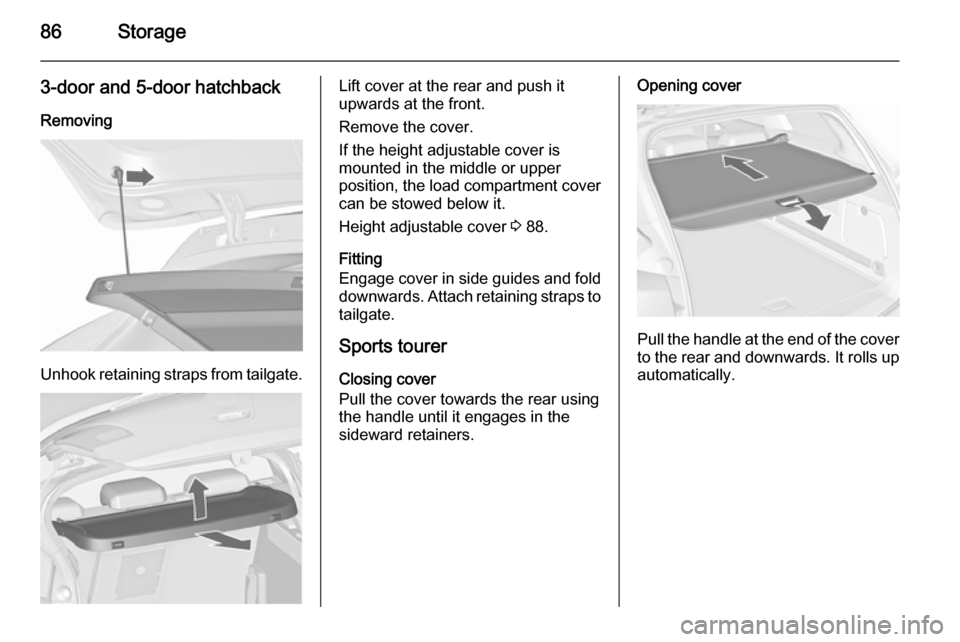
3-door and 5-door hatchbackRemoving
Unhook retaining straps from tailgate.
Lift cover at the rear and push it
upwards at the front.
Remove the cover.
If the height adjustable cover is
mounted in the middle or upper
position, the load compartment cover can be stowed below it.
Height adjustable cover 3 88.
Fitting
Engage cover in side guides and fold
downwards. Attach retaining straps to
tailgate.
Sports tourer
Closing cover
Pull the cover towards the rear using the handle until it engages in the
sideward retainers.Opening cover
Pull the handle at the end of the cover
to the rear and downwards. It rolls up automatically.
Page 96 of 337
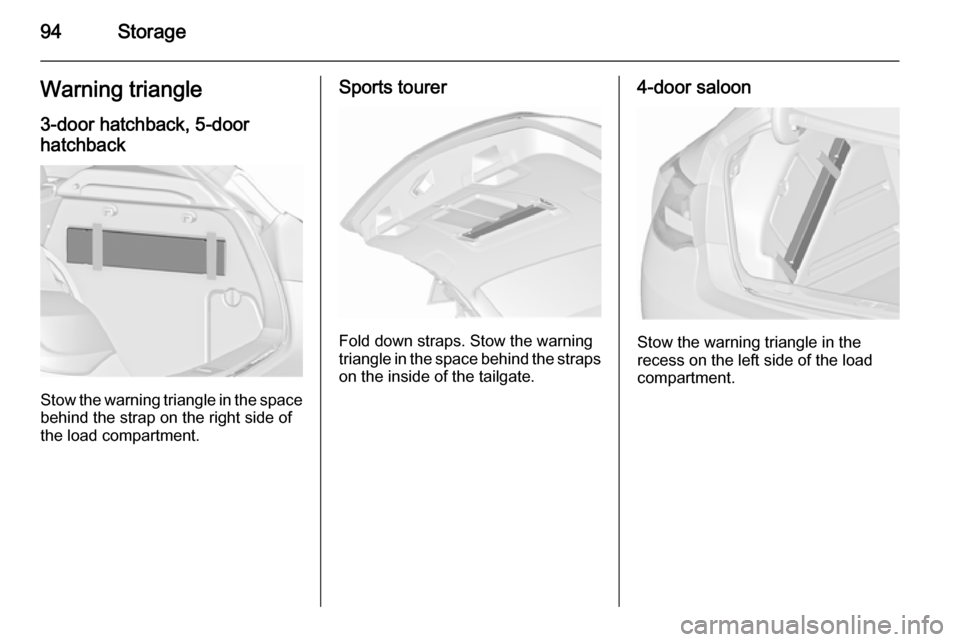
94StorageWarning triangle3-door hatchback, 5-doorhatchback
Stow the warning triangle in the space
behind the strap on the right side of
the load compartment.
Sports tourer
Fold down straps. Stow the warning
triangle in the space behind the straps on the inside of the tailgate.
4-door saloon
Stow the warning triangle in the
recess on the left side of the load
compartment.
Page 97 of 337
Storage95First aid kit
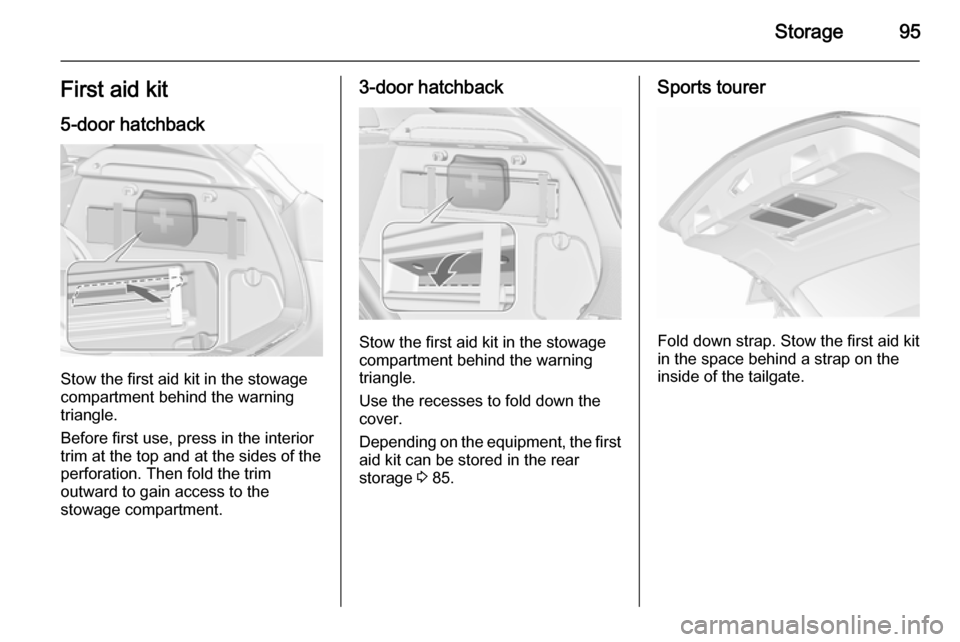
5-door hatchback
Stow the first aid kit in the stowage
compartment behind the warning
triangle.
Before first use, press in the interior
trim at the top and at the sides of the
perforation. Then fold the trim
outward to gain access to the
stowage compartment.
3-door hatchback
Stow the first aid kit in the stowage
compartment behind the warning
triangle.
Use the recesses to fold down the
cover.
Depending on the equipment, the first aid kit can be stored in the rear
storage 3 85.
Sports tourer
Fold down strap. Stow the first aid kit
in the space behind a strap on the
inside of the tailgate.
Page 120 of 337
118Instruments and controlsFog light
> illuminates green.
The front fog lights are on 3 143.
Rear fog light
r illuminates yellow.
The rear fog light is on 3 144.
Low washer fluid G illuminates yellow.
The washer fluid level is low.
Washer fluid 3 228.
Cruise control m illuminates white or green.
Illuminates white The system is on.
Illuminates green
Cruise control is active.
Cruise control 3 179.Adaptive cruise control
m illuminates white or green.
Illuminates white
The system is on.
Illuminates green
Adaptive cruise control is active.
Adaptive cruise control 3 182.
Vehicle detected ahead A illuminates green.
A vehicle ahead is detected in the
same lane.
Adaptive cruise control 3 182,
Forward collision alert 3 189.
Door open h illuminates red.
A door or the tailgate is open.Information displays
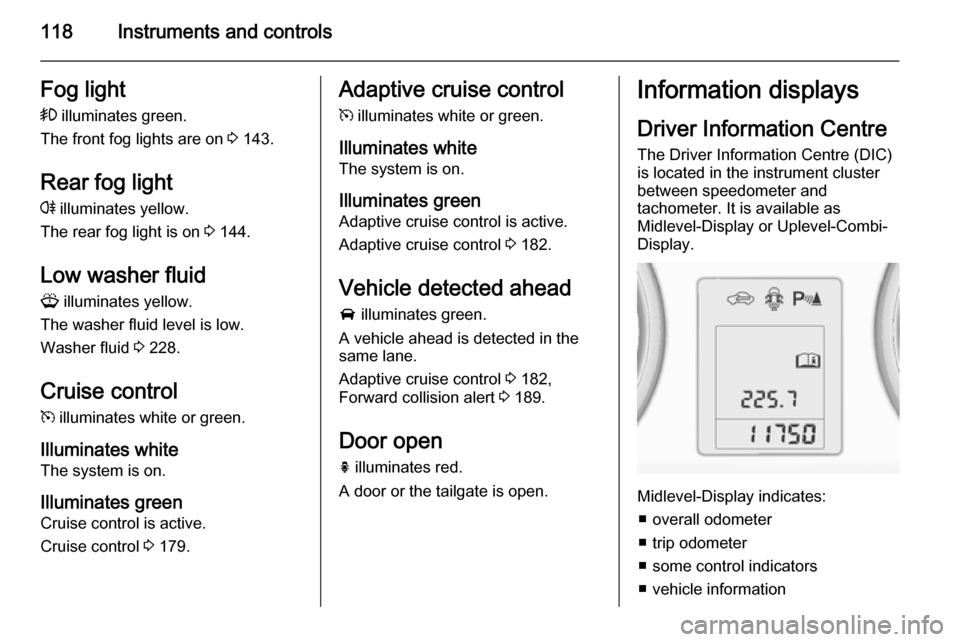
Driver Information Centre The Driver Information Centre (DIC)
is located in the instrument cluster
between speedometer and
tachometer. It is available as
Midlevel-Display or Uplevel-Combi-
Display.
Midlevel-Display indicates:
■ overall odometer
■ trip odometer
■ some control indicators
■ vehicle information
Page 129 of 337
Instruments and controls127
No.Vehicle message134Park assist fault, clean bumper136Service parking assist145Check washer fluid level174Low vehicle battery258Park assist off
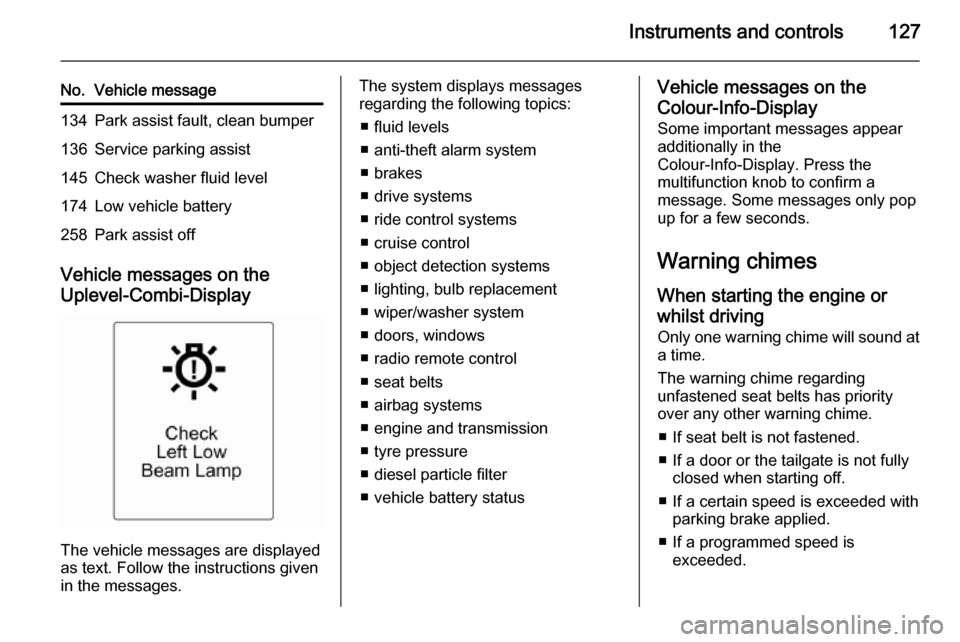
Vehicle messages on the
Uplevel-Combi-Display
The vehicle messages are displayed
as text. Follow the instructions given
in the messages.
The system displays messages
regarding the following topics:
■ fluid levels
■ anti-theft alarm system
■ brakes
■ drive systems
■ ride control systems
■ cruise control
■ object detection systems
■ lighting, bulb replacement
■ wiper/washer system
■ doors, windows
■ radio remote control
■ seat belts
■ airbag systems
■ engine and transmission
■ tyre pressure
■ diesel particle filter
■ vehicle battery statusVehicle messages on the Colour-Info-Display Some important messages appear
additionally in the
Colour-Info-Display. Press the
multifunction knob to confirm a
message. Some messages only pop
up for a few seconds.
Warning chimes When starting the engine or
whilst driving
Only one warning chime will sound at
a time.
The warning chime regarding
unfastened seat belts has priority
over any other warning chime.
■ If seat belt is not fastened.
■ If a door or the tailgate is not fully closed when starting off.
■ If a certain speed is exceeded with parking brake applied.
■ If a programmed speed is exceeded.
Page 206 of 337

204Driving and operatingRear view cameraThe rear view camera assists the
driver when reversing by displaying a view of the area behind the vehicle.
The view of the camera is displayed
in the Colour-Info-Display.9 Warning
The rear view camera does not
replace driver vision. Note that
objects that are outside the
camera's field of view and the
advanced parking assist sensors,
e.g. below the bumper or
underneath the vehicle, are not
displayed.
Do not reverse the vehicle by only looking at the Info-Display and
check the surrounding area
behind and around the vehicle
before reversing.
Activation
Rear view camera is automatically
activated when reverse gear is
engaged.
Functionality
The camera is mounted in the tailgate handle and has a viewing angle of
130°.
Due to the high position of the camera
the rear bumper can be seen on the
display as a guide to position.
The area displayed by the camera is
limited. The distance of the image that
appears on the display differs from
the actual distance.
Guiding lines
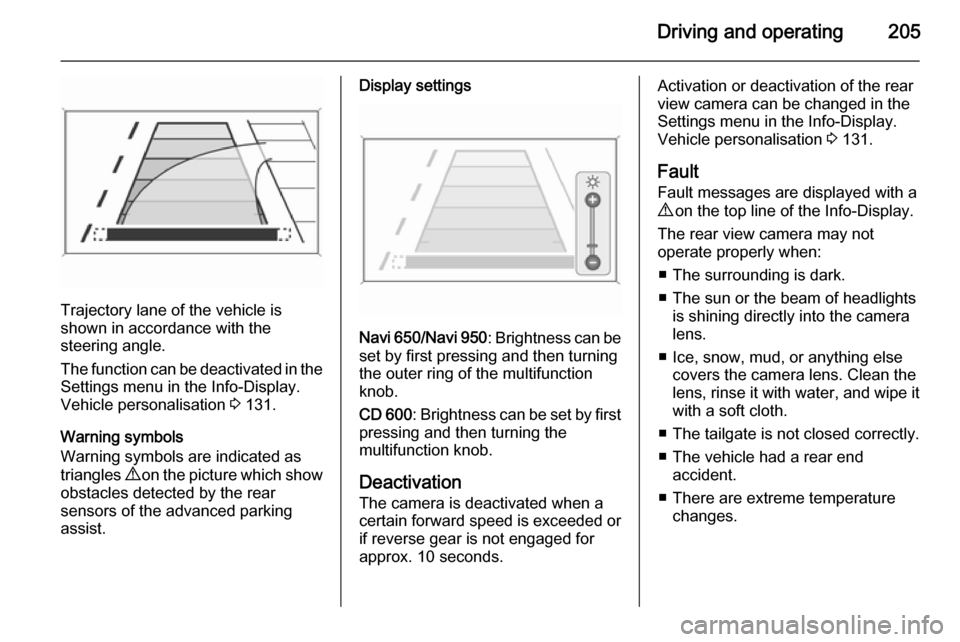
Dynamic guiding lines are horizontal
lines in 1 metre intervals projected on
the picture to define the distance to
shown objects.
Page 207 of 337
Driving and operating205
Trajectory lane of the vehicle is
shown in accordance with the
steering angle.
The function can be deactivated in the
Settings menu in the Info-Display.
Vehicle personalisation 3 131.
Warning symbols
Warning symbols are indicated as
triangles 9 on the picture which show
obstacles detected by the rear
sensors of the advanced parking
assist.
Display settings
Navi 650 /Navi 950 : Brightness can be
set by first pressing and then turning
the outer ring of the multifunction
knob.
CD 600 : Brightness can be set by first
pressing and then turning the
multifunction knob.
Deactivation
The camera is deactivated when a certain forward speed is exceeded or
if reverse gear is not engaged for
approx. 10 seconds.
Activation or deactivation of the rear
view camera can be changed in the Settings menu in the Info-Display.
Vehicle personalisation 3 131.
Fault
Fault messages are displayed with a
9 on the top line of the Info-Display.
The rear view camera may not
operate properly when:
■ The surrounding is dark.
■ The sun or the beam of headlights is shining directly into the camera
lens.
■ Ice, snow, mud, or anything else covers the camera lens. Clean the
lens, rinse it with water, and wipe it
with a soft cloth.
■ The tailgate is not closed correctly.
■ The vehicle had a rear end accident.
■ There are extreme temperature changes.