warning light VAUXHALL ASTRA J 2016.25 Owner's Guide
[x] Cancel search | Manufacturer: VAUXHALL, Model Year: 2016.25, Model line: ASTRA J, Model: VAUXHALL ASTRA J 2016.25Pages: 267, PDF Size: 7.72 MB
Page 164 of 267
162Driving and operatingHave the cause of the fault remedied
by a workshop.
Sport mode
Sport mode adapts the settings of
some vehicle systems to a sportier driving style.
● The engine reacts more quickly to the accelerator pedal.
● Steering reacts more direct to provide better contact with the
road surface.
● Shift points of automatic transmission occur later.
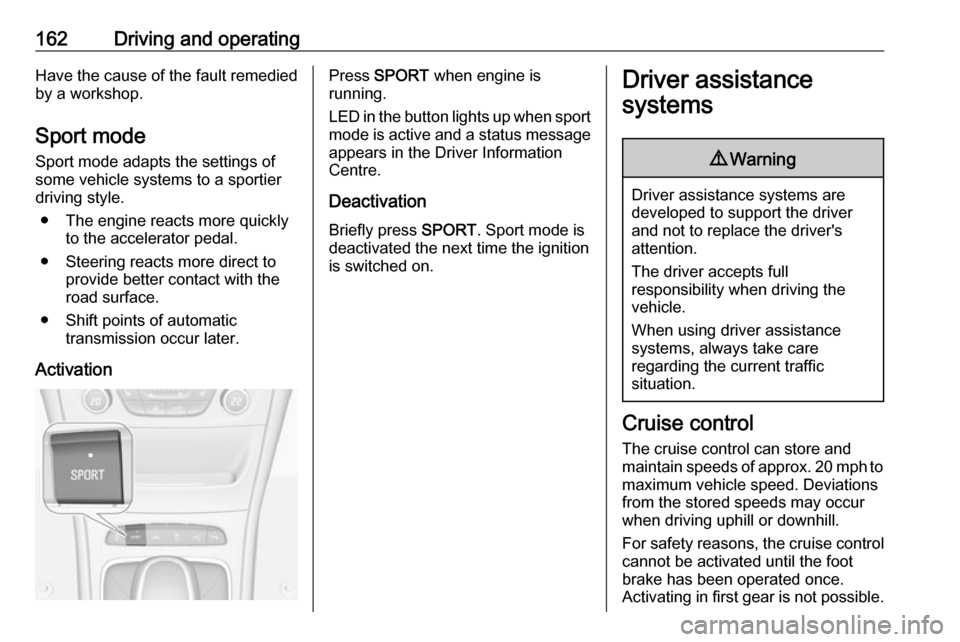
ActivationPress SPORT when engine is
running.
LED in the button lights up when sport
mode is active and a status message appears in the Driver Information
Centre.
Deactivation
Briefly press SPORT. Sport mode is
deactivated the next time the ignition
is switched on.Driver assistance
systems9 Warning
Driver assistance systems are
developed to support the driver
and not to replace the driver's
attention.
The driver accepts full
responsibility when driving the
vehicle.
When using driver assistance
systems, always take care
regarding the current traffic
situation.
Cruise control
The cruise control can store and
maintain speeds of approx. 20 mph to maximum vehicle speed. Deviations
from the stored speeds may occur
when driving uphill or downhill.
For safety reasons, the cruise control cannot be activated until the foot
brake has been operated once.
Activating in first gear is not possible.
Page 169 of 267
Driving and operating167
Alerting the driver
The vehicle ahead control indicator A illuminates green in the instrument
cluster when the system has detected
a vehicle in the driving path.
The control indicator A changes to
yellow when the distance to a
preceding moving vehicle gets too
small or when approaching another
vehicle too rapidly.
Caution
The colour lighting of this control
indicator does not correspond to
local traffic laws on following
distance. The driver bears full
responsibility for maintaining safe
following distance according to
applicable traffic rules, weather
and road conditions etc. at all
times.
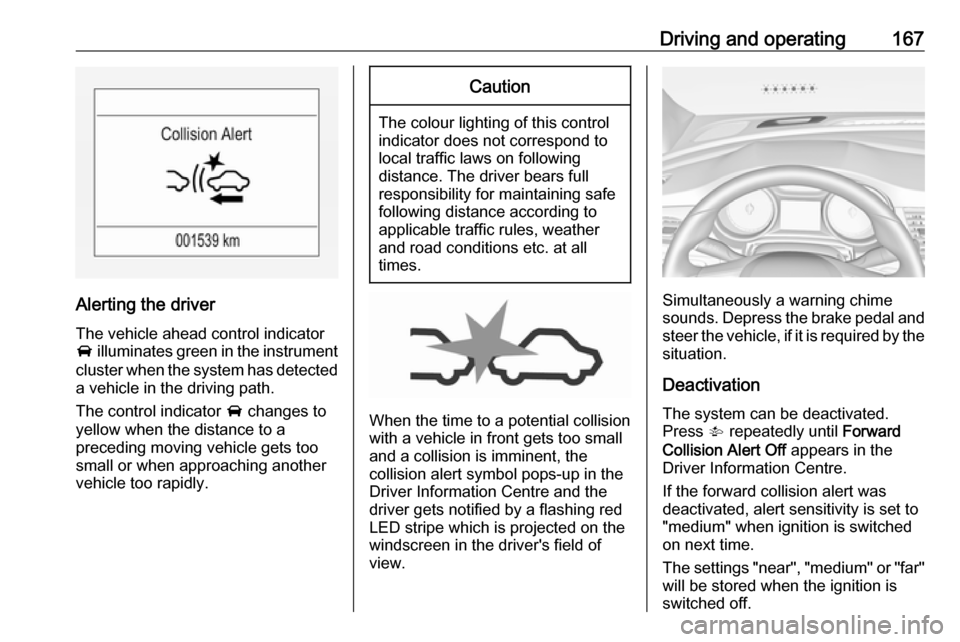
When the time to a potential collision
with a vehicle in front gets too small
and a collision is imminent, the
collision alert symbol pops-up in the
Driver Information Centre and the
driver gets notified by a flashing red
LED stripe which is projected on the
windscreen in the driver's field of
view.
Simultaneously a warning chime sounds. Depress the brake pedal and
steer the vehicle, if it is required by the
situation.
Deactivation The system can be deactivated.
Press V repeatedly until Forward
Collision Alert Off appears in the
Driver Information Centre.
If the forward collision alert was
deactivated, alert sensitivity is set to
"medium" when ignition is switched
on next time.
The settings "near", "medium" or "far" will be stored when the ignition is
switched off.
Page 171 of 267

Driving and operating169Active emergency braking
Active emergency braking can help to reduce the damage and injury from
crashes with vehicles and obstacles
directly ahead, when a collision can no longer be avoided either by
manual braking or by steering. Before the active emergency braking
applies, the driver is warned by the
forward collision alert 3 166.
The feature uses various inputs (e.g.
camera sensor, brake pressure,
vehicle speed) to calculate the
probability of a frontal collision.
Active emergency braking operates
above walking speed up to 53 mph. A precondition is that the system is not
deactivated by toggling the gap
switch V to Off setting, 3 166.
The system includes: ● brake preparation system
● emergency automatic braking
● forward looking brake assist9 Warning
This system is not intended to
replace the driver responsibility for driving the vehicle and looking
ahead. Its function is limited to
supplemental use only. The driver must continue to apply the brake
pedal as the driving situation
dictates.
Brake preparation system
When approaching a vehicle ahead
so quickly that a collision is likely, the
brake preparation system slightly
pressurises the brakes. This reduces
the response time, when a manual or automatic braking is requested.
The brake system is prepared so that braking can occur more rapidly.
The system operates up to a speed of 50 mph.
Emergency automatic braking
After the brake preparation and just
before the imminent collision, this
function automatically applies limited
braking to reduce the impact speed of the collision or prohibit a crash.
The system operates up to a speed of 37 mph.
Below a speed of 25 mph the system
can apply full braking.
Forward looking brake assist
In addition to the brake preparation
system and emergency automatic
braking, the forward looking brake
assist function makes the brake assist more sensitive. Therefore,
depressing the brake pedal less
strongly results in immediate hard
braking. This function helps the driver
brake quicker and harder before the
imminent collision.
The system operates up to a speed of 53 mph.
Page 181 of 267
Driving and operating179
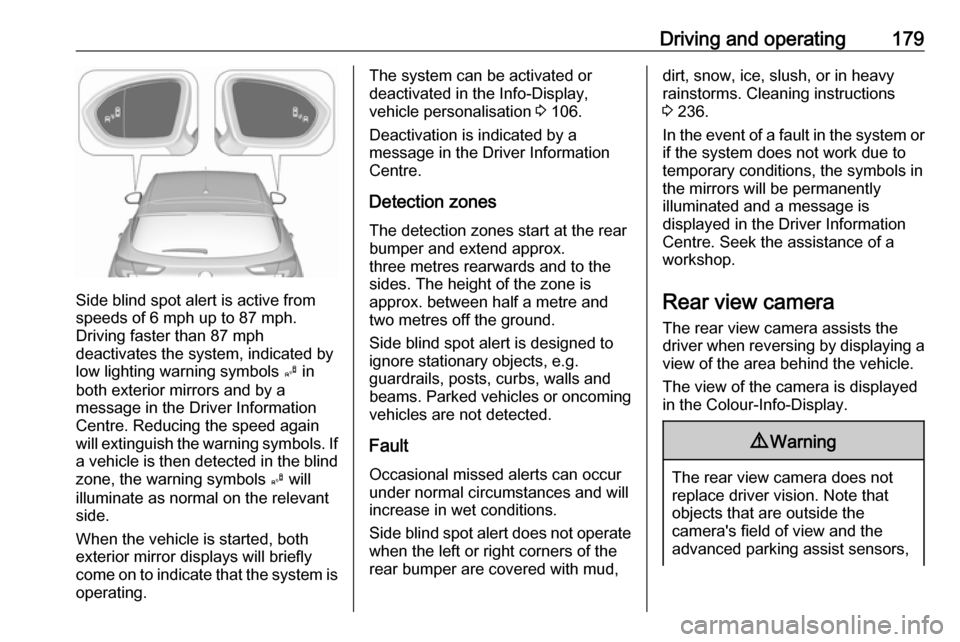
Side blind spot alert is active from
speeds of 6 mph up to 87 mph.
Driving faster than 87 mph
deactivates the system, indicated by
low lighting warning symbols B in
both exterior mirrors and by a
message in the Driver Information
Centre. Reducing the speed again
will extinguish the warning symbols. If a vehicle is then detected in the blindzone, the warning symbols B will
illuminate as normal on the relevant
side.
When the vehicle is started, both exterior mirror displays will briefly
come on to indicate that the system is
operating.
The system can be activated or
deactivated in the Info-Display,
vehicle personalisation 3 106.
Deactivation is indicated by a
message in the Driver Information
Centre.
Detection zones The detection zones start at the rearbumper and extend approx.
three metres rearwards and to the
sides. The height of the zone is
approx. between half a metre and
two metres off the ground.
Side blind spot alert is designed to
ignore stationary objects, e.g.
guardrails, posts, curbs, walls and
beams. Parked vehicles or oncoming
vehicles are not detected.
Fault
Occasional missed alerts can occur
under normal circumstances and will
increase in wet conditions.
Side blind spot alert does not operate when the left or right corners of the
rear bumper are covered with mud,dirt, snow, ice, slush, or in heavy
rainstorms. Cleaning instructions
3 236.
In the event of a fault in the system or if the system does not work due to
temporary conditions, the symbols in
the mirrors will be permanently
illuminated and a message is
displayed in the Driver Information
Centre. Seek the assistance of a
workshop.
Rear view camera The rear view camera assists the
driver when reversing by displaying a
view of the area behind the vehicle.
The view of the camera is displayed
in the Colour-Info-Display.9 Warning
The rear view camera does not
replace driver vision. Note that
objects that are outside the
camera's field of view and the
advanced parking assist sensors,
Page 182 of 267
180Driving and operatinge.g. below the bumper or
underneath the vehicle, are not
displayed.
Do not reverse the vehicle by only looking at the Info-Display and
check the surrounding area
behind and around the vehicle
before reversing.
Activation
Rear view camera is automatically
activated when reverse gear is
engaged.
Functionality
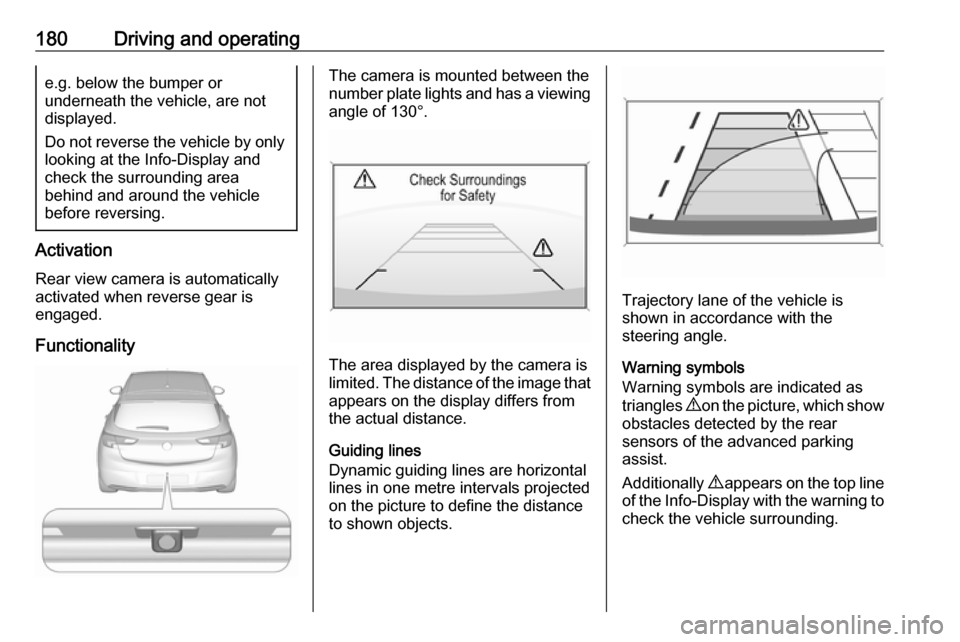
The camera is mounted between the
number plate lights and has a viewing angle of 130°.
The area displayed by the camera is
limited. The distance of the image that
appears on the display differs from
the actual distance.
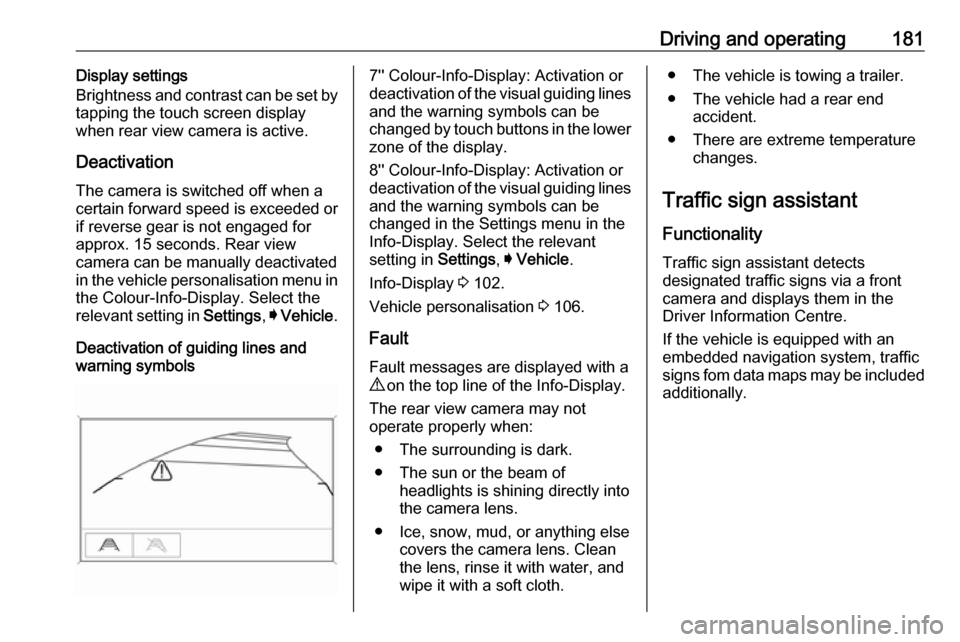
Guiding lines
Dynamic guiding lines are horizontal
lines in one metre intervals projected
on the picture to define the distance to shown objects.
Trajectory lane of the vehicle is
shown in accordance with the
steering angle.
Warning symbols
Warning symbols are indicated as
triangles 9 on the picture, which show
obstacles detected by the rear
sensors of the advanced parking
assist.
Additionally 9 appears on the top line
of the Info-Display with the warning to
check the vehicle surrounding.
Page 183 of 267
Driving and operating181Display settings
Brightness and contrast can be set by
tapping the touch screen display
when rear view camera is active.
Deactivation The camera is switched off when a
certain forward speed is exceeded or
if reverse gear is not engaged for
approx. 15 seconds. Rear view
camera can be manually deactivated
in the vehicle personalisation menu in the Colour-Info-Display. Select the
relevant setting in Settings, I Vehicle .
Deactivation of guiding lines and
warning symbols7'' Colour-Info-Display: Activation or
deactivation of the visual guiding lines and the warning symbols can be
changed by touch buttons in the lower
zone of the display.
8'' Colour-Info-Display: Activation or
deactivation of the visual guiding lines and the warning symbols can be
changed in the Settings menu in the
Info-Display. Select the relevant
setting in Settings, I Vehicle .
Info-Display 3 102.
Vehicle personalisation 3 106.
Fault
Fault messages are displayed with a 9 on the top line of the Info-Display.
The rear view camera may not
operate properly when:
● The surrounding is dark.
● The sun or the beam of headlights is shining directly into
the camera lens.
● Ice, snow, mud, or anything else covers the camera lens. Clean
the lens, rinse it with water, and
wipe it with a soft cloth.● The vehicle is towing a trailer.
● The vehicle had a rear end accident.
● There are extreme temperature changes.
Traffic sign assistant Functionality
Traffic sign assistant detects
designated traffic signs via a front
camera and displays them in the
Driver Information Centre.
If the vehicle is equipped with an
embedded navigation system, traffic
signs fom data maps may be included additionally.
Page 184 of 267
182Driving and operating
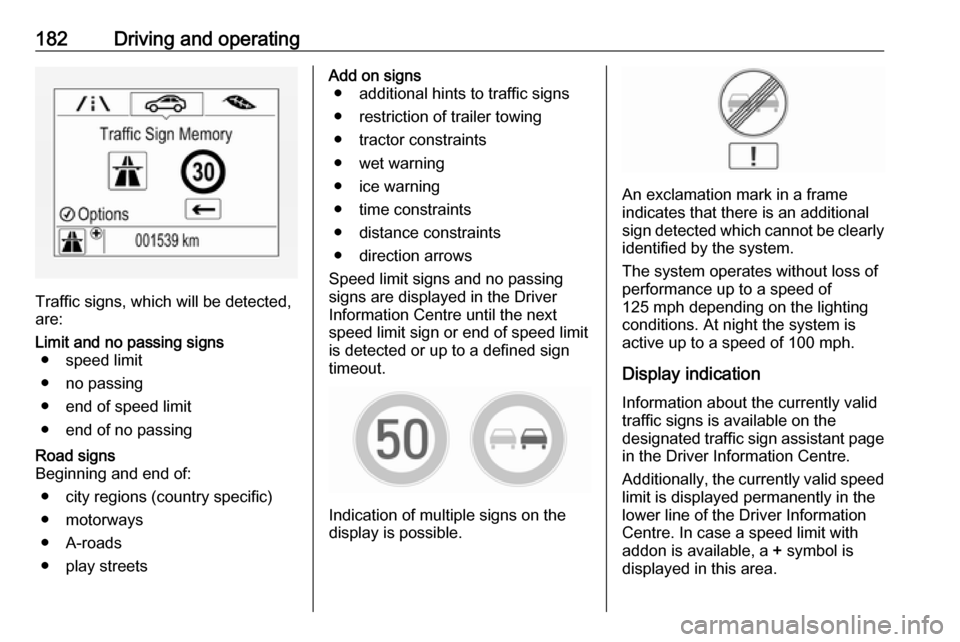
Traffic signs, which will be detected,
are:
Limit and no passing signs ● speed limit
● no passing
● end of speed limit
● end of no passingRoad signs
Beginning and end of:
● city regions (country specific)
● motorways
● A-roads
● play streetsAdd on signs ● additional hints to traffic signs
● restriction of trailer towing
● tractor constraints
● wet warning
● ice warning
● time constraints
● distance constraints
● direction arrows
Speed limit signs and no passing
signs are displayed in the Driver
Information Centre until the next
speed limit sign or end of speed limit
is detected or up to a defined sign
timeout.
Indication of multiple signs on the
display is possible.
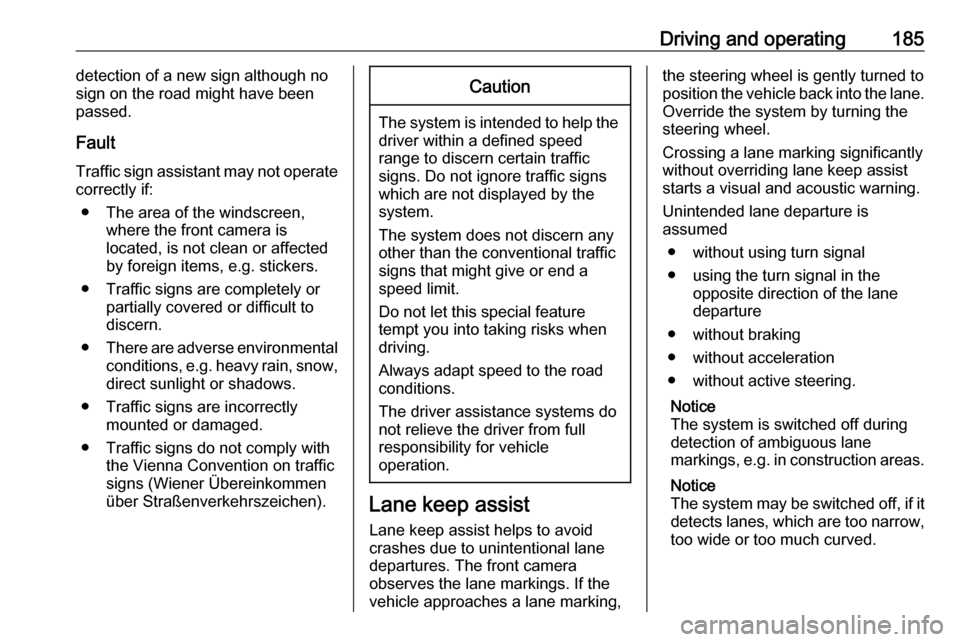
An exclamation mark in a frame
indicates that there is an additional
sign detected which cannot be clearly
identified by the system.
The system operates without loss of
performance up to a speed of
125 mph depending on the lighting
conditions. At night the system is
active up to a speed of 100 mph.
Display indication Information about the currently valid
traffic signs is available on the
designated traffic sign assistant page
in the Driver Information Centre.
Additionally, the currently valid speed limit is displayed permanently in the
lower line of the Driver Information
Centre. In case a speed limit with
addon is available, a + symbol is
displayed in this area.
Page 187 of 267
Driving and operating185detection of a new sign although no
sign on the road might have been
passed.
Fault
Traffic sign assistant may not operate correctly if:
● The area of the windscreen, where the front camera is
located, is not clean or affected
by foreign items, e.g. stickers.
● Traffic signs are completely or partially covered or difficult to
discern.
● There are adverse environmental
conditions, e.g. heavy rain, snow,
direct sunlight or shadows.
● Traffic signs are incorrectly mounted or damaged.
● Traffic signs do not comply with the Vienna Convention on traffic
signs (Wiener Übereinkommen
über Straßenverkehrszeichen).Caution
The system is intended to help the driver within a defined speed
range to discern certain traffic
signs. Do not ignore traffic signs
which are not displayed by the
system.
The system does not discern any other than the conventional traffic
signs that might give or end a
speed limit.
Do not let this special feature
tempt you into taking risks when
driving.
Always adapt speed to the road
conditions.
The driver assistance systems do not relieve the driver from full
responsibility for vehicle
operation.
Lane keep assist
Lane keep assist helps to avoid
crashes due to unintentional lane
departures. The front camera
observes the lane markings. If the
vehicle approaches a lane marking,
the steering wheel is gently turned to
position the vehicle back into the lane. Override the system by turning the
steering wheel.
Crossing a lane marking significantly
without overriding lane keep assist
starts a visual and acoustic warning.
Unintended lane departure is
assumed
● without using turn signal
● using the turn signal in the opposite direction of the lane
departure
● without braking
● without acceleration
● without active steering.
Notice
The system is switched off during
detection of ambiguous lane
markings, e.g. in construction areas.
Notice
The system may be switched off, if it detects lanes, which are too narrow,
too wide or too much curved.
Page 223 of 267
Vehicle care221Tyre load menu in the Driver
Information Centre 3 97. This setting
is the reference for the tyre pressure
warnings.
The Tyre load menu only appears if
the vehicle is in a standstill and the
parking brake is applied. On vehicles
with automatic transmission the
selector lever has to be in P.
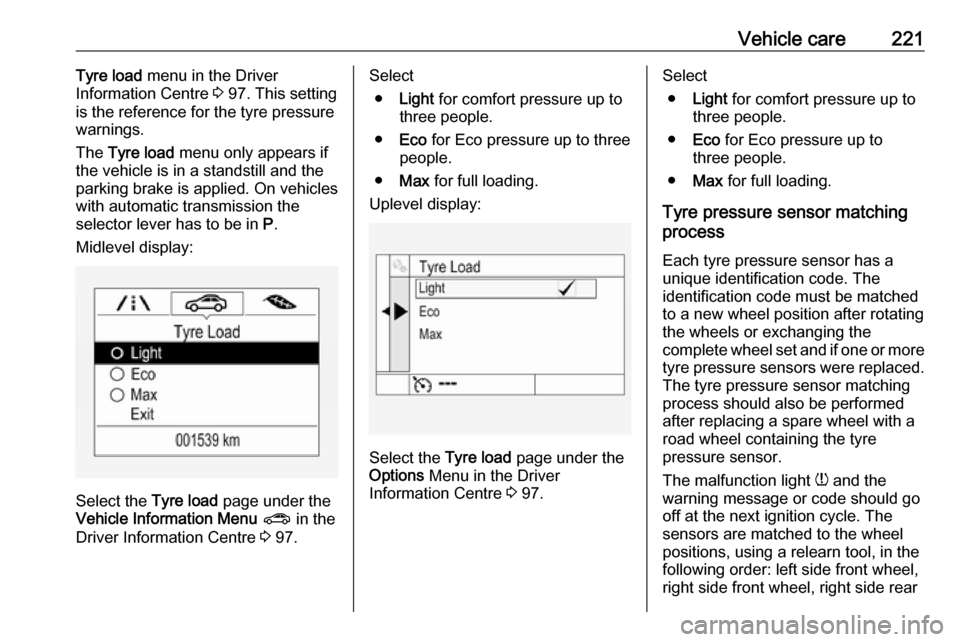
Midlevel display:
Select the Tyre load page under the
Vehicle Information Menu ? in the
Driver Information Centre 3 97.
Select
● Light for comfort pressure up to
three people.
● Eco for Eco pressure up to three
people.
● Max for full loading.
Uplevel display:
Select the Tyre load page under the
Options Menu in the Driver
Information Centre 3 97.
Select
● Light for comfort pressure up to
three people.
● Eco for Eco pressure up to
three people.
● Max for full loading.
Tyre pressure sensor matching
process
Each tyre pressure sensor has a
unique identification code. The
identification code must be matched
to a new wheel position after rotating the wheels or exchanging the
complete wheel set and if one or more tyre pressure sensors were replaced.
The tyre pressure sensor matching
process should also be performed
after replacing a spare wheel with a
road wheel containing the tyre
pressure sensor.
The malfunction light w and the
warning message or code should go
off at the next ignition cycle. The
sensors are matched to the wheel
positions, using a relearn tool, in the following order: left side front wheel,
right side front wheel, right side rear
Page 263 of 267

261Control of the vehicle .................139
Controls ........................................ 75
Convex shape .............................. 33
Coolant and antifreeze ...............240
Cruise control ...................... 96, 162
Cupholders .................................. 65
Curtain airbag system .................. 56
Curve lighting.............................. 119
D Danger, Warnings and Cautions ...4
Daytime running lights ...............119
Declaration of conformity ............255
Diesel fuel system bleeding .......201
Diesel particle filter ....................148
Door open .................................... 97
Doors ............................................ 29
Driver assistance systems ..........162
Driver Information Centre .............97
Driving characteristics and towing tips .............................. 190
Driving hints ................................ 139
E Electric adjustment ......................33
Electrical system......................... 210
Electric parking brake ...........93, 157
Electric parking brake fault ...........93
Electronic climate control system 131
Electronic driving programmes . ........................................ 152, 156Electronic key system...................21
Electronic Stability Control.......... 160
Electronic Stability Control and Traction Control system ............94
Electronic Stability Control off....... 94 End-of-life vehicle recovery .......195
Engine compartment fuse box ...211
Engine coolant ........................... 198
Engine coolant temperature gauge ....................................... 89
Engine data ............................... 247
Engine exhaust .......................... 148
Engine identification ...................243
Engine oil ................... 197, 240, 244
Engine oil pressure ......................95
Entry lighting .............................. 126
Event data recorders ..................257
Exit lighting ................................ 126
Exterior care .............................. 236
Exterior light ................................. 96
Exterior lighting ....................12, 117
Exterior mirrors ............................. 33
F
Fault ................................... 152, 156
First aid kit ................................... 71
Fixed air vents ........................... 136
Fog light ....................................... 96
Fog lights ................................... 204
Folding mirrors ............................. 34Following distance ........................94
Following distance indication ......168
Forward collision alert................. 166
Fragrance diffuser ........................82
Front airbag system .....................55
Front fog lights ........................... 123
Front seats.................................... 41
Front storage ................................ 66
Fuel............................................. 187
Fuel consumption - CO 2-
Emissions ............................... 189
Fuel for diesel engines ..............187
Fuel for petrol engines ...............187
Fuel gauge ................................... 89
Fuses ......................................... 210
G Gauges ......................................... 87
Gear shifting ................................. 94
General information ...................190
Glovebox ..................................... 65
H Halogen headlights ....................202
Hand brake ......................... 156, 157
Hazard warning flashers ............122
Headlight flash ........................... 118
Headlight range adjustment ......118
Headlights................................... 117 Headlights when driving abroad 119
Head restraint adjustment .............8