instrument cluster VAUXHALL ASTRA J 2016.25 Owner's Manual
[x] Cancel search | Manufacturer: VAUXHALL, Model Year: 2016.25, Model line: ASTRA J, Model: VAUXHALL ASTRA J 2016.25Pages: 267, PDF Size: 7.72 MB
Page 76 of 267

74Instruments and controlsInstruments and
controlsControls ....................................... 75
Steering wheel adjustment ........75
Steering wheel controls .............75
Heated steering wheel ...............76
Horn ........................................... 76
Windscreen wiper/washer .........76
Rear window wiper/washer .......78
Outside temperature ..................79
Clock ......................................... 79
Power outlets ............................. 81
Power connector .......................82
Ashtrays .................................... 83
Warning lights, gauges and indi‐ cators ........................................... 84
Instrument cluster ......................84
Speedometer ............................. 87
Odometer .................................. 88
Trip odometer ............................ 88
Tachometer ............................... 89
Fuel gauge ................................ 89
Engine coolant temperature gauge ....................................... 89
Service display .......................... 90
Control indicators ......................91Turn signal................................. 91
Seat belt reminder .....................91
Airbag and belt tensioners .........92
Airbag deactivation ....................92
Charging system .......................92
Malfunction indicator light ..........93
Brake and clutch system ...........93
Electric parking brake ................93
Electric parking brake fault ........93
Antilock brake system (ABS) .....94
Gear shifting .............................. 94
Following distance .....................94
Lane keep assist .......................94
Electronic Stability Control off ...94
Electronic Stability Control and Traction Control system ...........94
Traction Control system off .......95
Preheating ................................. 95
Tyre pressure monitoring system ...................................... 95
Engine oil pressure ....................95
Low fuel ..................................... 95
Immobiliser ................................ 96
Exterior light .............................. 96
High beam ................................. 96
High beam assist .......................96
LED headlights .......................... 96
Fog light ..................................... 96
Rear fog light ............................. 96
Cruise control ............................ 96Vehicle detected ahead .............96
Speed limiter ............................. 96
Traffic sign assistant ..................97
Door open .................................. 97
Information displays .....................97
Driver Information Centre ..........97
Info display .............................. 102
Vehicle messages ......................104
Warning chimes .......................105
Battery voltage ........................ 106
Vehicle personalisation ..............106
OnStar ....................................... 113
Page 86 of 267

84Instruments and controlsWarning lights, gauges
and indicators
Instrument cluster
Depending on the version, two
instrument clusters are available:
Page 87 of 267
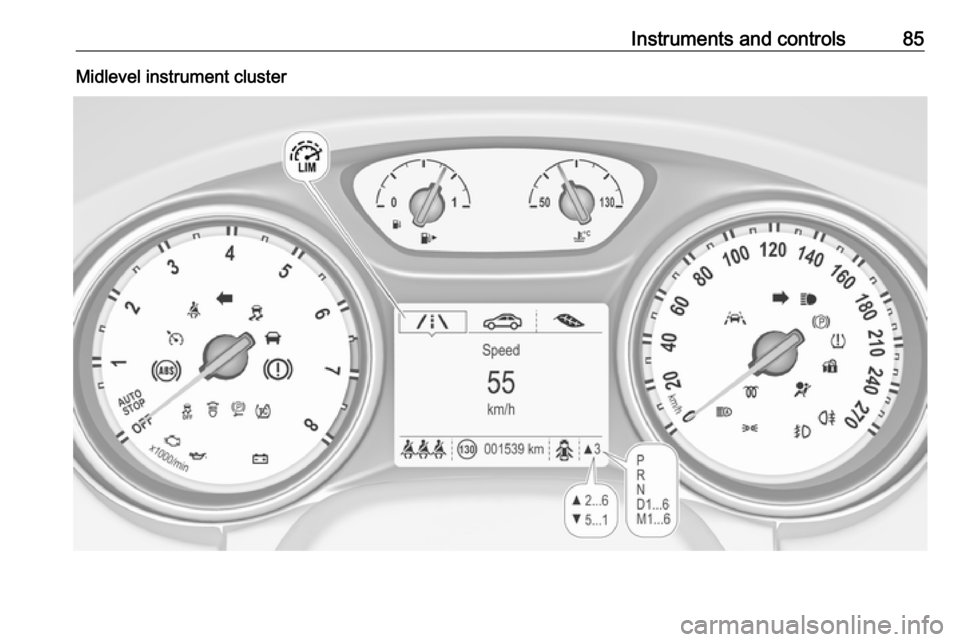
Instruments and controls85Midlevel instrument cluster
Page 88 of 267
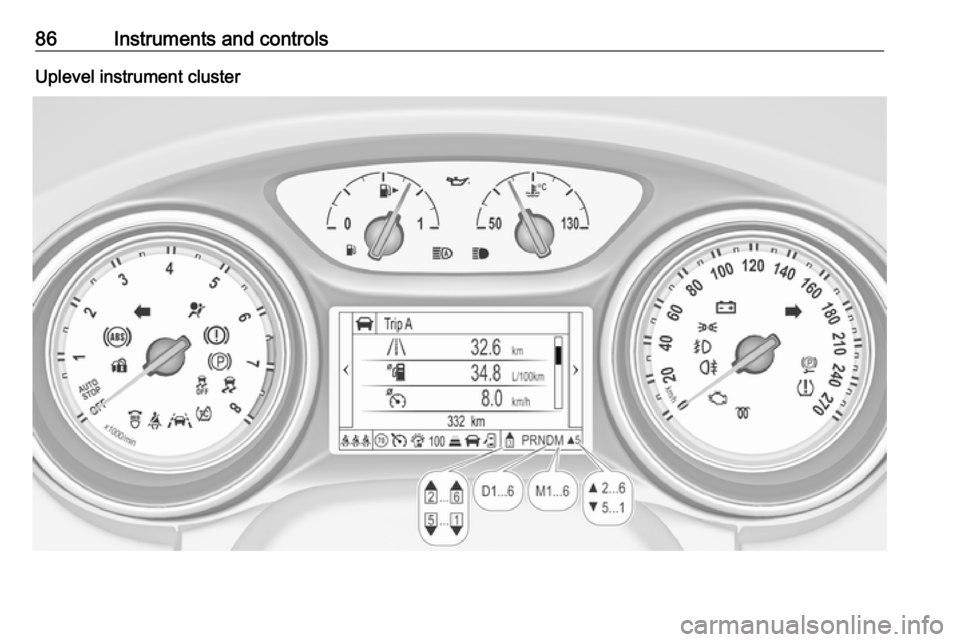
86Instruments and controlsUplevel instrument cluster
Page 90 of 267
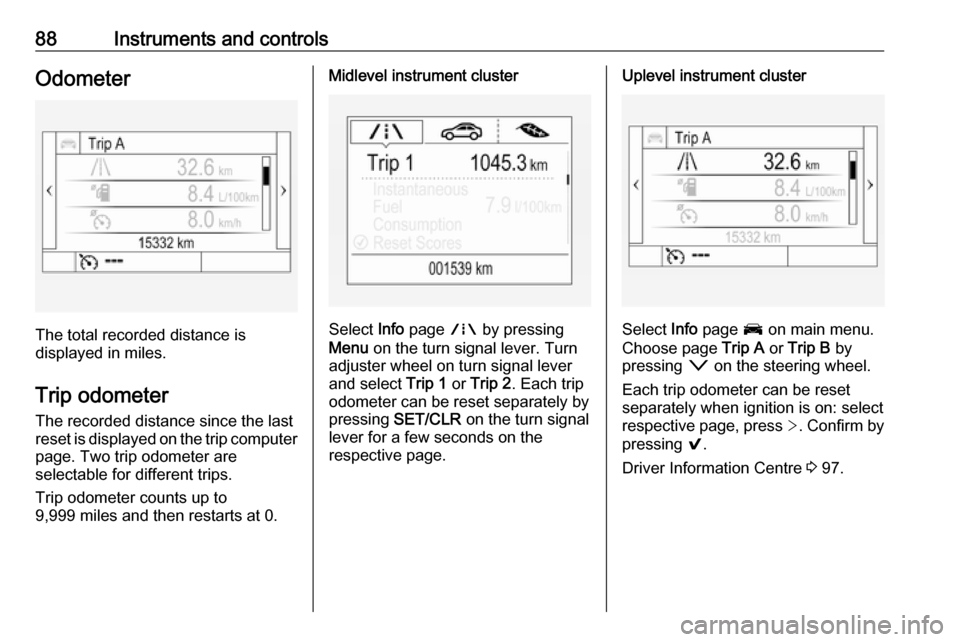
88Instruments and controlsOdometer
The total recorded distance is
displayed in miles.
Trip odometer The recorded distance since the last
reset is displayed on the trip computer
page. Two trip odometer are
selectable for different trips.
Trip odometer counts up to
9,999 miles and then restarts at 0.
Midlevel instrument cluster
Select Info page ; by pressing
Menu on the turn signal lever. Turn
adjuster wheel on turn signal lever and select Trip 1 or Trip 2 . Each trip
odometer can be reset separately by pressing SET/CLR on the turn signal
lever for a few seconds on the
respective page.
Uplevel instrument cluster
Select Info page J on main menu.
Choose page Trip A or Trip B by
pressing o on the steering wheel.
Each trip odometer can be reset separately when ignition is on: select
respective page, press >. Confirm by
pressing 9.
Driver Information Centre 3 97.
Page 93 of 267

Instruments and controls919 for several seconds. The ignition
must be switched on but engine not
running.
The system must be reset every time
the engine oil is changed to allow
proper functionality. Seek the
assistance of a workshop.
Next service When the system has calculated that
engine oil life has been diminished,
Change Engine Oil Soon appears in
the Driver Information Centre. Have
engine oil and filter changed by a
workshop within one week or
300 miles (whichever occurs first).
Service information 3 239.
Control indicators
The control indicators described are
not present in all vehicles. The
description applies to all instrument
versions. Depending on the
equipment, the position of the control indicators may vary. When the
ignition is switched on, most control
indicators will illuminate briefly as a functionality test.The control indicator colours mean:red:danger, important reminderyellow:warning, information, faultgreen:confirmation of activationblue:confirmation of activationwhite:confirmation of activation
See all control indicators on different
instrument clusters 3 84.
Turn signal
O illuminates or flashes green.
Illuminates briefly The parking lights are switched on.
Flashes
A turn signal or the hazard warning
flashers are activated.
Rapid flashing: failure of a turn signal
light or associated fuse, failure of turn
signal light on trailer.
Bulb replacement 3 202, Fuses
3 210.
Turn signals 3 123.
Seat belt reminder
Seat belt reminder on front seats
X for driver's seat illuminates or
flashes red in the instrument cluster.
k for front passenger seat illuminates
or flashes red in the roof console,
when seat is occupied.
Illuminates
After the ignition has been switched on until the seat belt has been
fastened.
Flashes
After having started the engine for a
maximum of 100 seconds until the
seat belt has been fastened.
Page 99 of 267
Instruments and controls97Illuminates green
Speed limiter is active. Set speed is
indicated near L symbol.
Speed limiter 3 164.
Traffic sign assistant
L displays detected traffic signs as
control indicator.
Traffic sign assistant 3 181.
Door open h illuminates red.
A door or the tailgate is open.Information displays
Driver Information Centre The Driver Information Centre is
located in the instrument cluster.
Depending on the version and the
instrument cluster, the Driver
Information Centre is available as
Midlevel display or Uplevel display.
Driver Information Centre indicates
depending on the equipment:
● overall and trip odometer
● vehicle information
● trip/fuel information
● economic information
● vehicle and warning messages
● audio and infotainment information
● phone information
● navigation information
● vehicle settingsMidlevel display
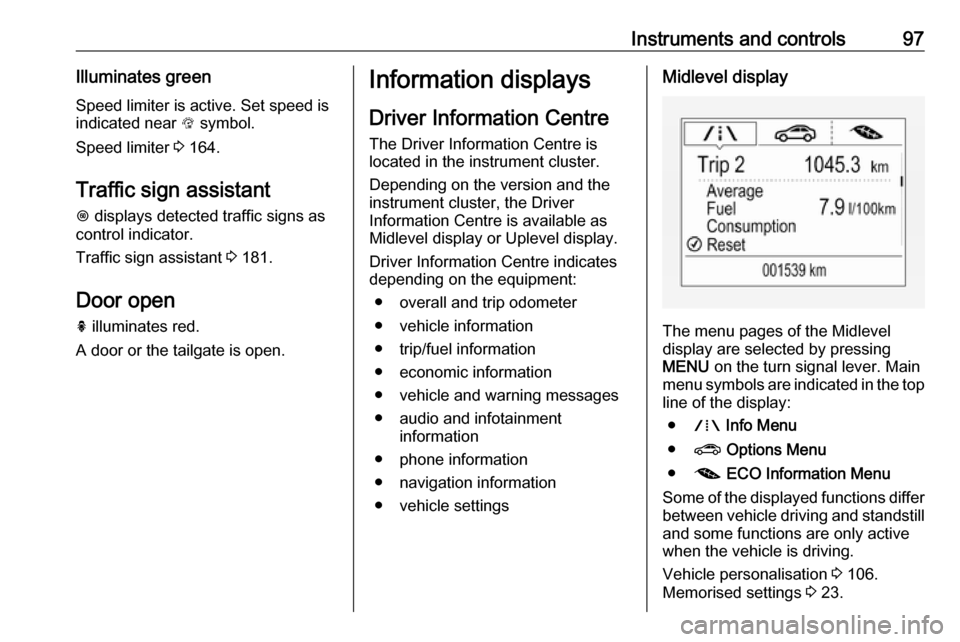
The menu pages of the Midlevel
display are selected by pressing
MENU on the turn signal lever. Main
menu symbols are indicated in the top line of the display:
● W Info Menu
● ? Options Menu
● @ ECO Information Menu
Some of the displayed functions differ
between vehicle driving and standstill and some functions are only active
when the vehicle is driving.
Vehicle personalisation 3 106.
Memorised settings 3 23.
Page 104 of 267
102Instruments and controlsvalue. Press SET/CLR or 9 to set the
speed. Once the speed is set, this feature can be turned off by pressing
SET/CLR or 9 while viewing this
page. If the selected speed limit is
exceeded, a pop-up warning is
displayed with a chime.
Tyre Load
The tyre pressure category according to the actually inflated tyre pressure
can be selected 3 219.
Software information
Displays the open source software
information.
Valet mode
Some functions of the Driver
Information Centre and the Info-
Display can be limited for some
drivers.
Activation or deactivation of valet
mode can be set in the menu
Settings in the vehicle personalisation
menu.
Vehicle personalisation 3 106.
For more information see
Infotainment manual.Info display
The Info-Display is located in the
instrument panel near the instrument
cluster.
Depending on the vehicle
configuration the vehicle has a
● Graphic-Info-Display
or
● 7'' Colour-Info-Display with
touch-screen functionality
or
● 8'' Colour-Info-Display touch-
screen functionality
The Info displays can indicate: ● time 3 79
● outside temperature 3 79
● date 3 79
● Infotainment system, see description in the Infotainment
manual
● indication of rear view camera 3 179
● indication of parking assist instructions 3 170● navigation, see description in the
Infotainment manual
● system messages
● settings for vehicle personalisation 3 106
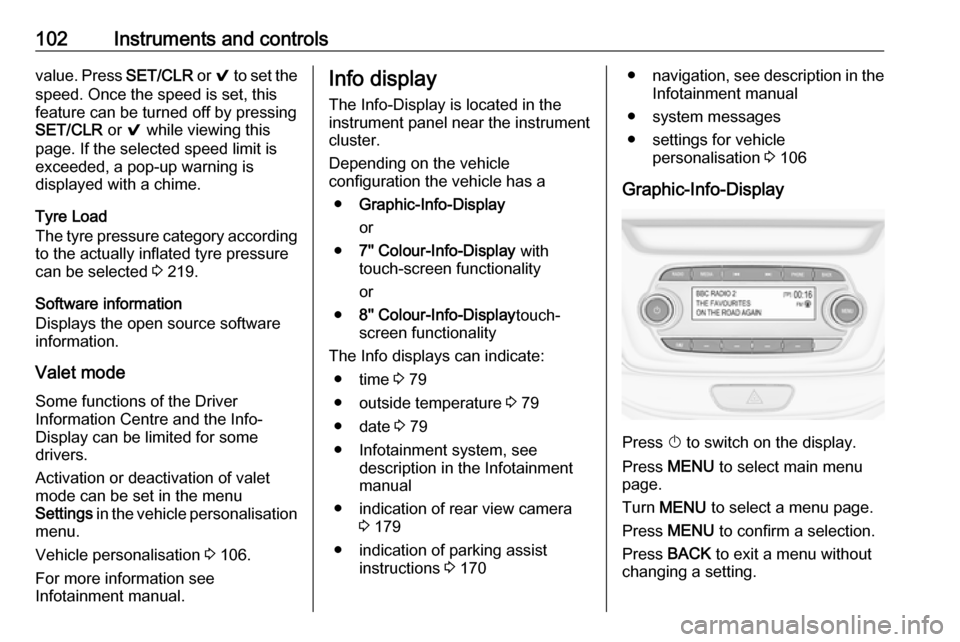
Graphic-Info-Display
Press X to switch on the display.
Press MENU to select main menu
page.
Turn MENU to select a menu page.
Press MENU to confirm a selection.
Press BACK to exit a menu without
changing a setting.
Page 165 of 267
Driving and operating163
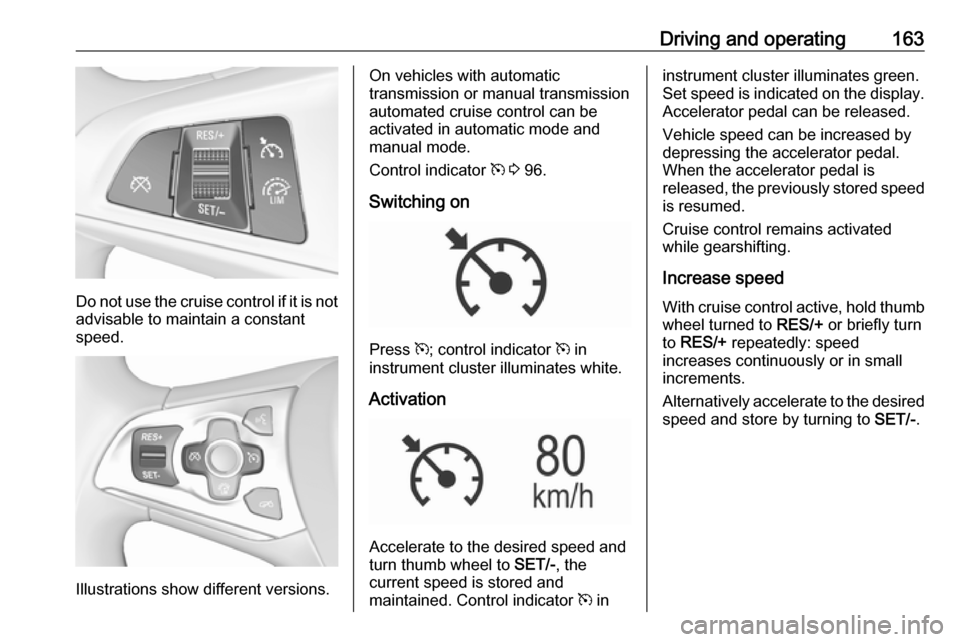
Do not use the cruise control if it is notadvisable to maintain a constant
speed.
Illustrations show different versions.
On vehicles with automatic
transmission or manual transmission
automated cruise control can be
activated in automatic mode and
manual mode.
Control indicator m 3 96.
Switching on
Press m; control indicator m in
instrument cluster illuminates white.
Activation
Accelerate to the desired speed and
turn thumb wheel to SET/-, the
current speed is stored and
maintained. Control indicator m in
instrument cluster illuminates green.
Set speed is indicated on the display. Accelerator pedal can be released.
Vehicle speed can be increased by depressing the accelerator pedal.
When the accelerator pedal is
released, the previously stored speed
is resumed.
Cruise control remains activated
while gearshifting.
Increase speed With cruise control active, hold thumb
wheel turned to RES/+ or briefly turn
to RES/+ repeatedly: speed
increases continuously or in small
increments.
Alternatively accelerate to the desired speed and store by turning to SET/-.
Page 166 of 267
164Driving and operating
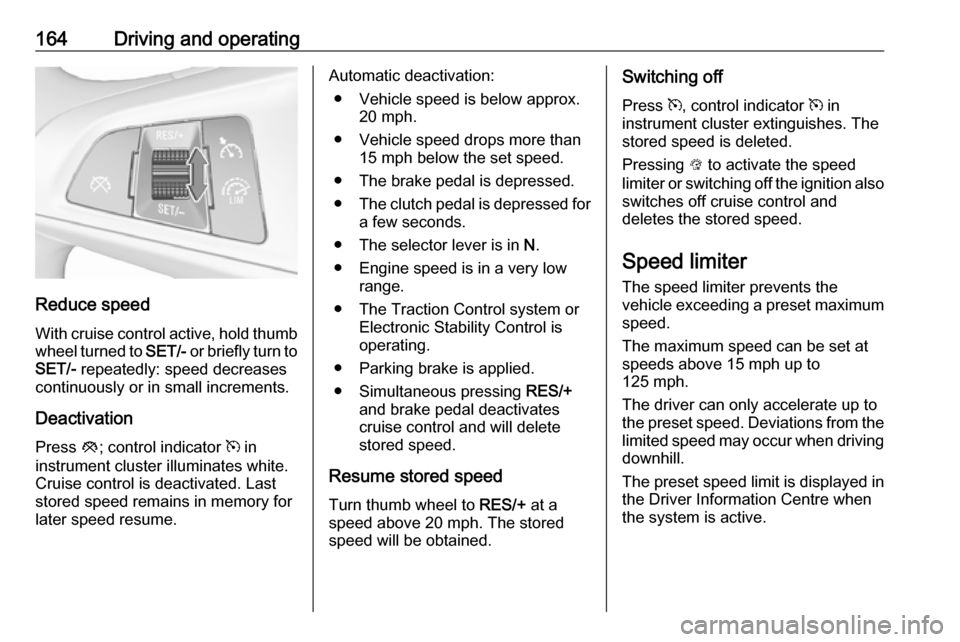
Reduce speedWith cruise control active, hold thumb
wheel turned to SET/- or briefly turn to
SET/- repeatedly: speed decreases
continuously or in small increments.
Deactivation Press y; control indicator m in
instrument cluster illuminates white. Cruise control is deactivated. Last
stored speed remains in memory for
later speed resume.
Automatic deactivation:
● Vehicle speed is below approx. 20 mph.
● Vehicle speed drops more than 15 mph below the set speed.
● The brake pedal is depressed.
● The clutch pedal is depressed for
a few seconds.
● The selector lever is in N.
● Engine speed is in a very low range.
● The Traction Control system or Electronic Stability Control is
operating.
● Parking brake is applied.
● Simultaneous pressing RES/+
and brake pedal deactivates
cruise control and will delete
stored speed.
Resume stored speed
Turn thumb wheel to RES/+ at a
speed above 20 mph. The stored
speed will be obtained.Switching off
Press m, control indicator m in
instrument cluster extinguishes. The
stored speed is deleted.
Pressing L to activate the speed
limiter or switching off the ignition also switches off cruise control and
deletes the stored speed.
Speed limiter
The speed limiter prevents the
vehicle exceeding a preset maximum
speed.
The maximum speed can be set at
speeds above 15 mph up to
125 mph.
The driver can only accelerate up to
the preset speed. Deviations from the
limited speed may occur when driving
downhill.
The preset speed limit is displayed in
the Driver Information Centre when
the system is active.