reset VAUXHALL ASTRA J 2016.75 User Guide
[x] Cancel search | Manufacturer: VAUXHALL, Model Year: 2016.75, Model line: ASTRA J, Model: VAUXHALL ASTRA J 2016.75Pages: 291, PDF Size: 8.73 MB
Page 182 of 291
180Driving and operatingAutomatic deactivation:● Vehicle speed is below approx. 20 mph.
● Vehicle speed drops more than 15 mph below the set speed.
● The brake pedal is depressed.
● The clutch pedal is depressed for
a few seconds.
● The selector lever is in N.
● Engine speed is in a very low range.
● The Traction Control system or Electronic Stability Control is
operating.
● Parking brake is applied.
● Simultaneous pressing RES/+
and brake pedal deactivates
cruise control and will delete
stored speed.
Resume stored speed
Turn thumb wheel to RES/+ at a
speed above 20 mph. The stored
speed will be obtained.Switching off
Press m, control indicator m in
instrument cluster extinguishes. The
stored speed is deleted.
Pressing L to activate the speed
limiter or switching off the ignition also switches off cruise control and
deletes the stored speed.
Speed limiter
The speed limiter prevents the
vehicle exceeding a preset maximum
speed.
The maximum speed can be set at
speeds above 15 mph up to
125 mph.
The driver can only accelerate up to
the preset speed. Deviations from the
limited speed may occur when driving downhill.
The preset speed limit is displayed in
the Driver Information Centre when
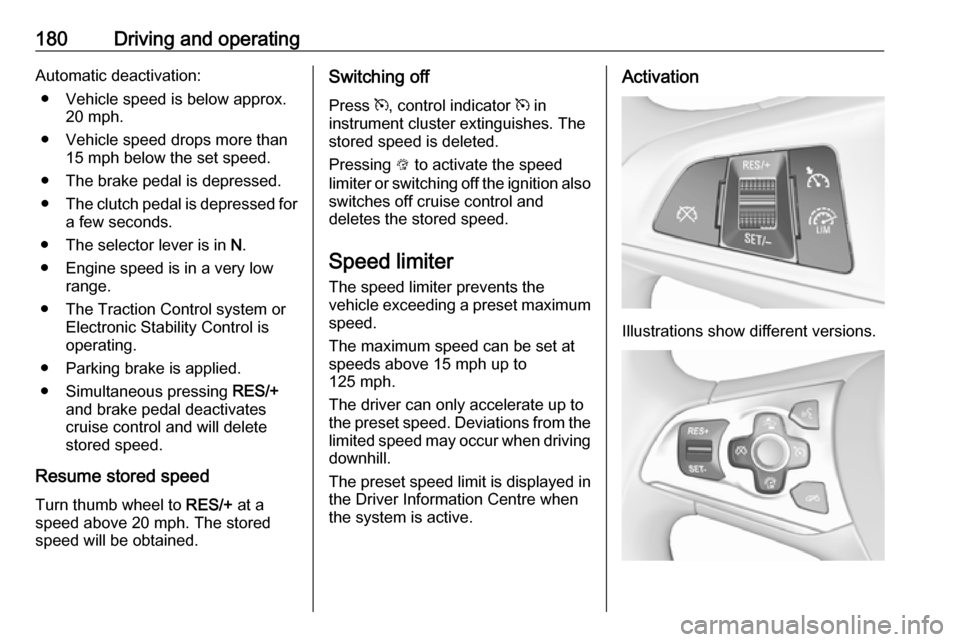
the system is active.Activation
Illustrations show different versions.
Page 201 of 291
Driving and operating199On Uplevel display, choose Info
Menu via right steering wheel buttons
and press P or Q to select traffic
sign assistant page 3 113.
When another page on the Driver
Information Centre menu was
selected and then traffic sign
assistant page is chosen again, the
last recognised traffic sign will be
displayed.
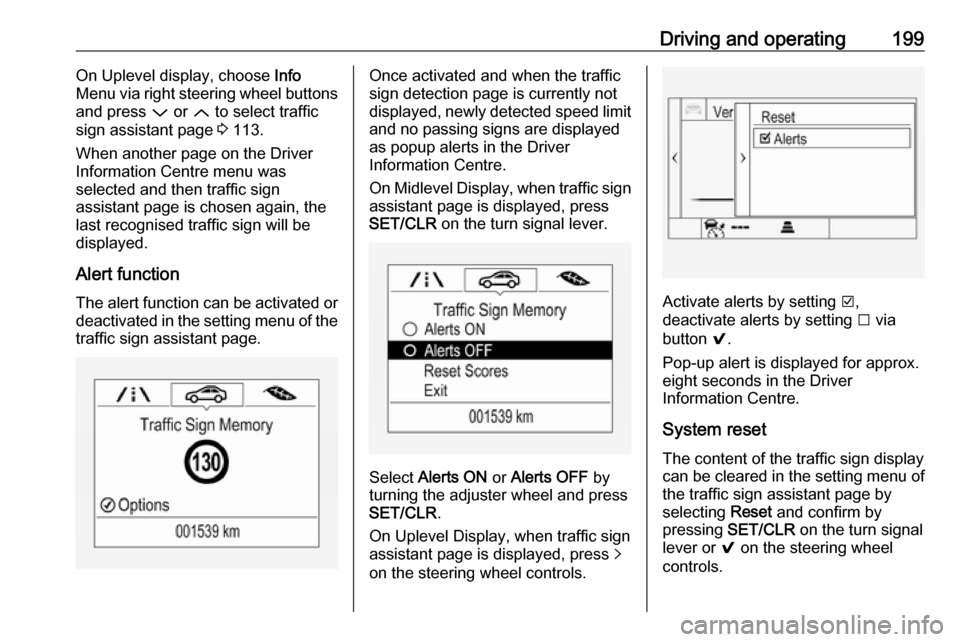
Alert function
The alert function can be activated or deactivated in the setting menu of the
traffic sign assistant page.Once activated and when the traffic
sign detection page is currently not
displayed, newly detected speed limit
and no passing signs are displayed
as popup alerts in the Driver
Information Centre.
On Midlevel Display, when traffic sign assistant page is displayed, press
SET/CLR on the turn signal lever.
Select Alerts ON or Alerts OFF by
turning the adjuster wheel and press
SET/CLR .
On Uplevel Display, when traffic sign
assistant page is displayed, press q
on the steering wheel controls.
Activate alerts by setting J,
deactivate alerts by setting I via
button 9.
Pop-up alert is displayed for approx.
eight seconds in the Driver
Information Centre.
System reset The content of the traffic sign display
can be cleared in the setting menu of
the traffic sign assistant page by
selecting Reset and confirm by
pressing SET/CLR on the turn signal
lever or 9 on the steering wheel
controls.
Page 202 of 291
200Driving and operatingAlternatively, SET/CLR or 9 can be
pressed for three seconds to clear the
content of the page.
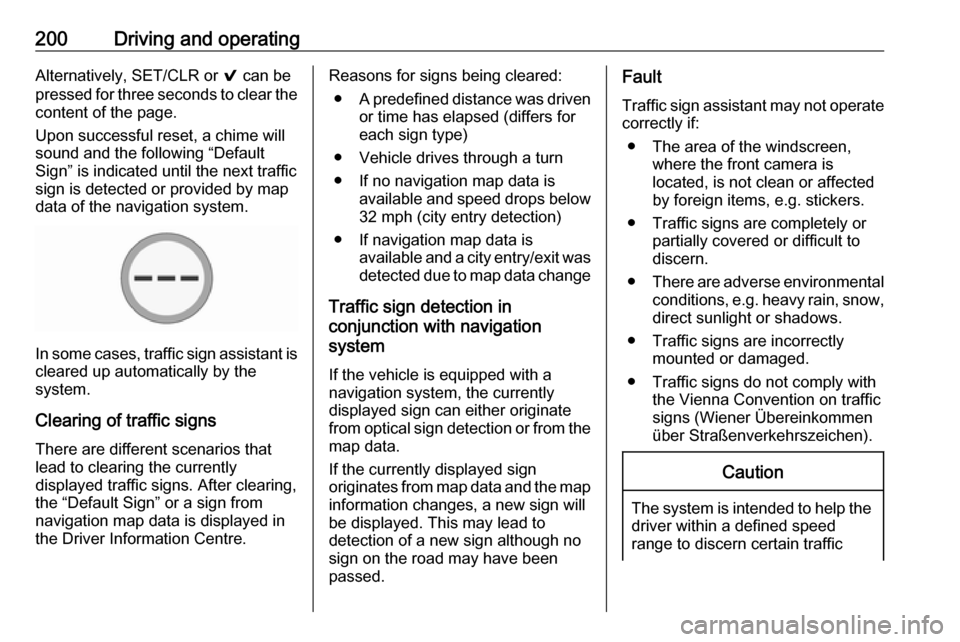
Upon successful reset, a chime will
sound and the following “Default
Sign” is indicated until the next traffic
sign is detected or provided by map
data of the navigation system.
In some cases, traffic sign assistant is
cleared up automatically by the
system.
Clearing of traffic signs
There are different scenarios that
lead to clearing the currently
displayed traffic signs. After clearing,
the “Default Sign” or a sign from
navigation map data is displayed in
the Driver Information Centre.
Reasons for signs being cleared:
● A predefined distance was driven
or time has elapsed (differs for
each sign type)
● Vehicle drives through a turn
● If no navigation map data is available and speed drops below32 mph (city entry detection)
● If navigation map data is available and a city entry/exit was
detected due to map data change
Traffic sign detection in
conjunction with navigation
system
If the vehicle is equipped with a
navigation system, the currently
displayed sign can either originate
from optical sign detection or from the
map data.
If the currently displayed sign
originates from map data and the map
information changes, a new sign will
be displayed. This may lead to
detection of a new sign although no
sign on the road may have been
passed.Fault
Traffic sign assistant may not operate
correctly if:
● The area of the windscreen, where the front camera is
located, is not clean or affected
by foreign items, e.g. stickers.
● Traffic signs are completely or partially covered or difficult to
discern.
● There are adverse environmental
conditions, e.g. heavy rain, snow,
direct sunlight or shadows.
● Traffic signs are incorrectly mounted or damaged.
● Traffic signs do not comply with the Vienna Convention on traffic
signs (Wiener Übereinkommen
über Straßenverkehrszeichen).Caution
The system is intended to help the driver within a defined speed
range to discern certain traffic