ad blue VAUXHALL ASTRA J 2016 Infotainment system
[x] Cancel search | Manufacturer: VAUXHALL, Model Year: 2016, Model line: ASTRA J, Model: VAUXHALL ASTRA J 2016Pages: 175, PDF Size: 2.81 MB
Page 118 of 175
118Phoneinterference is caused by the
mobile phone or if dangerous
situations can occur.
Bluetooth
The Phone portal is certified by the
Bluetooth Special Interest Group
(SIG).
You will find further information about the specification on the Internet at
http://www.bluetooth.com
Operating the speech recognition
Do not use the speech recognition in
emergencies, because in stress
situations your voice can change so
much that it can no longer be
recognised sufficiently to set up the
desired connection quickly enough.
Bluetooth connection
Bluetooth is a radio standard for the
wireless connection of, e.g., a
telephone with other devices.
Information such as a telephone
book, call lists, the network operator's
name and field strength can be
transferred. The functionality can be
restricted depending on the
telephone type.
To be able to set up a Bluetooth
connection with the Phone portal, the
Bluetooth function of the mobile
phone must be activated and the
mobile phone must be set to "visible". For further information, please refer tothe operating instructions for the
mobile phone.
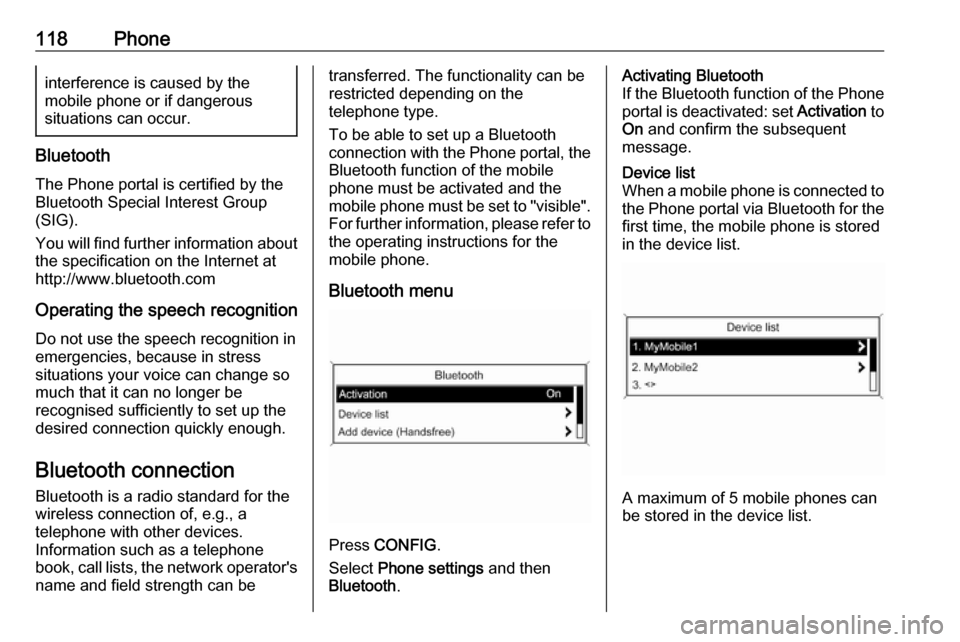
Bluetooth menu
Press CONFIG .
Select Phone settings and then
Bluetooth .
Activating Bluetooth
If the Bluetooth function of the Phone portal is deactivated: set Activation to
On and confirm the subsequent
message.Device list
When a mobile phone is connected to the Phone portal via Bluetooth for the first time, the mobile phone is stored
in the device list.
A maximum of 5 mobile phones can
be stored in the device list.
Page 119 of 175
Phone119Connecting a mobile phone for
the first time
There are two options for connecting
a mobile phone to the Phone portal: by adding it as a handsfree device or
by using the SIM Access Profile
(SAP).
Handsfree mode
When the mobile phone is added as
a handsfree device, the user can
make or receive calls and use other
functions via the Phone portal. The
range of functions available depends
on the mobile phone. While it is
connected with the Phone portal, the
mobile phone can be operated as
usual. Note that the mobile phone
battery may discharge at a higher
speed than usual due to the Bluetooth connection being active along withnormal operation of the mobile
phone.
SAP mode
When using the SAP option, a wider range of functions is available via the
Phone portal, e.g. various security
and messaging options. The actual
range of functions depends on thenetwork provider. Additionally, in SAP mode the mobile phone is in the
standby mode. Only the Bluetooth
connection and the SIM card are
active, which leads to lower energy
consumption of the connected mobile
phone.
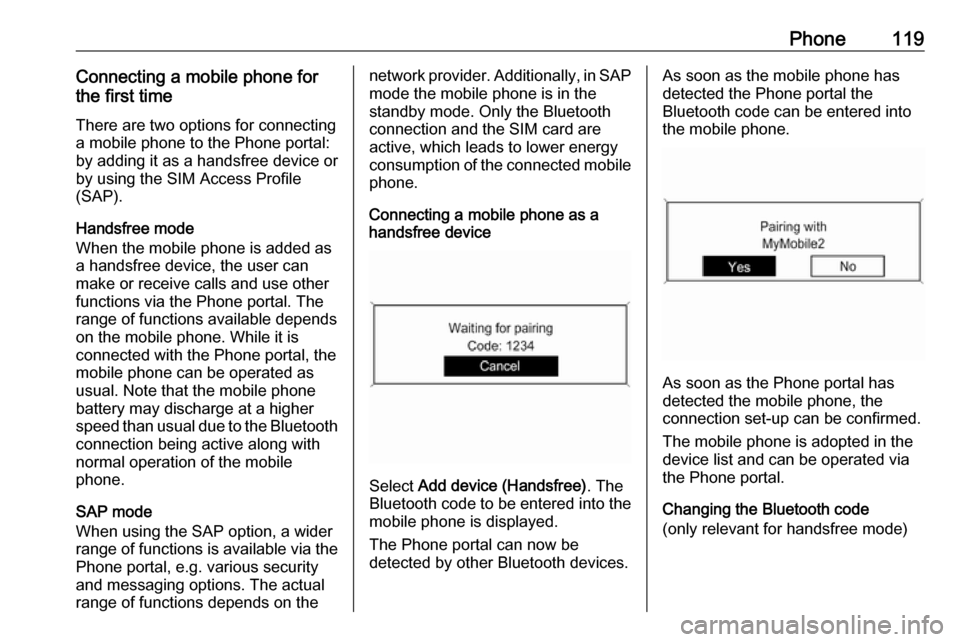
Connecting a mobile phone as a
handsfree device
Select Add device (Handsfree) . The
Bluetooth code to be entered into the
mobile phone is displayed.
The Phone portal can now be
detected by other Bluetooth devices.
As soon as the mobile phone has
detected the Phone portal the
Bluetooth code can be entered into
the mobile phone.
As soon as the Phone portal has
detected the mobile phone, the
connection set-up can be confirmed.
The mobile phone is adopted in the
device list and can be operated via
the Phone portal.
Changing the Bluetooth code
(only relevant for handsfree mode)
Page 120 of 175
120PhoneThe first time a Bluetooth connection
to the Phone portal is set up, a default
code is displayed. This default code
can be changed at any time. For
security reasons a four-digit,
randomly selected code must be
used for pairing devices.
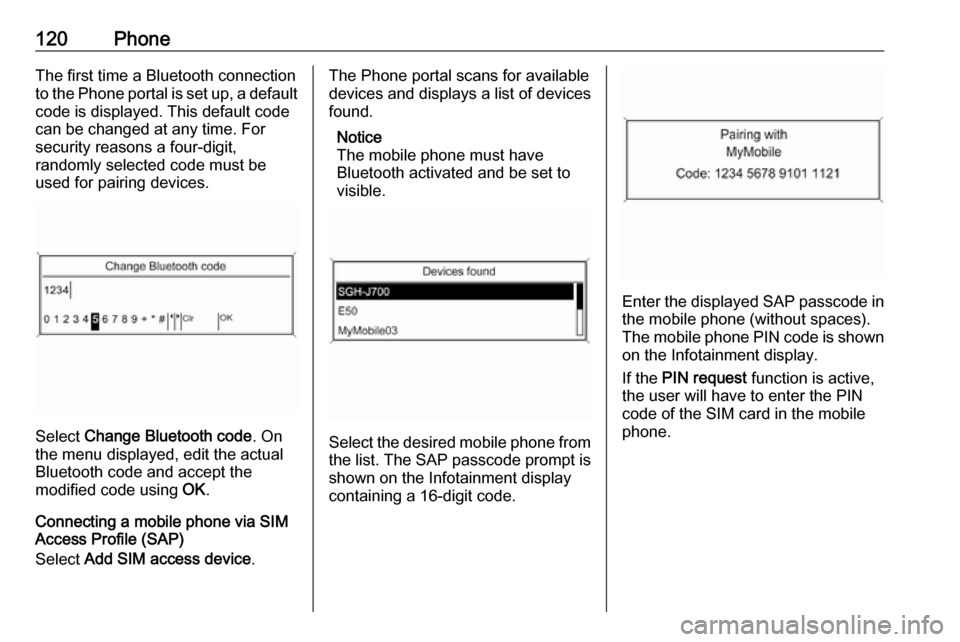
Select Change Bluetooth code . On
the menu displayed, edit the actual
Bluetooth code and accept the
modified code using OK.
Connecting a mobile phone via SIM
Access Profile (SAP)
Select Add SIM access device .
The Phone portal scans for available
devices and displays a list of devices
found.
Notice
The mobile phone must have
Bluetooth activated and be set to
visible.
Select the desired mobile phone from
the list. The SAP passcode prompt is shown on the Infotainment display
containing a 16-digit code.
Enter the displayed SAP passcode in
the mobile phone (without spaces).
The mobile phone PIN code is shown
on the Infotainment display.
If the PIN request function is active,
the user will have to enter the PIN code of the SIM card in the mobile
phone.
Page 123 of 175
Phone123calls cannot be made on all mobile
phone networks; it is possible that
they cannot be made when certain network services and/or telephonefunctions are active. You can
enquire about this with the local
network operators.
The emergency call number can
differ depending on the region and
country. Please enquire
beforehand about the correct
emergency call number for the
relevant region.
Making an emergency call
Dial the emergency call number (e.g.
112 ).
The telephone connection to the
emergency call centre is set up.
Answer when the service personnel
questions you about the emergency.
9 Warning
Do not end the call until you are
requested to do so by the
emergency call centre.
Operation
Introduction As soon as a connection via
Bluetooth has been set up between
your mobile phone and the
Infotainment system, you can also
operate many functions of your
mobile phone via the Infotainment
system.
Via the Infotainment system, you can,
e.g., set up a connection to the
telephone numbers stored in your
mobile phone or change the
telephone numbers.
Notice
In the handsfree mode, mobile
phone operation is still possible,
e.g. taking a call or adjusting the
volume.
After setup of a connection between
the mobile phone and the
Infotainment system the mobile
phone data is transmitted to the
Infotainment system. This can take
some time depending on the phone
model. During this period operation ofthe mobile phone is possible via the
Infotainment system only to a limited
extent.
Not every telephone supports all
functions of the Phone portal.
Therefore deviations from the range
of functions described with these
specific telephones are possible.
Setting the volume for hands-free
facility
Turn m on the Infotainment system or
press w or ‒ on the steering wheel.
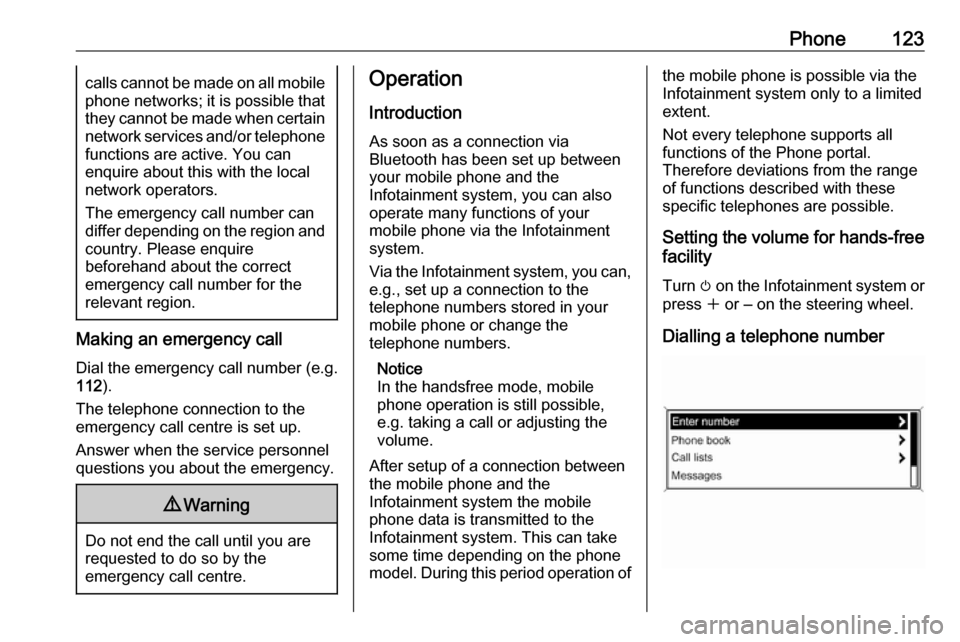
Dialling a telephone number
Page 128 of 175

128IndexAActivating CD player ...................106
Activating speech recognition .....113
Activating the radio .......................96
Autostore lists ............................... 97
B BACK button ................................. 89
Basic operation ............................. 89
Bluetooth .................................... 117
Bluetooth connection ..................118
C CD player activating ................................. 106
important information ..............105
usage ...................................... 106
Configuring DAB .........................103
Configuring RDS......................... 101
Control elements overview ...........82
D
DAB ............................................ 103
Digital audio broadcasting ..........103
E Emergency call ........................... 122
Enhanced Other Networks .........101
EON ............................................ 101
F
Favourite lists ............................... 97G
General information .....80, 105,
109, 110, 112, 117
H Handsfree mode .........................118
I
Infotainment system maximum startup volume ..........95
speed dependent volume ..........95
tone settings .............................. 93
volume of the traffic
announcements ........................ 95
volume settings ......................... 95
M
Menu operation............................. 89 Mobile phones and CB radio equipment .............................. 126
Multifunction knob......................... 89
Mute.............................................. 88
O
Operation .................................... 123
P Phone adjusting ring tones .................118
Bluetooth ................................. 117
Bluetooth connection ..............118
call lists.................................... 123
Page 131 of 175

Introduction................................ 132
Radio ......................................... 142
CD Player .................................. 151
AUX input ................................... 154
USB port .................................... 155
Bluetooth music ......................... 158
Phone ........................................ 160
Index .......................................... 168CD 400plus (2)
Page 132 of 175
132IntroductionIntroductionGeneral information...................132
Theft-deterrent feature ...............133
Control elements overview ........134
Usage ........................................ 137
Basic operation .......................... 138
Tone settings ............................. 140
Volume settings .........................141General information
The Infotainment system provides
you with state-of-the-art in-car
infotainment.
Using the FM, AM or DAB radio
functions, you may register up to 36 stations on six favourites pages.
The integrated audio player will
entertain you with audio CDs and
MP3/WMA CDs.
You can connect external data
storage devices, e.g. iPod, MP3
player, USB stick, or a portable CD
player to the Infotainment system as
further audio sources; either via cable or via Bluetooth.
In addition, the Infotainment system is equipped with a Phone portal that
allows for comfortable and safe use of
your mobile phone in the vehicle.
Optionally, the Infotainment system
can be operated using controls on the steering wheel.
The well-thought-out design of the
control elements and the clear
displays enable you to control the
system easily and intuitively.Notice
This manual describes all options
and features available for the
various Infotainment systems.
Certain descriptions, including those
for display and menu functions, may not apply to your vehicle due to
model variant, country
specifications, special equipment or
accessories.
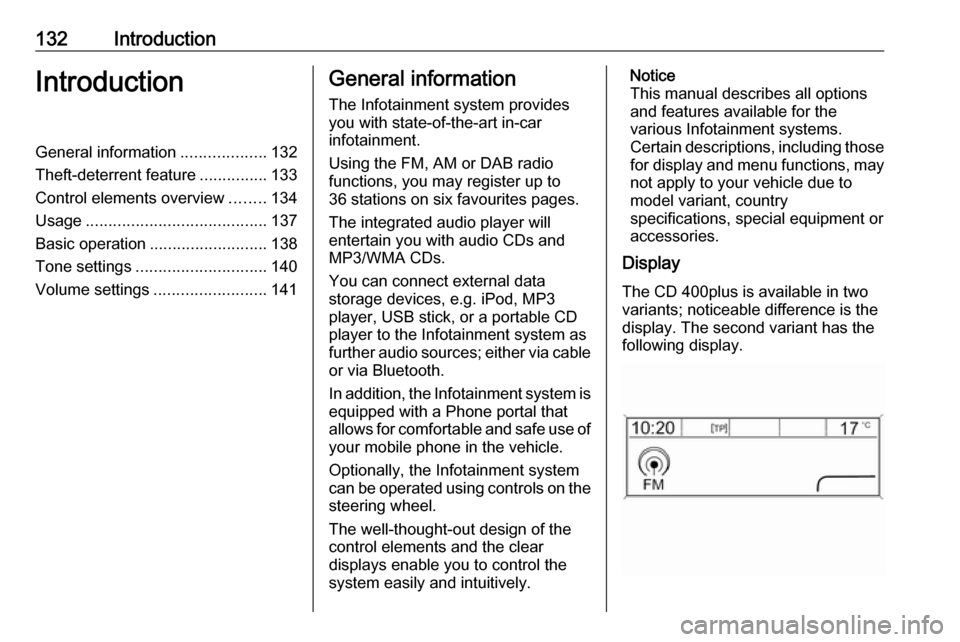
Display
The CD 400plus is available in two
variants; noticeable difference is the
display. The second variant has the
following display.
Page 138 of 175
138IntroductionPress the multifunction knob to open
the relevant menus with options for
the track selection.
For a detailed description of CD
player functions 3 151, AUX
functions 3 154, USB port functions
3 155 and Bluetooth music functions
3 158.
Phone
Press PHONE briefly to open the
telephone menu.
Press the multifunction knob to open
the phone menu with options for the
input and selection of numbers.
For a detailed description of the
Phone portal 3 160.
System settings Adjusting the language
The menu texts on the Infotainment
system's display can be displayed in
various languages.
Press CONFIG to open the Settings
menu.
Select Languages in the Settings
menu to display the respective menu.Choose the desired language for the
menu texts.
Notice
For a detailed description of menu
operation 3 138.
Time and date settings
For a detailed description, refer to
your Owner's manual.
Basic operation
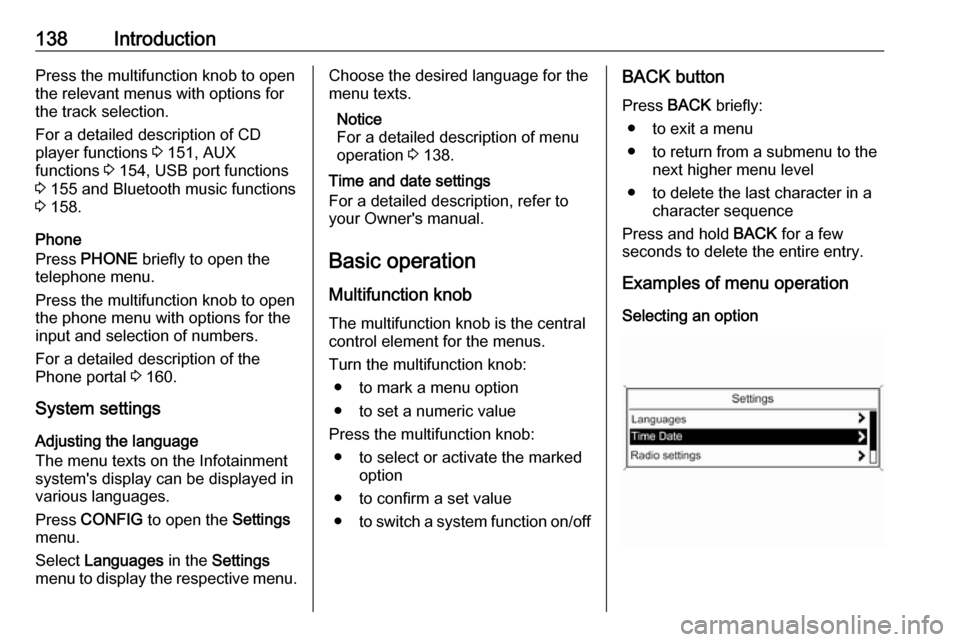
Multifunction knob The multifunction knob is the central
control element for the menus.
Turn the multifunction knob: ● to mark a menu option
● to set a numeric value
Press the multifunction knob: ● to select or activate the marked option
● to confirm a set value ● to switch a system function on/offBACK button
Press BACK briefly:
● to exit a menu
● to return from a submenu to the next higher menu level
● to delete the last character in a character sequence
Press and hold BACK for a few
seconds to delete the entire entry.
Examples of menu operation
Selecting an option
Page 158 of 175

158Bluetooth musicBluetooth musicGeneral information...................158
Operation ................................... 158General information
Bluetooth enabled audio sources (e.g. music mobile phones, MP3
players featuring Bluetooth, etc.)
which support the Bluetooth music
protocol A2DP can be connected
wirelessly to the Infotainment system.
Important information ● The Infotainment system only connects to Bluetooth devices
that support A2DP (Advanced
Audio Distribution Profile)
version 1.2 or higher.
● The Bluetooth device must support AVRCP (Audio VideoRemote Control Profile)
version 1.0 or higher. If the
device does not support AVRCP, only the volume can be controlled via the Infotainment system.
● Before connecting the Bluetooth device to the Infotainment
system, become acquainted with
its user guide for Bluetooth
functions.Operation
Prerequisites The following prerequisites must bemet in order to use the Bluetooth music mode of the Infotainment
system:
● The Bluetooth function of the Infotainment system must be
activated 3 161.
● The Bluetooth function of the external Bluetooth audio source
must be activated (see user
guide of the device).
● Depending on the external Bluetooth audio source, it may be
required to set the device to
"visible" (see user guide of the
device).
● The external Bluetooth audio source must be paired and
connected to the Infotainment
system 3 161.
Activating the Bluetooth music
mode
Press AUX once or several times to
activate the Bluetooth music mode.
Page 159 of 175

Bluetooth music159Bluetooth music playback has to be
started and paused/stopped via the Bluetooth device.
Operation via Infotainment
system
Adjusting the volume
The volume can be adjusted via the
Infotainment system 3 137.
Skipping to previous or next track
Briefly press s or u on the
control panel of the Infotainment
system.