brakes VAUXHALL ASTRA J 2018.5 Owner's Manual
[x] Cancel search | Manufacturer: VAUXHALL, Model Year: 2018.5, Model line: ASTRA J, Model: VAUXHALL ASTRA J 2018.5Pages: 317, PDF Size: 9.66 MB
Page 18 of 317
![VAUXHALL ASTRA J 2018.5 Owners Manual 16In briefAutomatic transmissionP:park positionR:reverseN:neutral modeD:automatic modeM:manual mode<:upshift]:downshift
The selector lever can only be movedout of P when the ignition is on and
the br](/img/38/19357/w960_19357-17.png "VAUXHALL ASTRA J 2018.5 Owners Manual 16In briefAutomatic transmissionP:park positionR:reverseN:neutral modeD:automatic modeM:manual mode<:upshift]:downshift
The selector lever can only be movedout of P when the ignition is on and
the br")
16In briefAutomatic transmissionP:park positionR:reverseN:neutral modeD:automatic modeM:manual mode<:upshift]:downshift
The selector lever can only be movedout of P when the ignition is on and
the brake pedal is applied. To engage
P or R, press the release button.
Automatic transmission 3 171.
Manual transmission automatedN:neutral positionD:automatic modeM:manual mode<:upshift]:downshiftR:reverse
Engage reverse only when vehicle is stationary.
Manual transmission automated
3 175.
Starting off
Check before starting off ● tyre pressure and condition 3 257, 3 296
● Engine oil level and fluid levels 3 233.
● All windows, mirrors, exterior lighting and number plates are
free from dirt, snow and ice and
are operational.
● Proper position of mirrors, seats, and seat belts 3 38, 3 46,
3 56.
● Brake function at low speed, particularly if the brakes are wet.
Page 158 of 317

156Driving and operatingDriving and
operatingDriving hints ............................... 157
Control of the vehicle ...............157
Steering ................................... 157
Starting and operating ...............157
New vehicle running-in ............157
Ignition switch positions ...........157
Power button ........................... 158
Retained power off ..................159
Starting the engine ..................160
Overrun cut-off ........................ 162
Stop-start system ....................162
Parking .................................... 165
Engine exhaust .......................... 167
Diesel particle filter ..................167
Catalytic converter ...................168
AdBlue ..................................... 168
Automatic transmission ..............171
Transmission display ...............171
Selector lever .......................... 172
Manual mode ........................... 173
Electronic driving programmes 173
Fault ........................................ 173
Interruption of power supply ....174Manual transmission ..................175
Manual transmission automa‐ ted .............................................. 175
Transmission display ...............176
Selector lever .......................... 176
Manual mode ........................... 177
Electronic driving programmes 178
Fault ........................................ 178
Brakes ........................................ 178
Antilock brake system .............178
Parking brake .......................... 179
Brake assist ............................. 181
Hill start assist ......................... 181
Ride control systems .................181
Traction Control system ..........181
Electronic Stability Control ......182
Sport mode .............................. 184
Driver assistance systems .........184
Cruise control .......................... 184
Speed limiter ........................... 186
Adaptive cruise control ............188
Forward collision alert .............195
Following distance indication ...198
Active emergency braking .......199
Parking assist .......................... 202
Side blind spot alert .................210
Rear view camera ...................211
Traffic sign assistant ................213
Lane keep assist .....................217Fuel............................................ 220
Fuel for petrol engines .............220
Fuel for diesel engines ............221
Fuel for natural gas operation . 222
Refuelling ................................ 222
Trailer hitch ................................ 225
General information .................225
Driving characteristics and towing tips .............................. 225
Trailer towing ........................... 225
Towing equipment ...................226
Trailer stability assist ...............229
Page 180 of 317

178Driving and operatingShift indication appears only in
manual mode.
Electronic driving programmes
● Following a cold start, the operating temperature
programme increases engine
speed to quickly bring the
catalytic converter to the required
temperature.
● The adaptive programme tailors gearshifting to the driving
conditions, e.g. greater load or
gradients.
Kickdown If the accelerator pedal is pressed
down completely in automatic mode,
the transmission shifts to a lower gear
depending on engine speed.
Fault
To prevent damage to the manual
transmission automated, the clutch is
engaged automatically at high clutch
temperatures.In the event of a fault, a warning
message is displayed in the Driver
Information Centre. Vehicle
messages 3 123.
Continued driving is restricted or not
possible, depending on the fault.
Have the cause of the fault remedied
by a workshop.Brakes
The brake system comprises two
independent brake circuits.
If a brake circuit fails, the vehicle can
still be braked using the other brake
circuit. However, braking effect is
achieved only when the brake pedal
is depressed firmly. Considerably
more force is needed for this. The
braking distance is extended. Seek the assistance of a workshop before
continuing the journey.
When the engine is not running, the
support of the brake servo unit
disappears once the brake pedal has been depressed once or twice.
Braking effect is not reduced, but
braking requires significantly greater
force. It is especially important to bear this in mind when being towed.
Control indicator R 3 110.
Antilock brake system Antilock brake system (ABS)
prevents the wheels from locking.
Page 183 of 317

Driving and operating181Functionality check
When the vehicle is not moving, the
electric parking brake might be
applied automatically. This is done to
check the system.
Fault
Failure mode of electric parking brake
is indicated by a control indicator j
and by a vehicle message which is
displayed in the Driver Information Centre. Vehicle messages 3 123.
Apply electric parking brake: pull and hold the switch m for more than
five seconds. If control indicator m
illuminates, electric parking brake is
applied.
Release electric parking brake: push and hold the switch m for more than
two seconds. If control indicator m
extinguishes, electric parking brake is
released.
Control indicator m flashes: electric
parking brake is not fully applied or
released. When continuously
flashing, release electric parking
brake and retry applying.Brake assist
If brake pedal is depressed quickly
and forcefully, maximum brake force
is automatically applied.
Operation of brake assist might
become apparent by a pulse in the
brake pedal and a greater resistance when depressing the brake pedal.
Maintain steady pressure on the
brake pedal as long as full braking is
required. Maximum brake force is
automatically reduced when brake
pedal is released.
Hill start assist The system helps prevent unintendedmovement when driving away on
inclines.
When releasing the brake pedal after
stopping on an incline, brakes remain
on for further two seconds. The
brakes release automatically as soon
as the vehicle begins to accelerate.Ride control systems
Traction Control systemThe Traction Control system (TC) is a
component of the Electronic Stability
Control (ESC).
TC improves driving stability when
necessary, regardless of the type of
road surface or tyre grip, by
preventing the drive wheels from
spinning.
As soon as the drive wheels starts to spin, engine output is reduced and
the wheel spinning the most is braked
individually. This considerably
improves the driving stability of the
vehicle on slippery road surfaces.
TC is operational after each engine
start as soon as the control indicator
b extinguishes.
When TC operates b flashes.
Page 191 of 317
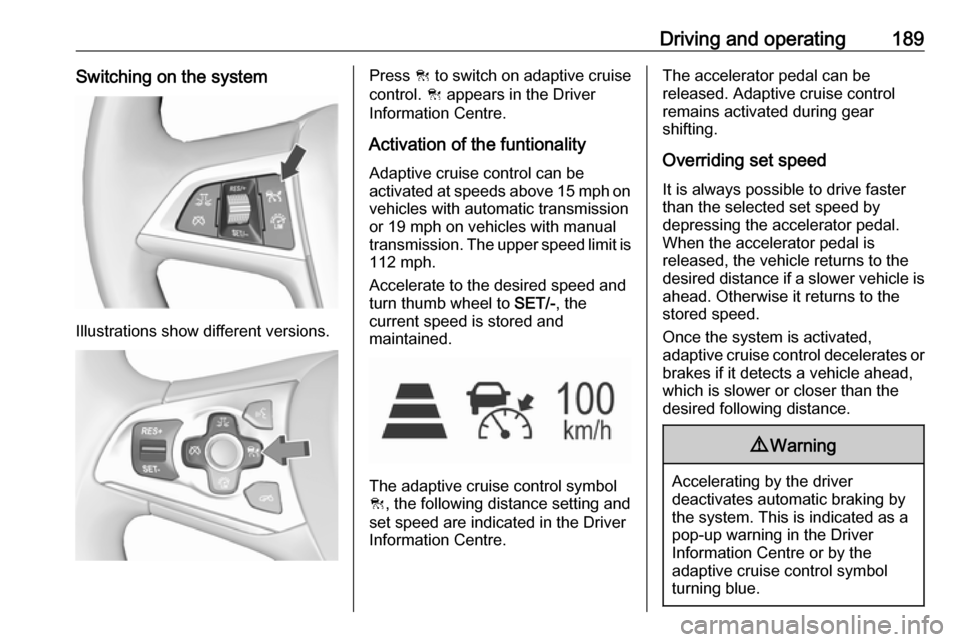
Driving and operating189Switching on the system
Illustrations show different versions.
Press C to switch on adaptive cruise
control. C appears in the Driver
Information Centre.
Activation of the funtionality
Adaptive cruise control can be
activated at speeds above 15 mph on vehicles with automatic transmission
or 19 mph on vehicles with manual
transmission. The upper speed limit is 112 mph.
Accelerate to the desired speed and
turn thumb wheel to SET/-, the
current speed is stored and
maintained.
The adaptive cruise control symbol
C , the following distance setting and
set speed are indicated in the Driver
Information Centre.
The accelerator pedal can be
released. Adaptive cruise control
remains activated during gear
shifting.
Overriding set speed
It is always possible to drive faster
than the selected set speed by
depressing the accelerator pedal.
When the accelerator pedal is
released, the vehicle returns to the
desired distance if a slower vehicle is ahead. Otherwise it returns to the
stored speed.
Once the system is activated,
adaptive cruise control decelerates or
brakes if it detects a vehicle ahead,
which is slower or closer than the
desired following distance.9 Warning
Accelerating by the driver
deactivates automatic braking by
the system. This is indicated as a
pop-up warning in the Driver
Information Centre or by the
adaptive cruise control symbol
turning blue.
Page 194 of 317
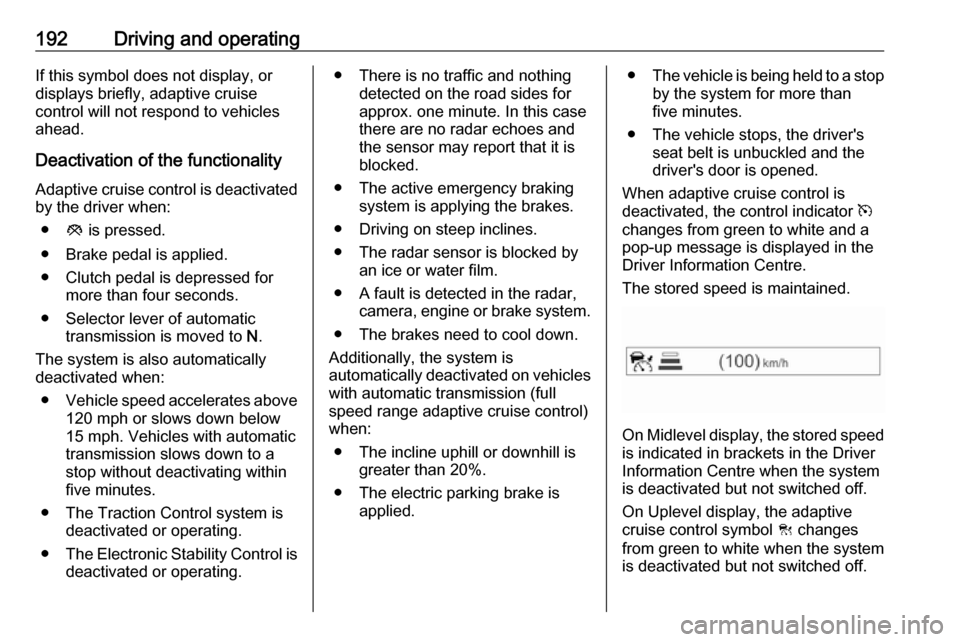
192Driving and operatingIf this symbol does not display, or
displays briefly, adaptive cruise
control will not respond to vehicles
ahead.
Deactivation of the functionality
Adaptive cruise control is deactivated by the driver when:
● y is pressed.
● Brake pedal is applied.
● Clutch pedal is depressed for more than four seconds.
● Selector lever of automatic transmission is moved to N.
The system is also automatically
deactivated when:
● Vehicle speed accelerates above
120 mph or slows down below
15 mph. Vehicles with automatic
transmission slows down to a stop without deactivating within
five minutes.
● The Traction Control system is deactivated or operating.
● The Electronic Stability Control is
deactivated or operating.● There is no traffic and nothing detected on the road sides forapprox. one minute. In this casethere are no radar echoes and
the sensor may report that it is
blocked.
● The active emergency braking system is applying the brakes.
● Driving on steep inclines.
● The radar sensor is blocked by an ice or water film.
● A fault is detected in the radar, camera, engine or brake system.
● The brakes need to cool down.
Additionally, the system is
automatically deactivated on vehicles
with automatic transmission (full
speed range adaptive cruise control)
when:
● The incline uphill or downhill is greater than 20%.
● The electric parking brake is applied.●The vehicle is being held to a stop
by the system for more than
five minutes.
● The vehicle stops, the driver's seat belt is unbuckled and thedriver's door is opened.
When adaptive cruise control is
deactivated, the control indicator m
changes from green to white and a
pop-up message is displayed in the
Driver Information Centre.
The stored speed is maintained.
On Midlevel display, the stored speed is indicated in brackets in the Driver
Information Centre when the system
is deactivated but not switched off.
On Uplevel display, the adaptive
cruise control symbol C changes
from green to white when the system
is deactivated but not switched off.
Page 197 of 317
Driving and operating195System performance on hills depends
on vehicle speed, vehicle load, traffic
conditions and the road gradient. It
may not detect a vehicle in your path
while driving on hills. Full speed range
adaptive control is deactivated
automatically, as the vehicle is
stopping uphill on an incline greater
than 10%. In this condition, be
prepared to take control of the
vehicle.
Note that applying the brake
deactivates the system.
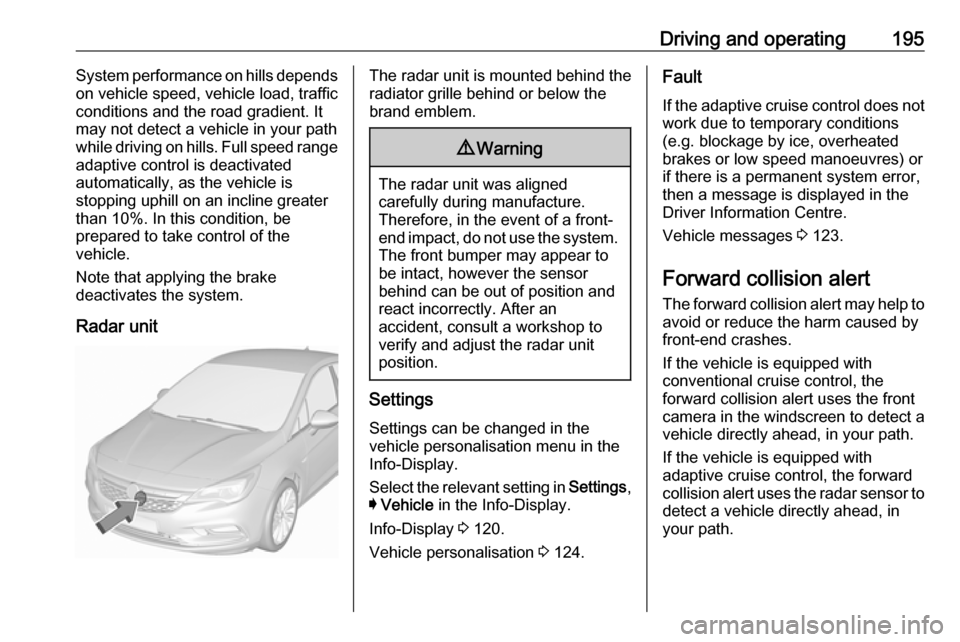
Radar unitThe radar unit is mounted behind the
radiator grille behind or below the
brand emblem.9 Warning
The radar unit was aligned
carefully during manufacture.
Therefore, in the event of a front-
end impact, do not use the system. The front bumper may appear to
be intact, however the sensor
behind can be out of position and
react incorrectly. After an
accident, consult a workshop to
verify and adjust the radar unit
position.
Settings
Settings can be changed in the
vehicle personalisation menu in the
Info-Display.
Select the relevant setting in Settings,
I Vehicle in the Info-Display.
Info-Display 3 120.
Vehicle personalisation 3 124.
Fault
If the adaptive cruise control does not
work due to temporary conditions
(e.g. blockage by ice, overheated
brakes or low speed manoeuvres) or
if there is a permanent system error,
then a message is displayed in the
Driver Information Centre.
Vehicle messages 3 123.
Forward collision alert The forward collision alert may help toavoid or reduce the harm caused by
front-end crashes.
If the vehicle is equipped with
conventional cruise control, the
forward collision alert uses the front
camera in the windscreen to detect a
vehicle directly ahead, in your path.
If the vehicle is equipped with
adaptive cruise control, the forward
collision alert uses the radar sensor to
detect a vehicle directly ahead, in
your path.
Page 200 of 317
198Driving and operatingOn forward collision alert with front
camera press V repeatedly until
Forward Collision Alert Off appears in
the Driver Information Centre.
If the forward collision alert was
deactivated, alert sensitivity is set to
"medium" when ignition is switched on next time.
The last selected setting will be stored
when the ignition is switched off.
General information9 Warning
Forward collision alert is just a
warning system and does not
apply the brakes. When
approaching a vehicle ahead too
rapidly, it may not provide you
enough time to avoid a collision.
The driver accepts full
responsibility for the appropriate
following distance based on traffic, weather and visibility conditions.
The complete attention of the
driver is always required while
driving. The driver must always be
ready to take action and apply the
brakes.
System limitations
Forward collision alert is designed to warn on vehicles only, but may reactalso to other objects.
In the following cases, forward
collision alert may not detect a vehicle ahead or sensor performance is
limited:
● on winding roads
● when weather limits visibility, such as fog, rain, or snow
● when the sensor is blocked by snow, ice, slush, mud, dirt,
windscreen damage or affected
by foreign items, e.g. stickers
Following distance indication
The following distance indication
displays the distance to a preceding
moving vehicle. The front camera in
the windscreen and the Radar sensor
are used to detect the distance of a
vehicle directly ahead in the vehicle's
path. It is active at speeds above
25 mph.
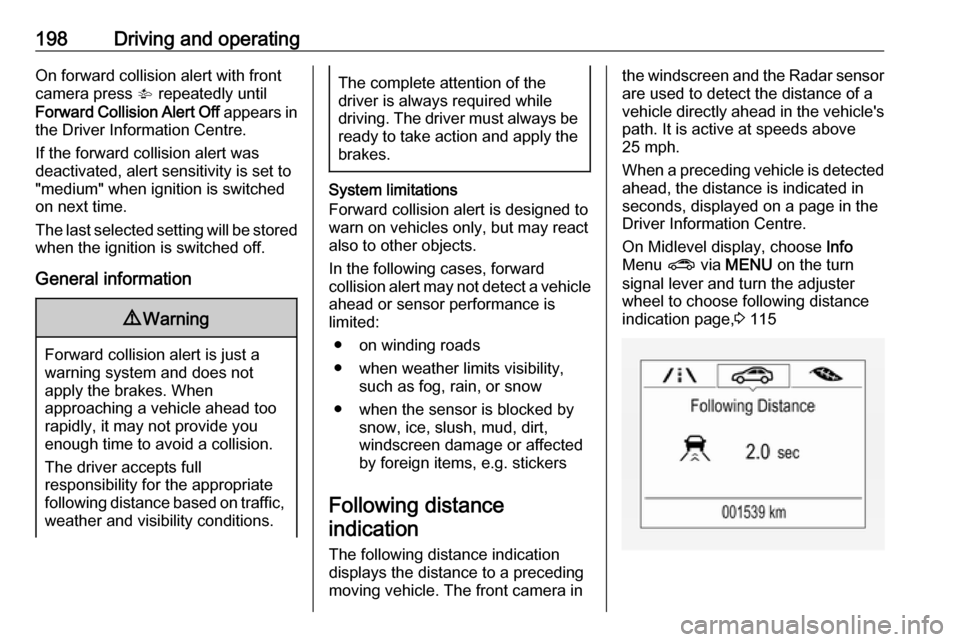
When a preceding vehicle is detected
ahead, the distance is indicated in
seconds, displayed on a page in the
Driver Information Centre.
On Midlevel display, choose Info
Menu ? via MENU on the turn
signal lever and turn the adjuster
wheel to choose following distance
indication page, 3 115
Page 201 of 317

Driving and operating199On Uplevel display, select Info menu
via steering wheel buttons and press
o to select following distance
indication 3 115.
The minimum indicated distance is 0.5 seconds.
If there is no vehicle ahead or the vehicle ahead is out of range, two
dashes will be displayed: -.- sec.
If Adaptive cruise control is active,
this page shows the alert sensitivity
setting instead of following distance
setting. 3 188.
Active emergency braking
Active emergency braking can help to reduce the damage and injury from
crashes with vehicles and obstacles
directly ahead, when a collision can no longer be avoided either by
manual braking or by steering. Before the active emergency braking
applies, the driver is warned by the forward collision alert 3 195.
The feature uses various inputs (e.g.
camera sensor, radar sensor, brake
pressure, vehicle speed) to calculate
the probability of a frontal collision.9 Warning
This system is not intended to
replace the driver responsibility for driving the vehicle and looking
ahead. Its function is limited to
supplemental use only to reduce
the vehicle speed before a
collision.
The system may not react for
pedestrians or animals. After a
sudden lane change, the system
needs a certain time to detect the
next preceding vehicle.
The driver shall always be ready to take action and apply the brakes
and steer to avoid collisions.
Functionality
If equipped only with front camera the active emergency braking operates in
forward gear above walking speed up to 53 mph.
With radar sensor active emergency
braking operates in forward gear
above walking speed at all speeds.
A precondition is that forward collision
alert with front camera system is not
deactivated by pressing V on the
steering wheel 3 195or, with radar
sensor, that it is not deactivated in the
vehicle personalisation menu 3 124.
The system includes: ● brake preparation system
● emergency automatic braking
Page 202 of 317
200Driving and operating● forward looking brake assist
● intelligent brake assist (only with radar sensor)
Brake preparation system
When approaching a vehicle ahead
so quickly that a collision is likely, the
brake preparation system slightly
pressurizes the brakes. This reduces
the response time, when a manual or automatic braking is requested.
The brake system is prepared so that braking can occur more rapidly.
If equipped only with front camera the
system operates up to a speed of 50
mph.
Emergency automatic braking
After activation of brake preparation
system and just before the imminent
collision, this function automatically
applies limited braking to reduce the
impact speed of the collision or
prohibit a crash. Depending on the
situation, the vehicle may
automatically brake moderately or
hard. This front automatic braking canonly occur if a vehicle ahead is
detected, indicated by the vehicle
ahead indicator A 3 195.
If equipped only with front camera the
system operates up to a speed of 37
mph.
Below a speed of 25 mph the system
can apply full braking.
Emergency automatic braking may
slow the vehicle to a complete stop to try to avoid a potential crash. If this
happens, emergency automatic
braking may engage the electric
parking brake to hold the vehicle at a
stop. To release press the electric
parking brake button or firmly press
the accelerator pedal.9 Warning
Emergency automatic braking is
an emergency crash preparation
feature and is not designed to
avoid crashes. Do not rely on the
system to brake the vehicle.
Emergency automatic braking will
not brake outside of its operating speed range and only responds to
detected vehicles.
Forward looking brake assist
In addition to the brake preparation
system and emergency automatic
braking, the forward looking brake
assist function makes the brake assist more sensitive. Therefore, pressing
the brake pedal less strongly results
in immediate hard braking. This
function helps the driver brake
quicker and harder before the
imminent collision.
If equipped only with front camera the
system operates up to a speed of 53
mph.9 Warning
Active emergency braking is not
designed to apply hard
autonomous braking or to
automatically avoid a collision. It is designed to reduce the vehicle
speed before a collision. It may not
react for pedestrians or animals.