open VAUXHALL ASTRA J 2018 Owner's Guide
[x] Cancel search | Manufacturer: VAUXHALL, Model Year: 2018, Model line: ASTRA J, Model: VAUXHALL ASTRA J 2018Pages: 311, PDF Size: 9.37 MB
Page 91 of 311

Instruments and controls89Instruments and
controlsControls ....................................... 90
Steering wheel adjustment ........90
Steering wheel controls .............90
Heated steering wheel ...............91
Horn ........................................... 91
Windscreen wiper/washer .........91
Rear window wiper/washer .......93
Outside temperature ..................94
Clock ......................................... 94
Power outlets ............................. 96
Power connector .......................97
Ashtrays .................................... 98
Warning lights, gauges and indi‐ cators ......................................... 100
Instrument cluster ....................100
Speedometer ........................... 103
Odometer ................................ 104
Trip odometer .......................... 104
Tachometer ............................. 105
Fuel gauge .............................. 105
Fuel selector ............................ 105
Engine coolant temperature gauge ..................................... 106
Service display ........................ 107Control indicators ....................108
Turn signal ............................... 108
Seat belt reminder ...................108
Airbag and belt tensioners .......109
Airbag deactivation ..................109
Charging system .....................110
Malfunction indicator light ........110
Brake and clutch system .........110
Electric parking brake ..............110
Electric parking brake fault ......110
Antilock brake system (ABS) ...111
Gear shifting ............................ 111
Following distance ...................111
Lane keep assist .....................111
Electronic Stability Control off . 111
Electronic Stability Control and Traction Control system .........111
Traction Control system off .....112
Preheating ............................... 112
Tyre pressure monitoring system .................................... 112
Engine oil pressure ..................112
Low fuel ................................... 112
Immobiliser .............................. 113
Exterior light ............................ 113
High beam ............................... 113
High beam assist .....................113
LED headlights ........................ 113
Fog light ................................... 113
Rear fog light ........................... 113Cruise control.......................... 113
Adaptive cruise control ............113
Vehicle detected ahead ...........114
Speed limiter ........................... 114
Traffic sign assistant ................114
Door open ................................ 114
Information displays ...................114
Driver Information Centre ........114
Info display .............................. 120
Vehicle messages ......................122
Warning chimes .......................123
Battery voltage ........................ 123
Vehicle personalisation ..............124
Telematics service .....................130
OnStar ..................................... 130
Page 97 of 311
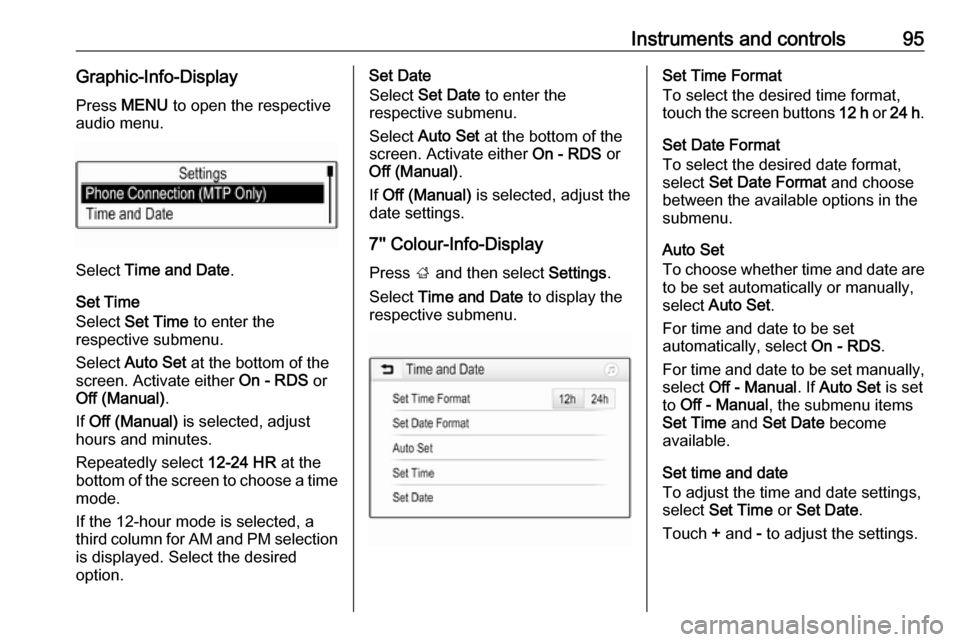
Instruments and controls95Graphic-Info-DisplayPress MENU to open the respective
audio menu.
Select Time and Date .
Set Time
Select Set Time to enter the
respective submenu.
Select Auto Set at the bottom of the
screen. Activate either On - RDS or
Off (Manual) .
If Off (Manual) is selected, adjust
hours and minutes.
Repeatedly select 12-24 HR at the
bottom of the screen to choose a time mode.
If the 12-hour mode is selected, a
third column for AM and PM selection
is displayed. Select the desired
option.
Set Date
Select Set Date to enter the
respective submenu.
Select Auto Set at the bottom of the
screen. Activate either On - RDS or
Off (Manual) .
If Off (Manual) is selected, adjust the
date settings.
7'' Colour-Info-Display
Press ; and then select Settings.
Select Time and Date to display the
respective submenu.Set Time Format
To select the desired time format,
touch the screen buttons 12 h or 24 h .
Set Date Format
To select the desired date format,
select Set Date Format and choose
between the available options in the
submenu.
Auto Set
To choose whether time and date are
to be set automatically or manually,
select Auto Set .
For time and date to be set
automatically, select On - RDS.
For time and date to be set manually, select Off - Manual . If Auto Set is set
to Off - Manual , the submenu items
Set Time and Set Date become
available.
Set time and date
To adjust the time and date settings, select Set Time or Set Date .
Touch + and - to adjust the settings.
Page 105 of 311

Instruments and controls103OverviewOTurn signal 3 108XSeat belt reminder 3 108vAirbag and belt tensioners
3 109VAirbag deactivation 3 109pCharging system 3 110ZMalfunction indicator light
3 110RBrake and clutch system 3 110mElectric parking brake 3 110jElectric parking brake fault
3 110uAntilock brake system (ABS)
3 111RGear shifting 3 111EFollowing distance 3 111aLane keep assist 3 111aElectronic Stability Control off
3 111bElectronic Stability Control and
Traction Control system 3 111kTraction Control system off
3 112!Preheating 3 112wTyre pressure monitoring
system 3 112IEngine oil pressure 3 112YLow fuel 3 112dImmobiliser 3 1138Exterior light 3 113CHigh beam 3 113fHigh beam assist 3 113fLED headlights 3 113>Fog light 3 113øRear fog light 3 113mCruise control 3 113 / Adaptive
cruise control 3 113CAdaptive cruise control 3 113AVehicle detected ahead 3 114LSpeed limiter 3 114LTraffic sign assistant 3 114hDoor open 3 114
Speedometer
Indicates vehicle speed.
Page 110 of 311
108Instruments and controlsResetOn Midlevel display press SET/CLR
on turn signal lever for several
seconds to reset. The ignition must be
switched on but engine not running.
On Uplevel display press > on
steering wheel to open the subfolder. Select Reset and confirm by pressing
9 for several seconds. The ignition
must be switched on but engine not
running.
The system must be reset every time the engine oil is changed to allow
proper functionality. Seek the
assistance of a workshop.
Next service When the system has calculated thatengine oil life has been diminished,
Change Engine Oil Soon appears in
the Driver Information Centre. Have
engine oil and filter changed by a
workshop within one week or
300 miles (whichever occurs first).
Service information 3 275.Control indicators
The control indicators described are
not present in all vehicles. The
description applies to all instrument
versions. Depending on the
equipment, the position of the control indicators may vary. When the
ignition is switched on, most control
indicators will illuminate briefly as a functionality test.
The control indicator colours mean:red:danger, important reminderyellow:warning, information, faultgreen:confirmation of activationblue:confirmation of activationwhite:confirmation of activation
See all control indicators on different
instrument clusters 3 100.
Turn signal O illuminates or flashes green.
Illuminates briefly The parking lights are switched on.
Flashes
A turn signal or the hazard warning flashers are activated.
Rapid flashing: failure of a turn signal
light or associated fuse, failure of turn signal light on trailer.
Bulb replacement 3 234, Fuses
3 244.
Turn signals 3 141.
Seat belt reminder
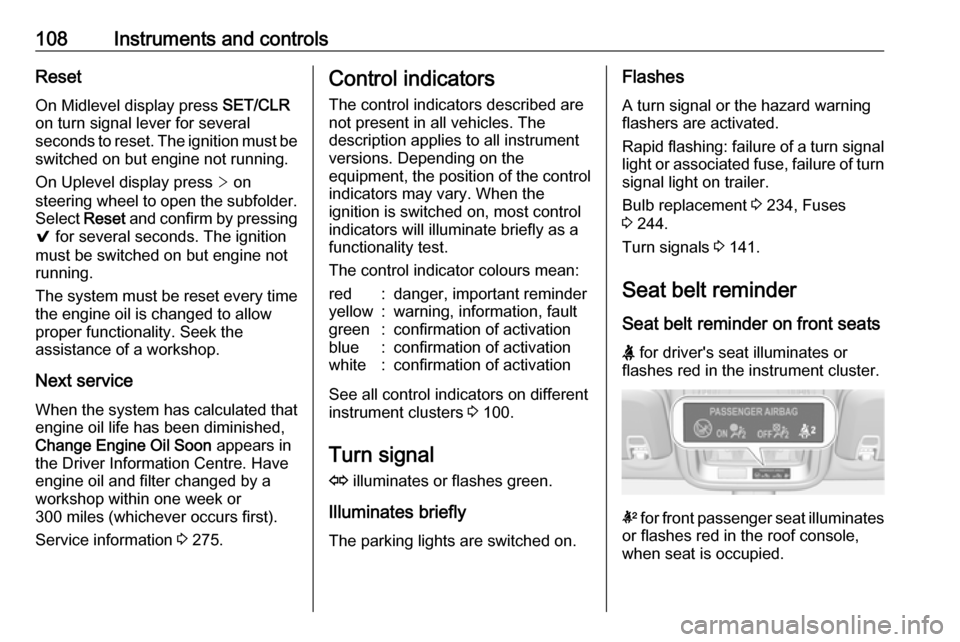
Seat belt reminder on front seats
X for driver's seat illuminates or
flashes red in the instrument cluster.
k for front passenger seat illuminates
or flashes red in the roof console,
when seat is occupied.
Page 116 of 311

114Instruments and controlsAdaptive cruise control 3 185.
Vehicle detected ahead
A illuminates green or yellow.
Illuminates green
A vehicle ahead is detected in the
same lane.
Illuminates yellow The distance to a preceding moving
vehicle gets too small or when
approaching another vehicle too
rapidly.
Adaptive cruise control 3 185,
Forward collision alert 3 192.
Speed limiter
L illuminates white or green.
Illuminates white The system is on.
Illuminates green
Speed limiter is active. Set speed is
indicated near L symbol.Speed limiter 3 183.
Traffic sign assistant
L displays detected traffic signs as
control indicator.
Traffic sign assistant 3 210.
Door open h illuminates red.
A door or the tailgate is open.Information displays
Driver Information Centre The Driver Information Centre is
located in the instrument cluster.
Depending on the version and the
instrument cluster, the Driver
Information Centre is available as
Midlevel display or Uplevel display.
Driver Information Centre indicates
depending on the equipment:
● overall and trip odometer
● vehicle information
● trip/fuel information
● driving economy information ● vehicle and warning messages
● audio and infotainment information
● phone information
● navigation information
● vehicle settings
Page 118 of 311
116Instruments and controls● Navigation information,displayed by Navigation, see
description below.
● Vehicle information, displayed by
Options , see description below.
Some of the displayed functions differ
when the vehicle is being driven or at
a standstill and some functions are
only active when the vehicle is being
driven.
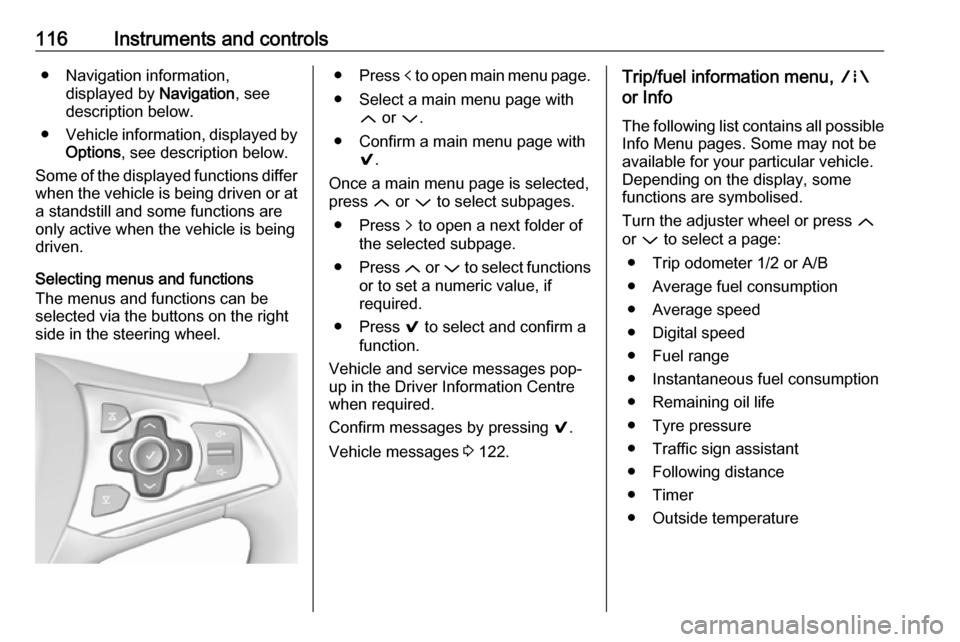
Selecting menus and functions
The menus and functions can be
selected via the buttons on the right
side in the steering wheel.● Press p to open main menu page.
● Select a main menu page with Q or P.
● Confirm a main menu page with 9.
Once a main menu page is selected,
press Q or P to select subpages.
● Press q to open a next folder of
the selected subpage.
● Press Q or P to select functions
or to set a numeric value, if
required.
● Press 9 to select and confirm a
function.
Vehicle and service messages pop-
up in the Driver Information Centre
when required.
Confirm messages by pressing 9.
Vehicle messages 3 122.Trip/fuel information menu, ;
or Info
The following list contains all possible Info Menu pages. Some may not be
available for your particular vehicle.
Depending on the display, some
functions are symbolised.
Turn the adjuster wheel or press Q
or P to select a page:
● Trip odometer 1/2 or A/B
● Average fuel consumption
● Average speed
● Digital speed
● Fuel range
● Instantaneous fuel consumption
● Remaining oil life
● Tyre pressure
● Traffic sign assistant
● Following distance
● Timer
● Outside temperature
Page 122 of 311
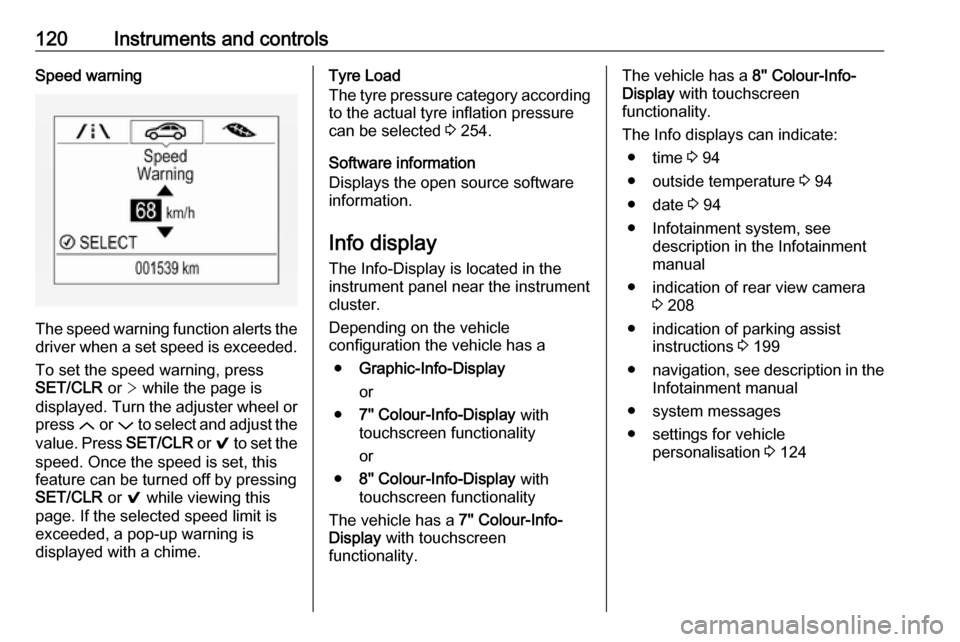
120Instruments and controlsSpeed warning
The speed warning function alerts thedriver when a set speed is exceeded.
To set the speed warning, press
SET/CLR or > while the page is
displayed. Turn the adjuster wheel or
press Q or P to select and adjust the
value. Press SET/CLR or 9 to set the
speed. Once the speed is set, this
feature can be turned off by pressing
SET/CLR or 9 while viewing this
page. If the selected speed limit is
exceeded, a pop-up warning is
displayed with a chime.
Tyre Load
The tyre pressure category according
to the actual tyre inflation pressure
can be selected 3 254.
Software information
Displays the open source software
information.
Info display
The Info-Display is located in the
instrument panel near the instrument
cluster.
Depending on the vehicle
configuration the vehicle has a
● Graphic-Info-Display
or
● 7'' Colour-Info-Display with
touchscreen functionality
or
● 8'' Colour-Info-Display with
touchscreen functionality
The vehicle has a 7'' Colour-Info-
Display with touchscreen
functionality.The vehicle has a 8'' Colour-Info-
Display with touchscreen
functionality.
The Info displays can indicate: ● time 3 94
● outside temperature 3 94
● date 3 94
● Infotainment system, see description in the Infotainment
manual
● indication of rear view camera 3 208
● indication of parking assist instructions 3 199
● navigation, see description in the
Infotainment manual
● system messages
● settings for vehicle personalisation 3 124
Page 125 of 311
Instruments and controls123
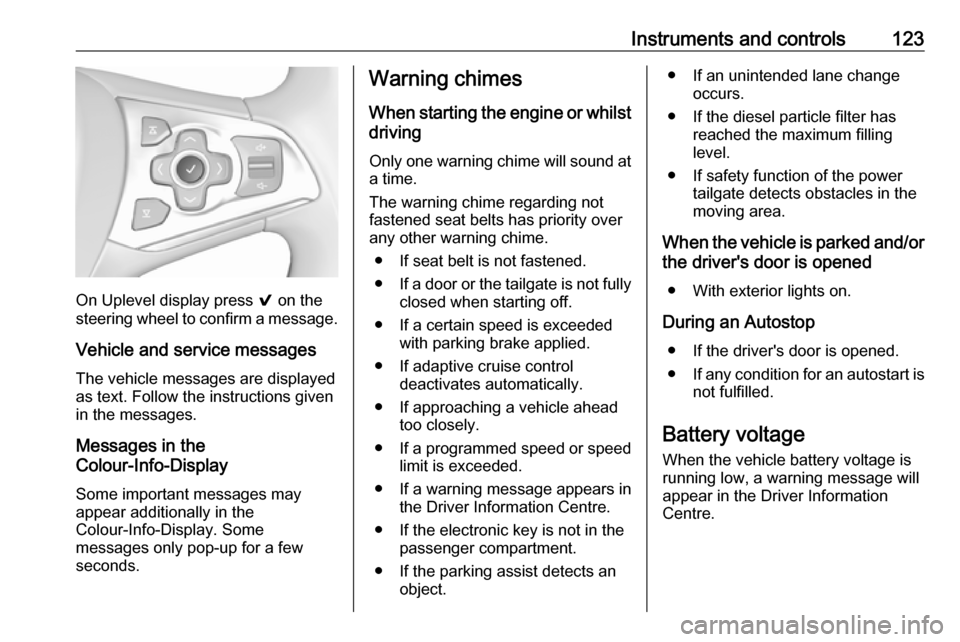
On Uplevel display press 9 on the
steering wheel to confirm a message.
Vehicle and service messages
The vehicle messages are displayed
as text. Follow the instructions given
in the messages.
Messages in the
Colour-Info-Display
Some important messages may
appear additionally in the
Colour-Info-Display. Some
messages only pop-up for a few
seconds.
Warning chimes
When starting the engine or whilstdriving
Only one warning chime will sound at a time.
The warning chime regarding not
fastened seat belts has priority over
any other warning chime.
● If seat belt is not fastened.
● If a door or the tailgate is not fully
closed when starting off.
● If a certain speed is exceeded with parking brake applied.
● If adaptive cruise control deactivates automatically.
● If approaching a vehicle ahead too closely.
● If a programmed speed or speed
limit is exceeded.
● If a warning message appears in the Driver Information Centre.
● If the electronic key is not in the passenger compartment.
● If the parking assist detects an object.● If an unintended lane changeoccurs.
● If the diesel particle filter has reached the maximum filling
level.
● If safety function of the power tailgate detects obstacles in the
moving area.
When the vehicle is parked and/or the driver's door is opened
● With exterior lights on.
During an Autostop ● If the driver's door is opened.
● If any condition for an autostart is
not fulfilled.
Battery voltage When the vehicle battery voltage is
running low, a warning message will
appear in the Driver Information
Centre.
Page 126 of 311
124Instruments and controls1. Switch off any electricalconsumers which are not requiredfor a safe drive, e.g. seat heating,
heated rear window or other main consumers.
2. Charge the vehicle battery by driving continuously for a while or
by using a charging device.
The warning message will disappear
after the engine has been started
twice without a voltage drop.
If the vehicle battery cannot be
recharged, have the cause of the fault
remedied by a workshop.Vehicle personalisation
The vehicle's behaviour can be
personalised by changing the settings in the Info-Display.
Some of the personal settings for
different drivers can be memorised individually for each vehicle key.
Memorised settings 3 23.
Depending on vehicle equipment and
country-specific regulations some of
the functions described below may
not be available.
Some functions are only displayed or
active when the engine is running.
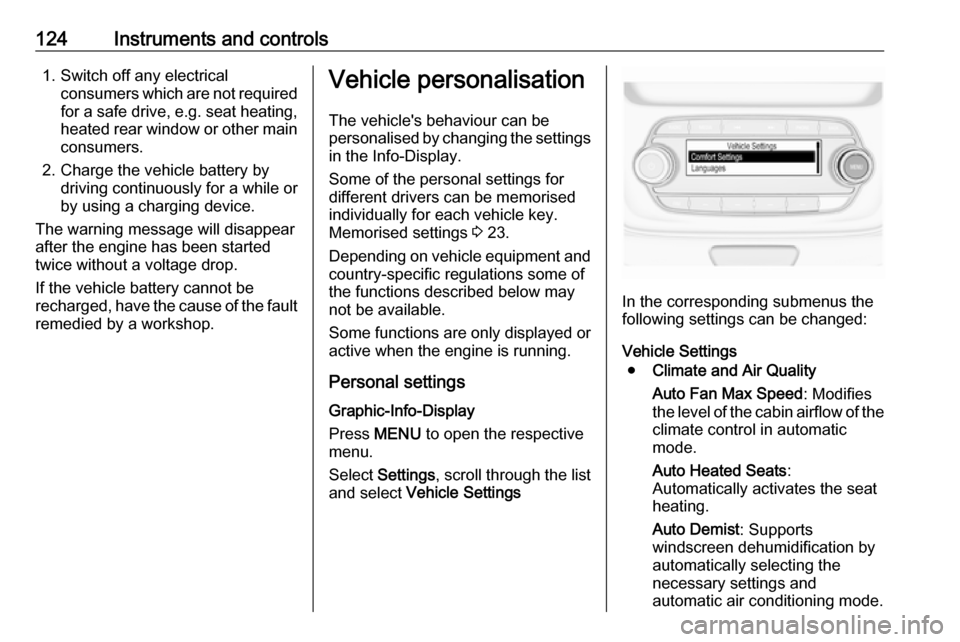
Personal settings Graphic-Info-Display
Press MENU to open the respective
menu.
Select Settings , scroll through the list
and select Vehicle Settings
In the corresponding submenus the
following settings can be changed:
Vehicle Settings ● Climate and Air Quality
Auto Fan Max Speed : Modifies
the level of the cabin airflow of the climate control in automatic
mode.
Auto Heated Seats :
Automatically activates the seat
heating.
Auto Demist : Supports
windscreen dehumidification by
automatically selecting the
necessary settings and
automatic air conditioning mode.
Page 127 of 311

Instruments and controls125Auto Rear Demist: Automatically
activates heated rear window.
● Park Assist / Collision Detection
Forward Collision Alert : Activates
or deactivates forward collision
alert.
Collision Preparation : Activates
or deactivates the automatic
brake functionality of the vehicle in the event of imminent collision
danger. The following is
selectable: the system will take
over brake control, warn by
chimes only or is deactivated
completely.
Park Assist : Activates or
deactivates the parking assist.
Activation is selectable with or
without attached trailer hitch.
Go Notifier : Activates or
deactivates the reminder to drive
off when the adaptive cruise
control holds the vehicle at
standstill.
Side Blind Zone Alert : Activates
or deactivates side blind zone
alert.● Comfort Settings
Auto Memory Recall : Changes
the settings to the recall of
memorised settings for power
seat adjustment.
Easy Exit Driver Seat : Activates
or deactivates easy exit function of the power seat.
Chime Volume : Changes the
volume of warning chimes.
Personalisation by Driver :
Activates or deactivates the
personalisation function.
Rain Sense Wipers : Activates or
deactivates automatic wiping
with rain sensor.
Rear Auto Wipe in Reverse :
Activates or deactivates
automatic switching on of the
rear window wiper when reverse gear is engaged.
● Exterior Ambient Lighting
Exterior lighting by unlocking :
Activates or deactivates the entry
lighting.
Duration upon exit of vehicle :
Activates or deactivates andchanges the duration of exit
lighting.
Left or Right Hand Traffic :
Changes between lighting for left or right-hand traffic.
Adaptive Forward Lighting :
Changes the settings of the
functions of the LED headlights.
● Power Door Locks
Stop door lock if door open :
Activates or deactivates the door
locking function while a door is
open.
Auto Door Lock : Activates or
deactivates the automatic door locking function after switching
on ignition.
Delayed Door Lock : Activates or
deactivates the delayed door
locking function. This feature
delays the actual locking of the
doors until all doors are closed.
● Remote Lock, Unlock, and Start
Remote Unlock Feedback :
Activates or deactivates the
hazard warning flasher feedback
whilst unlocking.