ABS VAUXHALL ASTRA K 2017 Infotainment system
[x] Cancel search | Manufacturer: VAUXHALL, Model Year: 2017, Model line: ASTRA K, Model: VAUXHALL ASTRA K 2017Pages: 167, PDF Size: 3.07 MB
Page 53 of 167
Navigation53Organising the POI data in several
subfolders
Optionally you can organise the text
files in several randomly named
subfolders (max. depth of subfolder
structure: 2).
Examples: F:\myPOIs\AnnsPOIs or
F:\myPOIs\MyJourney\London,
where F:\ is the root directory of the
USB drive.
Notice
In a folder only subfolders or only POI files may be stored. A mixture of
both will not be imported correctly to the system.
After downloading individual POI data
organised in that way to the
Infotainment system (see download description further below), the My
POIs menu will show a list of
selectable submenus.
After selecting a submenu, further
submenus or the related list of
imported POI categories will be
displayed.Downloading the POI data to the
Infotainment system
Connect the USB device with your
user defined POI data to the USB port
3 40 of the Infotainment system.
A message is displayed that prompts
you to confirm the download.
After confirmation, the POI data will
be downloaded to the Infotainment system.
The downloaded POIs are then
selectable as destinations via the My
POIs menu, see "Selecting a point of
interest" in chapter "Destination input" 3 53.
Destination input The navigation application provides
different options to set a destination
for route guidance.
Press HOME and then select NAV to
display the navigation map.
Select DESTINATION in the
interaction selector bar and then select one of the different address
entry options.
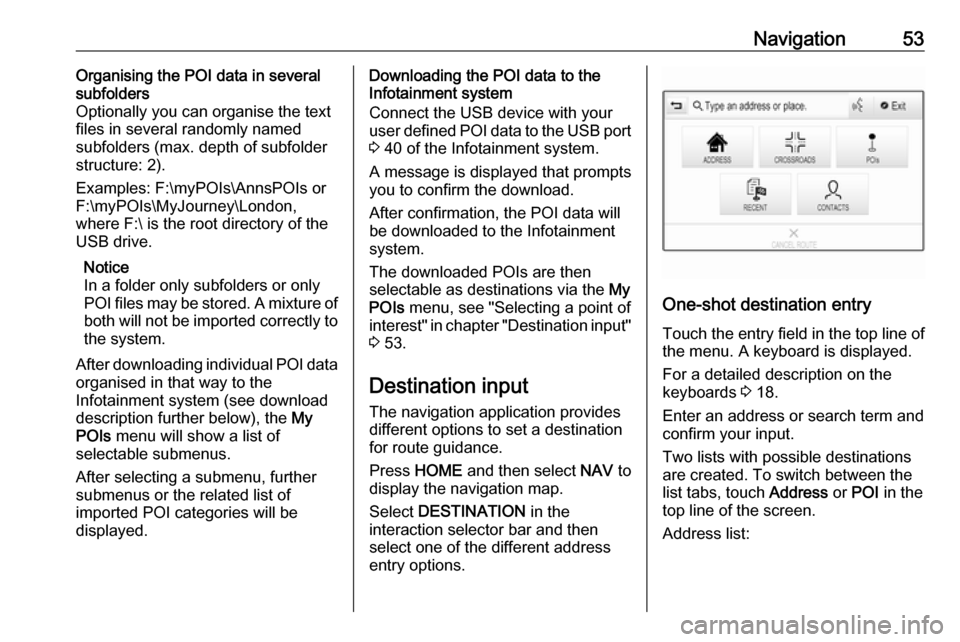
One-shot destination entry
Touch the entry field in the top line of
the menu. A keyboard is displayed.
For a detailed description on the
keyboards 3 18.
Enter an address or search term and confirm your input.
Two lists with possible destinations
are created. To switch between the
list tabs, touch Address or POI in the
top line of the screen.
Address list:
Page 73 of 167
Phone73Deleting a device1. Press HOME and then select the
SETTINGS icon.
Select Bluetooth to display the
respective submenu.
2. Select Device Management to
display the device list.
3. Select ─ beside the Bluetooth device to be deleted. You are
prompted with a message.
4. Select Yes to delete the device.
Emergency call9 Warning
Connection setup cannot be
guaranteed in all situations.For this reason you should not rely
exclusively on a mobile phone
when a vitally important
communication (e.g. a medical
emergency) is concerned.
In some networks it may be
necessary for a valid SIM card to
be properly inserted in the mobile
phone.
9 Warning
Bear in mind that you can make
and receive calls with the mobile
phone, if it is in a service area with
a sufficiently strong signal. Under
certain circumstances emergency
calls cannot be made on all mobile phone networks; it is possible that
they cannot be made when certain network services and/or telephone
functions are active. You can
enquire about this with the local
network operators.
The emergency call number can
differ depending on the region and country. Please enquire
beforehand about the correct
emergency call number for the
relevant region.
Making an emergency call
Dial the emergency call number (e.g.
112 ).
The telephone connection to the
emergency call centre is set up.
Answer when the service personnel
questions you about the emergency.
9 Warning
Do not end the call until you are
requested to do so by the
emergency call centre.
Operation
As soon as a connection via
Bluetooth has been set up between
your mobile phone and the
Infotainment system, you can operate many functions of your mobile phone
via the Infotainment system.
Notice
Not every mobile phone supports all
functions of the Phone portal.
Therefore, deviations from the range
of functions described below are
possible.
Phone application
Press HOME and then select the
PHONE icon (with phone symbol) to
display the respective menu.
The Phone portal comprises different
views accessible via tabs. Select the
desired tab.