wheel VAUXHALL ASTRA K 2019 Repair Manual
[x] Cancel search | Manufacturer: VAUXHALL, Model Year: 2019, Model line: ASTRA K, Model: VAUXHALL ASTRA K 2019Pages: 315, PDF Size: 9.64 MB
Page 217 of 315

Driving and operating215Reasons for signs being cleared:● A predefined distance was driven
or time has elapsed (differs for
each sign type)
● Vehicle drives through a turn
● If no navigation map data is available and speed drops below32 mph (city entry detection)
● If navigation map data is available and a city entry/exit was
detected due to map data change
Traffic sign detection in
conjunction with navigation
system
If the vehicle is equipped with a
navigation system, the currently
displayed sign can either originate
from optical sign detection or from the
map data.
If the currently displayed sign
originates from map data and the map
information changes, a new sign will
be displayed. This may lead to
detection of a new sign although no
sign on the road may have been
passed.Fault
Traffic sign assistant may not operate correctly if:
● The area of the windscreen, where the front camera is
located, is not clean or affected
by foreign items, e.g. stickers.
● Traffic signs are completely or partially covered or difficult to
discern.
● There are adverse environmental
conditions, e.g. heavy rain, snow,
direct sunlight or shadows.
● Traffic signs are incorrectly mounted or damaged.
● Traffic signs do not comply with the Vienna Convention on traffic
signs.
● The navigation map data is outdated.Caution
The system is intended to help thedriver within a defined speed
range to discern certain traffic
signs. Do not ignore traffic signs
which are not displayed by the
system.
The system does not discern any other than the conventional traffic
signs that might give or end a
speed limit.
Do not let this special feature
tempt you into taking risks when
driving.
Always adapt speed to the road
conditions.
The driver assistance systems do not relieve the driver from full
responsibility for vehicle
operation.
Lane keep assist
Lane keep assist helps to avoid
crashes due to unintentional lane
departures. The front camera
observes the lane markings between
which the vehicle is driving. If the
vehicle approaches a lane marking, the steering wheel is gently turned to
position the vehicle back into the lane. Turn steering wheel in same
direction, if system steers not
Page 218 of 315
216Driving and operatingsufficient. Turn steering wheel gently
into opposite direction, if lane change
is intended.
When crossing a lane marking
significantly, lane keep assist starts a visual and acoustic warning.
Unintended lane departure is
assumed
● without using turn signal
● using the turn signal in the opposite direction of the lane
departure
● without braking
● without acceleration
● without active steering.
Notice
The system is switched off during
detection of ambiguous lane
markings, e.g. in construction areas.
Notice
The system may be switched off if it
detects lanes which are too narrow,
too wide or too curved.Activation
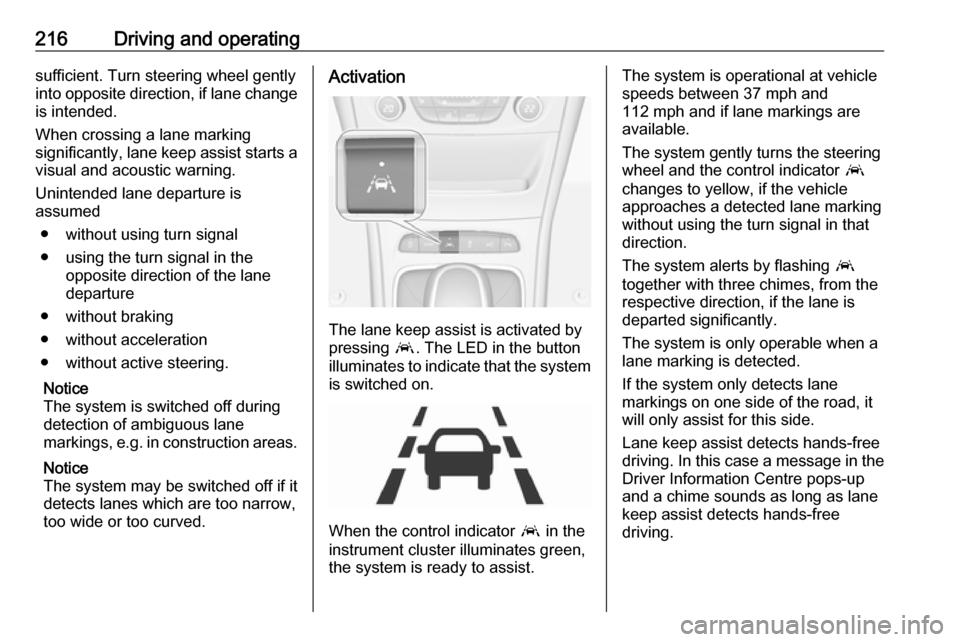
The lane keep assist is activated by
pressing a. The LED in the button
illuminates to indicate that the system
is switched on.
When the control indicator a in the
instrument cluster illuminates green,
the system is ready to assist.
The system is operational at vehicle
speeds between 37 mph and
112 mph and if lane markings are
available.
The system gently turns the steering
wheel and the control indicator a
changes to yellow, if the vehicle
approaches a detected lane marking
without using the turn signal in that
direction.
The system alerts by flashing a
together with three chimes, from the
respective direction, if the lane is
departed significantly.
The system is only operable when a
lane marking is detected.
If the system only detects lane
markings on one side of the road, it
will only assist for this side.
Lane keep assist detects hands-free
driving. In this case a message in the
Driver Information Centre pops-up
and a chime sounds as long as lane
keep assist detects hands-free
driving.
Page 219 of 315

Driving and operating217DeactivationThe system is deactivated by
pressing a; the LED in the button
extinguishes.
The system is deactivated
automatically when a trailer is
detected.
Fault
The system performance may be affected by:
● Windscreen not clean or affected
by foreign items, e.g. stickers
● Close vehicles ahead
● Banked roads
● Winding or hilly roads
● Road edges
● Roads with poor lane markings
● Sudden lighting changes
● Adverse environmental conditions e.g. heavy rain or
snow
● Vehicle modifications, e.g. tyres.Switch off the system if the system is
disturbed by tar marks, shadows,
road cracks, temporary or
construction lane markings, or other
road imperfections.9 Warning
Always keep your attention on the
road and maintain proper vehicle
position within the lane, otherwise
vehicle damage, injury or death
could occur.
Lane keep assist does not
continuously steer the vehicle.
The system may not keep the
vehicle in the lane or give an alert,
even if a lane marking is detected.
The steering of the lane keep
assist may not be sufficient to
avoid a lane departure.
The system may not detect hands-
off driving due to external
influences (road condition and
surface, weather etc). The driver
has full responsibility to control the
vehicle and is always required to keep the hands on the steeringwheel while driving.
Using the system while towing a
trailer or on slippery roads could
cause loss of control of the vehicle
and a crash. Switch the system off.
Page 229 of 315
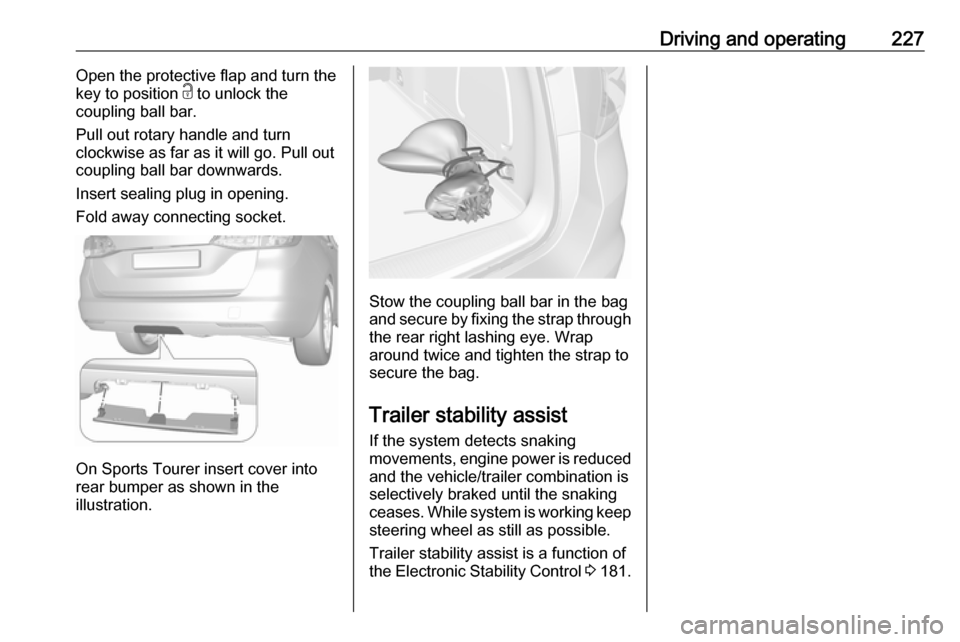
Driving and operating227Open the protective flap and turn the
key to position c to unlock the
coupling ball bar.
Pull out rotary handle and turn
clockwise as far as it will go. Pull out
coupling ball bar downwards.
Insert sealing plug in opening.
Fold away connecting socket.
On Sports Tourer insert cover into
rear bumper as shown in the
illustration.
Stow the coupling ball bar in the bag
and secure by fixing the strap through the rear right lashing eye. Wrap
around twice and tighten the strap to
secure the bag.
Trailer stability assist
If the system detects snaking
movements, engine power is reduced
and the vehicle/trailer combination is selectively braked until the snaking
ceases. While system is working keep
steering wheel as still as possible.
Trailer stability assist is a function of
the Electronic Stability Control 3 181.
Page 230 of 315

228Vehicle careVehicle careGeneral Information...................228
Accessories and vehicle modifications .......................... 228
Vehicle storage ........................229
End-of-life vehicle recovery .....229
Vehicle checks ........................... 230
Performing work ......................230
Bonnet ..................................... 230
Engine oil ................................. 231
Engine coolant ......................... 232
Washer fluid ............................ 233
Brakes ..................................... 233
Brake fluid ............................... 233
Vehicle battery ......................... 234
Diesel fuel system bleeding .....235
Wiper blade replacement ........235
Bulb replacement .......................236
Halogen headlights ..................236
Front fog lights ......................... 238
Tail lights ................................. 239
Side turn lights ......................... 245
Number plate light ...................245
Interior lights ............................ 246
Instrument panel illumination ...246Electrical system ........................246
Fuses ....................................... 246
Engine compartment fuse box . 247
Instrument panel fuse box .......249
Load compartment fuse box ....251
Vehicle tools .............................. 253
Tools ........................................ 253
Wheels and tyres .......................254
Winter tyres ............................. 254
Tyre designations ....................255
Tyre pressure .......................... 255
Tyre pressure monitoring system .................................... 256
Tread depth ............................. 260
Changing tyre and wheel size . 261 Wheel covers ........................... 261
Tyre chains .............................. 261
Tyre repair kit .......................... 261
Wheel changing .......................265
Spare wheel ............................ 265
Jump starting ............................. 270
Towing ....................................... 272
Towing the vehicle ...................272
Towing another vehicle ...........273
Appearance care .......................274
Exterior care ............................ 274
Interior care ............................. 275General Information
Accessories and vehiclemodifications
We recommend the use of genuine
parts and accessories and factory
approved parts specific for your
vehicle type. We cannot assess or guarantee reliability of other products
- even if they have a regulatory or
otherwise granted approval.
Any modification, conversion or other
changes made to standard vehicle
specifications (including, without
limitation, software modifications,
modifications of the electronic control units) may invalidate the warranty
offered by Vauxhall. Furthermore,
such changes may affect driver
assistance systems, may impact fuel
consumption, CO 2 emissions and
other emissions of the vehicle and
cause the vehicle to no longer
conform to the operating permit,
impacting the validity of your vehicle
registration.
Page 252 of 315

250Vehicle careNo.Circuit1Rear seat heating (only for vehi‐cles without alarm horn)2Climate control system, fan3Power seat driver side4Power seat passenger side5–6Power window front7ABS8Heated steering wheel9Body control module 810Power window rear11Sunroof12Body control module 413Seat heating (only on vehicles
without alarm horn)14Exterior mirror15Body control module 116Body control module 7No.Circuit17Body control module 618Body control module 319Data link connector20Airbag system21Climate control system22Central locking system, tailgate23Electronic key system24Power seat memory function25Airbag system steering wheel26Ignition switch/Steering column
lock27Body control module 228USB socket29Cigarette lighter/Power outlet
front30Selector lever31Rear window wiper32Transmission control module
Page 255 of 315
Vehicle care253No.Circuit1Fuel pump2Engine control module3Power supplyVehicle tools
Tools
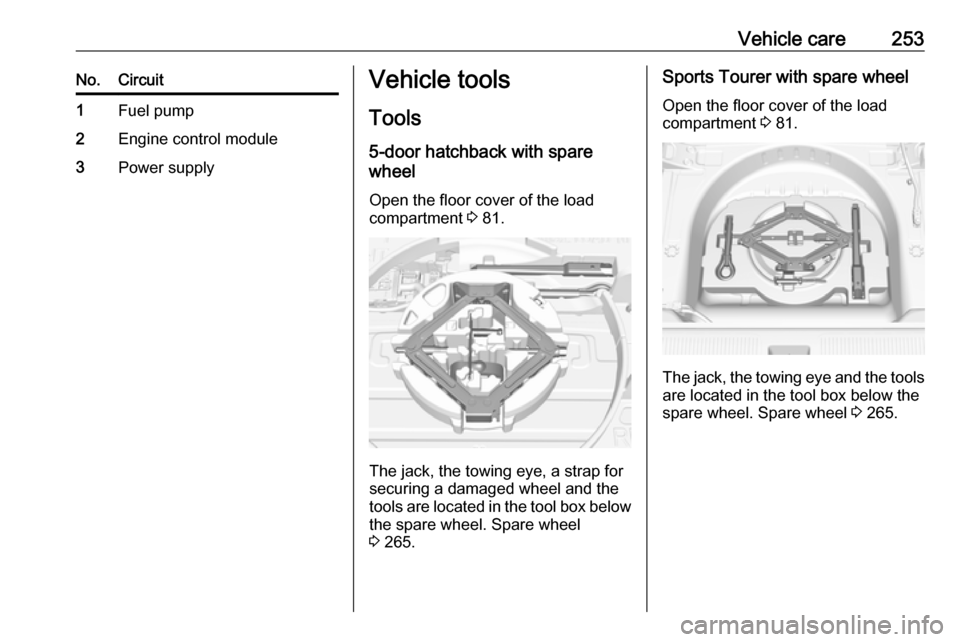
5-door hatchback with spare
wheel
Open the floor cover of the load
compartment 3 81.
The jack, the towing eye, a strap for
securing a damaged wheel and the
tools are located in the tool box below the spare wheel. Spare wheel
3 265.
Sports Tourer with spare wheel
Open the floor cover of the load
compartment 3 81.
The jack, the towing eye and the tools
are located in the tool box below the
spare wheel. Spare wheel 3 265.
Page 256 of 315
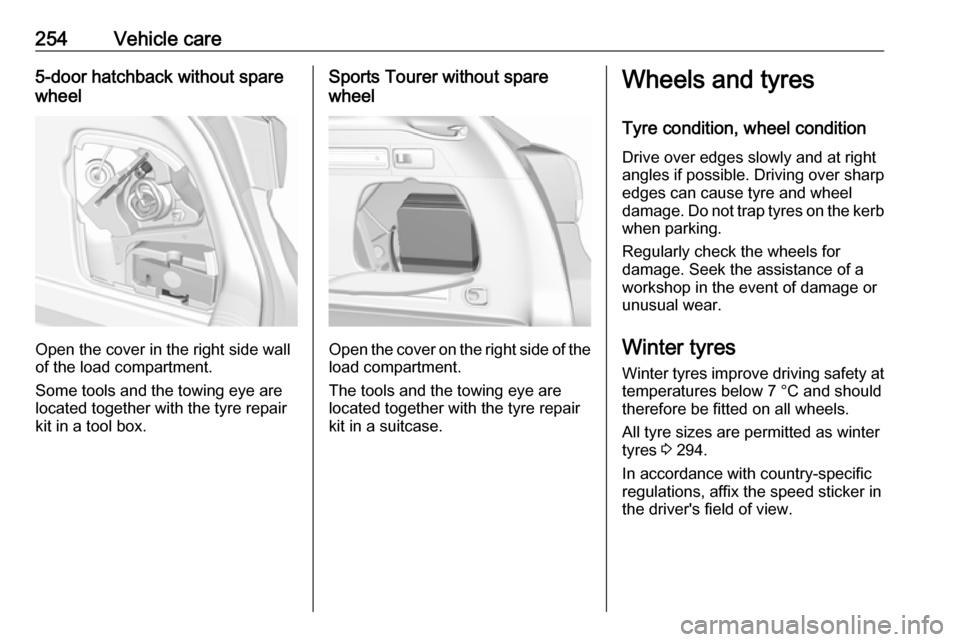
254Vehicle care5-door hatchback without spare
wheel
Open the cover in the right side wall
of the load compartment.
Some tools and the towing eye are
located together with the tyre repair
kit in a tool box.
Sports Tourer without spare
wheel
Open the cover on the right side of the load compartment.
The tools and the towing eye are
located together with the tyre repair
kit in a suitcase.
Wheels and tyres
Tyre condition, wheel condition Drive over edges slowly and at right
angles if possible. Driving over sharp
edges can cause tyre and wheel
damage. Do not trap tyres on the kerb when parking.
Regularly check the wheels for
damage. Seek the assistance of a
workshop in the event of damage or
unusual wear.
Winter tyres
Winter tyres improve driving safety at temperatures below 7 °C and should
therefore be fitted on all wheels.
All tyre sizes are permitted as winter
tyres 3 294.
In accordance with country-specific
regulations, affix the speed sticker in
the driver's field of view.
Page 257 of 315
Vehicle care255Tyre designations
E.g. 215/50 R 16 95 H215:Tyre width, mm50:Cross-section ratio (tyre height
to tyre width), %R:Belt type: RadialRF:Type: RunFlat16:Wheel diameter, inches95:Load index e.g. 95 is
equivalent to 690 kgH:Speed code letter
Speed code letter:
Q:up to 100 mphS:up to 112 mphT:up to 118 mphH:up to 130 mphV:up to 150 mphW:up to 168 mph
Choose a tyre appropriate for the
maximum speed of your vehicle.
The maximum speed is achievable at kerb weight with driver (75 kg) plus
125 kg payload. Optional equipment
could reduce the maximum speed of
the vehicle.
Performance 3 288.
Tyre pressure
Check the pressure of cold tyres at
least every 14 days and before any
long journey. Do not forget the spare
wheel.
This also applies to vehicles with tyre pressure monitoring system.
Tyre pressure 3 294.
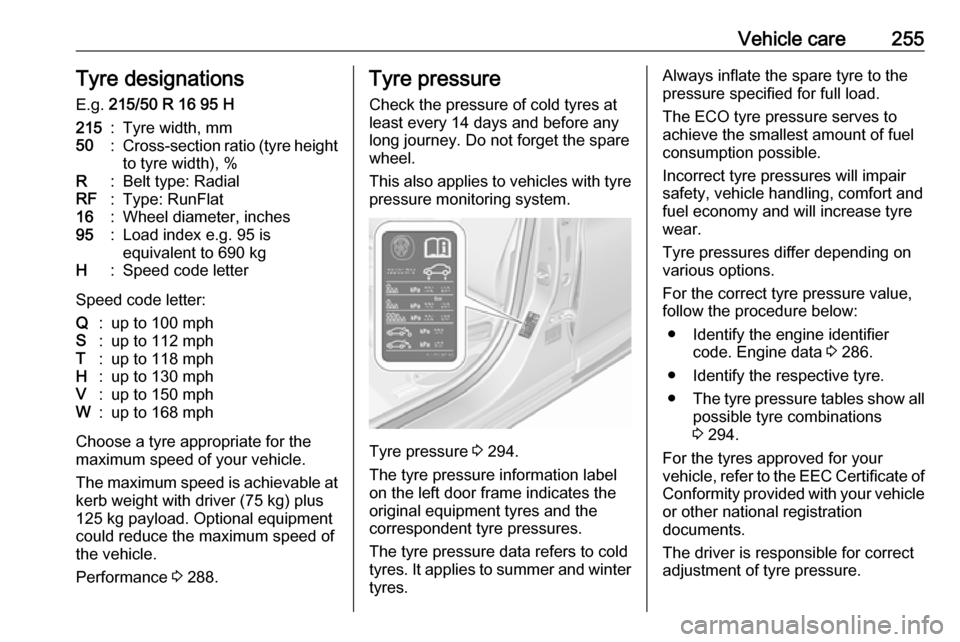
The tyre pressure information label
on the left door frame indicates the
original equipment tyres and the
correspondent tyre pressures.
The tyre pressure data refers to cold
tyres. It applies to summer and winter tyres.
Always inflate the spare tyre to the
pressure specified for full load.
The ECO tyre pressure serves to
achieve the smallest amount of fuel
consumption possible.
Incorrect tyre pressures will impair
safety, vehicle handling, comfort and
fuel economy and will increase tyre
wear.
Tyre pressures differ depending on
various options.
For the correct tyre pressure value,
follow the procedure below:
● Identify the engine identifier code. Engine data 3 286.
● Identify the respective tyre. ● The tyre pressure tables show all
possible tyre combinations
3 294.
For the tyres approved for your
vehicle, refer to the EEC Certificate of Conformity provided with your vehicle
or other national registration
documents.
The driver is responsible for correct
adjustment of tyre pressure.
Page 258 of 315
256Vehicle care9Warning
If the pressure is too low, this can
result in considerable tyre warm-
up and internal damage, leading to tread separation and even to tyre
blow-out at high speeds.
9 Warning
For specific tyres the
recommended tyre pressure as
shown in the tyre pressure table may exceed the maximum tyre
pressure as indicated on the tyre.
Never exceed the maximum tyre
pressure as indicated on the tyre.
If the tyre pressure must be reduced
or increased on a vehicle with tyre
pressure monitoring system, switch
off ignition.
Temperature dependency
The tyre pressure depends on the
temperature of the tyre. During
driving, tyre temperature and
pressure increase. Tyre pressure
values provided on the tyre
information label and tyre pressure
chart are valid for cold tyres, which means at 20 °C.
The pressure increases by nearly
1.5 psi for a 10 °C temperature
increase. This must be considered
when warm tyres are checked.
The tyre pressure value displayed in
the Driver Information Centre shows
the real tyre pressure. A cooled down tyre will show a decreased value,
which does not indicate an air leak.
Tyre pressure monitoringsystem
The tyre pressure monitoring system
checks the pressure of all four tyres
once a minute when vehicle speed
exceeds a certain limit.Caution
Tyre pressure monitoring system
warns only about low tyre pressure condition and does not replace
regular tyre maintenance by the
driver.
All wheels must be equipped with pressure sensors and the tyres must
have the prescribed pressure.
Notice
In countries where the tyre pressure
monitoring system is legally
required, the use of wheels without
pressure sensors will invalidate the
vehicle operating permit.
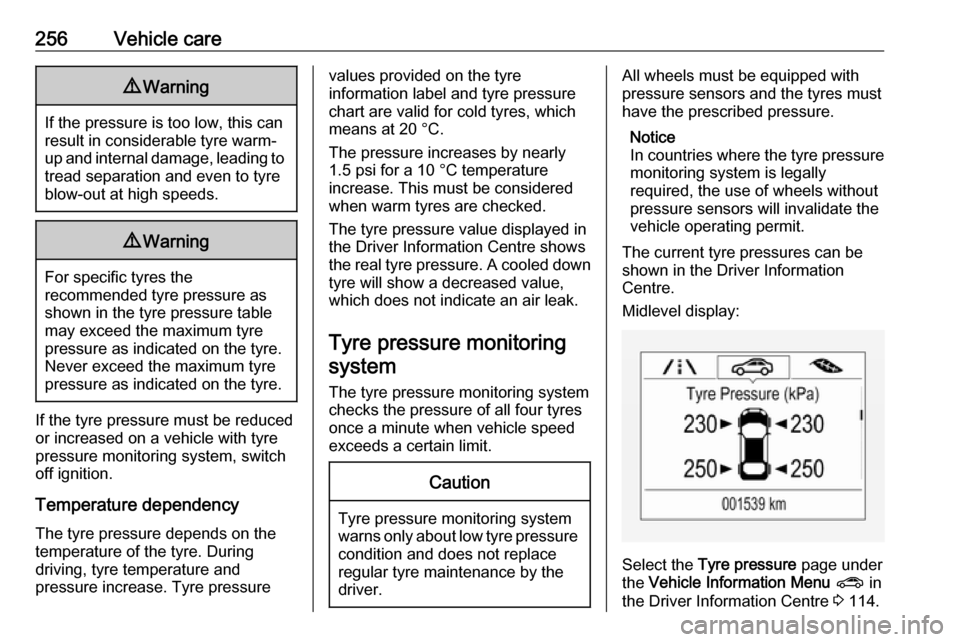
The current tyre pressures can be
shown in the Driver Information
Centre.
Midlevel display:
Select the Tyre pressure page under
the Vehicle Information Menu ? in
the Driver Information Centre 3 114.