change wheel VAUXHALL ASTRA K 2020 User Guide
[x] Cancel search | Manufacturer: VAUXHALL, Model Year: 2020, Model line: ASTRA K, Model: VAUXHALL ASTRA K 2020Pages: 303, PDF Size: 27.35 MB
Page 185 of 303

Driving and operating183●The vehicle is being held to a stop
by the system for more than
5 minutes.
● The vehicle stops, the driver's seat belt is unbuckled and thedriver's door is opened.
When adaptive cruise control is
deactivated, the control indicator C
changes from green to white and a
pop-up message is displayed in the
Driver Information Centre.
The stored speed is maintained.
On Midlevel display, the stored speed is indicated in brackets in the Driver
Information Centre when the system
is deactivated but not switched off.
On Uplevel display, the adaptive
cruise control symbol C changes
from green to white when the system
is deactivated but not switched off.
9 Warning
When adaptive cruise control is
deactivated, the driver must take
over full brake and engine control
immediately.
Switching off the system
Press v to switch off adaptive cruise
control. The control indicator C
extinguishes in the Driver Information Centre. The stored speed is deleted.
Switching off the ignition also
switches off adaptive cruise control
and deletes the stored speed.
Driver's attention ● Use adaptive cruise control carefully on bends or mountain
roads, as it can lose the vehicle
ahead and needs time to detect it again.
● Do not use the system on slippery roads as it can create
rapid changes in tyre traction
(wheel spinning), so that you
could lose control of the vehicle.
● Do not use adaptive cruise control during rain, snow or
heavy dirt, as the radar sensor
can be covered by a water film,
dust, ice or snow. This reduces or suppresses completely the
visibility. In case of sensor
blockage, clean the sensor
cover.
System limits9 Warning
The system's automatic brake
force does not permit hard braking and the braking level may not be
sufficient to avoid a collision.
● After a sudden lane change, the system needs a certain time to
detect the next preceding
vehicle. So if a new vehicle is
detected, the system may
accelerate instead of braking.
Page 202 of 303

200Driving and operatingA brief vibration in the steering wheel
after engaging reverse gear indicates
that the steering is controlled by the
system. Then the vehicle is steered
into the slot automatically by giving
the driver detailed instructions for
braking, accelerating and gear
shifting. The driver must keep hands
away from the steering wheel.
Always pay attention to the signals of the front-rear parking assist.
Continuous signal indicates that the
distance to an obstacle is less than approx. 40 cm.
If, for any reason, the driver must take
over control of the steering, hold the
steering wheel only at the outer edge. Automatic steering is cancelled in thisevent.Display indication
The instructions on the display show:
● General hints and warning messages.
● A hint when driving faster than 18 mph during parking slot
searching mode.
● The demand to stop the vehicle, when a parking slot is detected.●The direction of driving during the
parking manoeuvre.
● The demand to shift into reverse or first gear.
● The demand to stop or to drive slowly.
● For some of the instructions a progress bar is shown in the
Driver Information Centre.
● The successful completion of the
parking manoeuvre indicated bya message in the Driver
Information Centre and a chime.
● The cancelling of a parking manoeuvre.
Display priorities
Advanced parking assist indication in the Driver Information Centre can be
inhibited by vehicle messages with a higher priority. After approving the
message by pressing SET/CLR on
the indicator lever or 9 on the
steering wheel, advanced parking
assist instructions appear again and
the parking manoeuvre can be
continued.Deactivation
The system is deactivated by:
● a short press of (
● parking manoeuvre successfully ended
● driving faster than 18 mph during
parking slot search
● driving faster than 5 mph during parking guidance
● driver interference on steering wheel detected
● exceeding the maximum permissible gear changes of
eleven
● switching off the ignition
Deactivation by the driver or by the system during manoeuvring will beindicated by a message on the
display. Additionally, an acoustic
signal sounds.
Fault
A message appears when:
● There is a fault in the system.
● The system is not operational.
● Any of the deactivation reasons described above apply.
Page 210 of 303
208Driving and operating
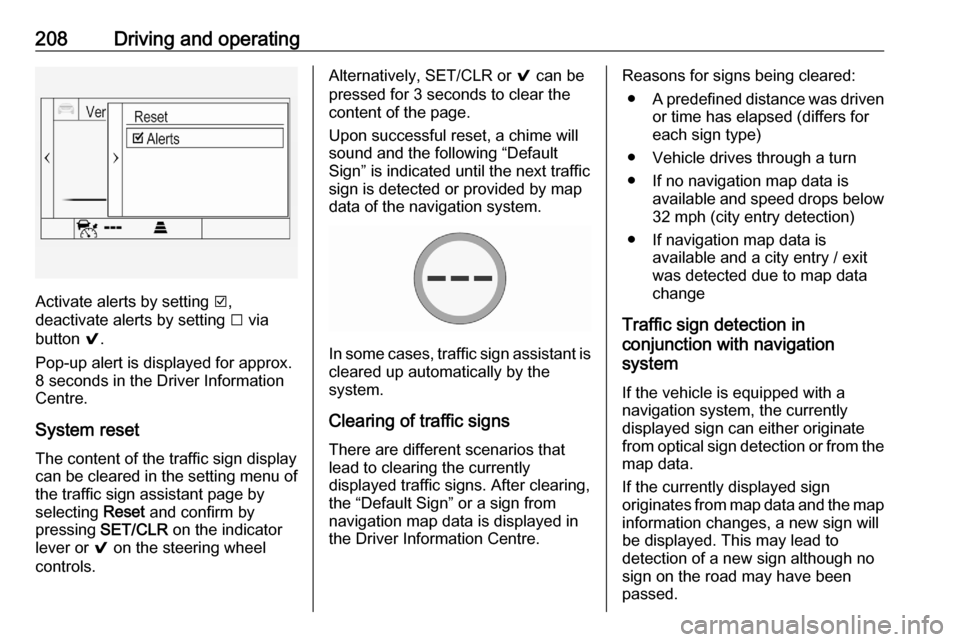
Activate alerts by setting J,
deactivate alerts by setting I via
button 9.
Pop-up alert is displayed for approx.
8 seconds in the Driver Information
Centre.
System reset The content of the traffic sign displaycan be cleared in the setting menu of
the traffic sign assistant page by
selecting Reset and confirm by
pressing SET/CLR on the indicator
lever or 9 on the steering wheel
controls.
Alternatively, SET/CLR or 9 can be
pressed for 3 seconds to clear the
content of the page.
Upon successful reset, a chime will
sound and the following “Default
Sign” is indicated until the next traffic
sign is detected or provided by map
data of the navigation system.
In some cases, traffic sign assistant is
cleared up automatically by the
system.
Clearing of traffic signs
There are different scenarios that
lead to clearing the currently
displayed traffic signs. After clearing,
the “Default Sign” or a sign from
navigation map data is displayed in
the Driver Information Centre.
Reasons for signs being cleared:
● A predefined distance was driven
or time has elapsed (differs for
each sign type)
● Vehicle drives through a turn
● If no navigation map data is available and speed drops below32 mph (city entry detection)
● If navigation map data is available and a city entry / exit
was detected due to map data
change
Traffic sign detection in
conjunction with navigation
system
If the vehicle is equipped with a
navigation system, the currently
displayed sign can either originate
from optical sign detection or from the
map data.
If the currently displayed sign
originates from map data and the map
information changes, a new sign will
be displayed. This may lead to
detection of a new sign although no
sign on the road may have been
passed.
Page 211 of 303

Driving and operating209System limitationsTraffic sign assistant may not operate properly when:
● Vehicle speed is faster than 125 mph.
● Driving on winding or hilly roads. ● During nighttime driving.
● The area of the windscreen, where the front camera is
located, is not clean or affected
by foreign items, e.g. stickers.
● Weather limits visibility, such as fog, rain, or snow.
● The sun is shining directly into the camera lens.
● Traffic signs are completely or partially covered or difficult to
discern.
● Traffic signs are incorrectly mounted or damaged.
● Traffic signs do not comply with the Vienna Convention on traffic
signs.
● The navigation map data is outdated.Caution
The system is intended to help thedriver within a defined speed
range to discern certain traffic
signs. Do not ignore traffic signs
which are not displayed by the
system.
The system does not discern any other than the conventional traffic
signs that might give or end a
speed limit.
Do not let this special feature
tempt you into taking risks when
driving.
Always adapt speed to the road
conditions.
The driver assistance systems do not relieve the driver from full
responsibility for vehicle
operation.
Lane keep assist
Lane keep assist supports the driver
to avoid unintentional crossing of lane markings. The front camera observes
the lane markings between which the
vehicle is driving. If the vehicle
approaches a lane marking without
activated turn signal, the steering
wheel is gently turned to position the
vehicle back into the lane. Turn
steering wheel in same direction, if
system steers not sufficient. Turn
steering wheel gently into opposite
direction, if lane change is intended.
The Lane Keep Assist informs the
driver with an optical warning during
the trajectory correction. If the system is not able to avoid the lane crossing
an additional acoustic warning is
issued.
Unintended lane departure is
assumed:
● without using the turn lights
● using the turn lights in the opposite direction of the lane
departure
● without braking
● without acceleration
● without active steering
Notice
The system might be inactive when
the detected lane markings are ambiguous or insufficient, e.g. in
construction areas.
Page 212 of 303

210Driving and operatingNotice
The system may be switched off if it
detects lanes which are too narrow,
too wide or too curved.
Activation
The lane keep assist is activated by
pressing a. The LED in the button
illuminates to indicate that the system
is switched on.
When the control indicator a in the
instrument cluster illuminates green,
the system is ready to assist.
The system is operational at vehicle
speeds between 37 mph and
112 mph and if lane markings are
available.
The system gently turns the steering
wheel and the control indicator a
changes to yellow, if the vehicle
approaches a detected lane marking
without using the turn lights in that
direction.
The system alerts by flashing a
together with three chimes, from the
respective direction, if the lane is
departed significantly.
The system is only operable when a
lane marking is detected.
If the system only detects lane
markings on one side of the road, it
will only assist for this side.
Lane keep assist detects hands-free
driving. In this case a message in the
Driver Information Centre pops-up
and a chime sounds as long as lane
keep assist detects hands-free
driving.Deactivation
The system is deactivated by
pressing a; the LED in the button
extinguishes.
The system is deactivated
automatically when a trailer is
detected.
Fault
The system performance may be affected by:
● Windscreen not clean or affected
by foreign items, e.g. stickers
● Close vehicles ahead
● Banked roads
● Winding or hilly roads
● Road edges
● Roads with poor lane markings
● Sudden lighting changes
● Adverse environmental conditions e.g. heavy rain or
snow
● Vehicle modifications, e.g. tyres ● Fogged windscreen
Page 223 of 303

Vehicle care221Vehicle careGeneral Information...................221
Accessories and vehicle modifications .......................... 221
Vehicle storage ........................222
End-of-life vehicle recovery .....222
Vehicle checks ........................... 223
Performing work ......................223
Bonnet ..................................... 223
Engine oil ................................. 224
Engine coolant ......................... 225
Washer fluid ............................ 226
Brakes ..................................... 226
Brake fluid ............................... 226
Vehicle battery ......................... 227
Diesel fuel system bleeding .....228
Wiper blade replacement ........229
Bulb replacement .......................229
Halogen headlights ..................229
Front fog lights ......................... 231
Tail lights ................................. 232
Side turn lights ......................... 238
Number plate light ...................239
Interior lights ............................ 239
Electrical system ........................240
Fuses ....................................... 240Engine compartment fuse box . 241
Instrument panel fuse box .......243
Load compartment fuse box ....244
Vehicle tools .............................. 246
Tools ........................................ 246
Wheels and tyres .......................248
Winter tyres ............................. 248
Tyre designations ....................248
Tyre pressure .......................... 248
Tyre pressure monitoring system .................................... 250
Tread depth ............................. 252
Changing tyre and wheel size . 253
Wheel covers ........................... 253
Tyre chains .............................. 254
Tyre repair kit .......................... 254
Wheel changing .......................257
Spare wheel ............................ 258
Jump starting ............................. 262
Towing ....................................... 264
Towing the vehicle ...................264
Towing another vehicle ...........265
Appearance care .......................266
Exterior care ............................ 266
Interior care ............................. 268
Floor mats ............................... 268General Information
Accessories and vehiclemodifications
We recommend the use of genuine
parts and accessories and factory approved parts specific for your
vehicle type. We cannot assess or guarantee reliability of other products - even if they have a regulatory or
otherwise granted approval.
Any modification, conversion or other
changes made to standard vehicle
specifications (including, without
limitation, software modifications,
modifications of the electronic control units) may invalidate the warranty
offered by Vauxhall. Furthermore,
such changes may affect driver
assistance systems, fuel
consumption, CO 2 emissions and
other emissions of the vehicle. They
may also invalidate the vehicle
operating permit.
Page 246 of 303
244Vehicle careNo.Circuit17Body control module 418Body control module 319Data link connector20Airbag system21Climate control system22Central locking system / tailgate23Electronic key system24Power seat memory function25Airbag system steering wheel26Ignition switch / Steering
column lock27Body control module 228USB socket29Cigarette lighter / Power outlet
front30Selector lever31Rear window wiper32Transmission control moduleNo.Circuit33Anti-theft alarm system / Power
sounder34Parking assist / Side blind spot
alert / Infotainment system /
USB socket35SOS36Info Display / Instrument cluster37Infotainment system / radio
After having changed defective fuses,
close the fuse box cover:
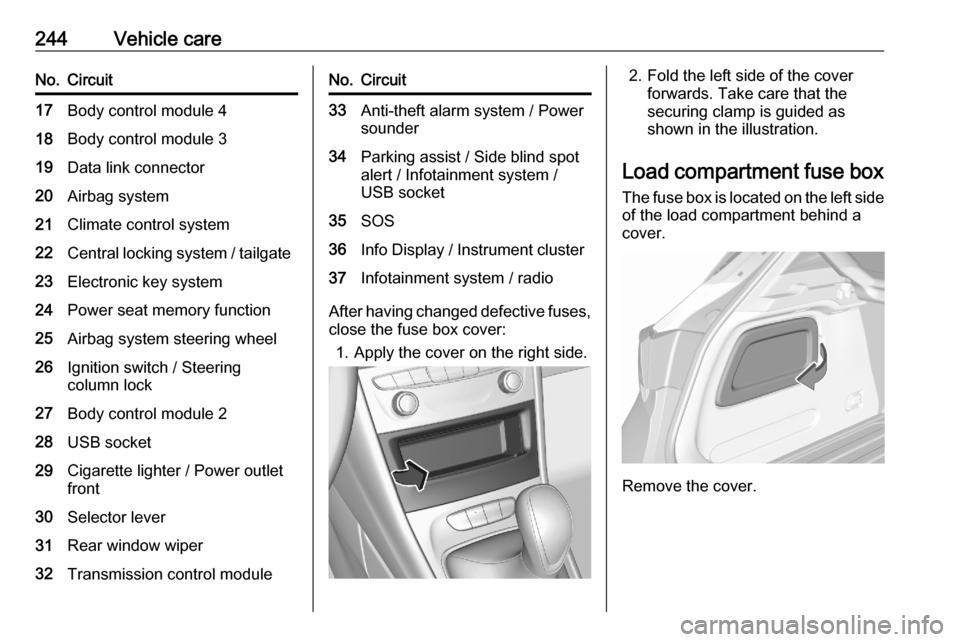
1. Apply the cover on the right side.
2. Fold the left side of the cover forwards. Take care that thesecuring clamp is guided as
shown in the illustration.
Load compartment fuse box The fuse box is located on the left side
of the load compartment behind a
cover.
Remove the cover.
Page 248 of 303
246Vehicle careNo.Circuit17Trailer outlet18–19–20–21Electrical rear seat folding22–
After having changed defective fuses,
close the fuse box cover and press
until it engages.
Additional fuses are located near the
vehicle battery.
No.Circuit1Engine control module2Fuel pump3Power supplyVehicle tools
Tools
5-door hatchback with spare
wheel
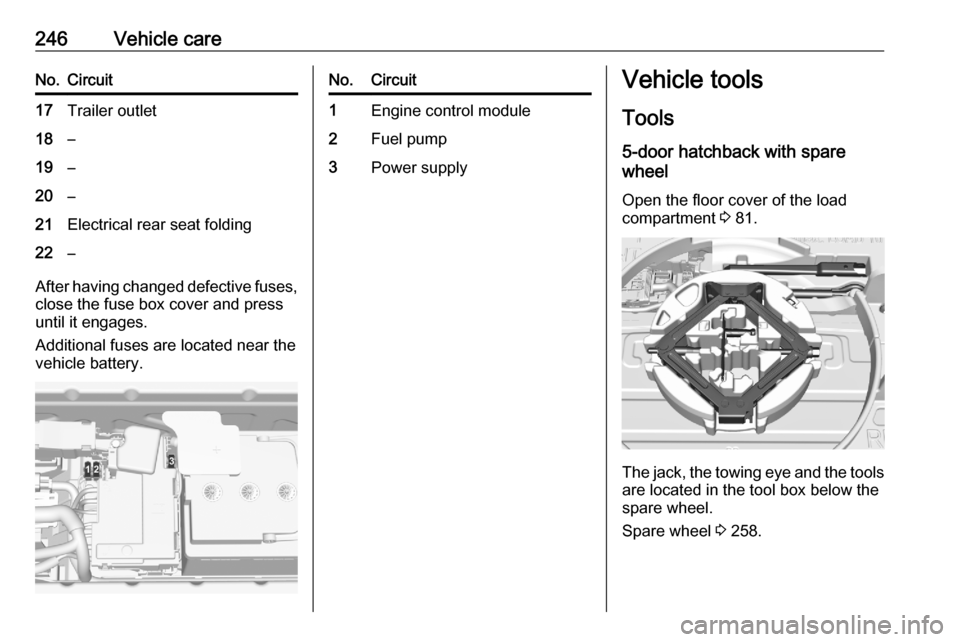
Open the floor cover of the load
compartment 3 81.
The jack, the towing eye and the tools
are located in the tool box below the
spare wheel.
Spare wheel 3 258.
Page 261 of 303

Vehicle care259To remove:1. Open the floor cover 3 81.
2. The spare wheel is secured with a
wing nut. Unscrew the wing nut
and take out the spare wheel.
Under the spare wheel there is the
box with vehicle tools.
3. When, after a wheel change, no wheel is placed in the spare wheelwell, secure the tool box by
tightening the wing nut as far as it will go and close floor cover.
4. After wheel change back to full size wheel, place the spare wheel
outside up in the well and secure
with the wing nut.
Only mount one temporary spare
wheel. The permissible maximum
speed on the label on the temporary
spare wheel is only valid for the
factory-fitted tyre size.Fitting the spare wheel
Make the following preparations and
observe the following information:
● Park the vehicle on a level, firm and non-skid surface. The front
wheels must be in the straight-
ahead position.
● Apply the parking brake and engage first gear, reverse gear or
P .
● Remove the spare wheel.
● Never change more than one wheel at once.
● Use the jack only to change wheels in case of puncture, not
for seasonal winter or summer
tyre change.
● The jack is maintenance-free. ● If the ground on which the vehicle
is standing is soft, a solid board
(max. 1 cm thick) should be
placed under the jack.
● Take heavy objects out of the vehicle before jacking up.
● No people or animals may be in the vehicle when it is jacked-up.● Never crawl under a jacked-upvehicle.
● Do not start the vehicle when it is
raised on the jack.
● Clean wheel nuts and thread with
a clean cloth before mounting the
wheel.9 Warning
Do not grease wheel bolt, wheel
nut and wheel nut cone.
1. Steel wheels with cover: Pull off the wheel cover.
Alloy wheels: Disengage wheel
nut caps with a slot screwdriver
and remove. To protect the wheel paint and the cap, wrap a cloth
around the screwdriver tip 3 246.
Page 263 of 303

Vehicle care261Attach wheel wrench and with thejack correctly aligned rotate wheelwrench until wheel is clear of the
ground.
5. Unscrew the wheel nuts.
6. Change the wheel.
7. Screw on the wheel nuts.
8. Lower the vehicle and remove jack.
9. Install the wheel wrench ensuring that it is located securely and
tighten each nut in a crosswise
sequence. Tightening torque is
140 Nm.
10. Align the valve hole in the wheel cover with the tyre valve before
installing.
Install wheel nut caps.
11. Stow and secure the replaced wheel, the vehicle tools 3 246 and
the adapter for the locking wheel
nuts 3 72.
12. Check the tyre pressure of the installed tyre and the wheel nut
torque as soon as possible.
Have the defective tyre renewed or repaired as soon as possible.Stowing a damaged full size
wheel in the load compartment, 5- door hatchback
The spare wheel well is not designed
for other tyre sizes than the spare
wheel. A damaged full size wheel
must be stowed in the load
compartment.
Vehicle tools 3 246.
Make sure to store the wheel securely in the load compartment 3 89.9 Danger
Always drive with folded up and
engaged rear seat backrests when stowing a damaged full size wheel
in the load compartment.
9 Warning
Storing a jack, a wheel or other
equipment in the load
compartment could cause injury if they are not fixed properly. During a sudden stop or a collision, looseequipment could strike someone.
Always store jack and tools in the
respective storage compartments
and secure them by fixing.
Damaged wheel placed in the load
compartment must always be
secured with the strap.
Stowing a damaged full size
wheel in the load compartment,
Sports Tourer
All permitted wheel sizes can be
stowed in the spare wheel well. To
secure the wheel: