infotainment VAUXHALL CASCADA 2014.5 Infotainment system
[x] Cancel search | Manufacturer: VAUXHALL, Model Year: 2014.5, Model line: CASCADA, Model: VAUXHALL CASCADA 2014.5Pages: 131, PDF Size: 2.26 MB
Page 109 of 131
USB port109USB portGeneral information...................109
Playing saved audio files ...........109General information
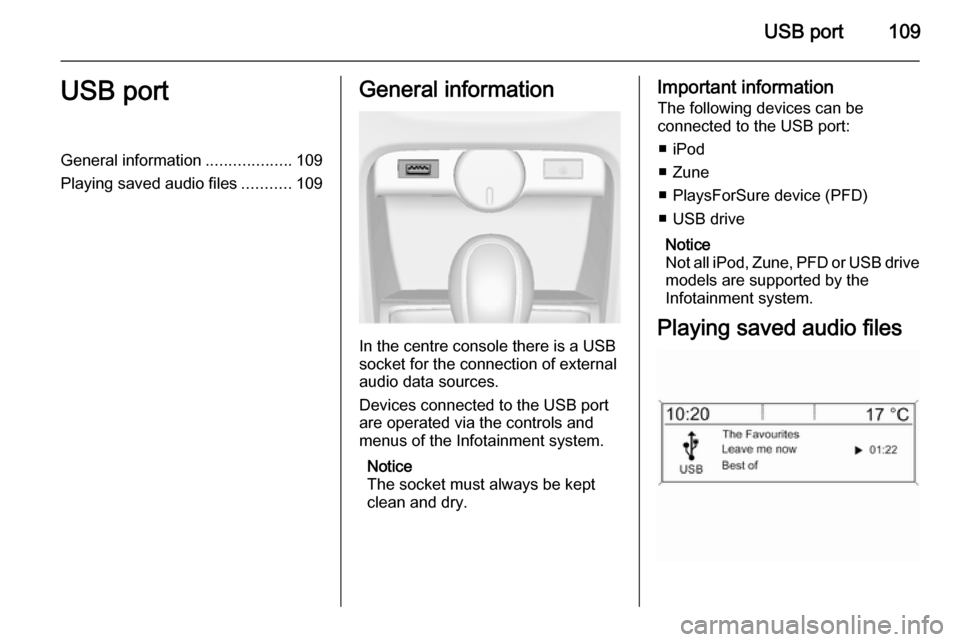
In the centre console there is a USB
socket for the connection of external audio data sources.
Devices connected to the USB port
are operated via the controls and
menus of the Infotainment system.
Notice
The socket must always be kept
clean and dry.
Important information
The following devices can be
connected to the USB port:
■ iPod
■ Zune
■ PlaysForSure device (PFD)
■ USB drive
Notice
Not all iPod, Zune, PFD or USB drive models are supported by the
Infotainment system.
Playing saved audio files
Page 111 of 131

Speech recognition111Speech recognitionGeneral information...................111
Phone control ............................ 112General information
The speech recognition of the
Infotainment system enables you to
operate the phone portal via voice input. It recognises commands and
numeric sequences independently of
the relevant speaker. The commands and numeric sequences can be
spoken without a voice pause
between the individual words.
You can save telephone numbers
assigning a name of your choice
(voice tag). Using these names, you
can later set up a telephone
connection.
In the event of incorrect operation or commands the speech recognition
gives you visual and/or acoustic
feedback and requests you to re-
enter the desired command. Apart
from this, the speech recognition
acknowledges important commands
and will enquire if necessary.
To ensure that conversations inside
the vehicle do not lead to
unintentional triggering of systemfunctions, the speech recognition
does not start until it has been
activated.
Important notes on language
support ■ Not all languages available for the display of the Infotainment system
are also available for the speech
recognition.
■ If the currently selected language for the display is not supported by
the speech recognition, you need to enter the voice commands in
English.
To be able to enter voice
commands in English, you first
need to activate the phone main
menu by pressing the PHONE
button on the Infotainment system,
and then activate the speech
recognition of the phone portal by
pressing button w on the steering
wheel.
Page 112 of 131

112Speech recognitionPhone controlActivating speech recognition
To activate the speech recognition of
the Phone portal, press button w on
the steering wheel. For the duration of the dialogue any active audio source
is muted and any traffic news fade-in
is cancelled.
Adjusting the volume for voice output
Turn the volume knob on the
Infotainment system, or press the + or
― button on the steering wheel.
Cancelling a dialogueThere are various ways of
deactivating the speech recognition
and cancelling the dialogue:
■ Press button x on the steering
wheel.
■ Say " Cancel".
■ Do not enter (say) any commands for some time.
■ After the third unrecognised command.Operation
With the aid of the speech recognition
the mobile phone can be operated
very conveniently via voice input. It is
sufficient to activate the speech
recognition and to enter (say) the
desired command. After input of the
command the Infotainment system
guides you through the dialogue with
appropriate questions and feedback
to achieve the desired action.
Main commands
After activation of the speech
recognition a short tone signals that
the speech recognition is expecting
input.
Main commands available: ■ " Dial "
■ " Call "
■ " Redialing "
■ " Save "
■ " Delete "
■ " Directory "
■ " Pair "■ "Select device "
■ " Voice feedback "
Commands that are frequently
available
■ " Help ": the dialogue is terminated
and all commands available within
the actual function are enumerated.
■ " Cancel ": the speech recognition is
deactivated.
■ " Yes ": a suitable action is triggered
depending on the context.
■ " No ": a suitable action is triggered
depending on the context.
Entering a telephone number
After the command " Dial" the speech
recognition requests input of a
number.
The telephone number must be
spoken in your normal voice without
any artificial pauses between the
individual numbers.
Recognition works best if a pause of
at least half a second is made after
every three to five digits. The
Infotainment system then repeats the
numbers recognised.
Page 115 of 131

Speech recognition115
Commands available during voice
output of the voice tags:
■ " Call ": the telephone number of the
voice tag last read aloud is
selected.
■ " Delete ": the entry of the voice tag
last read aloud is deleted.
Saving a mobile phone to or deleting
it from the device list
With the command " Pair" a mobile
phone can be saved to or deleted from the device list of the Phone
portal 3 117.
Commands available: ■ " Add "
■ " Delete "
■ " Help "
■ " Cancel "Example of a dialogue
User: " Pair"
Voice output: " Do you want to add or
delete a device? "
User: " Add"Voice output: " Using the pair function
in the external device, enter <1234>
to pair. "
Voice output: " Do you want to pair the
device? "
User: " Yes"
Voice output: " The device is
connected as the number
Selecting a mobile phone from the
device list
Using the " Select device " command,
a mobile phone can be selected in the
device list for setting up a Bluetooth
connection.Example of a dialogue
User: " Select device "
Voice output: " Please, say a device
number to select "
User:
Voice output: " Do you want to select
the device number
User: " Yes"
Voice output: " Do you want to pair the
device? "User: "Yes"
Voice output: " One moment. The
system searches for the selected
device "
Voice output: " Device number
Voice feedback
Each voice input is answered or
commented on by the Infotainment
system by way of a voice output that
is adapted to the situation.
To switch the voice output on or off,
enter " Voice feedback " or press
button w.
Page 116 of 131

116PhonePhoneGeneral information...................116
Bluetooth connection .................117
Emergency call .......................... 121
Operation ................................... 122
Mobile phones and CB radio equipment .................................. 125General information
The Phone portal provides you with
the possibility of having mobile phone conversations via a vehicle
microphone and the vehicle
loudspeakers as well as operating the
most important mobile phone
functions via the Infotainment system in the vehicle. To be able to use the
Phone portal, the mobile phone has
to be connected with it via Bluetooth.
The Phone portal can be operated
optionally via the speech recognition
system.
Not all Phone portal functions are
supported by every mobile phone.
The possible phone functions depend on the relevant mobile phone andnetwork provider. You will find further
information on this in the operating
instructions for your mobile phone or you can enquire about them with your network provider.Important information for
operation and traffic safety9 Warning
Mobile phones have effects on
your environment. For this reason safety regulations and directions
have been prepared. You should
be familiar with the related
directions before you use the
telephone function.
9 Warning
Use of the hands-free facility while
driving can be dangerous because
your concentration is reduced
when telephoning. Park your
vehicle before you use the hands- free facility. Follow the stipulations
of the country in which you find
yourself at present.
Do not forget to follow the special
regulations that apply in specific areas and always switch off the
mobile phone if the use of mobile
Page 119 of 131

Phone119
As soon as the Phone portal has
detected the mobile phone, the
connection set-up can be confirmed.
The mobile phone is adopted in the
device list and can be operated via
the Phone portal.
Changing the Bluetooth code
(only relevant for handsfree mode)
The first time a Bluetooth connection
to the Phone portal is set up, a default code is displayed. This default code
can be changed at any time. For
security reasons a four-digit,
randomly selected code must be
used for pairing devices.Select Change Bluetooth code . On
the menu displayed, edit the actual
Bluetooth code and accept the
modified code using OK.
Connecting a mobile phone via SIM
Access Profile (SAP)
Select Add SIM access device .
The Phone portal scans for available
devices and displays a list of devices
found.
Notice
The mobile phone must have
Bluetooth activated and be set to visible.Select the desired mobile phone from
the list. The SAP passcode prompt is
shown on the Infotainment display
containing a 16-digit code.
Page 120 of 131

120Phone
Enter the displayed SAP passcode in
the mobile phone (without spaces).
The mobile phone PIN code is shown
on the Infotainment display.
If the PIN request function is active,
the user will have to enter the PIN code of the SIM card in the mobile
phone.
Enter the PIN code of the mobile
phone SIM. The mobile phone is
paired with the Phone portal.
Services of the mobile network
provider can be used via the Phone
portal.
Connecting a mobile phone
saved in the device list
Select the desired mobile phone and
then select the option Select in the
menu displayed.
As soon as the Phone portal has
detected the mobile phone, the
connection setup can be confirmed.
The mobile phone can be operated
via the Phone portal.
Removing mobile phone from
device list Select the desired mobile phone from
the device list. In the menu displayed
select Delete and confirm the
subsequent message.
Setting up a connected phone
Various mobile phone settings can be configured in the Phone settings
menu, if the phone is connected via
SAP.
Adjusting the ring tone
To change the ring tone
characteristic:
Press CONFIG button.
Select Phone settings and then Ring
tone .
Select the desired option.
To change the ring tone volume:
While the phone rings turn the m knob
of the Infotainment system or press
the buttons + / - on the steering wheel.
Changing security settings
Press CONFIG button.
Page 122 of 131

122Phonea sufficiently strong signal. Undercertain circumstances emergency
calls cannot be made on all mobile
phone networks; it is possible that
they cannot be made when certain network services and/or telephonefunctions are active. You can
enquire about this with the local
network operators.
The emergency call number can
differ depending on the region and
country. Please enquire
beforehand about the correct
emergency call number for the
relevant region.
Making an emergency call
Dial the emergency call number (e.g.
112 ).
The telephone connection to the
emergency call centre is set up.
Answer when the service personnel
questions you about the emergency.
9 Warning
Do not end the call until you are
requested to do so by the
emergency call centre.
Operation
Introduction As soon as a connection via
Bluetooth has been set up between
your mobile phone and the
Infotainment system, you can also
operate many functions of your
mobile phone via the Infotainment
system.
Via the Infotainment system, you can,
e.g., set up a connection to the
telephone numbers stored in your
mobile phone or change the
telephone numbers.
Notice
In the handsfree mode mobile phone
operation continues to be possible,
e. g. taking a call or adjusting the
volume.
After setup of a connection between
the mobile phone and the
Infotainment system the mobile
phone data is transmitted to the
Infotainment system. This can take
some time depending on the phone
model. During this period operation of
the mobile phone is possible via the
Infotainment system only to a limited
extent.
Not every telephone supports all
functions of the Phone portal.
Therefore deviations from the range
of functions described with these
specific telephones are possible.
Setting the volume for hands-
free facility
Turn the m knob on the Infotainment
system or press the buttons + / - on
the steering wheel.
Page 124 of 131
124Phone
Notice
Telephone book entries are carried
over as they are transferred from the mobile phone. The presentation and
order of the telephone book entries
may be different on the Infotainment system's display and the mobile
phone's display.
After having performed the
preselection: select the desired entry
in the telephone book to display the
numbers saved under this entry.
Select the desired number to start the dialling process.
Call lists
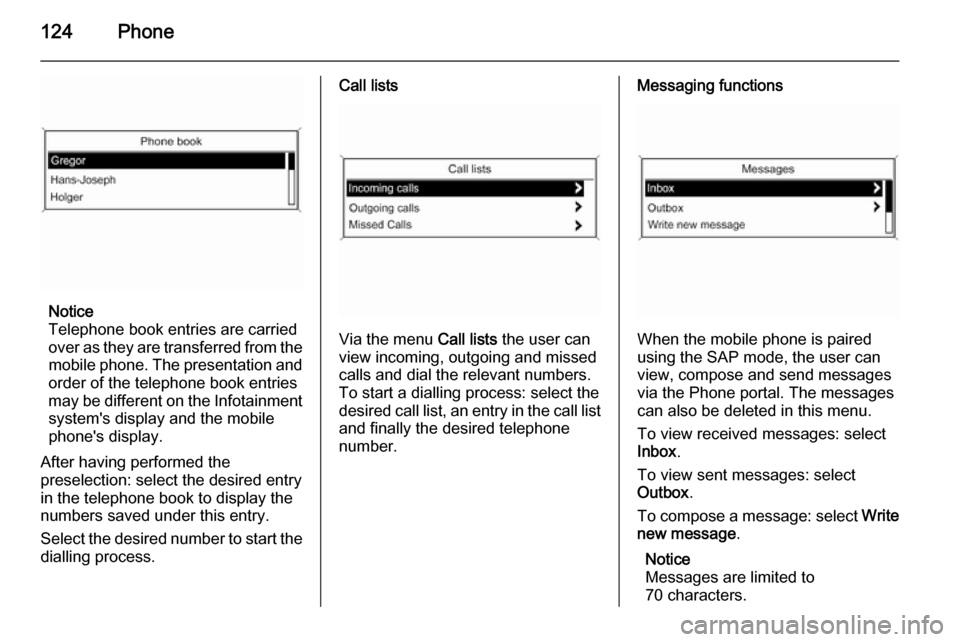
Via the menu Call lists the user can
view incoming, outgoing and missed
calls and dial the relevant numbers.
To start a dialling process: select the desired call list, an entry in the call list and finally the desired telephone
number.
Messaging functions
When the mobile phone is paired
using the SAP mode, the user can
view, compose and send messages
via the Phone portal. The messages
can also be deleted in this menu.
To view received messages: select
Inbox .
To view sent messages: select
Outbox .
To compose a message: select Write
new message .
Notice
Messages are limited to
70 characters.
Page 128 of 131

128IndexAActivating CD player ...................105
Activating speech recognition .....112
Activating the radio .......................95
Autostore lists ............................... 96
B BACK button ................................. 87
Basic operation ............................. 87
Bluetooth .................................... 116
Bluetooth connection ..................117
C CD player activating ................................. 105
important information ..............104
usage ...................................... 105
Configuring DAB .........................102
Configuring RDS......................... 100
Control elements overview ...........80
D
DAB ............................................ 102
Digital audio broadcasting ..........102
E Emergency call ........................... 121
Enhanced Other Networks .........100
EON ............................................ 100F
Favourite lists ............................... 96
G
General information ...................
.......... 78, 104, 108, 109, 111, 116
H Handsfree mode .........................117
I
Infotainment system maximum startup volume ..........93
personalisation .......................... 94
speed dependent volume ..........93
tone settings .............................. 91
volume of the traffic
announcements ........................ 93
volume settings ......................... 93
M Menu operation............................. 87
Mobile phones and CB radio equipment .............................. 125
Multifunction knob......................... 87
Mute.............................................. 86
O
Operation .................................... 122