phone VAUXHALL CASCADA 2014.5 Infotainment system
[x] Cancel search | Manufacturer: VAUXHALL, Model Year: 2014.5, Model line: CASCADA, Model: VAUXHALL CASCADA 2014.5Pages: 131, PDF Size: 2.26 MB
Page 124 of 131
124Phone
Notice
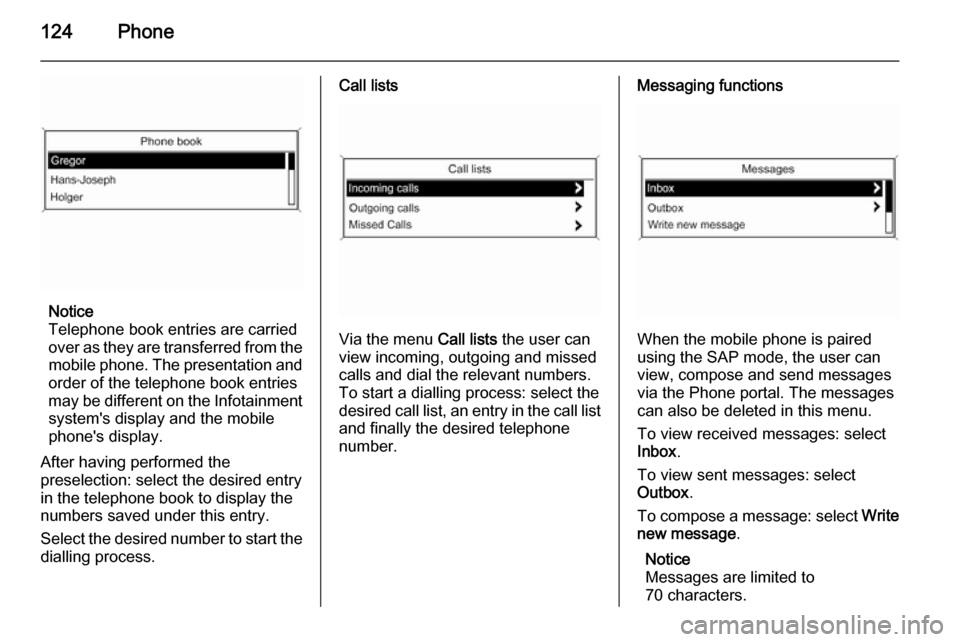
Telephone book entries are carried
over as they are transferred from the mobile phone. The presentation and
order of the telephone book entries
may be different on the Infotainment system's display and the mobile
phone's display.
After having performed the
preselection: select the desired entry
in the telephone book to display the
numbers saved under this entry.
Select the desired number to start the dialling process.
Call lists
Via the menu Call lists the user can
view incoming, outgoing and missed
calls and dial the relevant numbers.
To start a dialling process: select the desired call list, an entry in the call list and finally the desired telephone
number.
Messaging functions
When the mobile phone is paired
using the SAP mode, the user can
view, compose and send messages
via the Phone portal. The messages
can also be deleted in this menu.
To view received messages: select
Inbox .
To view sent messages: select
Outbox .
To compose a message: select Write
new message .
Notice
Messages are limited to
70 characters.
Page 125 of 131

Phone125
Incoming callWhen there is an incoming call a
menu is displayed to accept or
decline the telephone call.
Select required option.
Functions during a telephone call
If you currently have a telephone call, press the multifunction knob to open
a submenu.
Various options are available
depending on the situation and range
of functions of the mobile phone:
■ Hang up : disconnect the telephone
connection.
■ Call number : enter a telephone
number to make a second
telephone call or perform DTMF
(touch-tone dialling), e.g. for voice
mail or telephone banking.
■ Detach call : detach the connection
to a conference participant in a telephone conference.
■ Merge calls : merge two calls when
there are several active calls.■ Switch calls : switch between calls,
if there are several calls.
■ Mute call : mute a call.
Mobile phones and CB
radio equipment
Installation instructions and operating guidelines The vehicle specific installation
instructions and the operating
guidelines of the mobile phone and
handsfree manufacturer must be
observed when installing and
operating a mobile telephone. Failure
to do so could invalidate the vehicle
type approval (EU directive 95/54/
EC).Recommendations for fault-free
operation:
■ Professionally installed exterior antenna to obtain the maximum
range possible,
■ Maximum transmission power 10 watts,
■ Installation of the phone in a suitable spot, consider relevant
Note in the Owner's manual,
chapter Airbag system .
Seek advice on predetermined
installation points for the external
antenna or equipment holder and
ways of using devices with a
transmission power exceeding
10 watts.
Use of a handsfree attachment
without external antenna with mobile
telephone standards GSM
900/1800/1900 and UMTS is only
permitted if the maximum
transmission power of the mobile
telephone is 2 watts for GSM 900 or
1 watt for the other types.
Page 126 of 131

126Phone
For reasons of safety, do not use the
phone while driving. Even use of a
handsfree set can be a distraction while driving.9 Warning
Operation of radio equipment and
mobile telephones which fail to
meet above mentioned mobile
telephone standards is only
permitted using an antenna
located outside of the vehicle.
Caution
Mobile telephones and radio
equipment may lead to
malfunctions in the vehicle
electronics when operated inside
the vehicle with no exterior
antenna, unless the above
mentioned regulations are
observed.
Page 127 of 131

Phone127
Page 128 of 131

128IndexAActivating CD player ...................105
Activating speech recognition .....112
Activating the radio .......................95
Autostore lists ............................... 96
B BACK button ................................. 87
Basic operation ............................. 87
Bluetooth .................................... 116
Bluetooth connection ..................117
C CD player activating ................................. 105
important information ..............104
usage ...................................... 105
Configuring DAB .........................102
Configuring RDS......................... 100
Control elements overview ...........80
D
DAB ............................................ 102
Digital audio broadcasting ..........102
E Emergency call ........................... 121
Enhanced Other Networks .........100
EON ............................................ 100F
Favourite lists ............................... 96
G
General information ...................
.......... 78, 104, 108, 109, 111, 116
H Handsfree mode .........................117
I
Infotainment system maximum startup volume ..........93
personalisation .......................... 94
speed dependent volume ..........93
tone settings .............................. 91
volume of the traffic
announcements ........................ 93
volume settings ......................... 93
M Menu operation............................. 87
Mobile phones and CB radio equipment .............................. 125
Multifunction knob......................... 87
Mute.............................................. 86
O
Operation .................................... 122
Page 129 of 131

129
PPersonalisation ............................. 94
Phone adjusting ring tones .................117
Bluetooth ................................. 116
Bluetooth connection ..............117
call lists.................................... 122
control elements ......................116
dialling a number .....................122
emergency calls ......................121
functions during a call .............122
handsfree mode ......................117
important information ..............116
messaging functions ...............122
recharging the battery .............116
setting the volume ...................122
SIM Access Profile (SAP) .......117
telephone book ....................... 122
Phone control ............................. 112
Playing saved audio files ............109
R Radio Radio data system (RDS) .......100
activating ................................... 95
autostore lists ............................ 96
Digital audio broadcasting
(DAB) ...................................... 102
favourite lists ............................. 96selecting the waveband ............95
station lists ................................ 97
station search ............................ 95
usage ........................................ 95
waveband menus ......................97
Radio data system (RDS) ..........100
RDS ............................................ 100
Recharging the phone battery ....116
Regionalization ........................... 100
Retrieving stations ........................96
S SAP mode .................................. 117
Selecting the waveband ...............95
Setting the volume ........................86
SIM Access Profile (SAP) ...........117
Speech recognition .............111, 112
activating ................................. 112
phone control .......................... 112
usage ...................................... 112
volume for voice output ...........112
Speed compensated volume ........86
Starting CD replay ......................105
Station search............................... 95
Storing stations ............................. 96
Switching the Infotainment system on or off......................... 86
Switching the radio on ..................95T
Theft-deterrent feature ................. 79
Tone settings ................................ 91
Traffic announcements .................93
U Updating station lists ....................97
Usage ..................... 86, 95, 105, 108
Using the AUX input ...................108
Using the CD player ...................105
Using the Infotainment system .....86
Using the radio ............................. 95
Using the USB port .....................109
V Voice recognition ........................111
Volume for voice output ..............112
Volume settings ............................ 93
W Waveband menus......................... 97