warning VAUXHALL CASCADA 2014 Repair Manual
[x] Cancel search | Manufacturer: VAUXHALL, Model Year: 2014, Model line: CASCADA, Model: VAUXHALL CASCADA 2014Pages: 247, PDF Size: 7.34 MB
Page 156 of 247
154Driving and operating
The limited speed will flash in the
Driver Information Centre and,
depending on the vehicle, additionally
a chime sounds during this period.
Release the accelerator pedal andthe speed limiter function is
reactivated once a speed lower than
the limit speed is obtained.
Deactivation
Press button y: speed limiter is
deactivated and the vehicle can be
driven without speed limit.
The limited speed is stored and a
corresponding message appears in
the Driver Information Centre.
Resume limit speedTurn thumb wheel to RES/+. The
stored speed limit will be obtained.
Switching off
Press button L, the speed limit
indication in the Driver Information Centre extinguishes. The stored
speed is deleted.By pressing button m to activate
cruise control or by switching off the
ignition, speed limiter is also
deactivated and the stored speed is
deleted.
Forward collision alert The forward collision alert can help to
avoid or reduce the harm caused by
front-end crashes. If a vehicle directly
ahead is approached too quickly, a
warning chime and alert in the Driver
Information Centre is provided.
Forward collision alert uses the front
camera system in the windscreen to
detect a vehicle directly ahead, in
your path, within a distance of approx. 60 metres.
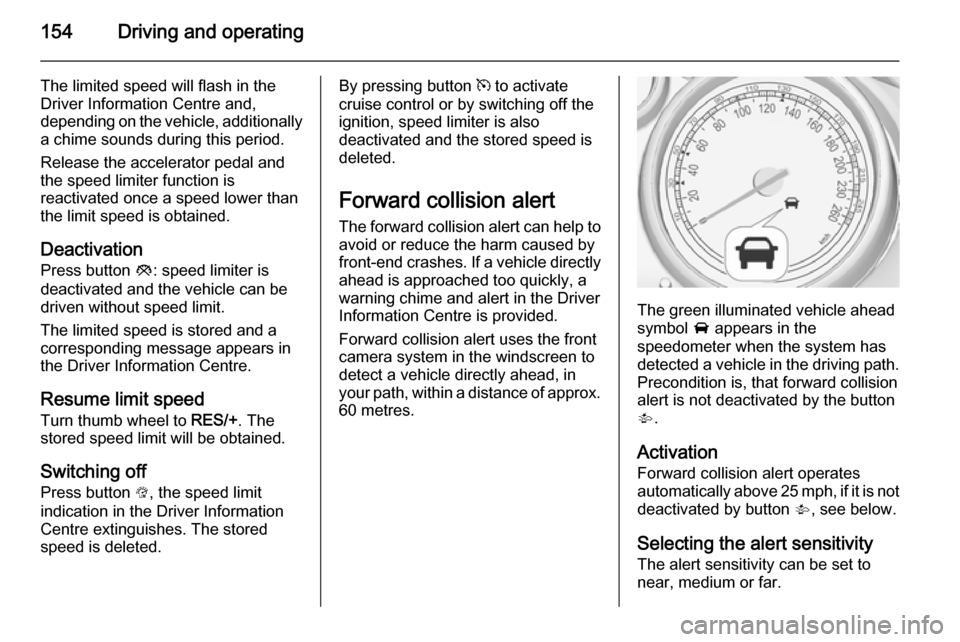
The green illuminated vehicle ahead
symbol A appears in the
speedometer when the system has
detected a vehicle in the driving path.
Precondition is, that forward collision
alert is not deactivated by the button
V .
Activation Forward collision alert operates
automatically above 25 mph, if it is not
deactivated by button V, see below.
Selecting the alert sensitivity
The alert sensitivity can be set to
near, medium or far.
Page 157 of 247
Driving and operating155
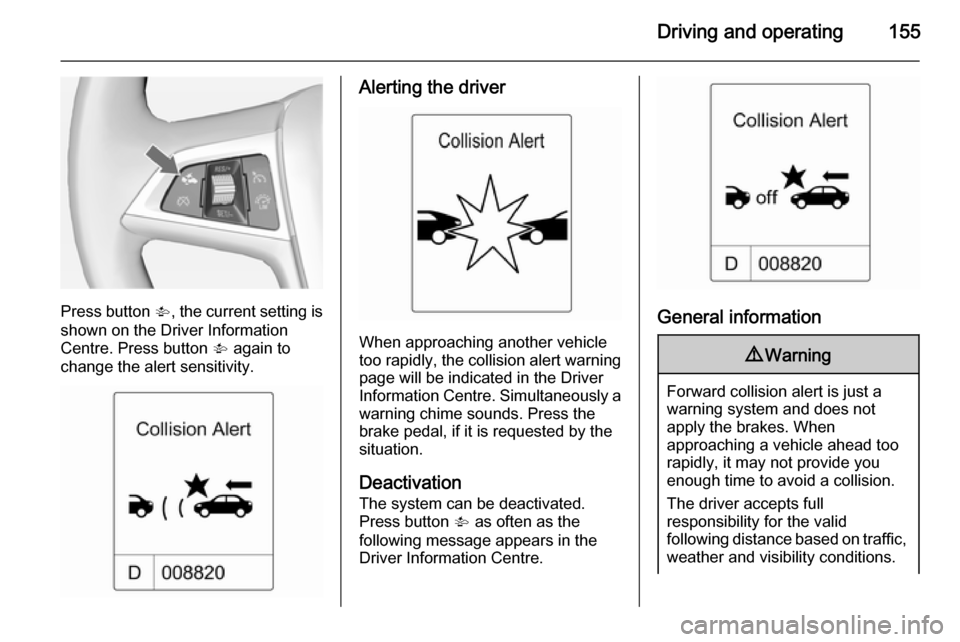
Press button V, the current setting is
shown on the Driver Information
Centre. Press button V again to
change the alert sensitivity.
Alerting the driver
When approaching another vehicle
too rapidly, the collision alert warning page will be indicated in the Driver
Information Centre. Simultaneously a
warning chime sounds. Press the
brake pedal, if it is requested by the
situation.
Deactivation
The system can be deactivated.
Press button V as often as the
following message appears in the
Driver Information Centre.
General information
9 Warning
Forward collision alert is just a
warning system and does not
apply the brakes. When
approaching a vehicle ahead too
rapidly, it may not provide you
enough time to avoid a collision.
The driver accepts full
responsibility for the valid
following distance based on traffic,
weather and visibility conditions.
Page 158 of 247
156Driving and operatingThe complete attention of the
driver is always required while
driving. He shall always be ready
to take action and apply the
brakes.
System limitations
The system is designed to warn only for vehicles, but may react also on
other objects.
In the following cases, forward
collision alert may not detect a vehicle ahead or sensor performance is
limited:
■ on winding roads,
■ when weather limits visibility, such as fog, rain, or snow,
■ when the sensor is blocked by snow, ice, slush, mud, dirt, or
windscreen damage.
Following distance
indication
The following distance indication
displays the distance to a preceding
moving vehicle. The front camera in
the windscreen is used to detect the
distance of a vehicle directly ahead in
the vehicle's path. It is active at
speeds above 25 mph.
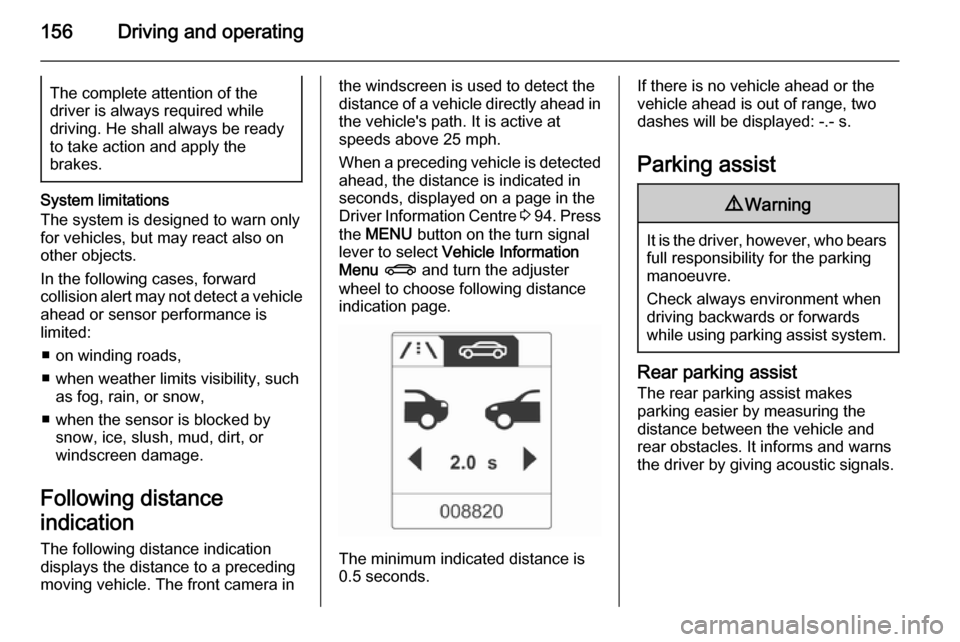
When a preceding vehicle is detected
ahead, the distance is indicated in
seconds, displayed on a page in the
Driver Information Centre 3 94 . Press
the MENU button on the turn signal
lever to select Vehicle Information
Menu X and turn the adjuster
wheel to choose following distance
indication page.
The minimum indicated distance is
0.5 seconds.
If there is no vehicle ahead or the vehicle ahead is out of range, two
dashes will be displayed: -.- s.
Parking assist9 Warning
It is the driver, however, who bears
full responsibility for the parking
manoeuvre.
Check always environment when
driving backwards or forwards
while using parking assist system.
Rear parking assist
The rear parking assist makes
parking easier by measuring the
distance between the vehicle and
rear obstacles. It informs and warns
the driver by giving acoustic signals.
Page 160 of 247
158Driving and operating
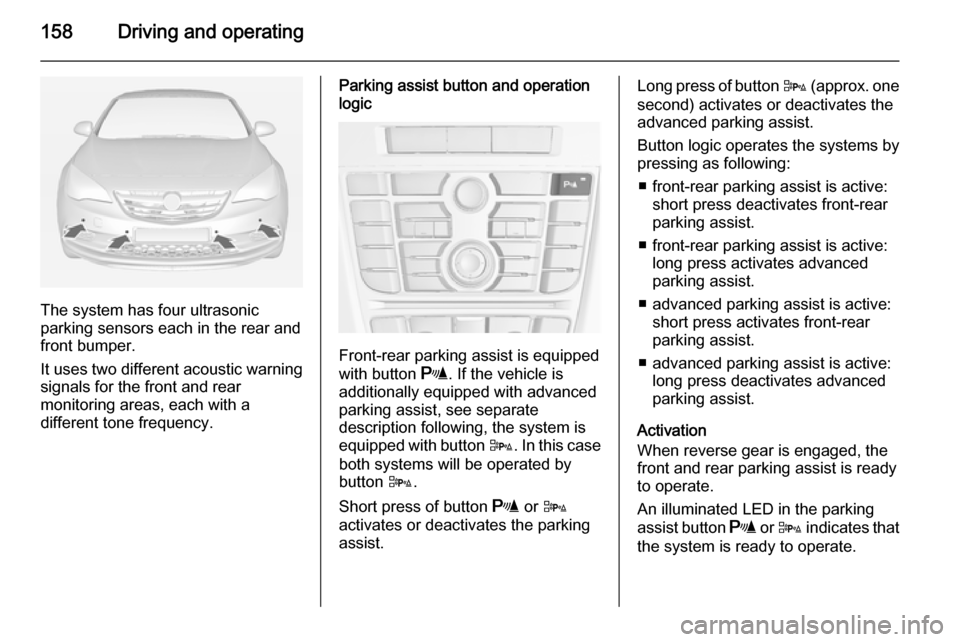
The system has four ultrasonic
parking sensors each in the rear and
front bumper.
It uses two different acoustic warning
signals for the front and rear
monitoring areas, each with a
different tone frequency.
Parking assist button and operation
logic
Front-rear parking assist is equipped
with button r. If the vehicle is
additionally equipped with advanced parking assist, see separate
description following, the system is equipped with button D. In this case
both systems will be operated by
button D.
Short press of button r or D
activates or deactivates the parking
assist.
Long press of button D (approx. one
second) activates or deactivates the
advanced parking assist.
Button logic operates the systems by
pressing as following:
■ front-rear parking assist is active: short press deactivates front-rear
parking assist.
■ front-rear parking assist is active: long press activates advanced
parking assist.
■ advanced parking assist is active: short press activates front-rearparking assist.
■ advanced parking assist is active: long press deactivates advanced
parking assist.
Activation
When reverse gear is engaged, the
front and rear parking assist is ready
to operate.
An illuminated LED in the parking
assist button r or D indicates that
the system is ready to operate.
Page 161 of 247
Driving and operating159
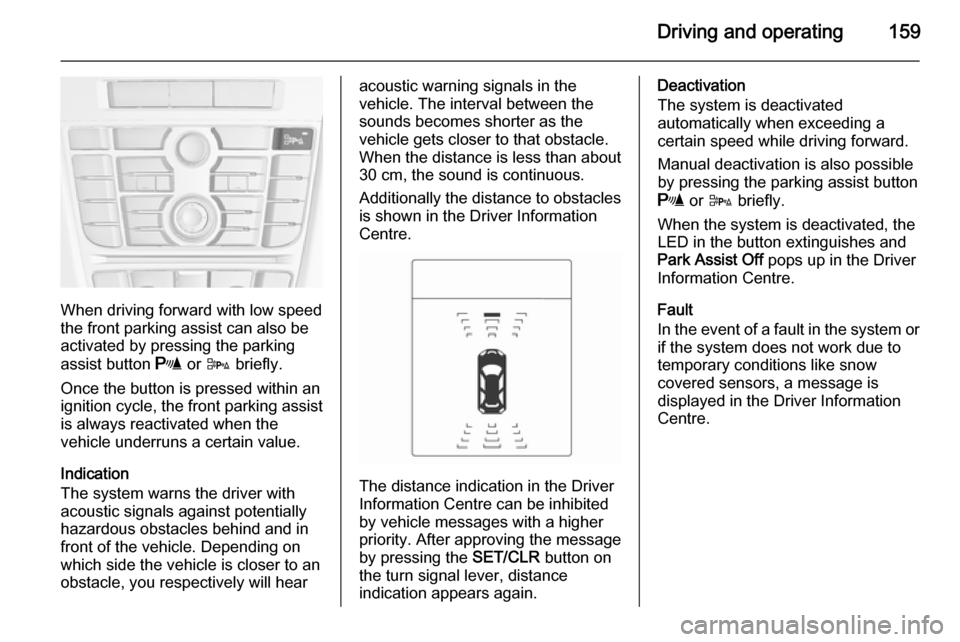
When driving forward with low speed
the front parking assist can also be
activated by pressing the parking
assist button r or D briefly.
Once the button is pressed within an
ignition cycle, the front parking assist
is always reactivated when the
vehicle underruns a certain value.
Indication
The system warns the driver with
acoustic signals against potentially
hazardous obstacles behind and in
front of the vehicle. Depending on
which side the vehicle is closer to an
obstacle, you respectively will hear
acoustic warning signals in the
vehicle. The interval between the
sounds becomes shorter as the
vehicle gets closer to that obstacle.
When the distance is less than about 30 cm, the sound is continuous.
Additionally the distance to obstacles
is shown in the Driver Information
Centre.
The distance indication in the Driver
Information Centre can be inhibited
by vehicle messages with a higher
priority. After approving the message
by pressing the SET/CLR button on
the turn signal lever, distance
indication appears again.
Deactivation
The system is deactivated
automatically when exceeding a
certain speed while driving forward.
Manual deactivation is also possible
by pressing the parking assist button
r or D briefly.
When the system is deactivated, the
LED in the button extinguishes and
Park Assist Off pops up in the Driver
Information Centre.
Fault
In the event of a fault in the system or if the system does not work due to
temporary conditions like snow
covered sensors, a message is
displayed in the Driver Information
Centre.
Page 165 of 247
Driving and operating163
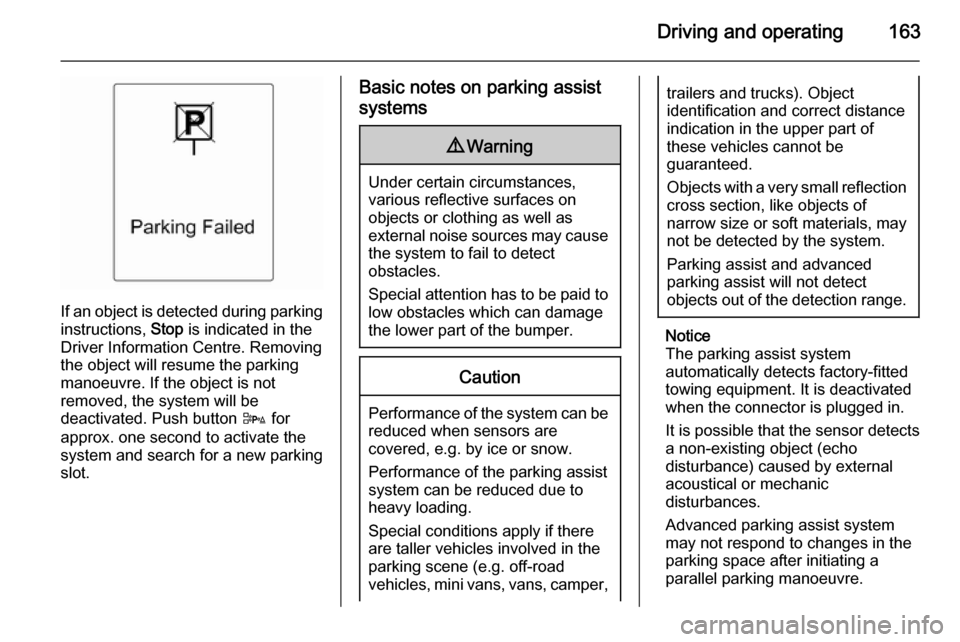
If an object is detected during parkinginstructions, Stop is indicated in the
Driver Information Centre. Removing
the object will resume the parking
manoeuvre. If the object is not
removed, the system will be
deactivated. Push button D for
approx. one second to activate the
system and search for a new parking
slot.
Basic notes on parking assist
systems9 Warning
Under certain circumstances,
various reflective surfaces on
objects or clothing as well as
external noise sources may cause the system to fail to detect
obstacles.
Special attention has to be paid to
low obstacles which can damage
the lower part of the bumper.
Caution
Performance of the system can be reduced when sensors are
covered, e.g. by ice or snow.
Performance of the parking assist
system can be reduced due to
heavy loading.
Special conditions apply if there
are taller vehicles involved in the
parking scene (e.g. off-road
vehicles, mini vans, vans, camper,
trailers and trucks). Object
identification and correct distance
indication in the upper part of
these vehicles cannot be
guaranteed.
Objects with a very small reflection
cross section, like objects of
narrow size or soft materials, may
not be detected by the system.
Parking assist and advanced
parking assist will not detect
objects out of the detection range.
Notice
The parking assist system
automatically detects factory-fitted
towing equipment. It is deactivated
when the connector is plugged in.
It is possible that the sensor detects a non-existing object (echo
disturbance) caused by external
acoustical or mechanic
disturbances.
Advanced parking assist system
may not respond to changes in the
parking space after initiating a
parallel parking manoeuvre.
Page 166 of 247
164Driving and operating
Notice
After production the advanced
parking assist needs a calibration.
For an optimal parking guidance a
driving distance of at least 6 miles
with many curves is required.
Side blind spot alert The Side blind spot alert system
detects and reports objects on either
side of the vehicle, within a specified
"blind spot" zone. The system alerts visually in each exterior mirror, when
detecting objects that may not be
visible in the interior and exterior
mirrors.
The system's sensors are located in
the bumper on the left and right side
of the vehicle.9 Warning
Side blind spot alert does not
replace driver vision.
The system does not detect: ■ Vehicles outside the side blind zones which may be rapidly
approaching.
■ Pedestrians, cyclists or animals.
Before changing a lane, always
check all mirrors, look over the
shoulder and use the turn signal.
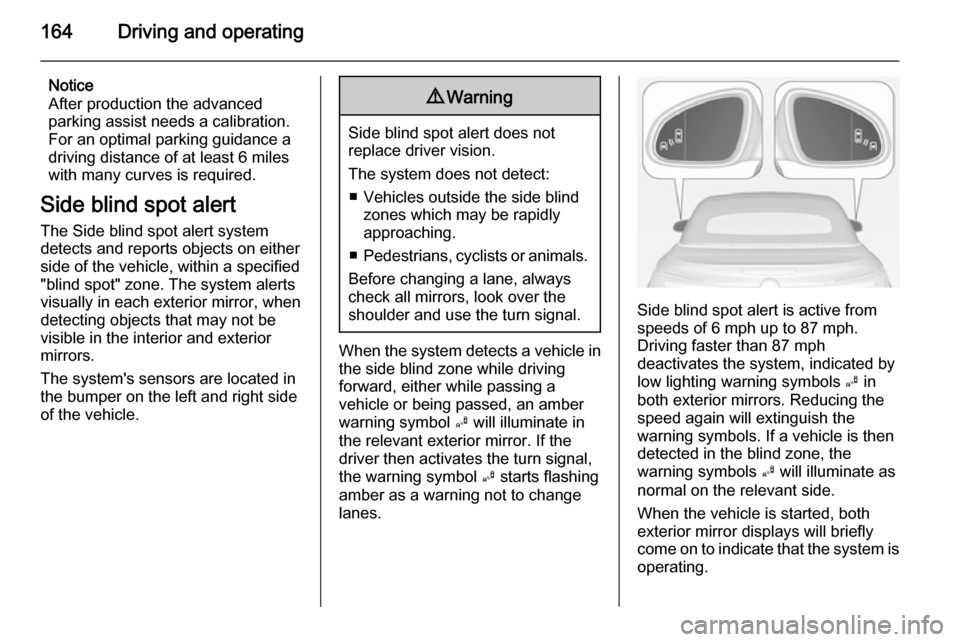
When the system detects a vehicle in the side blind zone while driving
forward, either while passing a
vehicle or being passed, an amber warning symbol B will illuminate in
the relevant exterior mirror. If the
driver then activates the turn signal,
the warning symbol B starts flashing
amber as a warning not to change
lanes.
Side blind spot alert is active from
speeds of 6 mph up to 87 mph.
Driving faster than 87 mph
deactivates the system, indicated by
low lighting warning symbols B in
both exterior mirrors. Reducing the speed again will extinguish the
warning symbols. If a vehicle is then
detected in the blind zone, the
warning symbols B will illuminate as
normal on the relevant side.
When the vehicle is started, both
exterior mirror displays will briefly
come on to indicate that the system is
operating.
Page 167 of 247
Driving and operating165
The system can be activated or
deactivated in the menu Settings in
the Info-Display, vehicle
personalisation 3 102.
Deactivation is indicated by a
message in the Driver Information
Centre.
Detection zones
The system sensor covers a zone of
approx. 3 metres on both sides of the
vehicle. This zone starts at each
exterior mirror and extends rearwards by approx. 3 metres. The height of the zone is approx. between 0.5 metres
and 2 metres off the ground.
The system is deactivated if the
vehicle is towing a trailer.
Side blind spot alert is designed to ignore stationary objects such as
guardrails, posts, curbs, walls and
beams. Parked vehicles or oncoming
vehicles are not detected.
Fault
Occasional missed alerts can occur
under normal circumstances and will
increase in wet conditions.Side blind spot alert does not operate when the left or right corners of the
rear bumper are covered with mud,
dirt, snow, ice, slush, or in heavy
rainstorms. Cleaning instructions
3 220.
In the event of a fault in the system or if the system does not work due to
temporary conditions, a message is
displayed in the Driver Information
Centre. Seek the assistance of a
workshop.
Rear view camera
The rear view camera assists the
driver when reversing by displaying a view of the area behind the vehicle.
The view of the camera is displayed
in the Colour-Info-Display.9 Warning
The rear view camera does not
replace driver vision. Note that
objects that are outside the
camera's field of view and the
advanced parking assist sensors,
e.g. below the bumper or
underneath the vehicle, are not
displayed.
Do not reverse the vehicle by only looking at the Info-Display and
check the surroundings behind
and around the vehicle before
reversing.
Activation
Rear view camera is automatically
activated when reverse gear is
engaged.
Functionality
Page 168 of 247
166Driving and operating
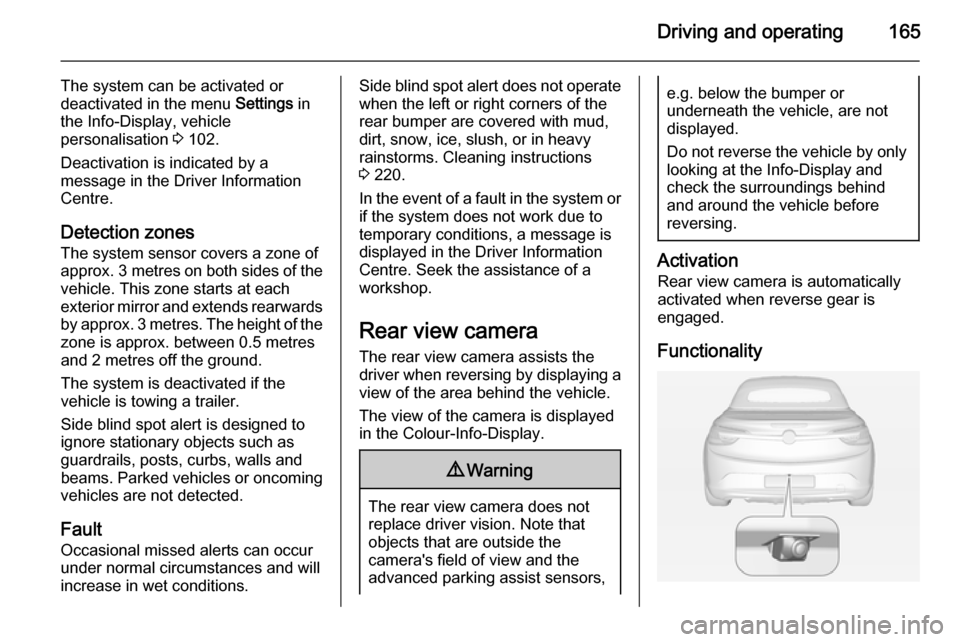
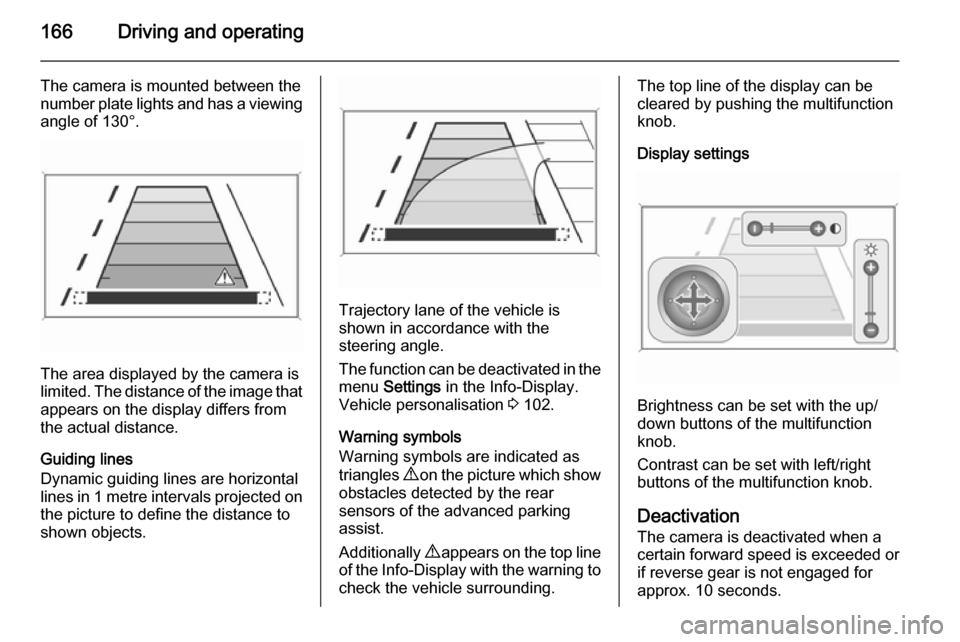
The camera is mounted between the
number plate lights and has a viewing angle of 130°.
The area displayed by the camera is
limited. The distance of the image that
appears on the display differs from
the actual distance.
Guiding lines
Dynamic guiding lines are horizontal
lines in 1 metre intervals projected on
the picture to define the distance to shown objects.
Trajectory lane of the vehicle is
shown in accordance with the
steering angle.
The function can be deactivated in the menu Settings in the Info-Display.
Vehicle personalisation 3 102.
Warning symbols
Warning symbols are indicated as
triangles 9 on the picture which show
obstacles detected by the rear
sensors of the advanced parking
assist.
Additionally 9 appears on the top line
of the Info-Display with the warning to
check the vehicle surrounding.
The top line of the display can be
cleared by pushing the multifunction
knob.
Display settings
Brightness can be set with the up/
down buttons of the multifunction
knob.
Contrast can be set with left/right
buttons of the multifunction knob.
Deactivation
The camera is deactivated when a
certain forward speed is exceeded or if reverse gear is not engaged for
approx. 10 seconds.
Page 169 of 247
Driving and operating167
Activation or deactivation of the rear
view camera can be changed in the
menu Settings in the Info-Display.
Vehicle personalisation 3 102.
Fault Fault messages are displayed with a9 on the top line of the Info-Display.
The rear view camera may not
operate properly when:
■ the surrounding is dark,
■ the sun or the beam of headlights is
shining directly into the camera
lens,
■ ice, snow, mud, or anything else covers the camera lens. Clean the
lens, rinse it with water, and wipe it
with a soft cloth,
■ the vehicle had a rear end accident,
■ there are extreme temperature changes.Traffic sign assistant
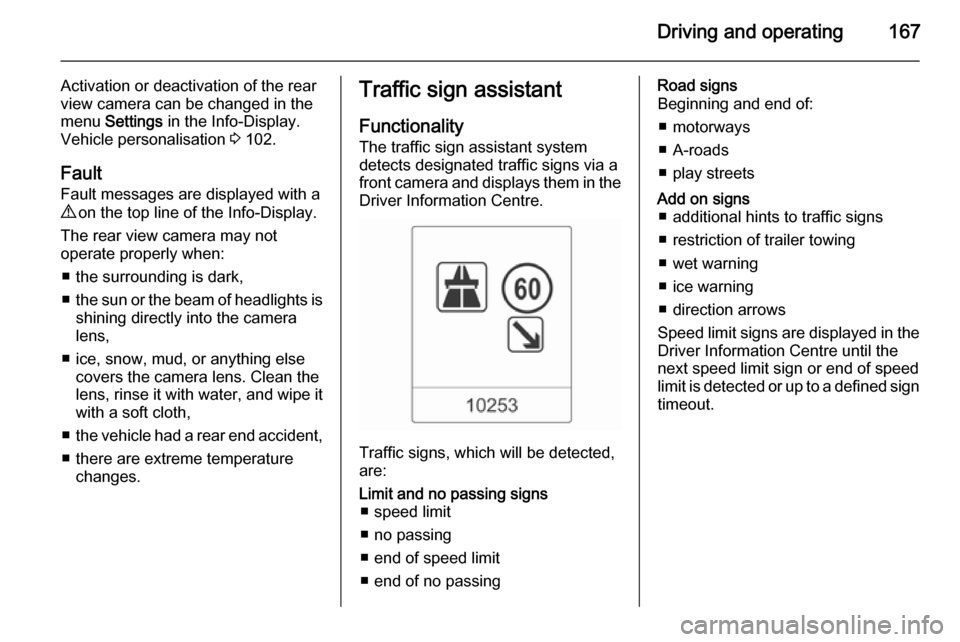
Functionality
The traffic sign assistant system
detects designated traffic signs via a
front camera and displays them in the
Driver Information Centre.
Traffic signs, which will be detected,
are:
Limit and no passing signs ■ speed limit
■ no passing
■ end of speed limit
■ end of no passingRoad signs
Beginning and end of:
■ motorways
■ A-roads
■ play streetsAdd on signs ■ additional hints to traffic signs
■ restriction of trailer towing
■ wet warning
■ ice warning
■ direction arrows
Speed limit signs are displayed in the
Driver Information Centre until the
next speed limit sign or end of speed
limit is detected or up to a defined sign timeout.