remote control VAUXHALL CASCADA 2017 User Guide
[x] Cancel search | Manufacturer: VAUXHALL, Model Year: 2017, Model line: CASCADA, Model: VAUXHALL CASCADA 2017Pages: 263, PDF Size: 7.74 MB
Page 34 of 263
32Keys, doors and windowsOperate the switch for the respective
window by pushing to open or pulling to close.
Pushing or pulling gently to the first
detent: window moves up or down as long as the switch is operated.
Pushing or pulling firmly to the second
detent then releasing: window moves
up or down automatically with safety
function enabled. To stop movement, operate the switch once more in the
same direction.
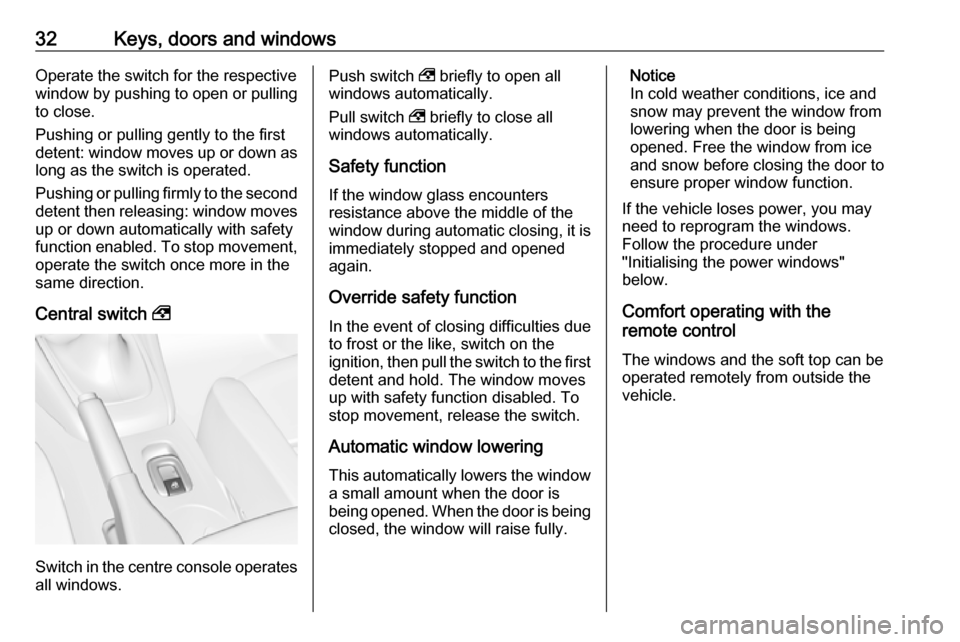
Central switch ,
Switch in the centre console operates
all windows.
Push switch , briefly to open all
windows automatically.
Pull switch , briefly to close all
windows automatically.
Safety function
If the window glass encounters
resistance above the middle of the
window during automatic closing, it is
immediately stopped and opened
again.
Override safety function
In the event of closing difficulties due
to frost or the like, switch on the
ignition, then pull the switch to the first detent and hold. The window moves
up with safety function disabled. To
stop movement, release the switch.
Automatic window lowering
This automatically lowers the window
a small amount when the door is
being opened. When the door is being closed, the window will raise fully.Notice
In cold weather conditions, ice and
snow may prevent the window from
lowering when the door is being
opened. Free the window from ice
and snow before closing the door to
ensure proper window function.
If the vehicle loses power, you may
need to reprogram the windows.
Follow the procedure under
"Initialising the power windows"
below.
Comfort operating with the
remote control
The windows and the soft top can be
operated remotely from outside the vehicle.
Page 37 of 263
Keys, doors and windows35Operation with the switch in the
centre console
Operable with ignition switch in
position 1 or 2 (ignition on) 3 136.
The soft top can be opened and
closed while driving up to a speed of
31 mph.
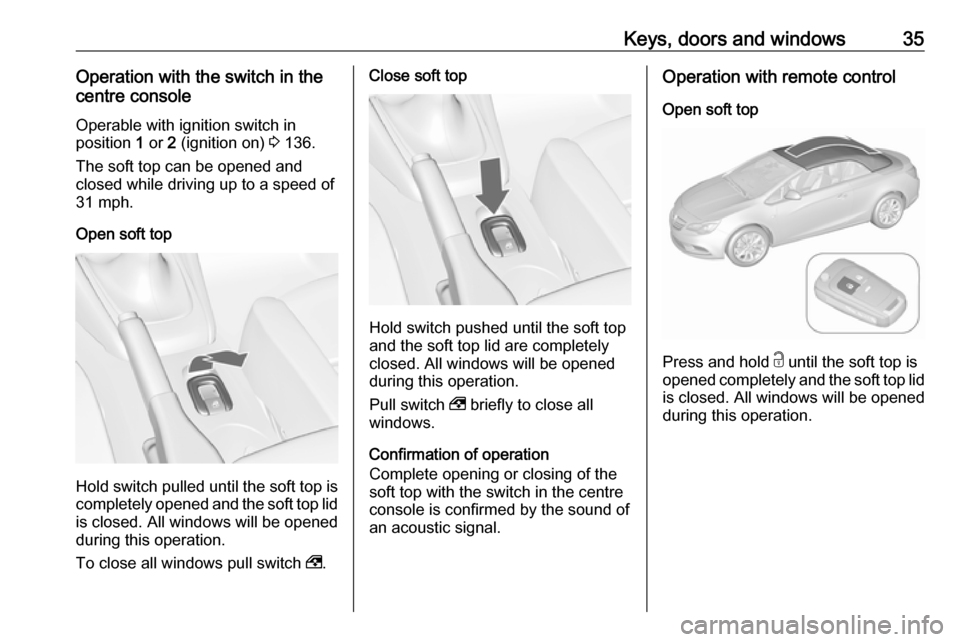
Open soft top
Hold switch pulled until the soft top is completely opened and the soft top lid
is closed. All windows will be opened
during this operation.
To close all windows pull switch ,.
Close soft top
Hold switch pushed until the soft top
and the soft top lid are completely
closed. All windows will be opened
during this operation.
Pull switch , briefly to close all
windows.
Confirmation of operation
Complete opening or closing of the
soft top with the switch in the centre
console is confirmed by the sound of
an acoustic signal.
Operation with remote control
Open soft top
Press and hold c until the soft top is
opened completely and the soft top lid is closed. All windows will be opened
during this operation.
Page 38 of 263
36Keys, doors and windowsClose soft top
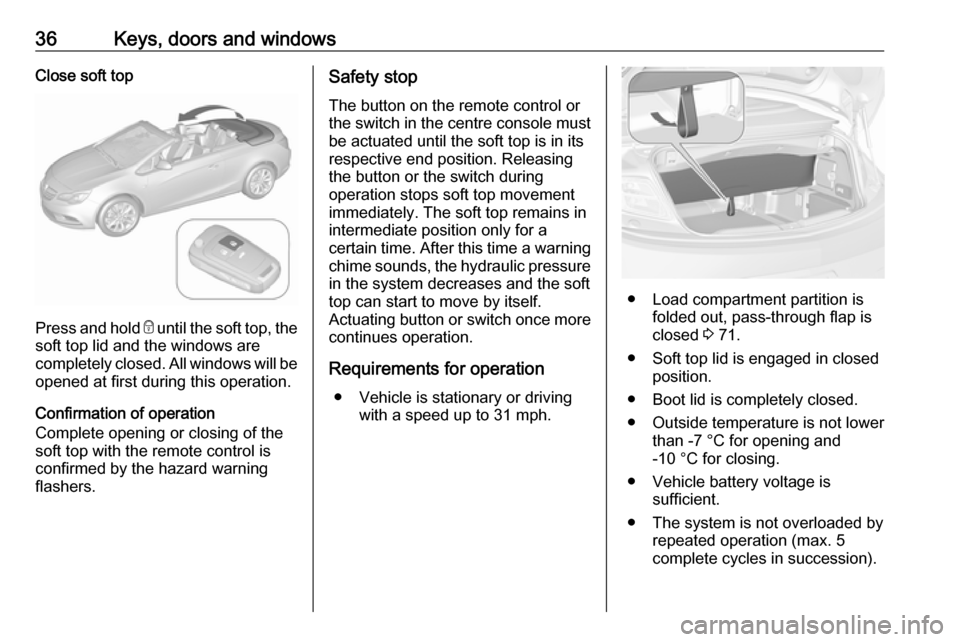
Press and hold e until the soft top, the
soft top lid and the windows are completely closed. All windows will be
opened at first during this operation.
Confirmation of operation
Complete opening or closing of the
soft top with the remote control is confirmed by the hazard warning
flashers.
Safety stop
The button on the remote control or
the switch in the centre console must
be actuated until the soft top is in its
respective end position. Releasing
the button or the switch during
operation stops soft top movement
immediately. The soft top remains in
intermediate position only for a
certain time. After this time a warning chime sounds, the hydraulic pressure
in the system decreases and the soft
top can start to move by itself.
Actuating button or switch once more
continues operation.
Requirements for operation ● Vehicle is stationary or driving with a speed up to 31 mph.
● Load compartment partition isfolded out, pass-through flap is
closed 3 71.
● Soft top lid is engaged in closed position.
● Boot lid is completely closed.
● Outside temperature is not lower than -7 °C for opening and
-10 °C for closing.
● Vehicle battery voltage is sufficient.
● The system is not overloaded by repeated operation (max. 5
complete cycles in succession).
Page 105 of 263

Instruments and controls103Vehicle settings
●Climate and air quality
Auto fan speed : Modifies the
level of the cabin airflow of the
climate control in automatic
mode.
Climate control mode : Controls
the state of the cooling
compressor when the vehicle is
started. Last setting
(recommended) or at vehicle
start is either always ON or
always OFF.
Auto rear demist : Activates
heated rear window
automatically.
● Comfort settings
Chime volume : Changes the
volume of warning chimes.
Personalization by driver :
Activates or deactivates the
personalisation function.
● Park assist / Collision detection
Park assist : Activates or
deactivates the ultrasonic
sensors. Activation is selectable
with or without attached trailer
coupling.
Side blind zone alert : Changes
the settings for the side blind spot alert system.
● Exterior ambient lighting
Duration upon exit of vehicle :
Activates or deactivates and
changes the duration of exit
lighting.
Exterior lighting by unlocking :
Activates or deactivates the
welcome lighting.
● Power door locks
Auto door lock : Activates or
deactivates the automatic door
unlocking function after switching
off ignition. Activates or
deactivates the automatic door
locking function after driving-off.
Stop door lock if door open :
Activates or deactivates the
automatic door locking function
while a door is open.
Delayed door lock : Activates or
deactivates the delayed door locking function.
● Remote locking, unlocking,
starting
Remote unlock feedback :
Activates or deactivates the
hazard warning flasher feedback
whilst unlocking.
Page 106 of 263

104Instruments and controlsRemote door unlock: Changes
the configuration to unlock only the driver's door or the whole
vehicle whilst unlocking.
Auto relock doors : Activates or
deactivates the automatic relock
function after unlocking without
opening the vehicle.
● Restore factory settings
Restore factory settings : Resets
all settings to the default settings.
Settings in the Colour-Info-
Display
Navi 950/Navi 650/CD 600
Press CONFIG on the Infotainment
system faceplate to enter the
Configuration menu.
Turn the multifunction knob to scroll
upwards or downwards in the list.
Press the multifunction knob
(Navi 950 / Navi 650: press the outer
ring) to select a menu item.
● Sport Mode Profile
● Languages
● Time and Date
● Radio Settings
● Phone Settings
● Navigation Settings
● Display Settings
● Vehicle Settings
In the corresponding submenus the
following settings can be changed:
Sport Mode Profile
● Engine Sport Performance :
Accelerator pedal and gear change characteristics become
more responsive.
● Sport Mode Back Lighting :
Changes the instrument
illumination colour.
● Sport Suspension : Damping
becomes harder.
● Sport Steering : Steering support
is reduced.
Languages
Selection of the desired language.
Time and Date
See Infotainment manual for further information.
Radio Settings
See Infotainment manual for further information.
Phone Settings
See Infotainment manual for further information.
Page 107 of 263

Instruments and controls105Navigation Settings
See Infotainment manual for further information.
Display Settings ● Home Page Menu :
See Infotainment manual for
further information.
● Rear Camera Options :
Press to adjust the rear camera options 3 171.
● Display Off :
See Infotainment manual for
further information.
● Map Settings :
See Infotainment manual for
further information.
Vehicle Settings ● Climate and Air Quality
Auto Fan Speed : Modifies the
level of the cabin airflow of the
climate control in automatic
mode.
Air Conditioning Mode : Controls
the state of the cooling
compressor when the vehicle is
started. Last setting(recommended) or at vehicle
start is either always ON or
always OFF.
Auto Rear Demist : Activates
heated rear window
automatically.
● Comfort and Convenience
Chime Volume : Changes the
volume of warning chimes.
Personalisation by Driver :
Activates or deactivates the
personalisation function.
● Collision Detection Systems
Park Assist : Activates or
deactivates the ultrasonic
sensors. Activation is selectable
with or without attached trailer
coupling.
Side Blind Zone Alert : Activates
or deactivates the side blind spot alert system.
● Lighting
Vehicle Locator Lights : Activates
or deactivates the entry lighting.
Exit Lighting : Activates or
deactivates and changes the
duration of exit lighting.● Power Door Locks
Open Door Anti Lock Out :
Activates or deactivates the
automatic door locking function
while a door is open.
Auto Door Lock : Activates or
deactivates the automatic door
unlocking function after switching
off ignition. Activates or
deactivates the automatic door
locking function after driving-off.
Delay Door Lock : Activates or
deactivates the delayed door
locking function.
● Remote Lock/Unlock/Start
Remote Lock Feedback :
Activates or deactivates the
hazard warning flasher feedback whilst locking.
Remote Unlock Feedback :
Activates or deactivates the
hazard warning flasher feedback whilst unlocking.
Remote Door Unlock : Changes
the configuration to unlock only
the driver's door or the whole
vehicle whilst unlocking.
Page 108 of 263

106Instruments and controlsRelock Remotely Unlocked
Doors : Activates or deactivates
the automatic relock function
after unlocking without opening
the vehicle.
● Return to Factory Settings? :
Resets all settings to the default settings.Telematics service
OnStar
OnStar is a personal connectivity and service assistant with integrated
Wi-Fi hotspot. The OnStar service is
available 24 hours a day, seven days
a week.
Notice
OnStar is not available for all
markets. For further information,
contact your workshop.
Notice
In order to be available and
operational, OnStar needs a valid
OnStar subscription, functioning
vehicle electrics, mobile service and
GPS satellite link.
To activate the OnStar services and
set up an account, press Z and speak
with an advisor.Depending on the equipment of the
vehicle, the following services are available:
● Emergency services and support
in the case of a vehicle
breakdown
● Wi-Fi hotspot
● Smartphone application
● Remote control, e.g. location of the vehicle, activation of horn and
lights, control of central locking system
● Stolen vehicle assistance
● Vehicle diagnostics
● Destination download
Notice
The OnStar module of the vehicle is
deactivated after ten days without an
ignition cycle. Functions requiring a
data connection will be available
again after switching on the ignition.
Page 110 of 263

108Instruments and controlsTo connect a mobile device with the
Wi-Fi hotspot:
1. Press j and then select Wi-Fi
settings on the Info-Display. The settings displayed include the Wi-
Fi hotspot name (SSID),
password and connection type.
2. Start a Wi-Fi network search on your mobile device.
3. Select your vehicle hotspot (SSID) when listed.
4. When prompted, enter the password on your mobile device.
Notice
To change the SSID or password,
press Z and talk to an advisor or log
in to your account.
To switch off the Wi-Fi hotspot
functionality, press Z to call an
advisor.
Smartphone app
With the My Vauxhall smartphone
app, some vehicle functions can be
operated remotely.The following functions are available:
● Lock or unlock vehicle.
● Honk horn or flash lights.
● Check fuel level, engine oil life and tyre pressure (only with tyre
pressure monitoring system).
● Send navigation destination to the vehicle, if equipped with a
built-in navigation system.
● Locate vehicle on a map.
● Manage Wi-Fi settings.
To operate these functions, download the app from App Store ®
or
Google Play™ Store.
Remote control
If desired, use any phone to call an
advisor, who can remotely operate
specific vehicle functions. Find the
respective OnStar phone number on
our country-specific website.
The following functions are available: ● Lock or unlock vehicle.
● Provide information on the vehicle location.
● Honk horn or flash lights.Stolen vehicle assistance
If the vehicle is stolen, report the theft
to the authorities and request OnStar
stolen vehicle assistance. Use any
phone to call an advisor. Find the
respective OnStar phone number on
our country-specific website.
OnStar can provide support in
locating and recovering the vehicle.Theft alert
When the anti-theft alarm system is
triggered, a notification is sent to
OnStar. You are then informed about
this event by text message or email.Restart prevention
By sending remote signals, OnStar can prevent the vehicle from
restarting once it has been turned off.
On-demand diagnostics
At any time e.g. if the vehicle displays a vehicle message, press Z to
contact an advisor and ask to
complete a real-time diagnostic check
to directly determine the issue.
Depending on the results, the advisor
will provide further support.
Page 112 of 263

110Instruments and controlsNotice
The vehicle location always remains
accessible to OnStar in the case of
an emergency.
Find the privacy policy in your
account.
Software updates
OnStar may remotely carry out
software updates without further
notice or consent. These updates are to enhance or maintain safety and
security or the operation of the
vehicle.
These updates may concern privacy
issues. Find the privacy policy in your
account.
Page 124 of 263

122LightingLighting featuresEntry lighting
Welcome lighting The following lights are switched on
for a short time by unlocking the
vehicle with the radio remote control:
● headlights
● tail lights
● number plate lights
● instrument panel light
● interior lights
● puddle lights
Some functions work only in the dark
and facilitates locating the vehicle.
The lighting switches off immediately
when the ignition key is turned to
position 1 3 136.
The following lights will additionally
switch on when the driver's door is
opened:
● illumination of some switches
● Driver Information Centre● door pocket lights
● console lights
Activation, deactivation and duration
of this function can be changed in the
Info-Display. Vehicle personalisation
3 101.
The settings can be saved for the key being used 3 21.
Exit lighting
The following lights switch on if the
key is removed from the ignition
switch:
● interior lights
● instrument panel light (only when
it is dark)
● door and console lights
● puddle lights
They will switch off automatically after
a delay and will be activated again if
the driver's door is opened.
Headlights, tail lights and number
plate lights illuminate the surrounding
area for an adjustable time after
leaving the vehicle.Path lighting
Headlights, tail lights and number
plate lights illuminate the surrounding area for an adjustable time after
leaving the vehicle.
Activating
1. Switch off ignition
2. Remove ignition key
3. Open driver's door
4. Pull turn signal lever
5. Close driver's door
If the driver's door is not closed, the
lights switch off after two minutes.