driver VAUXHALL COMBO E 2020 Owner's Manual
[x] Cancel search | Manufacturer: VAUXHALL, Model Year: 2020, Model line: COMBO E, Model: VAUXHALL COMBO E 2020Pages: 279, PDF Size: 28.6 MB
Page 13 of 279

In brief111Electric child locks ................. 27
Unlocking tailgate .................31
Child safety system for
rear windows ......................... 40
2 Power windows .....................40
3 Exterior mirrors .....................37
4 Side air vents ...................... 140
5 Cruise control .....................167
Speed limiter ....................... 169
Adaptive cruise control .......167
6 Turn lights ........................... 125
Headlight flash ....................123
High beam ........................... 122
High beam assist ...............122
Exit lighting ......................... 128
Parking lights ...................... 126
Buttons for Driver
Information Centre ..............108
7 Instruments .......................... 97
Driver Information Centre .... 108
8 Infotainment controls9Head-up display ..................112
10 Windscreen wiper and
washer, rear wiper and
washer ................................. 90
11 Air vents ............................. 140
12 Info Display ........................ 110
13 Hazard warning flashers ....124
Central locking system ..........24
14 Anti-theft alarm system
status LED ........................... 34
15 USB charging port ................ 93
16 Storage ................................. 69
18 Climate control system ........ 131
19 Electronic Stability Control
and Traction Control ...........163
Eco mode ............................ 157
Descent control system ....... 164
20 Selective ride control ..........165
21 Inductive charging .................94
22 Manual transmission ..........158
Automatic transmission ......155
23 Power outlet .......................... 93
24 Electric parking brake .........16025Power button ....................... 144
26 Ignition switch .....................143
27 Steering wheel adjustment ..89
28 Horn ..................................... 90
29 Parking assist / Advanced
parking assist .....................183
Electric child locks ................. 27
Eco button for stop-start
system ................................. 147
Lane keep assist .................198
Tyre deflation detection
system ................................. 233
Parking heater ....................138
30 Fuse box ............................ 229
31 Bonnet release lever ..........213
32 Head-up display ..................112
33 Light switch ........................ 121
Front / rear fog lights ..........125
Instrument illumination .......126
Page 25 of 279
Keys, doors and windows23Depending on the version, the
electronic key system enables a
keyless operation of the following functions:
● central locking system 3 24
● tailgate unlocking
● ignition switching on and starting the engine 3 145
● headlight activation
The electronic key simply needs to be
on the driver's person.
Additionally, the electronic key
includes the functionality of the radio
remote control 3 21.
Handle with care, protect from
moisture and high temperatures and
avoid unnecessary operation.
Notice
To save battery power, the keyless
functions are set to stand-by after 21 days of non-use. To reactivate the
functions, press a button on the
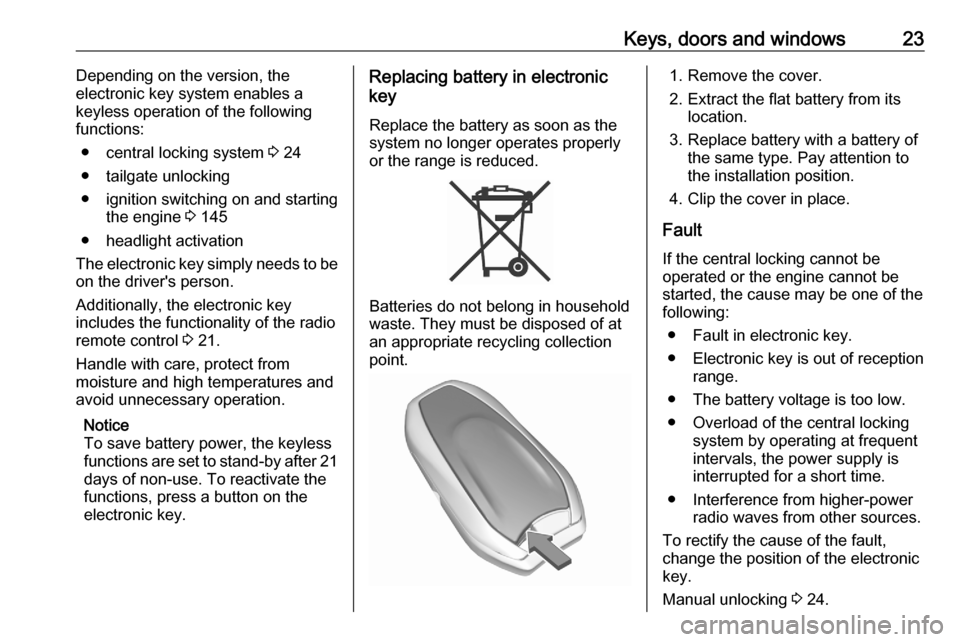
electronic key.Replacing battery in electronic
key
Replace the battery as soon as the
system no longer operates properly
or the range is reduced.
Batteries do not belong in household
waste. They must be disposed of at
an appropriate recycling collection
point.
1. Remove the cover.
2. Extract the flat battery from its location.
3. Replace battery with a battery of the same type. Pay attention to
the installation position.
4. Clip the cover in place.
Fault
If the central locking cannot be
operated or the engine cannot be
started, the cause may be one of the
following:
● Fault in electronic key.
● Electronic key is out of reception range.
● The battery voltage is too low. ● Overload of the central locking system by operating at frequent
intervals, the power supply is
interrupted for a short time.
● Interference from higher-power radio waves from other sources.
To rectify the cause of the fault,
change the position of the electronic
key.
Manual unlocking 3 24.
Page 26 of 279
24Keys, doors and windowsCentral locking system
Unlocks and locks doors, load
compartment and fuel filler flap.
A pull on an interior door handle
unlocks and opens the respective
door.
Notice
In the event of an accident in which
airbags or belt pretensioners are
deployed, the vehicle is
automatically unlocked.
Notice
A short time after unlocking with the
remote control the doors are locked
automatically if no door has been
opened. A precondition is that the
setting is activated in the vehicle
personalisation 3 115.
Selective unlocking of cabin and
load compartment
Selective unlocking allows you to
unlock either the doors of the cabin
and the fuel filler flap or the loadcompartment, i.e., sliding doors, rear
door / tailgate. Selective unlocking
has to be configured.Graphic Info Display: Switch on
ignition. Press * more than 2
seconds. An audible signal is given
and a message is displayed in the
Graphic Info Display.
Colour Info Display: Select the
relevant setting in the Vehicle
personalisation.
Vehicle personalisation 3 115.
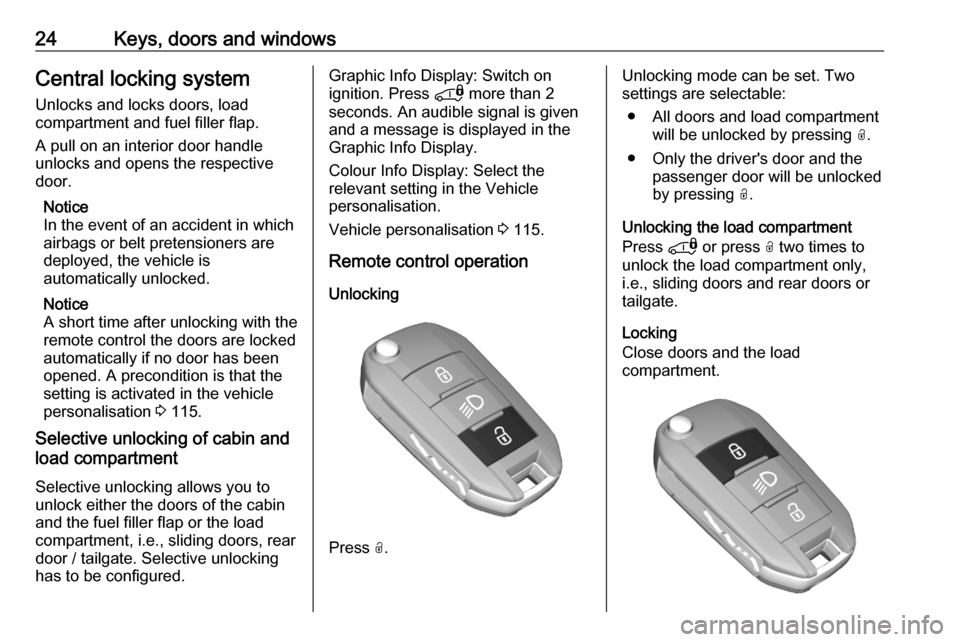
Remote control operation Unlocking
Press O.
Unlocking mode can be set. Two
settings are selectable:
● All doors and load compartment will be unlocked by pressing O.
● Only the driver's door and the passenger door will be unlocked
by pressing O.
Unlocking the load compartment
Press * or press O two times to
unlock the load compartment only,
i.e., sliding doors and rear doors or
tailgate.
Locking
Close doors and the load
compartment.
Page 28 of 279
26Keys, doors and windowsPress with a finger or thumb on one
of the door handles (at the markings)
or press the tailgate button.
All doors, load compartment and fuel
filler flap will be locked.
If the vehicle is not closed properly,
the electronic key remains in the
vehicle or the ignition is not off,
locking will not be permitted.
Confirmation
Operation of central locking system is confirmed by the hazard warning
flashers.
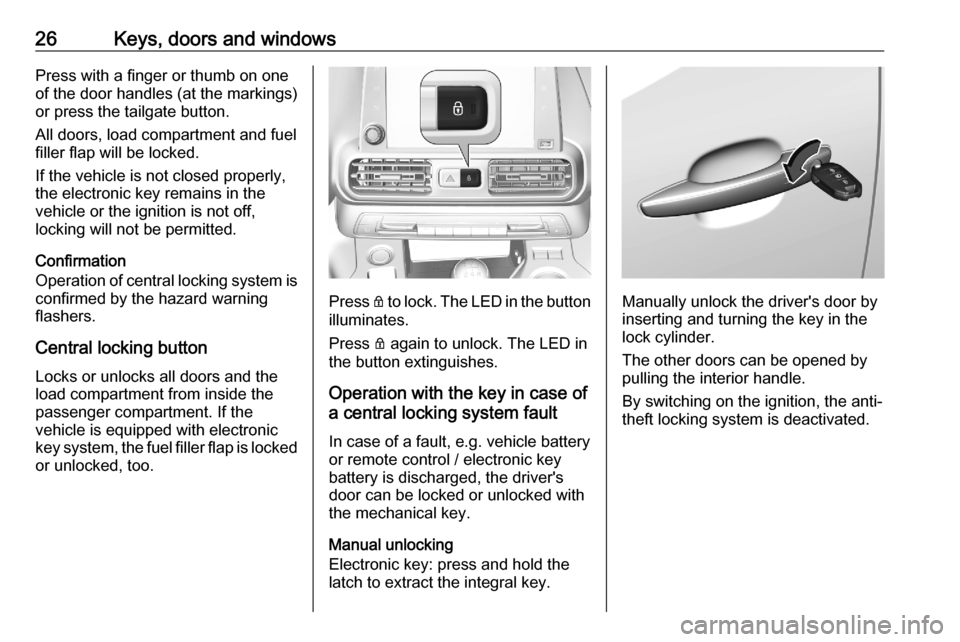
Central locking button
Locks or unlocks all doors and the
load compartment from inside the
passenger compartment. If the
vehicle is equipped with electronic
key system, the fuel filler flap is locked or unlocked, too.
Press Q to lock. The LED in the button
illuminates.
Press Q again to unlock. The LED in
the button extinguishes.
Operation with the key in case of
a central locking system fault
In case of a fault, e.g. vehicle battery
or remote control / electronic key
battery is discharged, the driver's
door can be locked or unlocked with
the mechanical key.
Manual unlocking
Electronic key: press and hold the
latch to extract the integral key.Manually unlock the driver's door by
inserting and turning the key in the
lock cylinder.
The other doors can be opened by
pulling the interior handle.
By switching on the ignition, the anti- theft locking system is deactivated.
Page 29 of 279
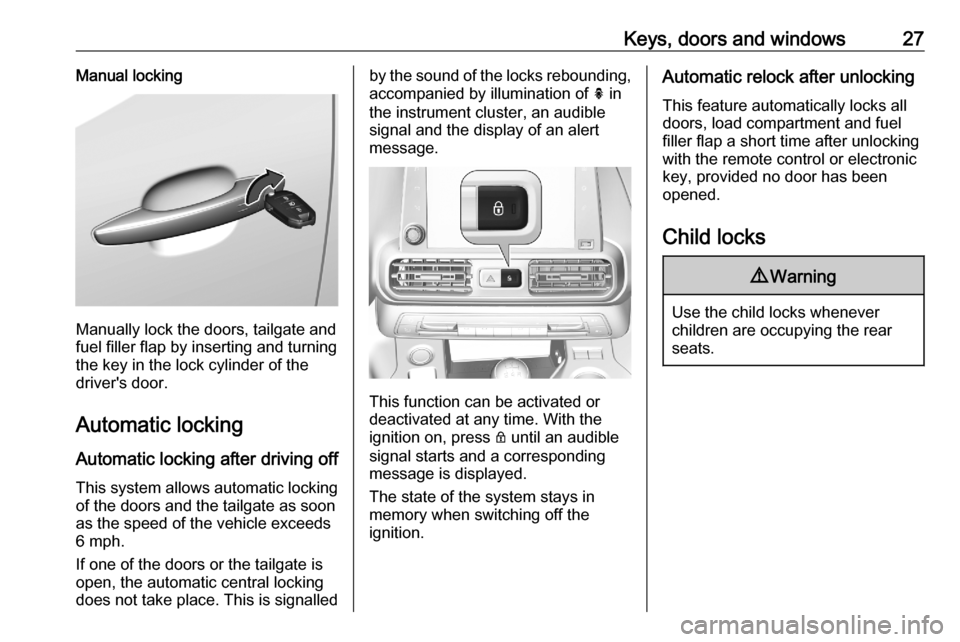
Keys, doors and windows27Manual locking
Manually lock the doors, tailgate and
fuel filler flap by inserting and turning the key in the lock cylinder of the
driver's door.
Automatic locking Automatic locking after driving off
This system allows automatic locking of the doors and the tailgate as soon
as the speed of the vehicle exceeds
6 mph.
If one of the doors or the tailgate is
open, the automatic central locking
does not take place. This is signalled
by the sound of the locks rebounding, accompanied by illumination of h in
the instrument cluster, an audible
signal and the display of an alert
message.
This function can be activated or
deactivated at any time. With the
ignition on, press Q until an audible
signal starts and a corresponding message is displayed.
The state of the system stays in
memory when switching off the
ignition.
Automatic relock after unlocking
This feature automatically locks all
doors, load compartment and fuel
filler flap a short time after unlocking
with the remote control or electronic
key, provided no door has been
opened.
Child locks9 Warning
Use the child locks whenever
children are occupying the rear
seats.
Page 30 of 279
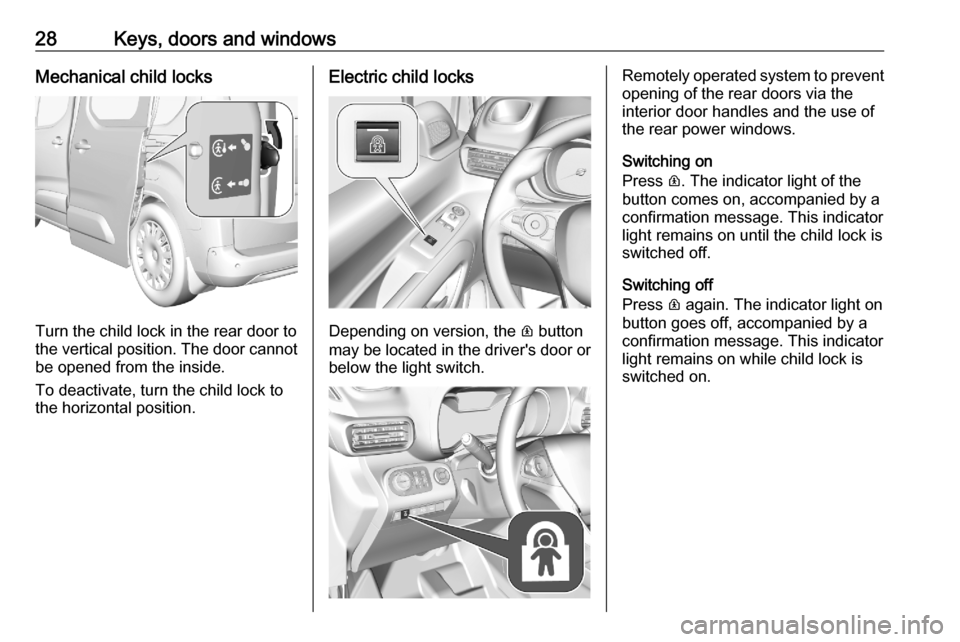
28Keys, doors and windowsMechanical child locks
Turn the child lock in the rear door to
the vertical position. The door cannot be opened from the inside.
To deactivate, turn the child lock to
the horizontal position.
Electric child locks
Depending on version, the R button
may be located in the driver's door or
below the light switch.
Remotely operated system to prevent
opening of the rear doors via the
interior door handles and the use of
the rear power windows.
Switching on
Press R. The indicator light of the
button comes on, accompanied by a confirmation message. This indicator
light remains on until the child lock is
switched off.
Switching off
Press R again. The indicator light on
button goes off, accompanied by a
confirmation message. This indicator
light remains on while child lock is
switched on.
Page 37 of 279
Keys, doors and windows35Notice
Changes to the vehicle interior such
as the use of seat covers and open
windows, could impair the function
of passenger compartment
monitoring.
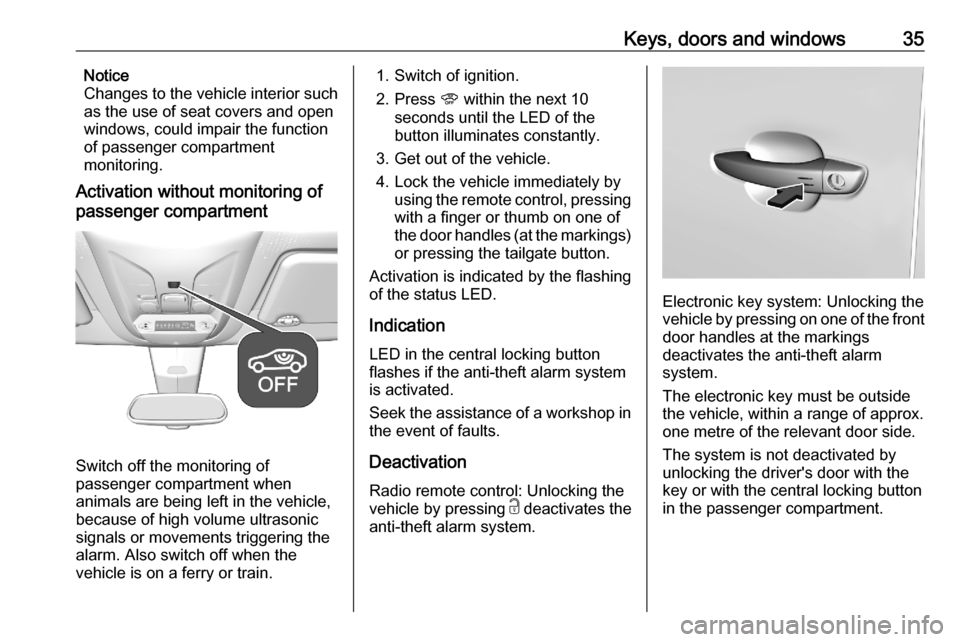
Activation without monitoring of
passenger compartment
Switch off the monitoring of
passenger compartment when
animals are being left in the vehicle,
because of high volume ultrasonic
signals or movements triggering the
alarm. Also switch off when the
vehicle is on a ferry or train.
1. Switch of ignition.
2. Press U within the next 10
seconds until the LED of the
button illuminates constantly.
3. Get out of the vehicle.
4. Lock the vehicle immediately by using the remote control, pressing
with a finger or thumb on one of
the door handles (at the markings) or pressing the tailgate button.
Activation is indicated by the flashing
of the status LED.
Indication
LED in the central locking button
flashes if the anti-theft alarm system
is activated.
Seek the assistance of a workshop in
the event of faults.
Deactivation
Radio remote control: Unlocking the
vehicle by pressing c deactivates the
anti-theft alarm system.
Electronic key system: Unlocking the
vehicle by pressing on one of the front door handles at the markings
deactivates the anti-theft alarm
system.
The electronic key must be outside
the vehicle, within a range of approx. one metre of the relevant door side.
The system is not deactivated by
unlocking the driver's door with the
key or with the central locking button
in the passenger compartment.
Page 38 of 279

36Keys, doors and windowsNotice
If the vehicle is unlocked and no door is opened, the vehicle is
automatically relocked after 30
seconds. In this case, the anti-theft
alarm will be reactivated, too.
Alarm
When triggered, the alarm horn
sounds and the hazard warning lights flash simultaneously. The number
and duration of alarm signals are
stipulated by legislation.
The anti-theft alarm system can be
deactivated by pressing c, by
pressing on one of the front door
handles at the markings with
electronic key system. The LED of the
U button will extinguish and the turn
lights flash for a short time.
A triggered alarm, which has not been interrupted by the driver, will be
indicated by the rapid flashing of the
LED of the U button. If the ignition is
switched on, the flashing stops
immediately
If the vehicle's battery is to be
disconnected (e.g. for maintenance
work), the alarm siren must bedeactivated as follows: switch the
ignition on then off, then disconnect
the vehicle's battery within 15 s
If the battery has been reconnected
(e.g. after maintenance work), wait for 10 minutes to restart the engine.
Locking the vehicle without
activation of the anti-theft alarm
Lock the vehicle by inserting and
turning the integrated key of the
remote control or the electronic key
system in the lock cylinder of the
driver's door.
Malfunction of the remote control Unlock the vehicle by inserting and
turning the integrated key of the
remote control or the electronic key
system in the lock cylinder of the
driver's door.
Open the driver's door.
The horn of the anti-theft alarm will
sound.
Switch on ignition.
The horn will stop sounding and the
status LED extinguishes.Immobiliser
The system is part of the ignition
switch and checks whether the
vehicle is allowed to be started with
the key being used.
The immobiliser is activated
automatically after the key has been
removed from the ignition switch.
Notice
Radio Frequency Identification
(RFID) tags may cause interference
with the key. Do not have it placed
near the key when starting the
vehicle.
Notice
The immobiliser does not lock the
doors. Always lock the vehicle after
leaving it 3 24.
Switch on the anti-theft alarm
system 3 34.
Emergency operation of electronic
key 3 144.
Page 42 of 279
40Keys, doors and windows
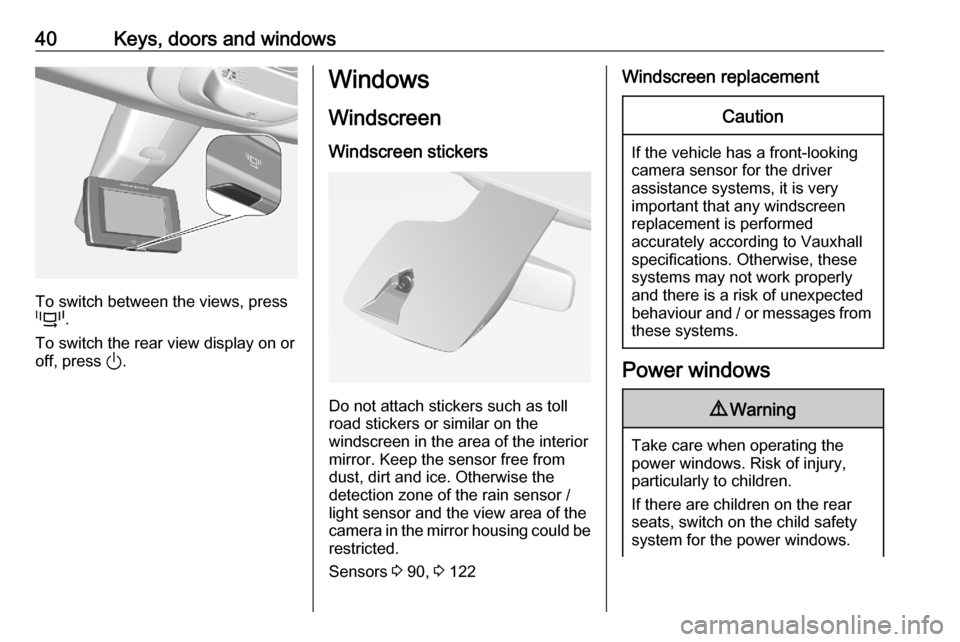
To switch between the views, press
p .
To switch the rear view display on or off, press ).
Windows
Windscreen Windscreen stickers
Do not attach stickers such as toll
road stickers or similar on the
windscreen in the area of the interior
mirror. Keep the sensor free from
dust, dirt and ice. Otherwise the
detection zone of the rain sensor /
light sensor and the view area of the
camera in the mirror housing could be
restricted.
Sensors 3 90, 3 122
Windscreen replacementCaution
If the vehicle has a front-looking
camera sensor for the driver
assistance systems, it is very
important that any windscreen
replacement is performed
accurately according to Vauxhall
specifications. Otherwise, these systems may not work properly
and there is a risk of unexpected
behaviour and / or messages from these systems.
Power windows
9 Warning
Take care when operating the
power windows. Risk of injury,
particularly to children.
If there are children on the rear seats, switch on the child safety
system for the power windows.
Page 44 of 279
42Keys, doors and windows
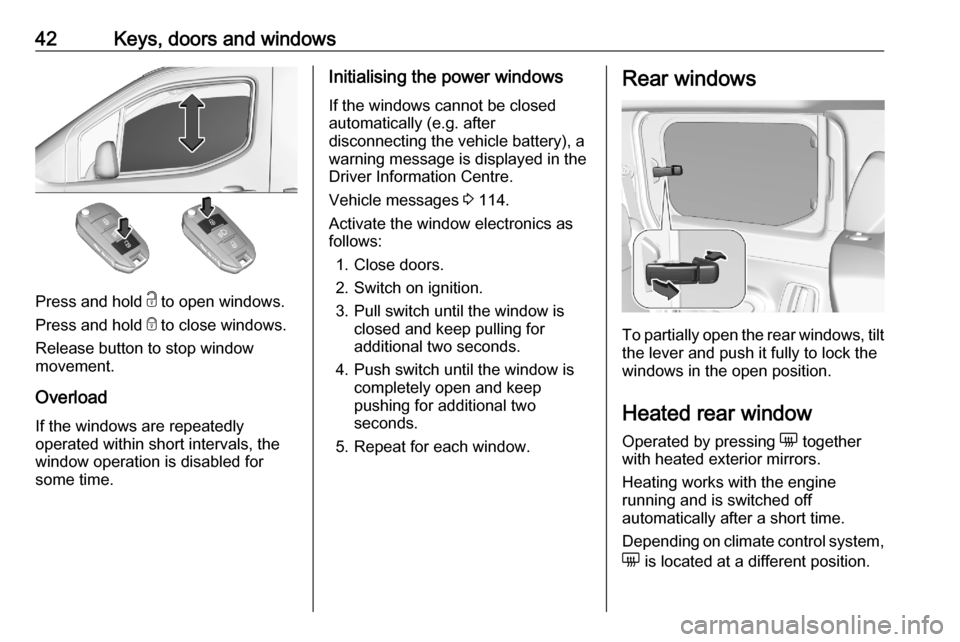
Press and hold c to open windows.
Press and hold e to close windows.
Release button to stop window
movement.
Overload
If the windows are repeatedly
operated within short intervals, the
window operation is disabled for
some time.
Initialising the power windows
If the windows cannot be closed
automatically (e.g. after
disconnecting the vehicle battery), a
warning message is displayed in the
Driver Information Centre.
Vehicle messages 3 114.
Activate the window electronics as
follows:
1. Close doors.
2. Switch on ignition.
3. Pull switch until the window is closed and keep pulling for
additional two seconds.
4. Push switch until the window is completely open and keep
pushing for additional two
seconds.
5. Repeat for each window.Rear windows
To partially open the rear windows, tilt the lever and push it fully to lock the
windows in the open position.
Heated rear window Operated by pressing e together
with heated exterior mirrors.
Heating works with the engine
running and is switched off
automatically after a short time.
Depending on climate control system, e is located at a different position.