wheel VAUXHALL CORSA 2014.5 Owner's Guide
[x] Cancel search | Manufacturer: VAUXHALL, Model Year: 2014.5, Model line: CORSA, Model: VAUXHALL CORSA 2014.5Pages: 231, PDF Size: 6.8 MB
Page 86 of 231
84Instruments and controls
Illuminates yellow
Deflation detected. Stop as soon as
possible and check tyre pressure.
Flashes yellow for 1 minute then
illuminates continuously
Fault in system. Consult a workshop.
Tyre pressure monitoring system
3 174.
Engine oil pressure
I illuminates red.
Illuminates for a few seconds after the ignition is switched on.
Illuminates when the engine is runningCaution
Engine lubrication may be
interrupted. This may result in
damage to the engine and/or
locking of the drive wheels.
1. Depress clutch.
2. Select neutral gear, set selector lever to N.
3. Move out of the flow of traffic as quickly as possible without
impeding other vehicles.
4. Switch off ignition.9 Warning
When the engine is off (except
during an Autostop), considerably
more force is needed to brake and steer.
Do not remove key until vehicle is stationary, otherwise the steeringwheel lock could engage
unexpectedly.
Check oil level before seeking the
assistance of a workshop 3 148.
Low engine oil level S illuminates yellow.
Engine oil level is checked
automatically.
Illuminates when the engine is
running
Low engine oil level. Check engine oil level and top up as necessary
3 148.
Low fuel Y illuminates or flashes yellow.
Illuminates Level in fuel tank too low.
Flashes
Fuel used up. Refuel immediately.
Never run the tank dry.
Erratic fuel supply can cause catalytic converter to overheat 3 120.
Bleeding the diesel fuel system
3 152.
Apply footbrake
j illuminates yellow.
Page 88 of 231

86Instruments and controlsInformation displaysTriple-Info-Display
Displays time, outside temperature
and date or Infotainment system
(when it is on).
When the ignition is off, the time, date and outside temperature can be
displayed by briefly pressing one of
the two buttons below the display.
Graphic-Info-Display,
Colour-Info-Display
Displays time, outside temperature,
date or Infotainment system (when it
is on) and electronic climate control
system.
The Colour-Info-Display displays the
information in colour.
The type of information and how it is
displayed depends on the equipment
of the vehicle and the settings made.
Selecting functions
Functions and settings of the
Infotainment system and electronic
climate control system are accessed via the display.
Selections are made via the menus
and buttons or the left adjuster wheel
of the steering wheel.
Selecting with the Infotainment
system buttons
Select menu items via the menus and
by using the Infotainment system
buttons. The OK button is used to
select the highlighted item or confirm
a command.
Page 89 of 231

Instruments and controls87
To exit a menu, press the right or left
arrow button until Return or Main
appear and select.
Selecting with the left adjuster wheel
on the steering wheel
Rotate to select a menu item.
Press the adjuster wheel to select the
highlighted item or confirm a
command.
Function areas
For each function area there is a main
page (Main), which is selected at the
top edge of the display (only with trip
computer and Mobile Phone Portal):
■ Audio,
■ Telephone,
■ Trip computer.
System settings
Press the Settings button on the
Infotainment system. For
Infotainment system CD 30, no menu may be selected.
Page 93 of 231
Instruments and controls91
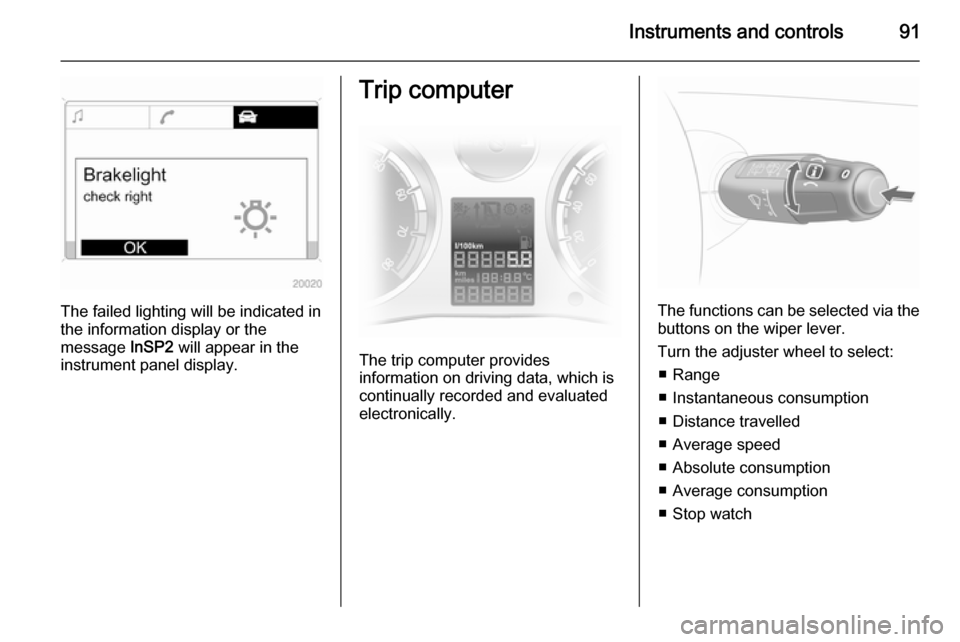
The failed lighting will be indicated in
the information display or the
message InSP2 will appear in the
instrument panel display.
Trip computer
The trip computer provides
information on driving data, which is
continually recorded and evaluated electronically.
The functions can be selected via the
buttons on the wiper lever.
Turn the adjuster wheel to select: ■ Range
■ Instantaneous consumption
■ Distance travelled
■ Average speed
■ Absolute consumption
■ Average consumption
■ Stop watch
Page 94 of 231

92Instruments and controls
Range
Range is calculated from current fuel
tank content and current
consumption. The display shows
average values.
After refuelling, the range is updated
automatically after a brief delay.
When the fuel level in the tank is low,
a message appears on the display.
Confirm the warning message by
pressing 7 on the wiper lever.
Instantaneous consumption Display of the instantaneous
consumption. At low speeds,
consumption per hour is displayed.
Distance travelled Display of distance travelled.
Average speed
Display of average speed. The
measurement can be reset at any
time.
Absolute consumption Display of fuel consumed.Average consumption
Display of average consumption. The
measurement can be reset at any
time.
Stop watch
Measurement of the time from
activation to deactivation.
Press the 7 button to start and stop
the measurement.
Reset trip computer
The measurement or calculation of
the following trip computer
information can be restarted:
■ Distance,
■ Average speed,
■ Absolute consumption,
■ Average consumption.
Select the desired function. To reset
a value to zero, hold down the button
7 for more than three seconds.
To reset all functions, hold down the button 7 for more than 6 seconds.Trip computer in Graphic-
Info-Display or Colour-
Info-Display
The main page of the trip computer
provides information on range,
current consumption and average
consumption of BC 1.
To display other trip computer data, press the BC button on the
Infotainment system, select the trip
computer menu from the display or
press the left adjuster wheel on the
steering wheel.
Select BC 1 or BC 2 from the trip
computer menu.
Page 98 of 231

96Instruments and controls
■Pull turn signal stalk and wiper stalk
simultaneously to the steering
wheel until you hear a confirmation
signal (approx. 3 seconds).
■ The miles display shows P1.■ Push the turn signal stalk (left) up
or down and select the desired
function P1 - P7 .
■ Push the wiper stalk (right) up or
down and select status On or OFF ,
or input a value for speed ( P6) or
value for volume ( P7).
■ Pull turn signal stalk (left) and wiper
stalk (right) simultaneously to the
steering wheel until you hear a
confirmation signal (approx.
3 seconds).
The selected settings are now stored
for the key in the ignition switch. To
activate and deactivate the functions
and set the functions selected, please see the relevant sections.
Repeat the procedure to programme
additional keys.
Programmable functions P1 : Switch on the external lighting
using the remote control (Entry
lighting). Entry lighting 3 105.
P2 : Automatic rear windscreen wiper
when reverse gear is selected. Rear
window wiperwasher 3 73.
P3 : Lane change indication: three
flashes when the lever is moved
slightly. Turn and lane-change
signals 3 101.
Page 101 of 231

Lighting99
Automatic light control functionWhen the automatic light control
function is switched on and the
engine is running, the system
switches between daytime running
light and low beam depending on
external lighting conditions.
Daytime running light
Daytime running light increases
visibility of the vehicle during daylight.
Tail lights are not on.
Automatic low beam activation
During poor lighting conditions the
low beam is switched on.
Tunnel detection
When a tunnel is entered the low
beam is switched on.
Adaptive forward lighting 3 100.High beam
To switch from low to high beam,
push lever.
To switch to low beam, push lever
again or pull.
Headlight flash To activate the headlight flash, pull
lever.
Headlight range
adjustment
Manual headlight range
adjustment
To adapt headlight range to the
vehicle load to prevent dazzling: Turn
thumb wheel ? until the required
setting is shown on the miles display.
0=Front seats occupied1=All seats occupied2=All seats occupied and load
compartment laden3=Driver's seat occupied and load
compartment laden
Page 102 of 231

100LightingHeadlights when driving
abroad The asymmetrical headlight beam
extends visibility at the edge of the
road at the passenger side.
However, when driving in countries
where traffic drives on the opposite
side of the road, adjust the headlights
to prevent dazzling of oncoming
traffic.
Vehicles with halogen headlight system Have the headlights adjusted by aworkshop.
Vehicles with adaptive forward lighting
Adapting the aim of the headlight beam:
1. Pull headlight flash lever.
2. Switch on ignition.
3. Hold headlight flash lever. After approx. 5 seconds the control
indicator B starts flashing and an
acoustic signal sounds.Control indicator B 3 85.
Every time the ignition is switched on,
B illuminates for approx. 8 seconds.
For deactivation, operate the same
procedure as described above.
Control indicator B will illuminate for
approx. 4 seconds when the function is deactivated.
Adaptive forward lighting
Adaptive forward lighting ensures
better illumination of bends, crossings
and narrow bends.
Dynamic curve lighting
The light beam pivots based on
steering wheel angle and speed,
improving lighting in curves.
Corner lighting
On tight bends or when turning off,
depending on the steering angle or
the indicator light signal, an additional left or right reflector is switched on
which illuminates the road in the
direction of travel. It is activated up to
a speed of 25 mph.
Reversing function If the lights are on, reverse gear is
engaged, and the turn signal is
activated, the cornering light on the
appropriate side is switched on. The cornering light stays on for
15 seconds once the turn signal has
been switched off.
Control indicator B 3 85.
Page 103 of 231

Lighting101Hazard warning flashers
Operated with the ¨ button.
The hazard warning flashers activate
automatically if the airbags deploy.
Turn and lane-change
signalsLever up=right turn signalLever down=left turn signal
The lever always springs back to its
original position.
If the lever is moved past the
resistance point, the turn signal is
switched on constantly. When the
steering wheel moves back, the turn
signal is automatically deactivated.
For three flashes, e.g. when changing lanes, press the lever until resistance
is felt and then release. This function
can be activated or deactivated
depending on the key used 3 95.
Move the lever to the resistance point
and hold for longer indication.
Switch the turn signal off manually by moving the lever slightly.
Acoustic turn signal The volume of the acoustic turn signal
can be adjusted. This function can be programmed depending on the key
used 3 95.
Page 105 of 231

Lighting103Reversing lightsThe reversing lights come on when
the ignition is on and reverse gear is
selected.
Misted light covers The inside of the light covers may mistup briefly in poor, wet and cold
weather conditions, in heavy rain or
after washing. The mist disappears
quickly by itself; to help, switch on the
exterior lights.Interior lighting
Instrument panel
illumination control
Brightness of the following lights can
be adjusted when the exterior lights
are on:
■ Instrument panel illumination
■ Info-Display
■ Illuminated switches and operation elements
Turn thumb wheel A until the required
brightness is obtained.
Interior lights
During entry and exit of the vehicle,
the front and centre courtesy lights
automatically come on and then
switch off after a delay.
Front courtesy light
Centre switch position: automatic
interior light.
To operate manually when the doors are closed:
On=Switch position IOff=Switch position 0