light VAUXHALL CORSA 2015.5 Workshop Manual
[x] Cancel search | Manufacturer: VAUXHALL, Model Year: 2015.5, Model line: CORSA, Model: VAUXHALL CORSA 2015.5Pages: 249, PDF Size: 7.3 MB
Page 166 of 249
164Driving and operating
Deactivation
The camera is deactivated when a
certain forward speed is exceeded or if reverse gear is not engaged for
approx. 10 seconds.
Activation or deactivation of the visual
guiding lines and the alerting symbols can be changed in the Settings menu in the Info-Display. Vehicle
personalisation 3 103.
Fault
Fault messages are displayed with a 9 on the top line of the Info-Display.
The rear view camera may not
operate properly when:
■ the surrounding is dark
■ the sun or the beam of headlights is
shining directly into the camera
lens
■ ice, snow, mud, or anything else covers the camera lens. Clean the
lens, rinse it with water, and wipe it
with a soft cloth
■ the vehicle had a rear end accident
■ there are extreme temperature changesTraffic sign assistant
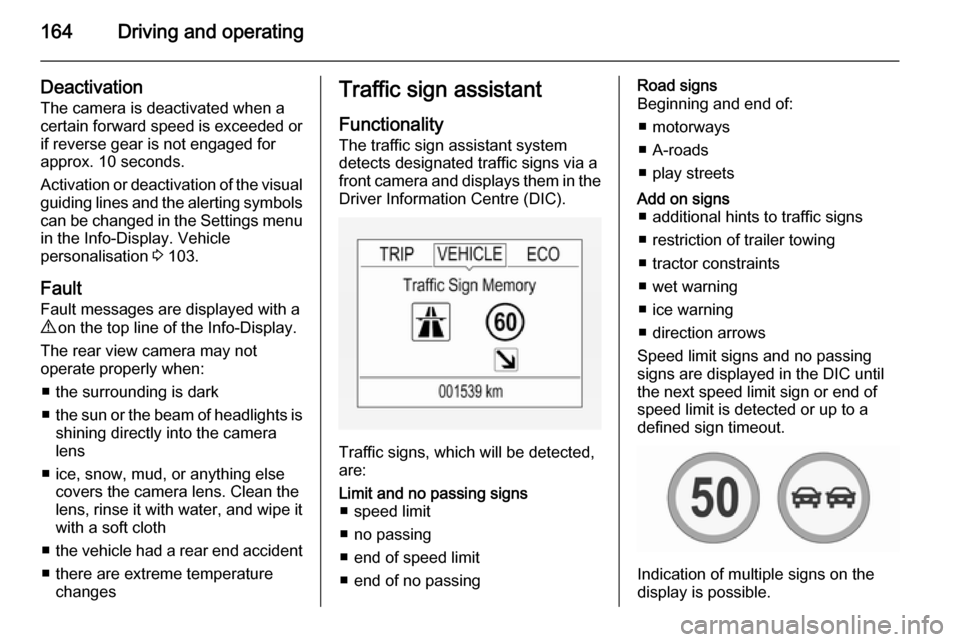
Functionality The traffic sign assistant system
detects designated traffic signs via a
front camera and displays them in the
Driver Information Centre (DIC).
Traffic signs, which will be detected,
are:
Limit and no passing signs ■ speed limit
■ no passing
■ end of speed limit
■ end of no passingRoad signs
Beginning and end of:
■ motorways
■ A-roads
■ play streetsAdd on signs ■ additional hints to traffic signs
■ restriction of trailer towing
■ tractor constraints
■ wet warning
■ ice warning
■ direction arrows
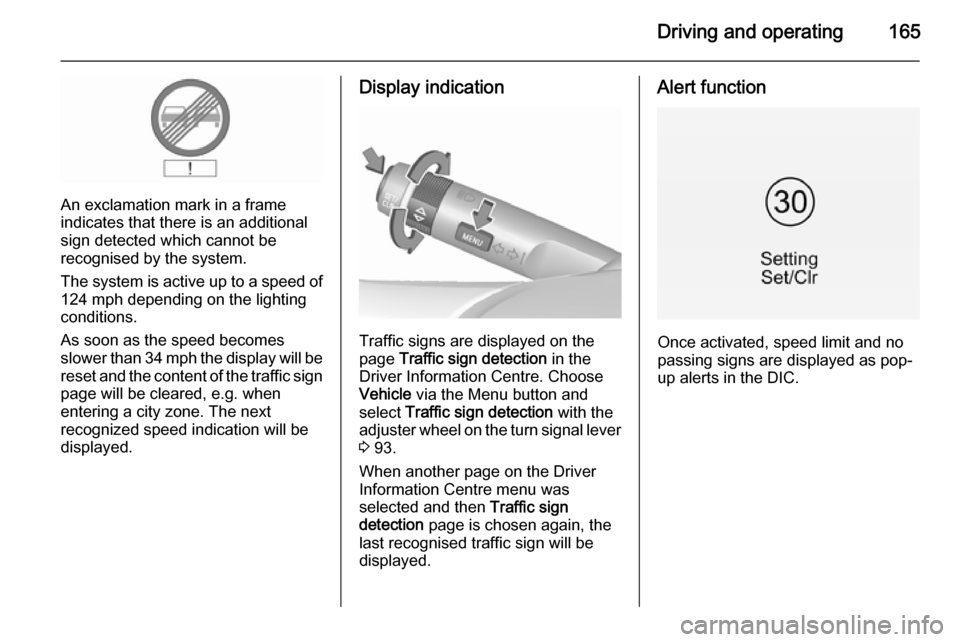
Speed limit signs and no passing
signs are displayed in the DIC until
the next speed limit sign or end of
speed limit is detected or up to a
defined sign timeout.
Indication of multiple signs on the
display is possible.
Page 167 of 249
Driving and operating165
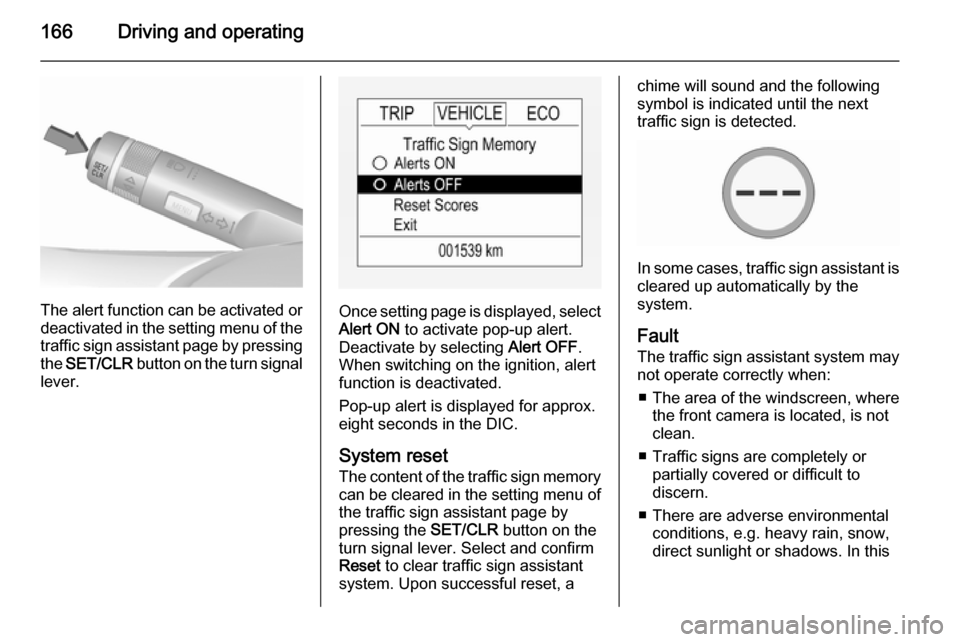
An exclamation mark in a frame
indicates that there is an additional
sign detected which cannot be
recognised by the system.
The system is active up to a speed of
124 mph depending on the lighting
conditions.
As soon as the speed becomes
slower than 34 mph the display will be reset and the content of the traffic sign
page will be cleared, e.g. when
entering a city zone. The next
recognized speed indication will be
displayed.
Display indication
Traffic signs are displayed on the
page Traffic sign detection in the
Driver Information Centre. Choose
Vehicle via the Menu button and
select Traffic sign detection with the
adjuster wheel on the turn signal lever
3 93.
When another page on the Driver
Information Centre menu was
selected and then Traffic sign
detection page is chosen again, the
last recognised traffic sign will be displayed.
Alert function
Once activated, speed limit and no
passing signs are displayed as pop-
up alerts in the DIC.
Page 168 of 249
166Driving and operating
The alert function can be activated or
deactivated in the setting menu of the
traffic sign assistant page by pressing the SET/CLR button on the turn signal
lever.Once setting page is displayed, select
Alert ON to activate pop-up alert.
Deactivate by selecting Alert OFF.
When switching on the ignition, alert function is deactivated.
Pop-up alert is displayed for approx.
eight seconds in the DIC.
System reset The content of the traffic sign memory
can be cleared in the setting menu of the traffic sign assistant page by
pressing the SET/CLR button on the
turn signal lever. Select and confirm
Reset to clear traffic sign assistant
system. Upon successful reset, a
chime will sound and the following
symbol is indicated until the next
traffic sign is detected.
In some cases, traffic sign assistant is
cleared up automatically by the
system.
Fault The traffic sign assistant system may
not operate correctly when:
■ The area of the windscreen, where the front camera is located, is not
clean.
■ Traffic signs are completely or partially covered or difficult to
discern.
■ There are adverse environmental conditions, e.g. heavy rain, snow,
direct sunlight or shadows. In this
Page 170 of 249

168Driving and operating
When the system recognises an
unintended lane change, the control indicator ) changes to yellow and
flashes. Simultaneously a chime
sound is activated.
Deactivation
The system is deactivated by
pressing ) button, the LED in the
button extinguishes.
At speeds below 35 mph the system
is inoperable.
Fault
The lane departure warning system
may not operate properly when:
■ The windscreen is not clean.
■ There are adverse environmental conditions like heavy rain, snow,
direct sunlight or shadows.
The system can not operate when no
lane marking is detected.Fuel
Fuel for petrol enginesOnly use unleaded fuel that complies
with European standard EN 228 or
E DIN 51626-1 or equivalent.
Your engine is capable of running
with E10 fuel that fulfills these
standards. E10 fuel contains up to
10 % bioethanol.
Use fuel with the recommended
octane rating 3 230. Use of fuel with
too low an octane rating can reduce
engine power and torque and slightly increases fuel consumption.Caution
Do not use fuel or fuel additives
that contain metallic compounds
such as manganese-based
additives. This may cause engine
damage.
Page 173 of 249

Driving and operating171
No. 715/2007 (in the latest applicable
version), taking into consideration the
vehicle weight in running order, as specified by the regulation.
The figures are provided only for the
purpose of comparison between
different vehicle variants and must
not be taken as a guarantee for the
actual fuel consumption of a
particular vehicle. Additional
equipment may result in slightly
higher results than the stated
consumption and CO 2 figures.
Furthermore, fuel consumption is
dependent on personal driving style
as well as road and traffic conditions.Trailer hitch
General information Only use towing equipment that has
been approved for your vehicle.
Entrust retrofitting of towing
equipment to a workshop. It may be
necessary to make changes that
affect the cooling system, heat
shields or other equipment.
Fitting of towing equipment could
cover the opening of the towing eye.
If this is the case use the coupling ball
bar for towing. Always keep the
coupling ball bar in the vehicle.
Driving characteristics and
towing tips Before attaching a trailer, lubricate
the coupling ball. However, do not do
so if a stabiliser, which acts on the
coupling ball, is being used to reduce
snaking movements.
For trailers with low driving stability
and caravan trailers with a permitted
gross vehicle weight of more than1000 kg a speed of 50 mph must not
be exceeded; the use of a stabiliser is recommended.
If the trailer starts snaking, drive more
slowly, do not attempt to correct the
steering and brake sharply if
necessary.
When driving downhill, drive in the
same gear as if driving uphill and
drive at a similar speed.
Adjust tyre pressure to the value
specified for full load 3 237.
Trailer towing Trailer loads
The permissible trailer loads are
vehicle and engine-dependent
maximum values which must not be
exceeded. The actual trailer load is
the difference between the actual
gross weight of the trailer and the
actual coupling socket load with the
trailer coupled.
The permissible trailer loads are
specified in the vehicle documents. In general, they are valid for gradients
up to max. 12 %
Page 174 of 249

172Driving and operating
The permitted trailer loads apply up tothe specified incline and up to an
altitude of 1000 metres above sea
level. Since engine power decreases
as altitude increases due to the air
becoming thinner, therefore reducing
climbing ability, the permissible gross
train weight also decreases by 10 % for every 1000 metres of additional
altitude. The gross train weight does
not have to be reduced when driving on roads with slight inclines (less than
8 %, e.g. motorways).
The permissible gross train weight
must not be exceeded. This weight is specified on the identification plate3 226.
Vertical coupling load
The vertical coupling load is the load
exerted by the trailer on the coupling
ball. It can be varied by changing the
weight distribution when loading the
trailer.
The maximum permissible vertical
coupling load (55 kg) is specified on
the towing equipment identification
plate and in the vehicle documents.
Always aim for the maximum load,especially in the case of heavy
trailers. The vertical coupling load
should never fall below 25 kg.
Rear axle load When the trailer is coupled and the
towing vehicle fully loaded, the
permissible rear axle load (see
identification plate or vehicle
documents) for passenger vehicles
may be exceeded by 70 kg for the 5-
door vehicle and 60 kg for the 3-door vehicle, the gross vehicle weight
rating by 55 kg.
If the permitted rear axle load is
exceeded a maximum speed of
60 mph applies. If lower national
maximum speeds are specified for
trailer operation, they must be
complied with.
Towing equipmentCaution
When operating without a trailer,
remove the coupling ball bar.
Stowage of coupling ball bar
The coupling ball bar is stowed in a
bag in the spare wheel well and
secured to the lashing eyes in the
load compartment.
When inserting, fit protective cap over
rotary knob with key.
Page 180 of 249

178Vehicle care9Danger
The ignition system and Xenon
headlights use extremely high
voltage. Do not touch.
Bonnet
Opening
Pull the release lever and return it to
its original position.
Push the safety catch upwards and open the bonnet.
Secure the bonnet support.
If the bonnet is opened during an
Autostop, the engine will be restarted automatically for safety reasons.
Closing Before closing the bonnet, press the
support into the holder.
Lower the bonnet and allow it to fall
into the latch from a low height
(20-25 cm). Check that the bonnet is engaged.Caution
Do not press the bonnet into the
latch, to avoid dents.
Engine oil
Check the engine oil level manuallyon a regular basis to prevent damage
to the engine. Ensure that the correct specification of oil is used.
Recommended fluids and lubricants
3 223.
Check with the vehicle on a level
surface. The engine must be at
operating temperature and switched
off for at least five minutes.
Page 186 of 249

184Vehicle careDiesel fuel system
bleeding
If the tank has been run dry, the diesel fuel system must be bled. Switch on
the ignition three times for
15 seconds at a time. Then crank the
engine for a maximum of
40 seconds. Repeat this process after
no less than five seconds. If the
engine fails to start, seek the
assistance of a workshop.
Wiper blade replacementLift the wiper arm until it stays in the
raised position. Press the catches on
both sides, tilt wiper blade at a 90°
angle to the wiper arm and remove
upwards.
Insert in reverse order.
Lower wiper arm carefully.
Wiper blade on the rear window
Lift wiper arm. Disengage wiper blade as shown in illustration and remove.
Attach the wiper blade slightly angled
to the wiper arm and push until it
engages.
Lower wiper arm carefully.
Bulb replacement
Switch off the ignition and switch off
the relevant switch or close the doors.
Only hold a new bulb at the base! Do not touch the bulb glass with bare
hands.
Use only the same bulb type for
replacement.
Replace headlight bulbs from within
the engine compartment.
Bulb check After a bulb replacement switch on
the ignition, operate and check the
lights.
Halogen headlights
Halogen headlights with separate
bulbs for sidelight, low beam and high beam.
Page 187 of 249

Vehicle care185
Sidelight/daytime running light (1)
Low beam (2)
High beam (3)
Front turn signal lights 3 188.
Low beam
1. Rotate the cap (2) anticlockwise
and remove it.
2. Press the clip to disengage bulbholder. Withdraw the bulb holder
from the reflector.
3. Detach the bulb from the bulb holder and replace the bulb.
4. Insert the bulb holder with the clip
downwards and engage into the
reflector until it clicks.
5. Install cap.
Page 188 of 249

186Vehicle care
High beam
1. Rotate the cap (3) anticlockwiseand remove it.
2. Press the clip to disengage bulbholder. Withdraw the bulb holder
from the reflector.
3. Detach the bulb from the bulb holder and replace the bulb.
4. Insert the bulb holder with the clip
downwards and engage into the
reflector until it clicks.
5. Install cap.
Sidelight/daytime running light
with bulbs
1. Rotate bulb socket (1) anticlockwise to disengage.