door lock VAUXHALL CORSA 2015.75 User Guide
[x] Cancel search | Manufacturer: VAUXHALL, Model Year: 2015.75, Model line: CORSA, Model: VAUXHALL CORSA 2015.75Pages: 261, PDF Size: 7.61 MB
Page 109 of 261

Instruments and controls107
In the corresponding submenus, the
following settings can be changed:
Languages
Selection of the desired language.
Time Date
See 'Clock' 3 80.
Radio settings
See Infotainment system manual for
further information.
Phone settings
See Infotainment system manual for
further information.
Vehicle settings ■ Climate and air quality
Auto fan speed : Modifies the level
of the cabin airflow of the climate
control in Automatic mode.
Air conditioning mode : Controls the
state of the cooling compressor
when the vehicle is started. Last
setting (recommended) or at
vehicle start is either always ON or
always OFF.Auto rear demist : Activates
automatically rear heated window.
■ Comfort settings
Chime volume : Changes the
volume of warning chimes.
Personalization by driver : Activates
or deactivates the personalisation
function.
Rear auto wipe in reverse :
Activates or deactivates automatic
switching on of the rear window
wiper when reverse gear is
engaged.
■ Park assist / Collision detection
Park assist : Activates or
deactivates the ultrasonic parking
assist. Activation is selectable with
or without attached trailer coupling.
Side blind zone alert : Changes the
settings for the side blind spot alert
system.
■ Exterior ambient lighting
Exterior lighting by unlocking :
Activates or deactivates the entry lighting.
Duration upon exit of vehicle :Activates or deactivates and
changes the duration of exit
lighting.
■ Power door locks
Auto door lock : Activates or
deactivates the automatic door locking function after switching on
ignition.
Stop door lock if door open :
Activates or deactivates the door
locking function while a door is
open.
Delayed door lock : Activates or
deactivates the delayed door
locking function. This menu option
is displayed with Stop door lock if
door open deactivated. Central
locking system 3 22.
■ Remote locking, unlocking, starting
Remote unlock feedback :
Activates or deactivates the hazard warning flasher feedback whilst
unlocking.
Passive door unlock : Changes the
configuration to unlock only the
driver's door or the whole vehicle
whilst unlocking.
Page 110 of 261
108Instruments and controls
Auto relock doors: Activates or
deactivates the automatic relock
function after unlocking without opening the vehicle.
■ Restore factory settings :
Resets all settings to the default settings.
Personal settings Colour-Info-Display
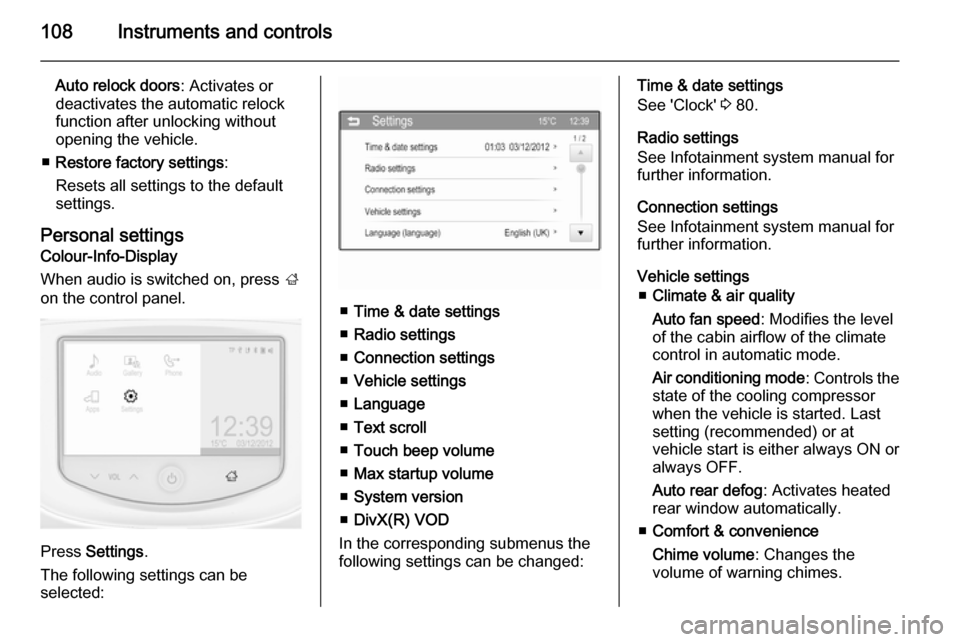
When audio is switched on, press ;
on the control panel.
Press Settings .
The following settings can be
selected:
■ Time & date settings
■ Radio settings
■ Connection settings
■ Vehicle settings
■ Language
■ Text scroll
■ Touch beep volume
■ Max startup volume
■ System version
■ DivX(R) VOD
In the corresponding submenus the
following settings can be changed:
Time & date settings
See 'Clock' 3 80.
Radio settings
See Infotainment system manual for
further information.
Connection settings
See Infotainment system manual for further information.
Vehicle settings ■ Climate & air quality
Auto fan speed : Modifies the level
of the cabin airflow of the climate
control in automatic mode.
Air conditioning mode : Controls the
state of the cooling compressor
when the vehicle is started. Last
setting (recommended) or at
vehicle start is either always ON or always OFF.
Auto rear defog : Activates heated
rear window automatically.
■ Comfort & convenience
Chime volume : Changes the
volume of warning chimes.
Page 111 of 261

Instruments and controls109
Personalization by driver: Activates
or deactivates the personalisation
function.
Auto wipe in reverse gear :
Activates or deactivates automatic switching on of the rear window
wiper when reverse gear is
engaged.
■ Collision / detection
Park assist : Activates or
deactivates the ultrasonic parking
assist. Activation is selectable with
or without attached trailer coupling.
Side blind zone alert : Changes the
settings for the side blind spot alert
system.
■ Lighting
Exit lighting : Activates or
deactivates and changes the
duration of exit lighting.
Vehicle locator lights : Activates or
deactivates the welcome lighting.
■ Power door locks
Auto door lock : Activates or
deactivates the automatic door
locking function after switching on
ignition.Unlocked door anti lock out :
Activates or deactivates the door locking function while a door isopen.
Delayed door lock : Activates or
deactivates the delayed door
locking function. This menu option
is displayed with Unlocked door
anti lock out deactivated. Central
locking system 3 22.
■ Lock, unlock settings
Remote unlock light feedback :
Activates or deactivates the hazard warning flasher feedback whilst
unlocking.
Remote door unlock : Changes the
configuration to unlock only the
driver's door or the whole vehicle
whilst unlocking.
Relock remotely unlocked doors :
Activates or deactivates the
automatic relock function after
unlocking without opening the
vehicle.
■ Vehicle factory settings : Restores
the setting values back to the
factory default settings.Language
Selection of the desired language.
Text scroll
See Infotainment system manual for
further information.
Touch beep volume
See Infotainment system manual for
further information.
Max startup volume
See Infotainment system manual for
further information.
System version
See Infotainment system manual for
further information.
DivX(R) VOD
See Infotainment system manual for
further information.
Page 120 of 261
118LightingReading lights
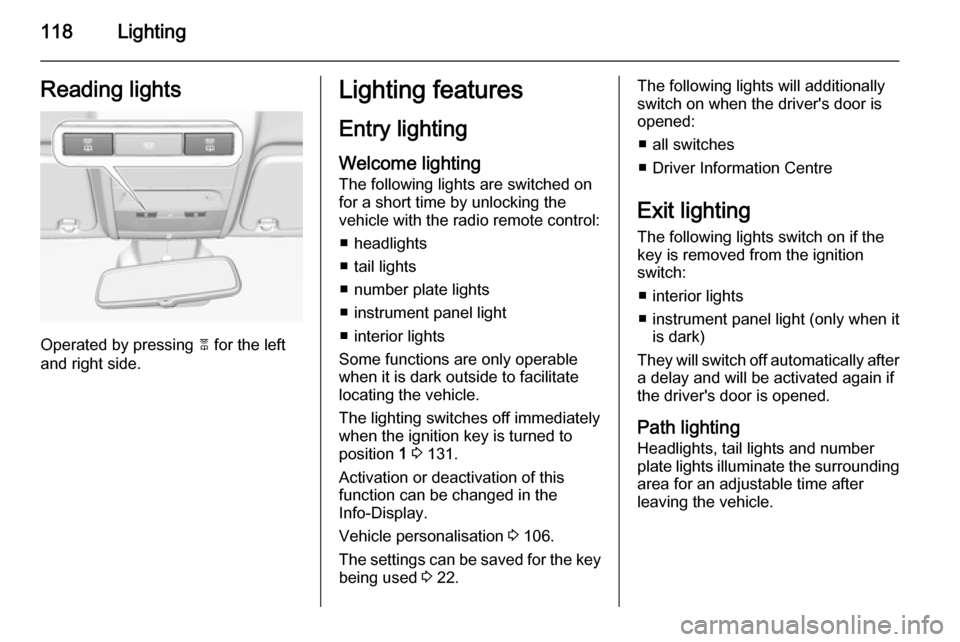
Operated by pressing 2 for the left
and right side.
Lighting features
Entry lighting
Welcome lighting
The following lights are switched on
for a short time by unlocking the
vehicle with the radio remote control:
■ headlights
■ tail lights
■ number plate lights
■ instrument panel light
■ interior lights
Some functions are only operable
when it is dark outside to facilitate locating the vehicle.
The lighting switches off immediately
when the ignition key is turned to
position 1 3 131.
Activation or deactivation of this
function can be changed in the
Info-Display.
Vehicle personalisation 3 106.
The settings can be saved for the key being used 3 22.The following lights will additionally
switch on when the driver's door is
opened:
■ all switches
■ Driver Information Centre
Exit lighting
The following lights switch on if the
key is removed from the ignition
switch:
■ interior lights
■ instrument panel light (only when it is dark)
They will switch off automatically after
a delay and will be activated again if
the driver's door is opened.
Path lightingHeadlights, tail lights and number
plate lights illuminate the surrounding
area for an adjustable time after
leaving the vehicle.
Page 133 of 261

Driving and operating131Starting and operating
New vehicle running-in Do not brake unnecessarily hard for
the first few journeys.
During the first drive, smoke may
occur because of wax and oil
evaporating off the exhaust system.
Park the vehicle in the open for a
while after the first drive and avoid
inhaling the fumes.
During the running-in period, fuel and engine oil consumption may be
higher.
Additionally, the cleaning process of
the diesel particle filter may take
place more often.
Diesel particle filter 3 136.
Autostop may be inhibited to allow for
charging of the vehicle battery.
Ignition switch positions
Turn key:0=ignition off: Some functions
remain active until key is
removed or driver's door is
opened, provided the ignition was on previously1=accessory power mode: Steeringwheel lock released, some
electrical functions are operable,
ignition is off2=ignition on power mode: Ignition
is on, diesel engine is preheating.
Control indicators illuminate and
most electrical functions are
operable3=engine start: Release key after
starting procedure beginsSteering wheel lock
Remove key from ignition switch and
turn steering wheel until it engages.
Retained power off The following electronic systems are
operable until the driver's door is
opened or at the latest for
10 minutes after the ignition is
switched off:
■ power windows
■ power outlets
■ power sunroof
Power to the Infotainment system will continue to operate for 30 minutes or
until the key is removed from the ignition switch, regardless of whether
any door is opened.
Page 137 of 261

Driving and operating135
Vehicles with manual transmission
automated
Release the brake pedal or move
selector lever out of D to restart the
engine.
When the engine is restarted, control
indicator D in the DIC extinguishes.
Restart of the engine by the
stop-start system
The selector lever must be in neutral to enable an automatic restart.
If one of the following conditions
occurs during an Autostop, the
engine will be restarted automatically by the stop-start system:
■ The stop-start system is manually deactivated.
■ The bonnet is opened.
■ The driver's seat belt is unfastened
and the driver's door is opened.
■ The engine temperature is too low.
■ The charging level of the vehicle battery is below a defined level.
■ The brake vacuum is not sufficient.■ The vehicle is driven at least at
walking speed.
■ The climate control system requests an engine start.
■ The air conditioning is manually switched on.
If the bonnet is not fully closed, a
warning message is displayed in the
Driver Information Centre.
If an electrical accessory, e.g. a
portable CD player, is connected to
the power outlet, a brief power drop
during restart might be noticeable.
Parking9 Warning
■ Do not park the vehicle on an
easily ignitable surface. The
high temperature of the exhaust system could ignite the surface.
■ Always apply the parking brake.
Activate the manual parking
brake without pressing the
release button. Apply as firmly
as possible on a downhill slope
or uphill slope. Depress foot
brake at the same time to
reduce operating force.
■ Switch off the engine.
■ If the vehicle is on a level surface or uphill slope, engage
first gear or set the selector lever
to position P before removing
the ignition key. On an uphill
slope, turn the front wheels
away from the kerb.
If the vehicle is on a downhill
slope, engage reverse gear or
set the selector lever to position P before removing the ignition
key. Turn the front wheels
towards the kerb.
■ Close the windows and the sunroof.
■ Remove the ignition key. Turn the steering wheel until the
steering wheel lock is felt to
engage.
For vehicles with automatic
transmission, the key can only
Page 144 of 261
142Driving and operatingManual transmission
automated
The automated manual transmission permits manual gearshifting (manual
mode) or automatic gearshifting
(automatic mode), both with
automatic clutch control.
Manual shifting is possible by tapping the selector lever in manual mode.
Notice
When unlocking or opening a
vehicle door, a sound may be
audible caused by the hydraulic
system.Transmission display
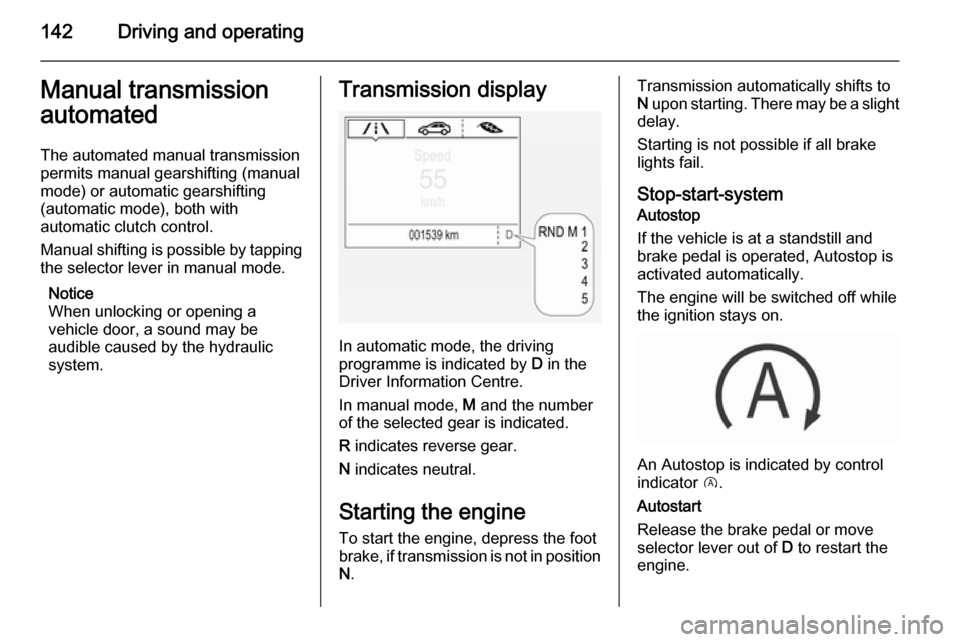
In automatic mode, the driving
programme is indicated by D in the
Driver Information Centre.
In manual mode, M and the number
of the selected gear is indicated.
R indicates reverse gear.
N indicates neutral.
Starting the engine
To start the engine, depress the foot brake, if transmission is not in position N .
Transmission automatically shifts to
N upon starting. There may be a slight
delay.
Starting is not possible if all brake
lights fail.
Stop-start-system
Autostop
If the vehicle is at a standstill and
brake pedal is operated, Autostop is
activated automatically.
The engine will be switched off while
the ignition stays on.
An Autostop is indicated by control
indicator D.
Autostart
Release the brake pedal or move selector lever out of D to restart the
engine.
Page 186 of 261
184Vehicle care
■ Open the bonnet, close all doorsand lock the vehicle.
■ Disconnect the clamp from the negative terminal of the vehicle
battery. Beware that all systems are not functional, e.g. anti-theft alarm
system.
Putting back into operation When the vehicle is to be put back into
operation:
■ Connect the clamp to the negative terminal of the vehicle battery.
Activate the electronics of the
power windows.
■ Check tyre pressure.
■ Fill up the washer fluid reservoir.
■ Check the engine oil level.
■ Check the coolant level.
■ Fit the number plate if necessary.End-of-life vehicle
recovery
Information on end-of-life vehicle
recovery centres and the recycling of
end-of-life vehicles is available on our website. Only entrust this work to an
authorised recycling centre.
Gas vehicles must be recycled by a
service centre authorised for gas
vehicles.Vehicle checks
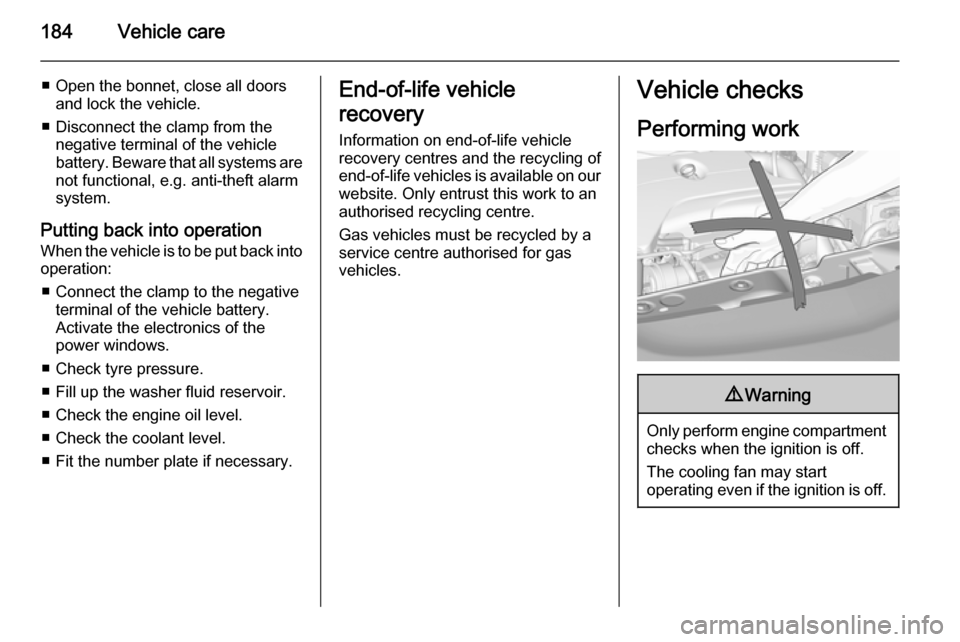
Performing work9 Warning
Only perform engine compartment
checks when the ignition is off.
The cooling fan may start
operating even if the ignition is off.
Page 255 of 261

Customer information253Radio Frequency
Identification (RFID)
RFID technology is used in some vehicles for functions such as tyre
pressure monitoring and ignition
system security. It is also used in
connection with conveniences such
as radio remote controls for door
locking/unlocking and starting, and in- vehicle transmitters for garage dooropeners. RFID technology in
Vauxhall vehicles does not use or
record personal information or link with any other Vauxhall system
containing personal information.