ignition VAUXHALL CORSA 2015.75 Workshop Manual
[x] Cancel search | Manufacturer: VAUXHALL, Model Year: 2015.75, Model line: CORSA, Model: VAUXHALL CORSA 2015.75Pages: 261, PDF Size: 7.61 MB
Page 152 of 261
150Driving and operating
Stop-start system 3 133.
Deactivation
Press B; LED in the button
extinguishes and a message pops-up in the Driver Information Centre.
Each time the engine is started, City
mode is deactivated.
Overload If the steering in City mode is heavily
loaded, e.g. in long parking
manoeuvres or heavy city traffic, the
system is deactivated for overheating
protection. Steering operates in
normal mode until City mode
activates automatically.
FaultIn the event of a fault in the system,
control indicator c illuminates and a
message is displayed in the Driver
Information Centre.
Vehicle messages 3 103.
System calibration If control indicators c and b
illuminate simultaneously, a
calibration of the power steering
system is necessary. This can occur
e.g. when turning the steering wheel
for one rotation with ignition switched
off. In this case, switch on ignition and turn steering wheel once from lock to
lock.
If control indicators c and b do not
extinguish after calibration, seek the
assistance of a workshop.Driver assistance
systems9 Warning
Driver assistance systems are
developed to support the driver
and not to replace the driver's
attention.
The driver accepts full
responsibility when driving the
vehicle.
When using driver assistance
systems, always take care
regarding the current traffic
situation.
Cruise control
The cruise control can store and
maintain speeds of approx. 20 to
120 mph. Deviations from the stored
speeds may occur when driving uphill or downhill.
Page 154 of 261
152Driving and operating
Deactivation
Press y; control indicator m in
instrument cluster illuminates white.
Cruise control is deactivated. Last
stored speed remains in memory for
later speed resume.
Automatic deactivation: ■ Vehicle speed is below approx. 20 mph.
■ Vehicle speed above approx. 125 mph.
■ The brake pedal is depressed.
■ The clutch pedal is depressed for a
few seconds.
■ The selector lever is in N.
■ Engine speed is in a very low range.
■ The Traction Control system or Electronic Stability Control is
operating.
Resume stored speed Turn thumb wheel to RES/+ at a
speed above 20 mph. The stored
speed will be obtained.Switching off
Press m, control indicator m in
instrument cluster extinguishes. The
stored speed is deleted.
Pressing L to activate the speed
limiter or switching off the ignition also switches off cruise control and
deletes the stored speed.
Speed limiter The speed limiter prevents the
vehicle exceeding a preset maximum
speed.
The maximum speed can be set at a
speed above 15 mph.
The driver can only accelerate up to
the preset speed. Deviations from the
limited speed may occur when driving downhill.
The preset speed limit is displayed in
the Driver Information Centre (DIC)
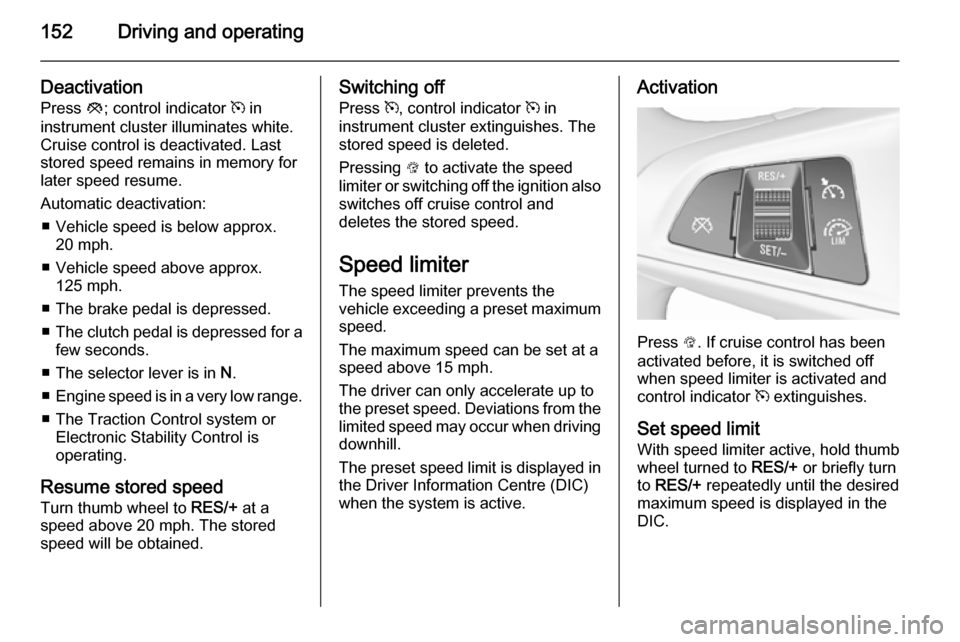
when the system is active.Activation
Press L. If cruise control has been
activated before, it is switched off when speed limiter is activated and
control indicator m extinguishes.
Set speed limit
With speed limiter active, hold thumb
wheel turned to RES/+ or briefly turn
to RES/+ repeatedly until the desired
maximum speed is displayed in the
DIC.
Page 155 of 261
Driving and operating153
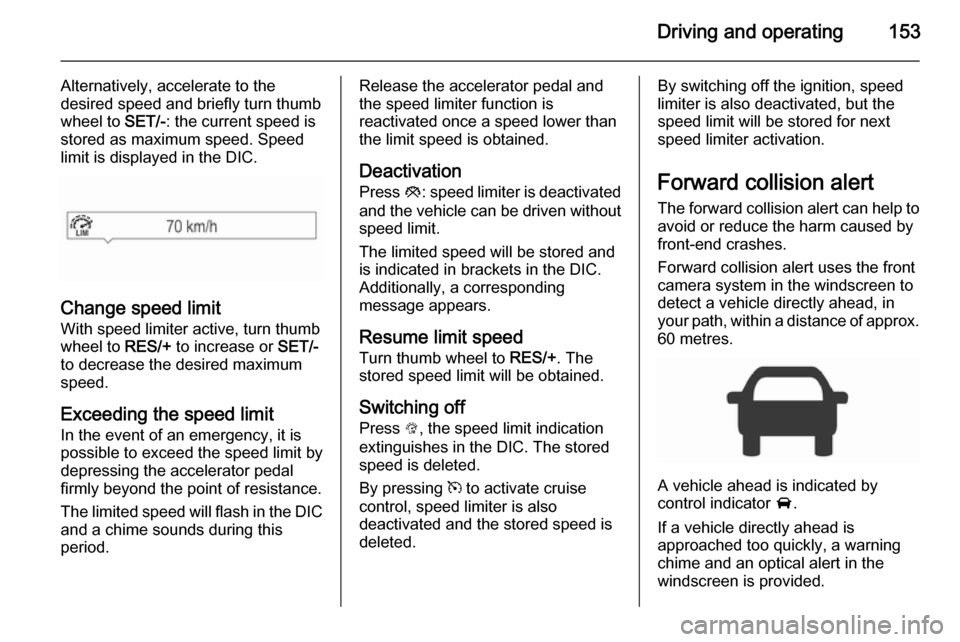
Alternatively, accelerate to the
desired speed and briefly turn thumb
wheel to SET/-: the current speed is
stored as maximum speed. Speed
limit is displayed in the DIC.
Change speed limit
With speed limiter active, turn thumb
wheel to RES/+ to increase or SET/-
to decrease the desired maximum
speed.
Exceeding the speed limit
In the event of an emergency, it is possible to exceed the speed limit by
depressing the accelerator pedal
firmly beyond the point of resistance.
The limited speed will flash in the DIC and a chime sounds during this
period.
Release the accelerator pedal and the speed limiter function is
reactivated once a speed lower than
the limit speed is obtained.
Deactivation Press y: speed limiter is deactivated
and the vehicle can be driven without
speed limit.
The limited speed will be stored and is indicated in brackets in the DIC.
Additionally, a corresponding
message appears.
Resume limit speed Turn thumb wheel to RES/+. The
stored speed limit will be obtained.
Switching off
Press L, the speed limit indication
extinguishes in the DIC. The stored
speed is deleted.
By pressing m to activate cruise
control, speed limiter is also
deactivated and the stored speed is
deleted.By switching off the ignition, speed
limiter is also deactivated, but the
speed limit will be stored for next
speed limiter activation.
Forward collision alert The forward collision alert can help to
avoid or reduce the harm caused by
front-end crashes.
Forward collision alert uses the front
camera system in the windscreen to
detect a vehicle directly ahead, in
your path, within a distance of approx.
60 metres.
A vehicle ahead is indicated by
control indicator A.
If a vehicle directly ahead is
approached too quickly, a warning
chime and an optical alert in the
windscreen is provided.
Page 160 of 261
158Driving and operating
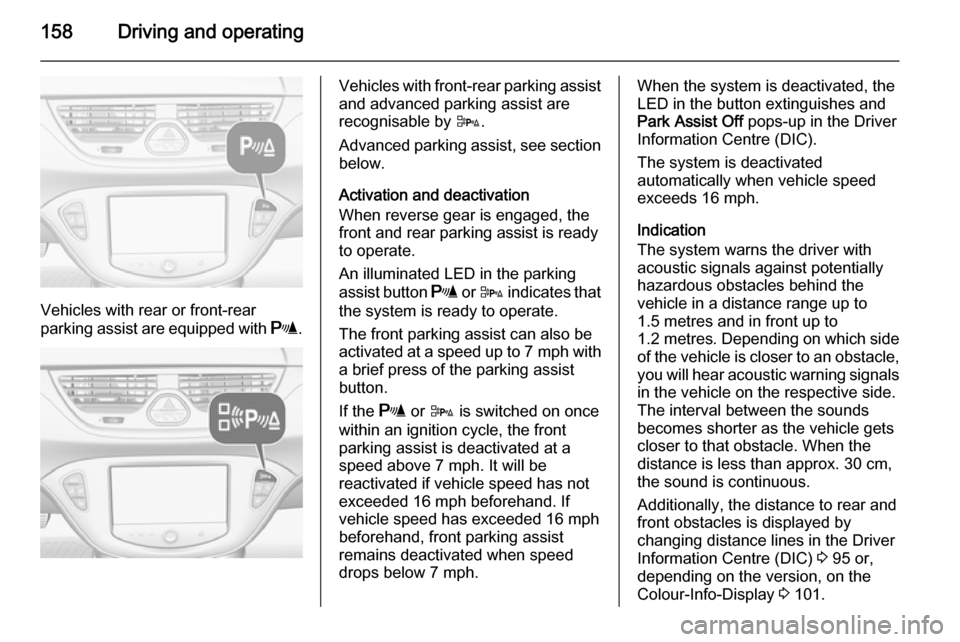
Vehicles with rear or front-rear
parking assist are equipped with r.
Vehicles with front-rear parking assist
and advanced parking assist are
recognisable by D.
Advanced parking assist, see section
below.
Activation and deactivation
When reverse gear is engaged, the
front and rear parking assist is ready
to operate.
An illuminated LED in the parking
assist button r or D indicates that
the system is ready to operate.
The front parking assist can also be
activated at a speed up to 7 mph with
a brief press of the parking assist
button.
If the r or D is switched on once
within an ignition cycle, the front
parking assist is deactivated at a speed above 7 mph. It will be
reactivated if vehicle speed has not
exceeded 16 mph beforehand. If
vehicle speed has exceeded 16 mph beforehand, front parking assist
remains deactivated when speed
drops below 7 mph.When the system is deactivated, the
LED in the button extinguishes and
Park Assist Off pops-up in the Driver
Information Centre (DIC).
The system is deactivated
automatically when vehicle speed
exceeds 16 mph.
Indication
The system warns the driver with
acoustic signals against potentially
hazardous obstacles behind the
vehicle in a distance range up to
1.5 metres and in front up to
1.2 metres . Depending on which side
of the vehicle is closer to an obstacle,
you will hear acoustic warning signals in the vehicle on the respective side.
The interval between the sounds
becomes shorter as the vehicle gets
closer to that obstacle. When the
distance is less than approx. 30 cm,
the sound is continuous.
Additionally, the distance to rear and
front obstacles is displayed by
changing distance lines in the Driver
Information Centre (DIC) 3 95 or,
depending on the version, on the Colour-Info-Display 3 101.
Page 165 of 261

Driving and operating163
■ The successful completion of theparking manoeuvre indicated by a
pop-up symbol and a chime.
■ The cancelling of a parking manoeuvre.
Display priorities
Advanced parking assist indication in the DIC can be inhibited by vehicle
messages with a higher priority. After
approving the message by pressing
SET/CLR on the turn signal lever,
advanced parking assist instructions
appear again and the parking
manoeuvre can be continued.
Deactivation
The system is deactivated by:
■ a long press of D
■ parking manoeuvre successfully ended
■ driving faster than 18 mph during parking slot search
■ driving faster than 5 mph during parking guidance
■ driver interference on steering wheel detected■ exceeding number of maximumgear changes: eight cycles when
parallel parking or five cycles when
perpendicular parking
■ switching off the ignition
Deactivation by the driver or by the system during manoeuvring will beindicated by Parking Deactivated on
the display. Additionally, an acoustic
signal sounds.
Fault
A message appears when:
■ There is a fault in the system.
■ The driver did not successfully complete the parking manoeuvre.
■ The system is not operational.
■ Any of the deactivation reasons described above apply.
If an object is detected during parking
instructions, Stop is indicated on the
display. Removing the object will
resume the parking manoeuvre. If the
object is not removed, the system will
be deactivated. A long press of D
will activate the system and search for a new parking slot.Basic notes on parking assist
systems9 Warning
Under certain circumstances,
various reflective surfaces on
objects or clothing as well as
external noise sources may cause the system to fail to detect
obstacles.
Special attention must be paid to
low obstacles which can damage
the lower part of the bumper.
Caution
Performance of the system can be reduced when sensors are
covered, e.g. by ice or snow.
Performance of the parking assist
system can be reduced due to
heavy loading.
Special conditions apply if there
are taller vehicles in the vicinity
(e.g. off-road vehicles, mini vans,
vans). Object identification and
Page 171 of 261
Driving and operating169
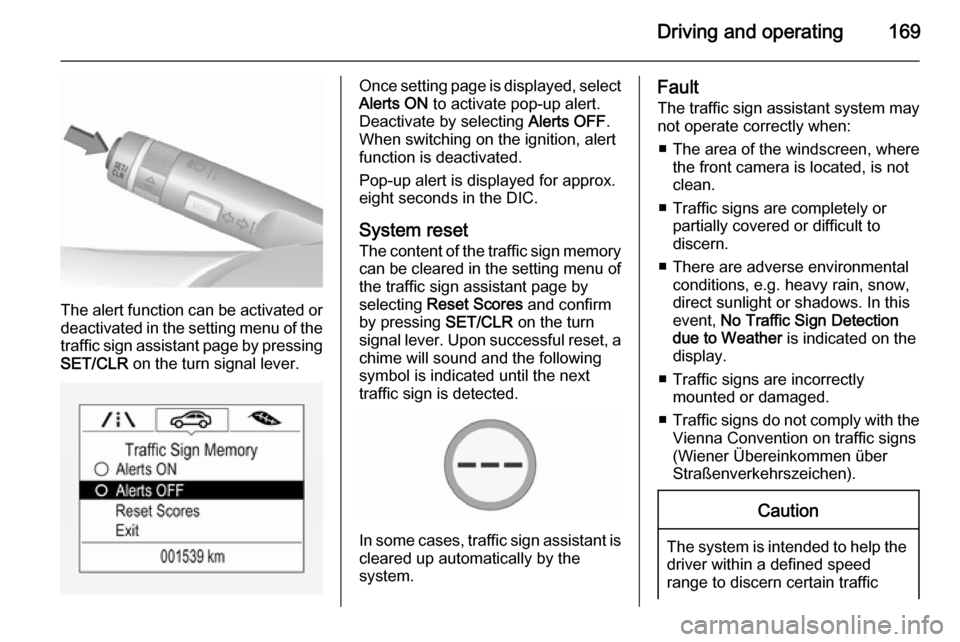
The alert function can be activated or
deactivated in the setting menu of the
traffic sign assistant page by pressing SET/CLR on the turn signal lever.
Once setting page is displayed, select
Alerts ON to activate pop-up alert.
Deactivate by selecting Alerts OFF.
When switching on the ignition, alert
function is deactivated.
Pop-up alert is displayed for approx.
eight seconds in the DIC.
System reset
The content of the traffic sign memory can be cleared in the setting menu of
the traffic sign assistant page by
selecting Reset Scores and confirm
by pressing SET/CLR on the turn
signal lever. Upon successful reset, a chime will sound and the following
symbol is indicated until the next
traffic sign is detected.
In some cases, traffic sign assistant is
cleared up automatically by the
system.
Fault
The traffic sign assistant system may
not operate correctly when:
■ The area of the windscreen, where the front camera is located, is not
clean.
■ Traffic signs are completely or partially covered or difficult to
discern.
■ There are adverse environmental conditions, e.g. heavy rain, snow,
direct sunlight or shadows. In this
event, No Traffic Sign Detection
due to Weather is indicated on the
display.
■ Traffic signs are incorrectly mounted or damaged.
■ Traffic signs do not comply with the
Vienna Convention on traffic signs
(Wiener Übereinkommen über
Straßenverkehrszeichen).Caution
The system is intended to help the driver within a defined speed
range to discern certain traffic
Page 174 of 261
172Driving and operatingCaution
Use of fuel that does not comply toEN 590 or similar can lead to
engine powerloss, increased wear
or engine damage and may affect
your warranty.
Do not use marine diesel oils, heating
oils, Aquazole and similar diesel-
water emulsions. Diesel fuels must
not be diluted with fuels for petrol
engines.
Fuel for liquid gas
operation
Liquid gas is known as LPG
(Liquefied Petroleum Gas) or under
its French name GPL (Gaz de Pétrole Liquéfié). LPG is also known as
Autogas.
LPG consists mainly of propane and
butane. The octane rating is between
105 and 115, depending on the
butane proportion. LPG is stored
liquid at around 5 - 10 bar pressure.
The boiling point depends on the
pressure and mixing ratio. At ambient pressure, it is between -42 °C (pure
propane) and -0.5 °C (pure butane).Caution
The system works at an ambient
temperature of approx. -8 °C to
100 °C.
Full function of the LPG system can
only be guaranteed with liquid gas
which complies with the minimum
requirements of DIN EN 589.
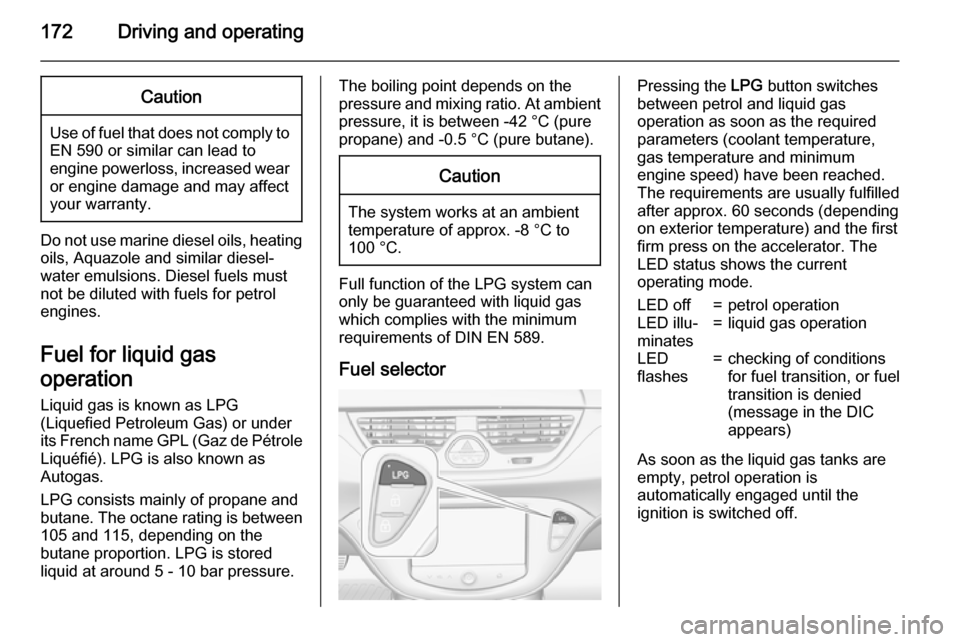
Fuel selector
Pressing the LPG button switches
between petrol and liquid gas
operation as soon as the required
parameters (coolant temperature,
gas temperature and minimum
engine speed) have been reached.
The requirements are usually fulfilled
after approx. 60 seconds (depending
on exterior temperature) and the first
firm press on the accelerator. The
LED status shows the current
operating mode.LED off=petrol operationLED illu‐
minates=liquid gas operationLED
flashes=checking of conditions
for fuel transition, or fuel
transition is denied
(message in the DIC
appears)
As soon as the liquid gas tanks are
empty, petrol operation is
automatically engaged until the
ignition is switched off.
Page 175 of 261
Driving and operating173
Every six months, run the petrol tank
down until control indicator Y
illuminates, then refuel. This helps
maintain fuel quality and system
function for petrol operation.
Fill the tank completely at regular
intervals to prevent corrosion in the
tank.
Faults and remedies
If gas mode is not possible, check the following:
■ Is there enough liquid gas present?
■ Is there enough petrol present for starting?
Due to extreme temperatures in
combination with the gas
composition, it may take slightly
longer before the system switches
from petrol to gas mode.
In extreme situations, the system may
also switch back to petrol mode if the
minimum requirements are not
fulfilled.
Seek the assistance of a workshop in the event of all other faults.Caution
Repairs and adjustments may onlybe made by trained specialists in
order to maintain the safety and
warranty on the LPG system.
Liquid gas is given a particular odour
(odorised) so that any leaks can be
detected easily.
9 Warning
If you smell gas in the vehicle or in
the immediate vicinity, switch to petrol mode immediately. No
smoking. No naked flames or
ignition sources.
If the gas odour persists, do not start
the engine. Have the cause of the
fault remedied by a workshop.
When using underground car parks,
follow the instructions of the operator
and local laws.
Notice
In the event of an accident, switch off
the ignition and lights.
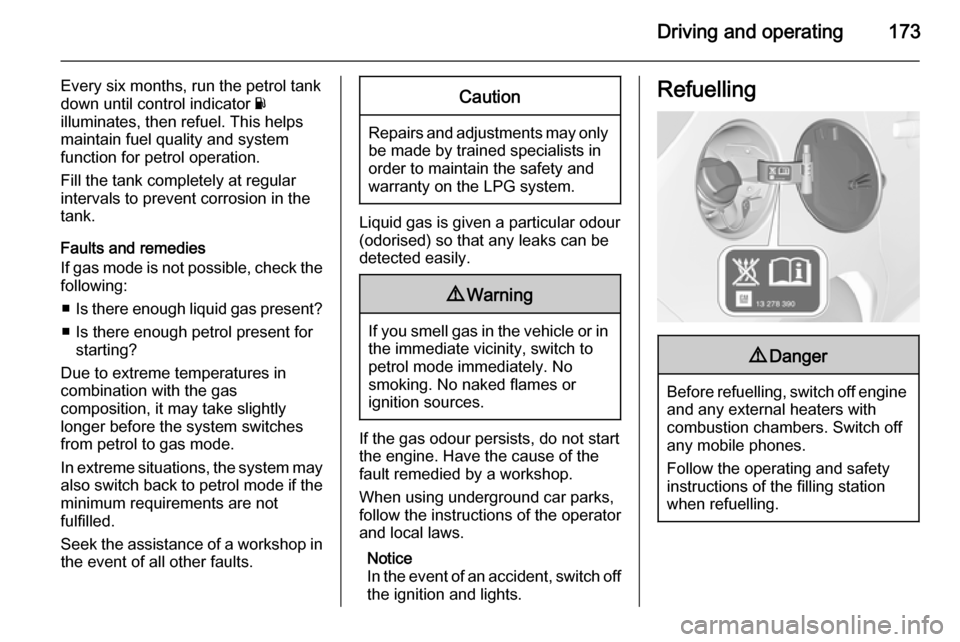
Refuelling9 Danger
Before refuelling, switch off engine
and any external heaters with
combustion chambers. Switch off
any mobile phones.
Follow the operating and safety
instructions of the filling station
when refuelling.
Page 176 of 261
174Driving and operating9Danger
Fuel is flammable and explosive.
No smoking. No naked flames or
sparks.
If you can smell fuel in your
vehicle, have the cause of this
remedied immediately by a
workshop.
Caution
In case of misfuelling, do not
switch on ignition.
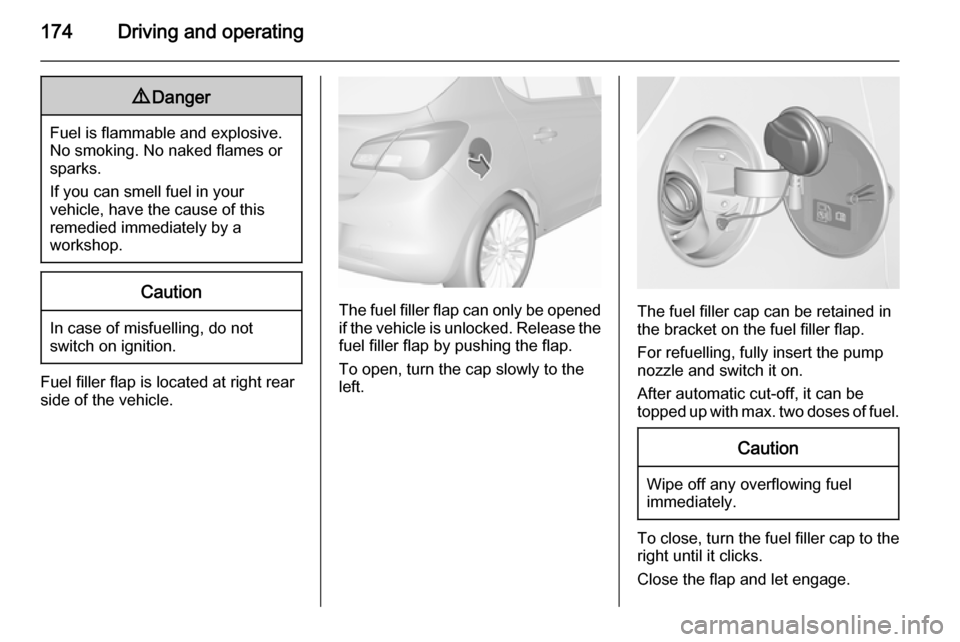
Fuel filler flap is located at right rear
side of the vehicle.
The fuel filler flap can only be opened
if the vehicle is unlocked. Release the
fuel filler flap by pushing the flap.
To open, turn the cap slowly to the left.The fuel filler cap can be retained in
the bracket on the fuel filler flap.
For refuelling, fully insert the pump
nozzle and switch it on.
After automatic cut-off, it can be
topped up with max. two doses of fuel.
Caution
Wipe off any overflowing fuel
immediately.
To close, turn the fuel filler cap to the right until it clicks.
Close the flap and let engage.
Page 186 of 261
184Vehicle care
■ Open the bonnet, close all doorsand lock the vehicle.
■ Disconnect the clamp from the negative terminal of the vehicle
battery. Beware that all systems are not functional, e.g. anti-theft alarm
system.
Putting back into operation When the vehicle is to be put back into
operation:
■ Connect the clamp to the negative terminal of the vehicle battery.
Activate the electronics of the
power windows.
■ Check tyre pressure.
■ Fill up the washer fluid reservoir.
■ Check the engine oil level.
■ Check the coolant level.
■ Fit the number plate if necessary.End-of-life vehicle
recovery
Information on end-of-life vehicle
recovery centres and the recycling of
end-of-life vehicles is available on our website. Only entrust this work to an
authorised recycling centre.
Gas vehicles must be recycled by a
service centre authorised for gas
vehicles.Vehicle checks
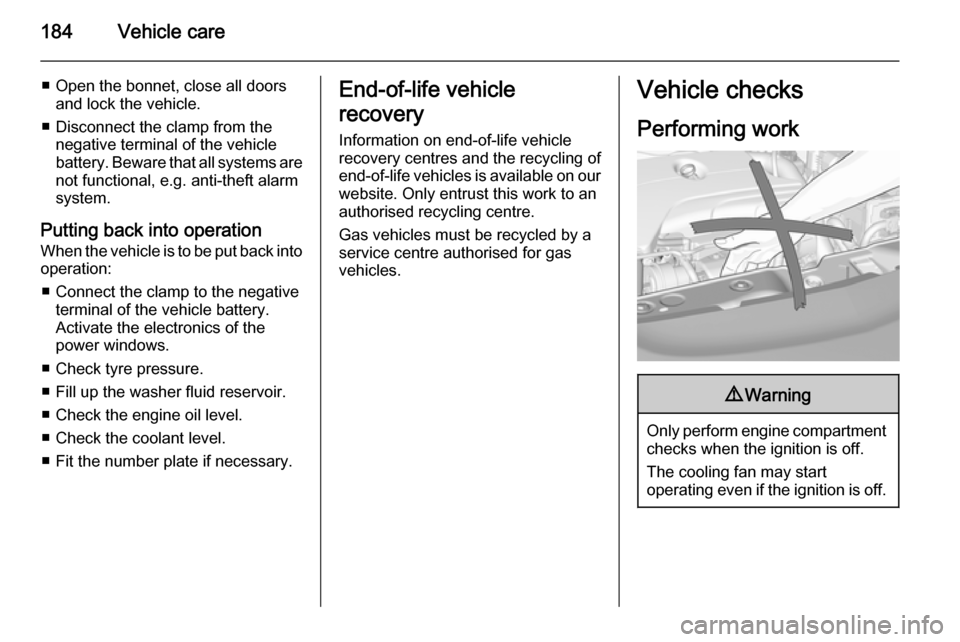
Performing work9 Warning
Only perform engine compartment
checks when the ignition is off.
The cooling fan may start
operating even if the ignition is off.