infotainment VAUXHALL CORSA 2015 Infotainment system
[x] Cancel search | Manufacturer: VAUXHALL, Model Year: 2015, Model line: CORSA, Model: VAUXHALL CORSA 2015Pages: 105, PDF Size: 2.09 MB
Page 26 of 105

26Radio
PSN scroll freeze
Some RDS stations do not only
indicate the programme service name
(PSN) on the display, but also show
additional information about the
current programme. If additional
information is displayed, the
programme name is hidden.
To prevent additional information
from being displayed, set PSN scroll
freeze to On.
Digital audio broadcasting Digital audio broadcasting (DAB) is
an innovative and universal
broadcasting system.
DAB stations are indicated by the
programme name instead of the
broadcasting frequency.
General information ■ With DAB, several radio programmes (services) can be
broadcasted on a single frequency
(ensemble).■ Besides high-quality digital audio services, DAB is also able to
transmit programme-associated
data and a multitude of other data
services including travel and traffic
information.
■ As long as a given DAB receiver can pick up the signal sent out by a
broadcasting station (even if the signal is very weak), sound
reproduction is ensured.
■ There is no fading (weakening of the sound that is typical of AM or
FM reception). The DAB signal is
reproduced at a constant volume.
If the DAB signal is too weak to be
picked up by the receiver, reception is interrupted completely. This
incident can be avoided by
activating Service linking DAB and/
or Service linking FM in the DAB
option menu (see below).
■ Interference caused by stations that are on nearby frequencies (a
phenomenon that is typical of AM and FM reception) does not occurwith DAB.■ If the DAB signal is reflected by natural obstacles or buildings, the
reception quality of DAB is
improved, whereas AM or FM
reception is considerably impaired
in such cases.
■ When DAB reception is enabled, the FM tuner of the Infotainmentsystem remains active in the
background and continually
searches for the best receivable FM stations. If TP 3 24 is activated,
traffic announcements of the FM
station which is currently best
receivable are issued. Deactivate
TP, if DAB reception should not be
interrupted by FM traffic
announcements.
DAB option menu To open the menu for the DAB
configuration:
Press the ; button and then select
the Settings screen button.
Select Radio settings and then DAB
option to display the respective menu.
Page 27 of 105

Radio27
DAB category settings
To choose which categories are
displayed in the DAB category list in
the DAB menu 3 22, select DAB
category settings . The respective
menu is displayed.Select All or select and deselect only
some categories from the available
options.
Select OK to confirm your choice.
DAB configuration In the DAB option menu you can
setup features concerning the DAB
radio reception.
Service linking DAB
If this function is activated, the device
switches over to the same service
(programme) on another DAB
ensemble (frequency, if available)
when the DAB signal is too weak to
be picked up by the receiver.
Set Service linking DAB to On or Off.
Service linking FM
If this function is activated, the device switches over to a corresponding FM
station of the active DAB service (if
available) when the DAB signal is too
weak to be picked up by the receiver.
Set Service linking FM to On or Off.
Dynamic range compression
If this function is activated, the
dynamic range of the DAB signal is
reduced. That means that the level of
loud sounds is reduced and the level
of quiet sounds is increased.
Therefore the volume of the
Infotainment system can be raised to
a point where the quiet sounds are
audible, without the loud sounds being too loud.
Set Dynamic range ctrl to On or Off.
Page 28 of 105
28Radio
Selecting a frequency band
With this function, you may define
which DAB wavebands are to be received by the Infotainment system.
Choose L-Band only
( 1452 - 1492 MHz, earth and satellite
radio) Band lll only (174 - 240 MHz,
earth radio) or Both.
Radio text
If this function is activated, additional
information about the programme
currently received or the music track
currently playing such as title, artist,
music type, news or traffic updates
are displayed.
To show or hide the information, set
Radio text to On or Off.
Slide Show
If this function is activated, additional information about the programme
currently received or the music track
currently playing are displayed in
form of pictures, graphics or short
video sequences.To show or hide these pictures,
graphics or videos sequences, set
Slide Show to On or Off.
Waveband menu
Tap on the MENU screen button in
the bottom line of the DAB main menu
to open the waveband submenu.
DAB announcements
Besides their music programmes, a
lot of DAB stations also broadcast
announcements of various
categories. If you activate some or all categories, the currently received
DAB service is interrupted when an
announcement of these categories is
made.
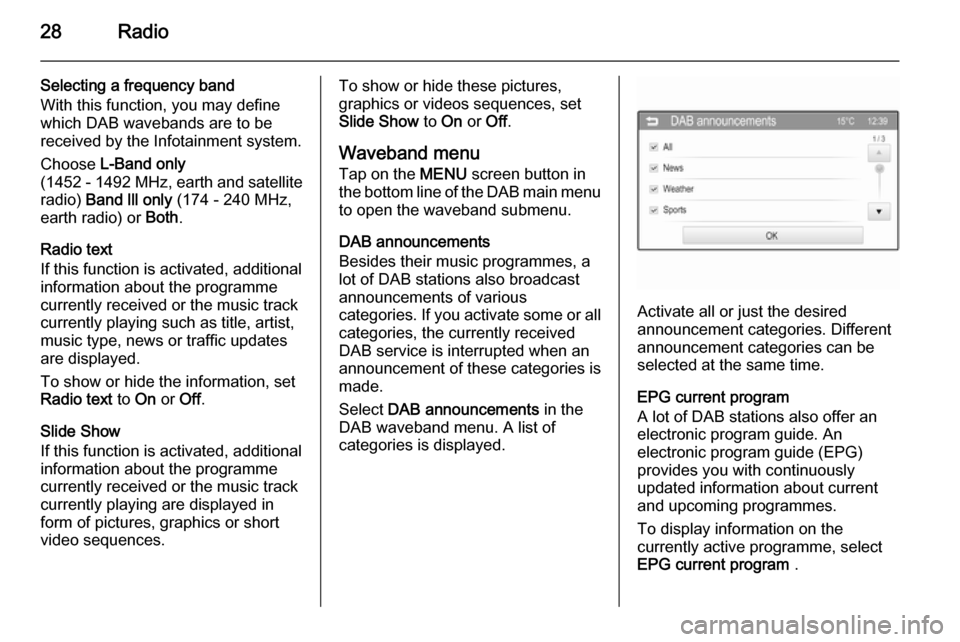
Select DAB announcements in the
DAB waveband menu. A list of
categories is displayed.
Activate all or just the desired
announcement categories. Different
announcement categories can be
selected at the same time.
EPG current program
A lot of DAB stations also offer an
electronic program guide. An
electronic program guide (EPG)
provides you with continuously
updated information about current and upcoming programmes.
To display information on the
currently active programme, select
EPG current program .
Page 30 of 105
30External devicesExternal devicesGeneral information.....................30
Playing audio ............................... 33
Displaying pictures ....................... 36
Playing movies ............................. 37
Using smartphone applications ...40General information
In the centre console below the
climate controls, there is an AUX
socket and a USB socket for the
connection of external audio data
sources.
Notice
The sockets must always be kept
clean and dry.
AUX input
It is possible to connect e.g. an iPod
or another auxiliary device to the AUX input.
When connected to the AUX input,
the audio signal of the auxiliary device is transmitted via the speakers of theInfotainment system.
The volume and the tone settings can
be adjusted via the Infotainment
system. All other control functions
must be operated via the auxiliary device.Connecting a device
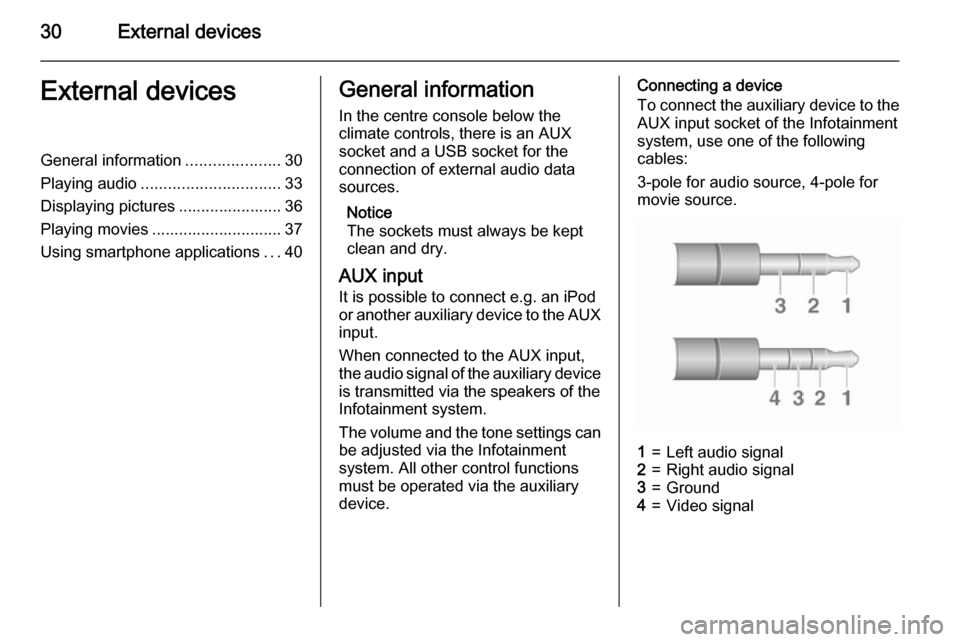
To connect the auxiliary device to the
AUX input socket of the Infotainment
system, use one of the following
cables:
3-pole for audio source, 4-pole for
movie source.1=Left audio signal2=Right audio signal3=Ground4=Video signal
Page 31 of 105

External devices31
AUX audio function
The Infotainment system can play music files contained in auxiliary
devices e.g. smartphones or iPod/
iPhone products.
AUX movie function
The Infotainment system can play
movies contained in auxiliary devices e.g. smartphones or iPod/iPhone
products.
Notice
To use the movie function with your
iPod/iPhone, connect your device to
the AUX port only. A constant
connection cannot be established
via the USB port.
USB port
An MP3 player, USB drive, SD card
(via USB connector/adapter), iPod or
Smartphone can be connected to the USB port.
When connected to the USB port,
various functions of the devices
mentioned above can be operated via
the controls and menus of the
Infotainment system.Notice
Not all MP3 player, USB drive, SD card, iPod models or Smartphones
are supported by the Infotainment
system.
Connecting/disconnecting a device
Connect the USB device or iPod to
the USB port. For the iPod, use the
appropriate connection cable. The
music function starts automatically.
Notice
If a non-readable USB device or
iPod is connected, a corresponding
error message appears and the
Infotainment system automatically
switches to the previous function.
To disconnect the USB device or
iPod, select another function and then remove the USB storage device.Caution
Avoid disconnecting the device
during playback. This may
damage the device or the
Infotainment system.
USB audio function
The Infotainment system can play music files contained in USB storage
devices or iPod/iPhone products.
USB picture function
The Infotainment system can display
pictures contained in USB storage
devices.
USB movie function
The Infotainment system can play
movies contained in USB storage
devices.
Notice
To use the movie function with your iPod/iPhone, connect your device to the AUX port only. A constant
connection cannot be established
via the USB port.
Bluetooth Bluetooth enabled audio sources
(e.g. music mobile phones, MP3
players featuring Bluetooth, etc.),
which support the Bluetooth music
profiles A2DP and AVRCP can be
connected wirelessly to the
Infotainment system.
Page 32 of 105

32External devices
Connecting a device
For a detailed description on the
Bluetooth connection 3 45.
Bluetooth audio function
The Infotainment system can play
music files contained in Bluetooth
devices e.g. smartphones or iPod/
iPhone products.
Support of smartphone
applications
The Apps function of the Infotainment
system allows access to approved smartphone applications. The
Infotainment system authorises
application updates as they become
available.
Before an approved application can
be operated using the controls and
menus of the Infotainment system,
the respective application must be
installed on the smartphone.
Follow the instructions on the
smartphone when installing an
approved smartphone application.File formats and folders
The maximum capacity of a device
supported by the Infotainment system amounts to 2500 music files,
2500 picture files, 250 movie files,
2500 folders and 10 stages of folder
structure. Only devices formatted in
the FAT16/FAT32 file system are
supported.
Notice
Some files may not be played properly. This might be due to a
different recording format or the
condition of the file.
Files from online shops to which
digital rights management has been
applied cannot be played.
The Infotainment system can play the
following audio, picture and movie
files stored on external devices.
Audio files
The playable audio file formats
are .mp3, .wma, .ogg and .wav.
When playing a file with ID3 tag
information, the Infotainment system
can display information, e.g. on the
track title and artist.Picture files
The displayable picture file formats are .jpg, .bmp, .png and .gif.
.jpg files must have a size of 64 to
5000 pixels in width and 64 to
5000 pixels in height.
.bmp, .png and .gif files must have a
size of 64 to 1024 pixels in width and
64 to 1024 pixels in height.
Movie files
The playable movie file formats
are .avi, .mpg, .mp4, .divx, .xvid
and .wmv.
The resolution of the files must be within a range of 720 pixels in width
and 576 pixels in height. The frame rate must be less that 30 fps.
Usable codecs are divx, xvid,
mpeg-1, mpeg-4 (mpg4, mp42,
mp43) and wmv9 (wmv3).
The playable audio formats
are .mp3, .ac3, .aac and .wma.
The displayable subtitle format
is .smi.
Page 33 of 105
External devices33Playing audioAuxiliary device
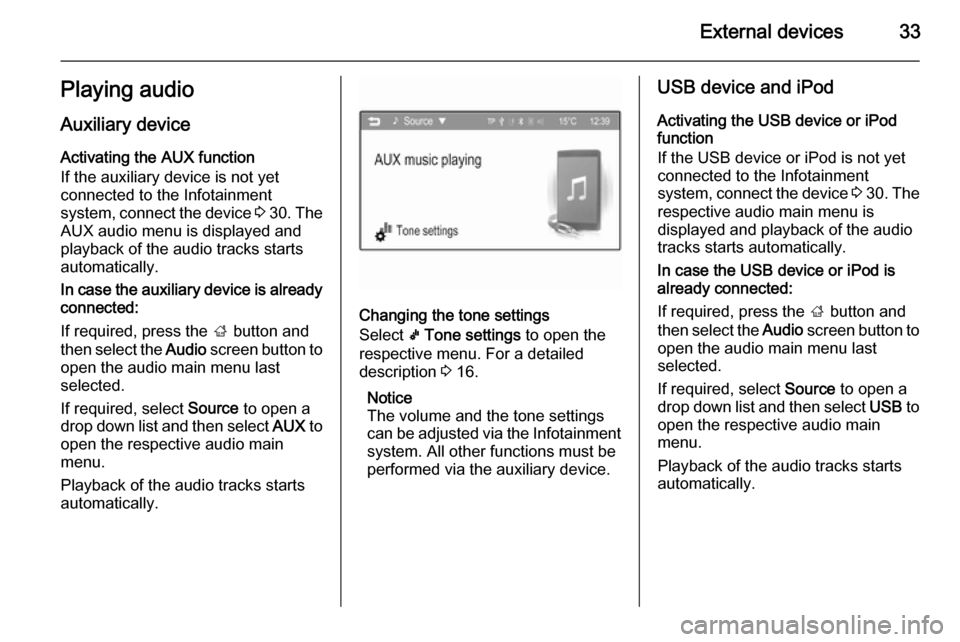
Activating the AUX function
If the auxiliary device is not yet
connected to the Infotainment
system, connect the device 3 30 . The
AUX audio menu is displayed and
playback of the audio tracks starts
automatically.
In case the auxiliary device is already
connected:
If required, press the ; button and
then select the Audio screen button to
open the audio main menu last
selected.
If required, select Source to open a
drop down list and then select AUX to
open the respective audio main menu.
Playback of the audio tracks starts
automatically.
Changing the tone settings
Select k Tone settings to open the
respective menu. For a detailed
description 3 16.
Notice
The volume and the tone settings
can be adjusted via the Infotainment
system. All other functions must be
performed via the auxiliary device.
USB device and iPod
Activating the USB device or iPod function
If the USB device or iPod is not yet
connected to the Infotainment
system, connect the device 3 30 . The
respective audio main menu is
displayed and playback of the audio
tracks starts automatically.
In case the USB device or iPod is
already connected:
If required, press the ; button and
then select the Audio screen button to
open the audio main menu last
selected.
If required, select Source to open a
drop down list and then select USB to
open the respective audio main
menu.
Playback of the audio tracks starts
automatically.
Page 35 of 105
External devices35
Changing the tone settingsSelect Tone settings to open the
respective menu. For a detailed
description 3 16.
Bluetooth music Activating the Bluetooth music
function
If the Bluetooth device is not yet
connected to the Infotainment
system, establish a Bluetooth
connection 3 45 and then continue
as described below.
In case the Bluetooth device is
already connected:
If required, press the ; button and
then select the Audio screen button to
open the audio main menu last
selected.
If required, select Source to open a
drop down list and then select
Bluetooth to open the respective
audio main menu.
Playback of the audio tracks starts
automatically.
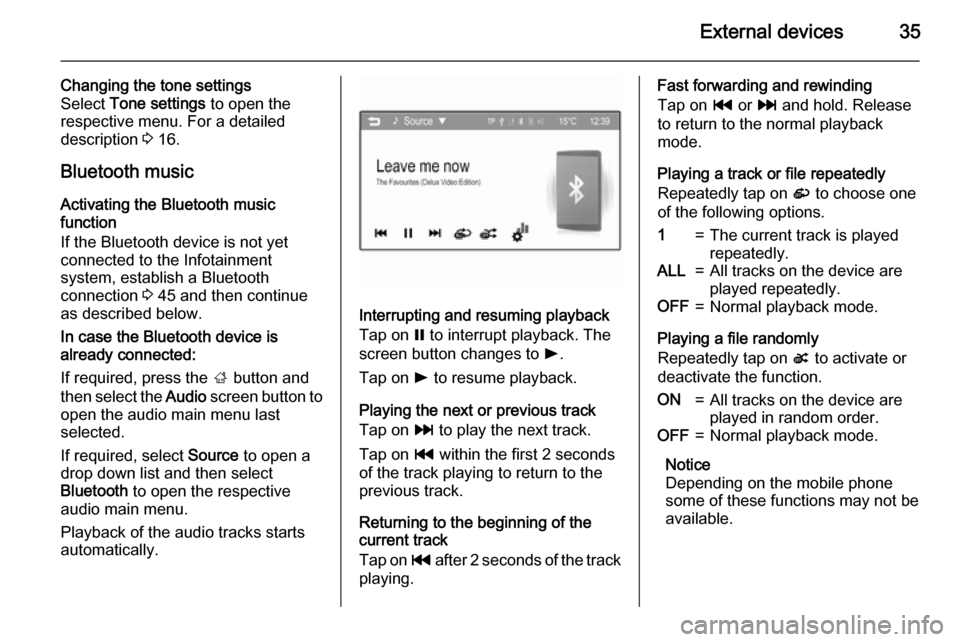
Interrupting and resuming playback
Tap on = to interrupt playback. The
screen button changes to l.
Tap on l to resume playback.
Playing the next or previous track
Tap on v to play the next track.
Tap on t within the first 2 seconds
of the track playing to return to the
previous track.
Returning to the beginning of the
current track
Tap on t after 2 seconds of the track
playing.
Fast forwarding and rewinding
Tap on t or v and hold. Release
to return to the normal playback
mode.
Playing a track or file repeatedly
Repeatedly tap on r to choose one
of the following options.1=The current track is played
repeatedly.ALL=All tracks on the device are
played repeatedly.OFF=Normal playback mode.
Playing a file randomly
Repeatedly tap on s to activate or
deactivate the function.
ON=All tracks on the device are
played in random order.OFF=Normal playback mode.
Notice
Depending on the mobile phone
some of these functions may not be
available.
Page 36 of 105

36External devices
Changing the tone settings
Select k to open the Tone settings
menu. For a detailed description
3 16.
Displaying pictures You can view pictures from a USB
device.
Notice
For your safety, some features are
disabled while your vehicle is in
motion.
Viewing pictures If the USB device is not yet connected
to the Infotainment system, connect
the device 3 30 and then continue as
described below.
In case the USB device is already
connected:
If required, press the ; button and
then select the Gallery screen button
to open the picture or movie main
menu last selected.If required, select Source to open a
drop down list and then select USB
(Picture) to open the respective main
menu.
A picture is automatically displayed.
Tap on the screen to view the picture
in full screen. Tap on the screen again to leave the full screen mode.
Viewing the next or previous picture Tap on c to view the next picture.
Tap on d to view the previous picture.
Rotating a picture
Tap on u or v to rotate the picture
clockwise or counterclockwise.
Viewing a slide show
Tap on t to view the pictures stored
on the USB device in a slide show.
Tap on the screen to finish the slide
show.
Zoom in on a picture Tap on w once or several times to
zoom in on a picture or to return to its original size.
Using the picture menu
Tap on MENU to open the USB
Picture menu .
Page 38 of 105
38External devices
Notice
To use the movie function with your
iPod/iPhone, connect your device to
the AUX port only. A constant
connection cannot be established
via the USB port.
Notice
For your safety, the movie function is not available while driving.
Auxiliary device
Activating the AUX function
If the auxiliary device is not yet
connected to the Infotainment
system, connect the device 3 30 . The
AUX movie menu is displayed and
playback of the movie files starts
automatically.
In case the auxiliary device is already
connected:
If required, press the ; button and
then select the Gallery screen button
to open the picture or movie main menu last selected.If required, select Source to open a
drop down list and then select AUX
(Movie) to open the respective main
menu.
Playback of the movie files starts
automatically.
Notice
Apart from settings such as volume, tone and display, all functions need
to be operated via the auxiliary
device.
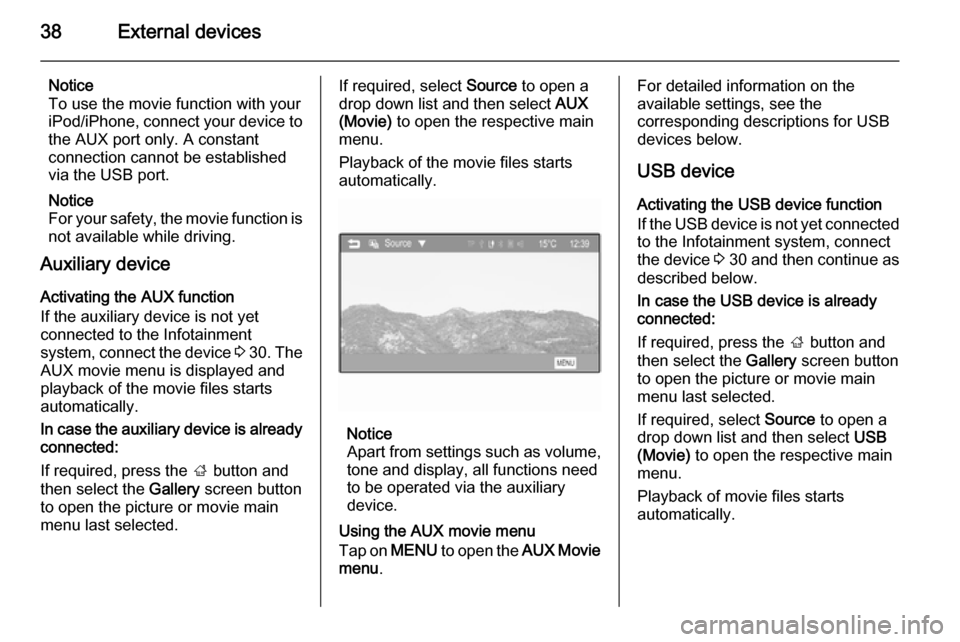
Using the AUX movie menu
Tap on MENU to open the AUX Movie
menu .
For detailed information on the
available settings, see the
corresponding descriptions for USB devices below.
USB device
Activating the USB device function
If the USB device is not yet connected
to the Infotainment system, connect
the device 3 30 and then continue as
described below.
In case the USB device is already
connected:
If required, press the ; button and
then select the Gallery screen button
to open the picture or movie main menu last selected.
If required, select Source to open a
drop down list and then select USB
(Movie) to open the respective main
menu.
Playback of movie files starts
automatically.