reset VAUXHALL CORSA 2016.5 User Guide
[x] Cancel search | Manufacturer: VAUXHALL, Model Year: 2016.5, Model line: CORSA, Model: VAUXHALL CORSA 2016.5Pages: 265, PDF Size: 7.81 MB
Page 117 of 265

Lighting115set to right-hand traffic mode.
Therefore, insert the key in the guide as shown in the illustration.
Alternatively, a Phillips head
screwdriver size three can be used for
setting.
To reset to left-hand traffic mode, turn
adjuster elements 1
/2 turn clockwise.
Daytime running lights Daytime running light increases
visibility of the vehicle during daylight.
They are switched on automatically
when ignition is on.
Versions with automatic light control
The system switches automatically
between daytime running light and
headlights, depending on the lighting
conditions and information given by
the rain sensor system. Automatic
light control 3 113.Xenon lighting system
Xenon lighting system includes: ● xenon headlights for low and high
beam
● high beam assist
● corner lighting
● reversing function
Xenon headlights Xenon headlights for low and high
beam ensure better visibility under all
conditions.
Operation is the same as for halogen headlights.
Light switch 3 112 , high beam 3 114,
headlight flash 3 114 , headlight range
adjustment 3 114, headlights when
driving abroad 3 114.
Automatic light control 3 113.
High beam assist This feature allows high beam xenon
lights to function as the main driving
light at night and when vehicle speed
exceeds 25 mph.It switches automatically to low beam when:
● The camera in the windscreen detects the lights of oncoming or
preceding vehicles.
● The vehicle speed drops below 12 mph.
● It is foggy or snowy.
● Driving in urban areas.
If there are no restrictions detected,
the system switches back to high
beam.
Activation
Page 157 of 265

Driving and operating155Resume stored speed
Turn thumb wheel to RES/+ at a
speed above 20 mph. The stored
speed will be obtained.
Switching off
Press m, control indicator m in
instrument cluster extinguishes. The
stored speed is deleted.
Pressing L to activate the speed
limiter or switching off the ignition also switches off cruise control and
deletes the stored speed.
Speed limiter
The speed limiter prevents the
vehicle exceeding a preset maximum
speed.
The maximum speed can be set at
speeds above 15 mph up to
125 mph.
The driver can only accelerate up to
the preset speed. Deviations from the
limited speed may occur when driving downhill.The preset speed limit is displayed in
the Driver Information Centre when
the system is active.
Activation
Press L. If cruise control has been
activated before, it is switched off when speed limiter is activated and
control indicator m extinguishes.
Set speed limit Accelerate to the desired speed and
briefly turn thumb wheel to SET/-: the
current speed is stored as maximum speed. Speed limit is displayed in the
Driver Information Centre.
Change speed limit
With speed limiter active, turn thumb wheel to RES/+ to increase or SET/-
to decrease the desired maximum
speed.
Exceeding the speed limit
When exceeding the limited speed without driver input, the speed will
flash in the Driver Information Centre
and a chime sounds during this
period.
In the event of an emergency, it is
possible to exceed the speed limit by
depressing the accelerator pedal
firmly nearly to the final point. In this
case no chime appears.
Release the accelerator pedal and
the speed limiter function is
reactivated once a speed lower than
the limit speed is obtained.
Page 174 of 265

172Driving and operating
Traffic signs, which will be detected,
are:
Limit and no passing signs ● speed limit
● no passing
● end of speed limit
● end of no passingRoad signs
Beginning and end of:
● city regions (country specific)
● motorways
● A-roads
● play streetsAdd-on signs ● additional hints to traffic signs
● restriction of trailer towing
● tractor constraints
● wet warning
● ice warning
● direction arrows
Speed limit signs and no passing
signs are displayed in the Driver
Information Centre until the next
speed limit sign or end of speed limit
is detected or up to a defined sign
timeout.
Indication of multiple signs on the
display is possible.
An exclamation mark in a frame
indicates that there is an additional
sign detected which cannot be clearly
identified by the system.
The system operates without loss of
performance up to a speed of
125 mph depending on the lighting
conditions. At night the system is
active up to a speed of 100 mph.
As soon as vehicle speed becomes
slower than 34 mph, the display will
be reset and the content of the traffic
sign page will be cleared, e.g. when
entering a city zone. The next
recognized speed indication will be
displayed.
Display indication Information about the currently valid
traffic signs is available on the
designated traffic sign assistant page in the Driver Information Centre.
Page 176 of 265
174Driving and operatingSelect Alerts ON or Alerts OFF by
turning the adjuster wheel and press
SET/CLR .
Pop-up alert is displayed for approx.
eight seconds in the Driver
Information Centre.
System reset The content of the traffic sign memory
can be cleared in the setting menu of
the traffic sign assistant page by
selecting Reset and confirm by
pressing SET/CLR on the turn signal
lever.
Alternatively, SET/CLR can be
pressed for three seconds to clear the
content of the page.
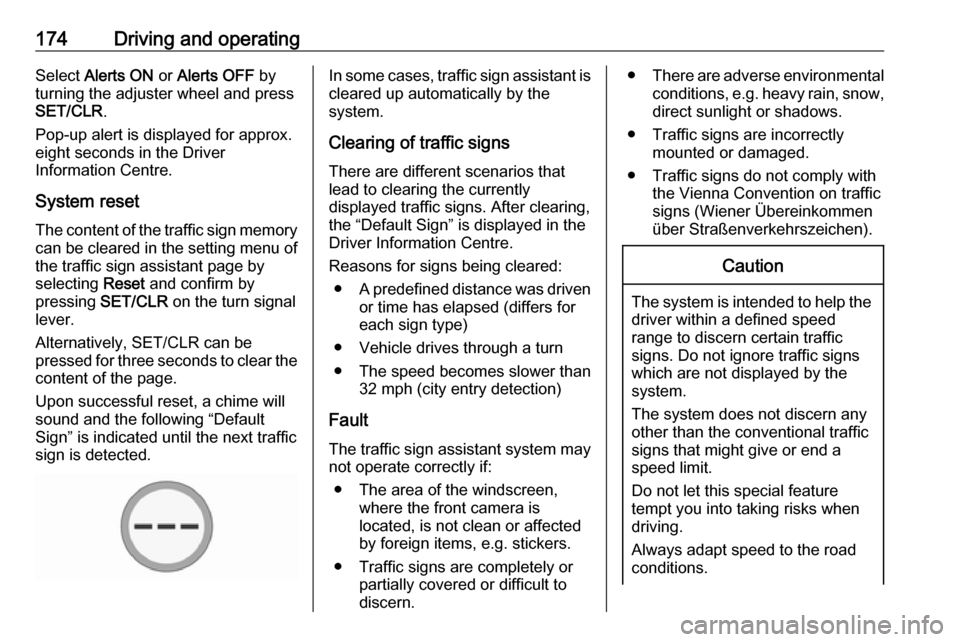
Upon successful reset, a chime will
sound and the following “Default
Sign” is indicated until the next traffic
sign is detected.In some cases, traffic sign assistant is
cleared up automatically by the
system.
Clearing of traffic signs
There are different scenarios that
lead to clearing the currently
displayed traffic signs. After clearing,
the “Default Sign” is displayed in the
Driver Information Centre.
Reasons for signs being cleared: ● A predefined distance was driven
or time has elapsed (differs for
each sign type)
● Vehicle drives through a turn
● The speed becomes slower than 32 mph (city entry detection)
Fault
The traffic sign assistant system may
not operate correctly if:
● The area of the windscreen, where the front camera is
located, is not clean or affected
by foreign items, e.g. stickers.
● Traffic signs are completely or partially covered or difficult to
discern.● There are adverse environmental
conditions, e.g. heavy rain, snow,direct sunlight or shadows.
● Traffic signs are incorrectly mounted or damaged.
● Traffic signs do not comply with the Vienna Convention on traffic
signs (Wiener Übereinkommen
über Straßenverkehrszeichen).Caution
The system is intended to help the driver within a defined speed
range to discern certain traffic
signs. Do not ignore traffic signs
which are not displayed by the
system.
The system does not discern any other than the conventional traffic
signs that might give or end a
speed limit.
Do not let this special feature
tempt you into taking risks when
driving.
Always adapt speed to the road
conditions.