Air con VAUXHALL CORSA 2016 Owner's Guide
[x] Cancel search | Manufacturer: VAUXHALL, Model Year: 2016, Model line: CORSA, Model: VAUXHALL CORSA 2016Pages: 267, PDF Size: 7.79 MB
Page 106 of 267

104Instruments and controlsNo.Vehicle message9Turn steering wheel, start
engine again12Vehicle overloaded13Compressor overheated15Centre high-mounted brake
light failure16Brake light failure17Headlight levelling malfunction18Left low beam failure19Rear fog light failure20Right low beam failure21Left sidelight failure22Right sidelight failure23Reversing light failure24Number plate light failure25Left front turn signal failure26Left rear turn signal failure27Right front turn signal failureNo.Vehicle message28Right rear turn signal failure29Check trailer brake light30Check trailer reversing light31Check left trailer turn signal32Check right trailer turn signal33Check trailer rear fog light34Check trailer rear light35Replace battery in radio remote
control48Clean side blind spot alert
system49Lane departure warning
unavailable53Tighten fuel filler cap54Water in diesel fuel filter55Diesel particle filter is full
3 14256Tyre pressure imbalance on
front axleNo.Vehicle message57Tyre pressure imbalance on rear axle58Tyres without TPMS sensors
detected59Open then close driver window60Open then close front
passenger window65Theft attempted66Service theft alarm system67Service steering wheel lock68Service power steering75Service air conditioning76Service side blind spot alert
system79Top up engine oil81Service transmission82Change engine oil soon84Engine power reduced89Service vehicle soon
Page 107 of 267

Instruments and controls105No.Vehicle message94Shift to park before exiting95Service airbag128Bonnet open134Park assist fault, clean bumper136Service parking assist145Check washer fluid level174Low vehicle battery258Park assist off
Vehicle messages on Uplevel-
Display
The vehicle messages are displayedas text. Follow the instructions given
in the messages.
The system displays messages
regarding the following topics:
● service messages
● fluid levels
● anti-theft alarm system
● brakes
● ride control systems
● cruise control, speed limiter
● forward collision alert
● parking assist systems
● lighting, bulb replacement
● wiper/washer system
● doors, windows
● side blind spot alert
● traffic sign assistant
● lane departure warning
● radio remote control
● seat belts
● airbag systems
● engine and transmission
● tyre pressure
● diesel particle filter
● vehicle battery status
Vehicle messages on
Colour-Info-Display
Some important messages appear
additionally in the
Colour-Info-Display. Some
messages only pop-up for a few
seconds.Warning chimes
When starting the engine or whilst driving
Only one warning chime will sound at a time.
The warning chime regarding
unfastened seat belts has priority
over any other warning chime.
● If seat belt is not fastened.
● If a door or the tailgate is not fully
closed when starting off.
● If a certain speed is exceeded with parking brake applied.
● If a programmed speed is exceeded.
● If a warning message appears in the Driver Information Centre orInfo-Display.
● If the parking assist detects an object.
● If unintended lane change occurs.
Page 109 of 267
Instruments and controls107
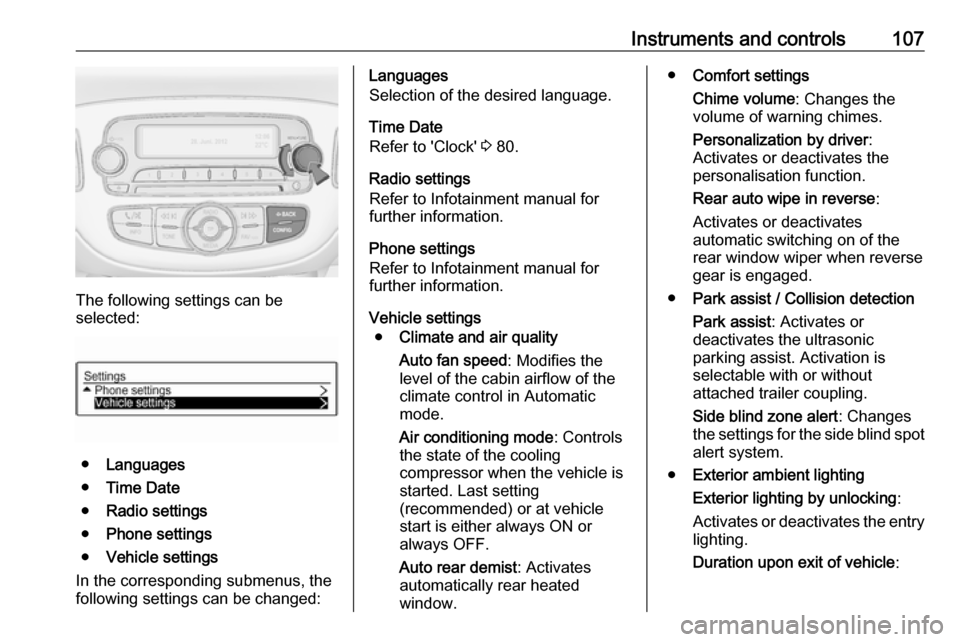
The following settings can be
selected:
● Languages
● Time Date
● Radio settings
● Phone settings
● Vehicle settings
In the corresponding submenus, the
following settings can be changed:
Languages
Selection of the desired language.
Time Date
Refer to 'Clock' 3 80.
Radio settings
Refer to Infotainment manual for
further information.
Phone settings
Refer to Infotainment manual for
further information.
Vehicle settings ● Climate and air quality
Auto fan speed : Modifies the
level of the cabin airflow of the
climate control in Automatic
mode.
Air conditioning mode : Controls
the state of the cooling
compressor when the vehicle is
started. Last setting
(recommended) or at vehicle
start is either always ON or
always OFF.
Auto rear demist : Activates
automatically rear heated
window.● Comfort settings
Chime volume : Changes the
volume of warning chimes.
Personalization by driver :
Activates or deactivates the
personalisation function.
Rear auto wipe in reverse :
Activates or deactivates
automatic switching on of the
rear window wiper when reverse gear is engaged.
● Park assist / Collision detection
Park assist : Activates or
deactivates the ultrasonic
parking assist. Activation is
selectable with or without
attached trailer coupling.
Side blind zone alert : Changes
the settings for the side blind spot alert system.
● Exterior ambient lighting
Exterior lighting by unlocking :
Activates or deactivates the entry
lighting.
Duration upon exit of vehicle :
Page 111 of 267

Instruments and controls109Radio settings
Refer to Infotainment manual for
further information.
Connection settings
Refer to Infotainment manual for
further information.
Vehicle settings ● Climate & air quality
Auto fan speed : Modifies the
level of the cabin airflow of the
climate control in automatic
mode.
Air conditioning mode : Controls
the state of the cooling
compressor when the vehicle is
started. Last setting
(recommended) or at vehicle
start is either always ON or
always OFF.
Auto rear defog : Activates heated
rear window automatically.
● Comfort & convenience
Chime volume : Changes the
volume of warning chimes.Personalization by driver :
Activates or deactivates the
personalisation function.
Auto wipe in reverse gear :
Activates or deactivates
automatic switching on of the
rear window wiper when reverse gear is engaged.
● Collision / detection
Park assist : Activates or
deactivates the ultrasonic
parking assist. Activation is
selectable with or without
attached trailer coupling.
Side blind zone alert : Changes
the settings for the side blind spot alert system.
● Lighting
Exit lighting : Activates or
deactivates and changes the
duration of exit lighting.
Vehicle locator lights : Activates
or deactivates the welcome
lighting.
● Power door locks
Auto door lock : Activates or
deactivates the automatic doorlocking function after switching
on ignition.
Unlocked door anti lock out :
Activates or deactivates the door
locking function while a door is
open.
Delayed door lock : Activates or
deactivates the delayed door locking function. This menu
option is displayed with Unlocked
door anti lock out deactivated.
Central locking system 3 22.
● Lock, unlock settings
Remote unlock light feedback :
Activates or deactivates the
hazard warning flasher feedback whilst unlocking.
Remote door unlock : Changes
the configuration to unlock only
the driver's door or the whole
vehicle whilst unlocking.
Relock remotely unlocked doors :
Activates or deactivates the
automatic relock function after
Page 113 of 267

Instruments and controls111Privacy button
Press and hold j until an audio
message is heard to activate or
deactivate the transmission of the
vehicle location.
Press j to answer a call or to end a
call to an OnStar advisor.
Press j to access the Wi-Fi settings.
OnStar button
Press Z to establish a connection to
an OnStar advisor.
SOS button
Press [ to establish a priority
emergency connection to a specially
trained emergency advisor.
Status light
Green: The system is ready.
Green flashing: The system is on a
call.
Red: A problem arose.
Off: System is off.
Red / green flashing for a short period
of time: Transmission of the vehicle
location has been deactivated.OnStar services
OnStar emergency services
OnStar emergency provides a service
with specially trained emergency
advisors for contact, assistance and
information during an emergency.
In the case of an emergency situation including vehicle breakdown, a flat
tyre or empty fuel tank, press [ and
talk to the advisor. The advisor then contacts emergency or assistance
service providers and directs them to
your vehicle.
In the case of an accident with
activation of airbags or belt
tensioners, an automatic emergency
call is established. The advisor is
immediately connected to your
vehicle to see whether help is
needed.
OnStar Wi-Fi hotspot
The Wi-Fi hotspot of the vehicle
provides internet connectivity through
the 4G/LTE mobile network.
Notice
The Wi-Fi hotspot functionality is not
available for all markets.Up to seven devices may be
connected.
To connect a mobile device with the
OnStar Wi-Fi hotspot:
1. Press j and then select Wi-Fi
settings on the Info-Display. The
settings displayed include the Wi- Fi hotspot name (SSID),
password and connection type.
2. Start a Wi-Fi network search on your mobile device.
3. Select your vehicle hotspot (SSID) when listed.
4. When prompted, enter the password on your mobile device.
Notice
To change the SSID or password,
select Z and talk to an OnStar
advisor or logon to your account.
To switch off the Wi-Fi hotspot
functionality, press Z to call an
OnStar advisor.
Smartphone app
With the My Vauxhall smartphone
app, some vehicle functions can be
operated via a smartphone.
Page 114 of 267

112Instruments and controlsThe following functions are available:● Lock or unlock doors.
● Honk horn or flash lights.
● Check fuel level, engine oil life and tyre pressure (only with tyre
pressure monitoring system).
● Send navigation destination to the vehicle, if equipped with a
built-in navigation system.
● Locate vehicle on a map.
● Manage Wi-Fi settings.
To operate these functions, download the app from the respective app store.
Remote service
If desired, use any phone to call an
OnStar advisor, who can remotely
operate specific vehicle functions.
Find the respective OnStar phone
number on our country-specific
website.
The following functions are available: ● Lock or unlock doors.
● Provide information on the vehicle location.
● Honk horn or flash lights.Stolen vehicle assistance
If a vehicle is stolen, the OnStar
stolen vehicle assistance service can
provide support in locating and
recovering the vehicle.Theft alert
When the anti-theft alarm system is
triggered, a notification is sent to
OnStar. You are then informed about
this event by text message or email.
If required, report the theft to the
authorities and request OnStar stolen
vehicle assistance. Use any phone to call an OnStar advisor. Find the
respective OnStar phone number on
our country-specific website.Remote ignition block
By sending remote signals, OnStar
can block the ignition cycle
preventing the vehicle from restarting once it has been turned off.
On-demand diagnostics
At any time e.g. if the vehicle displays a service message, press Z to
contact an OnStar advisor and ask to
complete a real-time diagnostic check
to directly determine the issue.
Depending on the results, the advisor
will provide further support.
Monthly vehicle diagnostics
The vehicle automatically transmits
diagnostic data to OnStar which
sends a monthly email report to you
and your preferred workshop.
Notice
The workshop notification function
can be disabled in your account.
The report contains the status of key
operating systems of the vehicle like
engine, transmission, airbags,
antilock brakes, and other major
systems. It also provides information
on possible maintenance items and
tyre pressure (only with tyre pressure monitoring system).
To look at the information in greater
detail, select the link within the email and log into your account.
Destination download
A desired destination can be directly
downloaded to the navigation system.
Page 120 of 267
118LightingThe high beam assist is activated by
pushing the indicator lever twice at a
speed above 25 mph.
The green control indicator l
illuminates continuously when the
assist is activated, the blue one 7
illuminates when high beam is on.
Control indicator l 3 95.
Deactivation
Push indicator lever once. It is also
deactivated when front fog lights are
switched on.
If a headlight flash is activated when
the high beam is on, the high beam
assist will be deactivated.
If a headlight flash is activated when
the high beam is off, the high beam
assist will remain activated.
The latest setting of the high beam
assist will remain after the ignition is
switched on again.Corner lighting
On tight bends or when turning off,
depending on the steering angle or
the indicator light signal, an additional left or right reflector is switched on
which illuminates the road in the
direction of travel. It is activated up to
a speed of 25 mph.
Reversing function If the low beam is on and reverse gear is engaged, both corner lights are
switched on. They remain illuminated
for 20 seconds after disengaging reverse gear.
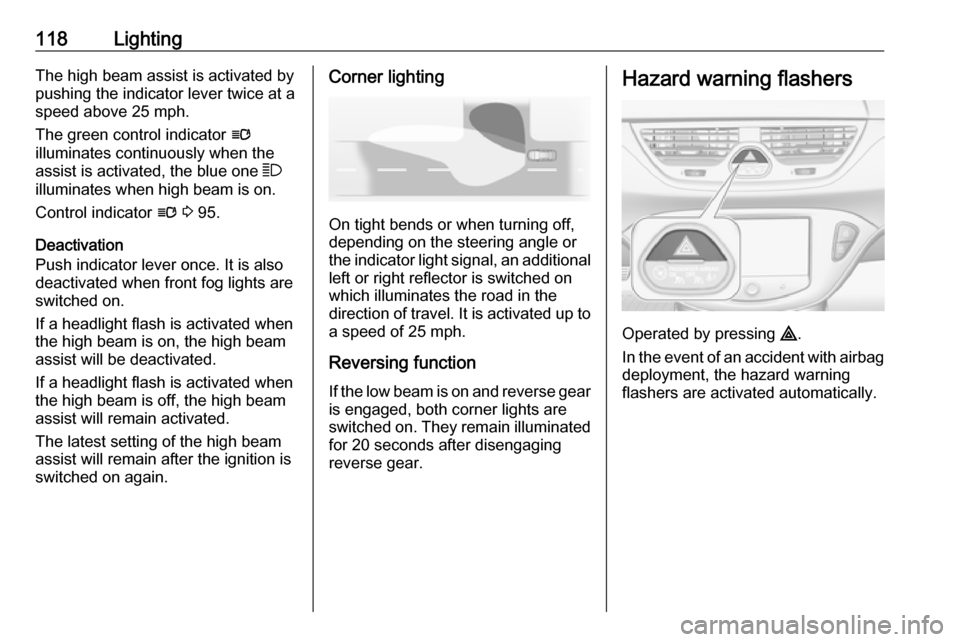
Hazard warning flashers
Operated by pressing ¨.
In the event of an accident with airbag
deployment, the hazard warning
flashers are activated automatically.
Page 123 of 267
Lighting121Turn thumb wheel A and hold until
the desired brightness is obtained.
On vehicles with automatic light
control, the brightness can only be adjusted when the exterior lights are
on and the light sensor detects night
conditions.
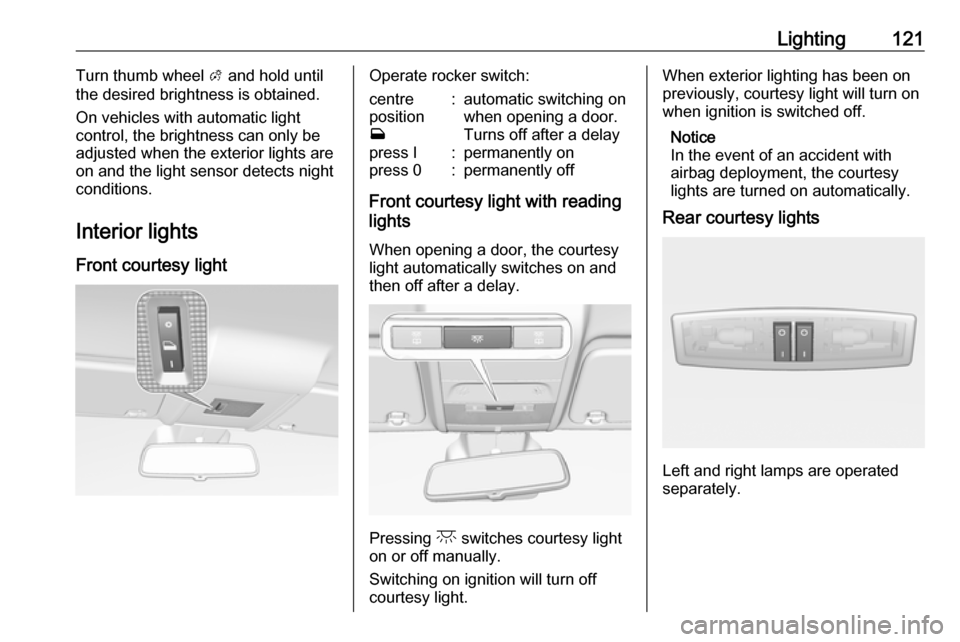
Interior lights
Front courtesy lightOperate rocker switch:centre
position
w:automatic switching on
when opening a door.
Turns off after a delaypress I:permanently onpress 0:permanently off
Front courtesy light with reading
lights
When opening a door, the courtesy
light automatically switches on and
then off after a delay.
Pressing c switches courtesy light
on or off manually.
Switching on ignition will turn off
courtesy light.
When exterior lighting has been on
previously, courtesy light will turn on
when ignition is switched off.
Notice
In the event of an accident with
airbag deployment, the courtesy lights are turned on automatically.
Rear courtesy lights
Left and right lamps are operated
separately.
Page 127 of 267
Climate control125Climate controlClimate control systems.............125
Heating and ventilation system 125
Air conditioning system ...........126
Electronic climate control system .................................... 128
Air vents ..................................... 133
Adjustable air vents .................133
Fixed air vents ......................... 133
Maintenance .............................. 133
Air intake ................................. 133
Pollen filter ............................... 133
Air conditioning regular operation ................................ 134
Service .................................... 134Climate control systems
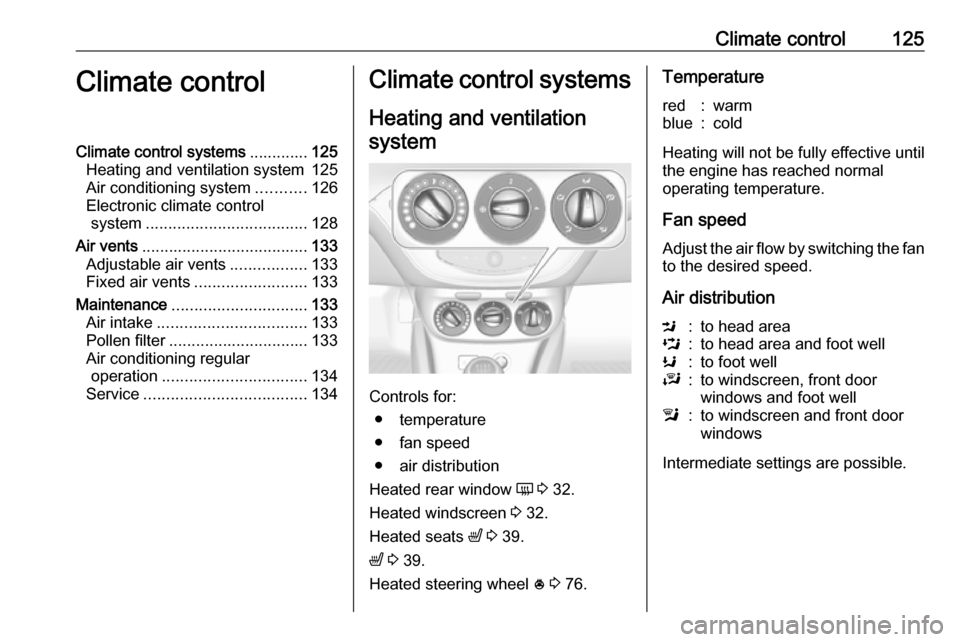
Heating and ventilation system
Controls for: ● temperature
● fan speed
● air distribution
Heated rear window Ü 3 32.
Heated windscreen 3 32.
Heated seats ß 3 39.
ß 3 39.
Heated steering wheel * 3 76.
Temperaturered:warmblue:cold
Heating will not be fully effective until
the engine has reached normal
operating temperature.
Fan speed
Adjust the air flow by switching the fan
to the desired speed.
Air distribution
M:to head areaL:to head area and foot wellK:to foot wellJ:to windscreen, front door
windows and foot welll:to windscreen and front door
windows
Intermediate settings are possible.
Page 128 of 267
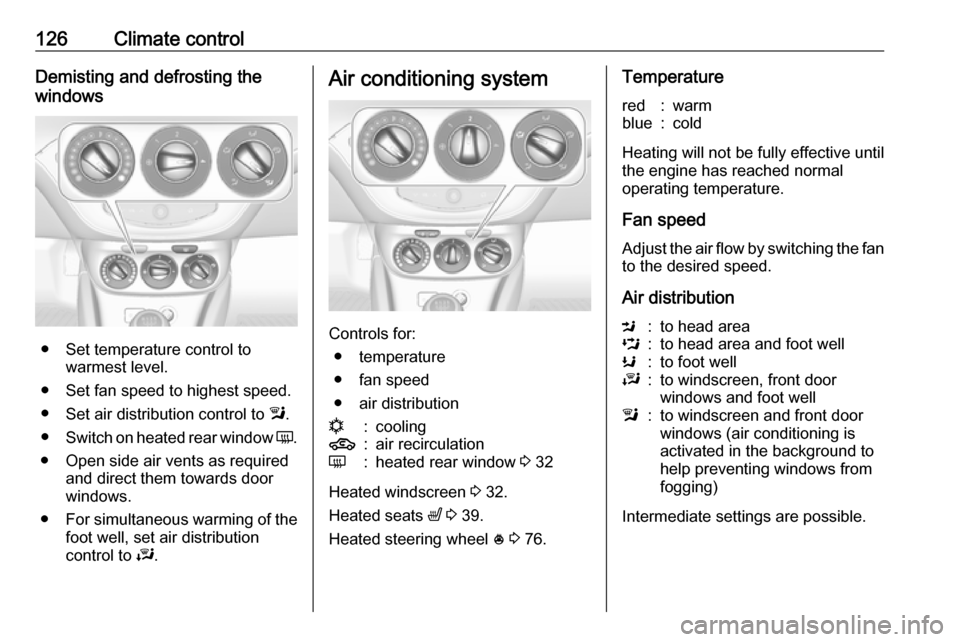
126Climate controlDemisting and defrosting the
windows
● Set temperature control to warmest level.
● Set fan speed to highest speed.
● Set air distribution control to l.
● Switch on heated rear window Ü.
● Open side air vents as required and direct them towards door
windows.
● For simultaneous warming of the
foot well, set air distribution
control to J.
Air conditioning system
Controls for:
● temperature
● fan speed
● air distribution
n:cooling4:air recirculationÜ:heated rear window 3 32
Heated windscreen 3 32.
Heated seats ß 3 39.
Heated steering wheel * 3 76.
Temperaturered:warmblue:cold
Heating will not be fully effective until
the engine has reached normal
operating temperature.
Fan speed
Adjust the air flow by switching the fan
to the desired speed.
Air distribution
M:to head areaL:to head area and foot wellK:to foot wellJ:to windscreen, front door
windows and foot welll:to windscreen and front door
windows (air conditioning is
activated in the background to
help preventing windows from
fogging)
Intermediate settings are possible.