switch VAUXHALL CORSA F 2019 Owner's Guide
[x] Cancel search | Manufacturer: VAUXHALL, Model Year: 2019, Model line: CORSA F, Model: VAUXHALL CORSA F 2019Pages: 229, PDF Size: 6.72 MB
Page 47 of 229
Seats, restraints45Curtain airbag system
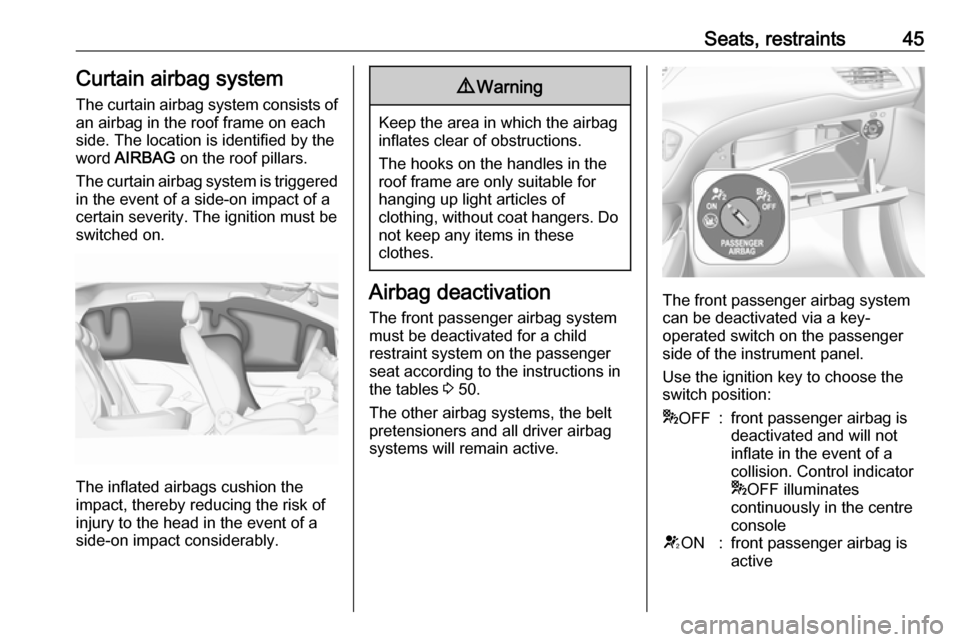
The curtain airbag system consists of an airbag in the roof frame on each
side. The location is identified by the
word AIRBAG on the roof pillars.
The curtain airbag system is triggered in the event of a side-on impact of a
certain severity. The ignition must be
switched on.
The inflated airbags cushion the
impact, thereby reducing the risk of
injury to the head in the event of a
side-on impact considerably.
9 Warning
Keep the area in which the airbag
inflates clear of obstructions.
The hooks on the handles in the
roof frame are only suitable for
hanging up light articles of
clothing, without coat hangers. Do not keep any items in these
clothes.
Airbag deactivation
The front passenger airbag system must be deactivated for a child
restraint system on the passenger
seat according to the instructions in
the tables 3 50.
The other airbag systems, the belt
pretensioners and all driver airbag
systems will remain active.The front passenger airbag system can be deactivated via a key-
operated switch on the passenger
side of the instrument panel.
Use the ignition key to choose the
switch position:
* OFF:front passenger airbag is
deactivated and will not
inflate in the event of a
collision. Control indicator
* OFF illuminates
continuously in the centre
consoleV ON:front passenger airbag is
active
Page 48 of 229
46Seats, restraints9Danger
Deactivate passenger airbag only
in combination with the use of a
child restraint system, subject to
the instructions and restrictions in
the tables 3 50.
Otherwise, there is a risk of fatal
injury for a person occupying a
seat with a deactivated front
passenger airbag.
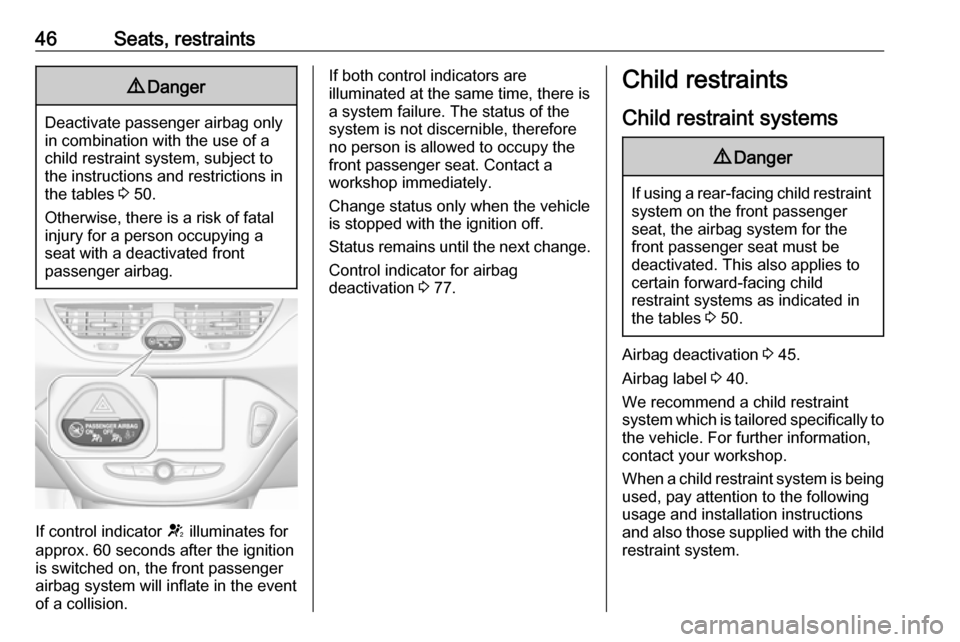
If control indicator V illuminates for
approx. 60 seconds after the ignition is switched on, the front passenger
airbag system will inflate in the event
of a collision.
If both control indicators are
illuminated at the same time, there is
a system failure. The status of the
system is not discernible, therefore
no person is allowed to occupy the
front passenger seat. Contact a
workshop immediately.
Change status only when the vehicle is stopped with the ignition off.
Status remains until the next change.
Control indicator for airbag
deactivation 3 77.Child restraints
Child restraint systems9 Danger
If using a rear-facing child restraint
system on the front passenger
seat, the airbag system for the
front passenger seat must be
deactivated. This also applies to certain forward-facing child
restraint systems as indicated in
the tables 3 50.
Airbag deactivation 3 45.
Airbag label 3 40.
We recommend a child restraint system which is tailored specifically to the vehicle. For further information,
contact your workshop.
When a child restraint system is being
used, pay attention to the following
usage and installation instructions
and also those supplied with the child
restraint system.
Page 56 of 229
54Storage
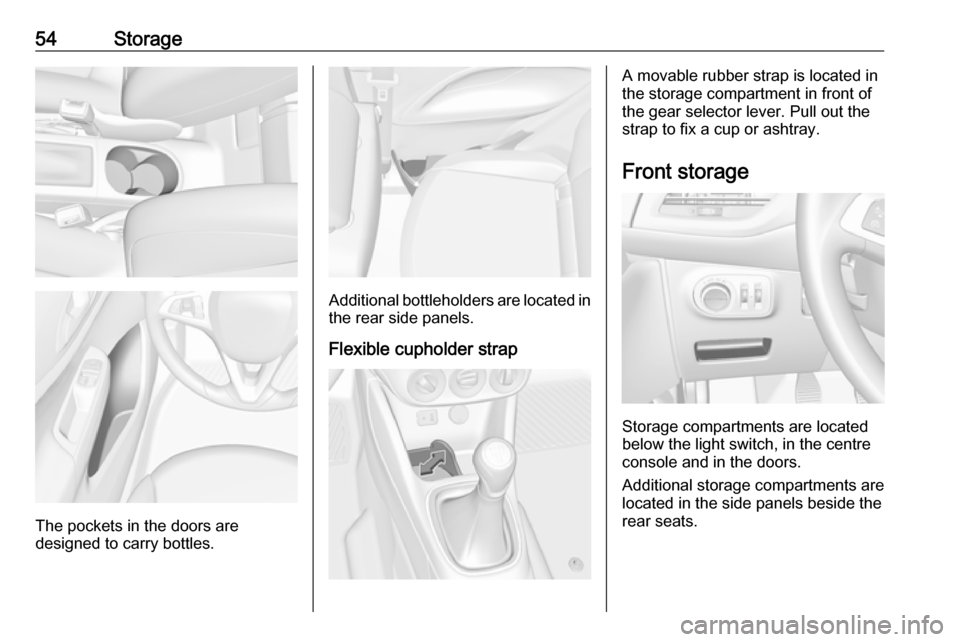
The pockets in the doors are
designed to carry bottles.
Additional bottleholders are located in the rear side panels.
Flexible cupholder strap
A movable rubber strap is located in
the storage compartment in front of
the gear selector lever. Pull out the
strap to fix a cup or ashtray.
Front storage
Storage compartments are located
below the light switch, in the centre
console and in the doors.
Additional storage compartments are
located in the side panels beside the
rear seats.
Page 65 of 229
Instruments and controls63The highlighted grip areas of the
steering wheel are heated quicker and to a higher temperature than the
other areas.
Heating is operational when the
engine is running and during an
Autostop.
Stop-start system 3 120.
Horn
Press j.
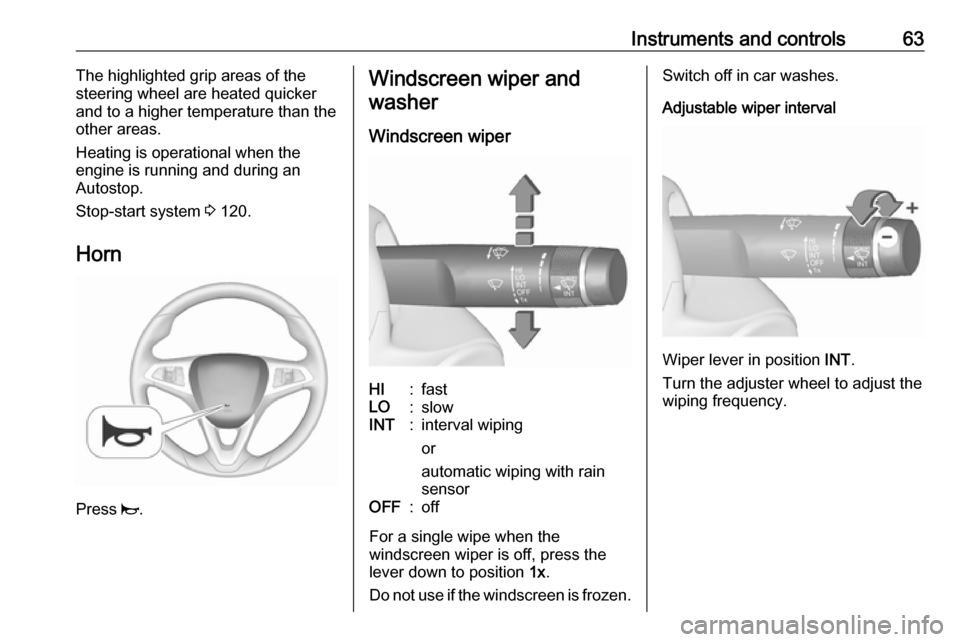
Windscreen wiper and
washer
Windscreen wiperHI:fastLO:slowINT:interval wiping
or
automatic wiping with rain
sensorOFF:off
For a single wipe when the
windscreen wiper is off, press the
lever down to position 1x.
Do not use if the windscreen is frozen.
Switch off in car washes.
Adjustable wiper interval
Wiper lever in position INT.
Turn the adjuster wheel to adjust the
wiping frequency.
Page 66 of 229
64Instruments and controlsAdjustable sensitivity of the rain
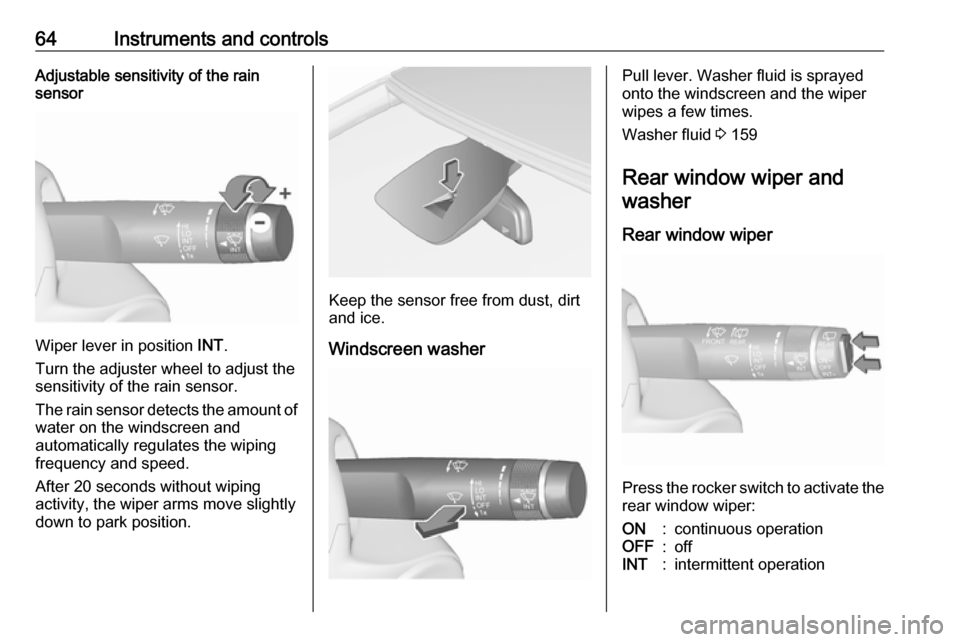
sensor
Wiper lever in position INT.
Turn the adjuster wheel to adjust the
sensitivity of the rain sensor.
The rain sensor detects the amount of water on the windscreen and
automatically regulates the wiping
frequency and speed.
After 20 seconds without wiping
activity, the wiper arms move slightly
down to park position.
Keep the sensor free from dust, dirt
and ice.
Windscreen washer
Pull lever. Washer fluid is sprayed
onto the windscreen and the wiper
wipes a few times.
Washer fluid 3 159
Rear window wiper and washer
Rear window wiper
Press the rocker switch to activate the
rear window wiper:
ON:continuous operationOFF:offINT:intermittent operation
Page 67 of 229
Instruments and controls65Do not use if the rear window is
frozen.
Switch off in car washes.
The rear window wiper comes on
automatically when the windscreen
wiper is switched on and reverse gear
is engaged.
Activation or deactivation of this
function can be changed in the menu Settings in the Info Display.
Vehicle personalisation 3 90.
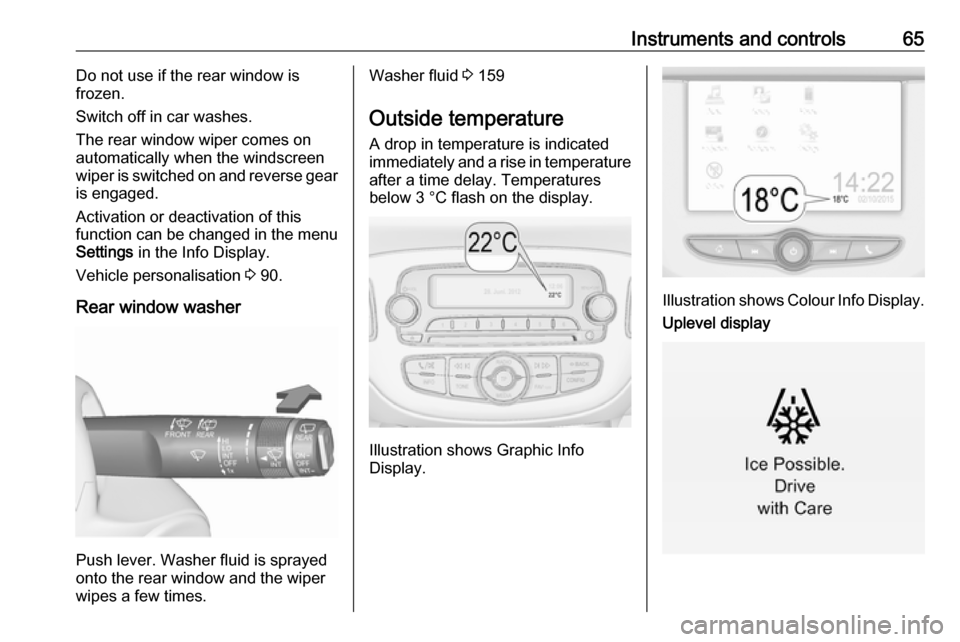
Rear window washer
Push lever. Washer fluid is sprayed
onto the rear window and the wiper
wipes a few times.
Washer fluid 3 159
Outside temperature A drop in temperature is indicated
immediately and a rise in temperature
after a time delay. Temperatures
below 3 °C flash on the display.
Illustration shows Graphic Info
Display.
Illustration shows Colour Info Display.
Uplevel display
Page 68 of 229
66Instruments and controlsIf outside temperature drops to 3 °C,
a warning message is displayed in the
Driver Information Centre.9 Warning
The road surface may already be
icy even though the display
indicates a few degrees above 0
°C.
Clock
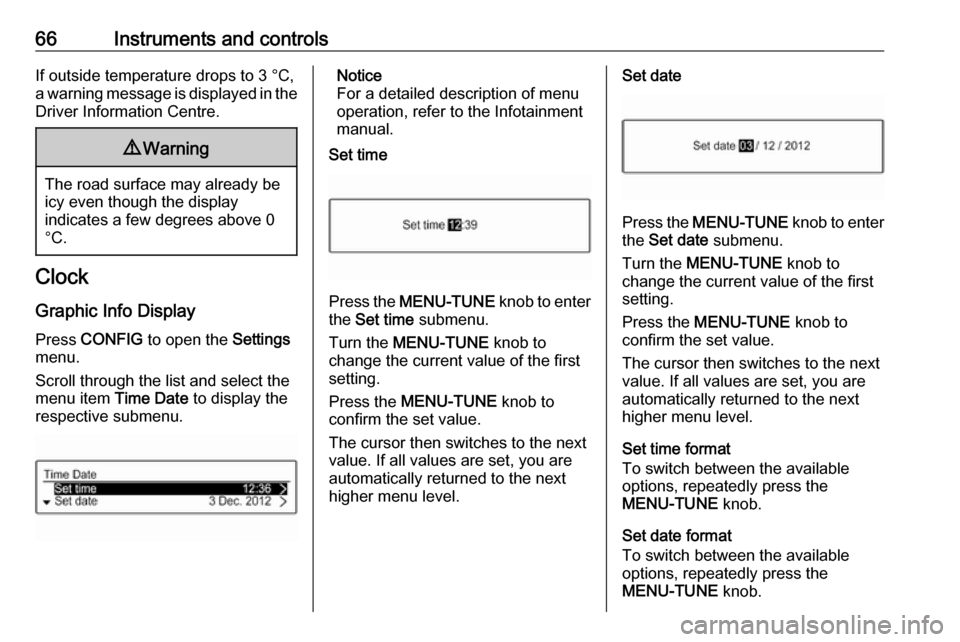
Graphic Info Display
Press CONFIG to open the Settings
menu.
Scroll through the list and select the
menu item Time Date to display the
respective submenu.
Notice
For a detailed description of menu
operation, refer to the Infotainment
manual.
Set time
Press the MENU-TUNE knob to enter
the Set time submenu.
Turn the MENU-TUNE knob to
change the current value of the first setting.
Press the MENU-TUNE knob to
confirm the set value.
The cursor then switches to the next
value. If all values are set, you are
automatically returned to the next
higher menu level.
Set date
Press the MENU-TUNE knob to enter
the Set date submenu.
Turn the MENU-TUNE knob to
change the current value of the first setting.
Press the MENU-TUNE knob to
confirm the set value.
The cursor then switches to the next
value. If all values are set, you are
automatically returned to the next
higher menu level.
Set time format
To switch between the available
options, repeatedly press the
MENU-TUNE knob.
Set date format
To switch between the available
options, repeatedly press the
MENU-TUNE knob.
Page 69 of 229
Instruments and controls67RDS clock synchronization
The RDS signal of most VHF
transmitters automatically sets the
time. RDS time synchronisation can take a few minutes. Some
transmitters do not send a correct
time signal. In such cases, it is
recommended to switch off the
automatic time synchronisation.
To switch between the options On
and Off, repeatedly press the
MENU-TUNE knob.
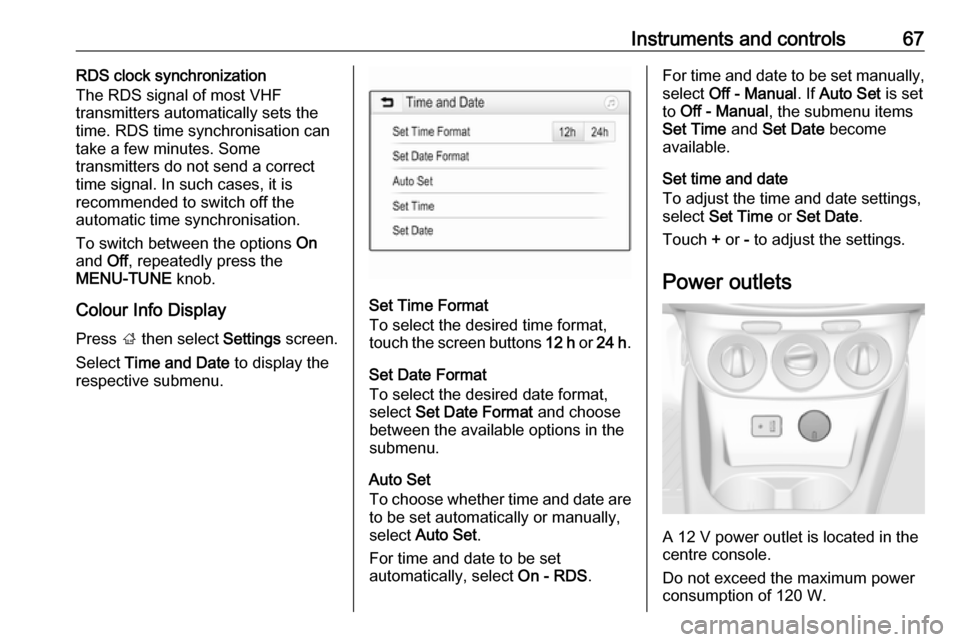
Colour Info Display
Press ; then select Settings screen.
Select Time and Date to display the
respective submenu.
Set Time Format
To select the desired time format,
touch the screen buttons 12 h or 24 h .
Set Date Format To select the desired date format,
select Set Date Format and choose
between the available options in the
submenu.
Auto Set
To choose whether time and date are to be set automatically or manually,
select Auto Set .
For time and date to be set
automatically, select On - RDS.
For time and date to be set manually,
select Off - Manual . If Auto Set is set
to Off - Manual , the submenu items
Set Time and Set Date become
available.
Set time and date
To adjust the time and date settings, select Set Time or Set Date .
Touch + or - to adjust the settings.
Power outlets
A 12 V power outlet is located in the
centre console.
Do not exceed the maximum power
consumption of 120 W.
Page 70 of 229
68Instruments and controlsWith ignition off, the power outlet is
deactivated. Additionally, the power
outlet is deactivated in the event of
low vehicle battery voltage.
Electrical accessories that are
connected must comply with the
electromagnetic compatibility
requirements laid down in
DIN VDE 40 839.
Do not connect any current-delivering
accessories, e.g. electrical charging devices or batteries.
Do not damage the outlet by using
unsuitable plugs.
Stop-start system 3 120.Cigarette lighter
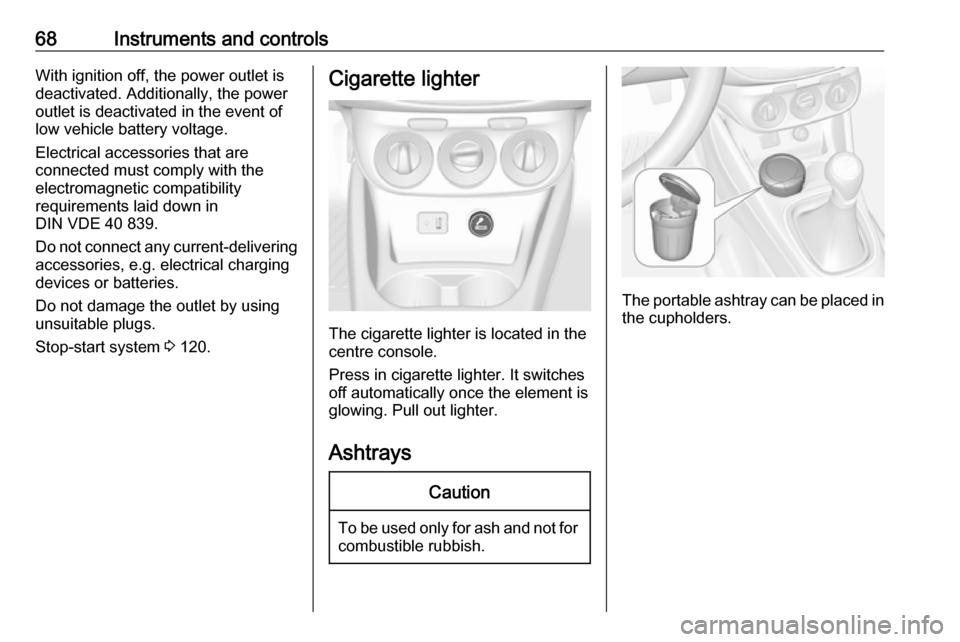
The cigarette lighter is located in the
centre console.
Press in cigarette lighter. It switches off automatically once the element is
glowing. Pull out lighter.
Ashtrays
Caution
To be used only for ash and not for combustible rubbish.
The portable ashtray can be placed inthe cupholders.
Page 71 of 229
Instruments and controls69Warning lights, gauges
and indicators
Instrument cluster
The needles of the instruments briefly
rotate to the end position when the
ignition is switched on.
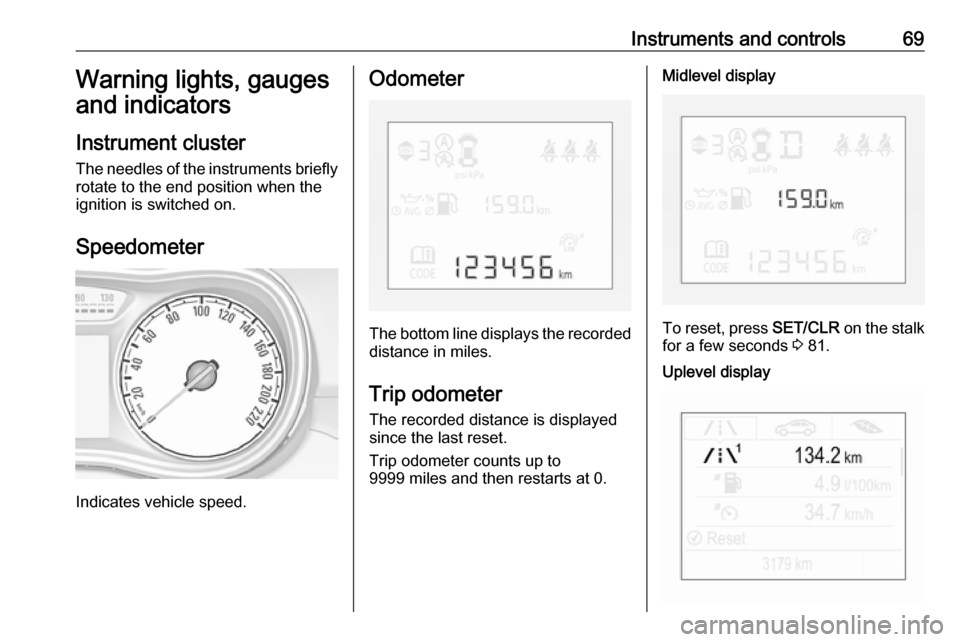
Speedometer
Indicates vehicle speed.
Odometer
The bottom line displays the recorded distance in miles.
Trip odometer The recorded distance is displayedsince the last reset.
Trip odometer counts up to
9999 miles and then restarts at 0.
Midlevel display
To reset, press SET/CLR on the stalk
for a few seconds 3 81.
Uplevel display