Car play VAUXHALL CROSSLAND X 2018 Infotainment system
[x] Cancel search | Manufacturer: VAUXHALL, Model Year: 2018, Model line: CROSSLAND X, Model: VAUXHALL CROSSLAND X 2018Pages: 127, PDF Size: 2.56 MB
Page 60 of 127

60IntroductionSteering wheel controls
1 SRC (Source)
Select audio source ..............61
2 ä / å
Select next/previous
preset radio station when
radio active ............................ 70
or select next/previous
track/picture when
external devices active .........76
or select next/previous
entry in call/contacts list
when phone portal active
and call/contact list open ......88
3 G
Short press: show Home menu
Long press: if Apple
CarPlay™ or Android™
Auto activated, show the
respective menu .................... 81
4 x
Activate/deactivate mute
function ................................. 61
5 À / Á
Turn upwards/
downwards: increase/
decrease volume
6 v
Take phone call ....................88or open call/contacts list .......88
or switch between calls
when calls are waiting ...........88
7 w
Activate speech recognition ..83
Page 76 of 127

76External devicesExternal devicesGeneral information.....................76
Playing audio ............................... 78
Displaying pictures ....................... 79
Playing movies ............................. 80
Using smartphone applications ...81General information
A USB port for the connection of
external devices is located in the
centre console.
Notice
The USB port must always be kept
clean and dry.
USB port
An MP3 player, USB drive, SD card
(via USB connector/adapter) or
smartphone can be connected to the
USB port.
Up to two USB devices can be
connected to the Infotainment system at a time.
Notice
For the connection of two USB
devices, an external USB hub is required.
The Infotainment system can play
audio files, show picture files or play
movie files contained in USB storage
devices.When connected to the USB port,
various functions of the devices
mentioned above can be operated via
the controls and menus of the
Infotainment system.
Notice
Not all auxiliary devices are
supported by the Infotainment
system. Check the compatibility list
on our website.
Connecting / disconnecting a device
Connect one of the devices
mentioned above to the USB port. If
required, use the appropriate
connection cable. The music function starts automatically.
Notice
If a non-readable USB device is
connected, a corresponding error
message appears and the
Infotainment system automatically
switches to the previous function.
To disconnect the USB device, select
another function and then remove the USB storage device.
Page 81 of 127

External devices81Returning to the beginning of the
current movie
Touch d after five seconds of the
movie playing.
Fast forwarding and rewinding
Touch and hold d or c. Release to
return to normal playback mode.
Movie menu Select Menu in the bottom line of the
screen to display the Movie Menu.
Clock and temperature display
To display time and temperature in
full screen mode, activate Clock.
Temp. Display .
Display settings
Select Display Settings to open a
submenu for adjustment of brightness and contrast.
Touch + and - to adjust the settings.
Using smartphone applications
Phone projection
The phone projection applications
Apple CarPlay and Android Auto
display selected apps from your
smartphone on the Infotainment
screen and allow their operation
directly via the Infotainment controls.
Check with the device's manufacturer if this function is compatible with your
smartphone and if this application is
available in the country you are in.
Preparing the smartphone
Android phone: Download the
Android Auto app to your smartphone
from the Google Play™ Store.
iPhone: Make sure Siri ®
is activated
on your smartphone.Activating phone projection in the
settings menu
Press ; to display the home screen
and then select Settings.
Scroll through the list to
Apple CarPlay or Android Auto .
Make sure the respective application
is activated.
Connecting the mobile phone
Connect the smartphone to the USB
port 3 76.
Starting phone projection
To start the phone projection function,
press ; and then select Projection.
Notice
If the application is recognised by
the Infotainment system, the
application icon may change to
Apple CarPlay or Android Auto .
To start the function, you can
alternatively press and hold ; for a
few seconds.
The phone projection screen
displayed depends on your
smartphone and software version.
Page 85 of 127
Phone85interference is caused by the
mobile phone or if dangerous
situations can occur.
Bluetooth
The phone function is certified by theBluetooth Special Interest Group
(SIG).
You can find further information about the specification on the internet at
http://www.bluetooth.com
Bluetooth connection Bluetooth is a radio standard for the
wireless connection of e.g. mobile
phones, smartphones or other
devices.
The pairing (PIN code exchange
between Bluetooth device and
Infotainment system) and connecting
of the Bluetooth devices to the
Infotainment system are carried out
via the Bluetooth menu.
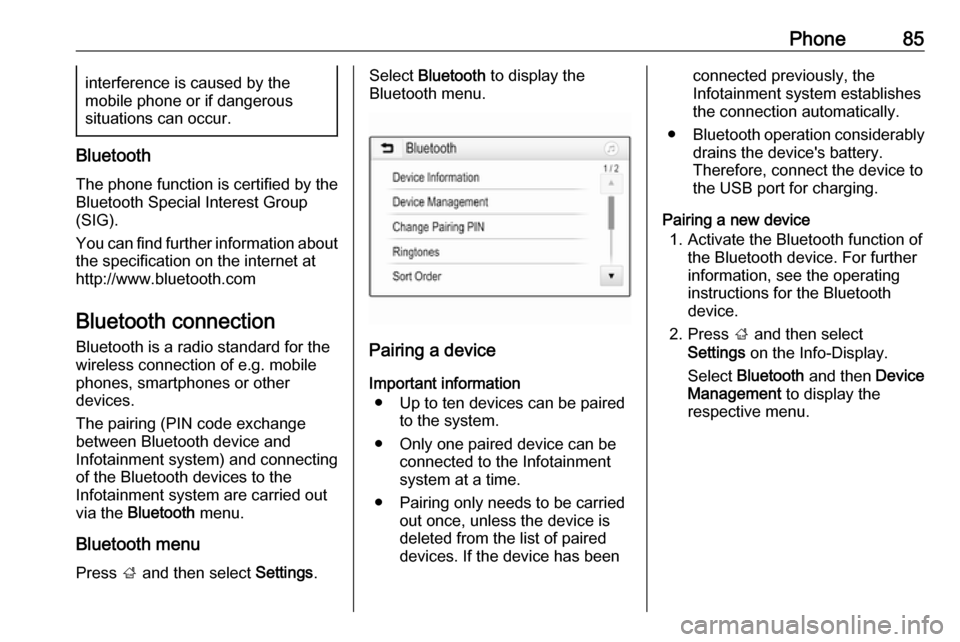
Bluetooth menu Press ; and then select Settings.
Select Bluetooth to display the
Bluetooth menu.
Pairing a device
Important information ● Up to ten devices can be paired to the system.
● Only one paired device can be connected to the Infotainment
system at a time.
● Pairing only needs to be carried out once, unless the device is
deleted from the list of paired
devices. If the device has been
connected previously, the
Infotainment system establishes
the connection automatically.
● Bluetooth operation considerably
drains the device's battery.
Therefore, connect the device to
the USB port for charging.
Pairing a new device 1. Activate the Bluetooth function of the Bluetooth device. For further
information, see the operating
instructions for the Bluetooth
device.
2. Press ; and then select
Settings on the Info-Display.
Select Bluetooth and then Device
Management to display the
respective menu.
Page 87 of 127
Phone87Disconnecting a devicePress ; and then select Settings.
Select Bluetooth and then Device
Management to display the
respective menu.
Select the Bluetooth device currently connected. You are prompted with a message.
Select Yes to disconnect the device.
Deleting a device Press ; and then select Settings.
Select Bluetooth and then Device
Management to display the
respective menu.
Select DEL next to the Bluetooth
device. You are prompted with a
message.
Select Yes to delete the device.
Device info
Press ; and then select Settings.
Select Bluetooth and then Device
Information to display the respective
menu.The information displayed includes
Device Name , Address , and PIN
Code .
Emergency call9 Warning
Connection setup cannot be
guaranteed in all situations.For this reason you should not rely
exclusively on a mobile phone
when a vitally important
communication (e.g. a medical
emergency) is concerned.
In some networks it may be
necessary for a valid SIM card to
be properly inserted in the mobile
phone.
9 Warning
Bear in mind that you can make
and receive calls with the mobile
phone if it is in a service area with
a sufficiently strong signal. Under
certain circumstances,
emergency calls cannot be made
on all mobile phone networks; it is
possible that they cannot be made when certain network services
and/or telephone functions are
active. You can enquire about this
with the local network operators.
The emergency call number can
differ depending on the region and country. Please enquire
beforehand about the correct
emergency call number for the
relevant region.
Making an emergency call
Dial the emergency call number (e.g.
112 ).
The telephone connection to the
emergency call centre is set up.
Answer when the service personnel
questions you about the emergency.
9 Warning
Do not end the call until you are
requested to do so by the
emergency call centre.
Page 98 of 127

98IntroductionIntroductionGeneral information.....................98
Control elements overview ..........99
Usage ........................................ 102General information
The Infotainment system provides
you with state-of-the-art in-car
infotainment.
Using the FM, AM or DAB radio
functions, you can play a great
number of different radio stations. If desired, you can register stations on
radio preset buttons.
You can connect external data
storage devices to the Infotainment
system as further audio sources,
either via a cable or via Bluetooth ®
.
In addition, the Infotainment system is equipped with a Phone function that
allows comfortable and safe use of
your mobile phone in the vehicle.
The Infotainment system can be
operated using the control panel or
the controls on the steering wheel.
Notice
This manual describes all options
and features available for the
various Infotainment systems.
Certain descriptions, including those
for display and menu functions, may
not apply to your vehicle due tomodel variant, country
specifications, special equipment or
accessories.
Important information on
operation and traffic safety9 Warning
Drive safely at all times when
using the Infotainment system.
If in doubt, stop the vehicle before operating the Infotainment
system.
Radio reception
Radio reception may be disrupted by static, noise, distortion or loss of
reception due to:
● changes in distance from the transmitter
● multi-path reception due to reflection
● shadowing
Page 112 of 127
112USB portUSB portGeneral information...................112
Playing saved audio files ...........112General information
In the centre console, there is a USB socket for the connection of external
audio data sources.
Notice
The socket must always be kept
clean and dry.
Connecting a USB device
An MP3 player, USB device or SD
card (via USB connector / adapter)
can be connected to the USB port. A
USB hub is not supported. If required,
use the appropriate connection cable.
Notice
Not all auxiliary devices are
supported by the Infotainment
system. Check the compatibility list
on our website.
When connected to the USB port,
various functions of the above
devices can be operated via the
controls and menus of the
Infotainment system.
The Infotainment system
automatically creates playlists upon
connection.Disconnecting a USB device
Press SRCq to select a different
audio source and then remove the
USB storage device.Caution
Avoid disconnecting the device
during playback. This may
damage the device or the
Infotainment system.
File formats
The audio equipment supports
different audio file formats.
Playing saved audio files
Activating the USB music function If the device is not yet connected to
the Infotainment system, connect the
device 3 112.
The Infotainment system
automatically switches to USB music
mode.
Page 119 of 127
Phone119Notice
The Bluetooth device currently
connected to the Infotainment
system is indicated by ˛.
To establish the connection, select
the desired device and press OK.
Disconnecting a device Press MENU , select Connections and
press OK.
Select Connections management
and press OK. A list of all Bluetooth
devices currently paired to the
Infotainment system is displayed.
Notice
The Bluetooth device currently
connected to the Infotainment
system is indicated by ˛.
Select the device currently connected to the Infotainment system.
Press OK to confirm your selection.
Select Disconnect telephone .
To disconnect the device, select Yes
and press OK.Removing a paired device
Press MENU , select Connections and
press OK.
Select Connections management . A
list of all Bluetooth devices currently
paired to the Infotainment system is
displayed.
Notice
The Bluetooth device currently
connected to the Infotainment
system is indicated by ˛.
Select the desired device and press
OK to confirm.
To remove the paired device, select
Delete connection and press OK.
Emergency call9 Warning
Connection setup cannot be
guaranteed in all situations. For
this reason, do not rely exclusively on a mobile phone when a vitally
important communication (e.g. a
medical emergency) is concerned.
On some networks, it may be
necessary for a valid SIM card to
be properly inserted in the mobile
phone.9 Warning
Bear in mind that you can make
and receive calls with the mobile
phone if it is in a service area with a sufficiently strong signal. Under
certain circumstances,
emergency calls cannot be made
in all mobile phone networks;
problems may occur when certain
network services and / or
telephone functions are active.
You can enquire about this with
the local network operators.
The emergency call number can
differ depending on the region and
country. Please enquire
beforehand about the correct
emergency call number for the
relevant region.