instrument cluster VAUXHALL CROSSLAND X 2018 Owner's Manual
[x] Cancel search | Manufacturer: VAUXHALL, Model Year: 2018, Model line: CROSSLAND X, Model: VAUXHALL CROSSLAND X 2018Pages: 255, PDF Size: 7.57 MB
Page 75 of 255

Instruments and controls73Instruments and
controlsControls ....................................... 74
Steering wheel adjustment ........74
Steering wheel controls .............74
Heated steering wheel ...............74
Horn ........................................... 75
Windscreen wiper/washer .........75
Rear window wiper/washer .......77
Outside temperature ..................77
Clock ......................................... 78
Power outlets ............................. 78
Inductive charging .....................79
Cigarette lighter ......................... 80
Ashtrays .................................... 80
Warning lights, gauges and indi‐
cators ........................................... 81
Instrument cluster ......................81
Speedometer ............................. 84
Odometer .................................. 85
Trip odometer ............................ 85
Tachometer ............................... 85
Fuel gauge ................................ 86
Fuel selector .............................. 86
Engine coolant temperature gauge ....................................... 87Engine oil level monitor.............88
Service display .......................... 88
Control indicators ......................89
Turn signal ................................. 89
Seat belt reminder .....................89
Airbag and belt tensioners .........90
Airbag deactivation ....................90
Charging system .......................90
Malfunction indicator light ..........90
Service vehicle soon .................91
Stop engine ............................... 91
System check ............................ 91
Brake and clutch system ...........91
Antilock brake system (ABS) .....91
Gear shifting .............................. 92
Lane departure warning ............92
Electronic Stability Control and Traction Control system ...........92
Electronic Stability Control and Traction Control system off ......92
Engine coolant temperature ......92
Preheating ................................. 93
Diesel particle filter ....................93
AdBlue ....................................... 93
Deflation detection system ........93
Engine oil pressure ....................93
Low fuel ..................................... 94
Autostop .................................... 94
Exterior light .............................. 94
High beam ................................. 94High beam assist.......................94
Low beam .................................. 94
Fog light ..................................... 94
Rear fog light ............................. 94
Rain sensor ............................... 94
Cruise control ............................ 94
Speed limiter ............................. 95
Traffic sign assistant ..................95
Door open .................................. 95
Information displays .....................95
Driver Information Centre ..........95
Info display ................................ 97
Head-up display ........................99
Vehicle messages ......................101
Warning chimes .......................101
Battery voltage ........................ 101
Vehicle personalisation ..............102
Telematics service .....................105
OnStar ..................................... 105
Page 83 of 255

Instruments and controls81Warning lights, gauges
and indicators
Instrument cluster
Depending on the version, two
instrument clusters are available:
Page 84 of 255
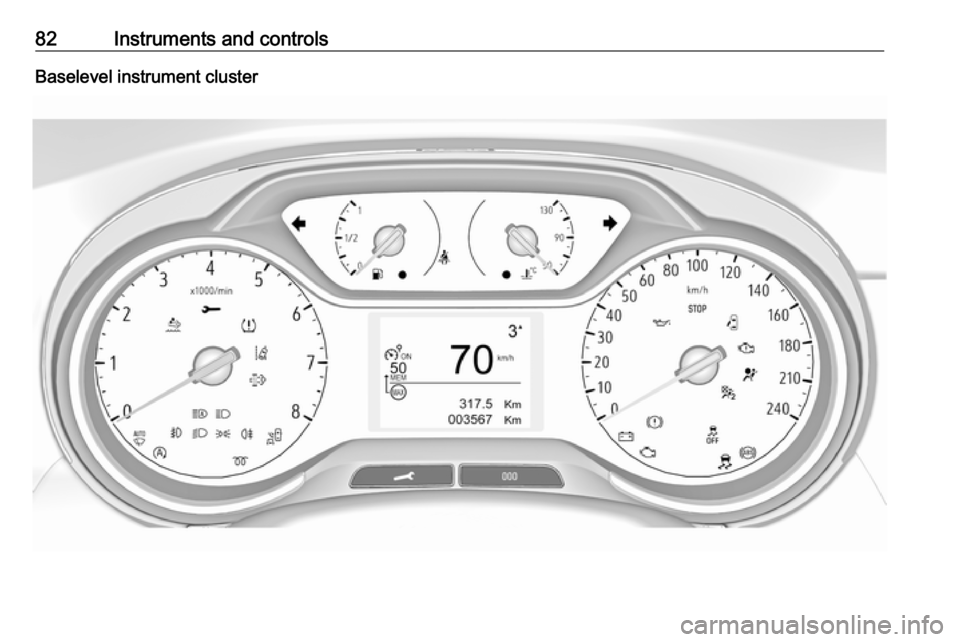
82Instruments and controlsBaselevel instrument cluster
Page 85 of 255
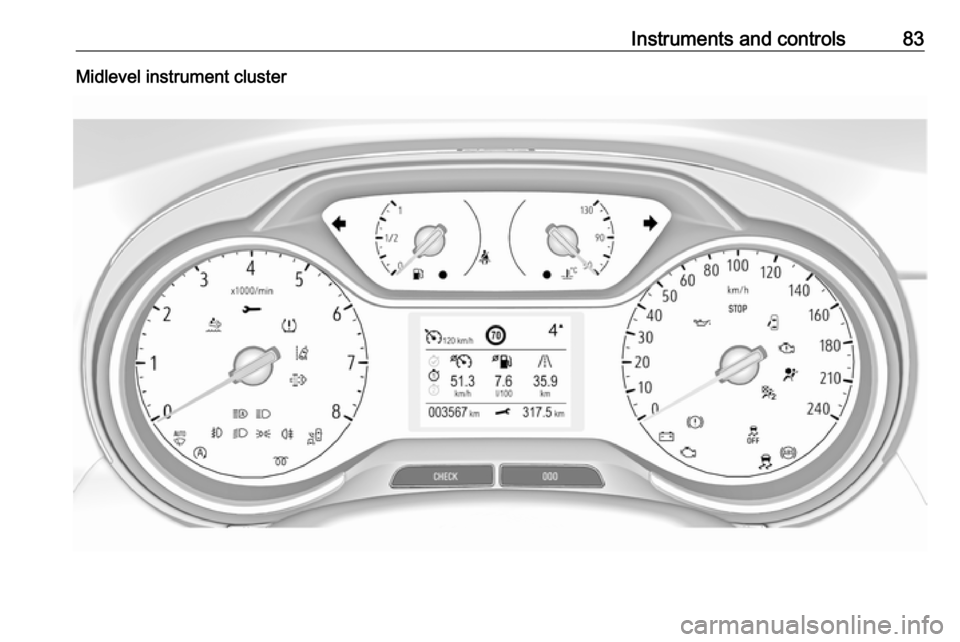
Instruments and controls83Midlevel instrument cluster
Page 91 of 255
Instruments and controls89● switch on ignition; the distanceindication begins a countdown
● when the display indicates =0,
release the button. Symbol F
disappears
Retrieving service information
To retrieve the status of the service
information at any time press button
M or CHECK . The service
information is displayed for a few
seconds.
Service information 3 223.
Control indicators
The control indicators described are
not present in all vehicles. The
description applies to all instrument
versions. Depending on the
equipment, the position of the control indicators may vary. When the
ignition is switched on, most control
indicators will illuminate briefly as a
functionality test.
The control indicator colours mean:red:danger, important reminderyellow:warning, information, faultgreen:confirmation of activationblue:confirmation of activationwhite:confirmation of activation
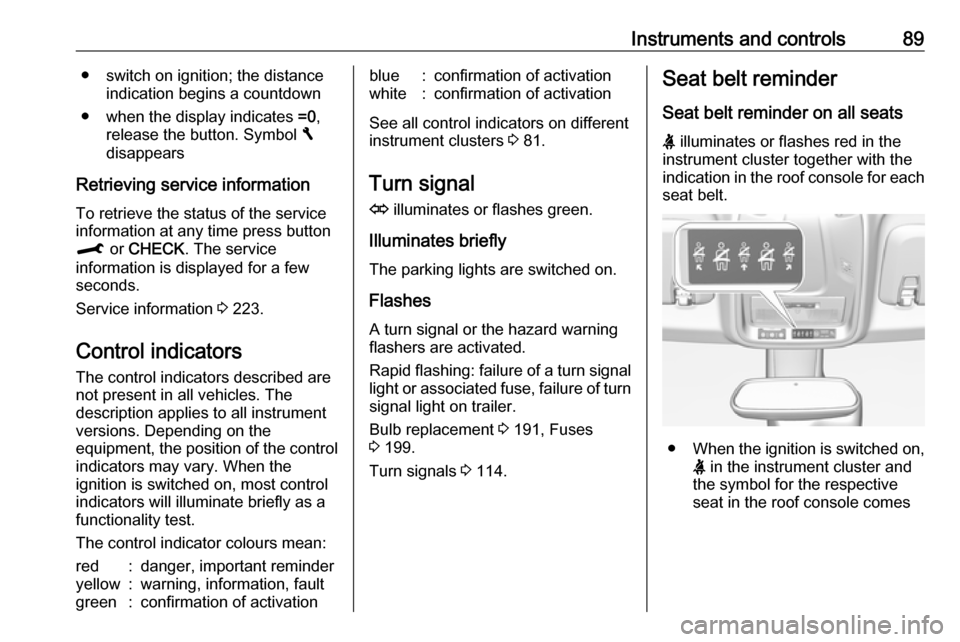
See all control indicators on different
instrument clusters 3 81.
Turn signal
O illuminates or flashes green.
Illuminates briefly
The parking lights are switched on.
Flashes
A turn signal or the hazard warning flashers are activated.
Rapid flashing: failure of a turn signal light or associated fuse, failure of turn
signal light on trailer.
Bulb replacement 3 191, Fuses
3 199.
Turn signals 3 114.
Seat belt reminder
Seat belt reminder on all seats X illuminates or flashes red in the
instrument cluster together with the
indication in the roof console for each
seat belt.
● When the ignition is switched on,
X in the instrument cluster and
the symbol for the respective
seat in the roof console comes
Page 92 of 255
90Instruments and controlson, if the seat belt of any
occupied seat has not been
fastened.
● After running up, X in the
instrument cluster and the
symbol for the respective seat in
the roof console flashes for a
certain time together with a
chime. After a certain time of
driving X illuminates constantly
until the seat belt of the
respective seat has been
fastened or if any passenger has
unfastened the seat belt.
Airbag and belt tensioners
v illuminates red.
When the ignition is switched on, the control indicator illuminates for
approx. four seconds. If it does not
illuminate, does not go out after
four seconds or illuminates whilst
driving, there is a fault in the airbag
system. Seek the assistance of a
workshop. The airbags and belt
pretensioners may fail to trigger in the event of an accident.Deployment of the belt pretensioners
or airbags is indicated by continuous
illumination of v.9 Warning
Have the cause of the fault
remedied immediately by a
workshop.
Belt pretensioners, airbag system
3 48, 3 51.
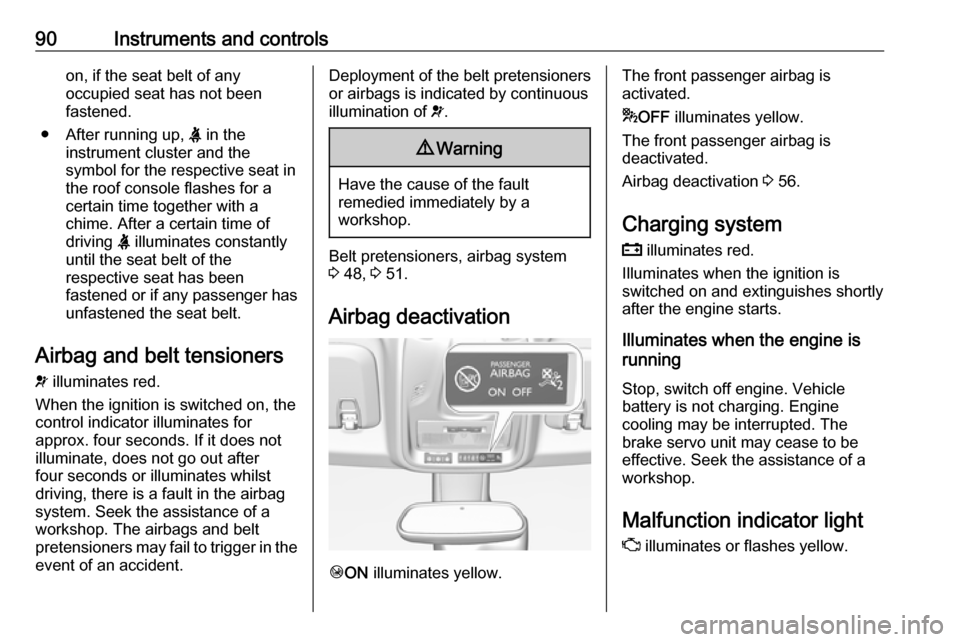
Airbag deactivation
Ó ON illuminates yellow.
The front passenger airbag is
activated.
* OFF illuminates yellow.
The front passenger airbag is
deactivated.
Airbag deactivation 3 56.
Charging system
p illuminates red.
Illuminates when the ignition is
switched on and extinguishes shortly
after the engine starts.
Illuminates when the engine is
running
Stop, switch off engine. Vehicle
battery is not charging. Engine
cooling may be interrupted. The
brake servo unit may cease to be
effective. Seek the assistance of a
workshop.
Malfunction indicator light
Z illuminates or flashes yellow.
Page 97 of 255

Instruments and controls95Cruise control 3 151.
Speed limiter
ß illuminates in the Driver
Information Centre.
Speed limiter 3 153.
Traffic sign assistant L displays by the front camera
detected traffic signs in the Driver
Information Centre.
Traffic sign assistant 3 151.
Door open h illuminates red.
A door or the tailgate is open.Information displays
Driver Information Centre
The Driver Information Centre is
located in the instrument cluster.
Depending on the version and the
instrument cluster, the Driver
Information Centre is available as
Baselevel or Midlevel display.
Driver Information Centre indicates: ● overall and trip odometer
● digital speed indication
● trip/fuel information menu
● gear shift indication
● service information
● vehicle and warning messages
● driver assistance messages
● pop-up messages
Selecting menus and functions The menus and functions can be
selected via the buttons on the turn
signal lever.
Turn the adjuster wheel to select a page in the Trip/fuel information
menu.
Press SET/CLR to confirm or reset a
function.
Vehicle and service messages are
popped up in the Driver Information
Centre if required. Scroll messages by turning the adjuster wheel.
Confirm messages by pressing
SET/CLR . Vehicle messages 3 101.
Page 99 of 255

Instruments and controls97When the level in the fuel tank is low,
a message appears on the display
and the control indicator o in the fuel
gauge illuminates 3 94.
Instantaneous Fuel Consumption
Display of the instantaneous
consumption.
Trip 1 page:
Average speed
Display of average speed. The
measurement can be reset at any
time.
Average fuel consumption
Display of average consumption. The measurement can be reset at any
time and starts with a default value.
Distance travelled
Displays the current distance for trip
1 since the reset.
The values of trip 1 page can be reset
by pressing SET/CLR for a few
seconds.
Trip 2 page:
Average speedDisplay of average speed. The
measurement can be reset at any
time.
Average fuel consumption
Display of average consumption. The measurement can be reset at any
time and starts with a default value.
Distance travelled
Displays the current distance for trip
2 since a certain reset.
The values of trip 2 page can be reset
by pressing SET/CLR for a few
seconds.
Digital speed page
Digital display of the instantaneous
speed.
Stop and Start time counter
A time counter calculates the time
spent in STOP mode during a
journey. It resets to zero every time
the ignition is switched on.
Compass page
Displays the geographic direction of
driving.Blank page
No trip/fuel information is displayed.
Info display
The Info-Display is located in the
instrument panel near the instrument
cluster.
Depending on the vehicle
configuration the vehicle has a
● Graphic-Info-Display
or
● 7'' Colour-Info-Display with
touchscreen functionality
or
● 8'' Colour-Info-Display with
touchscreen functionality
The Info displays can indicate: ● time 3 78
● outside temperature 3 77
● date 3 78
● Infotainment system, see description in the Infotainment
manual
● indication of rear view camera 3 172
Page 101 of 255
Instruments and controls99Button and touch operation
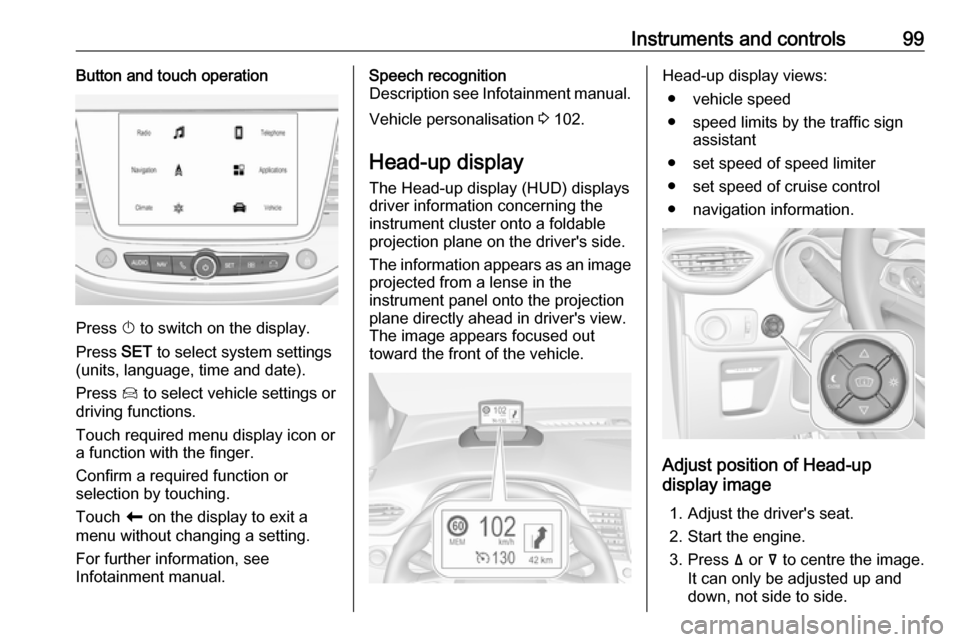
Press X to switch on the display.
Press SET to select system settings
(units, language, time and date).
Press Í to select vehicle settings or
driving functions.
Touch required menu display icon or a function with the finger.
Confirm a required function or
selection by touching.
Touch r on the display to exit a
menu without changing a setting.
For further information, see
Infotainment manual.
Speech recognition
Description see Infotainment manual.
Vehicle personalisation 3 102.
Head-up display
The Head-up display (HUD) displays
driver information concerning the
instrument cluster onto a foldable
projection plane on the driver's side.
The information appears as an image
projected from a lense in the
instrument panel onto the projection
plane directly ahead in driver's view.
The image appears focused out
toward the front of the vehicle.Head-up display views:
● vehicle speed
● speed limits by the traffic sign assistant
● set speed of speed limiter
● set speed of cruise control
● navigation information.
Adjust position of Head-up
display image
1. Adjust the driver's seat.
2. Start the engine.
3. Press ä or å to centre the image.
It can only be adjusted up and
down, not side to side.
Page 164 of 255
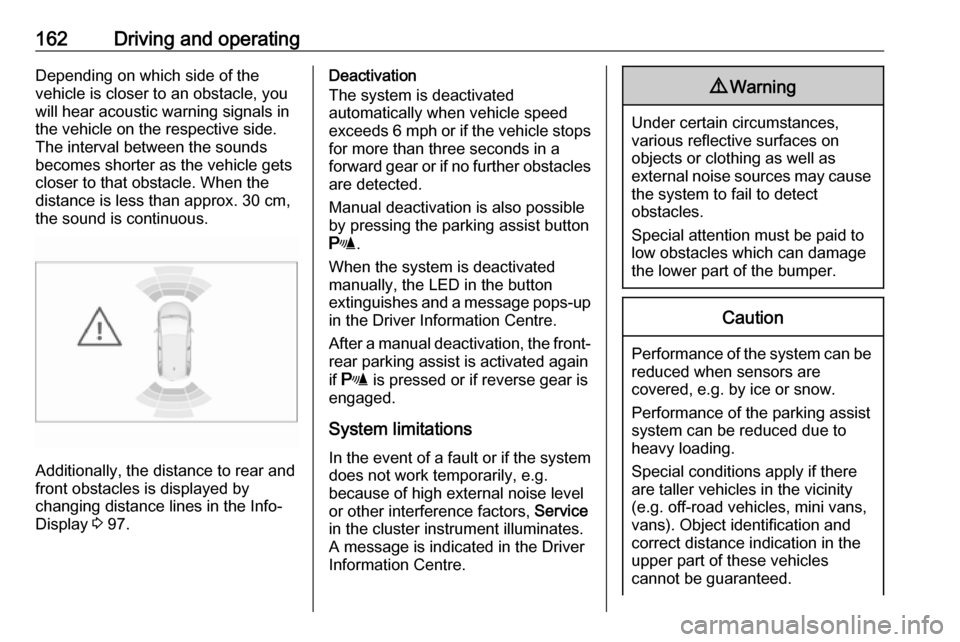
162Driving and operatingDepending on which side of the
vehicle is closer to an obstacle, you will hear acoustic warning signals inthe vehicle on the respective side.
The interval between the sounds
becomes shorter as the vehicle gets
closer to that obstacle. When the
distance is less than approx. 30 cm,
the sound is continuous.
Additionally, the distance to rear and
front obstacles is displayed by
changing distance lines in the Info-
Display 3 97.
Deactivation
The system is deactivated
automatically when vehicle speed
exceeds 6 mph or if the vehicle stops
for more than three seconds in a
forward gear or if no further obstacles
are detected.
Manual deactivation is also possible by pressing the parking assist button
r .
When the system is deactivated
manually, the LED in the button
extinguishes and a message pops-up in the Driver Information Centre.
After a manual deactivation, the front- rear parking assist is activated again
if r is pressed or if reverse gear is
engaged.
System limitations
In the event of a fault or if the system does not work temporarily, e.g.
because of high external noise level
or other interference factors, Service
in the cluster instrument illuminates.
A message is indicated in the Driver
Information Centre.9 Warning
Under certain circumstances,
various reflective surfaces on
objects or clothing as well as
external noise sources may cause the system to fail to detect
obstacles.
Special attention must be paid to
low obstacles which can damage
the lower part of the bumper.
Caution
Performance of the system can be reduced when sensors are
covered, e.g. by ice or snow.
Performance of the parking assist
system can be reduced due to
heavy loading.
Special conditions apply if there
are taller vehicles in the vicinity
(e.g. off-road vehicles, mini vans,
vans). Object identification and correct distance indication in the
upper part of these vehicles
cannot be guaranteed.