engine VAUXHALL CROSSLAND X 2019.75 Owner's Guide
[x] Cancel search | Manufacturer: VAUXHALL, Model Year: 2019.75, Model line: CROSSLAND X, Model: VAUXHALL CROSSLAND X 2019.75Pages: 247, PDF Size: 7.77 MB
Page 86 of 247
84Instruments and controlsABS. The brake system remains
operational but without ABS
regulation.
Antilock brake system 3 136.
Gear shifting
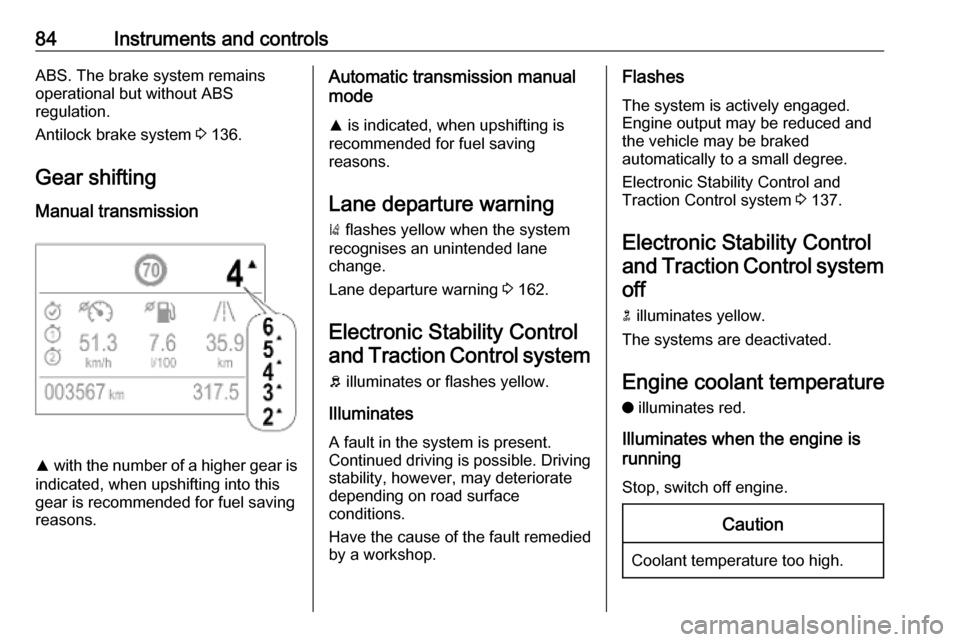
Manual transmission
R with the number of a higher gear is
indicated, when upshifting into this gear is recommended for fuel saving
reasons.
Automatic transmission manual
mode
R is indicated, when upshifting is
recommended for fuel saving
reasons.
Lane departure warning ) flashes yellow when the system
recognises an unintended lane
change.
Lane departure warning 3 162.
Electronic Stability Control and Traction Control system
b illuminates or flashes yellow.
Illuminates
A fault in the system is present.
Continued driving is possible. Driving
stability, however, may deteriorate
depending on road surface
conditions.
Have the cause of the fault remedied
by a workshop.Flashes
The system is actively engaged. Engine output may be reduced andthe vehicle may be braked
automatically to a small degree.
Electronic Stability Control and
Traction Control system 3 137.
Electronic Stability Control and Traction Control system off
n illuminates yellow.
The systems are deactivated.
Engine coolant temperature
o illuminates red.
Illuminates when the engine is
running
Stop, switch off engine.Caution
Coolant temperature too high.
Page 87 of 247

Instruments and controls85Check coolant level immediately
3 176.
If there is sufficient coolant, consult a
workshop.
Preheating
! illuminates yellow.
Preheating of diesel engine is
activated. Only activates when
outside temperature is low. Start the
engine when control indicator
extinguishes.
Starting the engine 3 123.
Exhaust filter
% or C illuminates yellow.
The exhaust filter requires cleaning.
Continue driving until the control
indicator extinguishes.
Illuminates temporarily
Start of saturation of the exhaust filter.
Start cleaning process as soon as
possible by driving at a vehicle speed of at least 40 mph.Illuminates constantly
Indication of a low additive level. Seek
the assistance of a workshop.
Exhaust filter 3 128.
AdBlue Y flashes or illuminates yellow.
Illuminates yellow
The remaining driving range is
between 370 miles and 1500 miles.
Flashes yellow The remaining driving range is
between 0 and 370 miles.
AdBlue level is low. Refill AdBlue
soon to avoid prevention of the
engine start.
AdBlue 3 129.
Deflation detection system w illuminates or flashes yellow.Illuminates
Tyre pressure loss in one or more
wheels. Stop immediately and check
tyre pressure.
Flashes
Fault in system. Consult a workshop.
Deflation detection system 3 195.
Engine oil pressure I illuminates red.
Illuminates when the ignition is
switched on and extinguishes shortly after the engine starts.
Illuminates when the engine is
runningCaution
Engine lubrication may be
interrupted. This may result in
damage to the engine and / or
locking of the drive wheels.
Page 88 of 247

86Instruments and controls1. Select neutral gear.
2. Move out of the flow of traffic as quickly as possible without
impeding other vehicles.
3. Switch off ignition.9 Warning
When the engine is off,
considerably more force is needed
to brake and steer.
During an Autostop, the brake
servo unit will still be operational.
Do not remove key until vehicle is stationary, otherwise the steeringwheel lock could engage
unexpectedly.
Keep engine turned off and let the
vehicle be towed to a workshop
3 175.
Low fuel o illuminates yellow.
Level in fuel tank is too low.
Refuelling 3 166.
Bleeding the diesel fuel system
3 179.
Autostop D illuminates or flashes green.
Illuminates green
Engine is in an Autostop.
Flashes green
Autostop is temporarily unavailable,
or Autostop mode is invoked
automatically.
Stop-start system 3 125.
Exterior light 8 illuminates green.
The exterior lights are on 3 99.
Low beam
9 illuminates green.
Illuminated when low beam is on.
High beam
C illuminates blue.Illuminated when high beam is on or
during headlight flash 3 100.
High beam assist
f illuminates green.
The high beam assist is activated
3 100.
Front fog lights
> illuminates green.
The front fog lights are on 3 103.
Rear fog light
ø illuminates yellow.
The rear fog light is on 3 104.
Rain sensor
< illuminates green.
Illuminated when automatic wiping
with rain sensor is activated.
Windscreen wiper and washer 3 71.
Page 94 of 247
92Instruments and controlsTouch required menu display icon or
a function.
Confirm a required function or
selection by touching.
Touch r on the display to exit a
menu without changing a setting.
For further information, see
Infotainment manual.Speech recognition
Description see Infotainment manual.
Vehicle personalisation 3 94.
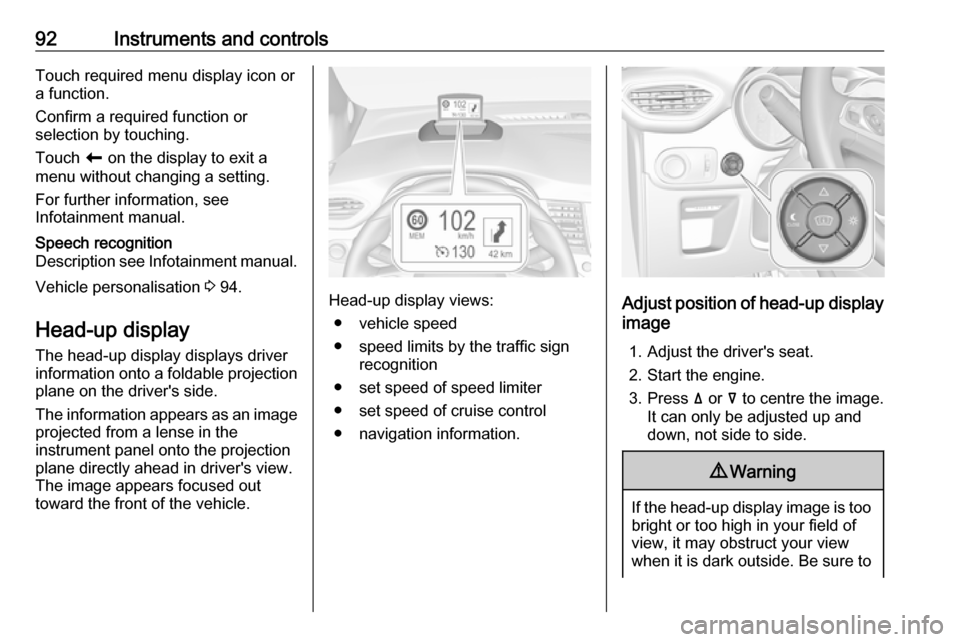
Head-up display
The head-up display displays driver
information onto a foldable projection plane on the driver's side.
The information appears as an image
projected from a lense in the
instrument panel onto the projection
plane directly ahead in driver's view.
The image appears focused out
toward the front of the vehicle.Head-up display views:
● vehicle speed
● speed limits by the traffic sign recognition
● set speed of speed limiter
● set speed of cruise control
● navigation information.Adjust position of head-up display
image
1. Adjust the driver's seat.
2. Start the engine.
3. Press ä or å to centre the image.
It can only be adjusted up and
down, not side to side.
9 Warning
If the head-up display image is too
bright or too high in your field of
view, it may obstruct your view
when it is dark outside. Be sure to
Page 96 of 247
94Instruments and controlsMessages in the
Colour Info Display
Some important messages may
appear additionally in the
Info Display. Some messages only
pop-up for a few seconds.
Warning chimes If several warnings appear at the
same time, only one warning chime
will sound.
When starting the engine or whilst
driving
The warning chime regarding not
fastened seat belts has priority over
any other warning chime.
● If a seat belt is not fastened.
● If a door or the tailgate is not fully
closed when starting off.
● If a certain speed is exceeded with parking brake applied.
● If cruise control deactivates automatically.
● If a programmed speed or speed
limit is exceeded.● If a warning message appears in the Driver Information Centre.
● If the electronic key is not in the passenger compartment.
● If the parking assist detects an object.
● If an unintended lane change occurs.
● If the exhaust filter has reached the maximum filling level.
When the vehicle is parked and / or the driver's door is opened
● With exterior lights on.
During an Autostop ● If the driver's door is opened.
● If any condition for an autostart is
not fulfilled.Vehicle personalisation
The vehicle's behaviour can be
personalised by changing the settings in the Info Display.
Some functions are only displayed or
active when the engine is running.
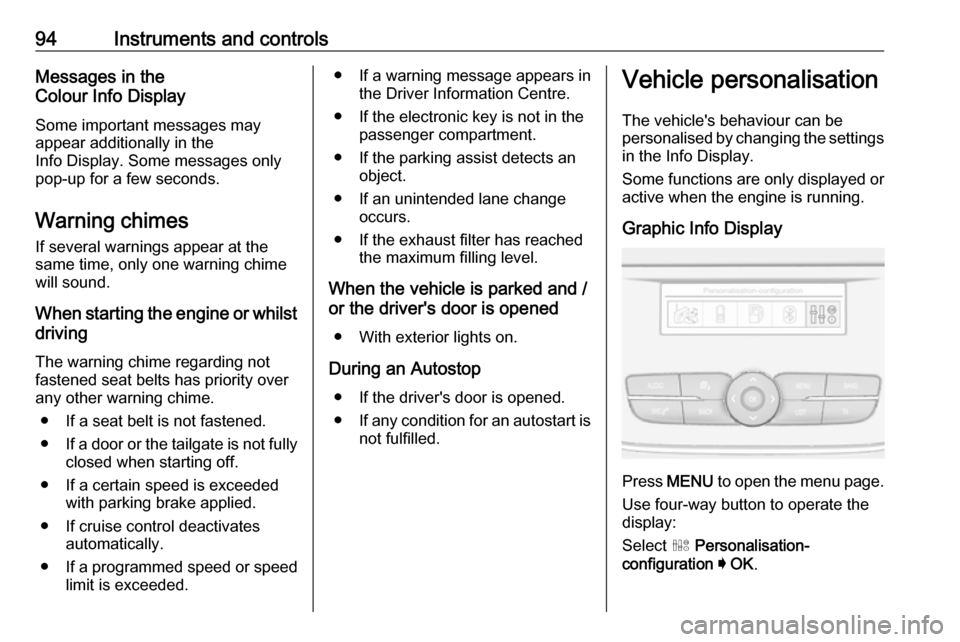
Graphic Info Display
Press MENU to open the menu page.
Use four-way button to operate the
display:
Select ˆ Personalisation-
configuration I OK .
Page 102 of 247
100LightingAutomatic light control
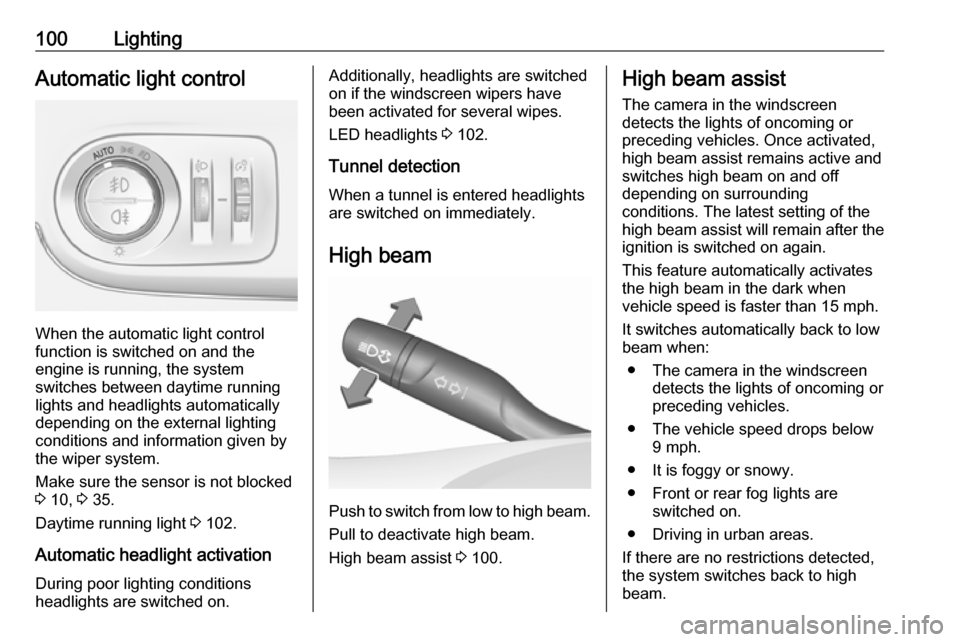
When the automatic light control
function is switched on and the
engine is running, the system
switches between daytime running
lights and headlights automatically
depending on the external lighting
conditions and information given by
the wiper system.
Make sure the sensor is not blocked
3 10, 3 35.
Daytime running light 3 102.
Automatic headlight activation During poor lighting conditions
headlights are switched on.
Additionally, headlights are switched
on if the windscreen wipers have
been activated for several wipes.
LED headlights 3 102.
Tunnel detection
When a tunnel is entered headlights
are switched on immediately.
High beam
Push to switch from low to high beam.Pull to deactivate high beam.
High beam assist 3 100.
High beam assist
The camera in the windscreen
detects the lights of oncoming or
preceding vehicles. Once activated,
high beam assist remains active and
switches high beam on and off
depending on surrounding
conditions. The latest setting of the
high beam assist will remain after the ignition is switched on again.
This feature automatically activates
the high beam in the dark when
vehicle speed is faster than 15 mph.
It switches automatically back to low
beam when:
● The camera in the windscreen detects the lights of oncoming or
preceding vehicles.
● The vehicle speed drops below 9 mph.
● It is foggy or snowy.
● Front or rear fog lights are switched on.
● Driving in urban areas.
If there are no restrictions detected,
the system switches back to high
beam.
Page 104 of 247
102Lighting0:front seats occupied1:all seats occupied2:all seats occupied and load
compartment laden3:driver's seat occupied and load
compartment laden
Headlights when driving
abroad
When driving in countries where
traffic drives on the opposite side of
the road, the headlights do not have
to be adjusted.
Daytime running lights
Daytime running lights increases
visibility of the vehicle during daylight.
They are switched on automatically
during daytime when engine is
running.
The system switches between
daytime running lights and low beam
automatically, depending on the
lighting conditions.
LED headlights
LED headlights for low and high beam ensure better visibility under all
conditions. They include the following
functions:
● cornering lights● high beam assist 3 100
● automatic headlight levelling
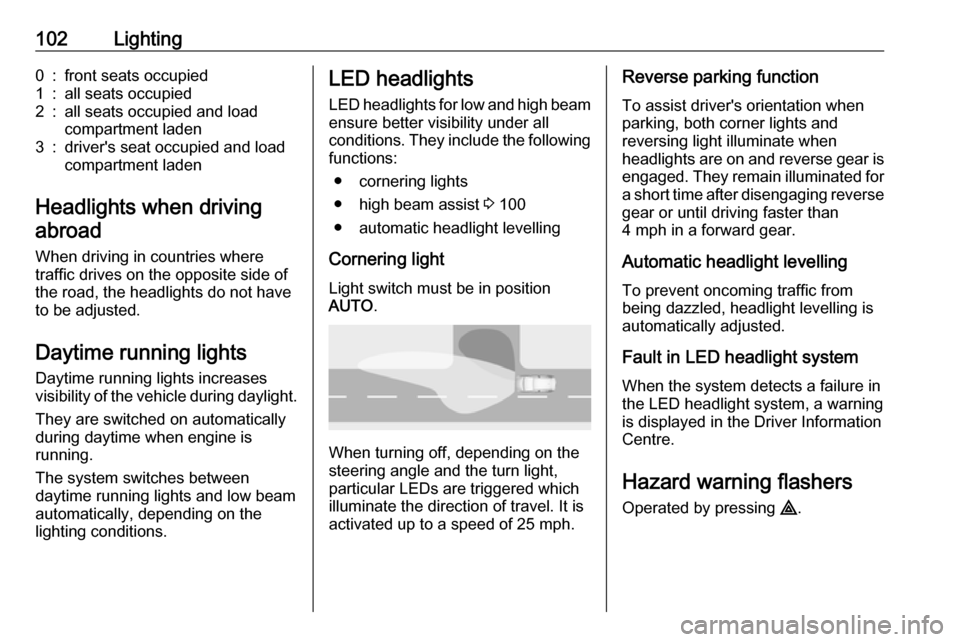
Cornering light Light switch must be in position
AUTO .
When turning off, depending on the
steering angle and the turn light, particular LEDs are triggered whichilluminate the direction of travel. It is
activated up to a speed of 25 mph.
Reverse parking function
To assist driver's orientation when
parking, both corner lights and
reversing light illuminate when
headlights are on and reverse gear is
engaged. They remain illuminated for
a short time after disengaging reverse gear or until driving faster than
4 mph in a forward gear.
Automatic headlight levelling
To prevent oncoming traffic from
being dazzled, headlight levelling is
automatically adjusted.
Fault in LED headlight system
When the system detects a failure in
the LED headlight system, a warning
is displayed in the Driver Information Centre.
Hazard warning flashers
Operated by pressing ¨.
Page 110 of 247
108Climate controlClimate controlClimate control systems.............108
Heating and ventilation system 108
Air conditioning system ...........109
Electronic climate control system .................................... 112
Auxiliary heater ........................116
Air vents ..................................... 117
Adjustable air vents .................117
Fixed air vents ......................... 118
Maintenance .............................. 118
Air intake ................................. 118
Air conditioning regular operation ................................ 118
Service .................................... 118Climate control systems
Heating and ventilation system
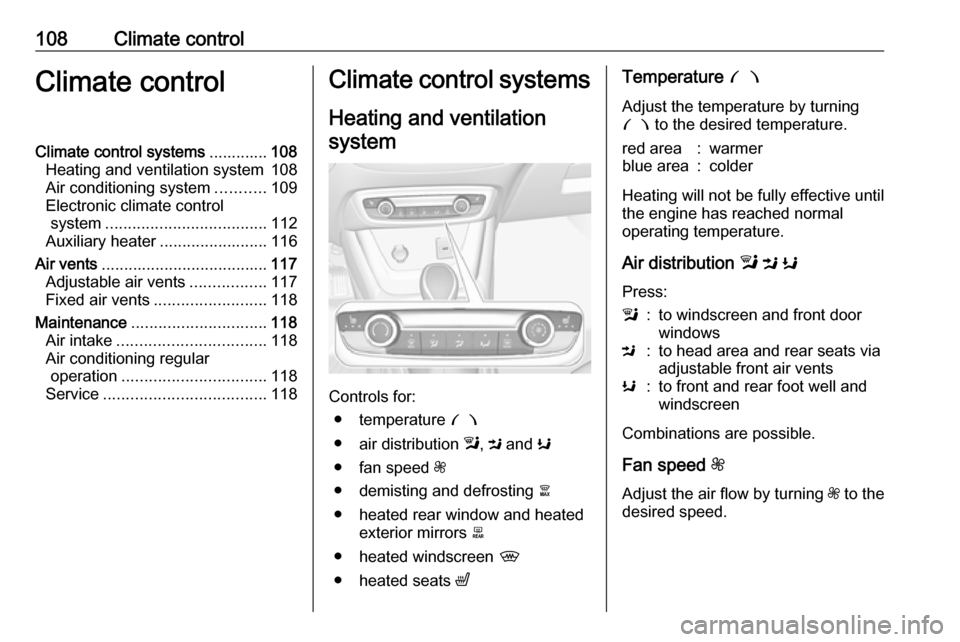
Controls for: ● temperature £
● air distribution l, M and K
● fan speed Z
● demisting and defrosting à
● heated rear window and heated exterior mirrors b
● heated windscreen ,
● heated seats ß
Temperature £
Adjust the temperature by turning
£ to the desired temperature.red area:warmerblue area:colder
Heating will not be fully effective until
the engine has reached normal
operating temperature.
Air distribution l M K
Press:
l:to windscreen and front door
windowsM:to head area and rear seats via
adjustable front air ventsK:to front and rear foot well and
windscreen
Combinations are possible.
Fan speed Z
Adjust the air flow by turning Z to the
desired speed.
Page 111 of 247
Climate control109Demisting and defrosting the
windows á
● Press á: the air distribution is
directed towards the windscreen.
● Set temperature controller £ to
warmest level.
● Set fan speed Z to highest level.
● Switch on heated rear window b.
● Open side air vents as required and direct them towards the doorwindows.
Heated rear window b 3 37.
Heated exterior mirrors b 3 34.
Heated windscreen , 3 38.
Heated seats ß 3 44.
Air conditioning system
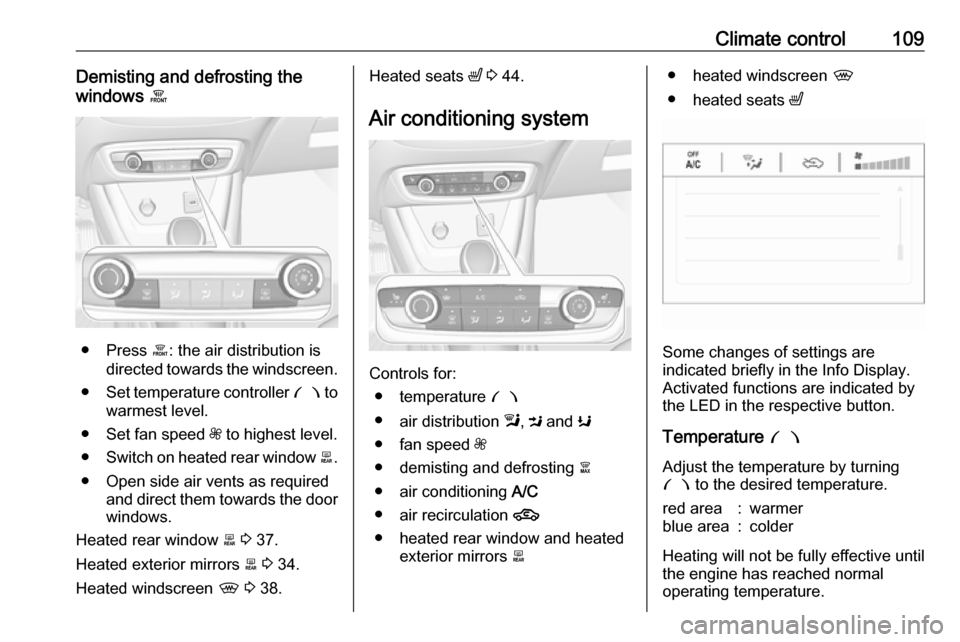
Controls for: ● temperature £
● air distribution l, M and K
● fan speed Z
● demisting and defrosting à
● air conditioning A/C
● air recirculation 4
● heated rear window and heated exterior mirrors b
● heated windscreen ,
● heated seats ß
Some changes of settings are
indicated briefly in the Info Display.
Activated functions are indicated by the LED in the respective button.
Temperature £
Adjust the temperature by turning £ to the desired temperature.
red area:warmerblue area:colder
Heating will not be fully effective until
the engine has reached normal
operating temperature.
Page 112 of 247
110Climate controlAir distribution l M K
Press:l:to windscreen and front door
windowsM:to head area and rear seats via
adjustable front air ventsK:to front and rear foot well and
windscreen
Combinations are possible.
Fan speed Z
Adjust the air flow by turning Z to the
desired speed.
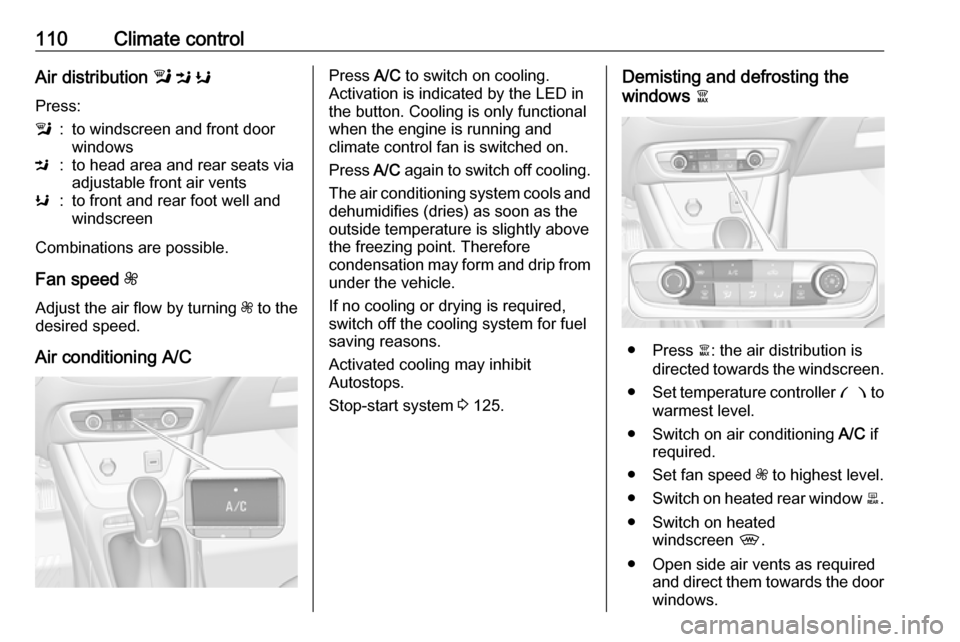
Air conditioning A/C
Press A/C to switch on cooling.
Activation is indicated by the LED in
the button. Cooling is only functional
when the engine is running and
climate control fan is switched on.
Press A/C again to switch off cooling.
The air conditioning system cools and
dehumidifies (dries) as soon as the
outside temperature is slightly above the freezing point. Therefore
condensation may form and drip from under the vehicle.
If no cooling or drying is required,
switch off the cooling system for fuel
saving reasons.
Activated cooling may inhibit
Autostops.
Stop-start system 3 125.Demisting and defrosting the
windows à
● Press à: the air distribution is
directed towards the windscreen.
● Set temperature controller £ to
warmest level.
● Switch on air conditioning A/C if
required.
● Set fan speed Z to highest level.
● Switch on heated rear window b.
● Switch on heated windscreen ,.
● Open side air vents as required and direct them towards the doorwindows.