Date settings VAUXHALL CROSSLAND X 2020 Owner's Manual
[x] Cancel search | Manufacturer: VAUXHALL, Model Year: 2020, Model line: CROSSLAND X, Model: VAUXHALL CROSSLAND X 2020Pages: 245, PDF Size: 21.85 MB
Page 94 of 245
92Instruments and controlsor
● 8'' Colour Info Display with
touchscreen functionality
The Info Display can indicate: ● time 3 74
● outside temperature 3 73
● date 3 74
● Infotainment system, see description in the Infotainment
manual
● indication of rear view camera 3 162
● indication of panoramic view system 3 159
● indication of parking assist instructions 3 150
● navigation, see description in the
Infotainment manual
● vehicle and system messages 3 95
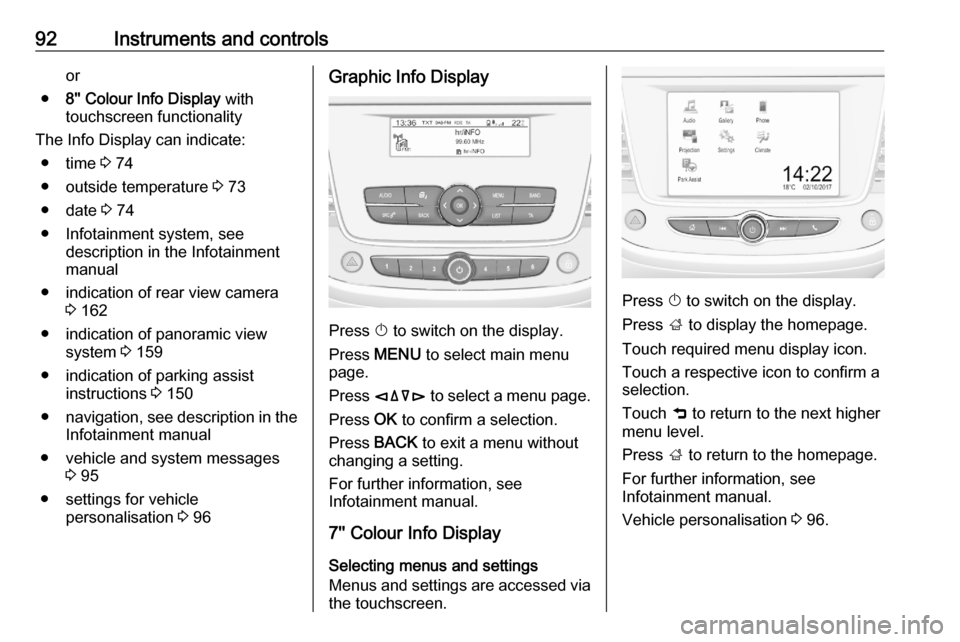
● settings for vehicle personalisation 3 96Graphic Info Display
Press X to switch on the display.
Press MENU to select main menu
page.
Press èäåé to select a menu page.
Press OK to confirm a selection.
Press BACK to exit a menu without
changing a setting.
For further information, see
Infotainment manual.
7'' Colour Info Display
Selecting menus and settings
Menus and settings are accessed via the touchscreen.
Press X to switch on the display.
Press ; to display the homepage.
Touch required menu display icon.
Touch a respective icon to confirm a
selection.
Touch 9 to return to the next higher
menu level.
Press ; to return to the homepage.
For further information, see
Infotainment manual.
Vehicle personalisation 3 96.
Page 95 of 245
Instruments and controls938'' Colour Info DisplaySelecting menus and settings
There are three options to operate the
display:
● via buttons below the display
● by touching the touchscreen
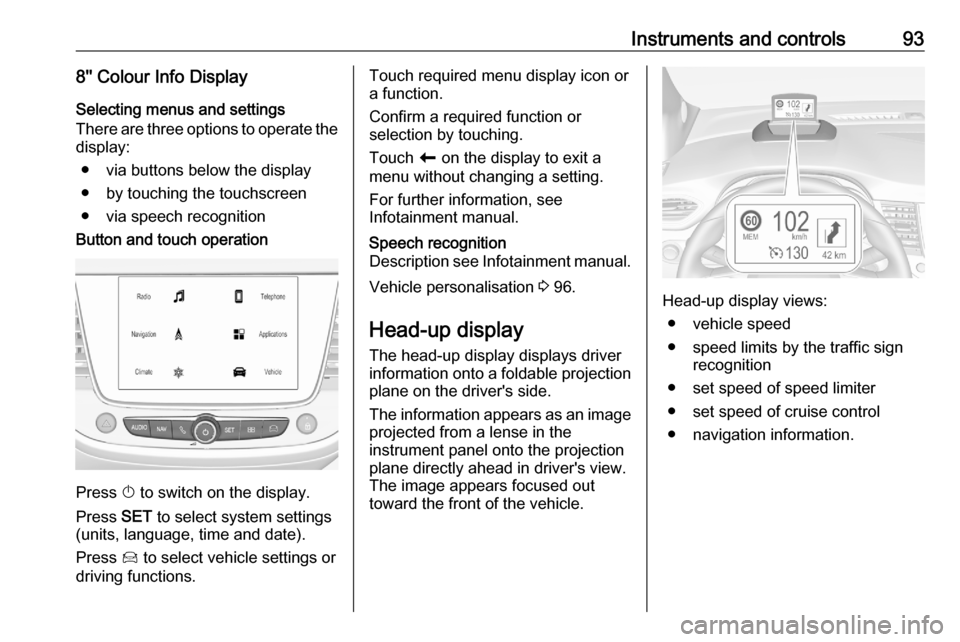
● via speech recognitionButton and touch operation
Press X to switch on the display.
Press SET to select system settings
(units, language, time and date).
Press Í to select vehicle settings or
driving functions.
Touch required menu display icon or
a function.
Confirm a required function or
selection by touching.
Touch r on the display to exit a
menu without changing a setting.
For further information, see
Infotainment manual.Speech recognition
Description see Infotainment manual.
Vehicle personalisation 3 96.
Head-up display
The head-up display displays driver
information onto a foldable projection plane on the driver's side.
The information appears as an image
projected from a lense in the
instrument panel onto the projection
plane directly ahead in driver's view.
The image appears focused out
toward the front of the vehicle.Head-up display views:
● vehicle speed
● speed limits by the traffic sign recognition
● set speed of speed limiter
● set speed of cruise control
● navigation information.
Page 235 of 245

Customer information233Notice
The availability of these over-the-air
vehicle software updates varies by
vehicle and country. Find more
information on our home page.
Internet connection
Downloading over-the-air vehicle
software updates requires internet
connectivity, which can be accessed
through a password-protected Wi-Fi
hotspot, e.g. provided by a mobile
phone.
To connect the Infotainment system
to a hotspot, refer to the Infotainment
Manual.
Updates
The system will prompt for certain
updates to be downloaded and
installed. There is also an option to
check for updates manually.
To manually check for updates, select Settings on the home screen,
Software Information and then
System Update . Follow the on-screen
prompts.Notice
Steps for downloading and installing updates may vary by vehicle.
Notice
During the installation process, the
vehicle may not be operational.
Registered trademarksApple Inc.
Apple CarPlay™ is a trademark of Apple Inc.
App Store ®
and iTunes Store ®
are
registered trademarks of Apple Inc.
iPhone ®
, iPod ®
, iPod touch ®
, iPod
nano ®
, iPad ®
and Siri ®
are registered
trademarks of Apple Inc.Bluetooth SIG, Inc.
Bluetooth ®
is a registered trademark
of Bluetooth SIG, Inc.DivX, LLC
DivX ®
and DivX Certified ®
are
registered trademarks of DivX, LLC.EnGIS Technologies, Inc.
BringGo ®
is a registered trademark of
EnGIS Technologies, Inc.Google Inc.
Android™ and Google Play™ Store
are trademarks of Google Inc.Stitcher Inc.
Stitcher™ is a trademark of Stitcher,
Inc.Velcro Companies
Velcro ®
is a registered trademark of
Velcro Companies.Verband der Automobilindustrie e.V.
AdBlue ®
is a registered trademark of
the VDA.