light VAUXHALL GRANDLAND X 2018.5 User Guide
[x] Cancel search | Manufacturer: VAUXHALL, Model Year: 2018.5, Model line: GRANDLAND X, Model: VAUXHALL GRANDLAND X 2018.5Pages: 271, PDF Size: 7.61 MB
Page 44 of 271
42Keys, doors and windowsSun visors
The sun visors can be folded down or
swivelled to the side to prevent
dazzling.
If the sun visors have integral mirrors, the mirror covers should be closed
when driving.
A ticket holder is located on the
backside of the sun visor.
Roller blinds
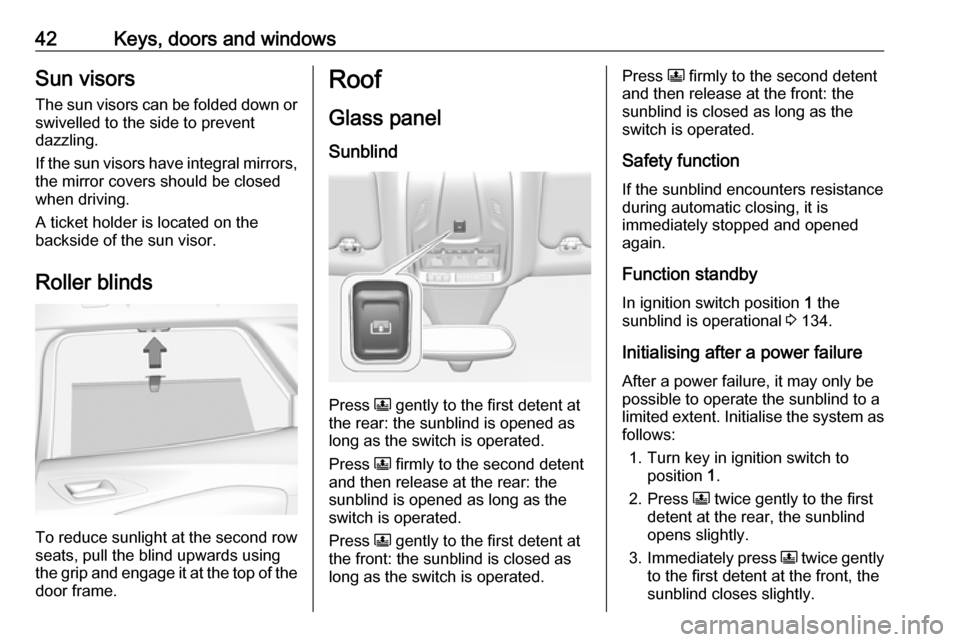
To reduce sunlight at the second row seats, pull the blind upwards using
the grip and engage it at the top of the
door frame.
Roof
Glass panel Sunblind
Press N gently to the first detent at
the rear: the sunblind is opened as long as the switch is operated.
Press N firmly to the second detent
and then release at the rear: the
sunblind is opened as long as the
switch is operated.
Press N gently to the first detent at
the front: the sunblind is closed as
long as the switch is operated.
Press N firmly to the second detent
and then release at the front: the
sunblind is closed as long as the
switch is operated.
Safety function
If the sunblind encounters resistance during automatic closing, it is
immediately stopped and opened again.
Function standby In ignition switch position 1 the
sunblind is operational 3 134.
Initialising after a power failure
After a power failure, it may only be
possible to operate the sunblind to a limited extent. Initialise the system as follows:
1. Turn key in ignition switch to position 1.
2. Press N twice gently to the first
detent at the rear, the sunblind
opens slightly.
3. Immediately press N twice gently
to the first detent at the front, the
sunblind closes slightly.
Page 47 of 271
Seats, restraints45Head restraints on rear seats
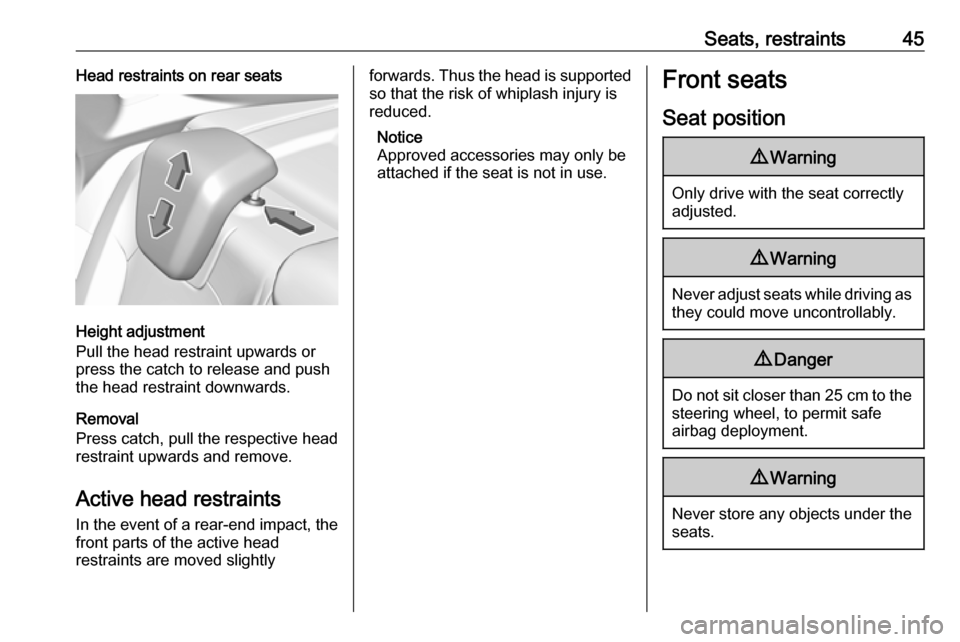
Height adjustment
Pull the head restraint upwards or
press the catch to release and push the head restraint downwards.
Removal
Press catch, pull the respective head
restraint upwards and remove.
Active head restraints
In the event of a rear-end impact, the front parts of the active head
restraints are moved slightly
forwards. Thus the head is supported
so that the risk of whiplash injury is
reduced.
Notice
Approved accessories may only be attached if the seat is not in use.Front seats
Seat position9 Warning
Only drive with the seat correctly
adjusted.
9 Warning
Never adjust seats while driving as
they could move uncontrollably.
9 Danger
Do not sit closer than 25 cm to the
steering wheel, to permit safe
airbag deployment.
9 Warning
Never store any objects under the
seats.
Page 48 of 271
46Seats, restraints
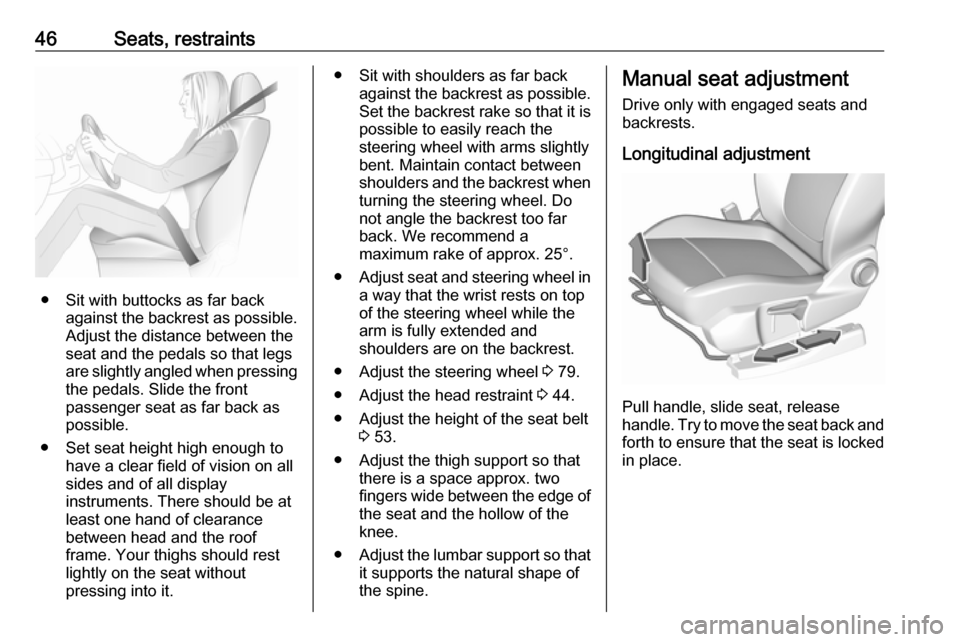
● Sit with buttocks as far backagainst the backrest as possible.
Adjust the distance between the
seat and the pedals so that legs
are slightly angled when pressing
the pedals. Slide the front
passenger seat as far back as
possible.
● Set seat height high enough to have a clear field of vision on allsides and of all display
instruments. There should be at
least one hand of clearance
between head and the roof
frame. Your thighs should rest
lightly on the seat without
pressing into it.
● Sit with shoulders as far back against the backrest as possible.Set the backrest rake so that it is
possible to easily reach the
steering wheel with arms slightly bent. Maintain contact between
shoulders and the backrest when turning the steering wheel. Do
not angle the backrest too far
back. We recommend a
maximum rake of approx. 25°.
● Adjust seat and steering wheel in
a way that the wrist rests on top
of the steering wheel while the
arm is fully extended and
shoulders are on the backrest.
● Adjust the steering wheel 3 79.
● Adjust the head restraint 3 44.
● Adjust the height of the seat belt 3 53.
● Adjust the thigh support so that there is a space approx. two
fingers wide between the edge of the seat and the hollow of the
knee.
● Adjust the lumbar support so that
it supports the natural shape of
the spine.Manual seat adjustment
Drive only with engaged seats and
backrests.
Longitudinal adjustment
Pull handle, slide seat, release
handle. Try to move the seat back and forth to ensure that the seat is locked
in place.
Page 55 of 271
Seats, restraints53modifications to belt pretensionercomponents as this will invalidate
the operating permit of your vehicle.
Three-point seat belt
Fasten
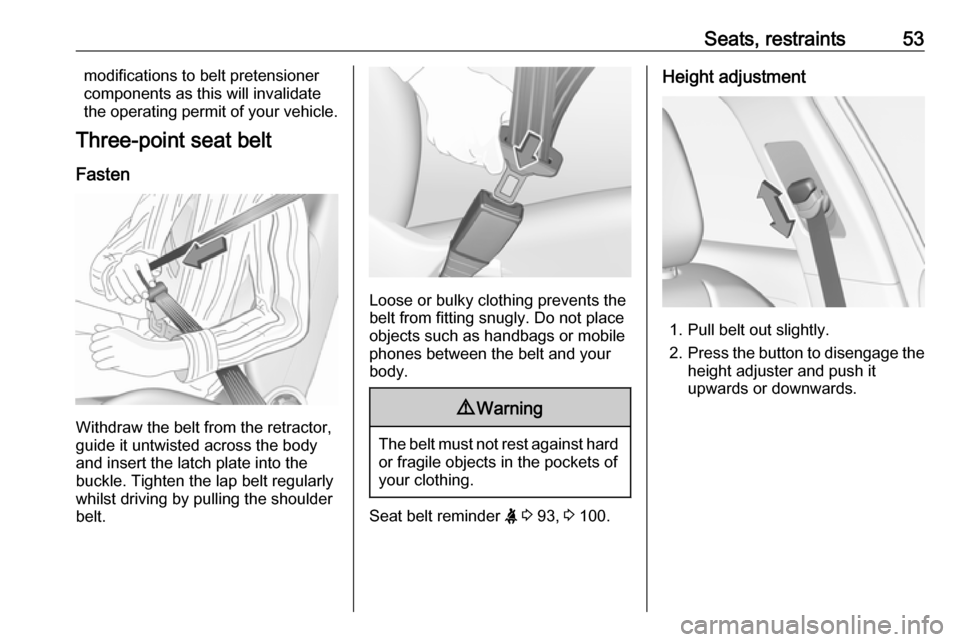
Withdraw the belt from the retractor,
guide it untwisted across the body
and insert the latch plate into the
buckle. Tighten the lap belt regularly
whilst driving by pulling the shoulder
belt.
Loose or bulky clothing prevents the
belt from fitting snugly. Do not place
objects such as handbags or mobile
phones between the belt and your body.
9 Warning
The belt must not rest against hard
or fragile objects in the pockets of
your clothing.
Seat belt reminder X 3 93, 3 100.
Height adjustment
1. Pull belt out slightly.
2. Press the button to disengage the
height adjuster and push it
upwards or downwards.
Page 61 of 271
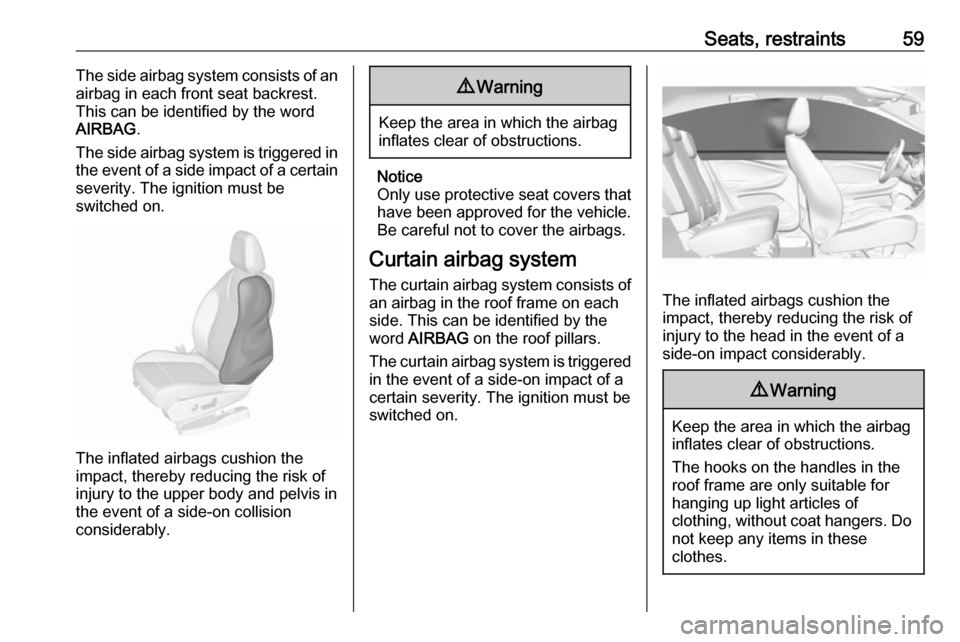
Seats, restraints59The side airbag system consists of an
airbag in each front seat backrest.
This can be identified by the word
AIRBAG .
The side airbag system is triggered in
the event of a side impact of a certain severity. The ignition must be
switched on.
The inflated airbags cushion the
impact, thereby reducing the risk of
injury to the upper body and pelvis in
the event of a side-on collision
considerably.
9 Warning
Keep the area in which the airbag
inflates clear of obstructions.
Notice
Only use protective seat covers that have been approved for the vehicle.Be careful not to cover the airbags.
Curtain airbag system
The curtain airbag system consists of an airbag in the roof frame on each
side. This can be identified by the
word AIRBAG on the roof pillars.
The curtain airbag system is triggered
in the event of a side-on impact of a
certain severity. The ignition must be
switched on.
The inflated airbags cushion the
impact, thereby reducing the risk of
injury to the head in the event of a
side-on impact considerably.
9 Warning
Keep the area in which the airbag
inflates clear of obstructions.
The hooks on the handles in the
roof frame are only suitable for
hanging up light articles of
clothing, without coat hangers. Do not keep any items in these
clothes.
Page 80 of 271

78Instruments and controlsInstruments and
controlsControls ....................................... 79
Steering wheel adjustment ........79
Steering wheel controls .............79
Heated steering wheel ...............79
Horn ........................................... 80
Windscreen wiper and washer ..80
Rear window wiper and washer ...................................... 82
Outside temperature ..................82
Clock ......................................... 83
Power outlets ............................. 84
Inductive charging .....................86
Cigarette lighter ......................... 86
Ashtrays .................................... 87
Warning lights, gauges and indi‐ cators ........................................... 87
Instrument cluster ......................87
Speedometer ............................. 89
Odometer .................................. 90
Trip odometer ............................ 90
Tachometer ............................... 90
Fuel gauge ................................ 91
Engine coolant temperature gauge ....................................... 91Engine oil level monitor.............91
Service display .......................... 92
Control indicators ......................93
Turn lights .................................. 93
Seat belt reminder .....................93
Airbag and belt tensioners .........94
Airbag deactivation ....................94
Charging system .......................94
Malfunction indicator light ..........94
Stop engine ............................... 95
System check ............................ 95
Brake and clutch system ...........95
Electric parking brake ................95
Electric parking brake fault ........95
Antilock brake system (ABS) .....96
Gear shifting .............................. 96
Lane departure warning ............96
Lane keep assist .......................96
Electronic Stability Control and Traction Control system ...........96
Engine coolant temperature ......96
Preheating ................................. 97
Diesel particle filter ....................97
AdBlue ....................................... 97
Deflation detection system ........97
Engine oil pressure ....................97
Low fuel ..................................... 98
Autostop .................................... 98
Exterior light .............................. 98
High beam ................................. 98Low beam.................................. 98
High beam assist .......................98
LED headlights .......................... 98
Fog light ..................................... 99
Rear fog light ............................. 99
Rain sensor ............................... 99
Cruise control ............................ 99
Adaptive cruise control ..............99
Vehicle detected ahead .............99
Side blind spot alert ...................99
Active emergency braking .........99
Speed limiter ........................... 100
Door open ................................ 100
Displays ..................................... 100
Driver Information Centre ........100
Info Display .............................. 102
Vehicle messages ......................104
Warning chimes .......................104
Battery voltage ........................ 104
Vehicle personalisation ..............105
Telematics service .....................108
OnStar ..................................... 108
Page 88 of 271
86Instruments and controlsInductive charging9Warning
Inductive charging can affect the
operation of implanted
pacemakers or other medical
devices. If applicable, seek
medical advice before using the
inductive charging device.
9 Warning
Remove any metal objects from
the charging device before
charging a mobile phone, as these
objects could become very hot.
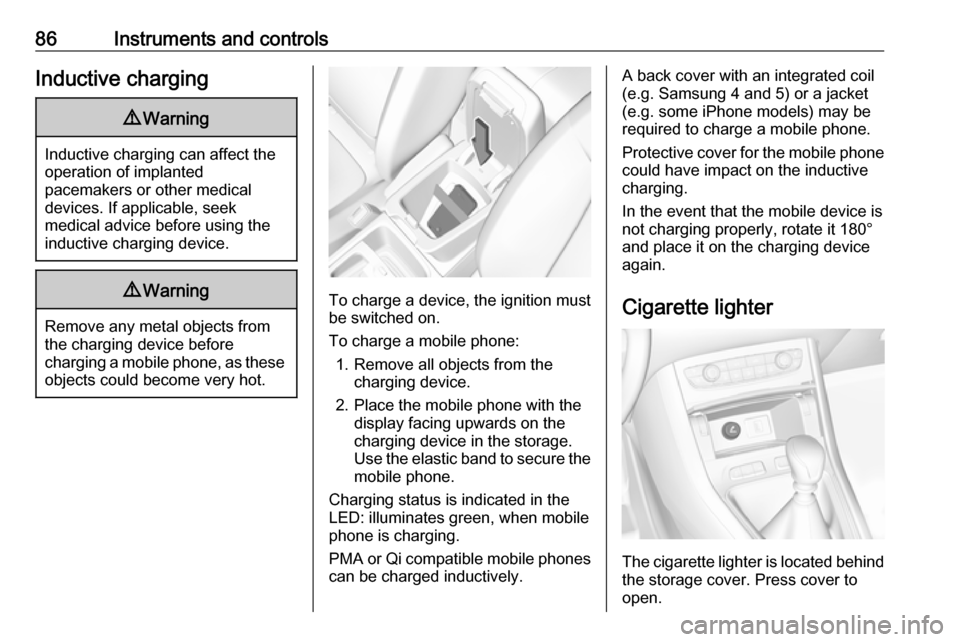
To charge a device, the ignition must
be switched on.
To charge a mobile phone: 1. Remove all objects from the charging device.
2. Place the mobile phone with the display facing upwards on the
charging device in the storage.
Use the elastic band to secure the
mobile phone.
Charging status is indicated in the LED: illuminates green, when mobile
phone is charging.
PMA or Qi compatible mobile phones can be charged inductively.
A back cover with an integrated coil
(e.g. Samsung 4 and 5) or a jacket
(e.g. some iPhone models) may be
required to charge a mobile phone.
Protective cover for the mobile phone
could have impact on the inductive
charging.
In the event that the mobile device is
not charging properly, rotate it 180°
and place it on the charging device
again.
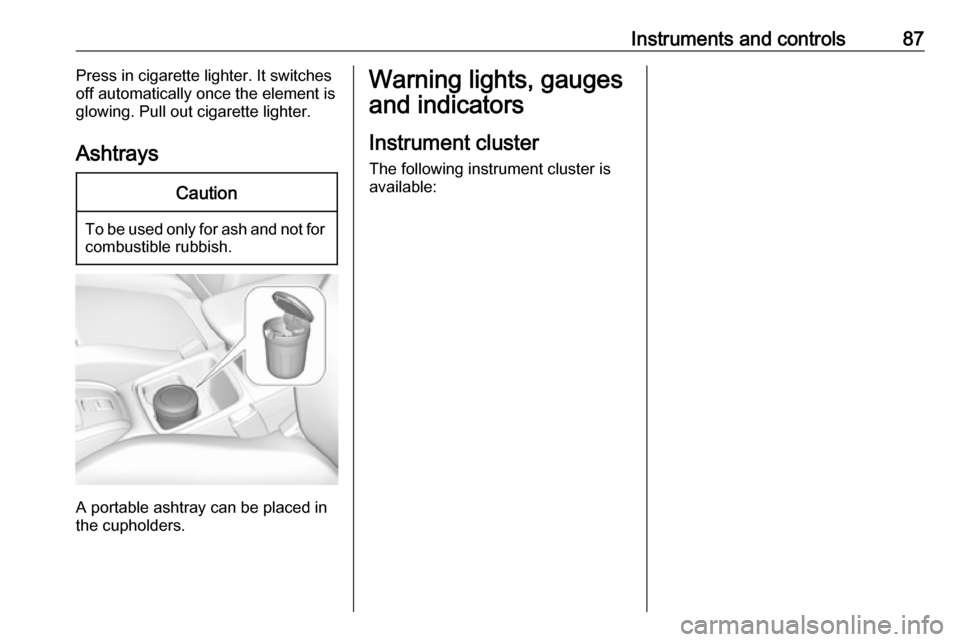
Cigarette lighter
The cigarette lighter is located behind
the storage cover. Press cover to open.
Page 89 of 271
Instruments and controls87Press in cigarette lighter. It switches
off automatically once the element is
glowing. Pull out cigarette lighter.
AshtraysCaution
To be used only for ash and not for combustible rubbish.
A portable ashtray can be placed in
the cupholders.
Warning lights, gauges
and indicators
Instrument cluster
The following instrument cluster is
available:
Page 91 of 271

Instruments and controls89OverviewOTurn signal 3 93XSeat belt reminder 3 93vAirbag and belt tensioners
3 94VAirbag deactivation 3 94pCharging system 3 94ZMalfunction indicator light
3 94HService vehicle soon 3 92STOPStop engine 3 95JSystem check 3 95RBrake and clutch system
3 95oElectric parking brake
3 95uAntilock brake system (ABS)
3 96RGear shifting 3 96)Lane departure warning
3 96LLane keep assist 3 96bElectronic Stability Control
and Traction Control system
3 96!Preheating 3 97%Diesel particle filter 3 97YAdBlue 3 97wDeflation detection system
3 97IEngine oil pressure 3 97Y oLow fuel 3 98W oEngine coolant temperature
high 3 96DAutostop 3 988Exterior light 3 989Low beam 3 98CHigh beam 3 98fHigh beam assist 3 98>Fog light 3 99øRear fog light 3 99
Speedometer
Indicates vehicle speed.
Page 94 of 271
92Instruments and controlsService displayThe service system informs when to
change the engine oil and filter or a
vehicle service is required. Based on
driving conditions, the interval at
which an engine oil and filter change
is required can vary considerably.
Service information 3 238.
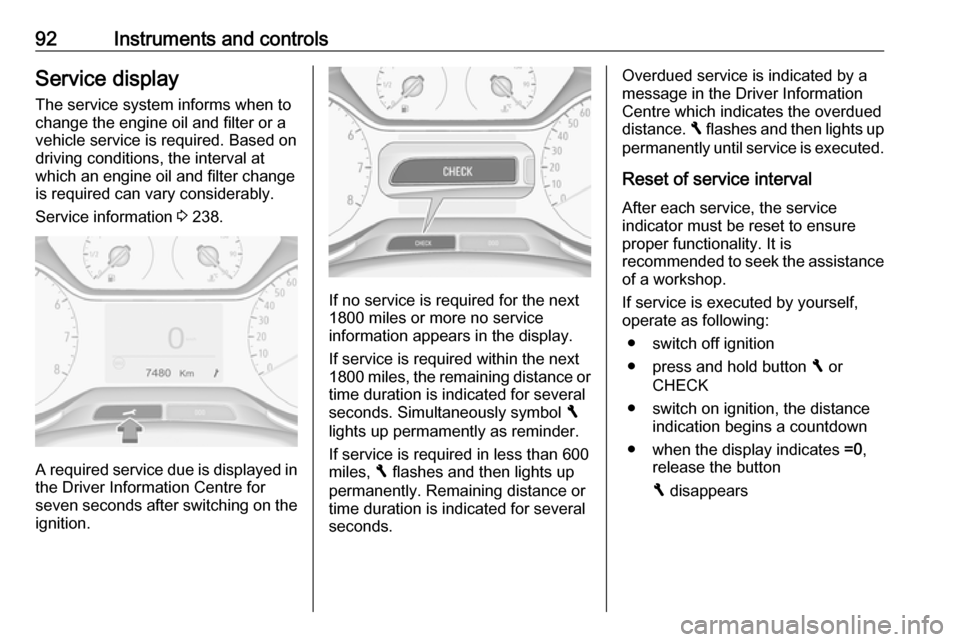
A required service due is displayed in
the Driver Information Centre forseven seconds after switching on the
ignition.
If no service is required for the next
1800 miles or more no service
information appears in the display.
If service is required within the next
1800 miles, the remaining distance or
time duration is indicated for several
seconds. Simultaneously symbol F
lights up permamently as reminder.
If service is required in less than 600 miles, F flashes and then lights up
permanently. Remaining distance or
time duration is indicated for several
seconds.
Overdued service is indicated by a
message in the Driver Information
Centre which indicates the overdued
distance. F flashes and then lights up
permanently until service is executed.
Reset of service interval
After each service, the service
indicator must be reset to ensure
proper functionality. It is
recommended to seek the assistance of a workshop.
If service is executed by yourself,
operate as following:
● switch off ignition
● press and hold button F or
CHECK
● switch on ignition, the distance indication begins a countdown
● when the display indicates =0,
release the button
F disappears