Screen VAUXHALL GRANDLAND X 2018 Infotainment system
[x] Cancel search | Manufacturer: VAUXHALL, Model Year: 2018, Model line: GRANDLAND X, Model: VAUXHALL GRANDLAND X 2018Pages: 127, PDF Size: 2.33 MB
Page 27 of 127

External devices27Caution
Avoid disconnecting the device
during playback. This may
damage the device or the
Infotainment system.
Bluetooth audio streaming
Streaming allows you to listen to
music from your smartphone.
For a detailed description on how to
establish a Bluetooth connection
3 45.
If audio playback does not start
automatically, it may be necessary to
start the playback on the smartphone.
First adjust the volume on your
smartphone (to a high level). Then
adjust the volume of Infotainment
system.
File formats
The audio equipment supports
different file formats.
Playing audio
Activating the music function
Connecting the USB or Bluetooth
device 3 26.
If device already connected, but
playback of stored music files not
active:
Press AUDIO , select SOURCES and
then select the respective source.
Playback of the audio tracks starts
automatically.Playback functions
Interrupting and resuming playback
Touch = to interrupt playback. The
screen button changes to l.
Touch l to resume playback.
Playing the previous or next track
Touch < or >.
Fast forwarding and rewinding
Touch and hold < or >. Release to
return to normal playback mode.
Alternatively, you can move the slider
showing the current track position to
the left or right.
Playing tracks randomly
Touch button repeatedly to toggle
between the available random
modes.
” : play tracks of currently selected
list (album, artist, etc.) in random
order.
æ : play all tracks stored on
connected device in random order.
Ý : play tracks of currently selected
list (album, artist, etc.) in normal
playback mode.
Page 28 of 127
28External devicesRepeating tracks
Touch button repeatedly to switch
repeat mode on or off.
– : repeat tracks of currently selected
list (album, artist, etc.).
Þ : play tracks of currently selected
list (album, artist, etc.) in normal
playback mode.
Browse music functions
(only available for devices connected via USB)
You can have your music files sorted
according to different criteria. Two
options are available for browsing the
music files stored on the connected
USB device.
Browsing via main menu
If you want to change the currently
active USB source, select
SOURCES and then select the
desired source. The respective main
menu is displayed.Select the button showing the
currently selected sorting criteria, e.g. Sort: Album or Sort: Artist , and then
select the desired new sorting criteria.
A sorting process is performed.
Select List and then select the desired
track.
Playback of the selected track is
started.
Browsing via device menu
Select OPTIONS and then select
Music files .
If you want to change the currently
active USB source, select Other.
Select the desired sorting criteria, e.g.
Albums or Artists , and then select the
desired track.
Playback of the selected track is started.
Displaying pictures You can view pictures stored on a
USB device.
Activating the picture viewer Connecting the USB device 3 26.If device already connected, but
picture viewer not active:
Press AUDIO , select OPTIONS and
then select Managing photos .
Select the desired picture.
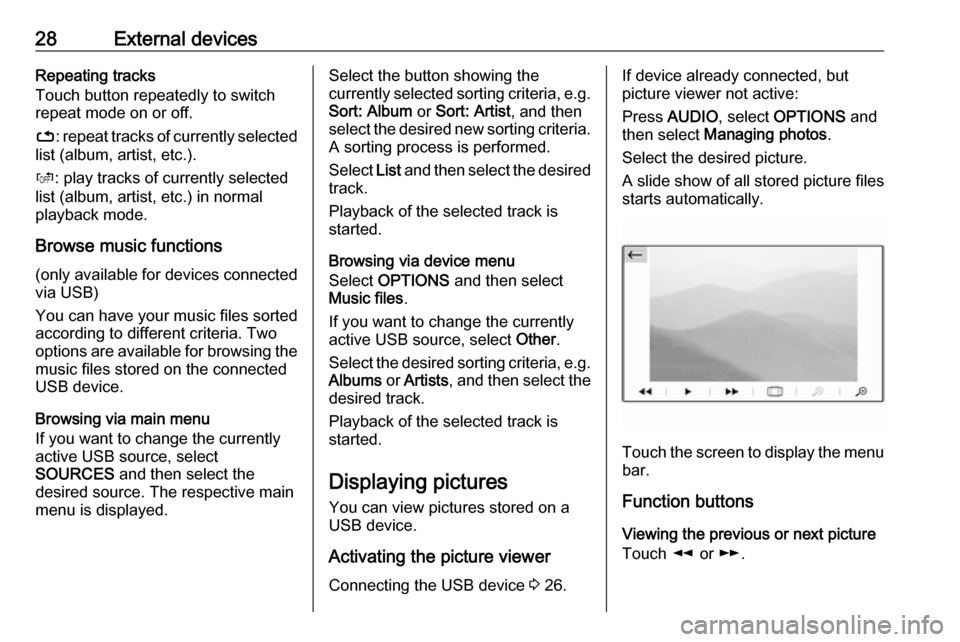
A slide show of all stored picture files
starts automatically.
Touch the screen to display the menu
bar.
Function buttons
Viewing the previous or next picture
Touch l or m.
Page 29 of 127

External devices29Starting or stopping a slide show
Select l to view the pictures stored
on the USB device in a slide show.
Touch / to end the slide show.
Using smartphone applications
Phone projection
The phone projection applications
Apple CarPlay and Android Auto
display selected apps from your
smartphone on the Infotainment
screen and allow their operation
directly via the Infotainment controls.
Check with the device's manufacturer if this function is compatible with your
smartphone and if this application is
available in the country you are in.
Preparing the smartphone
iPhone ®
: Make sure Siri ®
is activated
on your phone.
Android phone: Download the
Android Auto app to your phone from
the Google Play™ Store.Connecting the smartphoneiPhone
Connect the phone to the USB port 3 26.
If the phone is already connected via
Bluetooth, upon connecting to the
USB port and launching Apple
CarPlay , the Bluetooth connection
will disconnect.Android phone
Connect the phone via Bluetooth
3 45 and then connect the phone to
the USB port 3 26.
Starting phone projection
Press Ì and then touch CarPlay or
AndroidAuto .
The phone projection screen
displayed depends on your
smartphone and software version.
Returning to the Infotainment screen
Press, e.g., the AUDIO button on the
control panel.
Page 32 of 127
32Navigationmanoeuvre may be displayedadditionally.
● The arrival time and the remaining distance to the
destination is shown at the top
right of the map view.
Customise the map display
Map views
Three different map views are
available: North orientation , Vehicle
orientation and Perspective view .
Repeatedly touch û to toggle
between these map views.
Map colours
Depending on the external lighting
conditions, the colouring of the map
screen (light colours for the day and
dark colours for the night) can be
adapted.
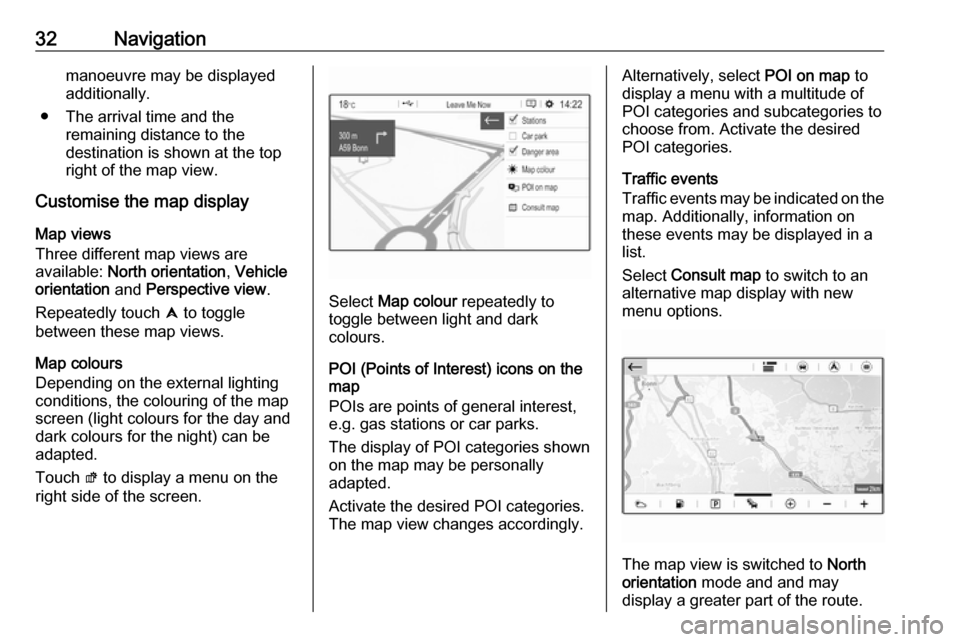
Touch ø to display a menu on the
right side of the screen.
Select Map colour repeatedly to
toggle between light and dark
colours.
POI (Points of Interest) icons on the
map
POIs are points of general interest,
e.g. gas stations or car parks.
The display of POI categories shown
on the map may be personally
adapted.
Activate the desired POI categories.
The map view changes accordingly.
Alternatively, select POI on map to
display a menu with a multitude of
POI categories and subcategories to
choose from. Activate the desired
POI categories.
Traffic events
Traffic events may be indicated on the
map. Additionally, information on
these events may be displayed in a
list.
Select Consult map to switch to an
alternative map display with new
menu options.
The map view is switched to North
orientation mode and and may
display a greater part of the route.
Page 33 of 127
Navigation33Touch the traffic jam icon to show
traffic events on the map. Touch Ï to
show a list with information on these
traffic events.
If you want to display a different map
section:
Touch õ to show the area around the
current location.
Touch ö to show the entire route.
Touch ÷ to show the area around the
destination.
To return to the default navigation
view, touch Ù.
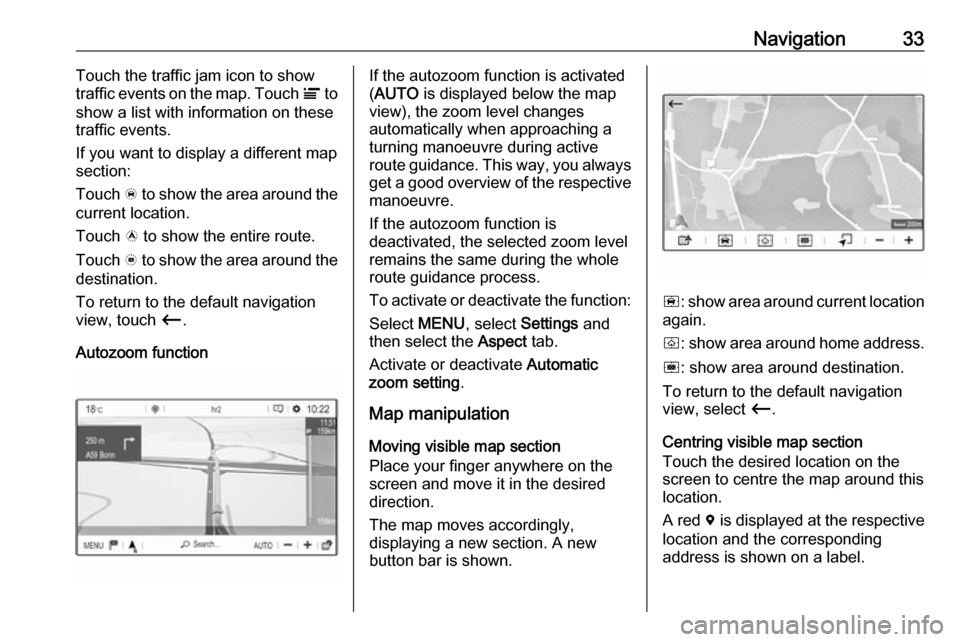
Autozoom functionIf the autozoom function is activated
( AUTO is displayed below the map
view), the zoom level changes
automatically when approaching a
turning manoeuvre during active
route guidance. This way, you always get a good overview of the respective
manoeuvre.
If the autozoom function is
deactivated, the selected zoom level
remains the same during the whole
route guidance process.
To activate or deactivate the function: Select MENU, select Settings and
then select the Aspect tab.
Activate or deactivate Automatic
zoom setting .
Map manipulation
Moving visible map section
Place your finger anywhere on the
screen and move it in the desired
direction.
The map moves accordingly,
displaying a new section. A new
button bar is shown.
ñ : show area around current location
again.
ò : show area around home address.
ó : show area around destination.
To return to the default navigation
view, select Ù.
Centring visible map section
Touch the desired location on the
screen to centre the map around this
location.
A red d is displayed at the respective
location and the corresponding
address is shown on a label.
Page 34 of 127
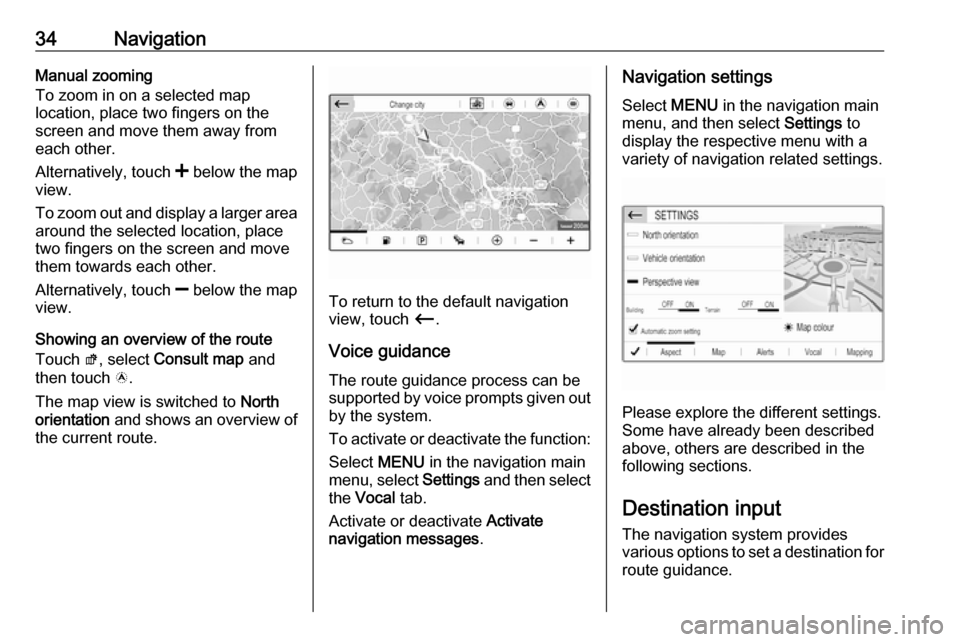
34NavigationManual zooming
To zoom in on a selected map
location, place two fingers on the
screen and move them away from
each other.
Alternatively, touch < below the map
view.
To zoom out and display a larger area around the selected location, place
two fingers on the screen and move
them towards each other.
Alternatively, touch ] below the map
view.
Showing an overview of the route
Touch ø, select Consult map and
then touch ö.
The map view is switched to North
orientation and shows an overview of
the current route.
To return to the default navigation
view, touch Ù.
Voice guidance
The route guidance process can be
supported by voice prompts given out by the system.
To activate or deactivate the function:
Select MENU in the navigation main
menu, select Settings and then select
the Vocal tab.
Activate or deactivate Activate
navigation messages .
Navigation settings
Select MENU in the navigation main
menu, and then select Settings to
display the respective menu with a variety of navigation related settings.
Please explore the different settings.
Some have already been described
above, others are described in the
following sections.
Destination input The navigation system provides
various options to set a destination for
route guidance.
Page 39 of 127
Navigation39
Notice
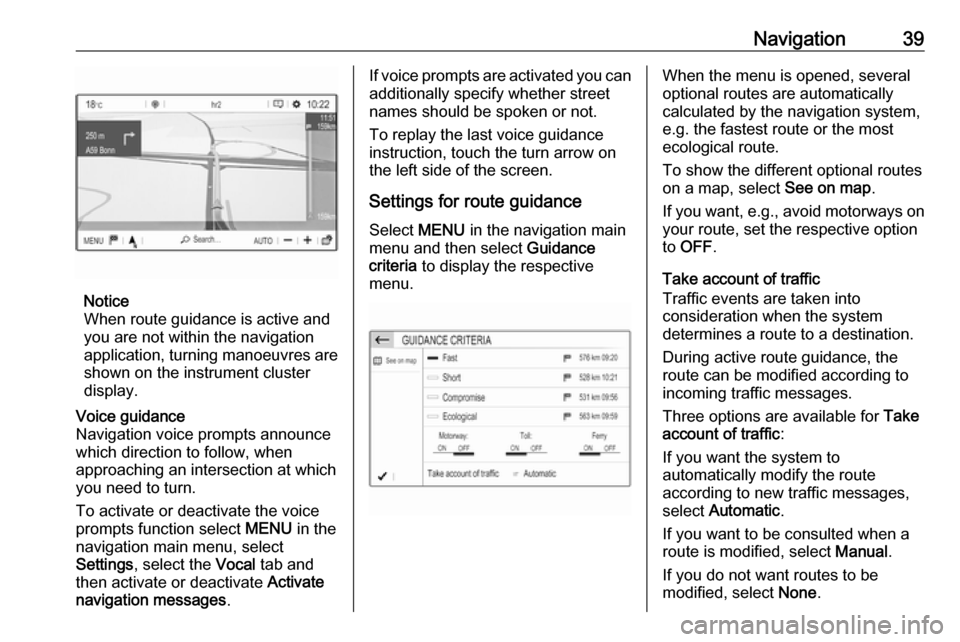
When route guidance is active and
you are not within the navigation
application, turning manoeuvres are shown on the instrument clusterdisplay.
Voice guidance
Navigation voice prompts announce
which direction to follow, when
approaching an intersection at which
you need to turn.
To activate or deactivate the voice
prompts function select MENU in the
navigation main menu, select
Settings , select the Vocal tab and
then activate or deactivate Activate
navigation messages .If voice prompts are activated you can
additionally specify whether street
names should be spoken or not.
To replay the last voice guidance
instruction, touch the turn arrow on
the left side of the screen.
Settings for route guidance
Select MENU in the navigation main
menu and then select Guidance
criteria to display the respective
menu.When the menu is opened, several
optional routes are automatically
calculated by the navigation system,
e.g. the fastest route or the most
ecological route.
To show the different optional routes
on a map, select See on map.
If you want, e.g., avoid motorways on
your route, set the respective option
to OFF .
Take account of traffic
Traffic events are taken into
consideration when the system
determines a route to a destination.
During active route guidance, the
route can be modified according to
incoming traffic messages.
Three options are available for Take
account of traffic :
If you want the system to
automatically modify the route
according to new traffic messages,
select Automatic .
If you want to be consulted when a
route is modified, select Manual.
If you do not want routes to be
modified, select None.
Page 40 of 127

40NavigationStarting, cancelling, resuming
route guidance
To start route guidance, enter or
select a destination address 3 34.
Depending on the situation, route
guidance may start automatically, or
you may have to follow some
instructions on the screen.
To cancel route guidance, select
MENU in the navigation main menu
and then select STOP NAVIGATION .
To resume a cancelled route
guidance, select MENU in the
navigation main menu and then
select RESUME GUIDANCE .
Turn list The next turning manoeuvre is
displayed on the left side of the
screen.
To display a list of all upcoming turns on the active route, select MENU in
the navigation main menu, select
Route / Waypoints and then select the
Route tab.
To display a turning manoeuvre on
the map, touch the turn arrow icon
next to the desired list entry. The map
jumps to the respective location on
the map.
To display the previous or next
turning manoeuvre on the map, touch < or >.
To avoid the route section currently
displayed on the map, touch þ.
If desired, further route sections may
be selected to be avoided.
Confirm your selection(s).
Page 43 of 127

Speech recognition43For best results:● Listen for the voice prompt and wait for the beep before saying a
command or replying.
● Say "Help" or read the example commands on the screen.
● The voice prompt can be interrupted by pressing w again.
● Wait for the beep and then speak
the command naturally, not too
fast, not too slow.
Voice pass-thru application
Activating speech recognition
Press and hold s on the steering
wheel until a speech recognition session is started.
Adjusting the volume of voice
prompts
Turn m on the control panel or press
volume button on the steering wheel
upwards (increase volume) À or
downwards (decrease volume) Á.
Deactivating speech recognition
Press v on the steering wheel. The
speech recognition session is ended.
Page 46 of 127

46PhoneConfirm the messages on the
Infotainment system and the Bluetooth device.
● If SSP (secure simple pairing) is not supported:
On the Infotainment system:
a message is displayed asking you to enter a PIN
code on your Bluetooth
device.
On the Bluetooth device:
enter the PIN code and
confirm your input.
5. Activate the functions you want the paired smartphone to performand confirm your settings. You
can change these Bluetooth
profile settings at any time, see
below.
The Infotainment system and the
device are paired.
6. The phone book is downloaded automatically to the Infotainment
system. Depending on the phone,
the Infotainment system must be
allowed access to the phone
book. If required, confirm themessages displayed on the
Bluetooth device.
If this function is not supported by the Bluetooth device, a
corresponding message is
displayed.
Operations on paired devices Press v, select OPTIONS and then
select Bluetooth connection .
A list of all paired devices is
displayed.
Changing the Bluetooth profile
settings
Touch † next to the desired paired
device.
Activate or deactivate the profile
settings as desired and confirm your
settings.
Connecting a paired device
Devices which are paired but not
connected are identified by —.
Select the desired device to connect
it.Disconnecting a device
The currently connected device is
identified by “.
Select the device to disconnect it.
Deleting a paired device
Touch e in the upper left corner of the
screen to display e icons next to each
paired device.
Touch e next to the Bluetooth device
you want to delete and confirm the displayed message.
Emergency call9 Warning
Connection setup cannot be
guaranteed in all situations.For this reason you should not rely
exclusively on a mobile phone