ABS VAUXHALL GRANDLAND X 2018 Owner's Manual
[x] Cancel search | Manufacturer: VAUXHALL, Model Year: 2018, Model line: GRANDLAND X, Model: VAUXHALL GRANDLAND X 2018Pages: 263, PDF Size: 7.41 MB
Page 80 of 263

78Instruments and controlsInstruments and
controlsControls ....................................... 79
Steering wheel adjustment ........79
Steering wheel controls .............79
Heated steering wheel ...............79
Horn ........................................... 80
Windscreen wiper/washer .........80
Rear window wiper/washer .......82
Outside temperature ..................82
Clock ......................................... 83
Power outlets ............................. 84
Inductive charging .....................85
Cigarette lighter ......................... 86
Ashtrays .................................... 86
Warning lights, gauges and indi‐ cators ........................................... 87
Instrument cluster ......................87
Speedometer ............................. 89
Odometer .................................. 90
Trip odometer ............................ 90
Tachometer ............................... 90
Fuel gauge ................................ 91
Engine coolant temperature gauge ....................................... 91
Service display .......................... 91Control indicators ......................92
Turn signal ................................. 93
Seat belt reminder .....................93
Airbag and belt tensioners .........93
Airbag deactivation ....................94
Charging system .......................94
Malfunction indicator light ..........94
Stop engine ............................... 94
System check ............................ 95
Brake and clutch system ...........95
Electric parking brake ................95
Electric parking brake fault ........95
Antilock brake system (ABS) .....95
Gear shifting .............................. 96
Lane departure warning ............96
Lane keep assist .......................96
Electronic Stability Control and Traction Control system ...........96
Engine coolant temperature ......96
Preheating ................................. 97
Diesel particle filter ....................97
AdBlue ....................................... 97
Deflation detection system ........97
Engine oil pressure ....................97
Low fuel ..................................... 98
Autostop .................................... 98
Exterior light .............................. 98
High beam ................................. 98
High beam assist .......................98
LED headlights .......................... 98Fog light..................................... 98
Rear fog light ............................. 98
Rain sensor ............................... 98
Cruise control ............................ 99
Adaptive cruise control ..............99
Vehicle detected ahead .............99
Speed limiter ............................. 99
Door open .................................. 99
Information displays .....................99
Driver Information Centre ..........99
Info display .............................. 101
Vehicle messages ......................103
Warning chimes .......................103
Battery voltage ........................ 104
Vehicle personalisation ..............104
Telematics service .....................108
OnStar ..................................... 108
Page 86 of 263
84Instruments and controls
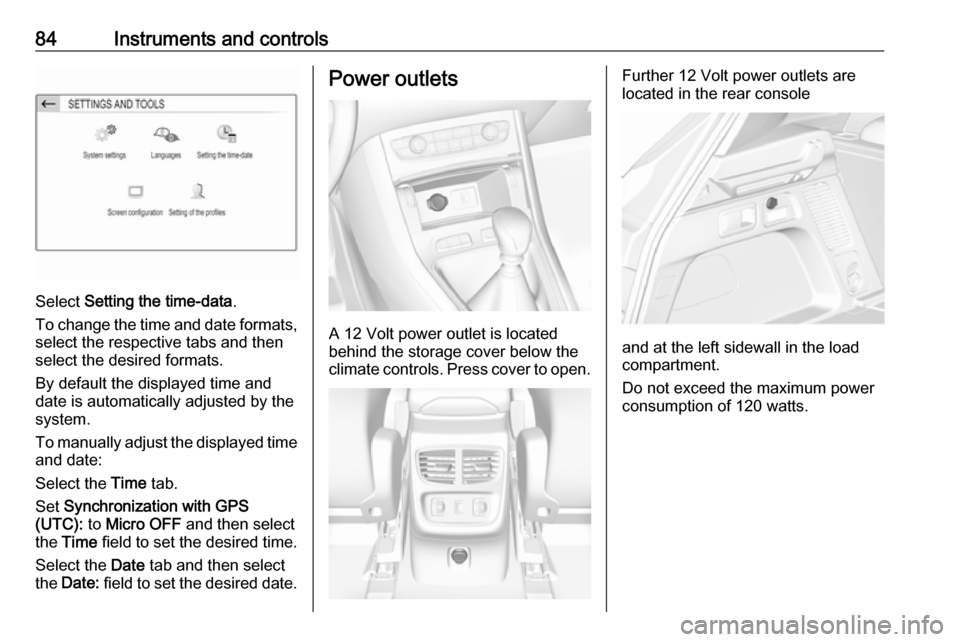
Select Setting the time-data .
To change the time and date formats, select the respective tabs and then
select the desired formats.
By default the displayed time and
date is automatically adjusted by the
system.
To manually adjust the displayed time
and date:
Select the Time tab.
Set Synchronization with GPS
(UTC): to Micro OFF and then select
the Time field to set the desired time.
Select the Date tab and then select
the Date: field to set the desired date.
Power outlets
A 12 Volt power outlet is located
behind the storage cover below the climate controls. Press cover to open.
Further 12 Volt power outlets are
located in the rear console
and at the left sidewall in the load
compartment.
Do not exceed the maximum power
consumption of 120 watts.
Page 91 of 263

Instruments and controls89OverviewOTurn signal 3 93XSeat belt reminder 3 93vAirbag and belt tensioners
3 93VAirbag deactivation 3 94pCharging system 3 94ZMalfunction indicator light
3 94HService vehicle soon 3 91STOPStop engine 3 94JSystem check 3 95RBrake and clutch system
3 95oElectric parking brake
3 95uAntilock brake system (ABS)
3 95RGear shifting 3 96)Lane departure warning
3 96LLane keep assist 3 96bElectronic Stability Control
and Traction Control system
3 96!Preheating 3 97%Diesel particle filter 3 97YAdBlue 3 97wDeflation detection system
3 97IEngine oil pressure 3 97Y oLow fuel 3 98W oEngine coolant temperature
high 3 96DAutostop 3 988Exterior light 3 989Low beam 3 112CHigh beam 3 98fHigh beam assist 3 98>Fog light 3 98øRear fog light 3 98
Active emergency braking
3 170,
Front pedestrian protection
3 173hDoor open 3 99
Speedometer
Page 97 of 263
Instruments and controls95Stop engine immediately and seek
the assistance of a workshop.
System check
J illuminates yellow or red.
Illuminates yellow
A minor engine fault has been
detected.
Illuminates red A major engine fault has been
detected.
Stop engine as soon as possible and seek the assistance of a workshop.
Brake and clutch system
R illuminates red.
The brake and clutch fluid level is too
low.9 Warning
Stop. Do not continue your
journey. Consult a workshop.
Electric parking brake
m illuminates or flashes red.
Illuminates
Electric parking brake is applied
3 151.
Flashes
Electric parking brake is not applied
automatically. The application or the
release are faulty.9 Warning
Have the cause of the fault
remedied immediately by a
workshop.
o illuminates yellow.
Illuminates
Automatic operation is deactivated or
faulty. Activate automatic operation
again or have the cause remedied by a workshop in the event of a fault.
Automatic operation 3 151.
Electric parking brake fault
E illuminates yellow.
Illuminates
Electric parking brake has a fault.
3 151.9 Warning
Have the cause of the fault
remedied immediately by a
workshop.
Antilock brake system
(ABS)
u illuminates yellow.
Illuminates for a few seconds after the ignition is switched on. The system is
ready for operation when the control
indicator extinguishes.
If the control indicator does not
extinguish after a few seconds, or if it illuminates while driving, there is a
fault in the ABS. The brake system
remains operational but without ABS
regulation.
Antilock brake system 3 150.
Page 113 of 263

Instruments and controls111Diagnostic report
The vehicle automatically transmits
diagnostic data to OnStar which
sends a monthly email report to you
and your preferred workshop.
Notice
The workshop notification function
can be disabled in your account.
The report contains the status of key
operating systems of the vehicle like
engine, transmission, airbags, ABS,
and other major systems. It also
provides information on possible
maintenance items and tyre pressure
(only with tyre pressure monitoring
system).
To look at the information in greater
detail, select the link within the email and log in to your account.
OnStar settings
OnStar PIN
To have full access to all OnStar
services, a four-digit PIN is required. The PIN has to be personalised when first talking to an advisor.
To change the PIN, press Z to call an
advisor.Account data
An OnStar subscriber has an account
where all the data is stored. To
request a change of the account
information, press Z and talk to an
advisor or log in to your account.
If the OnStar service is used on
another vehicle, press Z and request
that the account be transferred to the new vehicle.
Notice
In any case, if the vehicle is disposed
of, sold or otherwise transferred,
immediately inform OnStar about
the changes and terminate the
OnStar service on this vehicle.
Vehicle location
The vehicle location is transmitted to OnStar when service is requested or triggered. A message on the Info-
Display informs about this
transmission.
To activate or deactivate the
transmission of the vehicle location,
press and hold j until an audio
message is heard.The deactivation is indicated by the
status light flashing red and green for a short period of time and each time
the vehicle is started.
Notice
If the transmission of the vehicle
location is deactivated, some
services are no longer available.
Notice
The vehicle location always remains
accessible to OnStar in the case of
an emergency.
Find the privacy policy in your
account.
Software updates
OnStar may remotely carry out software updates without further
notice or consent. These updates are to enhance or maintain safety and
security or the operation of the
vehicle.
These updates may concern privacy
issues. Find the privacy policy in your
account.
Page 152 of 263
150Driving and operatingWhen clutch slip is detected for a
specific time, the engine power will be
reduced. A warning is displayed in the Driver Information Centre. Release
the clutch.Caution
It is not advisable to drive with the hand resting on the selector lever.
Gear shift indication 3 96.
Stop-start system 3 139.
Brakes
The brake system comprises two
independent brake circuits.
If a brake circuit fails, the vehicle can
still be braked using the other brake
circuit. However, braking effect is
achieved only when the brake pedal
is depressed firmly. Considerably
more force is needed for this. The
braking distance is extended. Seek
the assistance of a workshop before
continuing the journey.
When the engine is not running, the
support of the brake servo unit
disappears once the brake pedal has been depressed once or twice.
Braking effect is not reduced, but
braking requires significantly greater
force. It is especially important to bear this in mind when being towed.
Control indicator m 3 95.
Antilock brake system
Antilock brake system (ABS)
prevents the wheels from locking.ABS starts to regulate brake pressure as soon as a wheel shows a tendency to lock. The vehicle remains
steerable, even during hard braking.
ABS control is made apparent
through a pulse in the brake pedal
and the noise of the regulation
process.
For optimum braking, keep the brake
pedal fully depressed throughout the
braking process, despite the fact that
the pedal is pulsating. Do not reduce
the pressure on the pedal.
After starting off, the system performs
a self-test which may be audible.
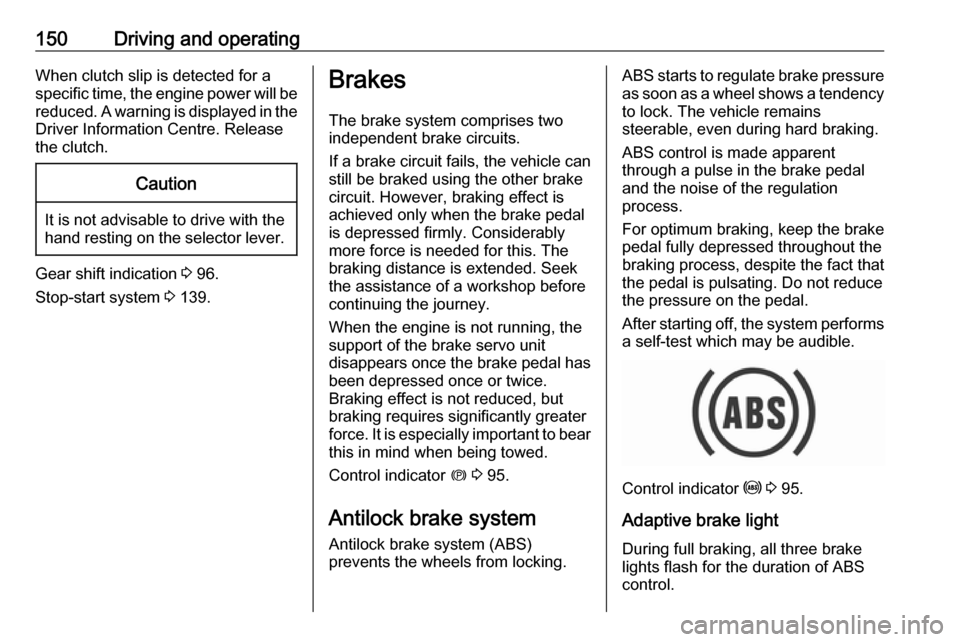
Control indicator u 3 95.
Adaptive brake light
During full braking, all three brake
lights flash for the duration of ABS
control.
Page 153 of 263
Driving and operating151Fault9Warning
If there is a fault in the ABS, the
wheels may be liable to lock due
to braking that is heavier than
normal. The advantages of ABS are no longer available. During
hard braking, the vehicle can no longer be steered and may
swerve.
Have the cause of the fault remedied
by a workshop.
Parking brake
9 Warning
Before leaving the vehicle, check
parking brake status. Control
indicator m must illuminate
constantly.
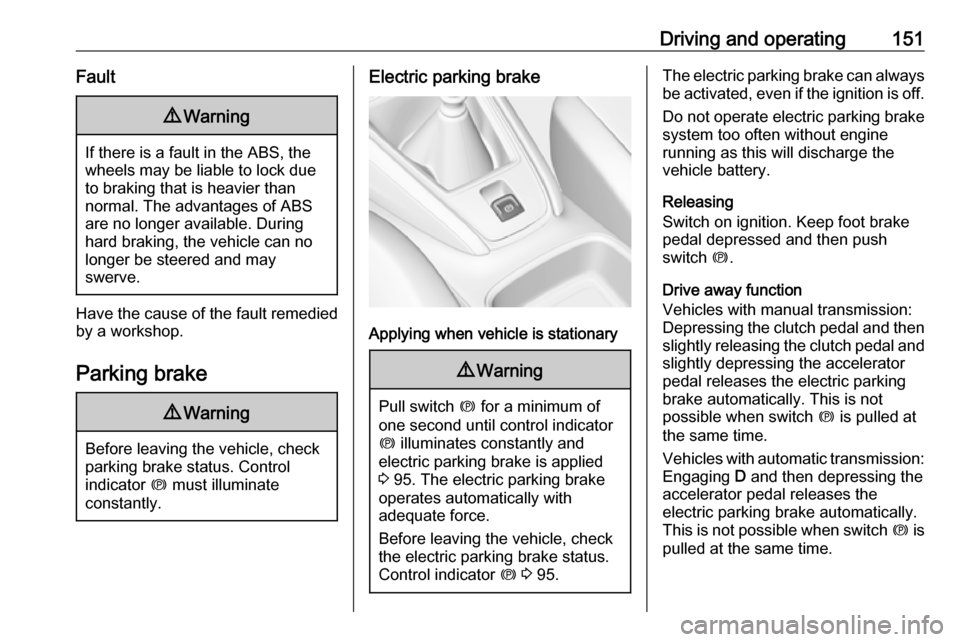
Electric parking brake
Applying when vehicle is stationary
9 Warning
Pull switch m for a minimum of
one second until control indicator
m illuminates constantly and
electric parking brake is applied
3 95. The electric parking brake
operates automatically with
adequate force.
Before leaving the vehicle, check
the electric parking brake status.
Control indicator m 3 95.
The electric parking brake can always
be activated, even if the ignition is off.
Do not operate electric parking brake
system too often without engine
running as this will discharge the vehicle battery.
Releasing
Switch on ignition. Keep foot brake
pedal depressed and then push
switch m.
Drive away function
Vehicles with manual transmission:
Depressing the clutch pedal and then
slightly releasing the clutch pedal and slightly depressing the accelerator
pedal releases the electric parking
brake automatically. This is not
possible when switch m is pulled at
the same time.
Vehicles with automatic transmission: Engaging D and then depressing the
accelerator pedal releases the
electric parking brake automatically.
This is not possible when switch m is
pulled at the same time.
Page 221 of 263
Vehicle care219If a tyre loses pressure the control
indicator w illuminates and a warning
message is displayed in the Driver
Information Centre.
In this case reduce speed, avoid
sharp cornering and strong braking.
Stop at next safe opportunity and
check tyre pressure.
Control indicator w 3 97.
After adjusting tyre pressure initialise
system to extinguish the control
indicator and restart system.Caution
Deflation detection system warns
just about low tyre pressure
condition and does not replace
regular tyre maintenance by the
driver.
In case of a system malfunction a
message is displayed in the Driver
Information Centre. Set correct tyre
pressure and reinitialise system. If the
failure continues to be displayed,
contact a workshop. The system is
inoperable when ABS or ESC has a
malfunction or a temporary spare
wheel is used. Once the road tyre has
been refitted, check the tyre pressure with cold tyres and initialise the
system.
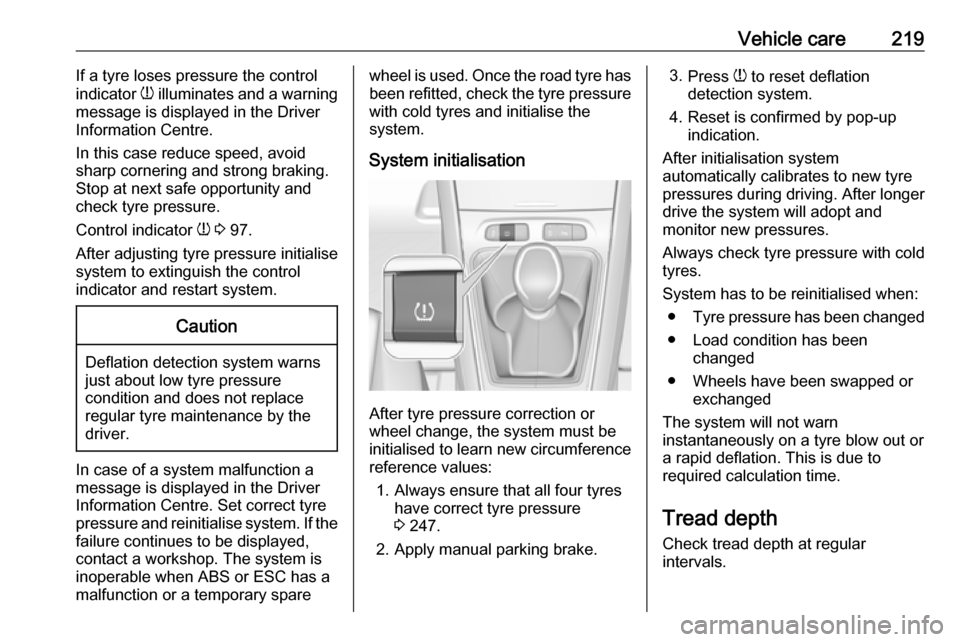
System initialisation
After tyre pressure correction or
wheel change, the system must be
initialised to learn new circumference reference values:
1. Always ensure that all four tyres have correct tyre pressure3 247.
2. Apply manual parking brake.
3. Press w to reset deflation
detection system.
4. Reset is confirmed by pop-up indication.
After initialisation system
automatically calibrates to new tyre
pressures during driving. After longer
drive the system will adopt and
monitor new pressures.
Always check tyre pressure with cold
tyres.
System has to be reinitialised when: ● Tyre pressure has been changed
● Load condition has been changed
● Wheels have been swapped or exchanged
The system will not warn instantaneously on a tyre blow out or
a rapid deflation. This is due to
required calculation time.
Tread depthCheck tread depth at regular
intervals.
Page 233 of 263

Vehicle care231Screw in the towing eye as far as it will
go until it stops in a horizontal
position.
The lashing eye at the rear
underneath the vehicle must never be used as a towing eye.
Attach a tow rope – or better still a tow
rod – to the towing eye.
The towing eye must only be used for
towing and not for recovering a
vehicle.Caution
Drive slowly. Do not drive jerkily.
Excessive tractive force can
damage the vehicle.
After towing, unscrew the towing eye.
Insert cap with the upper flange into
the recess and fix cap by pushing.
Appearance care
Exterior care LocksThe locks are lubricated at the factoryusing a high quality lock cylinder
grease. Use a de-icing agent only
when absolutely necessary, as this
has a degreasing effect and impairs
lock function. After using a de-icing
agent, have the locks regreased by a
workshop.
WashingThe paintwork of your vehicle is
exposed to environmental influences.
Wash and wax your vehicle regularly.
When using automatic vehicle
washes, select a programme that
includes waxing.
Bird droppings, dead insects, resin,
pollen and the like should be cleaned
off immediately, as they contain
aggressive constituents which can
cause paint damage.If using a vehicle wash, comply with
the vehicle wash manufacturer's instructions. The windscreen wiperand rear window wiper must be
switched off. Remove antenna and
external accessories such as roof
racks etc.
If you wash your vehicle by hand,
make sure that the insides of the
wheel housings are also thoroughly
rinsed out.
Wax painted parts of the vehicle regularly.
Clean edges and folds on opened
doors and the bonnet as well as the
areas they cover.
Clean bright metal mouldings with a
cleaning solution approved for
aluminium to avoid damages.Caution
Always use a cleaning agent with
a pH value of four to nine.
Do not use cleaning agents on hot surfaces.
Page 239 of 263

Service and maintenance237Washer fluidUse only washer fluid approved for
the vehicle to prevent damage of
wiper blades, paintwork, plastic and
rubber parts. Consult a workshop.
Brake and clutch fluid Over time, brake fluid absorbs
moisture which will reduce braking
effectiveness. The brake fluid should
therefore be replaced at the specified
interval.
AdBlue Only use AdBlue to reduce the
nitrogen oxides in the exhaust
emission 3 143.