Sump VAUXHALL GRANDLAND X 2018 Owner's Manual
[x] Cancel search | Manufacturer: VAUXHALL, Model Year: 2018, Model line: GRANDLAND X, Model: VAUXHALL GRANDLAND X 2018Pages: 263, PDF Size: 7.41 MB
Page 86 of 263
84Instruments and controls
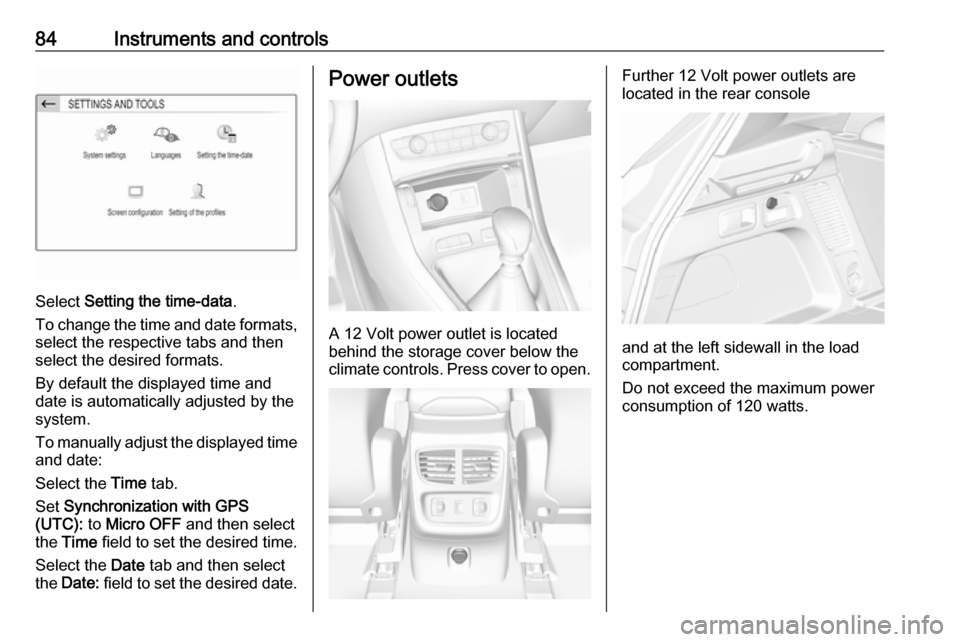
Select Setting the time-data .
To change the time and date formats, select the respective tabs and then
select the desired formats.
By default the displayed time and
date is automatically adjusted by the
system.
To manually adjust the displayed time
and date:
Select the Time tab.
Set Synchronization with GPS
(UTC): to Micro OFF and then select
the Time field to set the desired time.
Select the Date tab and then select
the Date: field to set the desired date.
Power outlets
A 12 Volt power outlet is located
behind the storage cover below the climate controls. Press cover to open.
Further 12 Volt power outlets are
located in the rear console
and at the left sidewall in the load
compartment.
Do not exceed the maximum power
consumption of 120 watts.
Page 87 of 263
Instruments and controls85
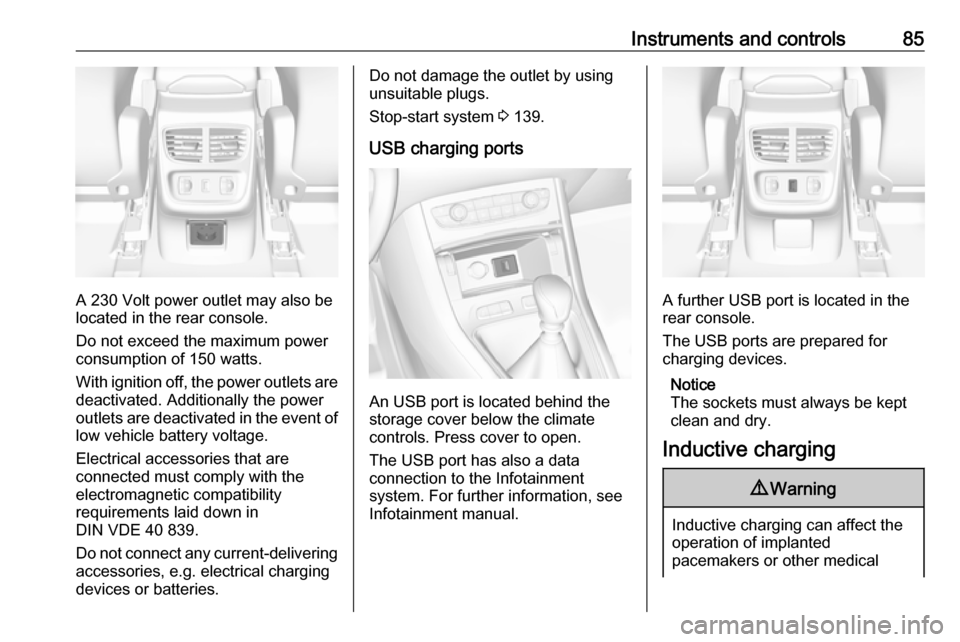
A 230 Volt power outlet may also be
located in the rear console.
Do not exceed the maximum power
consumption of 150 watts.
With ignition off, the power outlets are
deactivated. Additionally the power
outlets are deactivated in the event of
low vehicle battery voltage.
Electrical accessories that are
connected must comply with the
electromagnetic compatibility
requirements laid down in
DIN VDE 40 839.
Do not connect any current-delivering
accessories, e.g. electrical charging
devices or batteries.
Do not damage the outlet by using
unsuitable plugs.
Stop-start system 3 139.
USB charging ports
An USB port is located behind the
storage cover below the climate
controls. Press cover to open.
The USB port has also a data
connection to the Infotainment
system. For further information, see
Infotainment manual.
A further USB port is located in the
rear console.
The USB ports are prepared for
charging devices.
Notice
The sockets must always be kept
clean and dry.
Inductive charging
9 Warning
Inductive charging can affect the
operation of implanted
pacemakers or other medical
Page 102 of 263
100Instruments and controls
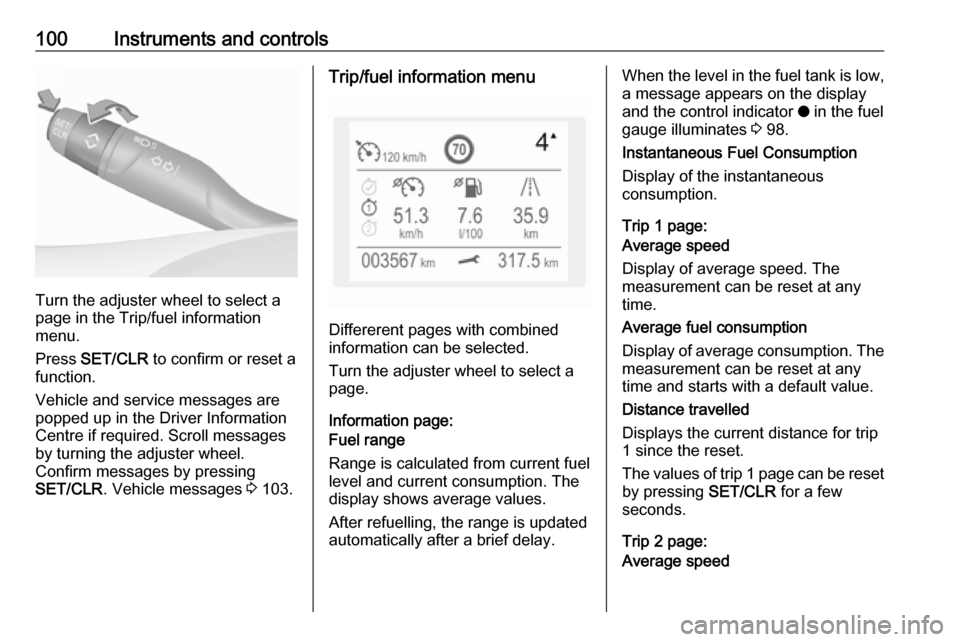
Turn the adjuster wheel to select a
page in the Trip/fuel information
menu.
Press SET/CLR to confirm or reset a
function.
Vehicle and service messages are
popped up in the Driver Information
Centre if required. Scroll messages
by turning the adjuster wheel.
Confirm messages by pressing
SET/CLR . Vehicle messages 3 103.
Trip/fuel information menu
Differerent pages with combined
information can be selected.
Turn the adjuster wheel to select a
page.
Information page:
Fuel range
Range is calculated from current fuel
level and current consumption. The
display shows average values.
After refuelling, the range is updated
automatically after a brief delay.
When the level in the fuel tank is low,
a message appears on the display
and the control indicator o in the fuel
gauge illuminates 3 98.
Instantaneous Fuel Consumption
Display of the instantaneous
consumption.
Trip 1 page:
Average speed
Display of average speed. The
measurement can be reset at any
time.
Average fuel consumption
Display of average consumption. The measurement can be reset at any
time and starts with a default value.
Distance travelled
Displays the current distance for trip
1 since the reset.
The values of trip 1 page can be reset
by pressing SET/CLR for a few
seconds.
Trip 2 page:
Average speed
Page 103 of 263
Instruments and controls101Display of average speed. The
measurement can be reset at any
time.
Average fuel consumption
Display of average consumption. The
measurement can be reset at any
time and starts with a default value.
Distance travelled
Displays the current distance for trip
2 since a certain reset.
The values of trip 2 page can be reset by pressing SET/CLR for a few
seconds.
Digital speed page
Digital display of the instantaneous
speed.
Stop and Start time counter
A time counter calculates the time
spent in STOP mode during a
journey. It resets to zero every time
the ignition is switched on.
Compass page
Displays the geographic direction of
driving.Blank page
No trip/fuel information is displayed.
Info display The Info-Display is located in the
instrument panel near the instrument
cluster.
Depending on the vehicle
configuration the vehicle has a
● Graphic-Info-Display
or
● 7'' Colour-Info-Display with
touchscreen functionality
or
● 8'' Colour-Info-Display with
touchscreen functionality
The Info displays can indicate: ● time 3 83
● outside temperature 3 82
● date 3 83
● Infotainment system, see description in the Infotainment
manual
● indication of rear view camera 3 187● indication of panoramic view
system 3 184
● indication of parking assist instructions 3 174
● navigation, see description in the
Infotainment manual
● vehicle and system messages 3 103
● settings for vehicle personalisation 3 104
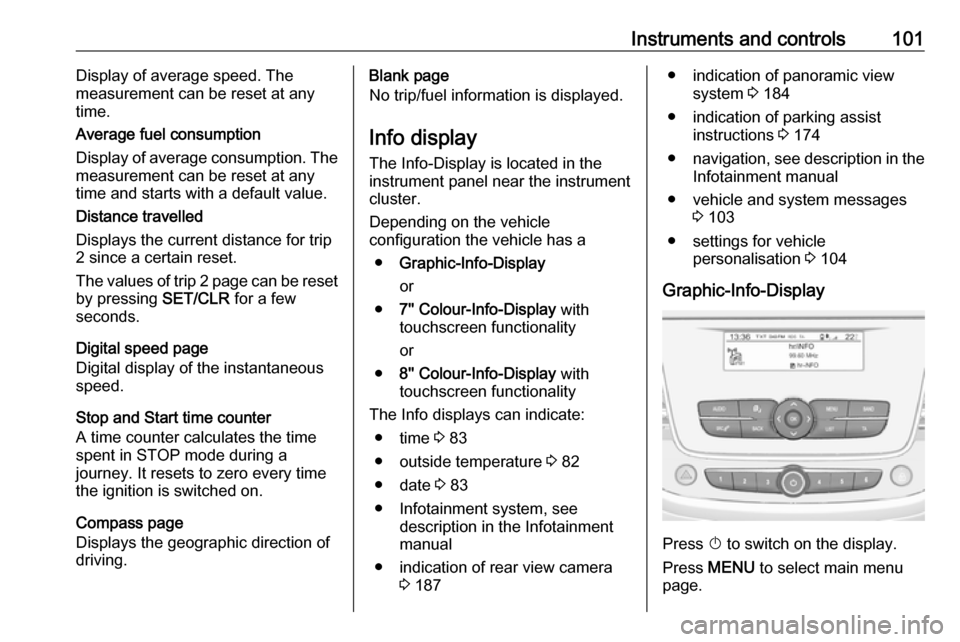
Graphic-Info-Display
Press X to switch on the display.
Press MENU to select main menu
page.
Page 107 of 263
Instruments and controls105Select ˆ Personalisation-
configuration , I OK .
Unit settings
Select Display configuration , I OK .
Select Choise of units , I OK .
Select desired settings, I OK .
Language settings
Select Display configuration , I OK .
Select Choise of language , I OK .
Select desired language, I OK .
Vehicle settings
Select Define vehicle parameters , I
OK .
In the corresponding submenus the
following settings can be changed:
● Lighting .
Follow me home headlamps :
Activation and setting duration
time.
Welcome lighting : Activation and
setting duration time.
● Comfort
Ambient lighting : Activation/
Deactivation.Rear wiper in reverse gear :
Activation/Deactivation.
● Vehicle
Unlocking boot only : Activation/
Deactivation.
Plip action : Driver/all doors.
● Driving assistance
Fatigue Detection system :
Activation/Deactivation.
Speed recommendation :
Activation/Deactivation.
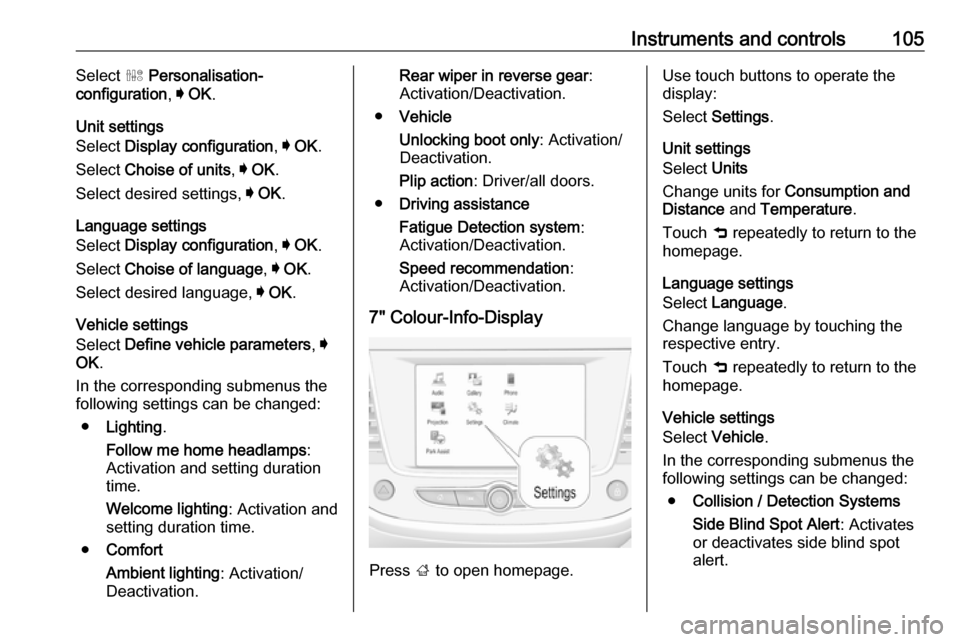
7" Colour-Info-Display
Press ; to open homepage.
Use touch buttons to operate the
display:
Select Settings .
Unit settings
Select Units
Change units for Consumption and
Distance and Temperature .
Touch 9 repeatedly to return to the
homepage.
Language settings
Select Language .
Change language by touching the respective entry.
Touch 9 repeatedly to return to the
homepage.
Vehicle settings
Select Vehicle .
In the corresponding submenus the
following settings can be changed:
● Collision / Detection Systems
Side Blind Spot Alert : Activates
or deactivates side blind spot
alert.
Page 108 of 263
106Instruments and controlsDrowsy Driver Alert: Activates or
deactivates the driver
drowsiness system.
Speed Limit Information :
Activates or deactivates the
speed limit information by traffic sign recognition.
Rear View Camera Guidelines :
Activates or deactivates the rear
view camera guidelines on the
Info display.
Forward Collision Alert : Activates
or deactivates the forward
collision alert, adjusts the alert
sensitivity.
● Comfort and Convenience
Auto Wipe in Reverse Gear :
Activates or deactivates
automatic switching on of the
rear window wiper when reverse
gear is engaged.
● Lighting
Ambient Lighting : Activates or
deactivates the ambient lighting
and adjusts its brightness.
Welcome Lighting : Activates or
deactivates and changes the
duration of welcome lighting.Exit Lighting : Activates or
deactivates and changes the
duration of exit lighting.
● Remote Lock, Unlock, Start
Remote Door Unlock : Changes
the configuration to unlock the
driver's door only or all doors
when pressing O on the remote
control.
Unlock boot only : Activates or
deactivates unlocking the tailgate only when pressing T on the
remote control.
Touch 9 repeatedly to return to the
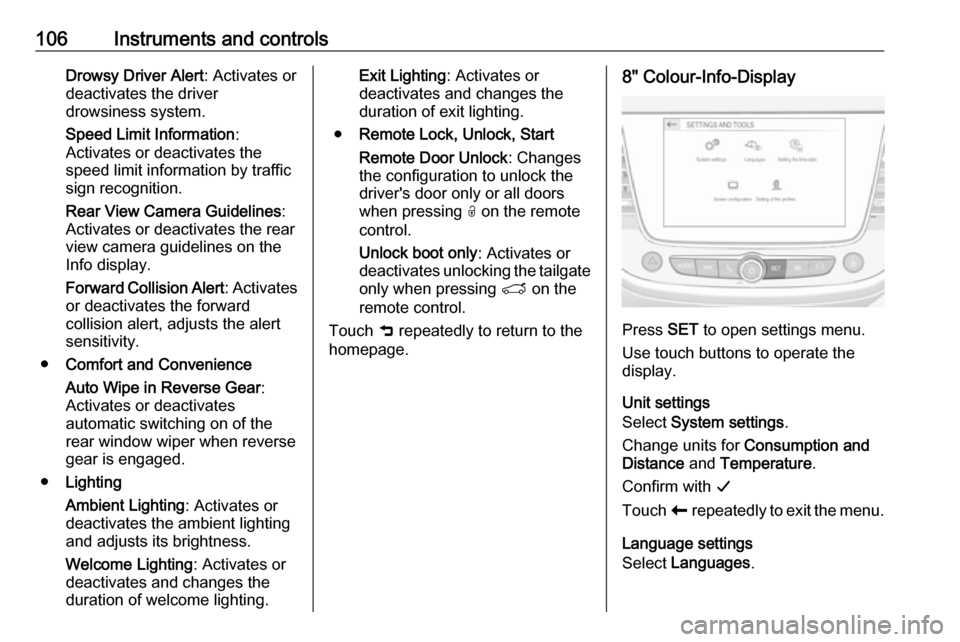
homepage.8" Colour-Info-Display
Press SET to open settings menu.
Use touch buttons to operate the
display.
Unit settings
Select System settings .
Change units for Consumption and
Distance and Temperature .
Confirm with G
Touch r repeatedly to exit the menu.
Language settings
Select Languages .
Page 135 of 263

Driving and operating133Driving and
operatingDriving hints ............................... 134
Control of the vehicle ...............134
Steering ................................... 134
Starting and operating ...............134
New vehicle running-in ............134
Ignition switch positions ...........134
Power button ........................... 135
Power saving mode .................136
Starting the engine ..................137
Overrun cut-off ........................ 138
Stop-start system ....................139
Parking .................................... 141
Engine exhaust .......................... 142
Diesel particle filter ..................142
Catalytic converter ...................143
AdBlue ..................................... 143
Automatic transmission ..............146
Transmission display ...............146
Selector lever .......................... 147
Manual mode ........................... 148
Electronic driving programmes 148
Fault ........................................ 148
Interruption of power supply ....149Manual transmission ..................149
Brakes ........................................ 150
Antilock brake system .............150
Parking brake .......................... 151
Brake assist ............................. 153
Hill start assist ......................... 153
Ride control systems .................153
Electronic Stability Control and Traction Control system .........153
Selective ride control ...............155
Sport mode .............................. 157
Driver assistance systems .........158
Cruise control .......................... 158
Speed limiter ........................... 160
Adaptive cruise control ............162
Forward collision alert .............169
Active emergency braking .......170
Front pedestrian protection .....173
Parking assist .......................... 174
Advanced parking assist .........177
Side blind spot alert .................182
Panoramic view system ...........184
Rear view camera ...................187
Lane departure warning ..........188
Lane keep assist .....................190
Driver alert ............................... 192
Fuel ............................................ 193
Fuel for petrol engines .............193
Fuel for diesel engines ............194Refuelling ................................ 195
Fuel consumption - CO 2-
Emissions .............................. 196
Trailer hitch ................................ 197
General information .................197
Driving characteristics and towing tips .............................. 197
Trailer towing ........................... 197
Towing equipment ...................198
Trailer stability assist ...............200
Page 136 of 263

134Driving and operatingDriving hints
Control of the vehicle
Never coast with engine not
running
Many systems will not function in this situation ( e.g. brake servo unit, power
steering). Driving in this manner is a
danger to yourself and others.
All systems function during an
Autostop.
Stop-start system 3 139.
Idle boost
If charging of the vehicle battery is
required due to battery condition, the
power output of the generator must
be increased. This will be achieved by an idle boost which may be audible.
A message appears in the Driver
Information Centre.
Pedals
To ensure the pedal travel is
uninhibited, there must be no mats in
the area of the pedals.Use only floor mats, which fit properly and are fixed by the retainers on the
driver side.
Steering If power steering assist is lost
because the engine stops or due to a system malfunction, the vehicle can
be steered but may require increased
effort.Starting and operating
New vehicle running-in Do not brake unnecessarily hard for
the first few journeys.
During the first drive, smoke may
occur because of wax and oil
evaporating off the exhaust system.
Park the vehicle in the open for a
while after the first drive and avoid
inhaling the fumes.
During the running-in period, fuel and engine oil consumption may be
higher.
Additionally, the cleaning process of
the diesel particle filter may take
place more often.
Diesel particle filter 3 142.
Autostop may be inhibited to allow
charging of the vehicle battery.
Ignition switch positions Turn key:
Page 145 of 263
Driving and operating143Catalytic converter
The catalytic converter reduces the
amount of harmful substances in the
exhaust gases.Caution
Fuel grades other than those listed on pages 3 193, 3 243 could
damage the catalytic converter or
electronic components.
Unburnt petrol will overheat and
damage the catalytic converter.
Therefore avoid excessive use of the starter, running the fuel tank
dry and starting the engine by
pushing or towing.
In the event of misfiring, uneven
engine running, a reduction in engine performance or other unusual
problems, have the cause of the fault
rectified by a workshop as soon as
possible. In an emergency, driving
can be continued for a short period,
keeping vehicle speed and engine
speed low.
AdBlue
General information
The selective catalytic reduction
(BlueInjection) is a method to
substantially reduce the nitrogen
oxides in the exhaust emission. This
is achieved by injecting a Diesel
Exhaust Fluid (DEF) into the exhaust
system. The ammonia released by
the fluid reacts with nitrous gases
(NO x) from the exhaust and turns it
into nitrogen and water.
The designation of this fluid is
AdBlue ®
. It is a non-toxic, non-
flammable, colourless and odourless
fluid which consists of 32% urea and
68% water.9 Warning
Avoid contact of your eyes or skin
with AdBlue.
In case of eye or skin contact,
rinse off with water.
Caution
Avoid contact of the paintwork with AdBlue.
In case of contact, rinse off with water.
AdBlue freezes at a temperature of
approx. -11 °C. As the vehicle is
equipped with an AdBlue pre-heater,
the emissions reduction at low
temperatures is ensured. The AdBlue
pre-heater works automatically.
The typical AdBlue consumption is
approx. 0.85 l per 600 miles, but can
also be higher depending on driving
behaviour (e.g. high load or towing).
AdBlue tank
At a remaining volume of approx. five litres, there is a liquid level switch.
Warning messages are displayed
only below that threshold. Tank
volume 3 245.
Page 195 of 263
Driving and operating193System limitationsIn the following situations, the system
may not operate properly or even not operate at all:
● Poor visibility caused by inadequate lighting of the
roadway, falling snow, heavy
rain, dense fog etc.
● Dazzle caused by headlamps of an oncoming vehicles, low sun,
reflections on damp roads,
leaving a tunnel, alternating
shade and light etc.
● Windscreen area in front of the camera covered by dirt, snow,
stickers etc.
● No lane markings detected or multiple lane markings due to
roadworks
● Close vehicles ahead
● Winding roads or narrow roadsFuel
Fuel for petrol engines
Only use unleaded fuel that complies
with European standard EN 228 or
E DIN 51626-1 or equivalent.
The engine is capable of running with fuel that contains up to 10% ethanol
(e.g. named E10).
Use fuel with the recommended
octane rating. A lower octane rating can reduce engine power and torque
and slightly increases fuel
consumption.Caution
Do not use fuel or fuel additives
that contain metallic compounds
such as manganese-based
additives. This may cause engine
damage.
Caution
Use of fuel that does not comply to EN 228 or E DIN 51626-1 or
equivalent can lead to deposits or
engine damage.
Caution
Use of fuel with a lower octane
rating than the lowest possible
rating could lead to uncontrolled combustion and engine damage.
The engine specific requirements
regarding octane rating are given in
the engine data overview 3 243. A
country-specific label at the fuel filler
flap can supersede the requirement.
Fuel additives outside Europe
Fuel should contain detergent
additives that help prevent engine
and fuel system deposits from
forming. Clean fuel injectors and
intake valves will allow the emission
control system to work properly.