overhead console VAUXHALL GRANDLAND X 2020 Owner's Manual
[x] Cancel search | Manufacturer: VAUXHALL, Model Year: 2020, Model line: GRANDLAND X, Model: VAUXHALL GRANDLAND X 2020Pages: 283, PDF Size: 21.87 MB
Page 54 of 283
52Seats, restraintsSeat belts are designed to be used byonly one person at a time.
Child restraint system 3 61.
Periodically check all parts of the seat belt system for damage, soiling and
proper functionality.
Have damaged components
replaced. After an accident, have the
seat belts and triggered seat belt
pretensioners replaced by a
workshop.
Notice
Make sure that the seat belts are
neither damaged by shoes or sharp-
edged objects nor trapped. Prevent
dirt from getting into the seat belt
retractors.
Seat belt reminder
Each seat is equipped with a seat belt reminder, indicated by a control
indicator X for the respective seat in
the overhead console.
Seat belt reminder 3 93.Seat belt force limiters
Stress on the body is reduced by the
gradual release of the seat belt during
a collision.
Seat belt pretensioners In the event of a head-on, rear-end or
side-on collision of a certain severity,
the front seat belts and the outer rear
seat belts are tightened by seat belt
pretensioners.9 Warning
Incorrect handling ( e.g. removal or
fitting of seat belts) can trigger the
seat belt pretensioners.
Deployment of the seat belt
pretensioners is indicated by
continuous illumination of control
indicator v.
Airbag and seat belt
pretensioners 3 93
Triggered seat belt pretensioners
must be replaced by a workshop.
Seat belt pretensioners can only be
triggered once.
Notice
Do not affix or install accessories or
other objects that may interfere with
the operation of the seat belt
pretensioners. Do not make any
modifications to seat belt
pretensioner components as this will
invalidate the vehicle operating
permit.
Three-point seat belt
Fasten
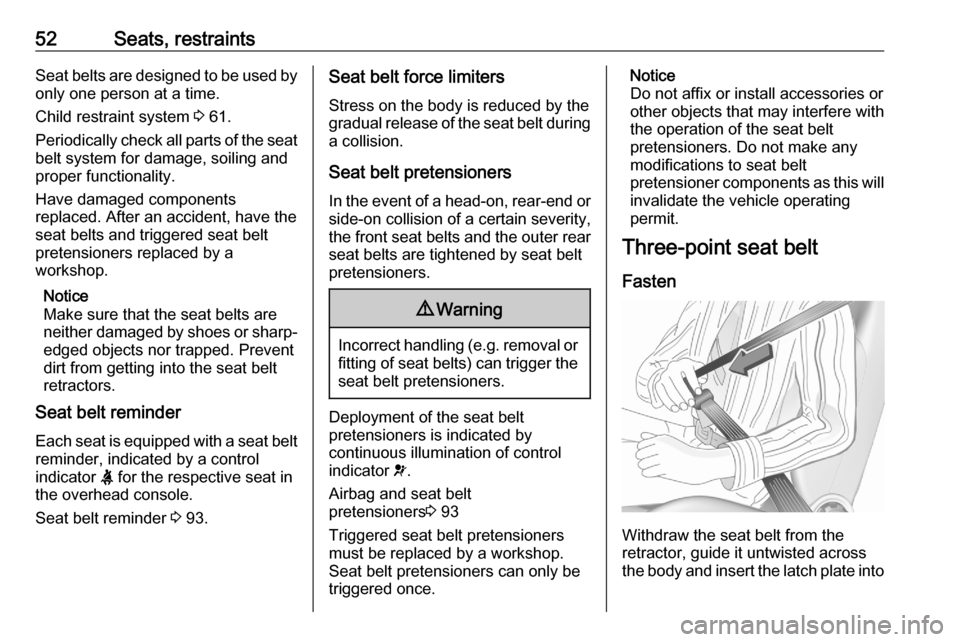
Withdraw the seat belt from the
retractor, guide it untwisted across
the body and insert the latch plate into
Page 112 of 283
110Instruments and controlsDriver's attention warning:
Activates or deactivates the
driver drowsiness system.
Rear wiper in reverse : Activates
or deactivates automatic
switching on of the rear window
wiper when reverse gear is
engaged.
● Driving lighting
Directional headlamps : Activates
or deactivates the function.
● Comfort lighting
Guide-me-home lighting :
Activates or deactivates the
function and adjusts its duration.
Welcome lighting : Activates or
deactivates the function and
adjusts its duration.
Mood lighting : Adjusts the
brightness of the ambient
lighting.Driving functions
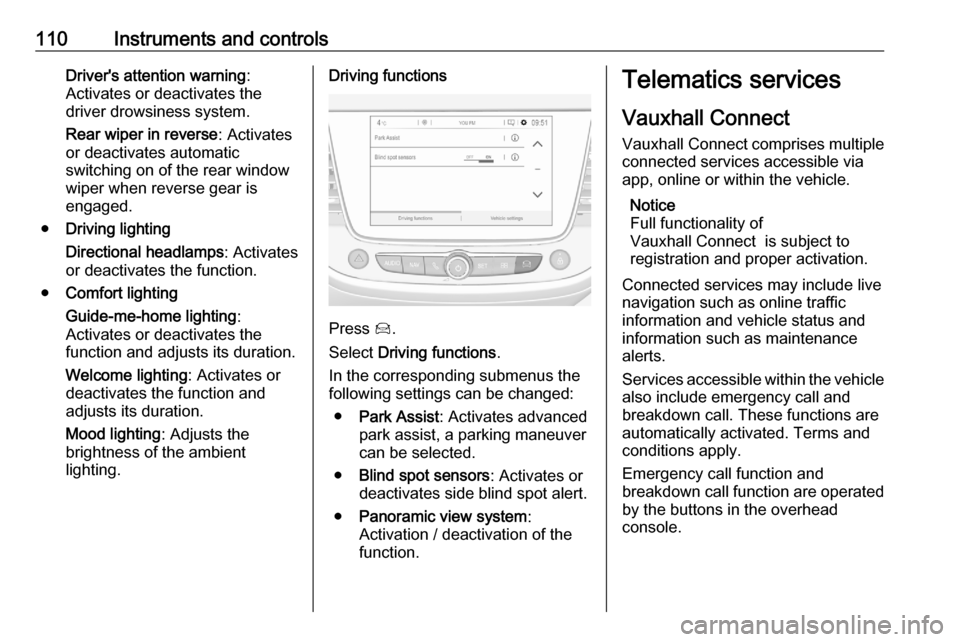
Press Í.
Select Driving functions .
In the corresponding submenus the
following settings can be changed:
● Park Assist : Activates advanced
park assist, a parking maneuver can be selected.
● Blind spot sensors : Activates or
deactivates side blind spot alert.
● Panoramic view system :
Activation / deactivation of the
function.
Telematics services
Vauxhall Connect
Vauxhall Connect comprises multiple
connected services accessible via
app, online or within the vehicle.
Notice
Full functionality of
Vauxhall Connect is subject to
registration and proper activation.
Connected services may include live
navigation such as online traffic
information and vehicle status and
information such as maintenance
alerts.
Services accessible within the vehicle also include emergency call and
breakdown call. These functions are
automatically activated. Terms and
conditions apply.
Emergency call function and
breakdown call function are operated
by the buttons in the overhead
console.
Page 113 of 283

Instruments and controls111Status LED in the overhead
console
Illuminates green and red and
extinguishes after a short time, when
the ignition is switched on: the system works properly.
Illuminates red: fault in the system.
Contact a workshop.
Flashes red: backup battery needs
replacement. Contact a workshop.
Emergency call The emergency call function will
establish a connection to the nearest
public safety answering point (PSAP).
A minimum set of data including
vehicle and location information will
be sent to the PSAP.
Notice
Establishing an emergency call may
not be possible in areas without
sufficient network availability or due
to hardware damage during an
accident.
In case of an emergency, press the
red SOS button for more than
2 seconds . The LED flashes green toconfirm that a connection to the
nearest PSAP is being established.
The LED illuminates steadily as long
as the call is active.
Pressing the SOS button immediately
a second time will terminate the call.
The LED switches off.
Automatic crash notification
In case of an accident with airbag
deployment, an automatic
emergency call is established and an
automatic crash notification will be
transmitted to the next PSAP.
Breakdown call Pressing the . button for more than
2 seconds connects you to a roadside
assistance service provider.
For information about coverage and
scope of services of the roadside
assistance, please refer to the
Service and warranty booklet.
Privacy settings
Privacy settings of Vauxhall Connect
can be configured in your vehicle.
This will impact the set of data beingsent, e.g., in case a breakdown call is
triggered.The emergency call
function will not be impacted.
Change the privacy settings in the
vehicle by simultaneously pressing
the . button and the SOS button.
Versions with navigation system: privacy settings can also be changed
in the system settings menu.
Page 123 of 283

Lighting121Lighting features
Centre console lighting A spotlight integrated in the overheadconsole illuminates the centre
console when headlights are
switched on.
Entry lighting
Welcome lighting
Some or all of the following lights are
switched on for a short time by
unlocking the vehicle with the radio
remote control:
● headlights
● puddle lights
● interior lights
The number of activated lights
depends on the surrounding light
conditions.
The lighting switches off immediately
when the ignition is switched on.
Starting off 3 17.This function can be activated or
deactivated in the vehicle
personalisation.
Vehicle personalisation 3 107.
The following lights will additionally
switch on when the driver's door is
opened:
● illumination of some switches
● Driver Information Centre
● door pocket lights
Exit lighting The following lights are switched on
when the ignition is switched off:
● headlights
● interior lights
● centre console lighting
They will switch off automatically after
a delay. This function works only in
the dark.
Battery discharge protection
To prevent discharge of the vehicle
battery when the ignition is switched
off, some interior lights are switched
off automatically after some time.