climate control VAUXHALL INSIGNIA 2014.5 Owner's Manual
[x] Cancel search | Manufacturer: VAUXHALL, Model Year: 2014.5, Model line: INSIGNIA, Model: VAUXHALL INSIGNIA 2014.5Pages: 321, PDF Size: 8.98 MB
Page 3 of 321

Introduction.................................... 2
In brief ............................................ 6
Keys, doors and windows ............19
Seats, restraints ........................... 44
Storage ........................................ 69
Instruments and controls .............85
Lighting ...................................... 125
Climate control ........................... 137
Driving and operating .................151
Vehicle care ............................... 215
Service and maintenance ..........264
Technical data ........................... 267
Customer information ................309
Index .......................................... 314Contents
Page 13 of 321

In brief11
1Power windows .....................39
2 Central locking system ..........22
3 Exterior mirrors .....................36
4 Light switch ........................ 125
Headlight range
adjustment ......................... 127
Front/rear fog lights ............131
Instrument illumination .......133
5 Side air vents ...................... 148
6 Turn and lane-change
signals, headlight flash,
low/high beam, high beam
assist ................................... 131
Exit lighting ......................... 135
Parking lights ...................... 132
Buttons for Driver
Information Centre ..............110
7 Cruise control .....................173
Speed limiter ....................... 174
Adaptive cruise control .......175
Forward collision alert .........1838Instruments .......................... 99
Driver Information Centre .... 110
9 Buttons for Driver
Information Centre ..............110
10 Windscreen wiper and
washer, headlight washer,
rear wiper and washer .........87
11 Centre air vents .................. 148
12 Sport/Tour mode ................170
Traction Control system .....168
Electronic Stability Control . 169
Hazard warning flashers ....131
Parking assist/Advanced
parking aid ......................... 189
Lane departure warning .....203
13 Anti-theft alarm system
status LED ........................... 33
14 Colour-Info-Display ............117
15 Glovebox .............................. 69
Fuse box ............................ 23816Control indicator for airbag
activation/deactivation .......104
Control indicator for front
passenger seat belt ...........103
17 Controls for Colour-Info-
Display operation ................117
18 CD-slot
19 Climate control system ........ 137
20 Electric parking brake .........166
21 Touchpad ............................ 117
22 Manual transmission ..........164
Automatic transmission ......160
23 Storage ................................. 69
24 Eco button for stop-start
system ................................. 156
Fuel selector button ............101
25 Ignition/Power switch ..........152
26 Horn ..................................... 86
27 Steering wheel adjustment ..85
28 Bonnet release lever ..........217
29 Storage compartment ...........70
Page 17 of 321
In brief15Climate controlHeated rear window, heatedexterior mirrors
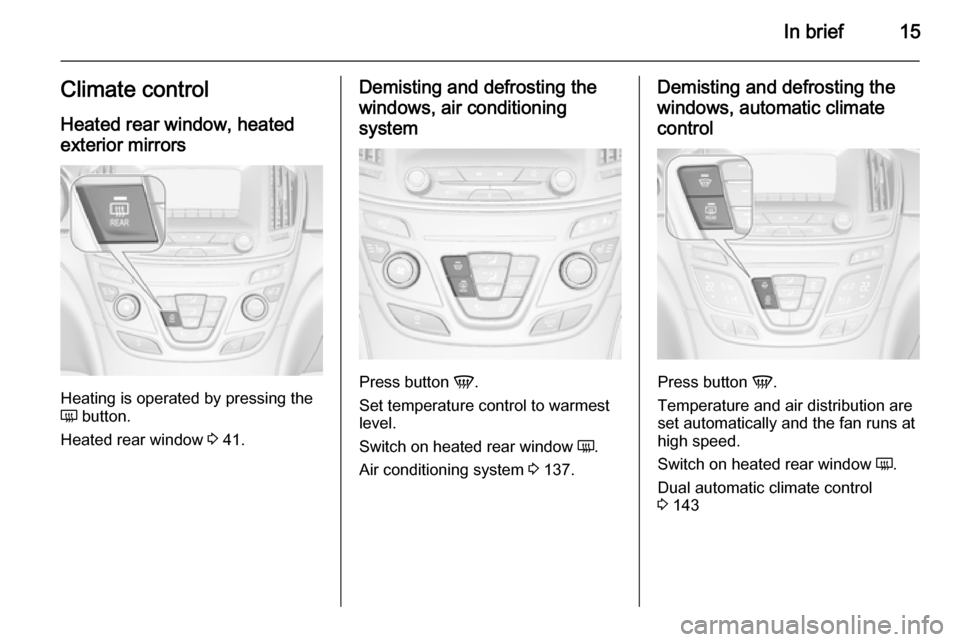
Heating is operated by pressing the
Ü button.
Heated rear window 3 41.
Demisting and defrosting the
windows, air conditioning
system
Press button V.
Set temperature control to warmest
level.
Switch on heated rear window Ü.
Air conditioning system 3 137.
Demisting and defrosting the
windows, automatic climate control
Press button V.
Temperature and air distribution are
set automatically and the fan runs at
high speed.
Switch on heated rear window Ü.
Dual automatic climate control
3 143
Page 24 of 321

22Keys, doors and windows
FaultIf the central locking cannot be
operated or the engine cannot be
started, the cause may be one of the
following:
■ Fault in electronic key
■ Electronic key out of reception range
■ Battery voltage too low,
■ Overload of the central locking system by operating at frequent
intervals, the power supply is
interrupted for a short time
■ Interference from higher-power radio waves from other sources.
To rectify the cause of the fault,
change the position of the electronic
key.
Manual unlocking 3 22.
Memorised settings Whenever the ignition is switched off,
the following settings are
automatically memorised by the
remote control unit or the electronic
key:■ Automatic climate control
■ Lighting
■ Infotainment system
■ Central locking system
■ Sport mode settings
■ Comfort settings
The saved settings are automatically
used the next time the ignition is
switched on with the memorised key
with remote control unit 3 152 or
electronic key 3 21.
A precondition is that Personalisation
by Driver is activated in the personal
settings of the Info-Display. This must
be set for each remote control unit or
electronic key which is used.
Also memorised are the adjustments
of the driver's seat and exterior
mirrors, independent of the memory
positions 3 49.
Power seat automatically moves into
the saved position when unlocking
and opening the driver's door with the
memorised remote control or
electronic key and Auto Memory
Recall in the Info-Display is activated.Vehicle personalisation 3 121.
Central locking system
Unlocks and locks doors, load
compartment and fuel filler flap.
A pull on an interior door handle
unlocks the respective door. Pulling
the handle once more opens the door.
Notice
In the event of an accident in which
airbags or belt pretensioners are
deployed, the vehicle is
automatically unlocked.
Notice
A short time after unlocking with the
remote control the doors are locked
automatically if no door has been
opened.
Page 72 of 321
70Storage
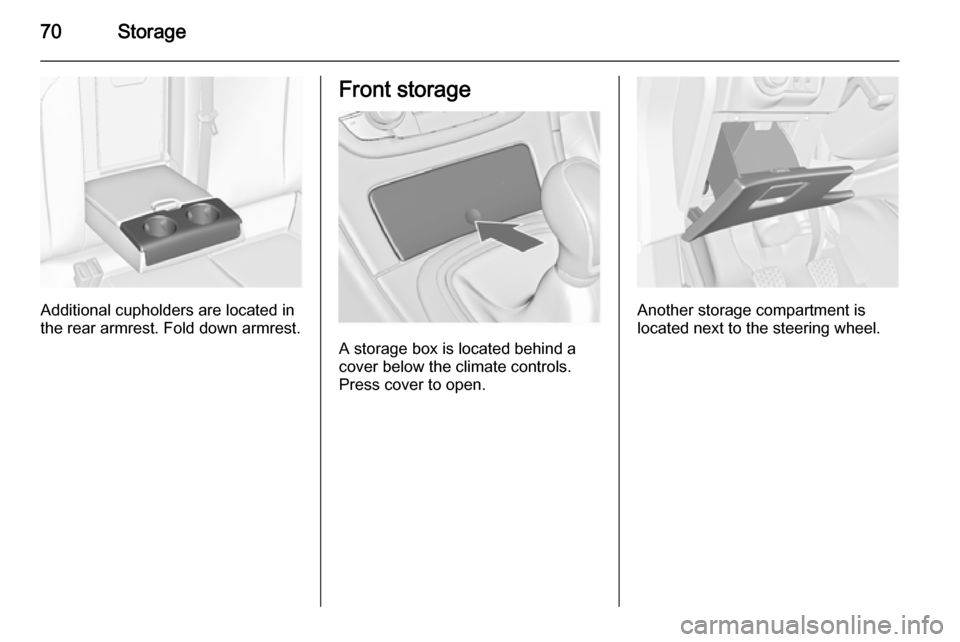
Additional cupholders are located in
the rear armrest. Fold down armrest.
Front storage
A storage box is located behind a
cover below the climate controls.
Press cover to open.
Another storage compartment is
located next to the steering wheel.
Page 93 of 321
Instruments and controls91
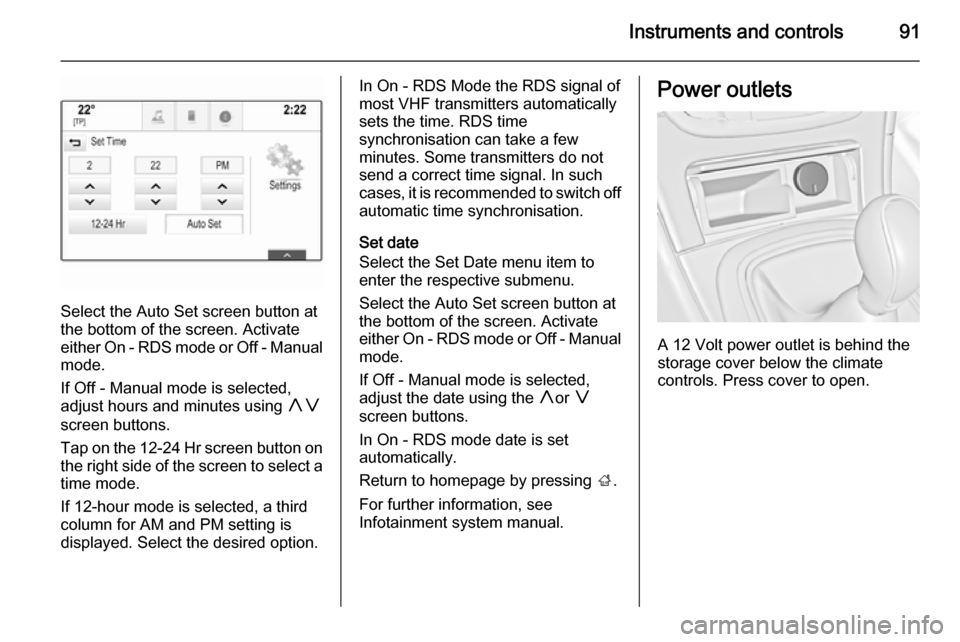
Select the Auto Set screen button at
the bottom of the screen. Activate
either On - RDS mode or Off - Manual
mode.
If Off - Manual mode is selected,
adjust hours and minutes using hg
screen buttons.
Tap on the 12-24 Hr screen button on the right side of the screen to select a
time mode.
If 12-hour mode is selected, a third column for AM and PM setting is
displayed. Select the desired option.
In On - RDS Mode the RDS signal of
most VHF transmitters automatically
sets the time. RDS time
synchronisation can take a few
minutes. Some transmitters do not
send a correct time signal. In such
cases, it is recommended to switch off automatic time synchronisation.
Set date
Select the Set Date menu item to
enter the respective submenu.
Select the Auto Set screen button at
the bottom of the screen. Activate
either On - RDS mode or Off - Manual
mode.
If Off - Manual mode is selected,
adjust the date using the hor g
screen buttons.
In On - RDS mode date is set
automatically.
Return to homepage by pressing ;.
For further information, see
Infotainment system manual.Power outlets
A 12 Volt power outlet is behind the
storage cover below the climate
controls. Press cover to open.
Page 124 of 321

122Instruments and controls
■Voice
■ Display
■ Rear Camera
■ Return to Factory Settings
■ Software Information
■ TouchPad
In the corresponding submenus the
following settings can be changed:
Time and Date
See Clock 3 90.
Sport Mode
The driver can select the functions
which will be activated in Sport mode
3 170.
■ Sport Mode Backlighting : Changes
the instrument illumination colour.
■ Engine Sport Performance :
Accelerator pedal and gear change
characteristics become more
responsive.
■ Sport Steering : Steering support is
reduced.■ Sport Suspension : Damping
becomes harder.
■ All Wheel Drive : Engine torque is
distributed to a greater extent to the rear axle.
Language (Language)
Selection of the desired language.
See Infotainment system manual.
Valet Mode
See Infotainment system manual.
Radio
See Infotainment system manual.
Vehicle ■ Climate and Air Quality
Auto Fan Max Speed : Modifies the
level of the cabin airflow of the
climate control in automatic mode.
Air Conditioning Mode : Controls the
state of the cooling compressor
when the vehicle is started. Last setting (recommended) or at
vehicle start is either always ON or
always OFF.
Auto Demist : Supports windscreen
dehumidification by automaticallyselecting the necessary settings
and automatic air conditioning
mode.
Auto Rear Demist : Activates
automatically the heated rear
window.
■ Collision / Detection Systems
Park Assist : Activates or
deactivates the ultrasonic parking assist.
Auto Collision Preparation :
Activates or deactivates the
automatic brake functionality of the
vehicle in the event of imminent
collision danger. The following is
selectable: the system will take
over brake control, warn by chimes
only or is deactivated completely.
Go Notifier : Activates or
deactivates the reminder function
of the adaptive cruise control.
Side Blind Zone Alert : Activates or
deactivates side blind zone alert.
Rear Cross Traffic Alert : Activates
or deactivates rear cross traffic
alert.
Page 139 of 321
Climate control137Climate controlClimate control systems ............. 137
Air vents ..................................... 148
Maintenance .............................. 149Climate control systems
Air conditioning system
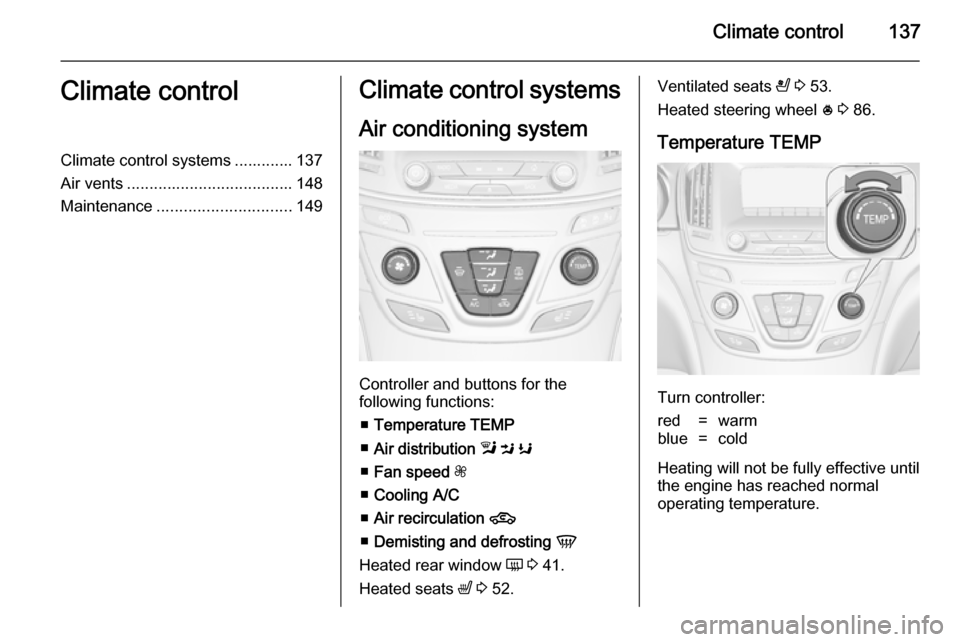
Controller and buttons for the
following functions:
■ Temperature TEMP
■ Air distribution l M K
■ Fan speed Z
■ Cooling A/C
■ Air recirculation 4
■ Demisting and defrosting V
Heated rear window Ü 3 41.
Heated seats ß 3 52.
Ventilated seats
A 3 53.
Heated steering wheel * 3 86.
Temperature TEMP
Turn controller:
red=warmblue=cold
Heating will not be fully effective until
the engine has reached normal
operating temperature.
Page 140 of 321
138Climate control
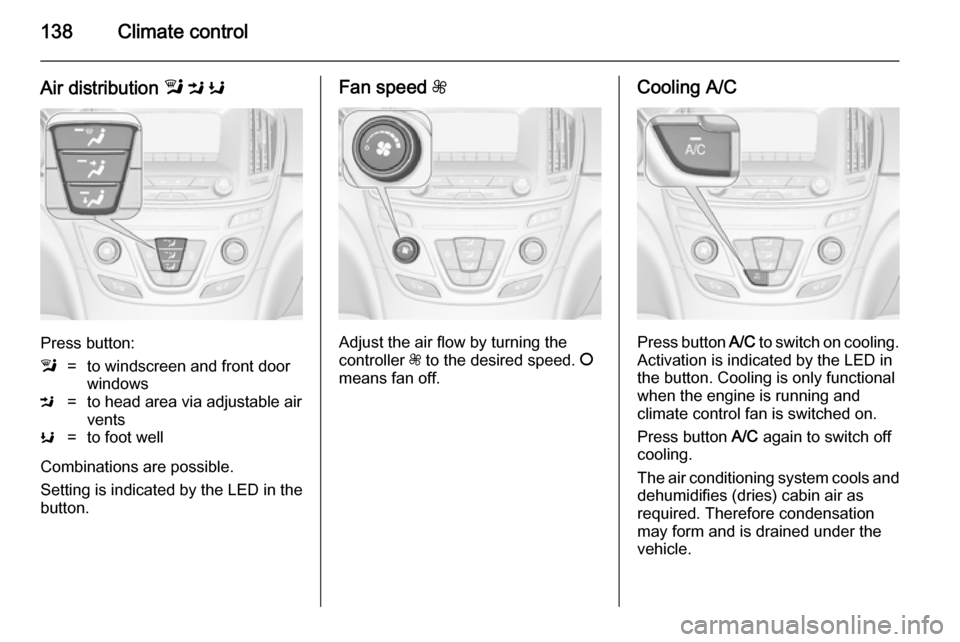
Air distribution l M K
Press button:
l=to windscreen and front door
windowsM=to head area via adjustable air
ventsK=to foot well
Combinations are possible.
Setting is indicated by the LED in the
button.
Fan speed Z
Adjust the air flow by turning the
controller Z to the desired speed. J
means fan off.
Cooling A/C
Press button A/C to switch on cooling.
Activation is indicated by the LED in
the button. Cooling is only functional
when the engine is running and
climate control fan is switched on.
Press button A/C again to switch off
cooling.
The air conditioning system cools and
dehumidifies (dries) cabin air as
required. Therefore condensation
may form and is drained under the
vehicle.
Page 141 of 321
Climate control139
If no cooling or drying is required,
switch off the cooling system for fuel
saving reasons. Activated cooling
might inhibit Autostops.
Stop-start system 3 156.
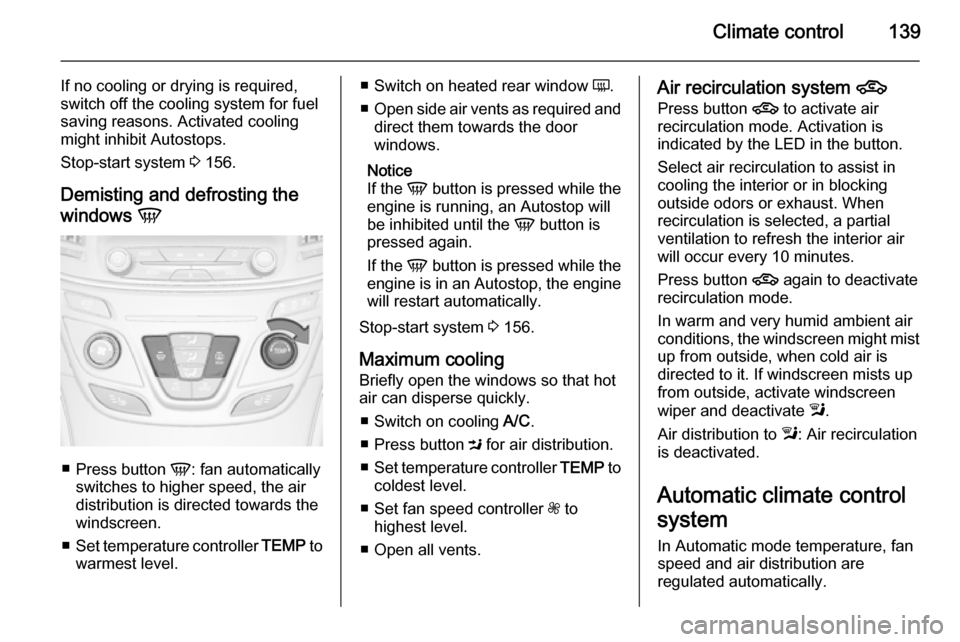
Demisting and defrosting the
windows V
■
Press button V: fan automatically
switches to higher speed, the air distribution is directed towards the
windscreen.
■ Set temperature controller TEMP to
warmest level.
■ Switch on heated rear window Ü.
■ Open side air vents as required and
direct them towards the door
windows.
Notice
If the V button is pressed while the
engine is running, an Autostop will
be inhibited until the V button is
pressed again.
If the V button is pressed while the
engine is in an Autostop, the engine
will restart automatically.
Stop-start system 3 156.
Maximum cooling
Briefly open the windows so that hot
air can disperse quickly.
■ Switch on cooling A/C.
■ Press button M for air distribution.
■ Set temperature controller TEMP to
coldest level.
■ Set fan speed controller Z to
highest level.
■ Open all vents.Air recirculation system 4
Press button 4 to activate air
recirculation mode. Activation is
indicated by the LED in the button.
Select air recirculation to assist in
cooling the interior or in blocking
outside odors or exhaust. When
recirculation is selected, a partial
ventilation to refresh the interior air
will occur every 10 minutes.
Press button 4 again to deactivate
recirculation mode.
In warm and very humid ambient air
conditions, the windscreen might mist
up from outside, when cold air is
directed to it. If windscreen mists up
from outside, activate windscreen
wiper and deactivate l.
Air distribution to l: Air recirculation
is deactivated.
Automatic climate control
system
In Automatic mode temperature, fan
speed and air distribution are
regulated automatically.