ignition VAUXHALL INSIGNIA 2014 User Guide
[x] Cancel search | Manufacturer: VAUXHALL, Model Year: 2014, Model line: INSIGNIA, Model: VAUXHALL INSIGNIA 2014Pages: 321, PDF Size: 8.83 MB
Page 28 of 321
26Keys, doors and windows
Fault in radio remote control unitor electronic key system
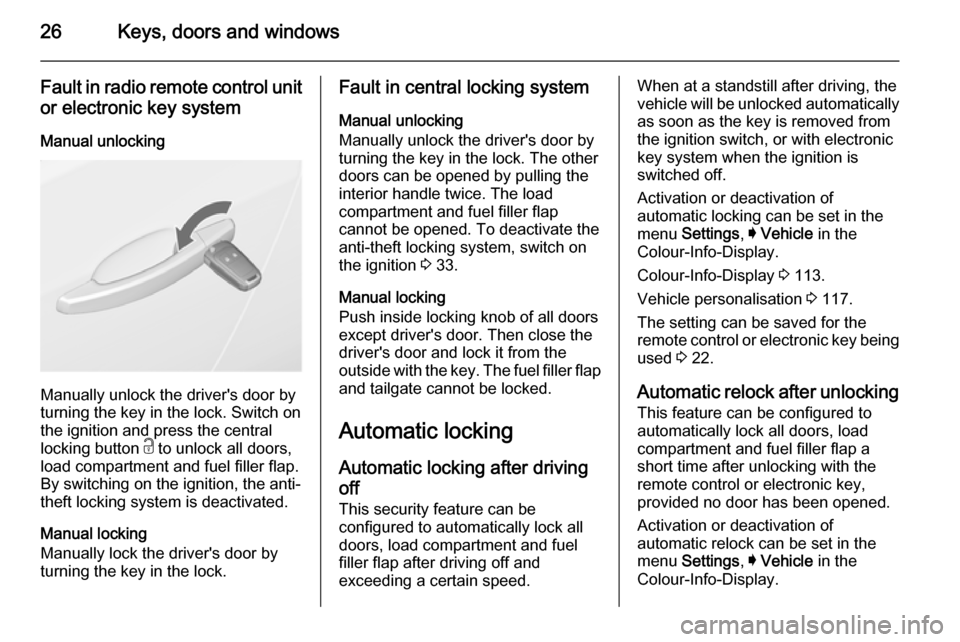
Manual unlocking
Manually unlock the driver's door by
turning the key in the lock. Switch on
the ignition and press the central
locking button c to unlock all doors,
load compartment and fuel filler flap.
By switching on the ignition, the anti-
theft locking system is deactivated.
Manual locking
Manually lock the driver's door by
turning the key in the lock.
Fault in central locking system
Manual unlocking
Manually unlock the driver's door by
turning the key in the lock. The other
doors can be opened by pulling the
interior handle twice. The load
compartment and fuel filler flap
cannot be opened. To deactivate the
anti-theft locking system, switch on
the ignition 3 33.
Manual locking
Push inside locking knob of all doors
except driver's door. Then close the driver's door and lock it from the
outside with the key. The fuel filler flap and tailgate cannot be locked.
Automatic locking
Automatic locking after driving
off This security feature can be
configured to automatically lock all
doors, load compartment and fuel
filler flap after driving off and
exceeding a certain speed.When at a standstill after driving, the
vehicle will be unlocked automatically
as soon as the key is removed from
the ignition switch, or with electronic
key system when the ignition is
switched off.
Activation or deactivation of
automatic locking can be set in the
menu Settings , I Vehicle in the
Colour-Info-Display.
Colour-Info-Display 3 113.
Vehicle personalisation 3 117.
The setting can be saved for the
remote control or electronic key being used 3 22.
Automatic relock after unlocking This feature can be configured to
automatically lock all doors, load
compartment and fuel filler flap a
short time after unlocking with the
remote control or electronic key,
provided no door has been opened.
Activation or deactivation of
automatic relock can be set in the
menu Settings , I Vehicle in the
Colour-Info-Display.
Page 29 of 321
Keys, doors and windows27
Colour-Info-Display 3 113.
Vehicle personalisation 3 117.
The setting can be saved for the remote control or electronic key being used 3 22.
Passive locking In vehicles with electronic key
system, this feature locks the vehicle
automatically after several seconds if
a electronic key previously was
recognised inside the vehicle, all
doors have then been closed and the
electronic key does not remain in the
interior.
If the electronic key remains in the
vehicle or the ignition is not off,
passive locking will not be permitted
and a warning tone sounds three
times.
If there have been two or more
electronic keys in the vehicle and the
ignition was on once, the feature
locks the vehicle if just one electronic
key is taken out of the vehicle.Passive locking can be disabled by
pressing c for a few seconds while
one door is open. It remains disabled
until e is pressed or the ignition is
switched on.
Activation or deactivation of passive
locking can be set in the menu
Settings , I Vehicle in the Colour-Info-
Display.
Colour-Info-Display 3 113.
Vehicle personalisation 3 117.
The setting can be saved for the remote control or electronic key being
used 3 22.Child locks9 Warning
Use the child locks whenever
children are occupying the rear
seats.
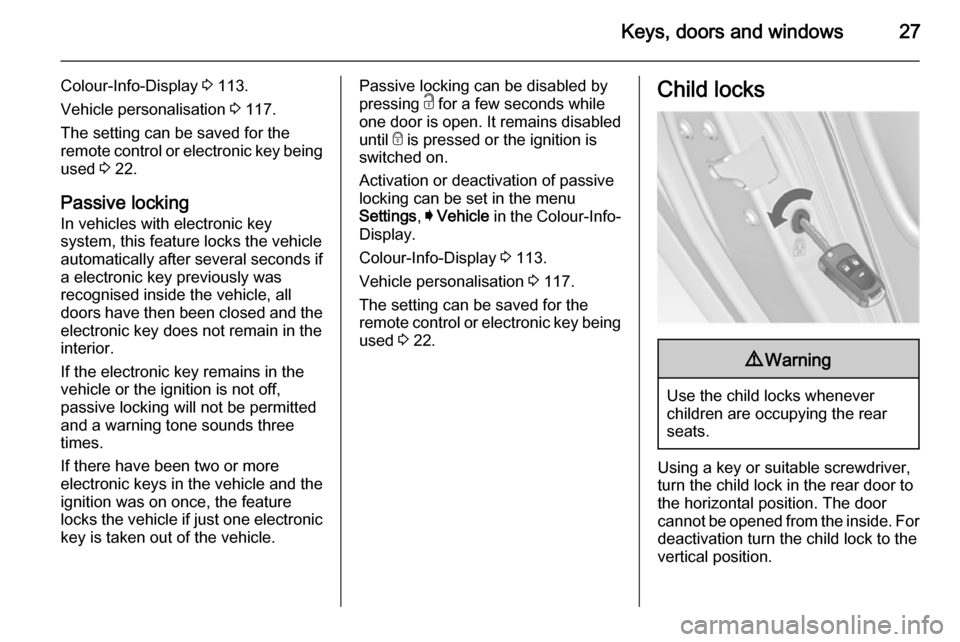
Using a key or suitable screwdriver,
turn the child lock in the rear door to
the horizontal position. The door
cannot be opened from the inside. For
deactivation turn the child lock to the
vertical position.
Page 34 of 321
32Keys, doors and windowssmelled, could enter the vehicle.
This can cause unconsciousness
and even death.Caution
Before opening the tailgate, check overhead obstructions, such as a
garage door, to avoid damage to
the tailgate. Always check the
moving area above and behind the
tailgate.
Notice
Power tailgate: If the lifters of the
open tailgate lose pressure, the
tailgate falls a bit and will then be
stopped by the system. Following
the tailgate will be power opened
and closed. During this the tail lights will flash and a chime will sound.
After closing, the tailgate may not be operated until it has been serviced
by a workshop.
Notice
The operation of the power tailgate
is disabled under low vehicle battery
conditions. In this case, the tailgate
can even not be operated manually.
Notice
With the power tailgate disabled and
all doors unlocked, the tailgate can
only be operated manually. In this
event, manually closing the tailgate
requires significantly greater force.
Notice
The installation of certain heavy
accessories onto the tailgate may
affect its ability to remain open.Vehicle security
Anti-theft locking system9 Warning
Do not use the system if there are
people in the vehicle! The doorscannot be unlocked from the
inside.
The system deadlocks all the doors.
All doors must be closed and the
electronic key must not remain in the
vehicle. Otherwise the system cannot
be activated.
If the ignition was on, the driver's door
must be opened and closed once so
that the vehicle can be secured.
Unlocking the vehicle disables the
mechanical anti-theft locking system.
This is not possible with the central
locking button in the passenger
compartment.
Page 35 of 321
Keys, doors and windows33
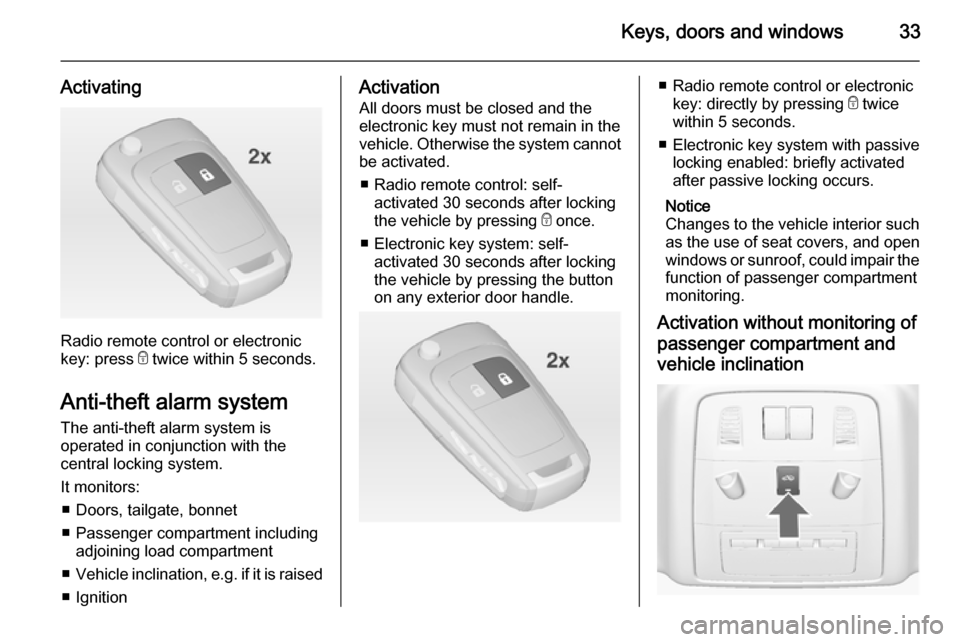
Activating
Radio remote control or electronic
key: press e twice within 5 seconds.
Anti-theft alarm system The anti-theft alarm system is
operated in conjunction with the
central locking system.
It monitors: ■ Doors, tailgate, bonnet
■ Passenger compartment including adjoining load compartment
■ Vehicle inclination, e.g. if it is raised
■ Ignition
Activation
All doors must be closed and the electronic key must not remain in the
vehicle. Otherwise the system cannot be activated.
■ Radio remote control: self- activated 30 seconds after locking
the vehicle by pressing e once.
■ Electronic key system: self- activated 30 seconds after locking
the vehicle by pressing the button
on any exterior door handle.■ Radio remote control or electronic
key: directly by pressing e twice
within 5 seconds.
■ Electronic key system with passive locking enabled: briefly activated
after passive locking occurs.
Notice
Changes to the vehicle interior such
as the use of seat covers, and open windows or sunroof, could impair the
function of passenger compartment
monitoring.
Activation without monitoring of
passenger compartment and
vehicle inclination
Page 37 of 321

Keys, doors and windows35
AlarmWhen triggered, the alarm sounds via a separate battery-backed power
sounder, and the hazard warning
lights flash simultaneously. The
number and duration of alarm signals
are stipulated by legislation.
The anti-theft alarm system can be
deactivated only by pressing the
button c or by pressing the switch on
the door handle (electronic key
system) or switching on the ignition.
A triggered alarm, which has not been interrupted by the driver, will be
indicated by the hazard warning
lights. They will flash quickly three
times when the vehicle is unlocked
next time with the radio remote
control. Additionally a warning
message is displayed in the Driver
Information Centre after switching on
the ignition.
Vehicle messages 3 115.
If the vehicle's battery is to be
disconnected (e.g. for maintenance
work), the alarm siren must be
deactivated as follows: switch theignition on then off, then disconnect
the vehicle's battery within
15 seconds.
Immobiliser The system is part of the ignition
switch and checks whether the
vehicle is allowed to be started with
the key being used.
The immobiliser is activated
automatically after the key is removed
from the ignition switch.
If control indicator d flashes when the
ignition is on, there is a fault in the
system; the engine cannot be started. Switch off the ignition and repeat start
attempt.
If control indicator d continues
flashing, attempt to start the engine
using the spare key and seek the
assistance of a workshop.
Notice
The immobiliser does not lock the
doors. You should always lock the
vehicle after leaving it and switch on the anti-theft alarm system 3 22,
3 33.Control indicator d 3 104.
Page 41 of 321
Keys, doors and windows39
Windscreen stickers
Do not attach stickers such as toll
road stickers or similar on the
windscreen in the area of the interior
mirror. Otherwise the detection zone
of the sensor and the view area of the camera in the mirror housing could be restricted.
Power windows9 Warning
Take care when operating the
power windows. Risk of injury,
particularly to children.
If there are children on the rear seats, switch on the child safety
system for the power windows.
Keep a close watch on the
windows when closing them.
Ensure that nothing becomes
trapped in them as they move.
Operable with ignition in position
Accessory power mode or Ignition on
power mode 3 148, 3 148.
Retained power off 3 150.
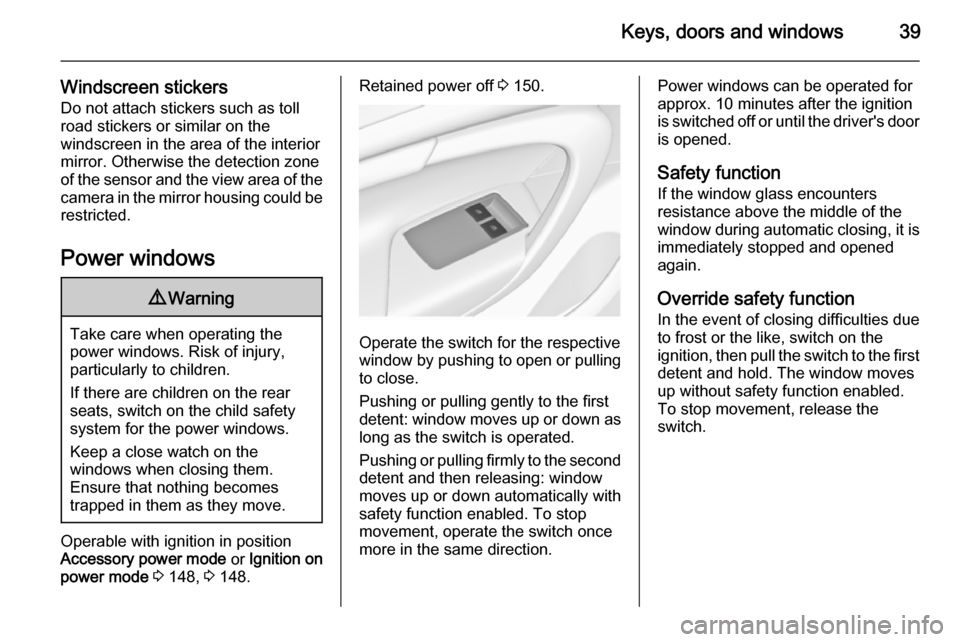
Operate the switch for the respective
window by pushing to open or pulling to close.
Pushing or pulling gently to the first
detent: window moves up or down as long as the switch is operated.
Pushing or pulling firmly to the second
detent and then releasing: window
moves up or down automatically with
safety function enabled. To stop
movement, operate the switch once
more in the same direction.
Power windows can be operated for
approx. 10 minutes after the ignition
is switched off or until the driver's door
is opened.
Safety function If the window glass encounters
resistance above the middle of the
window during automatic closing, it is
immediately stopped and opened again.
Override safety function
In the event of closing difficulties due
to frost or the like, switch on the
ignition, then pull the switch to the first
detent and hold. The window moves
up without safety function enabled.
To stop movement, release the
switch.
Page 42 of 321
40Keys, doors and windows
Child safety system for rearwindows
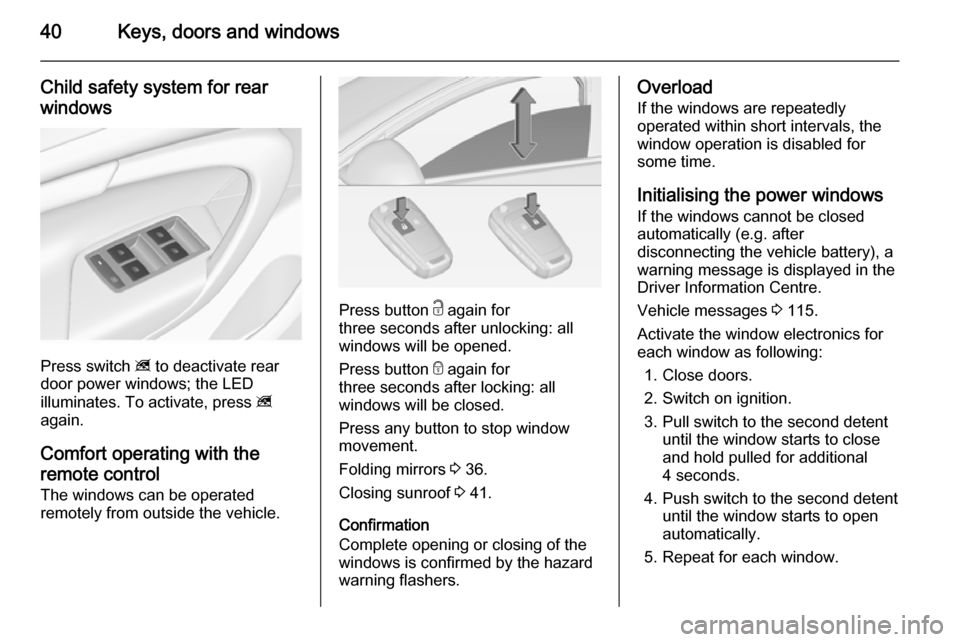
Press switch z to deactivate rear
door power windows; the LED
illuminates. To activate, press z
again.
Comfort operating with the
remote control The windows can be operated
remotely from outside the vehicle.
Press button c again for
three seconds after unlocking: all
windows will be opened.
Press button e again for
three seconds after locking: all
windows will be closed.
Press any button to stop window
movement.
Folding mirrors 3 36.
Closing sunroof 3 41.
Confirmation
Complete opening or closing of the
windows is confirmed by the hazard
warning flashers.
Overload
If the windows are repeatedly
operated within short intervals, the
window operation is disabled for
some time.
Initialising the power windowsIf the windows cannot be closed
automatically (e.g. after
disconnecting the vehicle battery), a
warning message is displayed in the
Driver Information Centre.
Vehicle messages 3 115.
Activate the window electronics for
each window as following:
1. Close doors.
2. Switch on ignition.
3. Pull switch to the second detent until the window starts to close
and hold pulled for additional
4 seconds.
4. Push switch to the second detent until the window starts to open
automatically.
5. Repeat for each window.
Page 43 of 321
Keys, doors and windows41Heated rear window
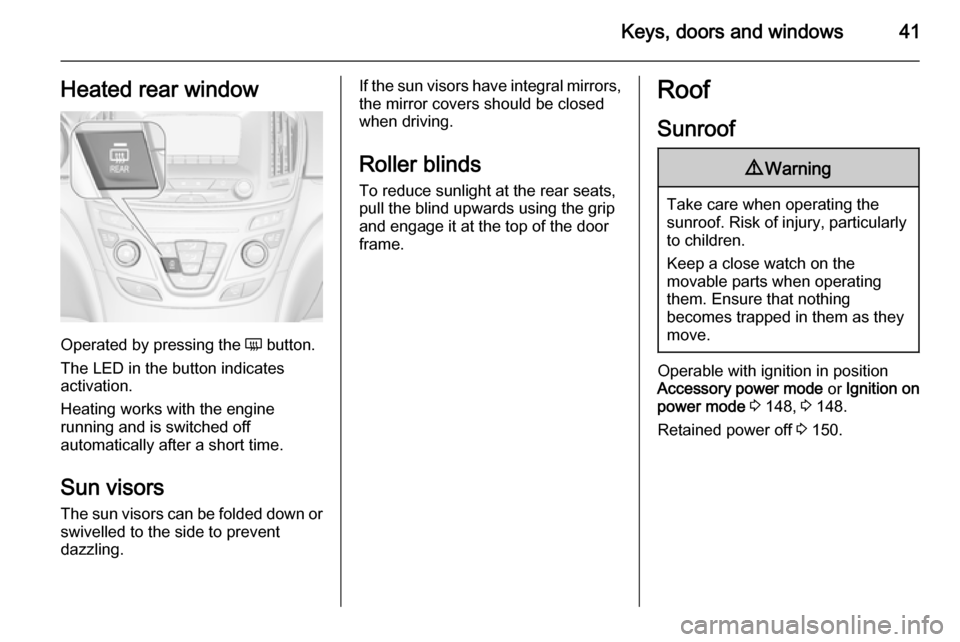
Operated by pressing the Ü button.
The LED in the button indicates
activation.
Heating works with the engine
running and is switched off
automatically after a short time.
Sun visors The sun visors can be folded down orswivelled to the side to prevent
dazzling.
If the sun visors have integral mirrors, the mirror covers should be closed
when driving.
Roller blinds To reduce sunlight at the rear seats,pull the blind upwards using the grip
and engage it at the top of the door
frame.Roof
Sunroof9 Warning
Take care when operating the
sunroof. Risk of injury, particularly to children.
Keep a close watch on the
movable parts when operating
them. Ensure that nothing
becomes trapped in them as they
move.
Operable with ignition in position
Accessory power mode or Ignition on
power mode 3 148, 3 148.
Retained power off 3 150.
Page 53 of 321
Seats, restraints51
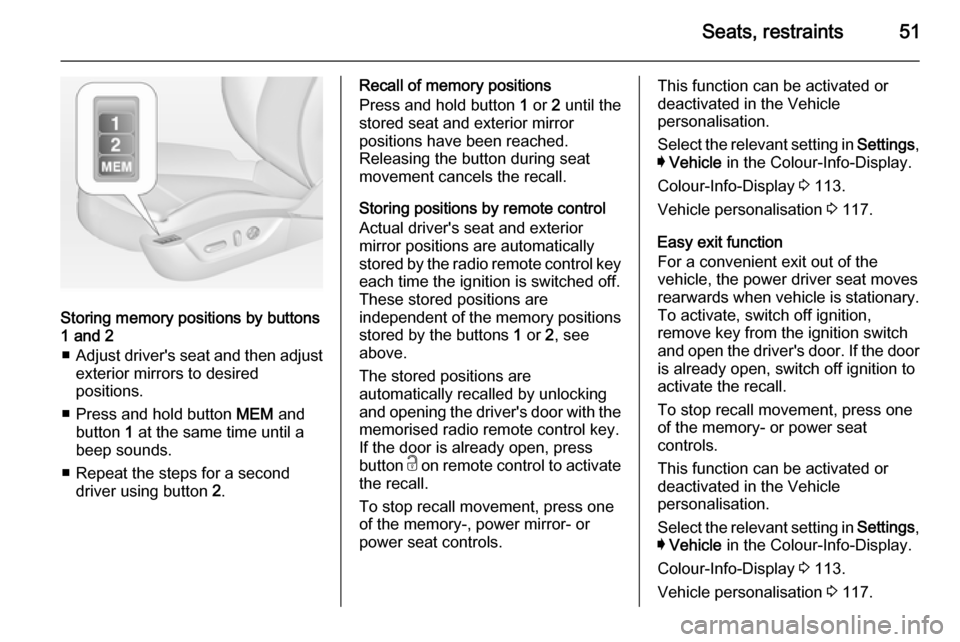
Storing memory positions by buttons
1 and 2
■ Adjust driver's seat and then adjust
exterior mirrors to desired
positions.
■ Press and hold button MEM and
button 1 at the same time until a
beep sounds.
■ Repeat the steps for a second driver using button 2.
Recall of memory positions
Press and hold button 1 or 2 until the
stored seat and exterior mirror
positions have been reached.
Releasing the button during seat
movement cancels the recall.
Storing positions by remote control
Actual driver's seat and exterior
mirror positions are automatically
stored by the radio remote control key
each time the ignition is switched off.
These stored positions are
independent of the memory positions
stored by the buttons 1 or 2, see
above.
The stored positions are
automatically recalled by unlocking
and opening the driver's door with the
memorised radio remote control key.
If the door is already open, press
button c on remote control to activate
the recall.
To stop recall movement, press one
of the memory-, power mirror- or
power seat controls.This function can be activated or
deactivated in the Vehicle
personalisation.
Select the relevant setting in Settings,
I Vehicle in the Colour-Info-Display.
Colour-Info-Display 3 113.
Vehicle personalisation 3 117.
Easy exit function
For a convenient exit out of the
vehicle, the power driver seat moves
rearwards when vehicle is stationary.
To activate, switch off ignition,
remove key from the ignition switch
and open the driver's door. If the door
is already open, switch off ignition to
activate the recall.
To stop recall movement, press one
of the memory- or power seat
controls.
This function can be activated or
deactivated in the Vehicle
personalisation.
Select the relevant setting in Settings,
I Vehicle in the Colour-Info-Display.
Colour-Info-Display 3 113.
Vehicle personalisation 3 117.
Page 59 of 321

Seats, restraints57Airbag system
The airbag system consists of a
number of individual systems
depending on the scope of
equipment.
When triggered the airbags inflate
within milliseconds. They also deflate
so quickly that it is often unnoticeable during the collision.9 Warning
If handled improperly the airbag
systems can be triggered in an
explosive manner.
Notice
The airbag systems and belt
pretensioner control electronics are
located in the centre console area.
Do not put any magnetic objects in
this area.
Do not stick anything on the airbag
covers and do not cover them with
other materials.
Each airbag is triggered only once.
Have deployed airbags replaced by
a workshop. Furthermore, it might be necessary to have the steering
wheel, the instrument panel, parts of
the panelling, the door seals,
handles and the seats replaced.
Do not make any modifications to
the airbag system as this will
invalidate the vehicle type approval.
When the airbags inflate, escaping
hot gases may cause burns.
Control indicator v for airbag systems
3 100.
Front airbag system
The front airbag system consists of
one airbag in the steering wheel and
one in the instrument panel on the
front passenger side. These can be
identified by the word AIRBAG.
Additionally there is a warning label
on the side of the instrument panel,
visible when the front passenger door is open, or on the front passenger sun
visor.
The front airbag system is triggered in
the event of a front-end impact of a
certain severity. The ignition must be
switched on.