wheel VAUXHALL INSIGNIA 2014 User Guide
[x] Cancel search | Manufacturer: VAUXHALL, Model Year: 2014, Model line: INSIGNIA, Model: VAUXHALL INSIGNIA 2014Pages: 321, PDF Size: 8.83 MB
Page 74 of 321
72Storage
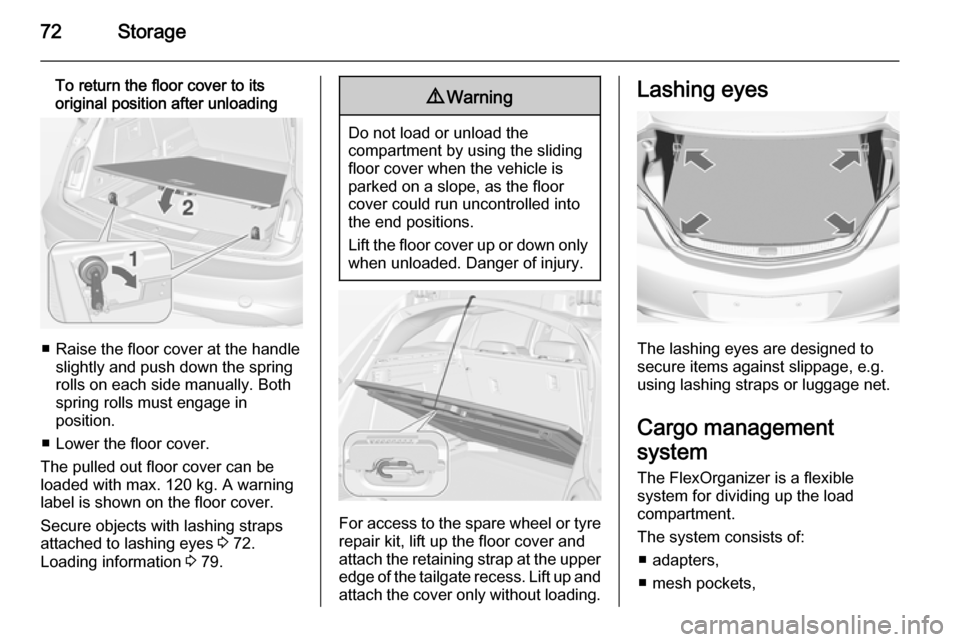
To return the floor cover to its
original position after unloading
■ Raise the floor cover at the handle slightly and push down the spring
rolls on each side manually. Both
spring rolls must engage in
position.
■ Lower the floor cover.
The pulled out floor cover can be
loaded with max. 120 kg. A warning
label is shown on the floor cover.
Secure objects with lashing straps
attached to lashing eyes 3 72.
Loading information 3 79.
9
Warning
Do not load or unload the
compartment by using the sliding
floor cover when the vehicle is
parked on a slope, as the floor
cover could run uncontrolled into the end positions.
Lift the floor cover up or down only
when unloaded. Danger of injury.
For access to the spare wheel or tyre repair kit, lift up the floor cover and
attach the retaining strap at the upper
edge of the tailgate recess. Lift up and
attach the cover only without loading.
Lashing eyes
The lashing eyes are designed to
secure items against slippage, e.g.
using lashing straps or luggage net.
Cargo management
system
The FlexOrganizer is a flexible
system for dividing up the load
compartment.
The system consists of:
■ adapters,
■ mesh pockets,
Page 83 of 321

Instruments and controls81Instruments and
controlsControls ....................................... 81
Warning lights, gauges and indi‐ cators ........................................... 90
Information displays ...................106
Vehicle messages ...................... 115
Vehicle personalisation ..............117Controls
Steering wheel adjustment
Unlock lever, adjust steering wheel,
then engage lever and ensure it is fully locked.
Do not adjust steering wheel unless
vehicle is stationary and steering
wheel lock has been released.
Steering wheel controls
Driver Information Centre, some
driver assistance systems,
Infotainment system and a connected
mobile phone can be operated via the controls on the steering wheel.
Driver Information Centre 3 106.
Driver assistance systems 3 170.
Further information is available in the
Infotainment system manual.
Page 84 of 321
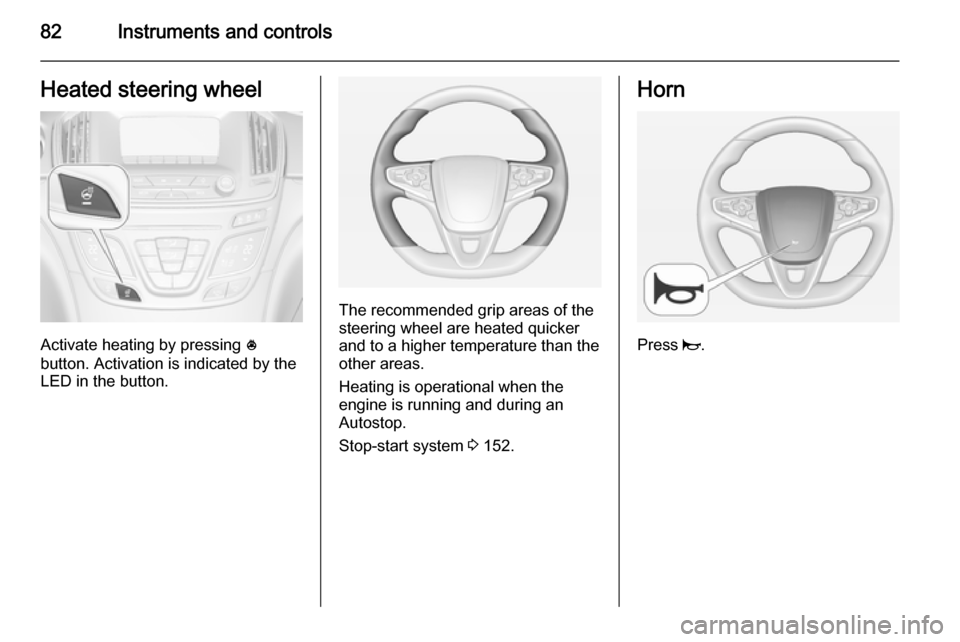
82Instruments and controlsHeated steering wheel
Activate heating by pressing *
button. Activation is indicated by the
LED in the button.
The recommended grip areas of the
steering wheel are heated quicker
and to a higher temperature than the
other areas.
Heating is operational when the
engine is running and during an
Autostop.
Stop-start system 3 152.
Horn
Press j.
Page 85 of 321
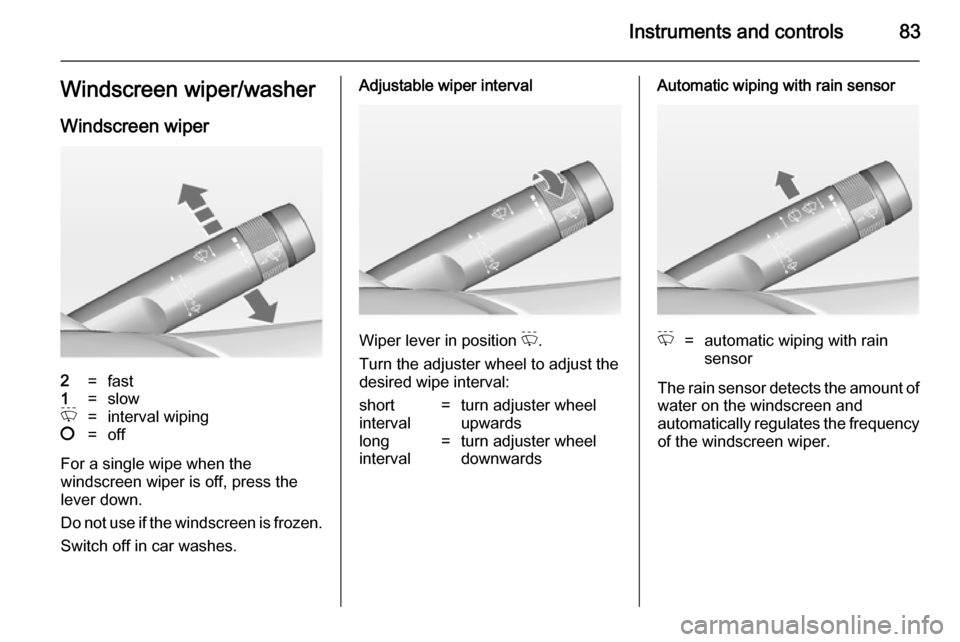
Instruments and controls83Windscreen wiper/washerWindscreen wiper2=fast1=slowP=interval wiping§=off
For a single wipe when the
windscreen wiper is off, press the
lever down.
Do not use if the windscreen is frozen.
Switch off in car washes.
Adjustable wiper interval
Wiper lever in position P.
Turn the adjuster wheel to adjust the
desired wipe interval:
short
interval=turn adjuster wheel
upwardslong
interval=turn adjuster wheel
downwardsAutomatic wiping with rain sensorP=automatic wiping with rain
sensor
The rain sensor detects the amount of water on the windscreen and
automatically regulates the frequency
of the windscreen wiper.
Page 86 of 321
84Instruments and controls
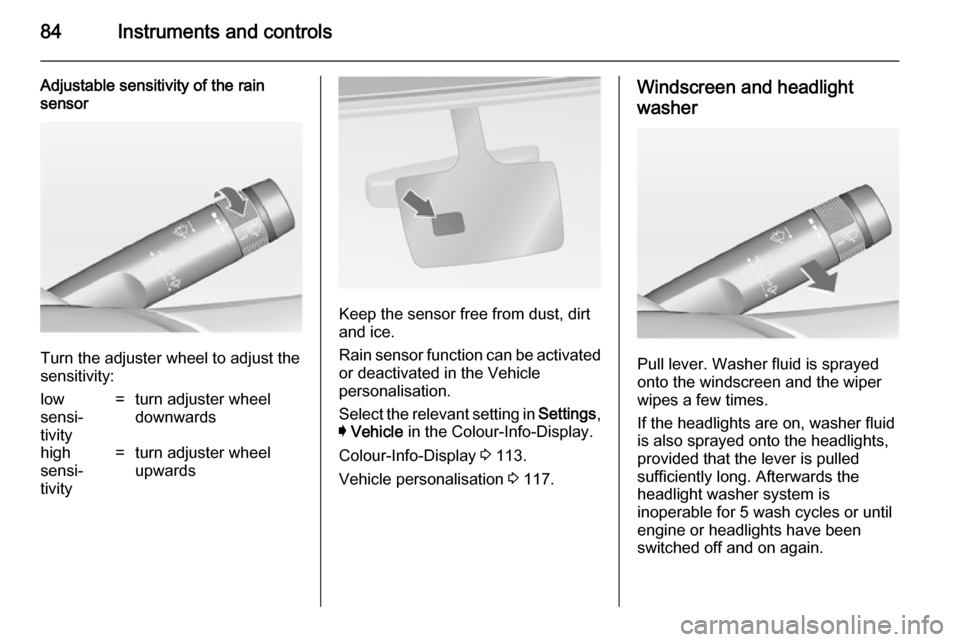
Adjustable sensitivity of the rain
sensor
Turn the adjuster wheel to adjust the
sensitivity:
low
sensi‐
tivity=turn adjuster wheel
downwardshigh
sensi‐
tivity=turn adjuster wheel
upwards
Keep the sensor free from dust, dirt
and ice.
Rain sensor function can be activated or deactivated in the Vehicle
personalisation.
Select the relevant setting in Settings,
I Vehicle in the Colour-Info-Display.
Colour-Info-Display 3 113.
Vehicle personalisation 3 117.
Windscreen and headlight
washer
Pull lever. Washer fluid is sprayed
onto the windscreen and the wiper
wipes a few times.
If the headlights are on, washer fluid is also sprayed onto the headlights,
provided that the lever is pulled
sufficiently long. Afterwards the
headlight washer system is
inoperable for 5 wash cycles or until
engine or headlights have been
switched off and on again.
Page 97 of 321
Instruments and controls95Speedometer
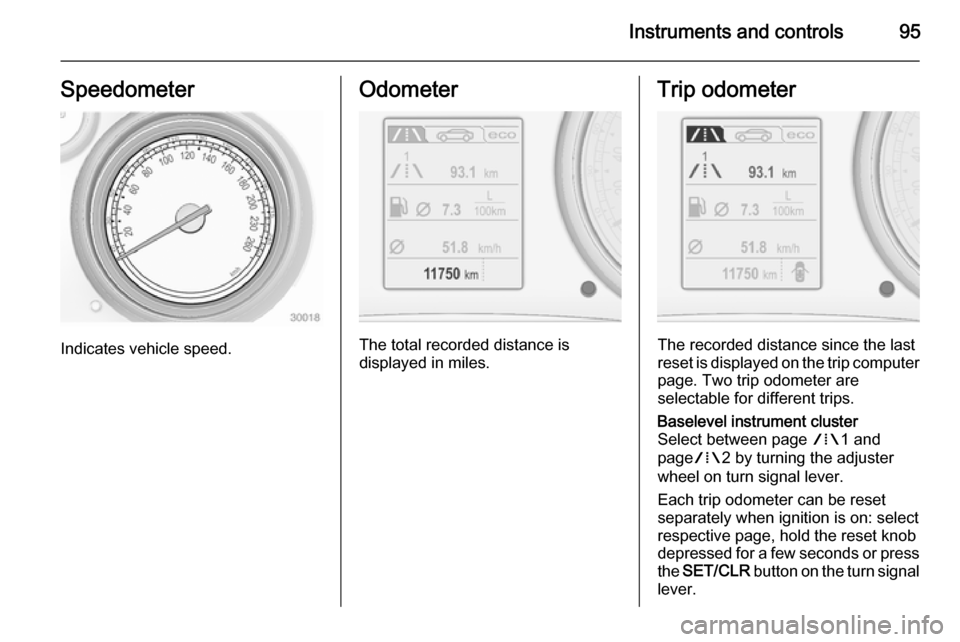
Indicates vehicle speed.
Odometer
The total recorded distance is
displayed in miles.
Trip odometer
The recorded distance since the last
reset is displayed on the trip computer page. Two trip odometer are
selectable for different trips.
Baselevel instrument cluster
Select between page W1 and
page W2 by turning the adjuster
wheel on turn signal lever.
Each trip odometer can be reset
separately when ignition is on: select
respective page, hold the reset knob
depressed for a few seconds or press
the SET/CLR button on the turn signal
lever.
Page 98 of 321
96Instruments and controls
Midlevel and Uplevel instrument
cluster
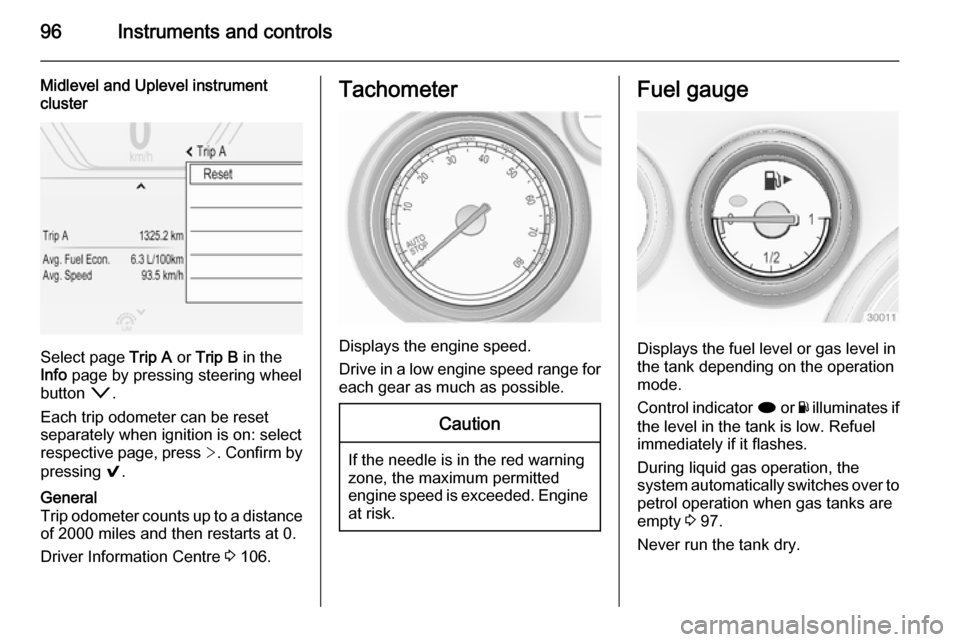
Select page Trip A or Trip B in the
Info page by pressing steering wheel
button o.
Each trip odometer can be reset
separately when ignition is on: select
respective page, press >. Confirm by
pressing 9.
General
Trip odometer counts up to a distance
of 2000 miles and then restarts at 0.
Driver Information Centre 3 106.Tachometer
Displays the engine speed.
Drive in a low engine speed range for each gear as much as possible.
Caution
If the needle is in the red warning
zone, the maximum permitted
engine speed is exceeded. Engine at risk.
Fuel gauge
Displays the fuel level or gas level in
the tank depending on the operation
mode.
Control indicator i or Y illuminates if
the level in the tank is low. Refuel
immediately if it flashes.
During liquid gas operation, the
system automatically switches over to
petrol operation when gas tanks are
empty 3 97.
Never run the tank dry.
Page 100 of 321
98Instruments and controls
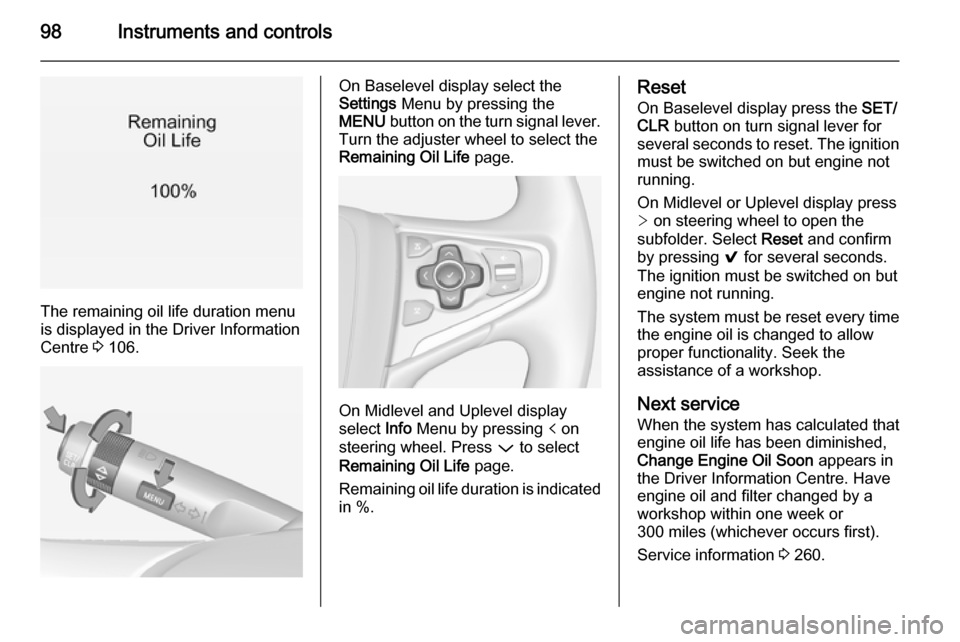
The remaining oil life duration menu
is displayed in the Driver Information
Centre 3 106.
On Baselevel display select the
Settings Menu by pressing the
MENU button on the turn signal lever.
Turn the adjuster wheel to select the
Remaining Oil Life page.
On Midlevel and Uplevel display
select Info Menu by pressing p on
steering wheel. Press P to select
Remaining Oil Life page.
Remaining oil life duration is indicated
in %.
Reset
On Baselevel display press the SET/
CLR button on turn signal lever for
several seconds to reset. The ignition must be switched on but engine not
running.
On Midlevel or Uplevel display press > on steering wheel to open the
subfolder. Select Reset and confirm
by pressing 9 for several seconds.
The ignition must be switched on but engine not running.
The system must be reset every time
the engine oil is changed to allow proper functionality. Seek the
assistance of a workshop.
Next service
When the system has calculated that
engine oil life has been diminished,
Change Engine Oil Soon appears in
the Driver Information Centre. Have
engine oil and filter changed by a
workshop within one week or
300 miles (whichever occurs first).
Service information 3 260.
Page 105 of 321

Instruments and controls103Electronic Stability Control
off n illuminates yellow.
The system is deactivated.
Electronic Stability Control
and Traction Control
system b illuminates or flashes yellow.
Illuminates A fault in the system is present.
Continued driving is possible. Driving
stability, however, may deteriorate depending on road surface
conditions.
Have the cause of the fault remedied
by a workshop.
Flashes The system is actively engaged.
Engine output may be reduced and
the vehicle may be braked
automatically to a small degree.Electronic Stability Control 3 166,
Traction Control system 3 165.
Traction Control system off k illuminates yellow.
The system is deactivated.
Preheating
! illuminates yellow.
Preheating is activated. Only
activates when outside temperature
is low.
Diesel particle filter
% illuminates or flashes yellow.
The diesel particle filter requires
cleaning.
Continue driving until %
extinguishes. If possible, do not allow engine speed to drop below
2000 rpm.Illuminates
The diesel particle filter is full. Start
cleaning process as soon as
possible.
Flashes The maximum filling level of the filter
is reached. Start cleaning process
immediately to avoid damage to the
engine.
Diesel particle filter 3 155, Stop-start
system 3 152.
Tyre pressure monitoring
system
w illuminates or flashes yellow.
Illuminates
Tyre pressure loss. Stop immediately
and check tyre pressure.
Flashes Fault in system or tyre withoutpressure sensor mounted (e.g. spare
wheel). After 60-90 seconds the
control indicator illuminates
continuously. Consult a workshop.
Page 106 of 321
104Instruments and controlsEngine oil pressure
I illuminates red.
Illuminates when the ignition is
switched on and extinguishes shortly
after the engine starts.
Illuminates when the engine isrunningCaution
Engine lubrication may be
interrupted. This may result in
damage to the engine and/or
locking of the drive wheels.
1. Depress clutch.
2. Select neutral gear, set selector lever to N.
3. Move out of the flow of traffic as quickly as possible without
impeding other vehicles.
4. Switch off ignition.
9 Warning
When the engine is off,
considerably more force is needed
to brake and steer. During an
Autostop the brake servo unit will still be operational.
Do not remove key until vehicle is stationary, otherwise the steeringwheel lock could engage
unexpectedly.
Check oil level before seeking
assistance of a workshop 3 214.
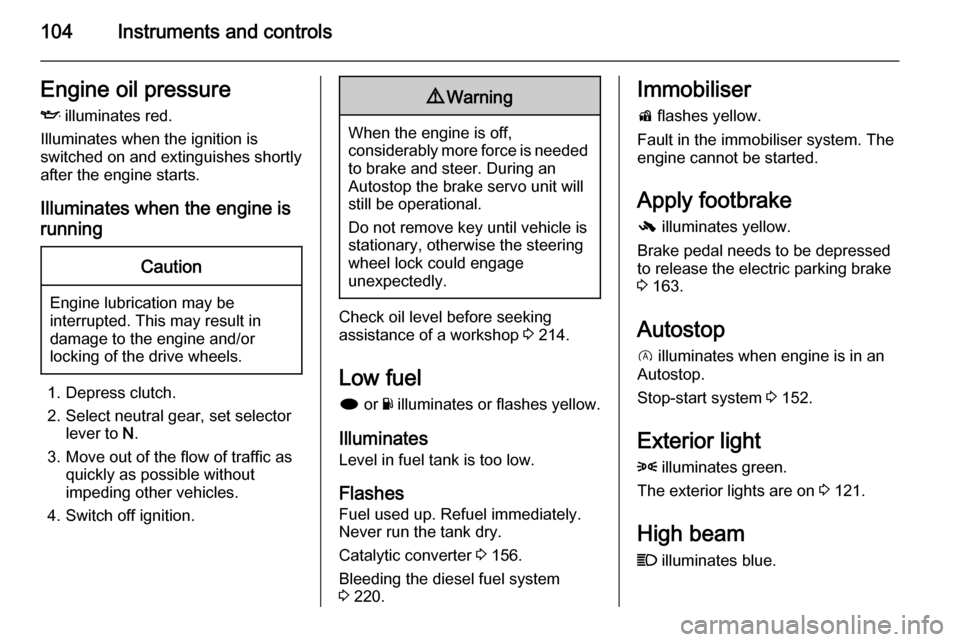
Low fuel
i or Y illuminates or flashes yellow.
Illuminates Level in fuel tank is too low.
Flashes
Fuel used up. Refuel immediately.
Never run the tank dry.
Catalytic converter 3 156.
Bleeding the diesel fuel system
3 220.
Immobiliser
d flashes yellow.
Fault in the immobiliser system. The
engine cannot be started.
Apply footbrake
- illuminates yellow.
Brake pedal needs to be depressed
to release the electric parking brake
3 163.
Autostop
D illuminates when engine is in an
Autostop.
Stop-start system 3 152.
Exterior light 8 illuminates green.
The exterior lights are on 3 121.
High beam
C illuminates blue.