heating VAUXHALL INSIGNIA 2014 Owner's Manual
[x] Cancel search | Manufacturer: VAUXHALL, Model Year: 2014, Model line: INSIGNIA, Model: VAUXHALL INSIGNIA 2014Pages: 321, PDF Size: 8.83 MB
Page 17 of 321
In brief15Climate controlHeated rear window, heatedexterior mirrors
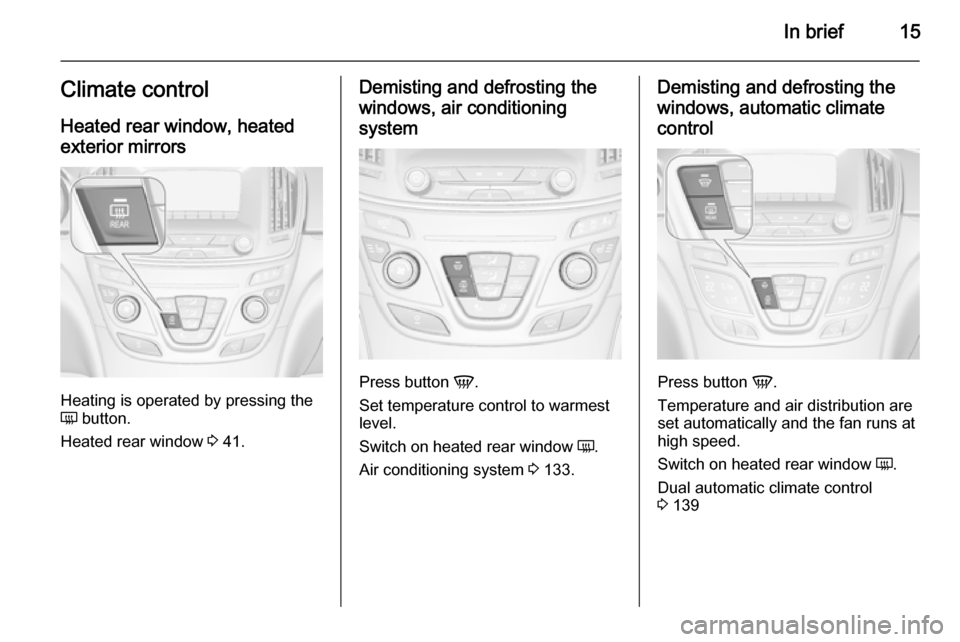
Heating is operated by pressing the
Ü button.
Heated rear window 3 41.
Demisting and defrosting the
windows, air conditioning
system
Press button V.
Set temperature control to warmest
level.
Switch on heated rear window Ü.
Air conditioning system 3 133.
Demisting and defrosting the
windows, automatic climate control
Press button V.
Temperature and air distribution are
set automatically and the fan runs at
high speed.
Switch on heated rear window Ü.
Dual automatic climate control
3 139
Page 39 of 321
Keys, doors and windows37
Folding mirrors with remote
control This function is only available if the
vehicle is equipped with electrical
seat memory.
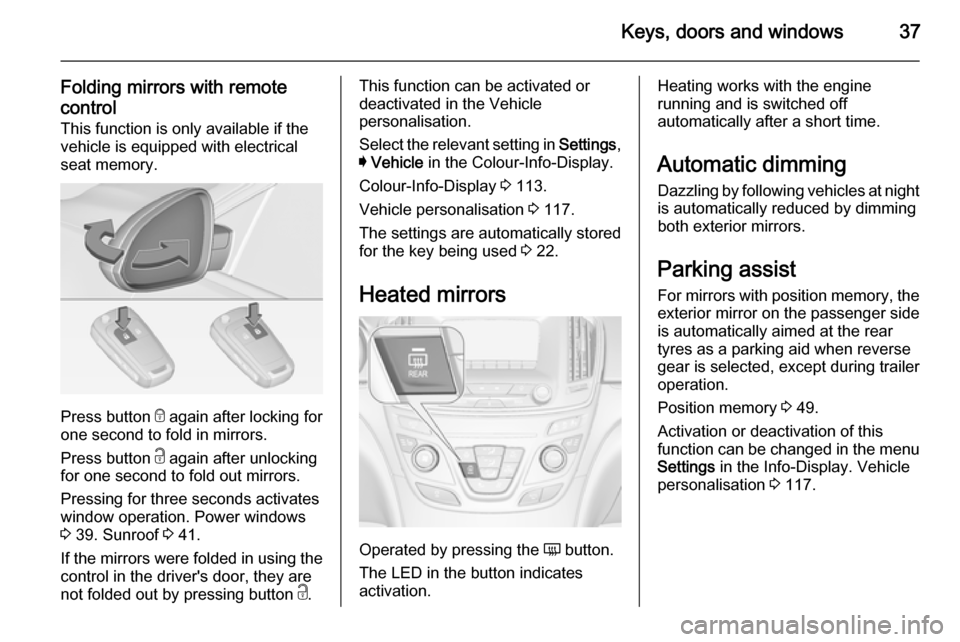
Press button e
again after locking for
one second to fold in mirrors.
Press button c again after unlocking
for one second to fold out mirrors.
Pressing for three seconds activates
window operation. Power windows
3 39. Sunroof 3 41.
If the mirrors were folded in using the
control in the driver's door, they are
not folded out by pressing button c.
This function can be activated or
deactivated in the Vehicle
personalisation.
Select the relevant setting in Settings,
I Vehicle in the Colour-Info-Display.
Colour-Info-Display 3 113.
Vehicle personalisation 3 117.
The settings are automatically stored
for the key being used 3 22.
Heated mirrors
Operated by pressing the Ü button.
The LED in the button indicates
activation.
Heating works with the engine
running and is switched off
automatically after a short time.
Automatic dimming Dazzling by following vehicles at nightis automatically reduced by dimming
both exterior mirrors.
Parking assist
For mirrors with position memory, the exterior mirror on the passenger side
is automatically aimed at the rear
tyres as a parking aid when reverse
gear is selected, except during trailer
operation.
Position memory 3 49.
Activation or deactivation of this
function can be changed in the menu Settings in the Info-Display. Vehicle
personalisation 3 117.
Page 43 of 321
Keys, doors and windows41Heated rear window
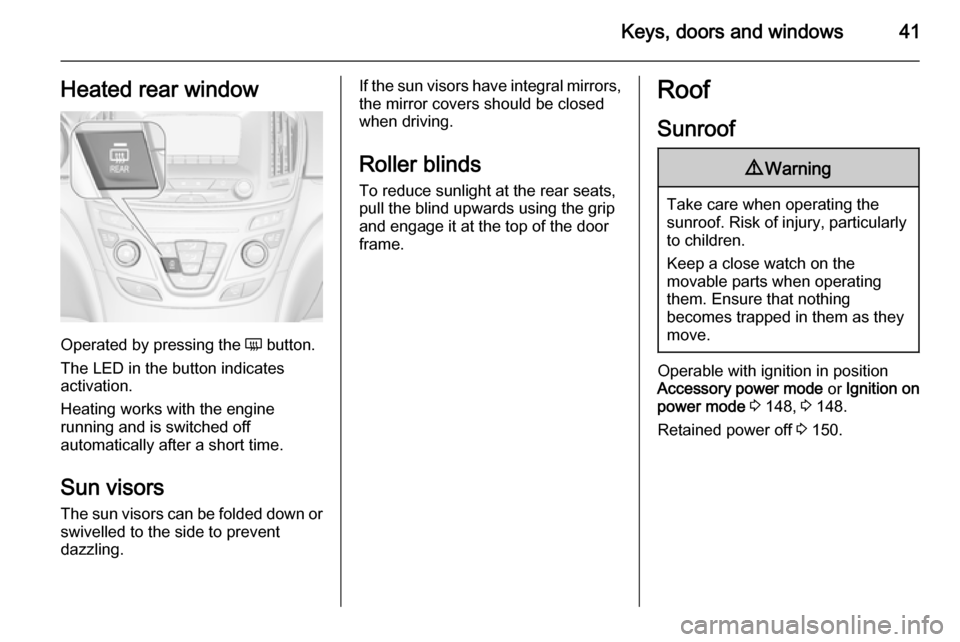
Operated by pressing the Ü button.
The LED in the button indicates
activation.
Heating works with the engine
running and is switched off
automatically after a short time.
Sun visors The sun visors can be folded down orswivelled to the side to prevent
dazzling.
If the sun visors have integral mirrors, the mirror covers should be closed
when driving.
Roller blinds To reduce sunlight at the rear seats,pull the blind upwards using the grip
and engage it at the top of the door
frame.Roof
Sunroof9 Warning
Take care when operating the
sunroof. Risk of injury, particularly to children.
Keep a close watch on the
movable parts when operating
them. Ensure that nothing
becomes trapped in them as they
move.
Operable with ignition in position
Accessory power mode or Ignition on
power mode 3 148, 3 148.
Retained power off 3 150.
Page 54 of 321
52Seats, restraints
Safety function
If the driver's seat encounters
resistance during movement, the
recall may stop. After removing the
obstruction, press and hold the
appropriate power seat position
button for the memory item for
two seconds. Try recalling the
memory position again. If the recall
does not operate, consult a
workshop.
Overload
If the seat setting is electrically
overloaded, the power supply is
automatically cut-off for a short time.
Notice
After an accident in which airbags
have been deployed, the memorised settings for each position button willbe deactivated.Armrest
Push button and fold armrest
upwards. Under the armrest there is
a storage compartment.
Auxiliary devices, see Infotainment
system manual.
Heating
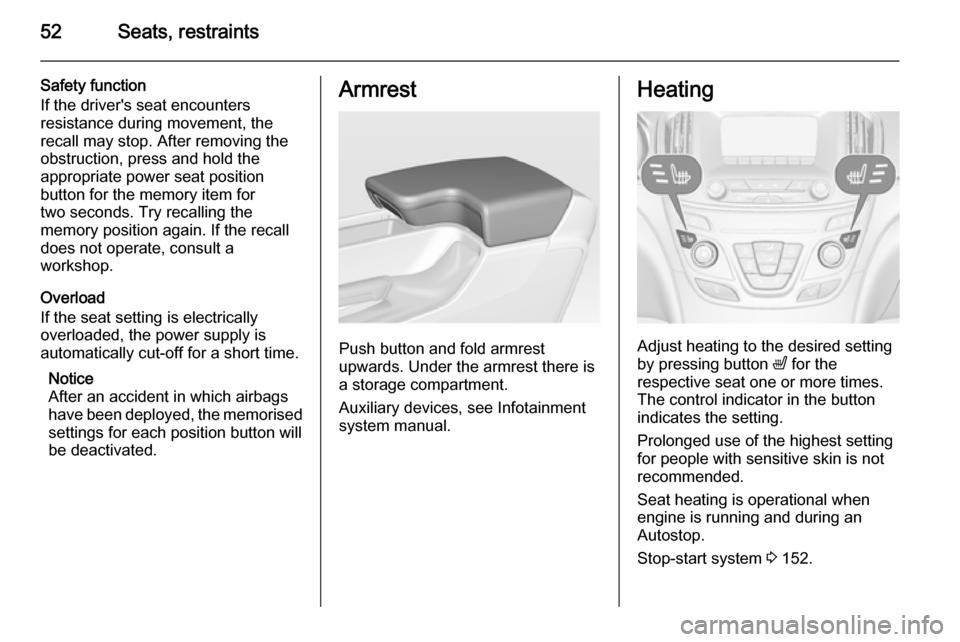
Adjust heating to the desired setting
by pressing button ß for the
respective seat one or more times.
The control indicator in the button
indicates the setting.
Prolonged use of the highest setting
for people with sensitive skin is not
recommended.
Seat heating is operational when engine is running and during an
Autostop.
Stop-start system 3 152.
Page 84 of 321
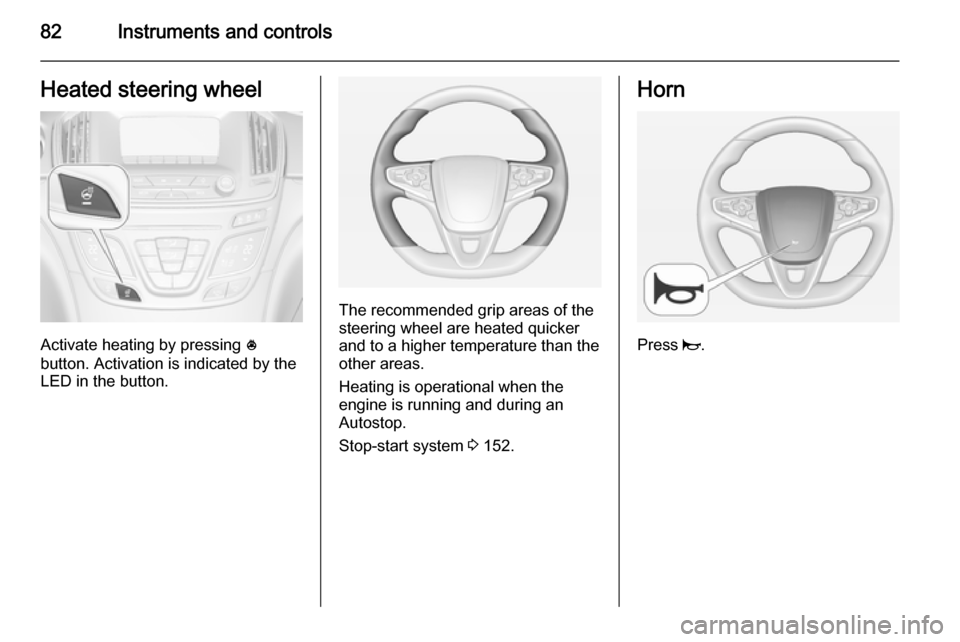
82Instruments and controlsHeated steering wheel
Activate heating by pressing *
button. Activation is indicated by the
LED in the button.
The recommended grip areas of the
steering wheel are heated quicker
and to a higher temperature than the
other areas.
Heating is operational when the
engine is running and during an
Autostop.
Stop-start system 3 152.
Horn
Press j.
Page 105 of 321

Instruments and controls103Electronic Stability Control
off n illuminates yellow.
The system is deactivated.
Electronic Stability Control
and Traction Control
system b illuminates or flashes yellow.
Illuminates A fault in the system is present.
Continued driving is possible. Driving
stability, however, may deteriorate depending on road surface
conditions.
Have the cause of the fault remedied
by a workshop.
Flashes The system is actively engaged.
Engine output may be reduced and
the vehicle may be braked
automatically to a small degree.Electronic Stability Control 3 166,
Traction Control system 3 165.
Traction Control system off k illuminates yellow.
The system is deactivated.
Preheating
! illuminates yellow.
Preheating is activated. Only
activates when outside temperature
is low.
Diesel particle filter
% illuminates or flashes yellow.
The diesel particle filter requires
cleaning.
Continue driving until %
extinguishes. If possible, do not allow engine speed to drop below
2000 rpm.Illuminates
The diesel particle filter is full. Start
cleaning process as soon as
possible.
Flashes The maximum filling level of the filter
is reached. Start cleaning process
immediately to avoid damage to the
engine.
Diesel particle filter 3 155, Stop-start
system 3 152.
Tyre pressure monitoring
system
w illuminates or flashes yellow.
Illuminates
Tyre pressure loss. Stop immediately
and check tyre pressure.
Flashes Fault in system or tyre withoutpressure sensor mounted (e.g. spare
wheel). After 60-90 seconds the
control indicator illuminates
continuously. Consult a workshop.
Page 119 of 321
Instruments and controls117
During an Autostop■ If the driver's door is opened.
Battery voltage When the vehicle battery voltage isrunning low, a warning message will
appear in the Driver Information
Centre.
1. Switch off any electrical consumers which are not requiredfor a safe ride, e.g. seat heating,
heated rear window or other main consumers.
2. Charge the vehicle battery by driving continuously for a while or
by using a charging device.
The warning message will disappear
after the engine has been started
twice without a voltage drop.
If the vehicle battery cannot be
recharged, have the cause of the fault
remedied by a workshop.Vehicle personalisation
The vehicle's behaviour can be
personalised by changing the settings
in the Colour-Info-Display.
Some of the personal settings for
different drivers can be memorised individually for each vehicle key.
Memorised settings 3 22.
Depending on vehicle equipment and
country-specific regulations some of
the functions described below might
not be available.
Some functions are only displayed or
active when the engine is running.
Personal settings Following the changing of personal
settings is described via the buttons
below the display. This is valid for
4.2'' as well as 8'' Colour-Info-Display.
Additionally the 8'' display is operable
as a touchscreen and with the touchpad between the front seats. See description Colour-Info-Display
3 113 and the Infotainment system
manual.
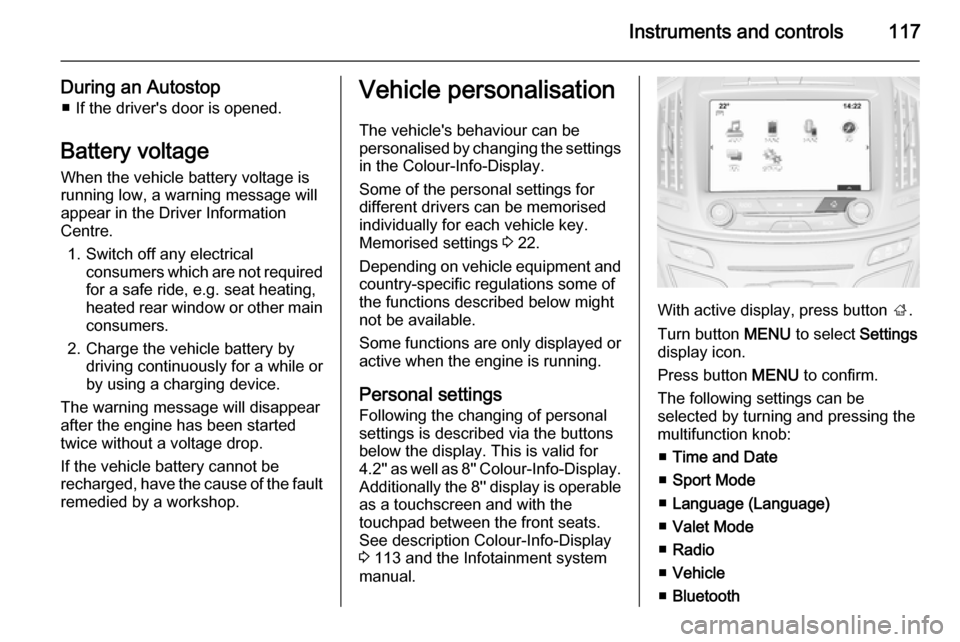
With active display, press button ;.
Turn button MENU to select Settings
display icon.
Press button MENU to confirm.
The following settings can be
selected by turning and pressing the multifunction knob:
■ Time and Date
■ Sport Mode
■ Language (Language)
■ Valet Mode
■ Radio
■ Vehicle
■ Bluetooth
Page 135 of 321

Climate control133Climate controlClimate control systems ............. 133
Air vents ..................................... 144
Maintenance .............................. 145Climate control systems
Air conditioning system
Controller and buttons for the
following functions:
■ Temperature TEMP
■ Air distribution l M K
■ Fan speed Z
■ Cooling A/C
■ Air recirculation 4
■ Demisting and defrosting V
Heated rear window Ü 3 41.
Heated seats ß 3 52.
Ventilated seats
A 3 53.
Heated steering wheel * 3 82.
Temperature TEMP
Turn controller:
red=warmblue=cold
Heating will not be fully effective until
the engine has reached normal
operating temperature.
Page 139 of 321
Climate control137
Setting of fan speed regulation in
automatic mode can be changed in
the vehicle personalisation menu in
the Colour-Info-Display.
Select the relevant setting in Settings,
I Vehicle in the Colour-Info-Display.
Colour-Info-Display 3 113.
Vehicle personalisation 3 117.
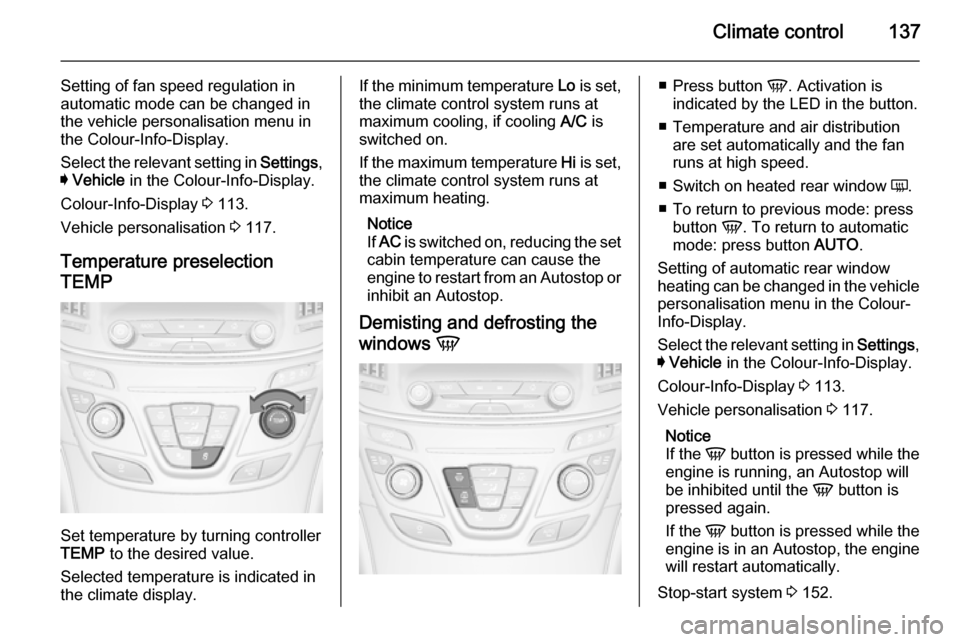
Temperature preselection
TEMP
Set temperature by turning controller
TEMP to the desired value.
Selected temperature is indicated in
the climate display.
If the minimum temperature Lo is set,
the climate control system runs at maximum cooling, if cooling A/C is
switched on.
If the maximum temperature Hi is set,
the climate control system runs at
maximum heating.
Notice
If AC is switched on, reducing the set
cabin temperature can cause the
engine to restart from an Autostop or inhibit an Autostop.
Demisting and defrosting the
windows V■
Press button V. Activation is
indicated by the LED in the button.
■ Temperature and air distribution are set automatically and the fan
runs at high speed.
■ Switch on heated rear window Ü.
■ To return to previous mode: press button V. To return to automatic
mode: press button AUTO.
Setting of automatic rear window
heating can be changed in the vehicle
personalisation menu in the Colour-
Info-Display.
Select the relevant setting in Settings,
I Vehicle in the Colour-Info-Display.
Colour-Info-Display 3 113.
Vehicle personalisation 3 117.
Notice
If the V button is pressed while the
engine is running, an Autostop will
be inhibited until the V button is
pressed again.
If the V button is pressed while the
engine is in an Autostop, the engine will restart automatically.
Stop-start system 3 152.
Page 143 of 321
Climate control141
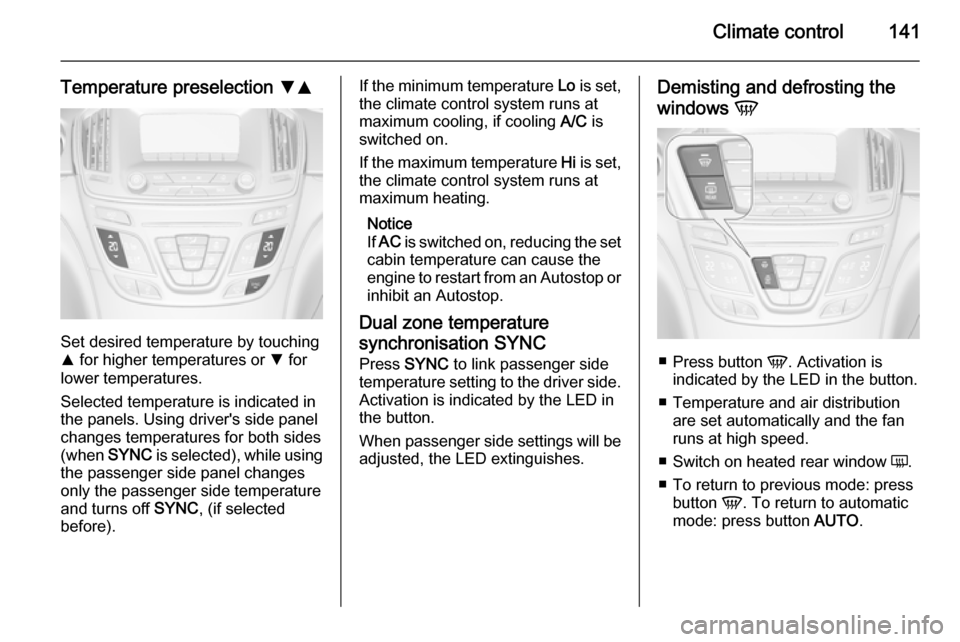
Temperature preselection SR
Set desired temperature by touching
R for higher temperatures or S for
lower temperatures.
Selected temperature is indicated in
the panels. Using driver's side panel
changes temperatures for both sides (when SYNC is selected), while using
the passenger side panel changes
only the passenger side temperature and turns off SYNC, (if selected
before).
If the minimum temperature Lo is set,
the climate control system runs at
maximum cooling, if cooling A/C is
switched on.
If the maximum temperature Hi is set,
the climate control system runs at maximum heating.
Notice
If AC is switched on, reducing the set
cabin temperature can cause the
engine to restart from an Autostop or
inhibit an Autostop.
Dual zone temperature
synchronisation SYNC
Press SYNC to link passenger side
temperature setting to the driver side.
Activation is indicated by the LED in
the button.
When passenger side settings will be adjusted, the LED extinguishes.Demisting and defrosting the
windows V
■
Press button V. Activation is
indicated by the LED in the button.
■ Temperature and air distribution are set automatically and the fan
runs at high speed.
■ Switch on heated rear window Ü.
■ To return to previous mode: press button V. To return to automatic
mode: press button AUTO.