valet mode VAUXHALL INSIGNIA 2014 Owner's Manual
[x] Cancel search | Manufacturer: VAUXHALL, Model Year: 2014, Model line: INSIGNIA, Model: VAUXHALL INSIGNIA 2014Pages: 321, PDF Size: 8.83 MB
Page 114 of 321

112Instruments and controls
Turn the adjuster wheel or press Q
or P to select a page and follow the
instructions given in the submenus:
■ Units
■ Display themes
■ Info pages
■ Speed warning
■ Tyre loading
■ Software information
Units
Press > while units is displayed.
Select imperial or metric units by
pressing 9.
Display themes
Press > while display themes is
displayed. Select Sport or Touring
mode by pressing 9. Sport mode
includes more vehicle information,
Tour mode includes more media information.
This setting is only available with
Uplevel display.Info pages
Press > while Info pages is displayed.
A list of all items in the Info Menu is
displayed. Select the functions to be
displayed in the Info page by pressing
9 . Selected pages have a 9 in a
checkbox. Non viewable functions
have a blank checkbox. See Info
Menu above.
Speed warning
The speed warning display allows you to set a speed that you do not
want to exceed.
To set the speed warning, press >
while the page is displayed. Press
Q or P to adjust the value. Press
9 to set the speed. Once the speed
is set, this feature can be turned off by
pressing 9 while viewing this page. If
the selected speed limit is exceeded,
a pop-up warning is displayed with a
chime.
Tyre loading
The tyre loading display selects tyre
pressure category according to the
actually inflated tyre pressure. Press
> while the page is displayed 3 240.Select:
■ Light for comfort pressure up to
3 people
■ Eco for Eco pressure up to
3 people
■ Max for full loading
by pressing 9.
Software information
Displays the open source software
information.
Valet mode
Some functions of the Driver
Information Centre and the Colour-
Info-Display can be limited for some
drivers.
Activation or deactivation of valet
mode can be set in the menu
Settings in the vehicle personalisation
menu.
Colour-Info-Display 3 113.
Vehicle personalisation 3 117.
For more information see
Infotainment system manual.
Page 117 of 321
Instruments and controls115
Valet mode
Some functions of the Driver
Information Centre and the Colour-
Info-Display can be limited for some
drivers.
Activation or deactivation of valet
mode can be set in the menu
Settings in the vehicle personalisation
menu.
Vehicle personalisation 3 117.
For more information see
Infotainment system manual.
Smartphone controller The smartphone controller allows a
smartphone to access vehicle data
via WLAN or Bluetooth connection.
This data can then be displayed and analysed on the smartphone.Vehicle messages
Messages are indicated in the Driver
Information Centre (DIC), in some
cases together with a warning and
signal buzzer.
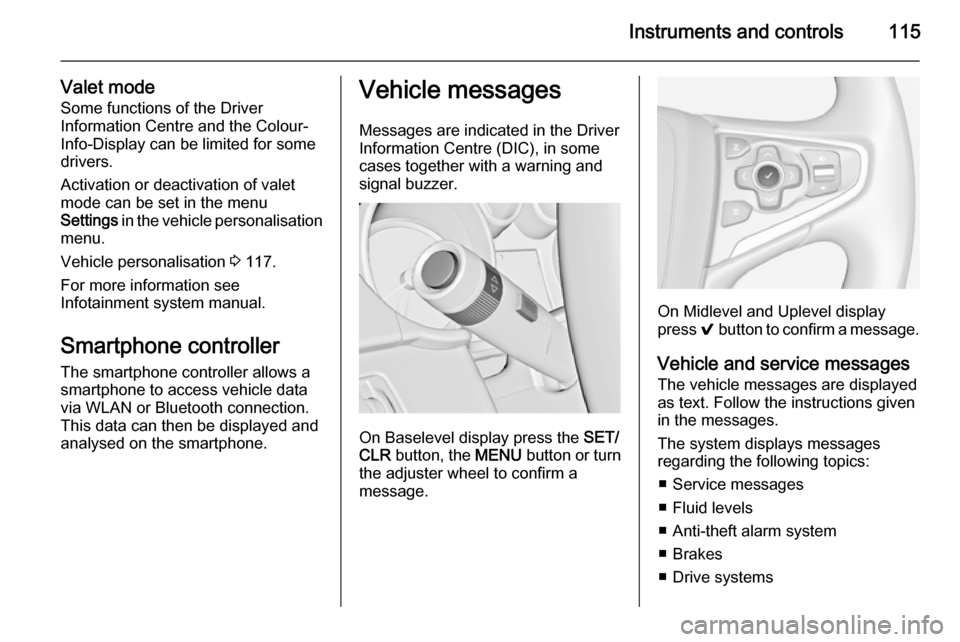
On Baselevel display press the SET/
CLR button, the MENU button or turn
the adjuster wheel to confirm a
message.
On Midlevel and Uplevel display
press 9 button to confirm a message.
Vehicle and service messages
The vehicle messages are displayed
as text. Follow the instructions given
in the messages.
The system displays messages
regarding the following topics:
■ Service messages
■ Fluid levels
■ Anti-theft alarm system
■ Brakes
■ Drive systems
Page 119 of 321

Instruments and controls117
During an Autostop■ If the driver's door is opened.
Battery voltage When the vehicle battery voltage isrunning low, a warning message will
appear in the Driver Information
Centre.
1. Switch off any electrical consumers which are not requiredfor a safe ride, e.g. seat heating,
heated rear window or other main consumers.
2. Charge the vehicle battery by driving continuously for a while or
by using a charging device.
The warning message will disappear
after the engine has been started
twice without a voltage drop.
If the vehicle battery cannot be
recharged, have the cause of the fault
remedied by a workshop.Vehicle personalisation
The vehicle's behaviour can be
personalised by changing the settings
in the Colour-Info-Display.
Some of the personal settings for
different drivers can be memorised individually for each vehicle key.
Memorised settings 3 22.
Depending on vehicle equipment and
country-specific regulations some of
the functions described below might
not be available.
Some functions are only displayed or
active when the engine is running.
Personal settings Following the changing of personal
settings is described via the buttons
below the display. This is valid for
4.2'' as well as 8'' Colour-Info-Display.
Additionally the 8'' display is operable
as a touchscreen and with the touchpad between the front seats. See description Colour-Info-Display
3 113 and the Infotainment system
manual.
With active display, press button ;.
Turn button MENU to select Settings
display icon.
Press button MENU to confirm.
The following settings can be
selected by turning and pressing the multifunction knob:
■ Time and Date
■ Sport Mode
■ Language (Language)
■ Valet Mode
■ Radio
■ Vehicle
■ Bluetooth
Page 120 of 321

118Instruments and controls
■Voice
■ Display
■ Rear Camera
■ Return to Factory Settings
■ Software Information
■ TouchPad
In the corresponding submenus the
following settings can be changed:
Time and Date
See Clock 3 86.
Sport Mode
The driver can select the functions
which will be activated in Sport mode
3 167.
■ Sport Mode Backlighting : Change
of instrument illumination colour.
■ Engine Sport Performance :
Accelerator pedal and gear change
characteristics become more
responsive.
■ Sport Steering : Steering support is
reduced.■ Sport Suspension : Damping
becomes harder.
■ All Wheel Drive : Engine torque is
distributed to a greater extent to the rear axle.
Language (Language)
Selection of the desired language.
See Infotainment system manual.
Valet Mode
See Infotainment system manual.
Radio
See Infotainment system manual.
Vehicle ■ Climate and Air Quality
Auto Fan Max Speed : Modifies the
level of the cabin airflow of the
climate control in automatic mode.
Air Conditioning Mode : Controls the
state of the cooling compressor
when the vehicle is started. Last setting (recommended) or at
vehicle start is either always ON or
always OFF.
Auto Demist : Supports windscreen
dehumidification by automaticallyselecting the necessary settings
and automatic air conditioning
mode.
Auto Rear Demist : Activates
automatically the heated rear
window.
■ Collision / Detection Systems
Park Assist : Activates or
deactivates the ultrasonic parking assist.
Auto Collision Preparation :
Activates or deactivates the
automatic brake functionality of the
vehicle in the event of imminent
collision danger. The following is
selectable: the system will take
over brake control, warn by chimes
only or is deactivated completely.
Go Notifier : Activates or
deactivates the reminder function
of the adaptive cruise control.
Side Blind Zone Alert : Activates or
deactivates side blind zone alert.
Rear Cross Traffic Alert : Activates
or deactivates rear cross traffic
alert.
Page 320 of 321

318
Tread depth ............................... 242
Trip odometer .............................. 95
Turn and lane-change signals ...127
Turn signal ................................... 99
Tyre chains ................................ 243
Tyre designations ......................239
Tyre pressure ............................ 239
Tyre pressure monitoring system ............................ 103, 240
Tyre pressures ........................... 288
Tyre repair kit ............................. 244
U Ultrasonic parking assist ...102, 186
Upholstery .................................. 258
Upshift ........................................ 102
Using this manual ..........................3
V Valet mode ................................. 113
Variable effort steering ...............102
Vehicle battery ........................... 218
Vehicle checks............................ 213
Vehicle data ................................ 265
Vehicle data recording and privacy ..................................... 311
Vehicle detected ahead ..............105
Vehicle dimensions .................... 285
Vehicle Identification Number ....263
Vehicle jack ................................ 238Vehicle messages .....................115
Vehicle personalisation .............117
Vehicle security ............................ 32
Vehicle specific data ......................3
Vehicle storage ........................... 212
Vehicle tools ............................... 238
Vehicle unlocking ........................... 6
Vehicle weight ........................... 274
Ventilating ..................................... 53
Ventilation ................................... 133
W
Warning chimes .........................116
Warning lights ............................... 95
Warning triangle .......................... 77
Washer and wiper systems .........13
Washer fluid ............................... 217
Wheel changing .........................247
Wheel covers ............................. 243
Wheels and tyres .......................239
Windows ....................................... 38
Windscreen................................... 38
Windscreen wiper/washer ...........83
Winter tyres ............................... 239
Wiper blade replacement ..........220
X Xenon headlights .......................224