instrument cluster VAUXHALL INSIGNIA 2015.5 Owner's Manual
[x] Cancel search | Manufacturer: VAUXHALL, Model Year: 2015.5, Model line: INSIGNIA, Model: VAUXHALL INSIGNIA 2015.5Pages: 331, PDF Size: 9.08 MB
Page 19 of 331
In brief17
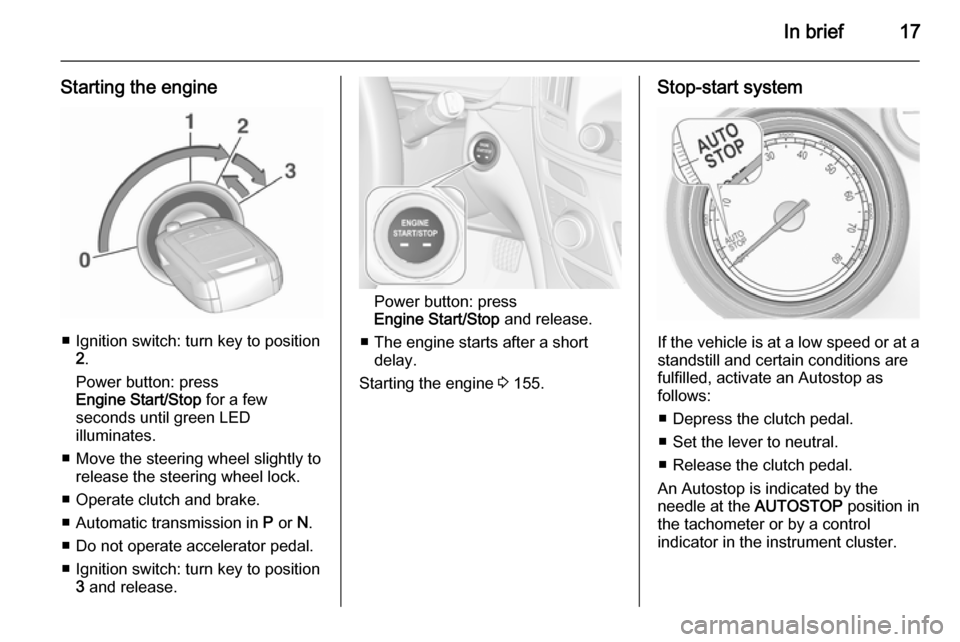
Starting the engine
■ Ignition switch: turn key to position2.
Power button: press
Engine Start/Stop for a few
seconds until green LED
illuminates.
■ Move the steering wheel slightly to release the steering wheel lock.
■ Operate clutch and brake.
■ Automatic transmission in P or N.
■ Do not operate accelerator pedal.
■ Ignition switch: turn key to position 3 and release.
Power button: press
Engine Start/Stop and release.
■ The engine starts after a short delay.
Starting the engine 3 155.
Stop-start system
If the vehicle is at a low speed or at a
standstill and certain conditions are
fulfilled, activate an Autostop as
follows:
■ Depress the clutch pedal.
■ Set the lever to neutral.
■ Release the clutch pedal.
An Autostop is indicated by the
needle at the AUTOSTOP position in
the tachometer or by a control
indicator in the instrument cluster.
Page 97 of 331

Instruments and controls95Warning lights, gauges
and indicators
Instrument cluster
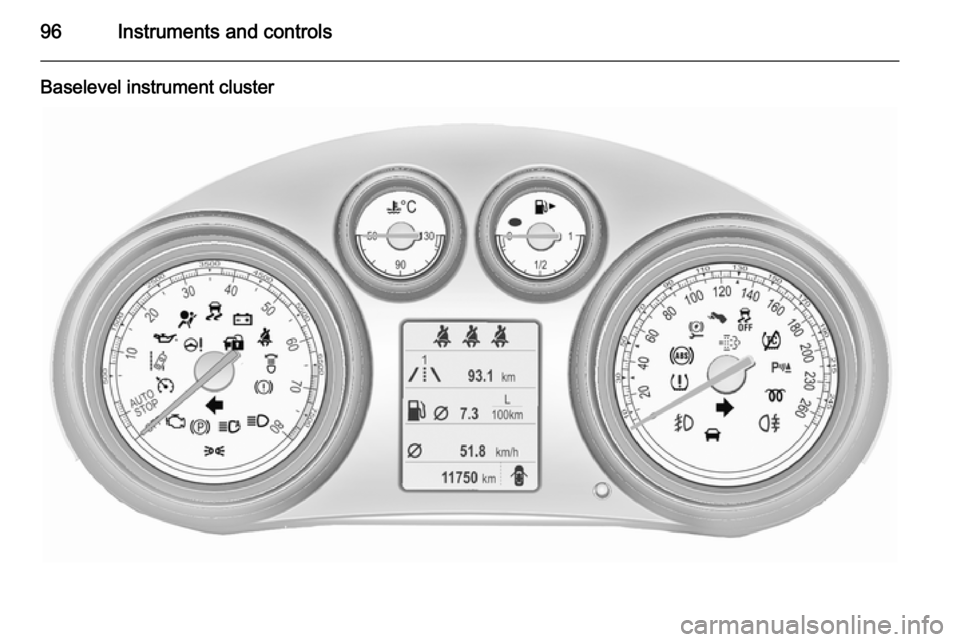
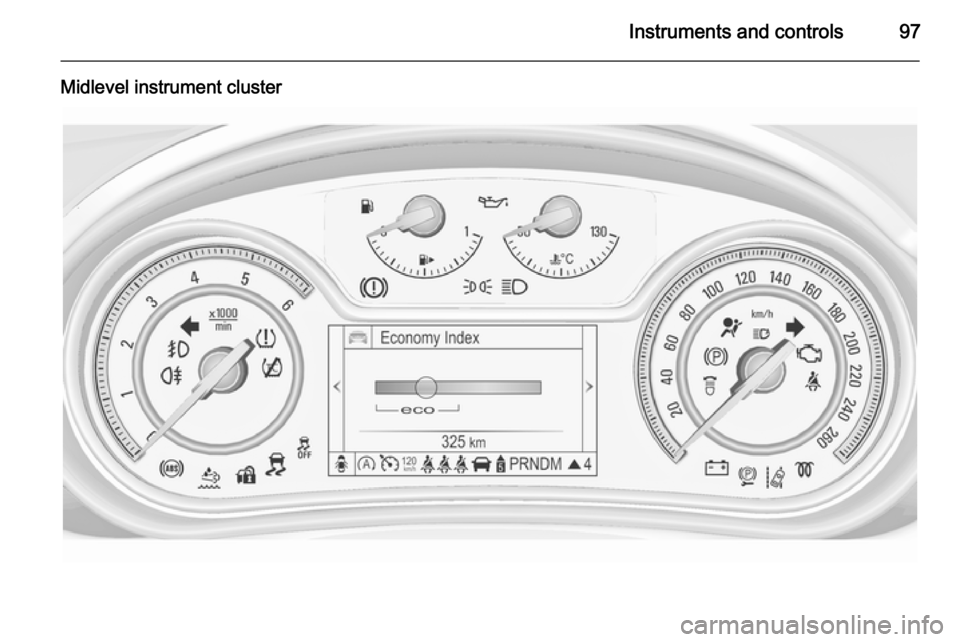
Depending on the version, three
instrument clusters are available:
■ Baselevel
■ Midlevel
■ Uplevel
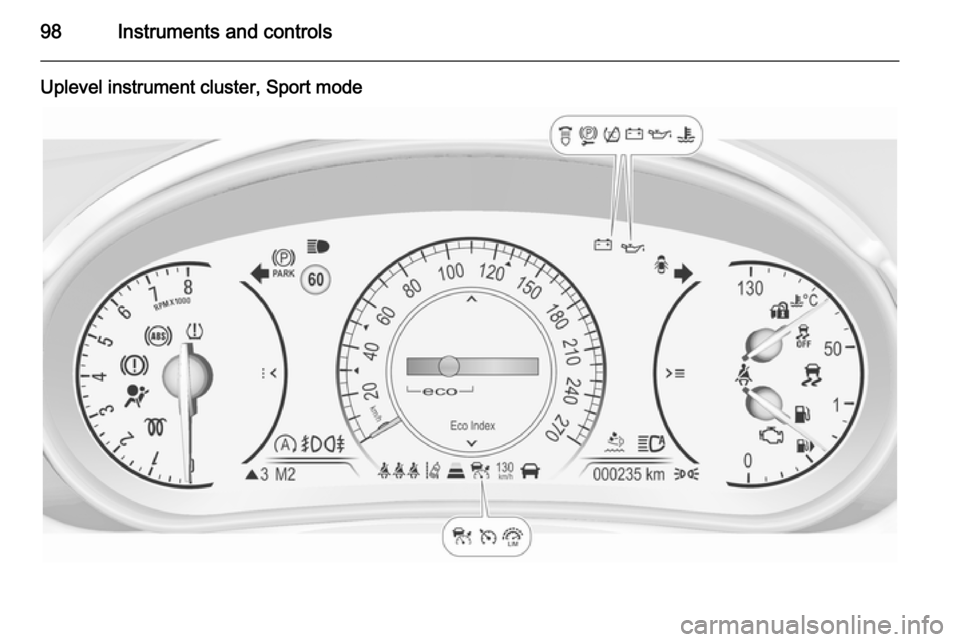
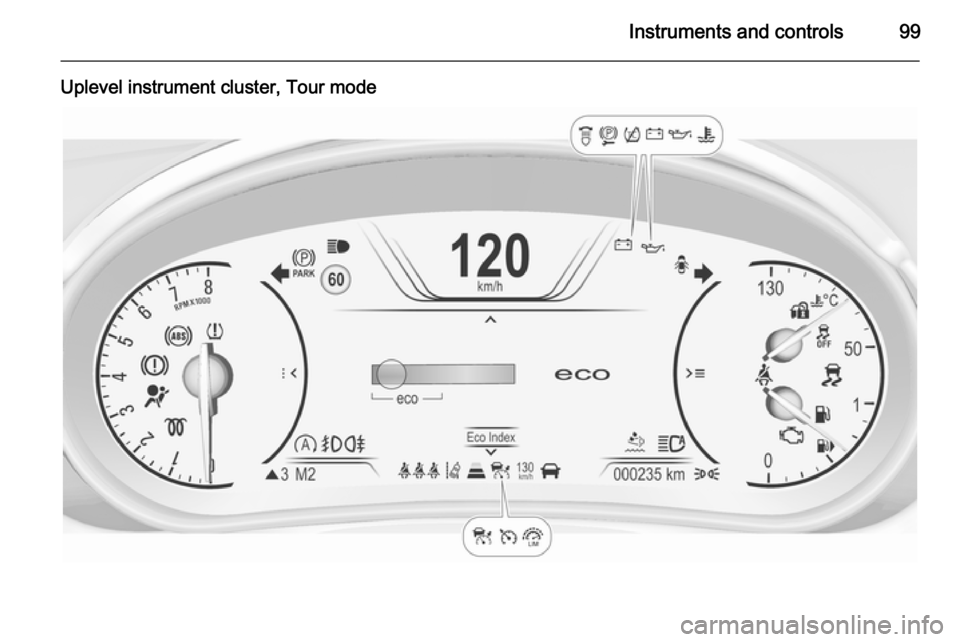
Uplevel instrument cluster can be
displayed as Sport mode or Tour
mode.
Page 98 of 331
96Instruments and controls
Baselevel instrument cluster
Page 99 of 331
Instruments and controls97
Midlevel instrument cluster
Page 100 of 331
98Instruments and controls
Uplevel instrument cluster, Sport mode
Page 101 of 331
Instruments and controls99
Uplevel instrument cluster, Tour mode
Page 102 of 331
100Instruments and controlsSpeedometer
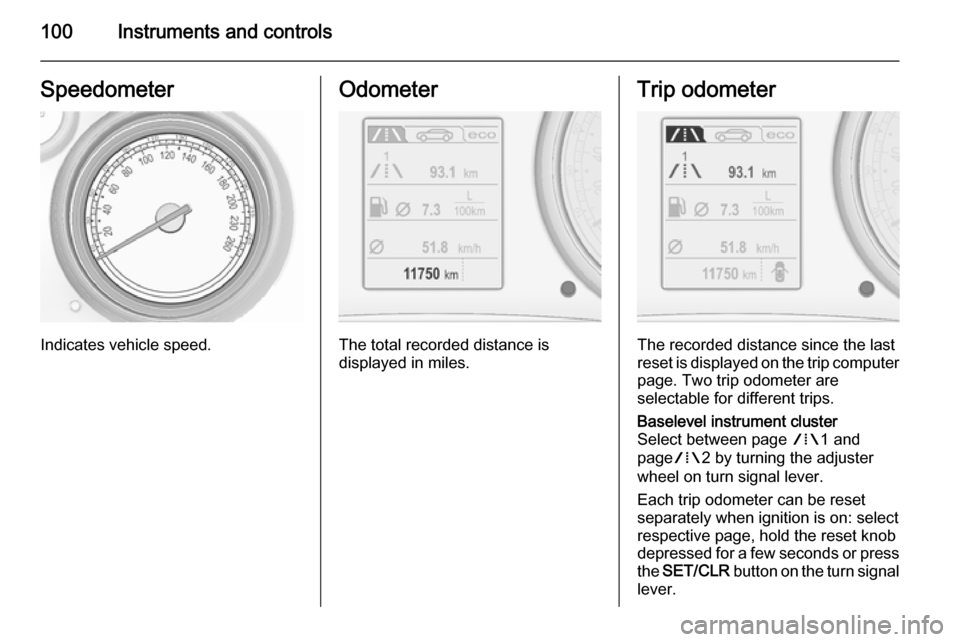
Indicates vehicle speed.
Odometer
The total recorded distance is
displayed in miles.
Trip odometer
The recorded distance since the last
reset is displayed on the trip computer page. Two trip odometer are
selectable for different trips.
Baselevel instrument cluster
Select between page W1 and
page W2 by turning the adjuster
wheel on turn signal lever.
Each trip odometer can be reset
separately when ignition is on: select
respective page, hold the reset knob
depressed for a few seconds or press
the SET/CLR button on the turn signal
lever.
Page 103 of 331
Instruments and controls101
Midlevel and Uplevel instrument
cluster
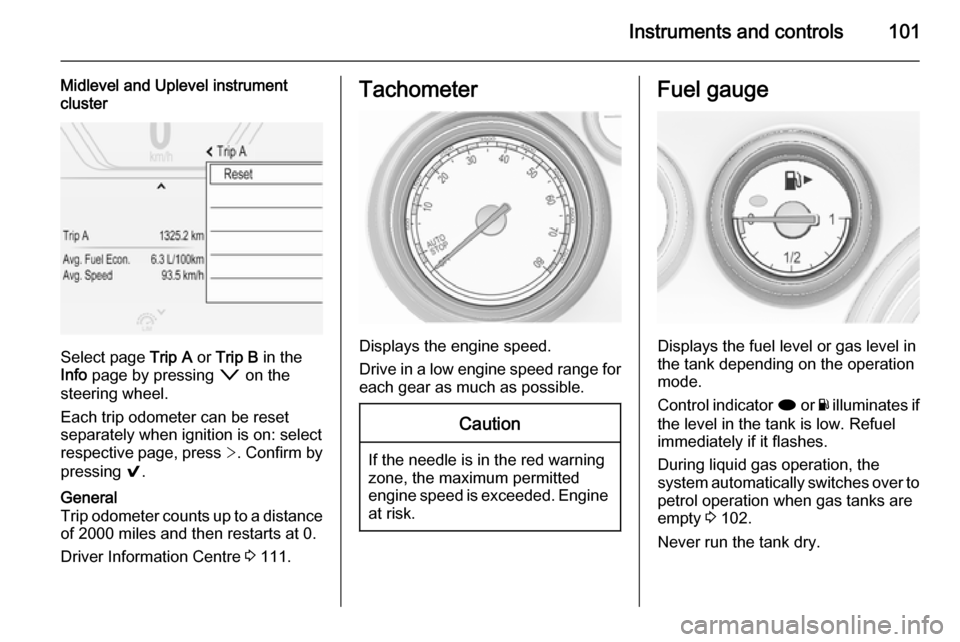
Select page Trip A or Trip B in the
Info page by pressing o on the
steering wheel.
Each trip odometer can be reset separately when ignition is on: select
respective page, press >. Confirm by
pressing 9.
General
Trip odometer counts up to a distance
of 2000 miles and then restarts at 0.
Driver Information Centre 3 111.Tachometer
Displays the engine speed.
Drive in a low engine speed range for each gear as much as possible.
Caution
If the needle is in the red warning
zone, the maximum permitted
engine speed is exceeded. Engine at risk.
Fuel gauge
Displays the fuel level or gas level in
the tank depending on the operation
mode.
Control indicator i or Y illuminates if
the level in the tank is low. Refuel
immediately if it flashes.
During liquid gas operation, the
system automatically switches over to
petrol operation when gas tanks are
empty 3 102.
Never run the tank dry.
Page 106 of 331

104Instruments and controlsControl indicators
The control indicators described are
not present in all vehicles. The
description applies to all instrument
versions. Depending on the
equipment, the position of the control indicators may vary. When the
ignition is switched on, most control
indicators will illuminate briefly as a functionality test.
The control indicator colours mean:red=danger, important reminderyellow=warning, information, faultgreen=confirmation of activationblue=confirmation of activationwhite=confirmation of activation
See all control indicators on different
instrument clusters 3 95.
Turn signal
O illuminates or flashes green.
Illuminates briefly
The parking lights are switched on.
Flashes
A turn signal or the hazard warningflashers are activated.
Rapid flashing: failure of a turn signal
light or associated fuse, failure of turn
signal light on trailer.
Bulb replacement 3 232, Fuses
3 242.
Turn signals 3 132.
Seat belt reminder Seat belt reminder on frontseats X for driver's seat illuminates or
flashes red in the instrument cluster.
k for front passenger seat illuminates
or flashes red in the centre console,
when seat is occupied.
Illuminates
After the ignition has been switched
on until the seat belt has been
fastened.Flashes
After having started the engine for a
maximum of 100 seconds until the
seat belt has been fastened.
Seat belt status on rear seats,
base level instrument cluster
X flashes or illuminates in the Driver
Information Centre.
Illuminates
After having started the engine when
the seat belt has been fastened.
Flashes
After starting off when the seat belt is unfastened.
Fastening the seat belt 3 55.
Seat belt status on rear seats,
midlevel and uplevel instrument cluster X illuminates red or green or grey in
the instrument cluster, after having
started the engine.
Illuminates red
Seat occupied and the seat belt is
unfastened.
Page 113 of 331

Instruments and controls111
Illuminates yellowThe distance to a preceding moving
vehicle gets too small or when
approaching another vehicle too
rapidly.
Forward collision alert 3 187,
Adaptive cruise control 3 180.
Speed limiter L illuminates white or green.
Illuminates white The system is on.
Illuminates green
Speed limiter is active. Set speed is
indicated near L symbol.
Speed limiter 3 179.
Traffic sign assistant L displays detected traffic signs as
control indicator.
Traffic sign assistant 3 205.Door open
h illuminates red.
A door or the tailgate is open.Information displays
Driver Information Centre The Driver Information Centre (DIC)
is located in the instrument cluster.
Depending on the version and the
instrument cluster, the DIC is
available as Baselevel display,
Midlevel display or Uplevel display.
DIC indicates depending on the
equipment:
■ overall and trip odometer
■ vehicle information
■ trip/fuel information
■ economic information
■ performance information
■ vehicle and warning messages
■ audio and infotainment information
■ phone information
■ navigation information
■ vehicle settings